


ODOO 的功能
Odoo 在制造单表单视图中提供完整的 MRP 管理功能,但用户必须逐个打开每张订单才能执行操作。
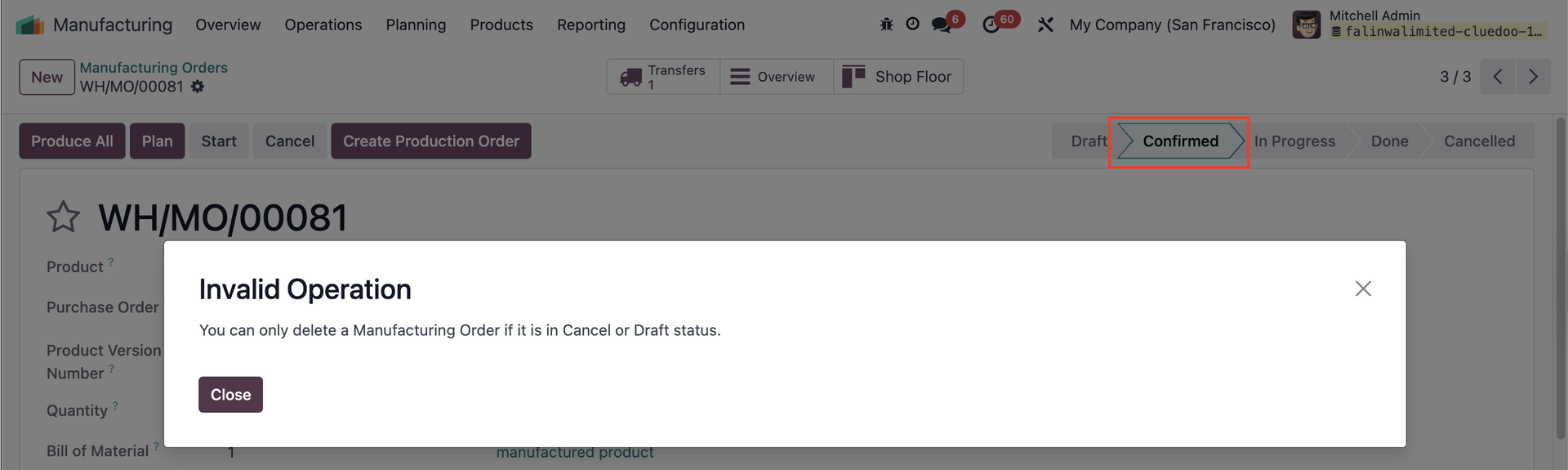
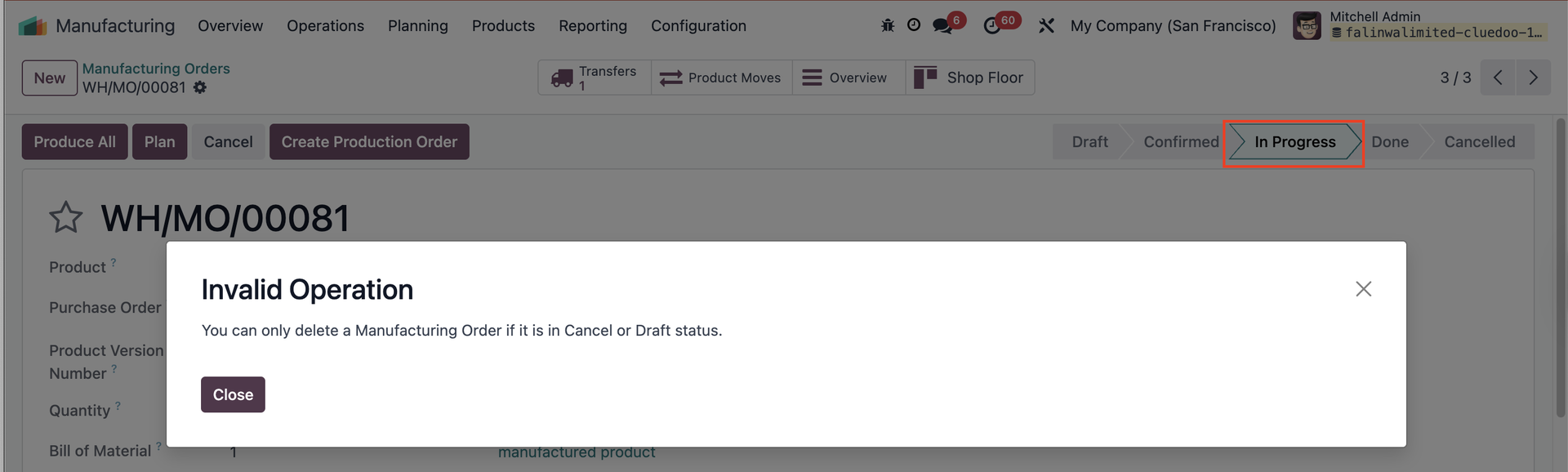
此外,即便制造单处于「Confirmed」或「In Progress」状态,Odoo 仍允许删除,可能导致数据不一致。
CLUEDOO 的功能
Cluedoo enhances production management by introducing:
\t1️⃣ Quick action buttons directly in the list view, offering a general overview and saving time by avoiding the need to open individual form views.
\t2️⃣ Multi-selection actions to process multiple production orders (Production Orders, Manufacturing Orders, or Work Orders) simultaneously.
\t3️⃣ A restriction that prevents the deletion of Manufacturing Orders in Confirmed/In Progress Status, requiring users to cancel them first.
This allows users to validate 80 or more orders in just 3 clicks compared to the 240 clicks needed in standard Odoo (open form view > validate > return to list view), leading to a dramatic increase in operational efficiency and improving overall workflow flexibility.
检查可用性Go to Manufacturing > Manufacturing Orders > choose MO on list view > click Actions > Check Availability Availability of components of the chosen MO will be updated. 备注:自 v17 起已移除 |  |
PLAN 按钮Configure the Manufacturing Order (MO) > Set up the Work Order (WO) In the list view, select the MO > Click the "Plan" button > The MO will be scheduled/produced, and the Work Order will display the planned start and end dates. 备注:自 v17 起已移除 |  |
UNRESERVE 按钮This button is to unreserve the quantity of the component that is already reserved 备注:自 v17 起已移除 |  |
CANCEL 按钮In the list view, select the MO > Click the button "Cancel" > The MO will be canceled. 备注:自 v17 起已移除 |  |
允许的工作中心Go to Settings > Users, then add work centers in the "Allowed Work Centers" field. Users will only be able to access the work centers assigned to them. 若用户未被分配工作中心,则无法确认涉及其用户设置之外工作中心的制造单 (MO)。 备注:自 v17 起已移除 |  |
WO READY / WO IN PROGRESSGo to Manufacturing > Overview 点击 WO Ready,在列表视图中显示所有处于「Ready」状态的工单。 点击 WO In Progress,在列表视图中显示所有处于「In Progress」状态的工单。 备注:自 v17 起已移除 |  |
COMITTMENT DATEOn Manufacturing > Operations > Production Order, we have a field Commitment Date | 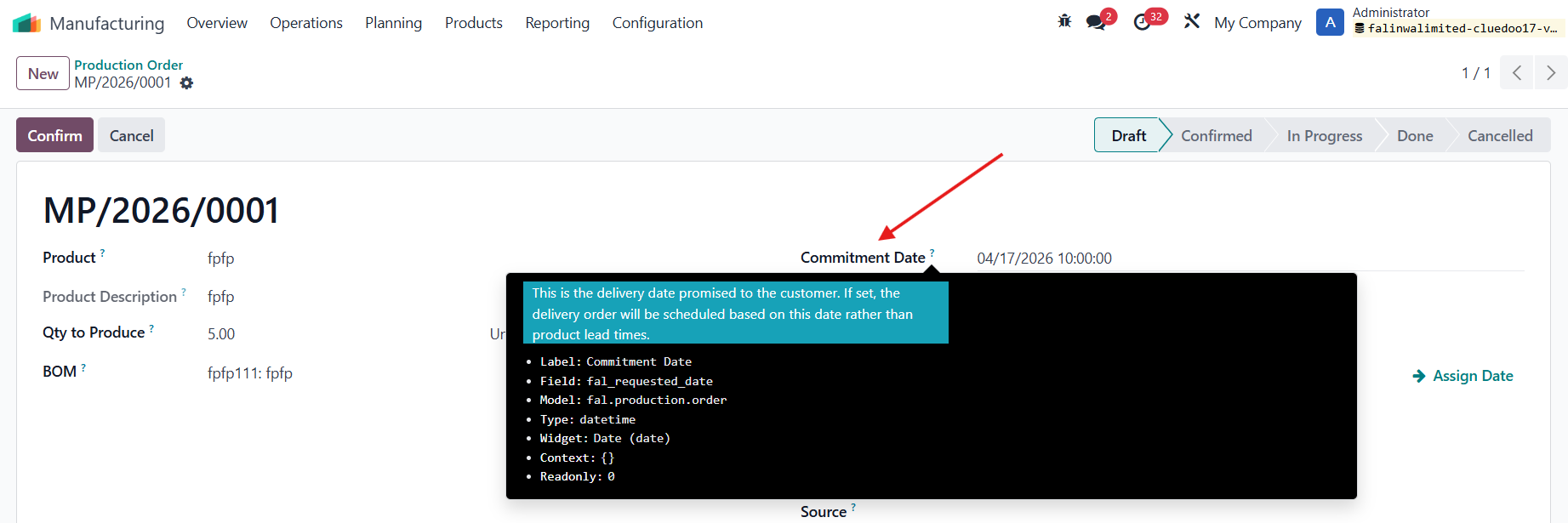 |
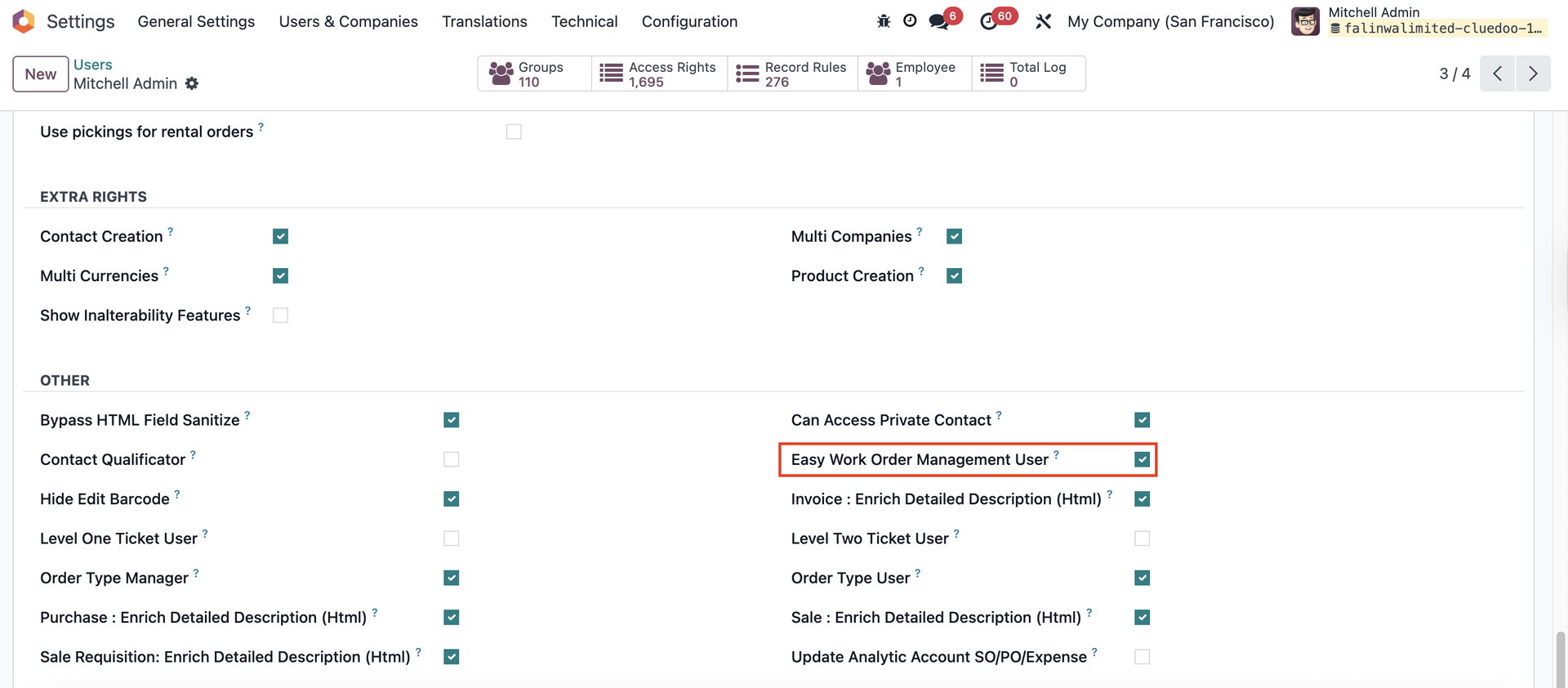
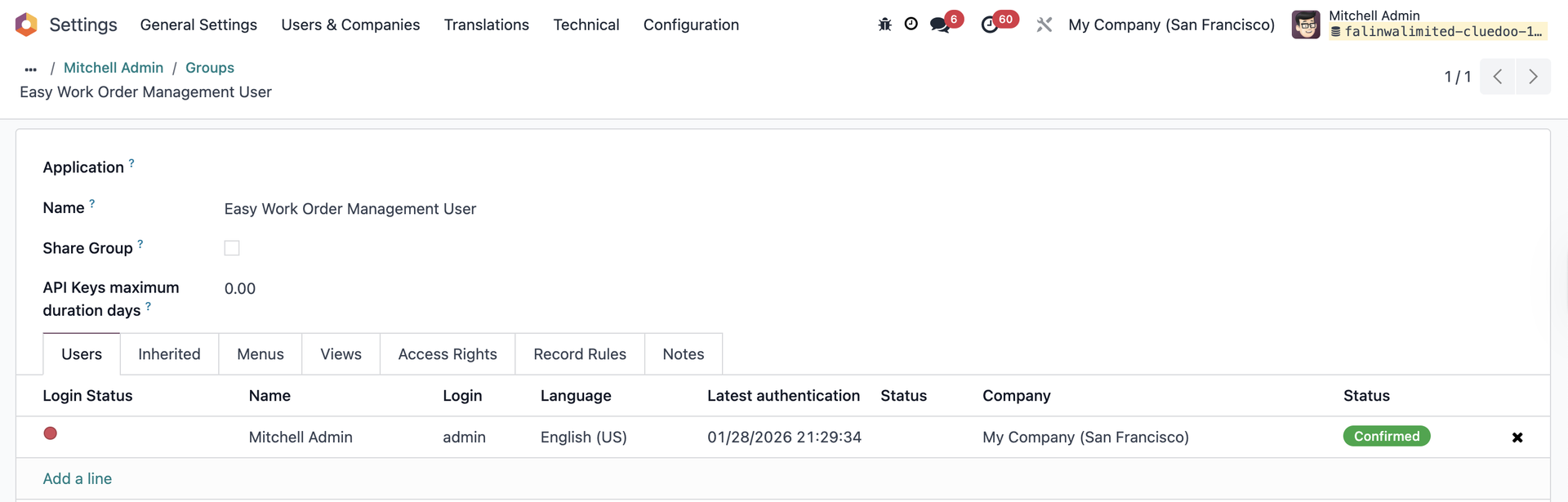
EASY WORK ORDER MANAGEMENT USER
|   |
启动状态在 Work Orders 中提供 Status to Start,便于跟踪 MO/组件的状态。 | 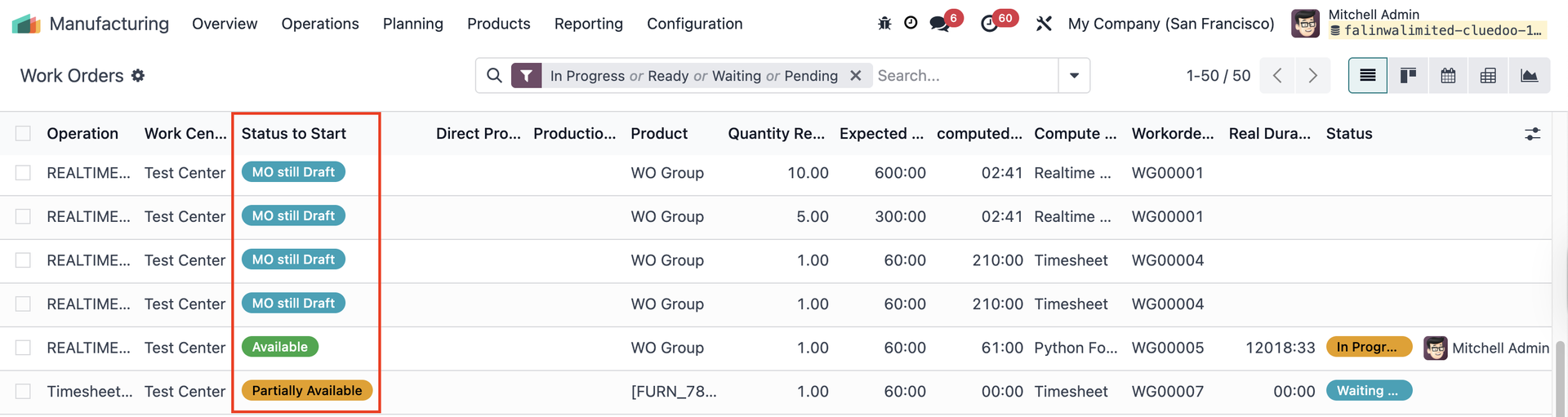 |
制造单报告On a Manufacturing Order, access Print > We have a new report Production Order (Product not Reserved) | 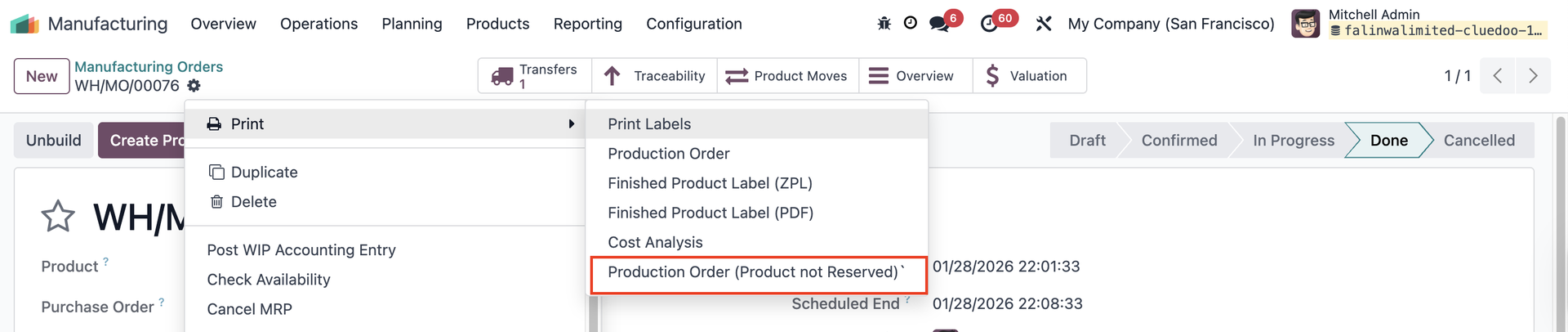 报告 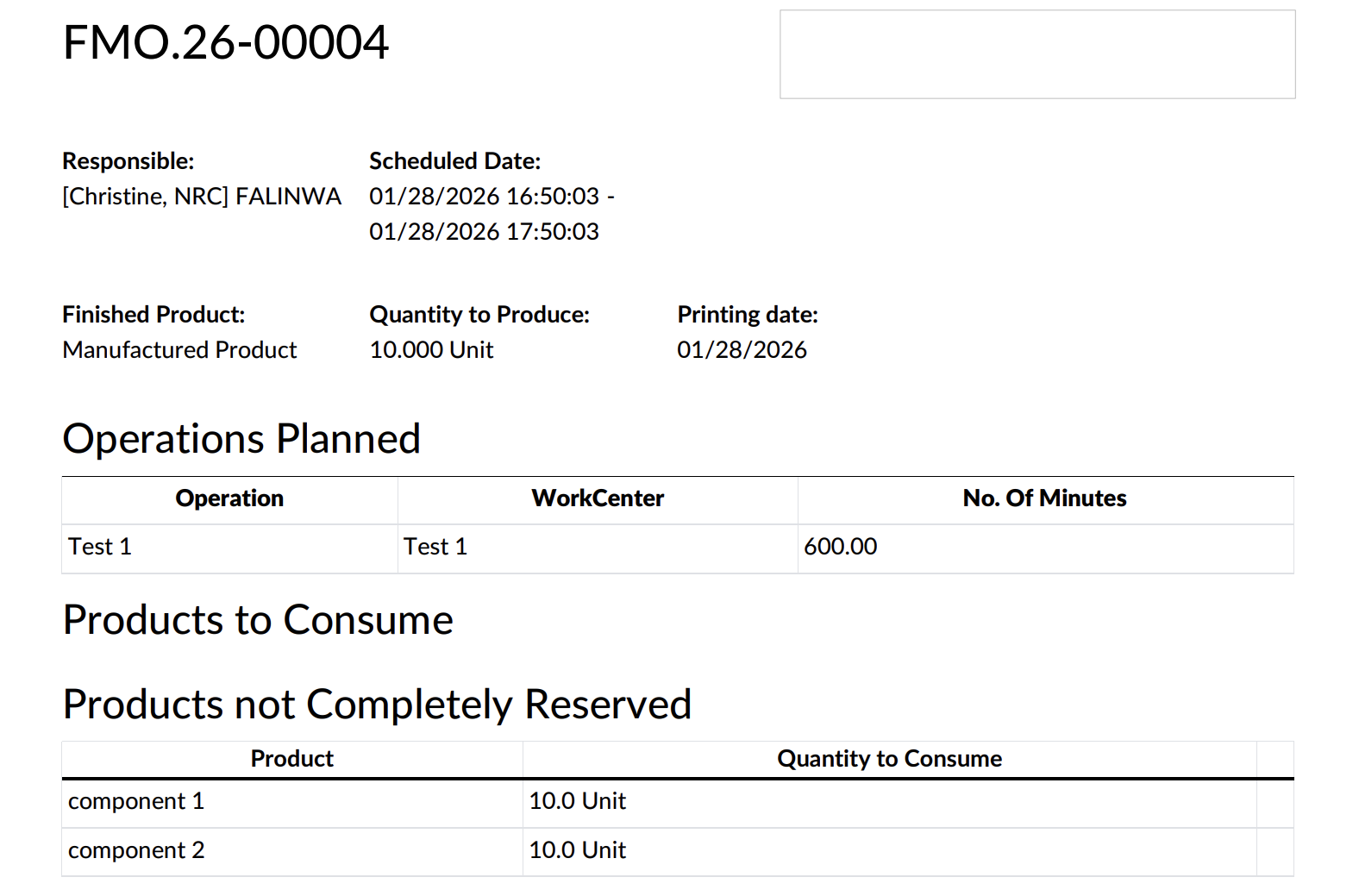 |
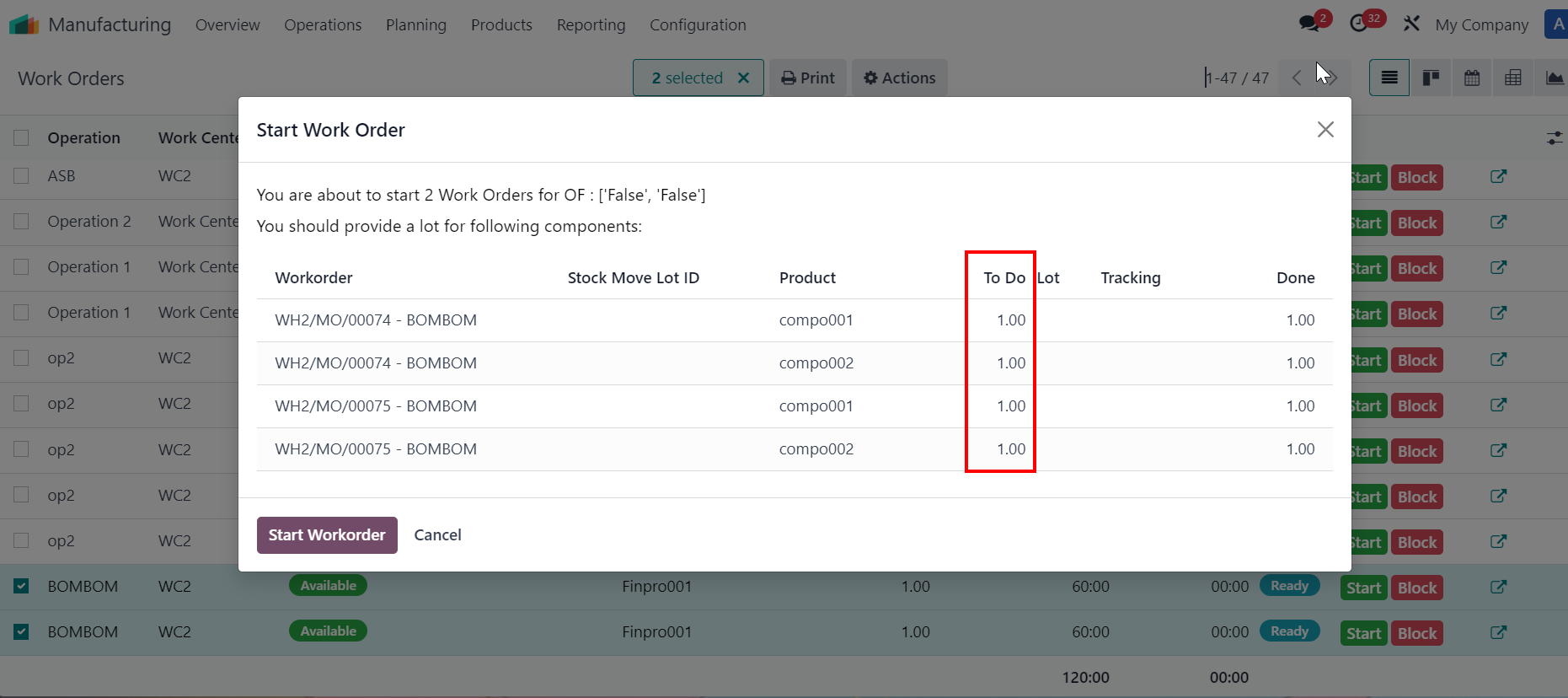
批量开始/完成工单Select multiple work orders > Actions > Work Order Started / Work Order Finished
备注:
| 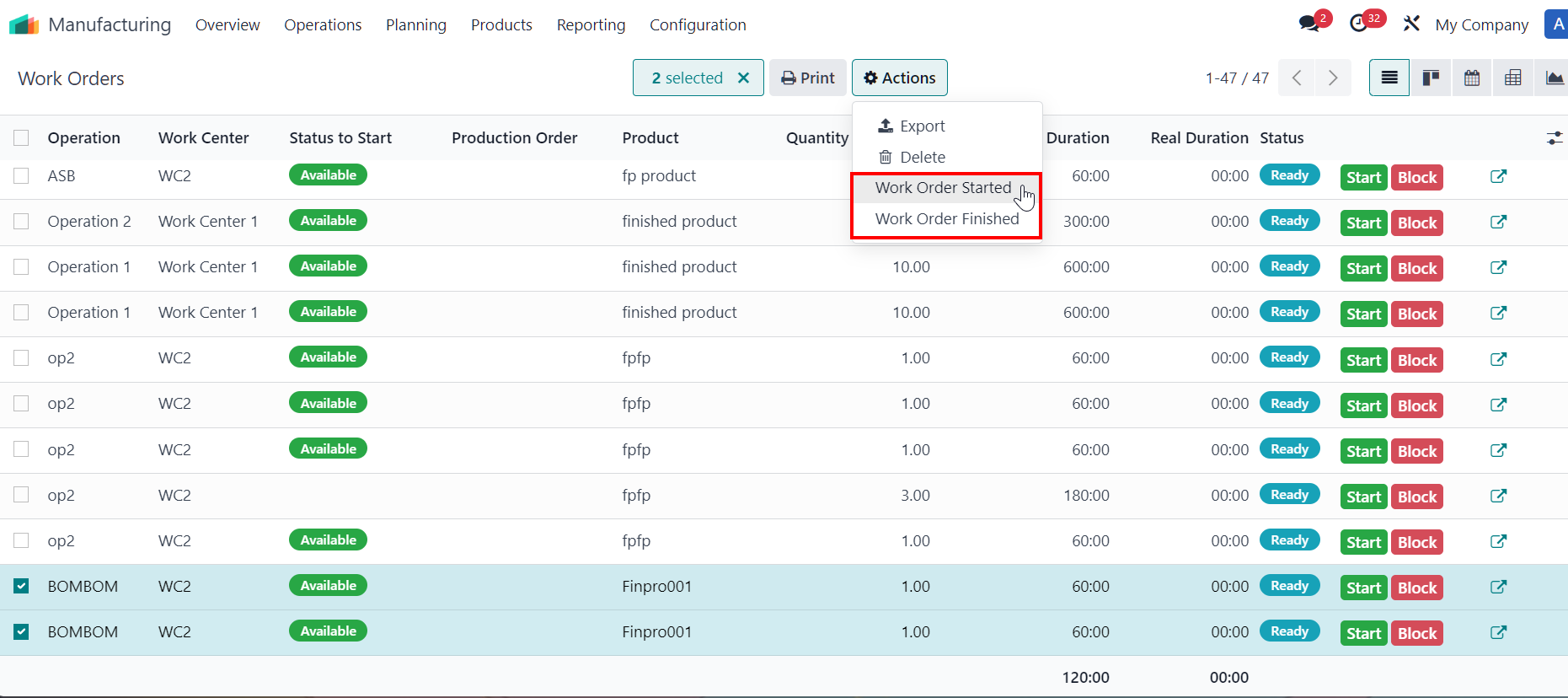   in line start button 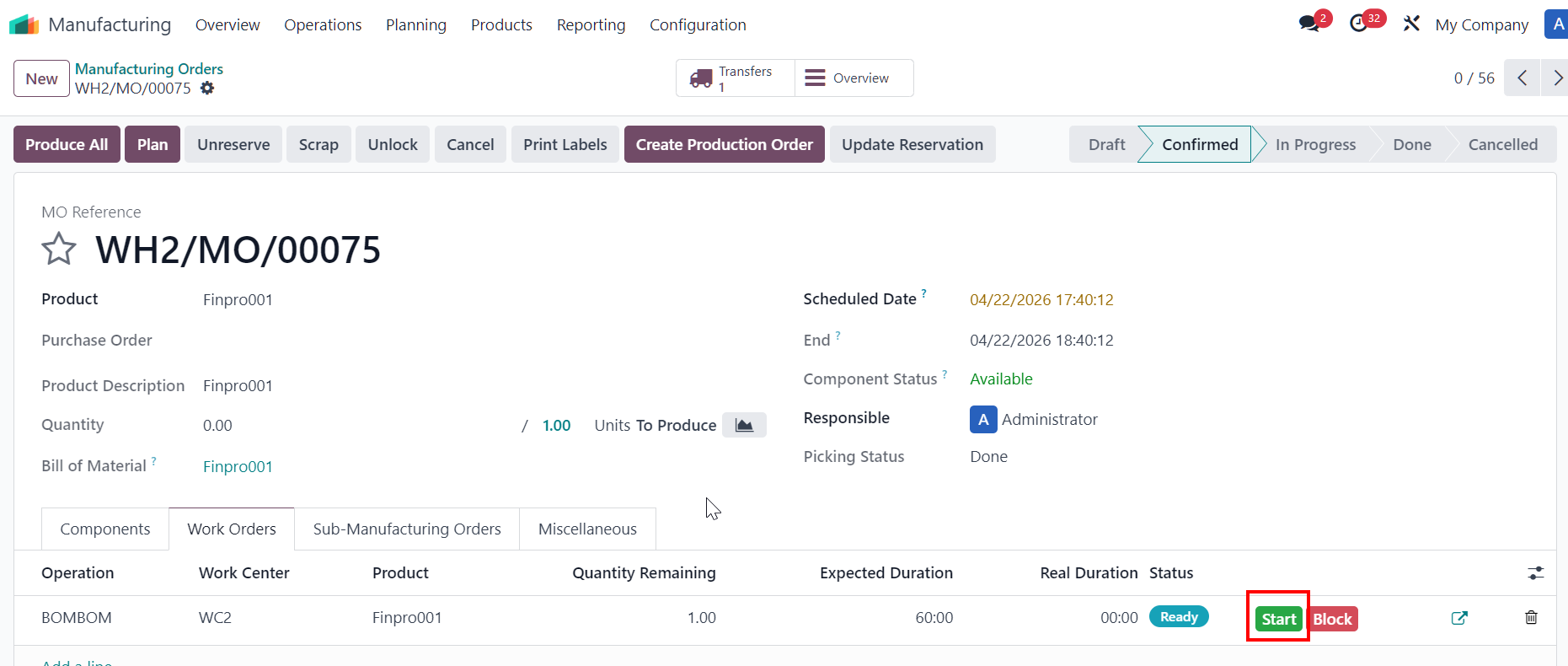 |
|  |
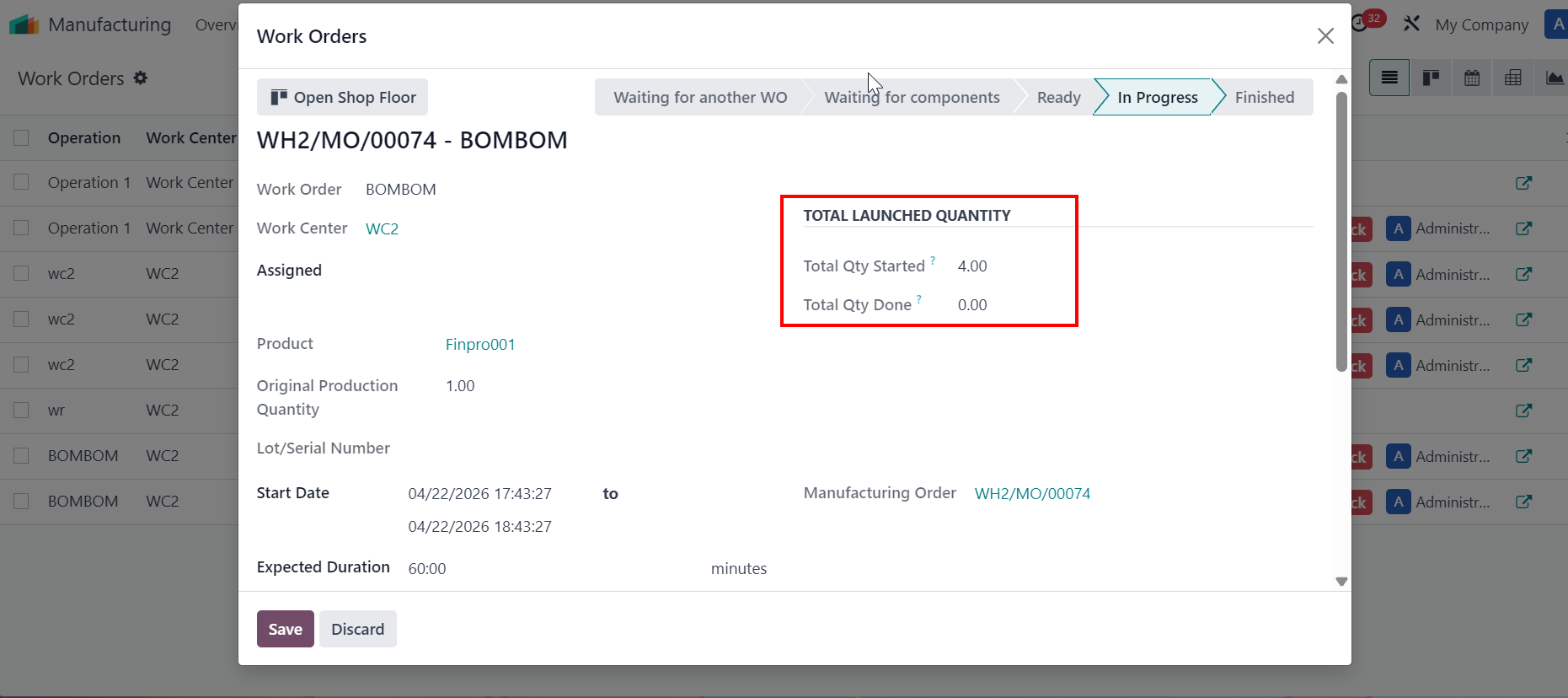
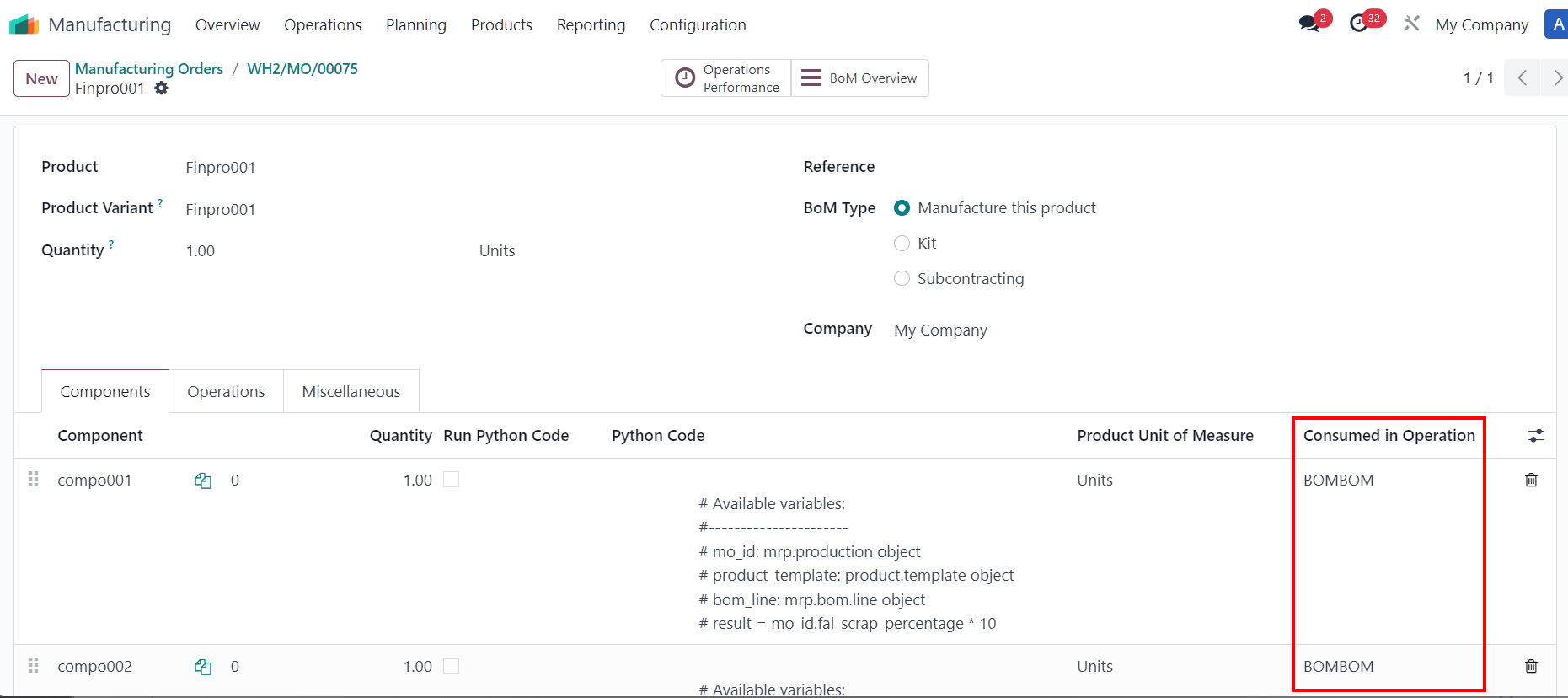
已启动总数量Click on Start Workorder > The Total Launched Quantity takes values from wizard Start Work order, which is the sum of the components' quantity. Since there are 4 components on the wizard > Total Qty Started = 4. |
|
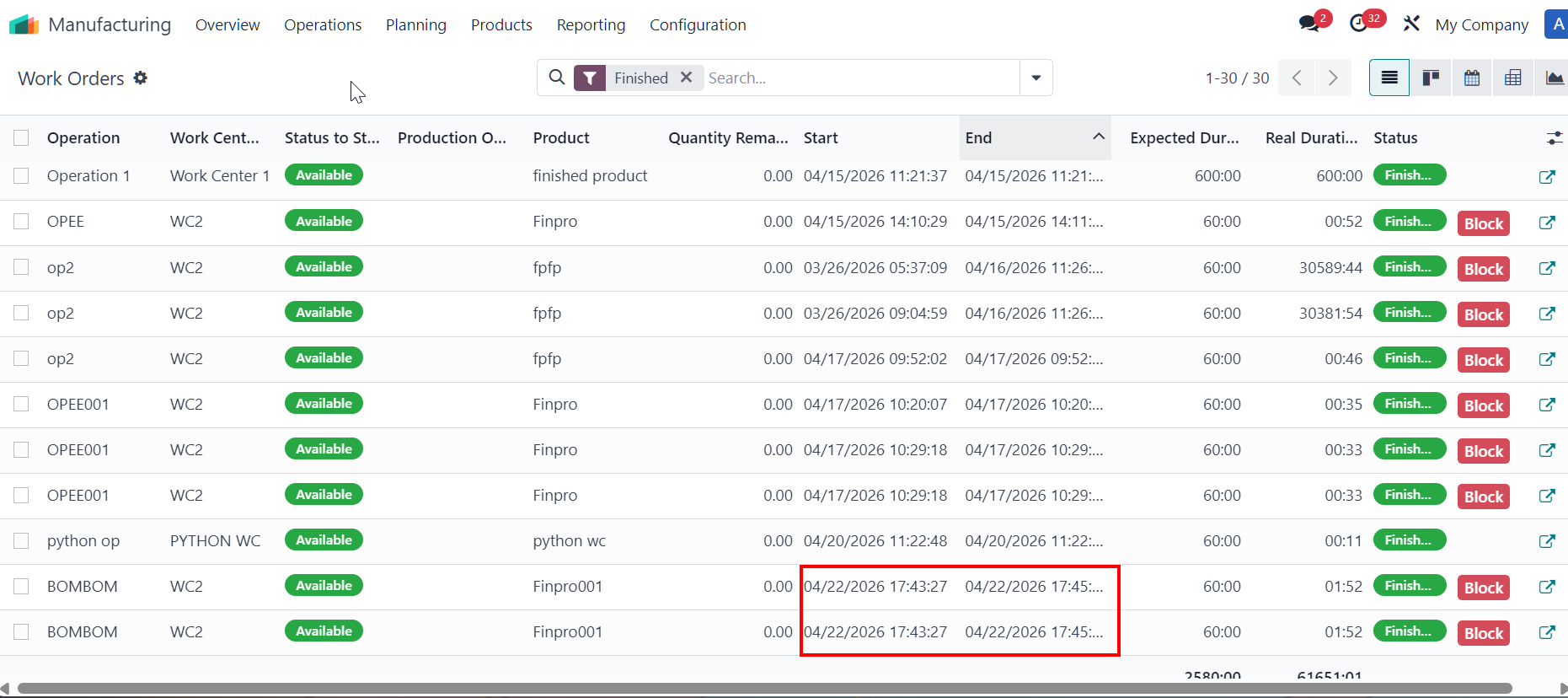
Once WOs are finished > total quantity done takes value from original production quantity field per work order, which is the total amount of finished goods. Since there are 2 WOs finished for product > the total qty done = 2. | 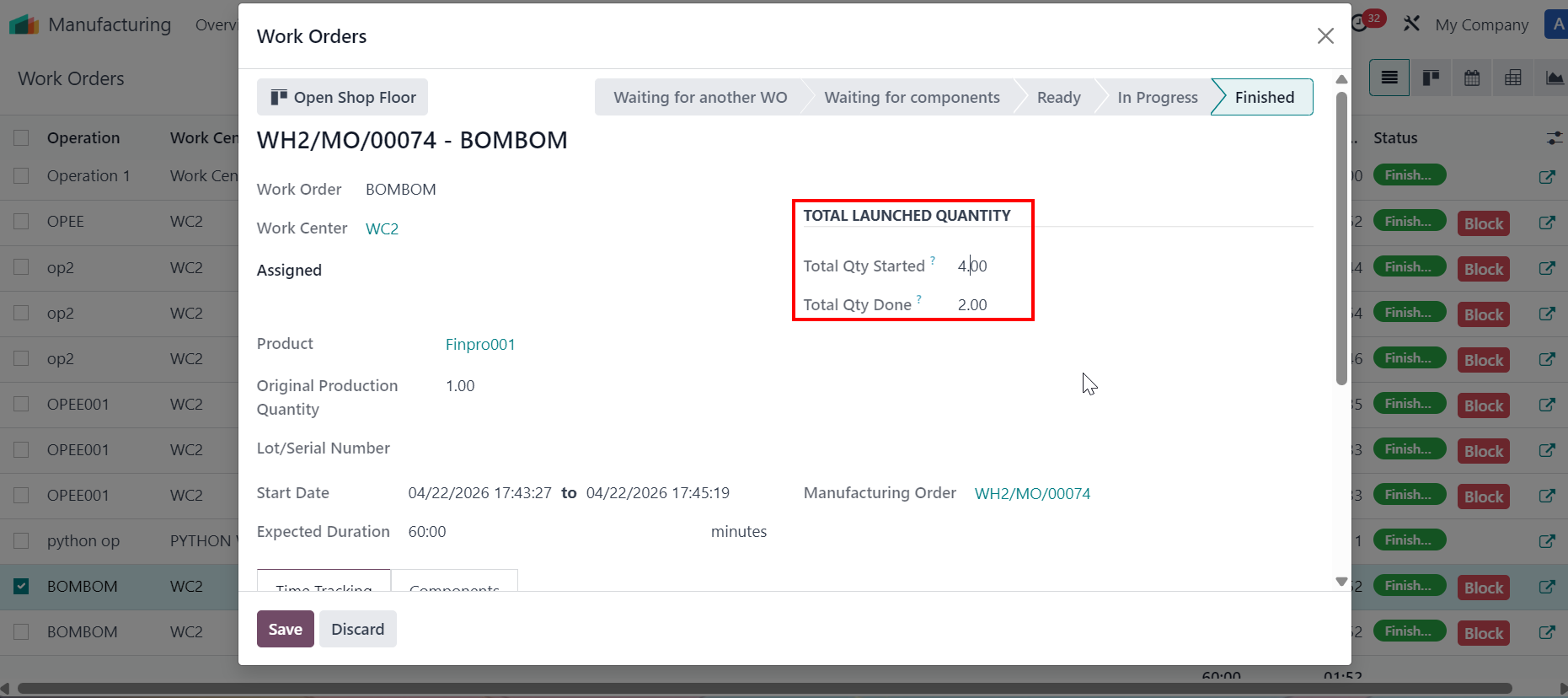 |
删除 CONFIRMED/IN PROGRESS 的制造单
|   |