
ODOO'S FUNCTION
Odoo does not allow selecting a manufacturer/brand in pricelist rules, so it’s not possible to apply a pricelist automatically to all products from the same brand - something especially useful for businesses like supermarkets that negotiate supplier-based pricing.
CLUEDOO'S FUNCTION
CLuedoo adds a brand selection in pricelist rules, allowing a pricelist to apply automatically to all products from that brand.
1️⃣ On the Sales Order, choosing a brand will automatically apply the corresponding pricelist.
2️⃣ In POS, the system applies the pricelist based on the first brand listed in the product form (if multiple brands exist).
1. Create a new product and choose its manufacturers/brands e.g., Here I add The Jackson Group and Bloem GmbH | 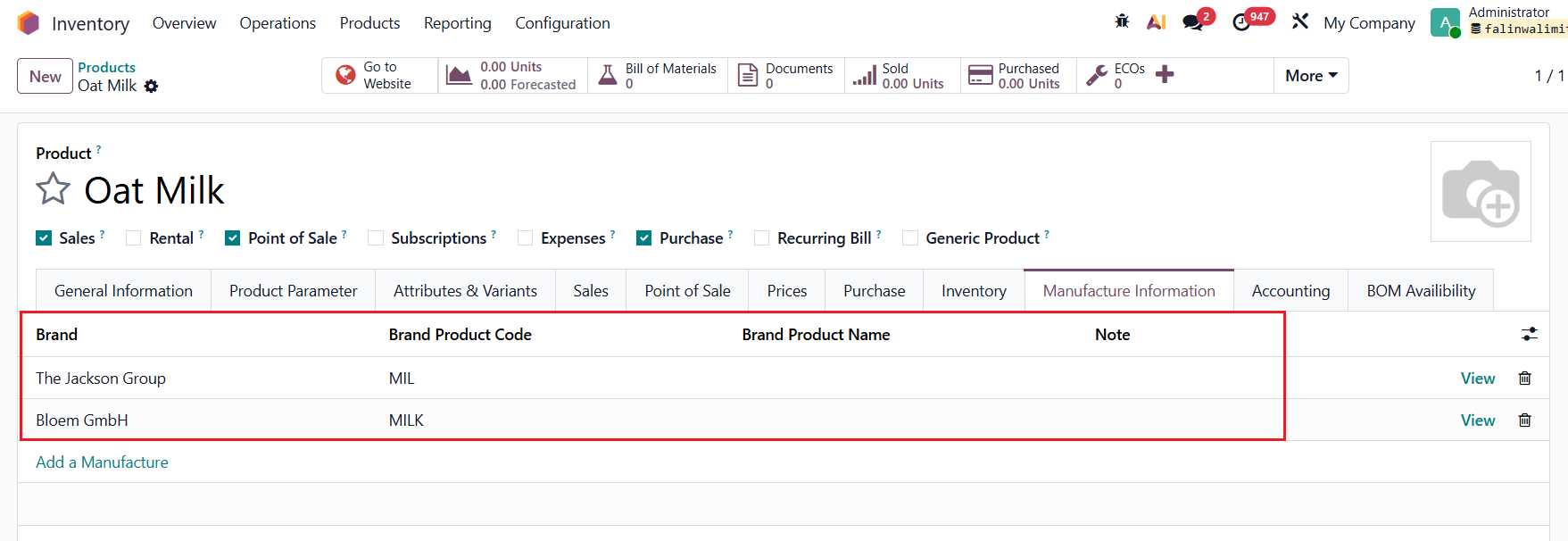 |
2. Go to Sales → Pricelists → Create 2 different pricelist rules for each brand In the rule, you will see that we have an additional selection for Brand. The pricelist rule will apply to all the products that belong to that specific brand. e.g.,
| For The Jackson Group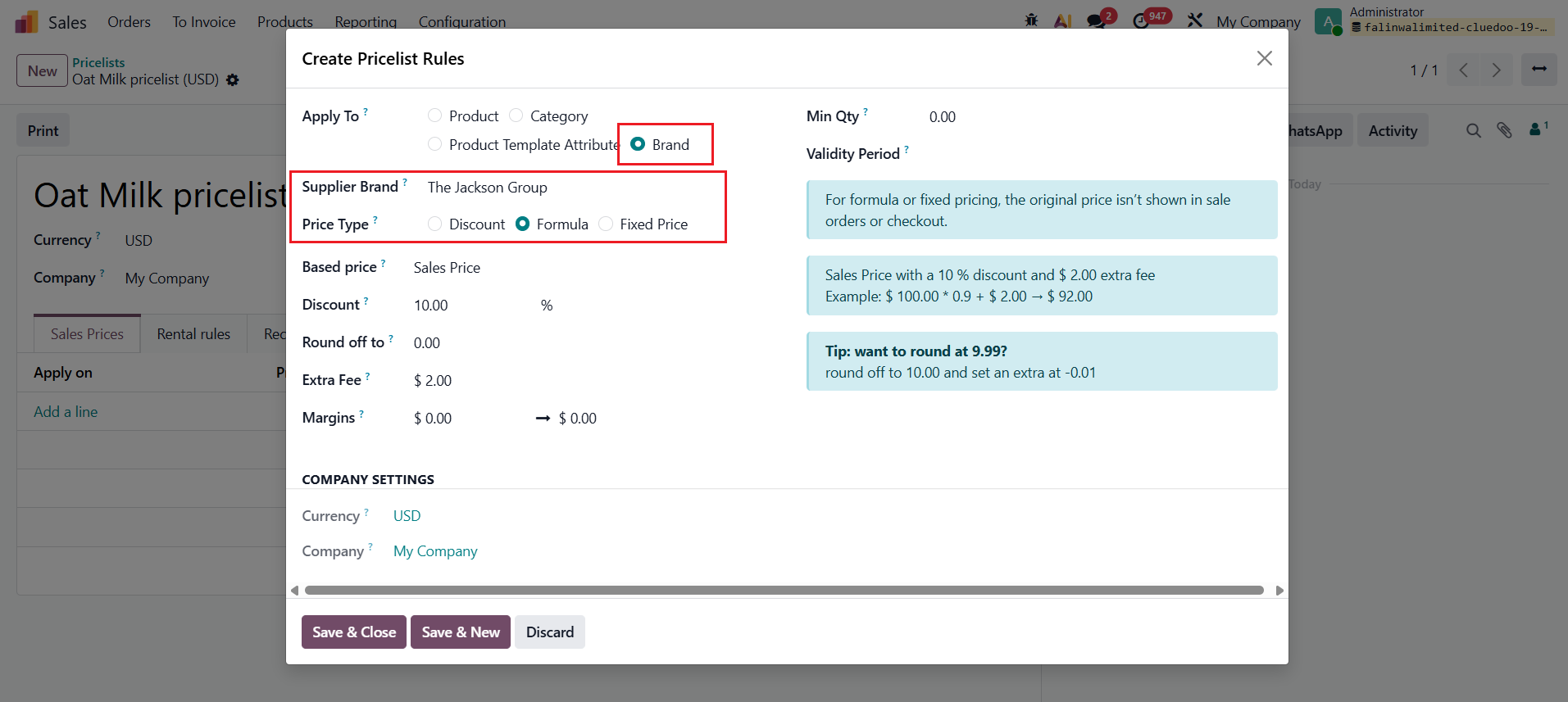 For Bloem GmbH 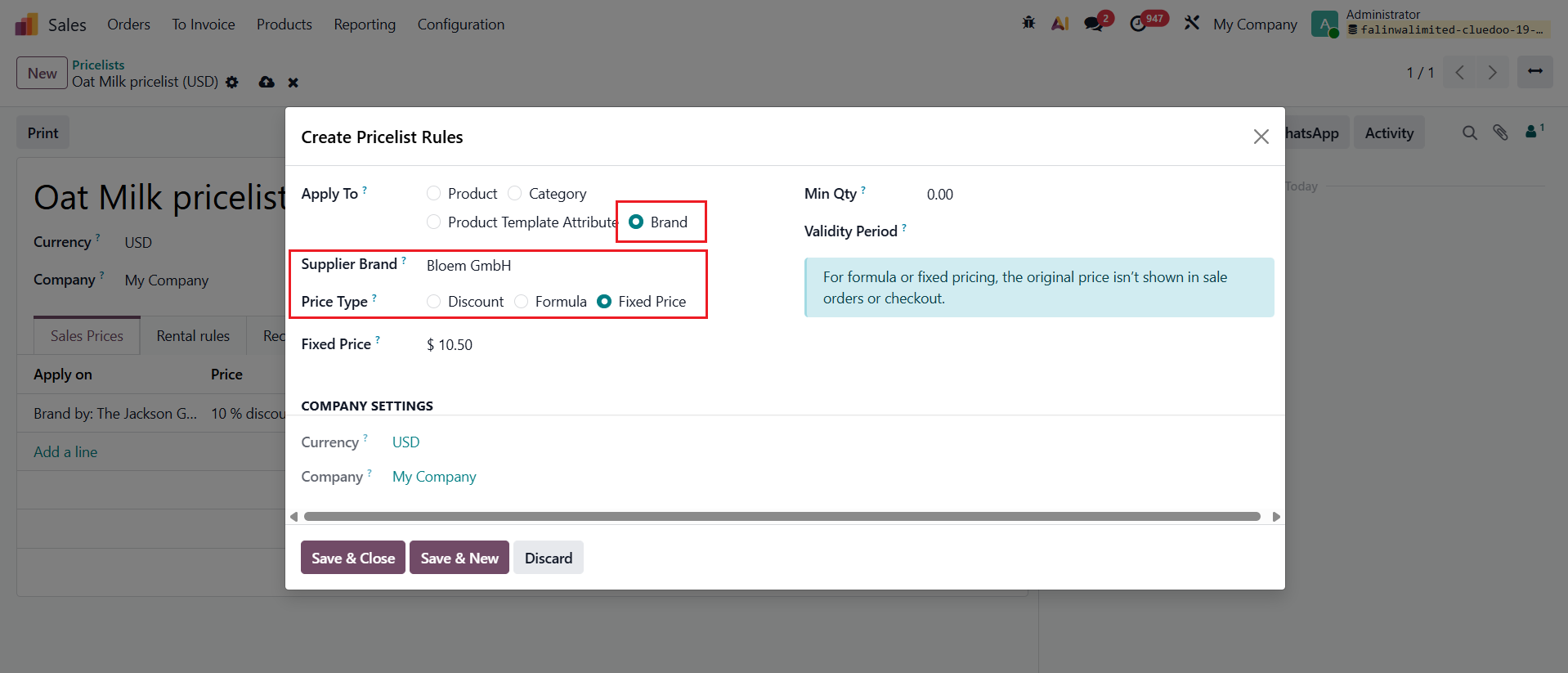 |
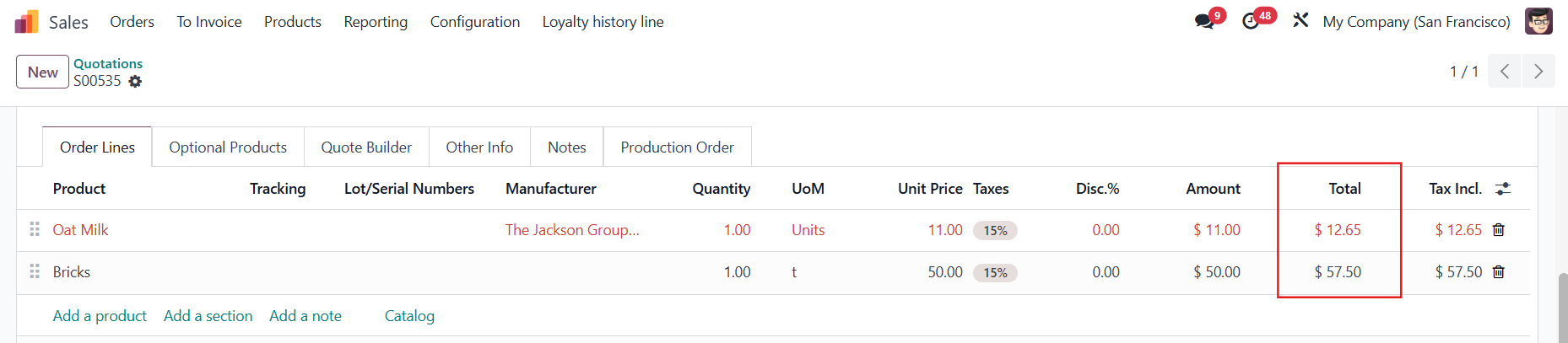
3. Create a Sales Order → Choose the Pricelist that you just created Add the product in the SOL → Choosing the Brand will update the Unit Price according to the relevant rule e.g., The sales price for the product Oat Milk is $10 → 10*0.9+2 = $11 if the brand is The Jackson Group | 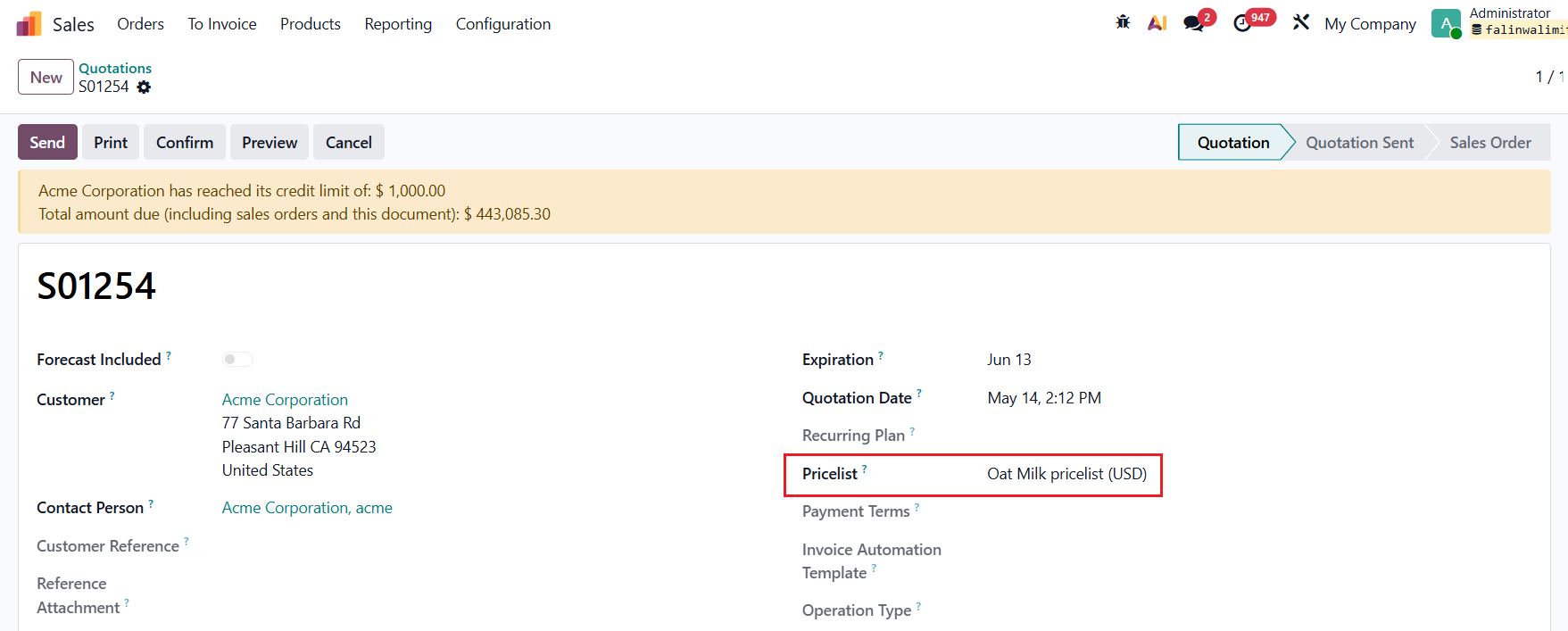  |
4. Go to Point of Sale → Choose a POS → Configurations > Settings | 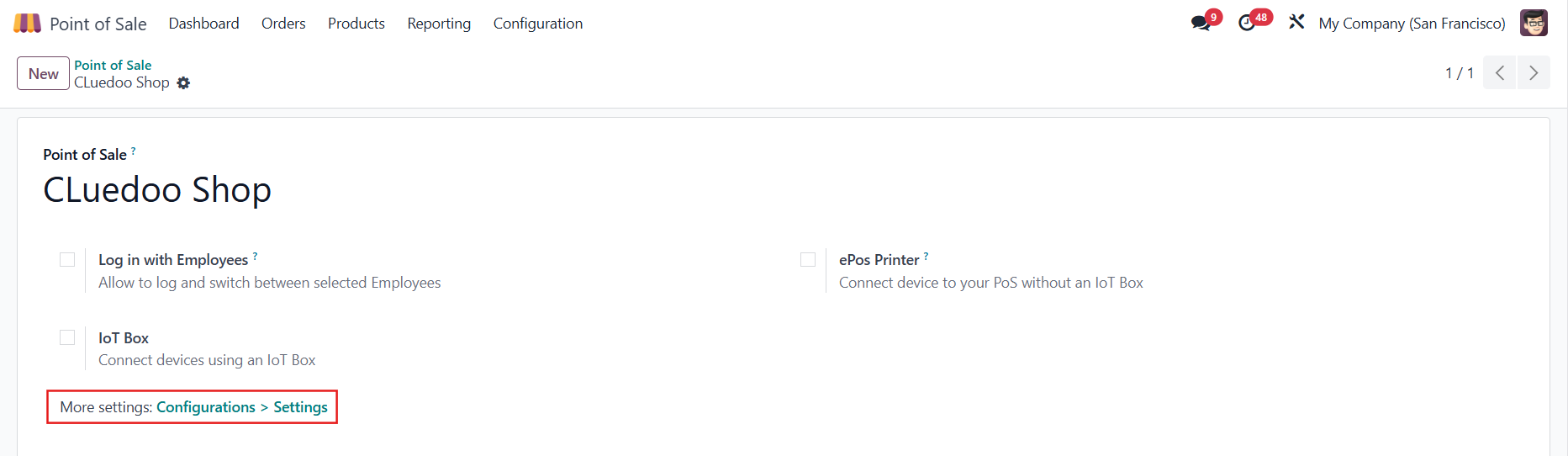 |
Under the Pricing section, tick Flexible Pricelists and choose the Available and Default pricelist | 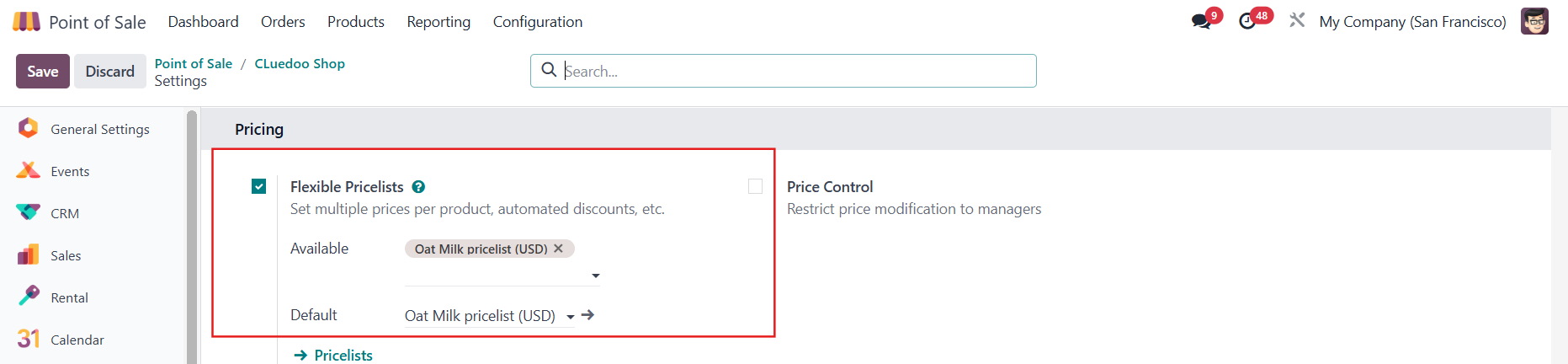 |
5. Access the POS and choose the product(s) In POS, it applies the rule that matches the first brand defined in the product form. e.g., For Oat Milk, the first manufacturer/brand is The Jackson Group Note: The pricelist for a brand should not apply to any product that is not linked to them. e.g., Product Bricks with a sales price of $50 is not linked to The Jackson Group | 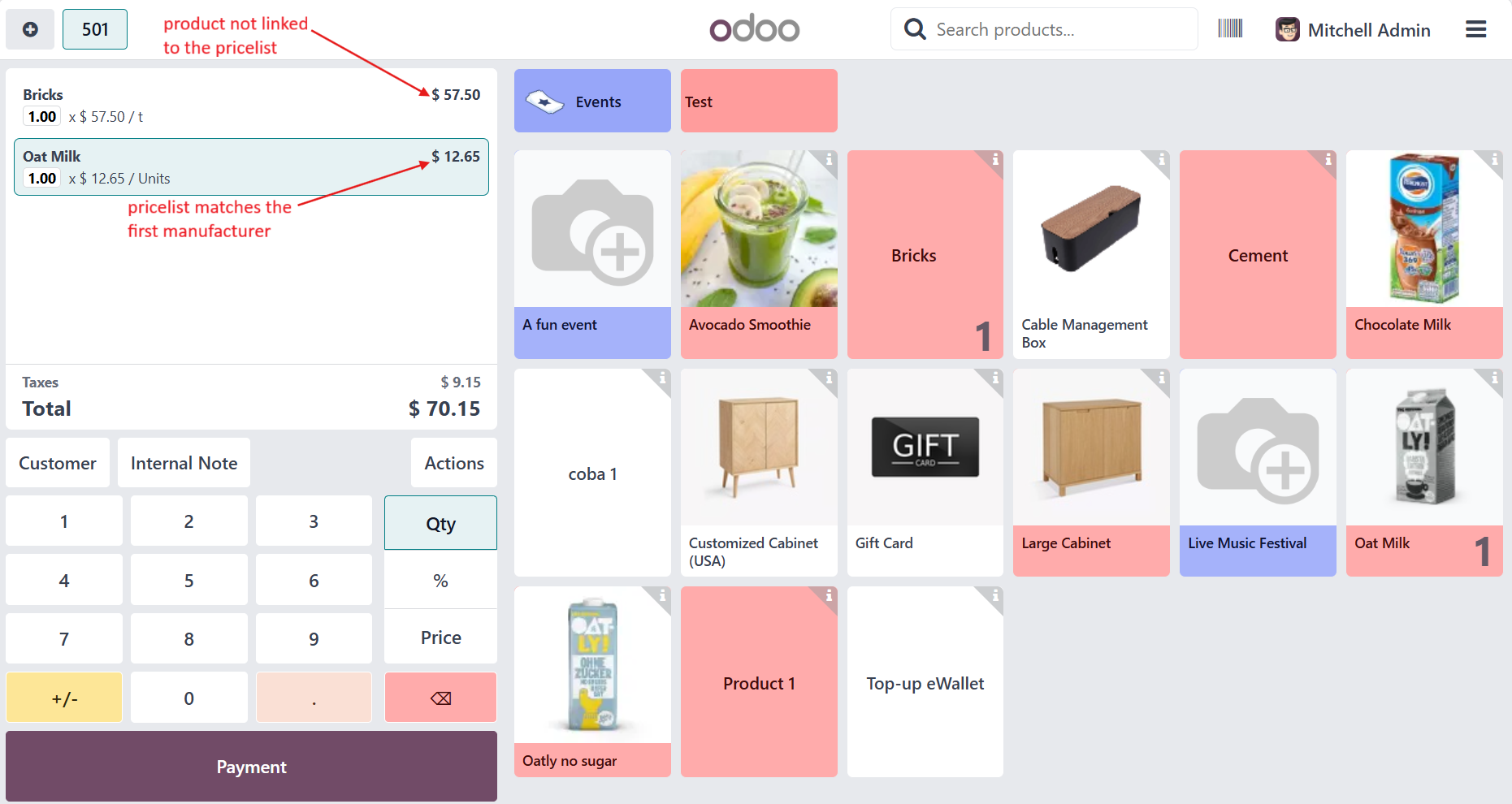 |
Note: The prices in the POS should match the SOL prices (Unit Price + tax, if applicable)
|  |