
ODOO'S FUNCTION
Odoo does not allow selecting a manufacturer/brand in pricelist rules, so it’s not possible to apply a pricelist automatically to all products from the same brand - something especially useful for businesses like supermarkets that negotiate supplier-based pricing.
CLUEDOO'S FUNCTION
CLuedoo adds a manufacturer/brand selection in pricelist rules, allowing a pricelist to apply automatically to all products from that brand.
1️⃣ On the Sales Order, choosing a brand will automatically apply the corresponding pricelist.
2️⃣ In POS, the system applies the pricelist based on the first manufacturer/brand listed in the product form (if multiple manufacturers/brands exist).
1. Create a new product and choose its manufacturers/brands e.g., Here I add The Jackson Group and Bloem GmbH | 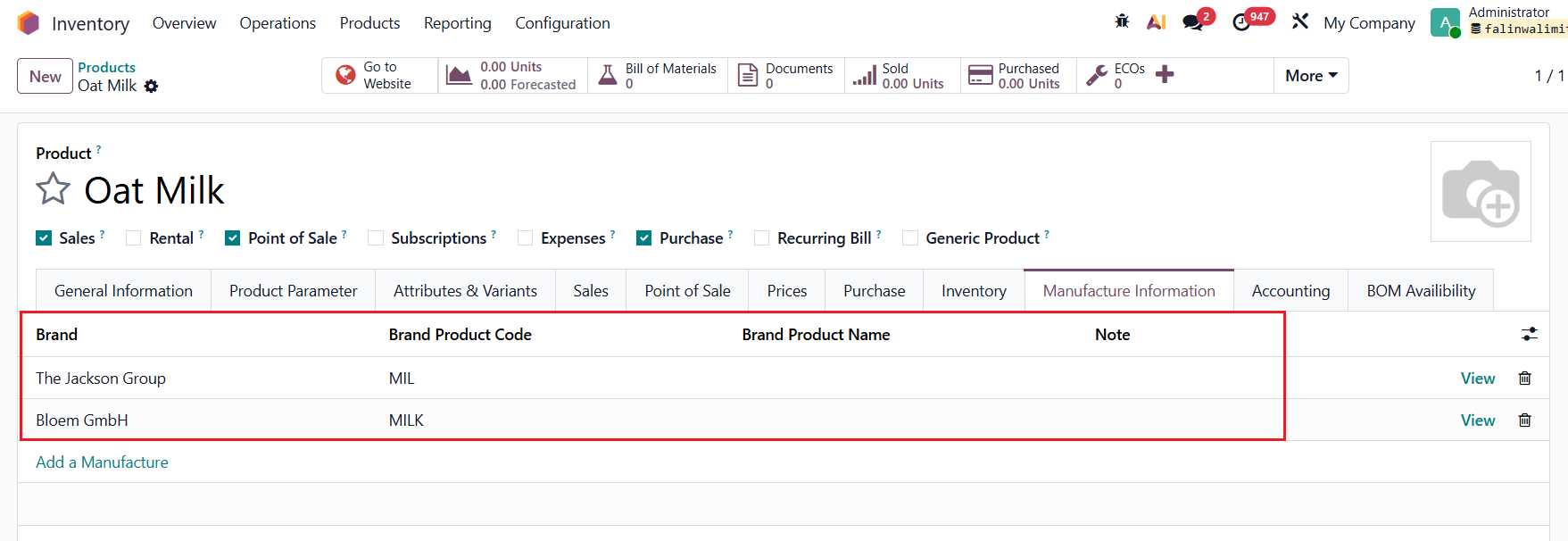 |
2. Go to Sales → Pricelists → Create 2 different pricelist rules for each manufacturer/brand In the rule, you will see that we have an additional selection for Manufacturer/Brand. The pricelist rule will apply to all the products that belong to that specific manufacturer/brand. e.g.,
| For The Jackson Group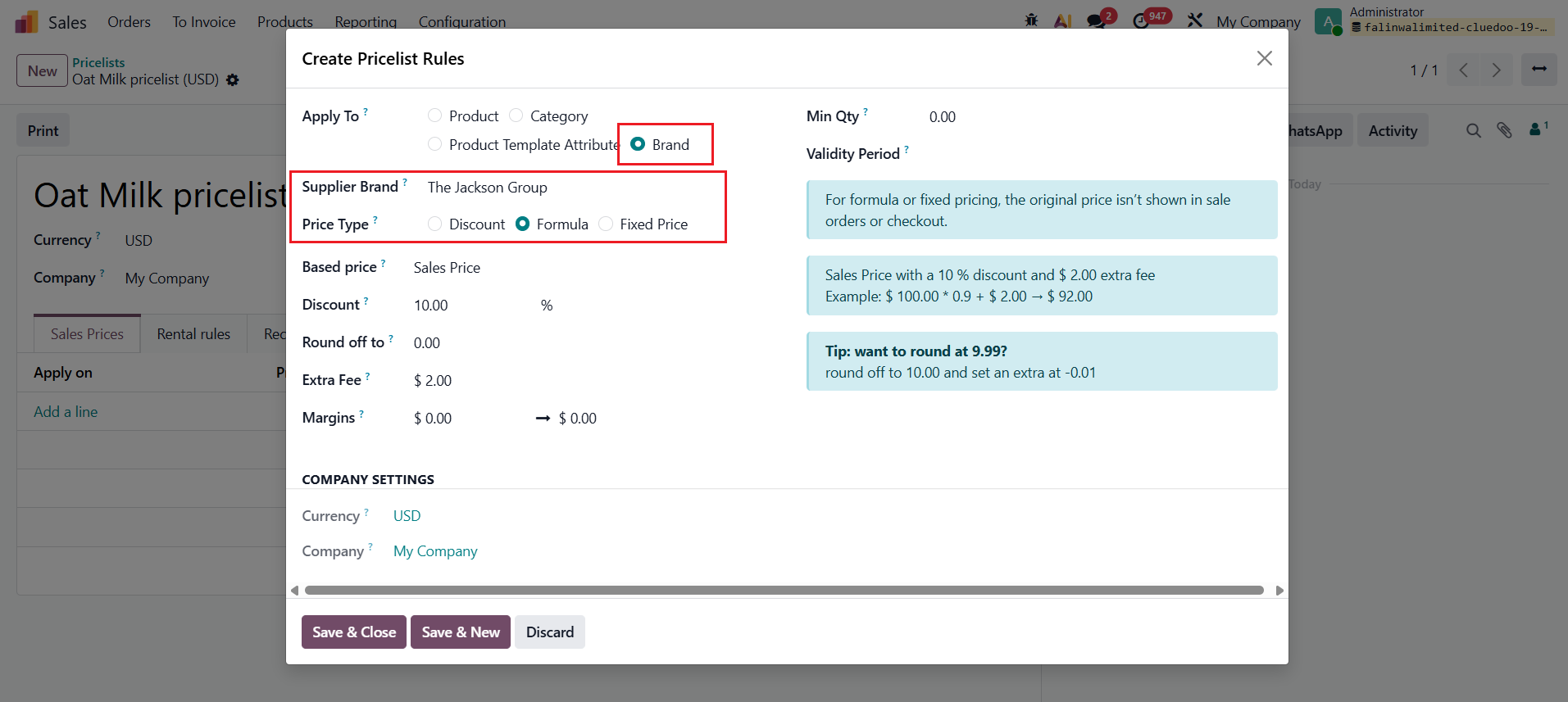 For Bloem GmbH 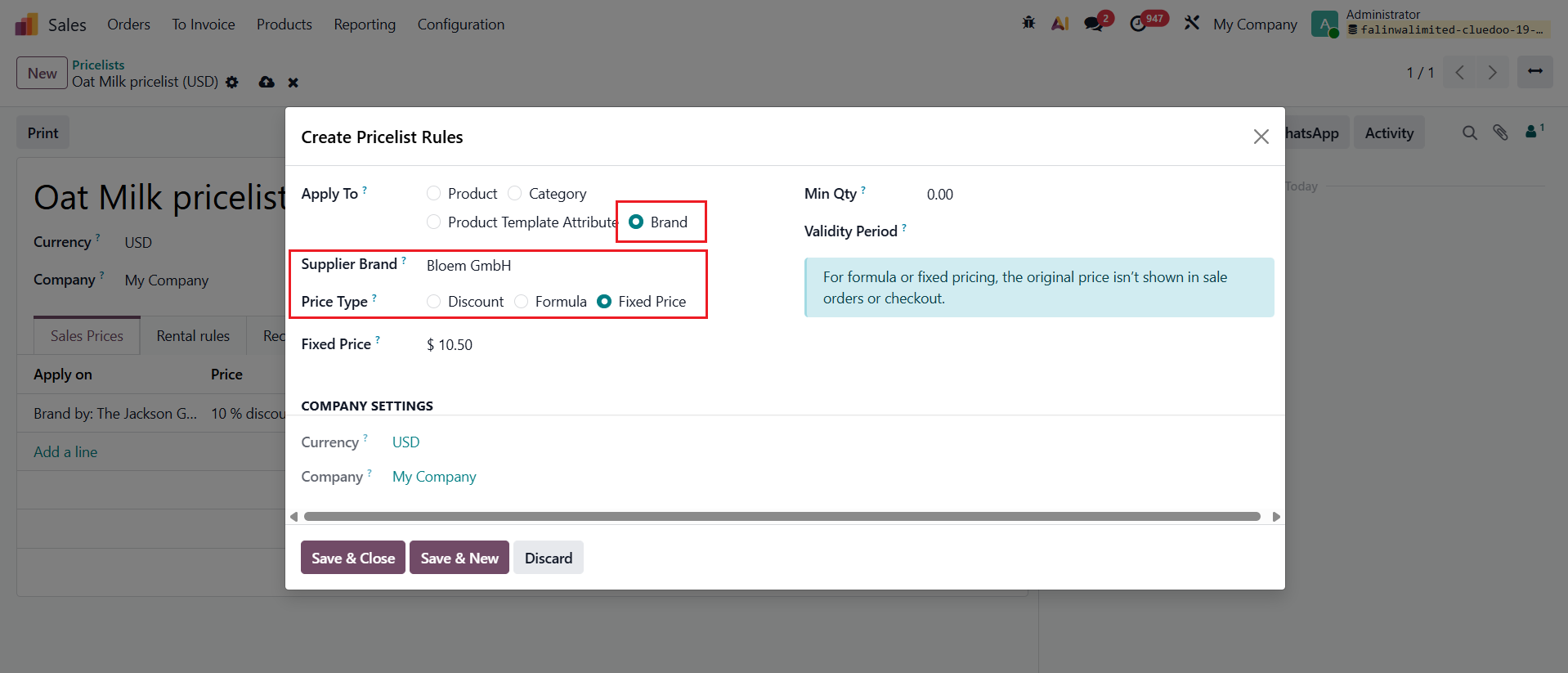 |
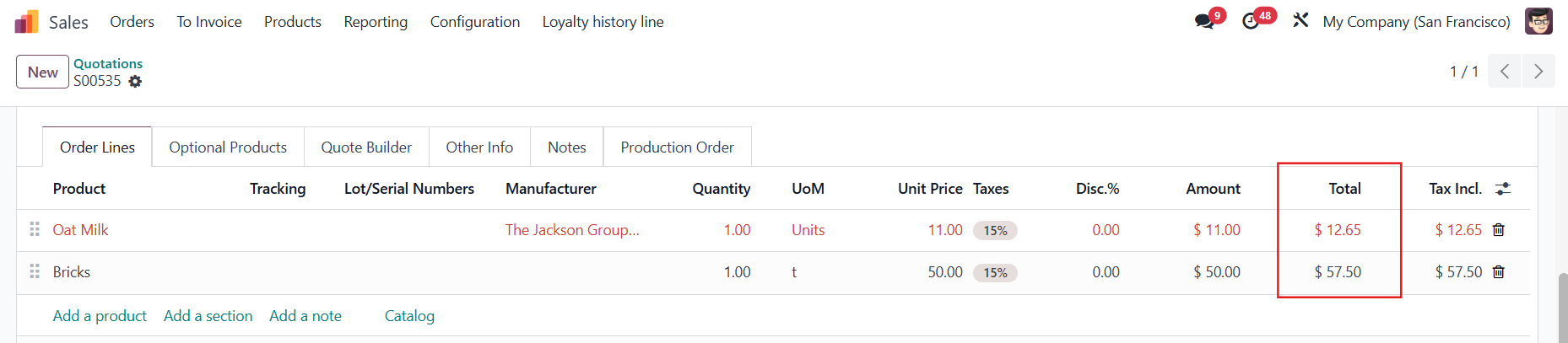
3. Create a Sales Order → Choose the Pricelist that you just created Add the product in the SOL → Choosing the Brand will update the Unit Price according to the relevant rule e.g., The sales price for the product Oat Milk is $10 → 10*0.9+2 = $11 if the manufacturer/brand is The Jackson Group | 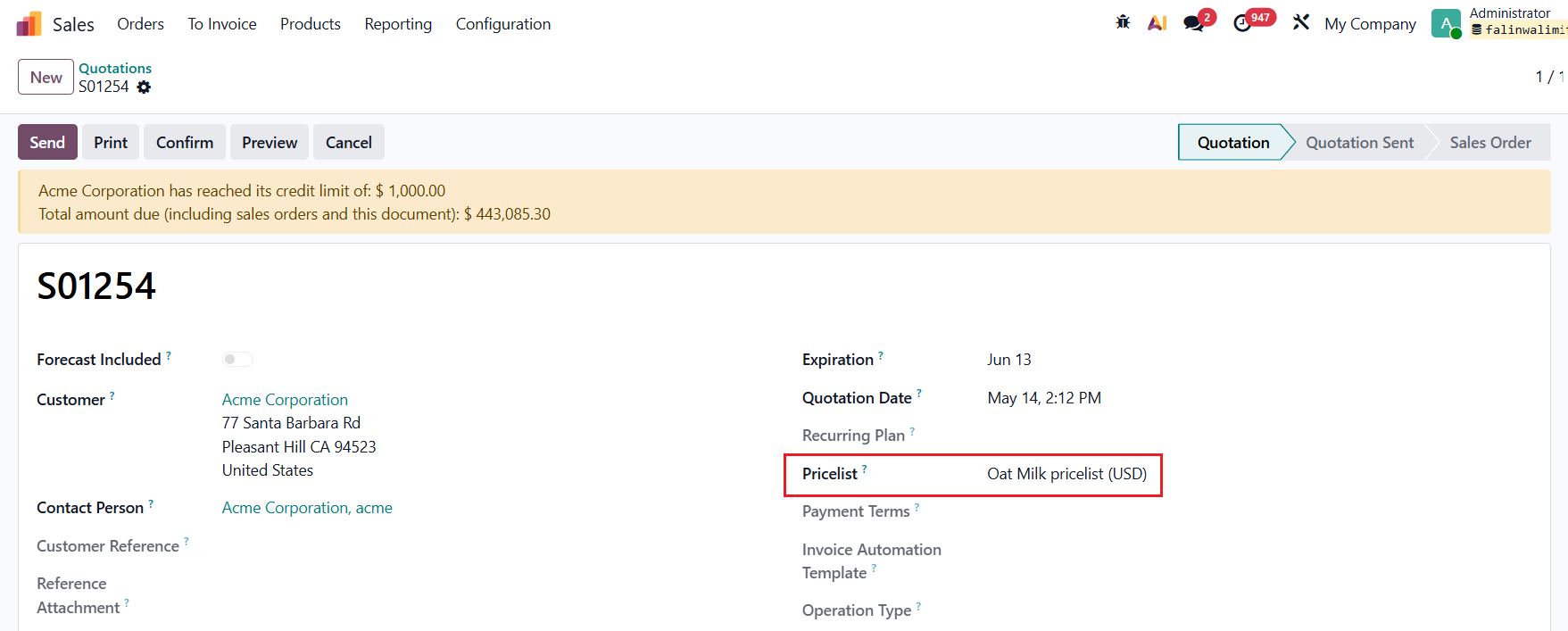  |
4. Go to Point of Sale → Choose a POS → Configurations > Settings | 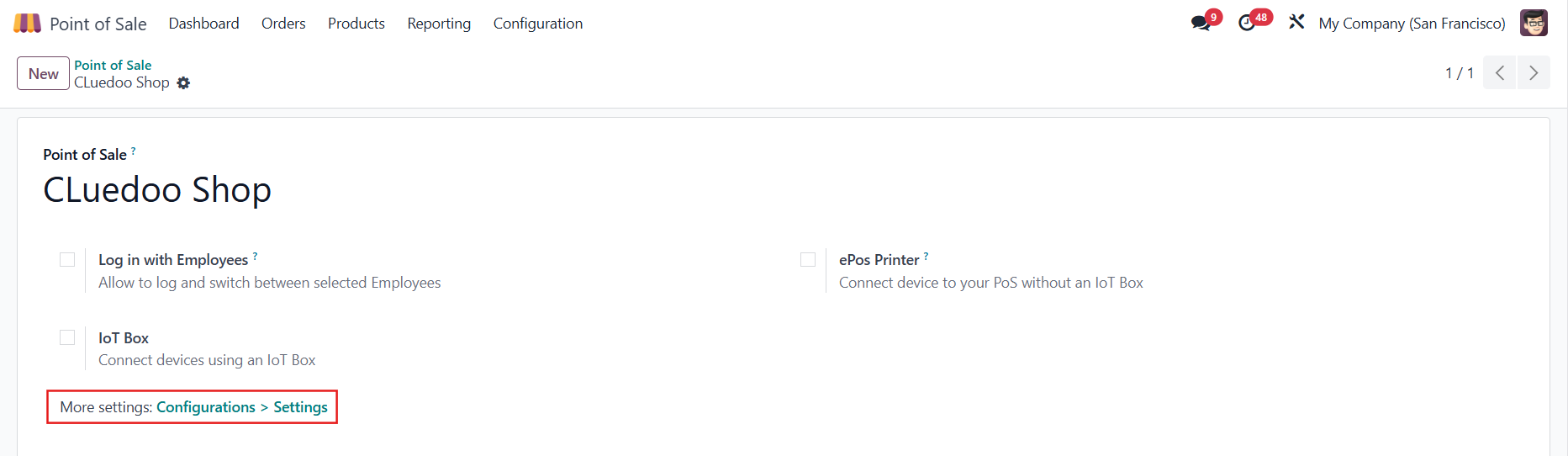 |
Under the Pricing section, tick Flexible Pricelists and choose the Available and Default pricelist | 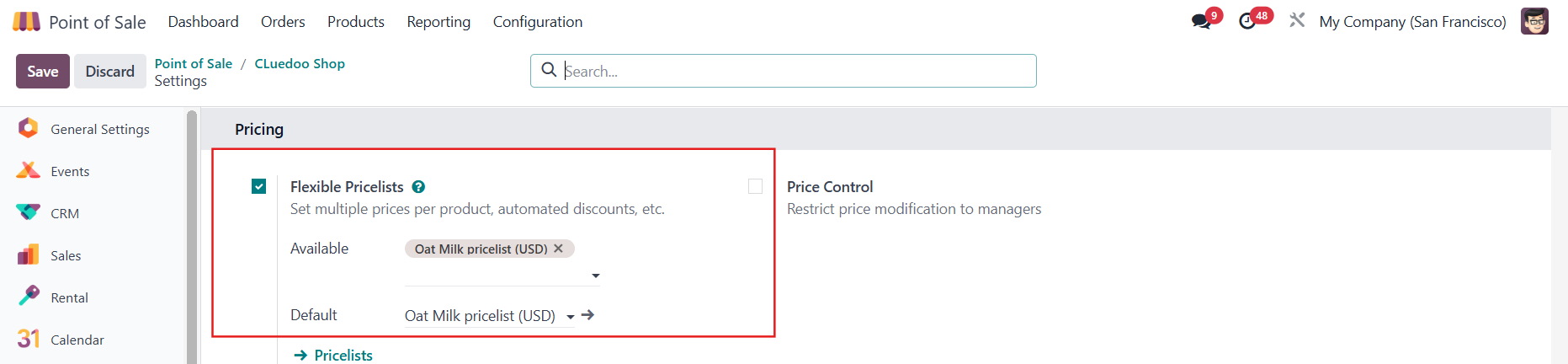 |
5. Access the POS and choose the product(s) In POS, it applies the rule that matches the first manufacturer/brand defined in the product form. e.g., For Oat Milk, the first manufacturer/brand is The Jackson Group Note: The pricelist for a manufacturer/brand should not apply to any product that is not linked to them. e.g., Product Bricks with a sales price of $50 is not linked to The Jackson Group | 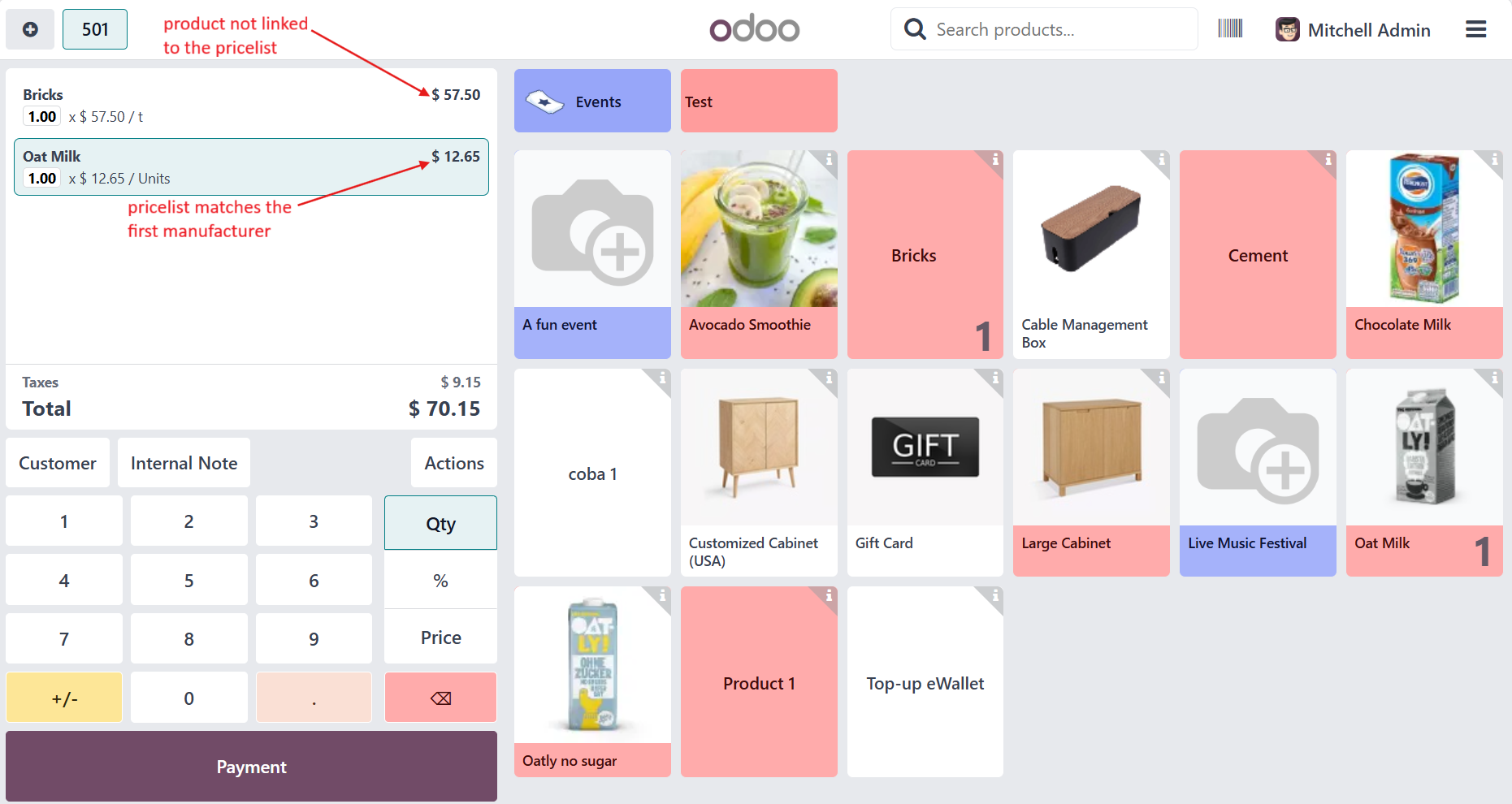 |
Note: The prices in the POS should match the SOL prices (Unit Price + tax, if applicable)
|  |