



ODOO 的功能
在 Odoo 中,标准的项目搜索与分析追踪允许按 Analytic Account 筛选销售订单和发票。用户创建带分析分配的销售订单,确认时这些分配会自动同步至发票。
CLUEDOO 的功能
Cluedoo 通过提升关联和筛选能力,增强项目搜索与分析追踪:
1️⃣ 用户可向销售订单添加多个 Analytic Distribution,同时仍能精确筛选并跟踪所有关联单据。
2️⃣ 保留从销售订单到发票的分析账户自动同步,确保各流程中分析数据一致。
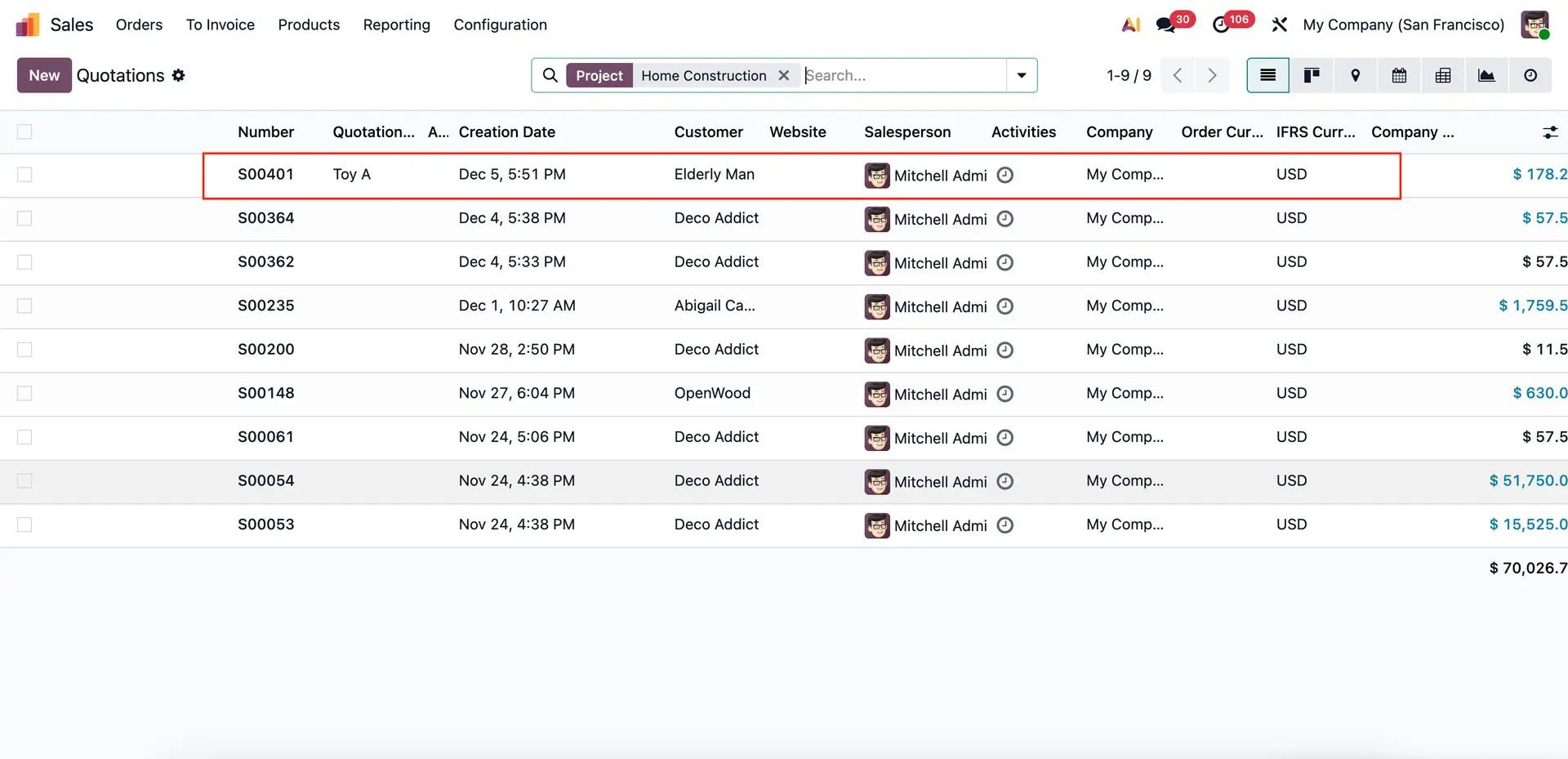
3️⃣ 除按 Analytic Account 的标准筛选外,Cluedoo 集成了按 Project 的筛选,在 Sales、Purchase 和 Accounting 模块中提供更精细的搜索与报告选项。
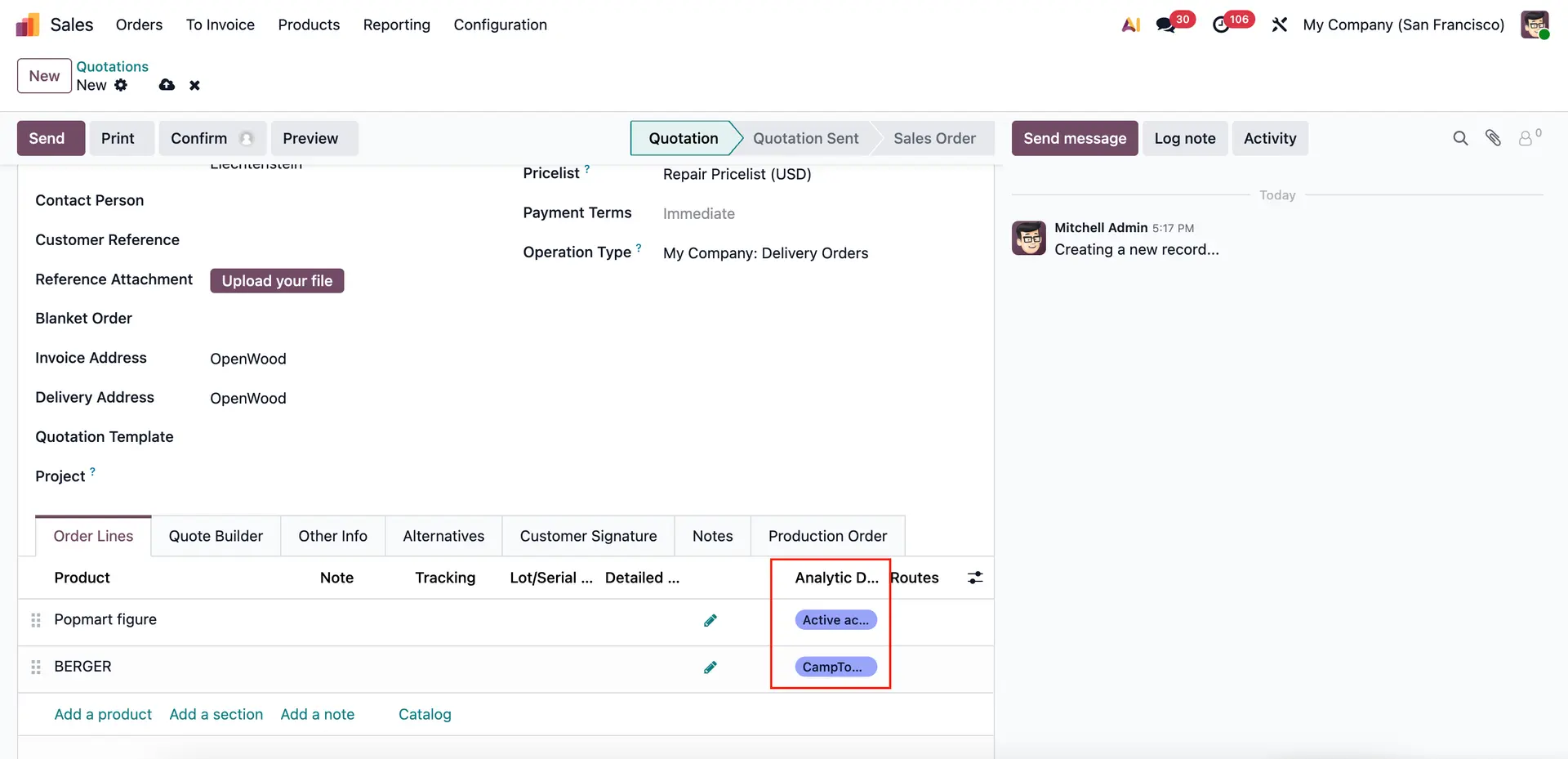
1 Go to Sales > Create a new Sales Order > Set Analytic Distribution 注意:同一张销售订单可添加多个 Analytic Distribution。
|  |
Return to the Search function > Apply Analytic Account filter > All Sales Orders linked to the selected analytic account will be displayed | 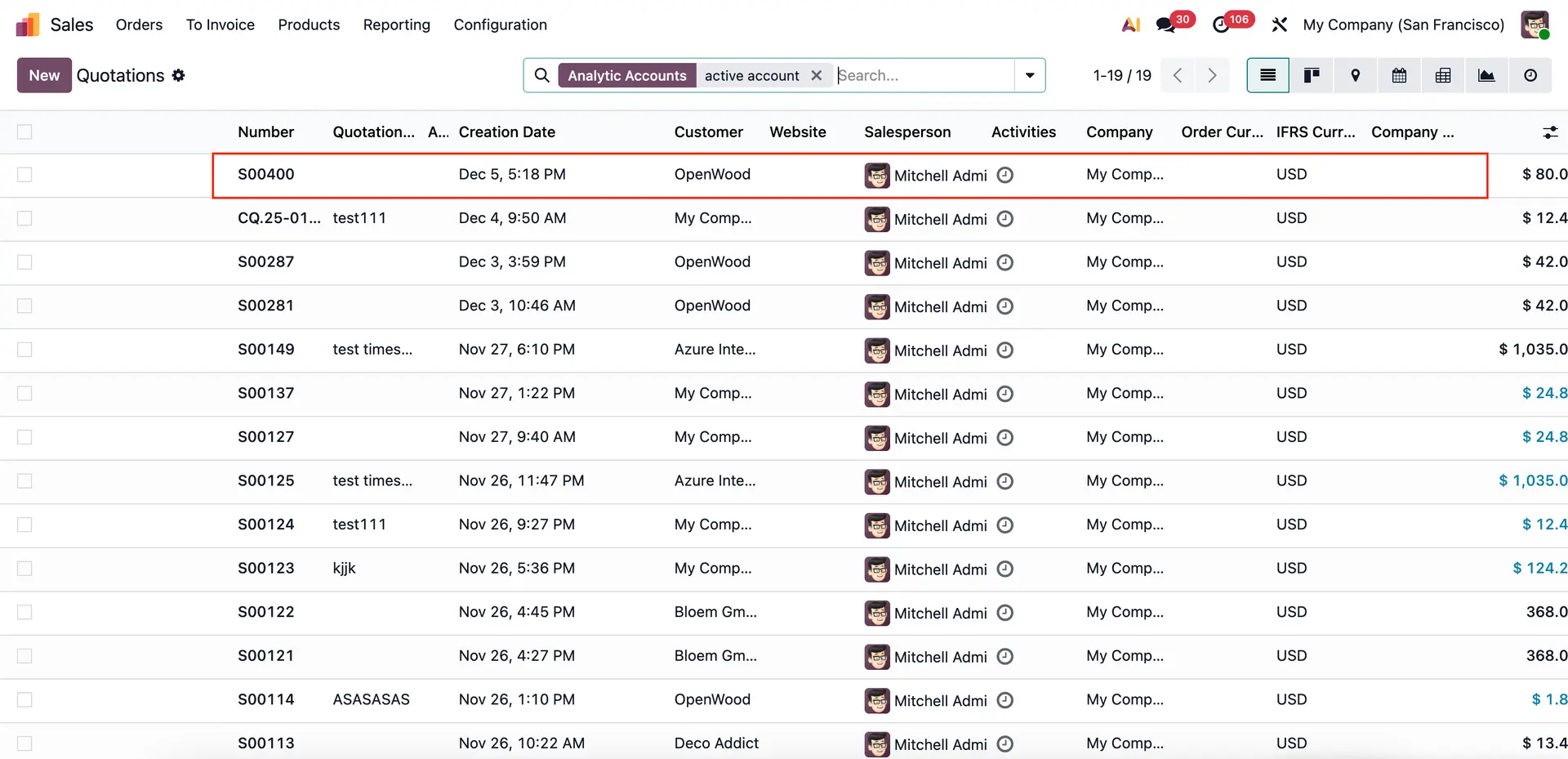 |
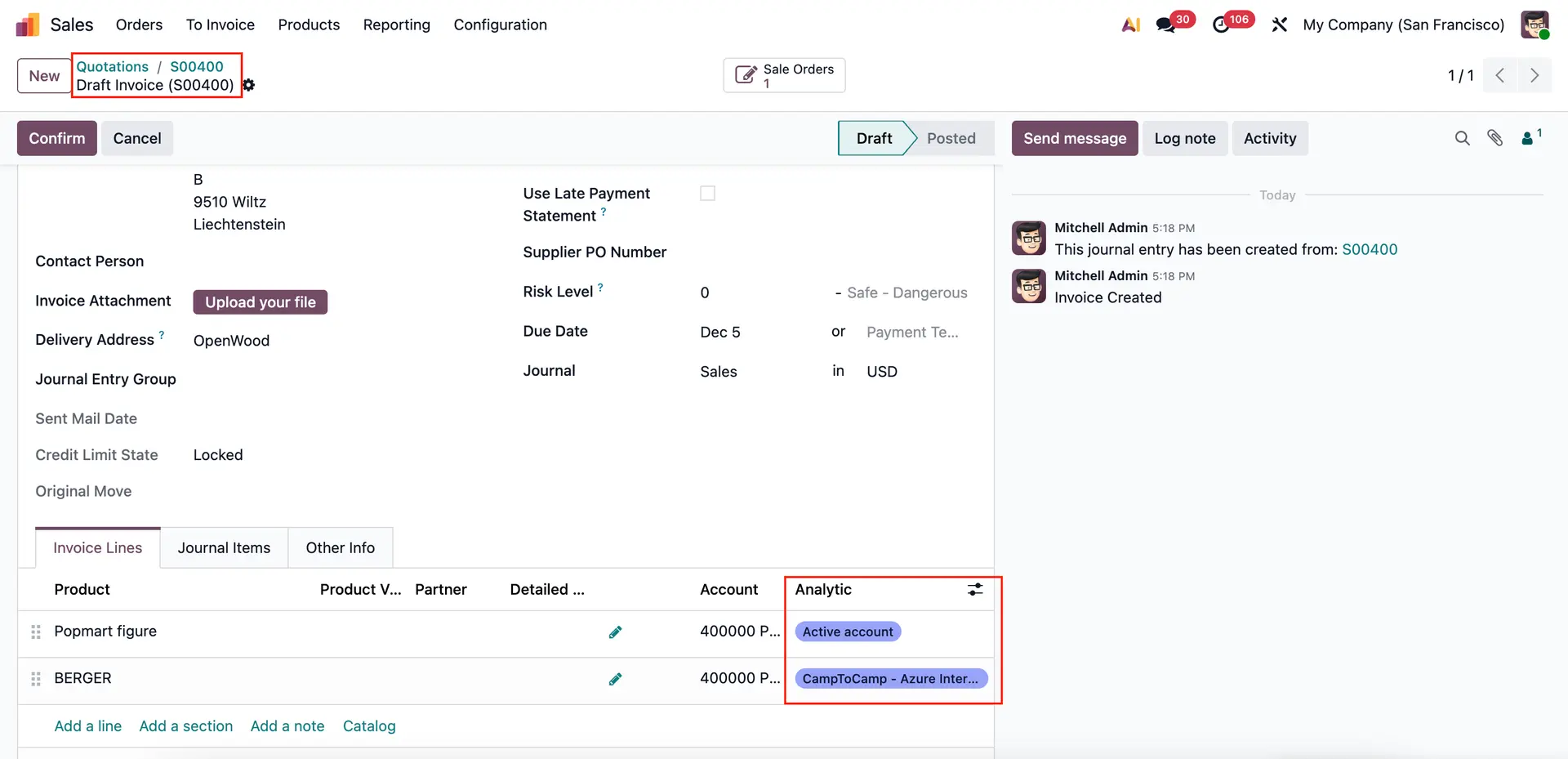
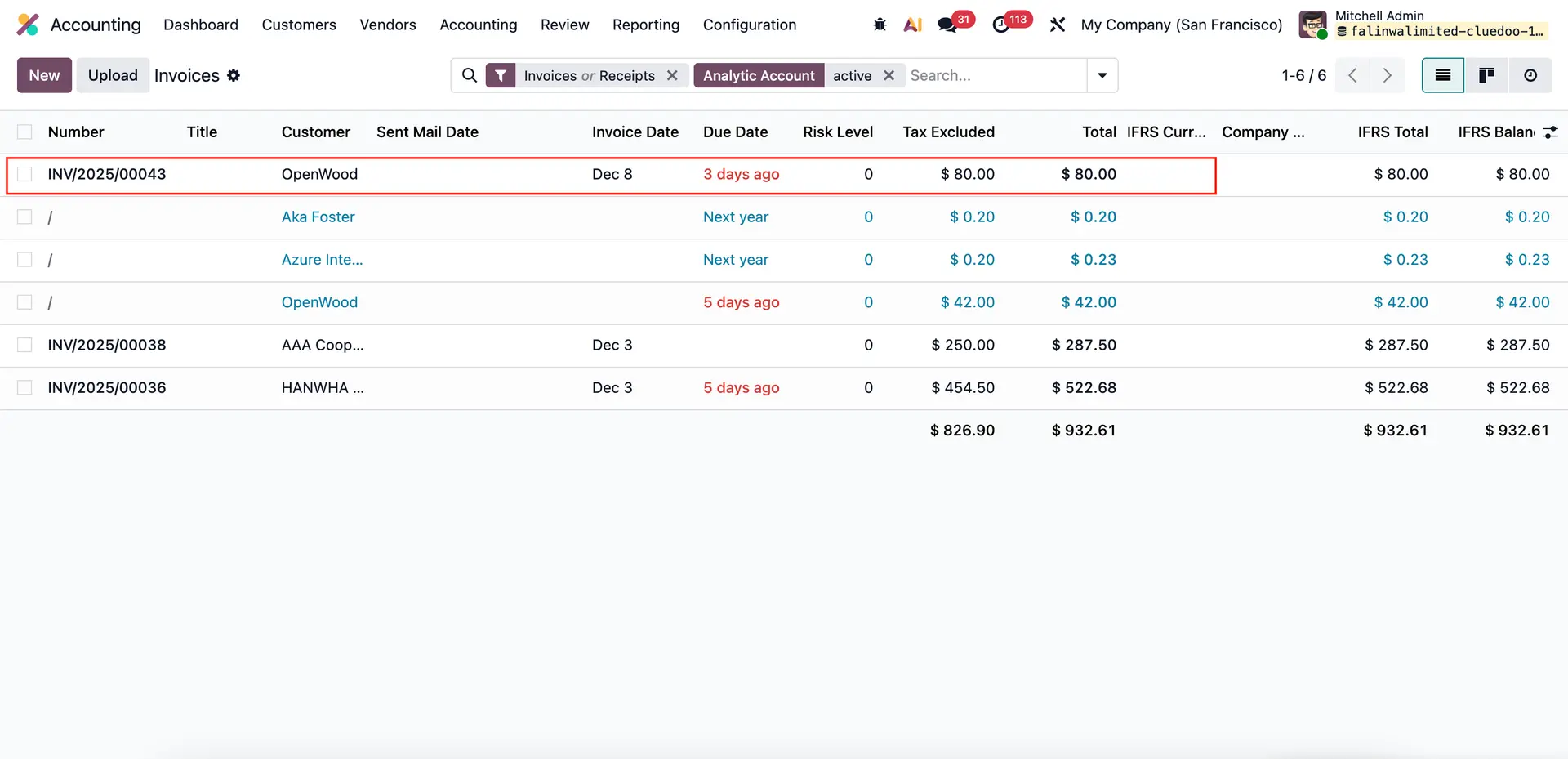
2 Confirm the Sale Order > Create Invoice > Analytic accounts are automatically synchronized from the Sales Order to the Invoice. Go to Accounting > Customers > Invoices > Search by applying Analytic Account filter > All Invoices linked to the selected analytic account will be displayed
|  |
 | |
Note: In case a Project is assigned to the Sales Order/Invoice, you may also filter by Project | 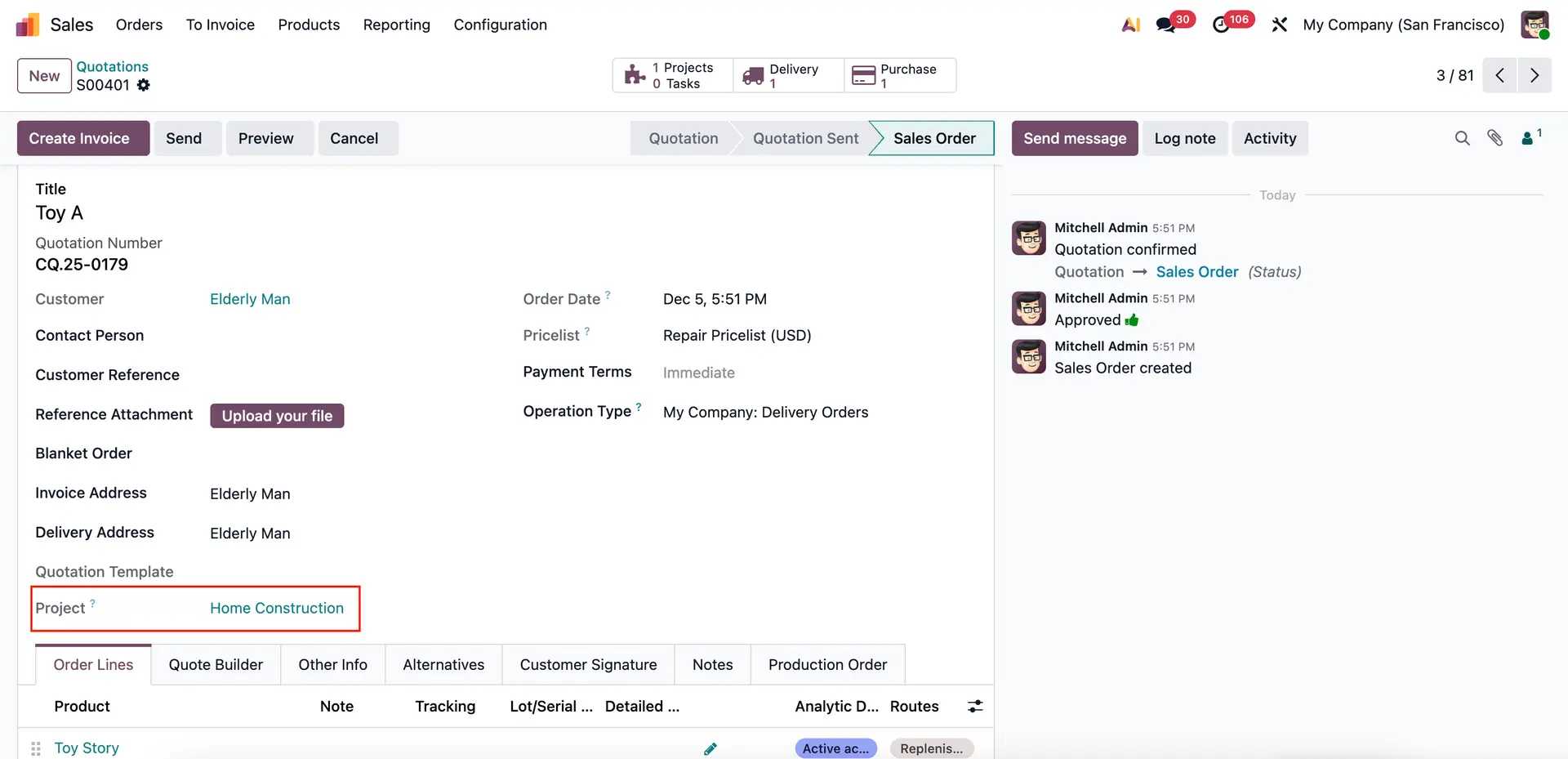 |
 | |
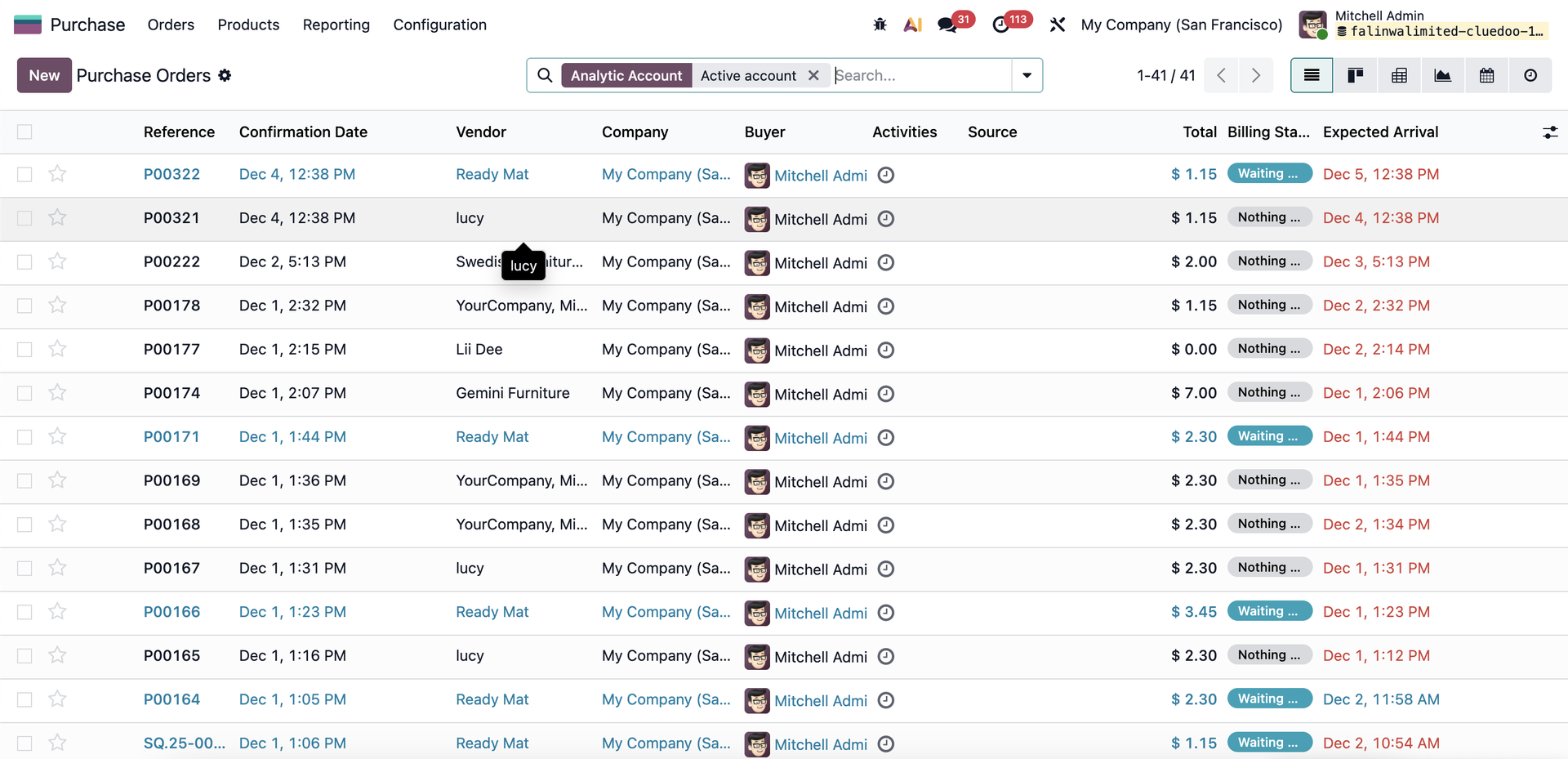
3 The same search behavior applies when filtering by Analytic Account in Purchase.
|  |