



ODOO'S FUNCTION
In Odoo, the standard project search and analytic tracking allows users to filter Sales Orders and Invoices by Analytic Account. Users create Sales Orders with analytic distributions, and these distributions are synchronized automatically to Invoices upon confirmation.
CLUEDOO'S FUNCTION
Cluedoo enhances the project search and analytic tracking by improving the linkage and filtering capabilities:
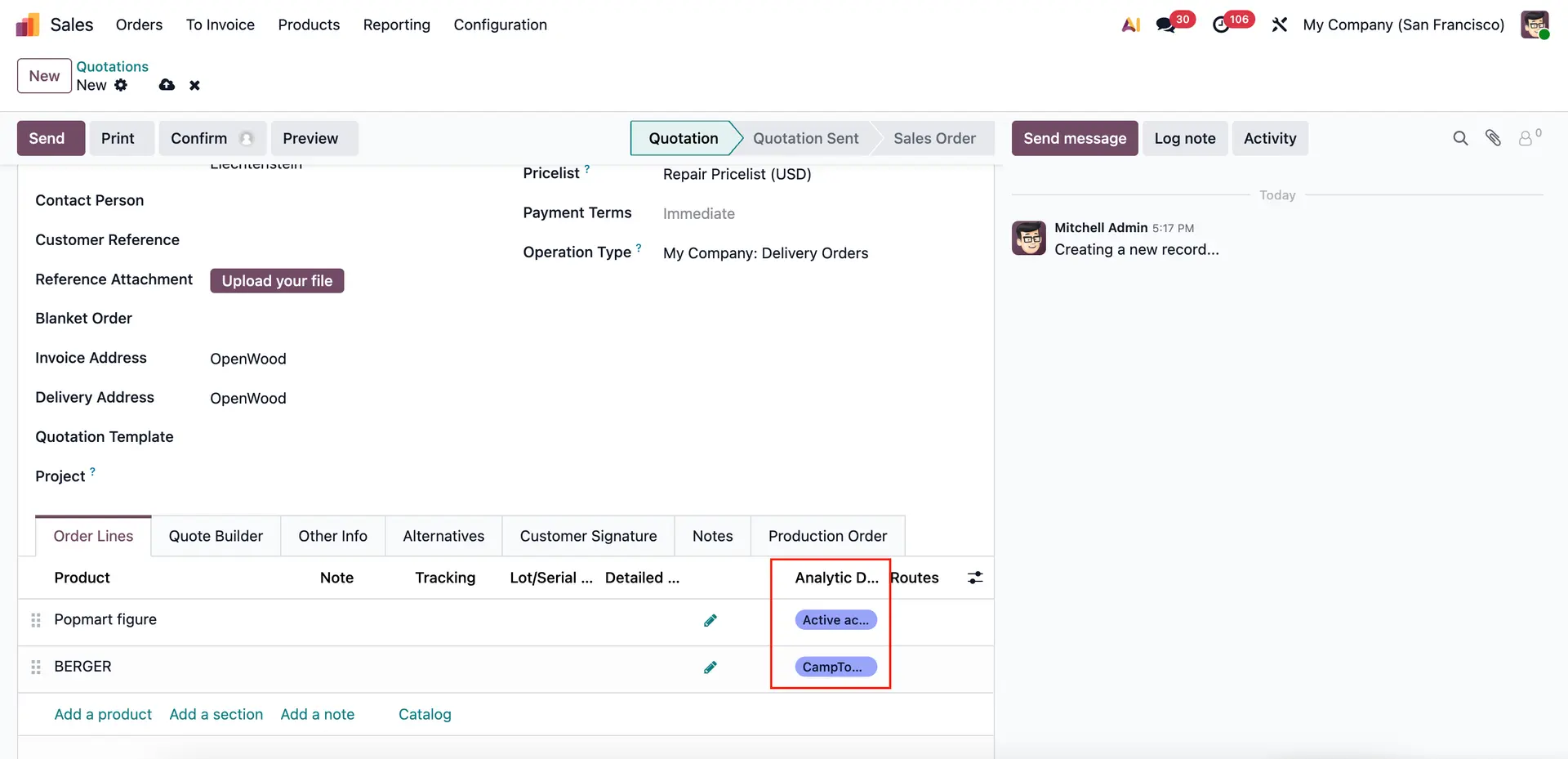
1️⃣ Users can add multiple Analytic Distributions to Sales Orders and still accurately filter and track all associated documents.
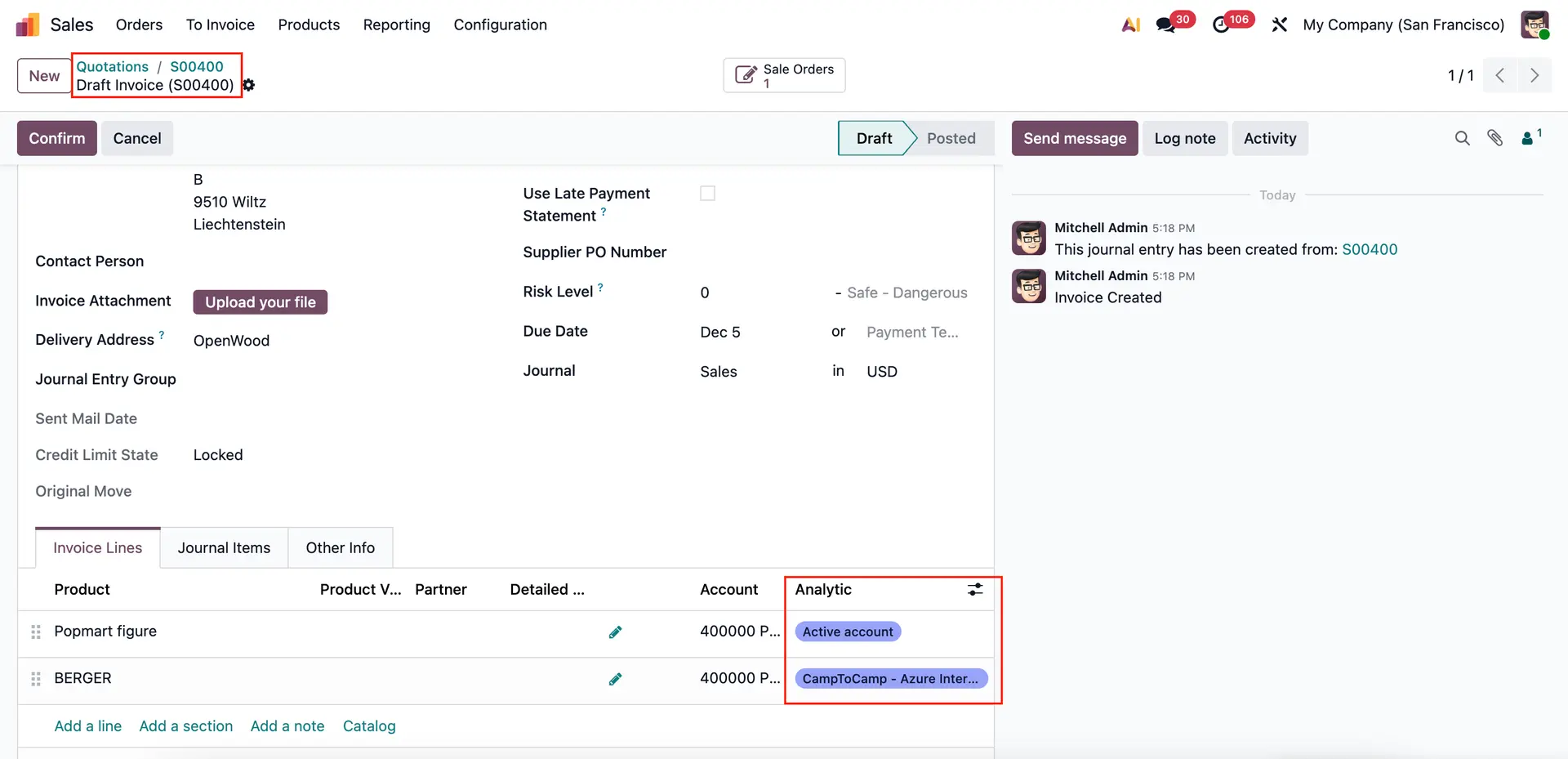
2️⃣ Automatic synchronization of analytic accounts from Sales Orders to Invoices is preserved, ensuring consistent analytic data across processes.
3️⃣ In addition to standard filtering by Analytic Account, Cluedoo integrates Project assignment filtering, providing more granular search and reporting options within Sales, Purchase, and Accounting modules.
1 Go to Sales > Create a new Sales Order > Set Analytic Distribution Note that multiple analytic distributions can be added to the same Sales Order.
|  |
Return to the Search function > Apply Analytic Account filter > All Sales Orders linked to the selected analytic account will be displayed | 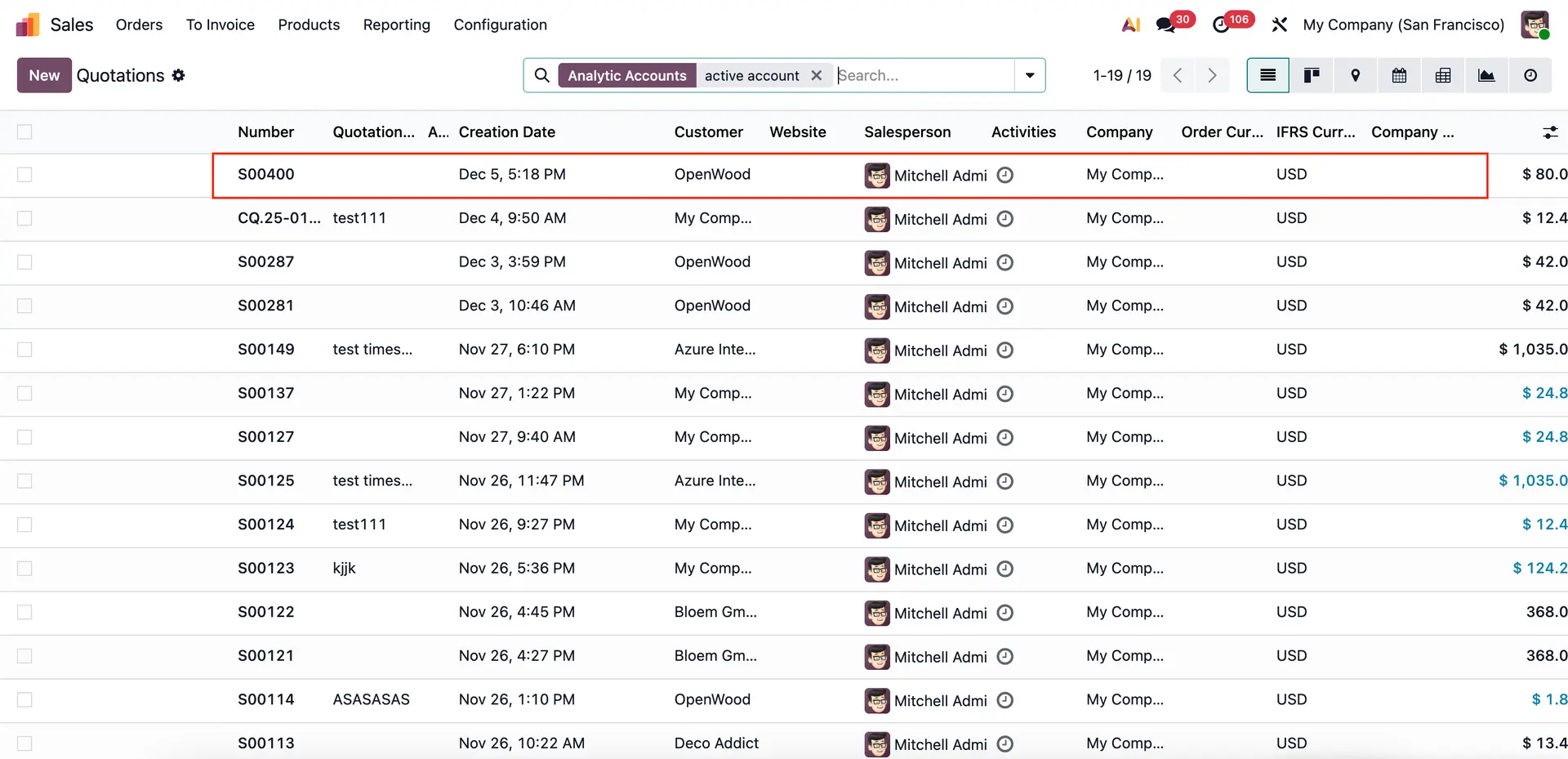 |
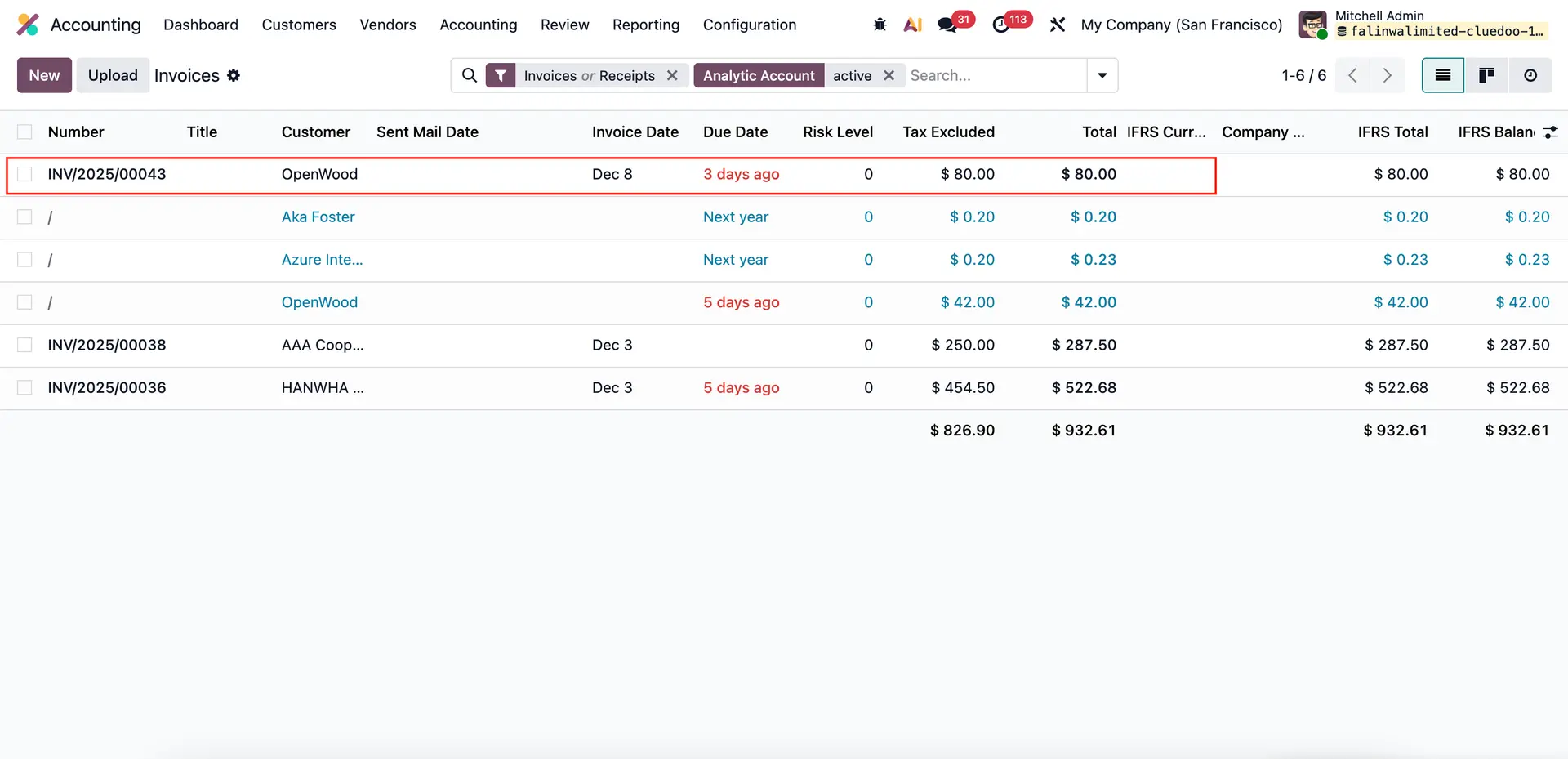
2 Confirm the Sale Order > Create Invoice > Analytic accounts are automatically synchronized from the Sales Order to the Invoice. Go to Accounting > Customers > Invoices > Search by applying Analytic Account filter > All Invoices linked to the selected analytic account will be displayed
|  |
 | |
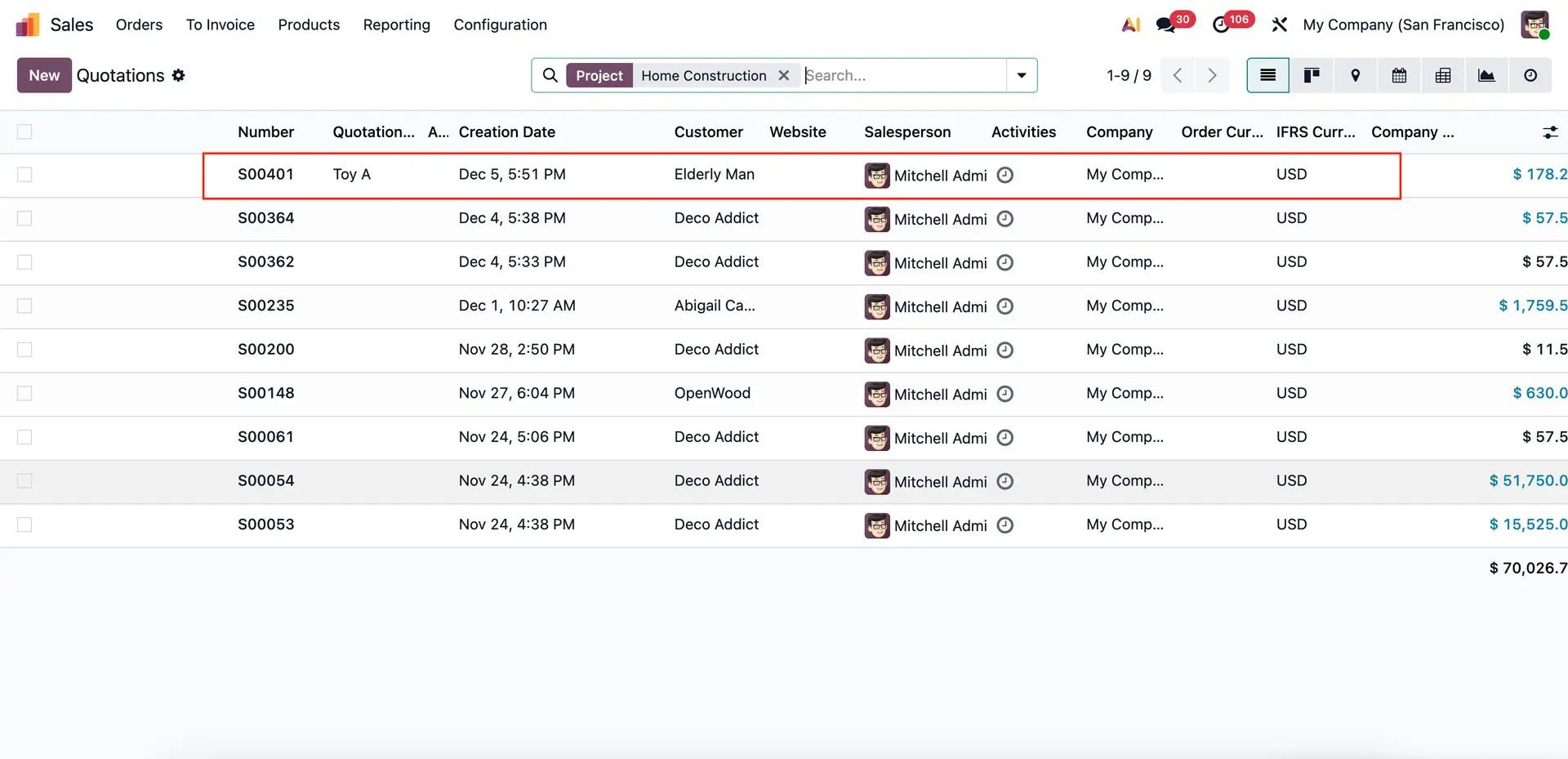
Note: In case a Project is assigned to the Sales Order/Invoice, you may also filter by Project | 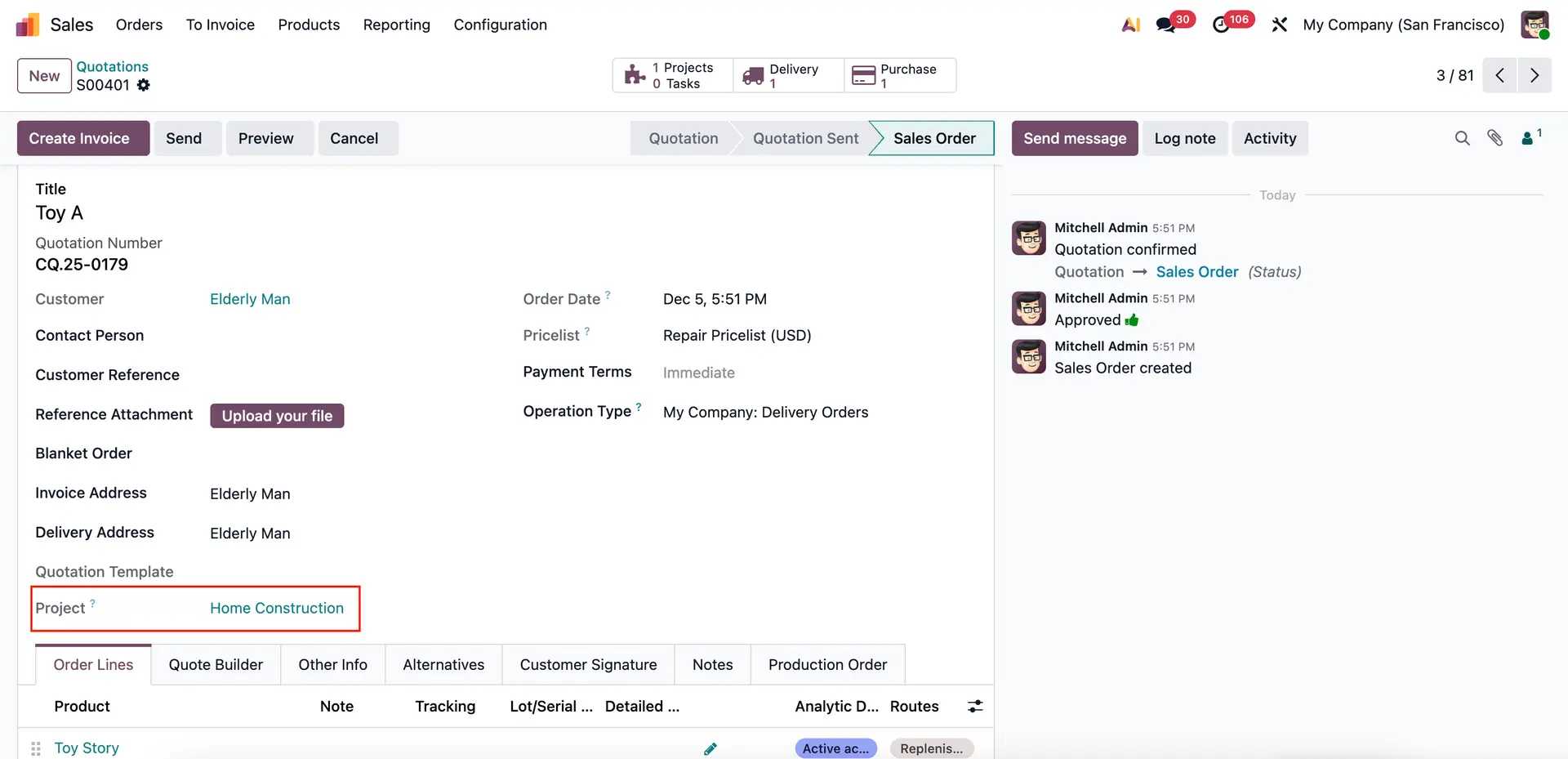 |
 | |
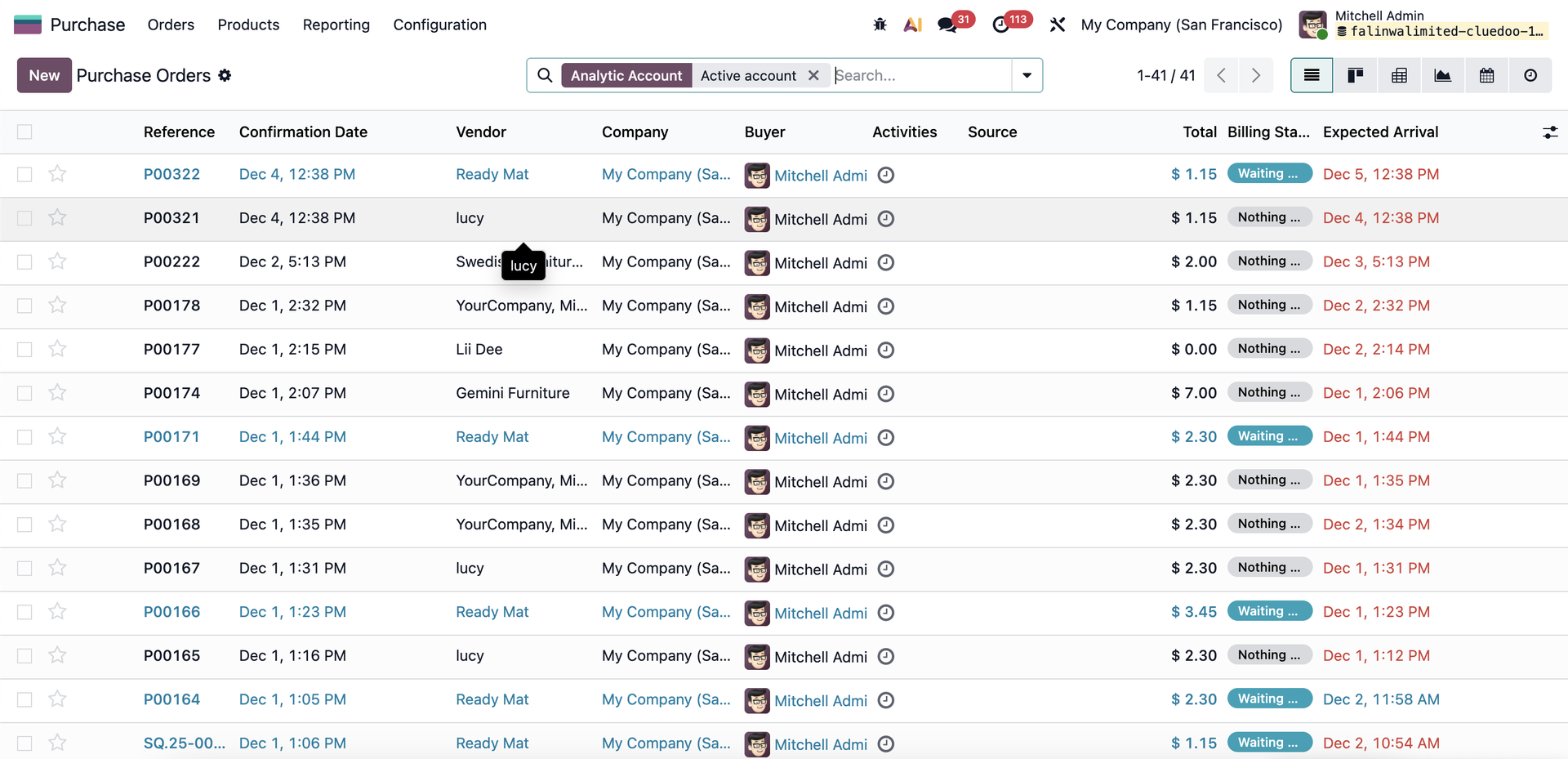
3 The same search behavior applies when filtering by Analytic Account in Purchase.
|  |