ODOO'S FUNCTION
In the Shop Floor interface, there is a button “Add Component” that allows operators to add an additional component line to the Manufacturing Order (MO). However, this action only adds a new line to the MO and does not check or replenish any missing quantity required for the production demand.
CLUEDOO'S FUNCTION
The existing “Add Component” button is renamed to “Request Extra Component” to better reflect its function of adding additional components to the MO. In addition, a new button “Request Replenishment” is introduced. This button checks the difference between the required quantity and the available quantity, and automatically creates additional stock pickings to replenish the missing components based on their configured routes.
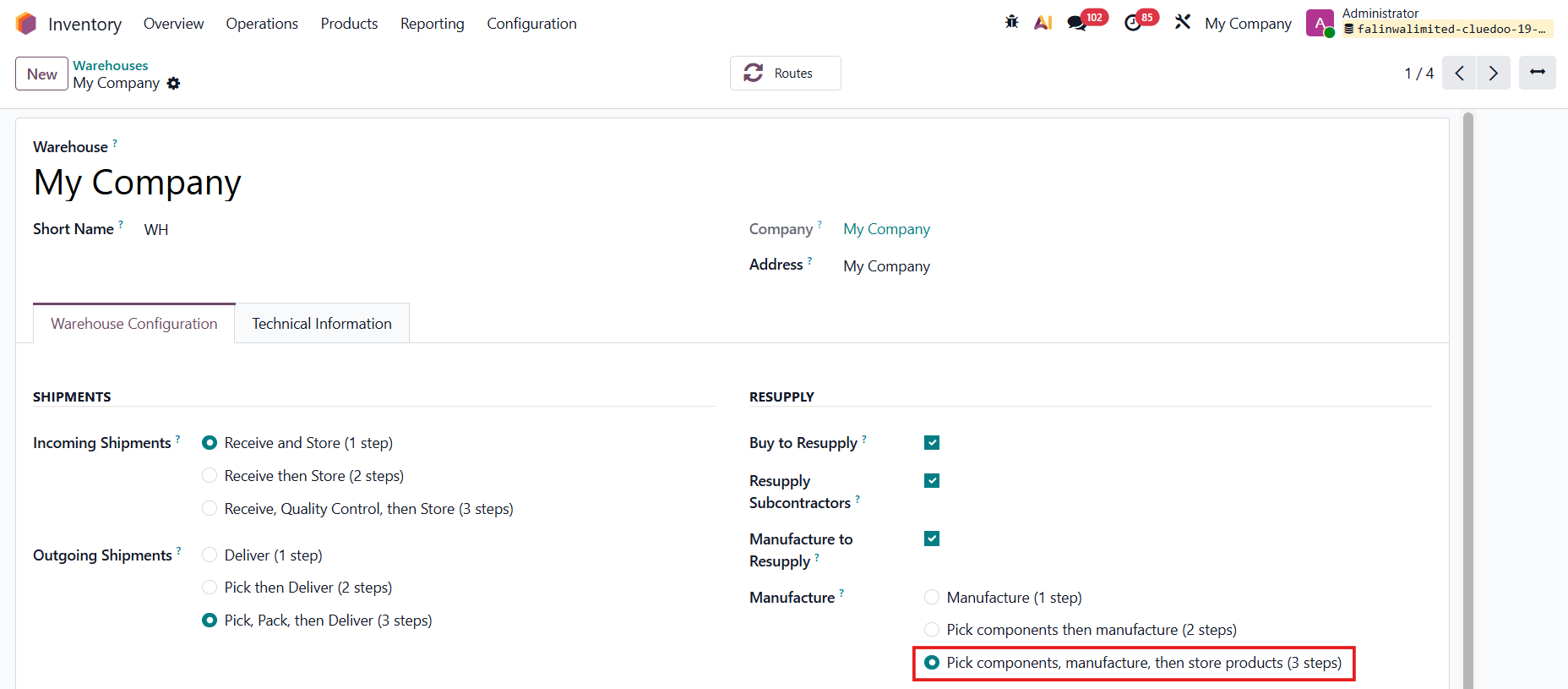
Go to Inventory > Warehouses > Choose a warehouse and set Manufacture to 2 steps or 3 steps |
|
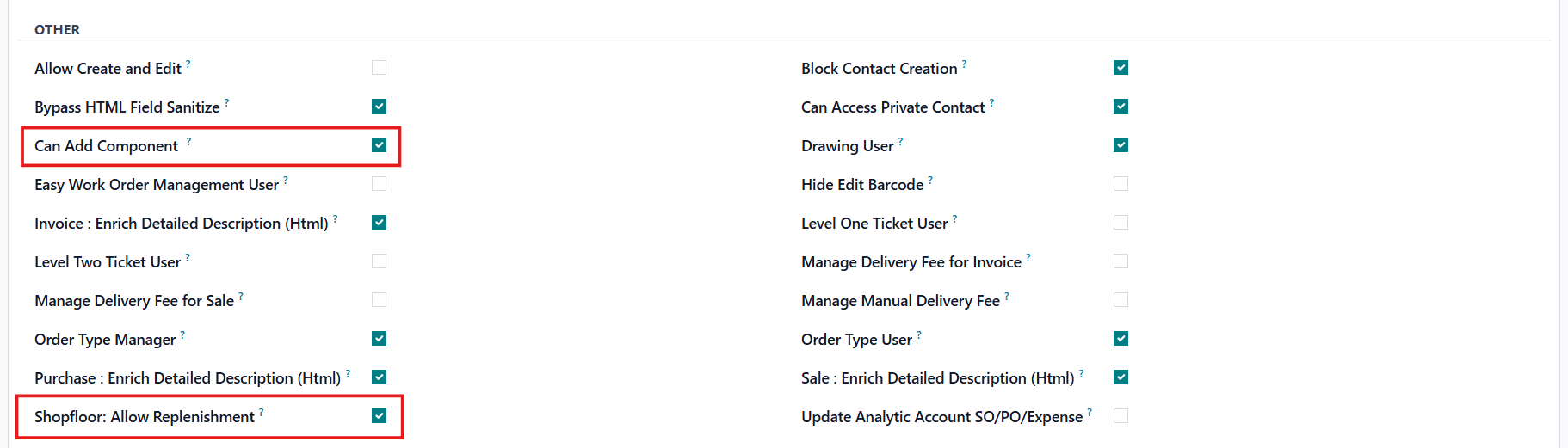
Go to Settings > Users > Choose a user and checkbox Can Add Component and Shopfloor: Allow Replenishment |
|
REQUEST EXTRA COMPONENTCreate a Manufacturing Order > Confirm > Open the Shop Floor | 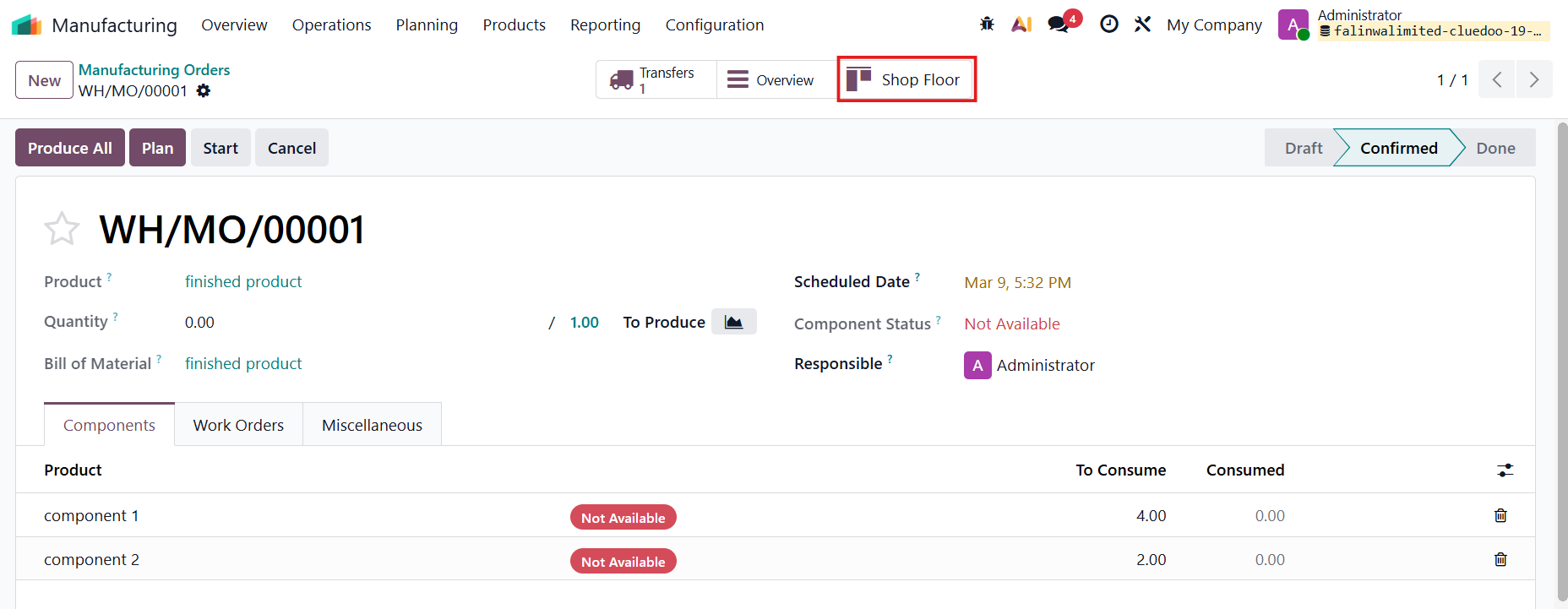 |
The Add Component button has been renamed to Request Extra Component, while keeping the same functionality as in ODS: it adds an additional line to the Manufacturing Order. | 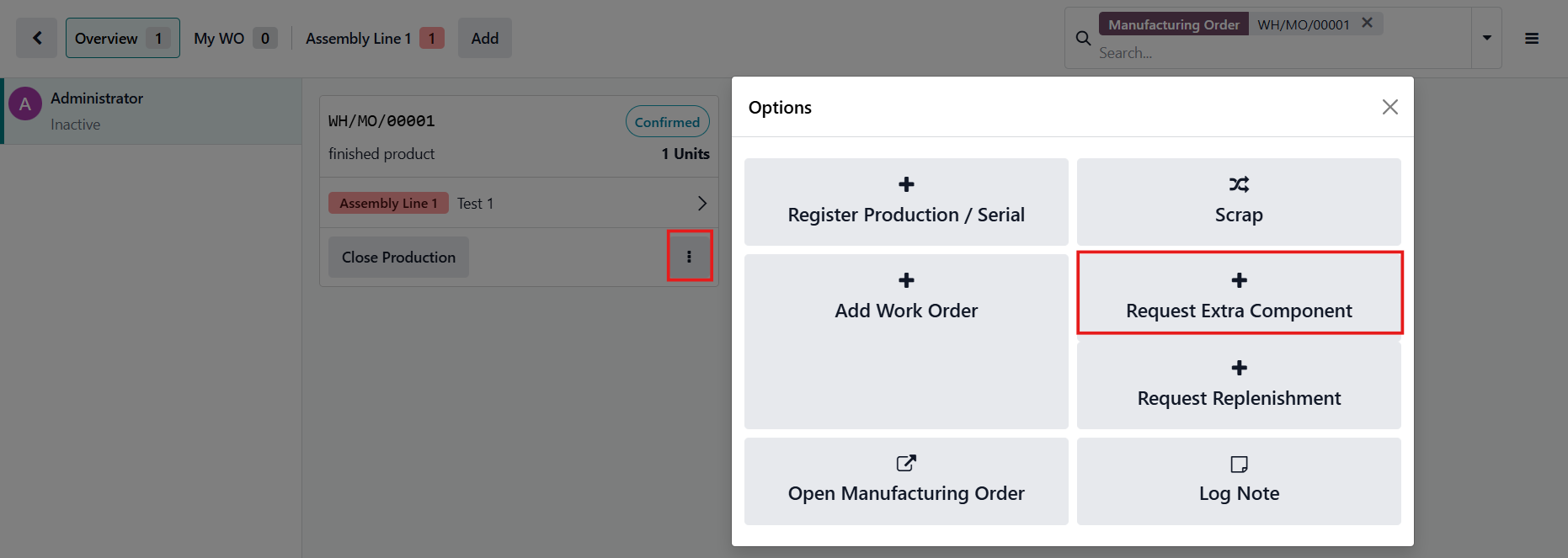 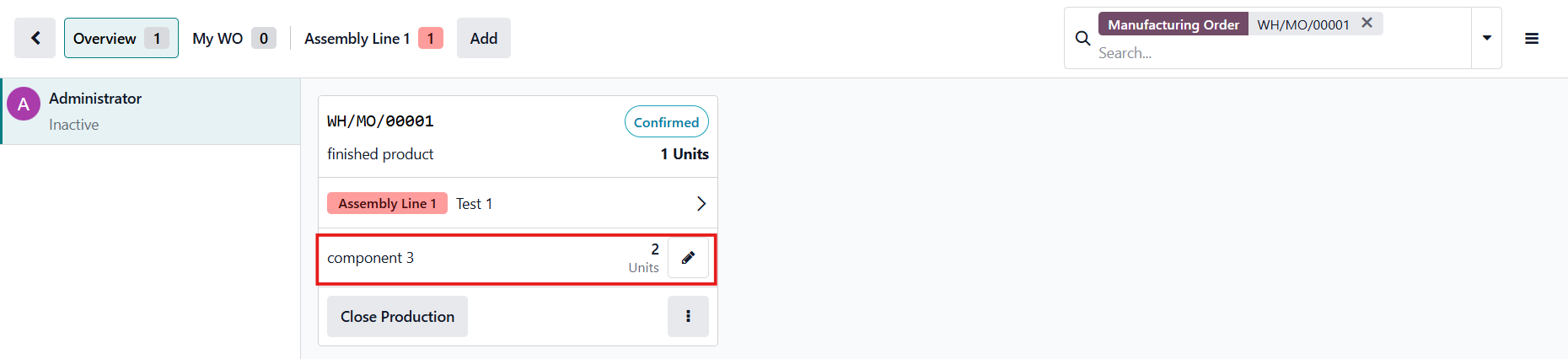  |
REQUEST REPLENISHMENTClick Request Replenishment | 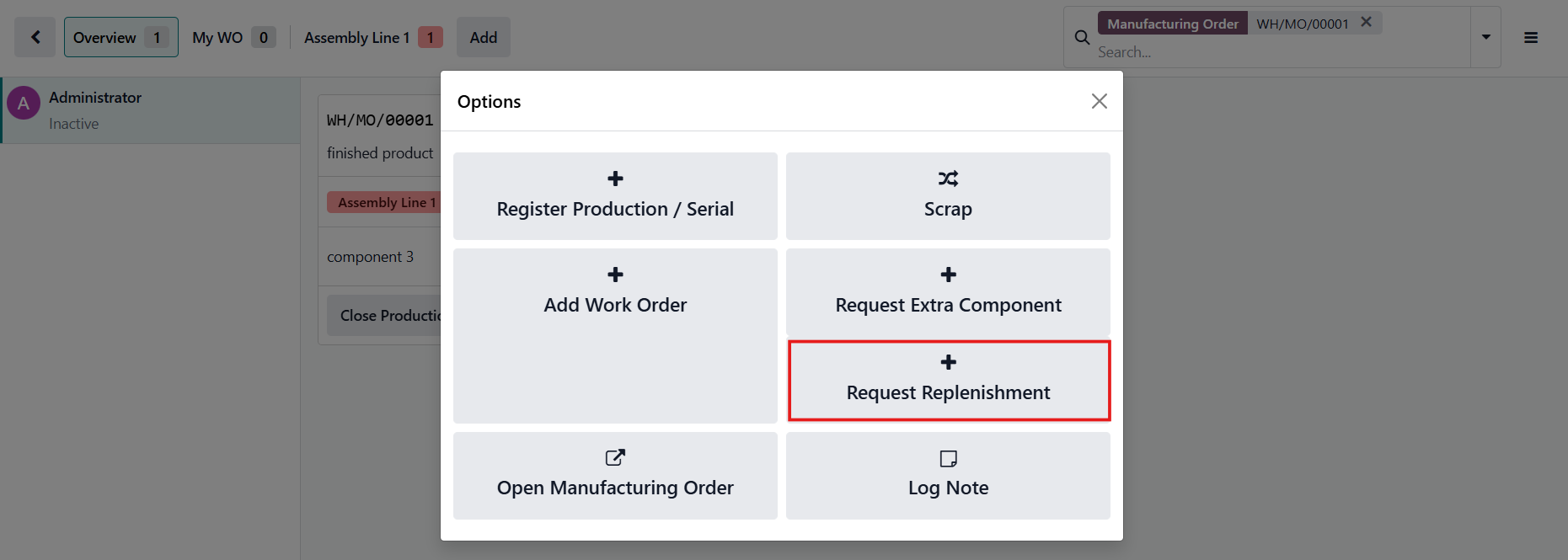 |
In the pop-up, only products that are already included in the Manufacturing Order lines will be available for selection.
| 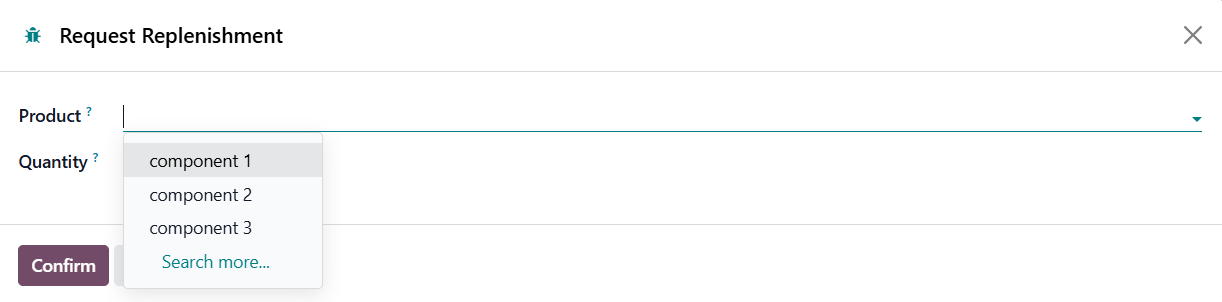  |
Fill in the product and the missing quantity will be automatically filled in > Confirm Replenishment A confirmation message will appear at the top right corner. | 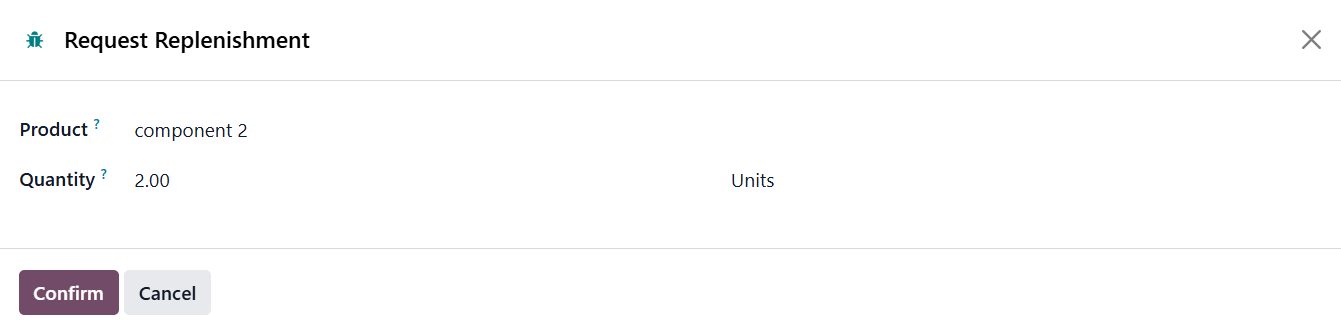  |
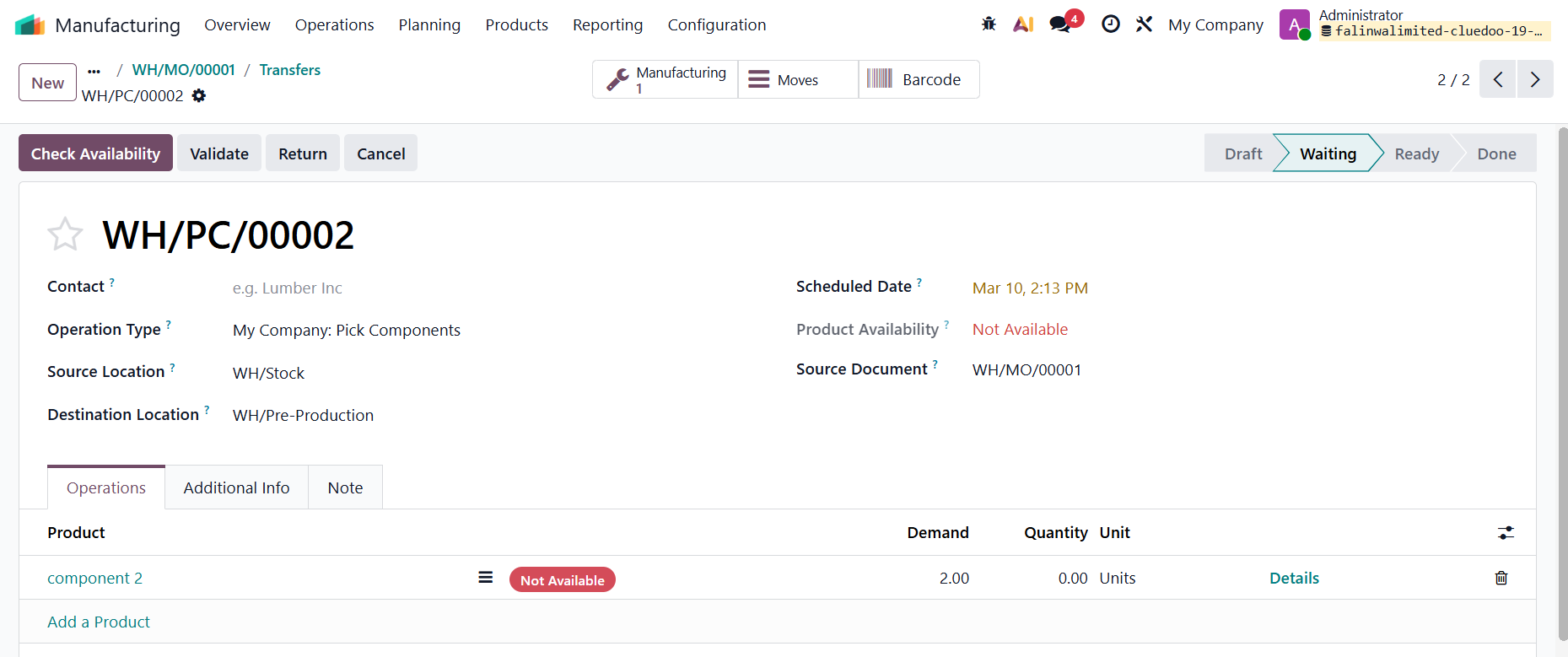
An additional picking / line will be created based on the component's route. |
|