ODOO'S FUNCTION
In Odoo standard, the Approvals app is used to request and validate business actions, but it does not natively create a new company as part of an approval workflow. If a business wants to set up a new company, the process must usually be done manually in the Companies menu by an administrator. This makes company creation less structured and harder to control through a formal approval process.
CLUEDOO'S FUNCTION
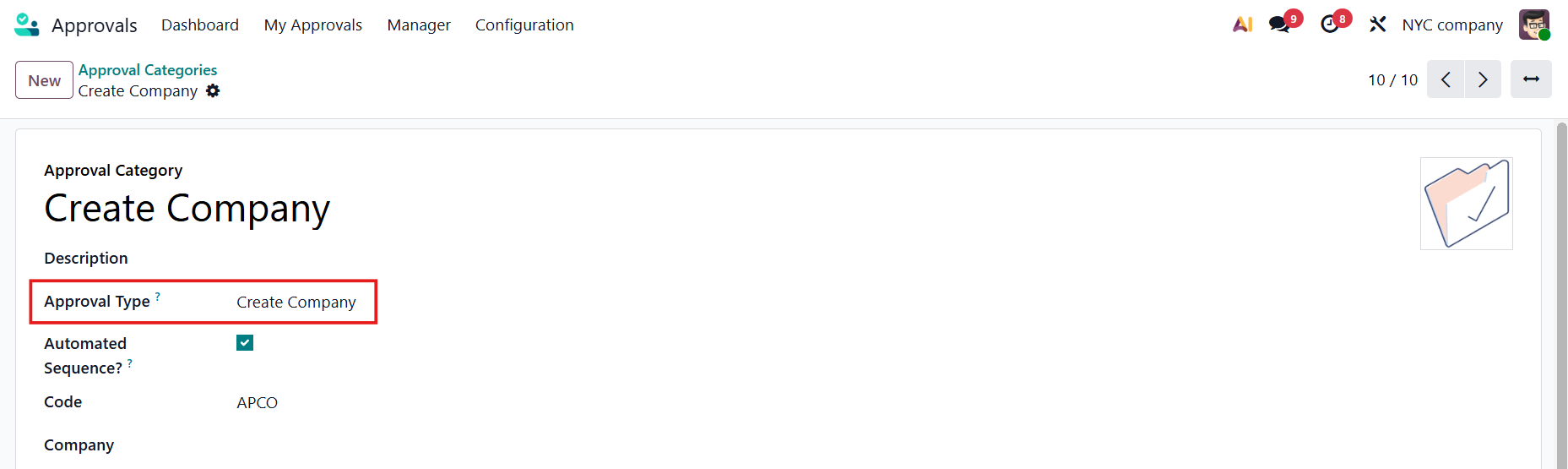
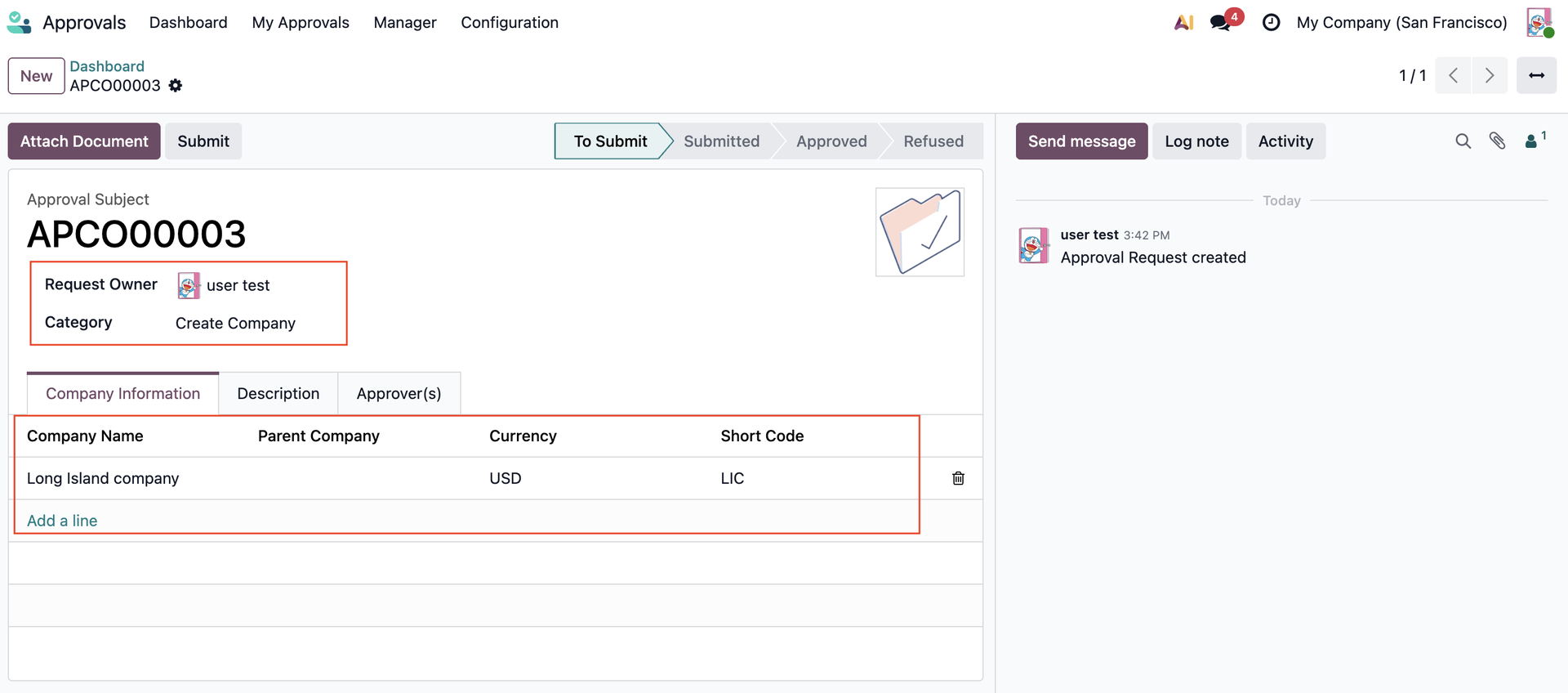
Cluedoo enhances the standard Approval process by introducing Approval type Create Company. Users can fill in the required company information (Company Name, Parent Company, Currency, Short Code)
This allows organizations to control new company creation through the approval workflow, ensuring that every company is created only after proper review and with the correct setup information.
CONFIGURATIONGo to Approvals > Configuration > Approval Categories We have a new Approval Type: Create Company |
|
USAGEFrom the User's approval dashboard, create a new request on "Create company". | 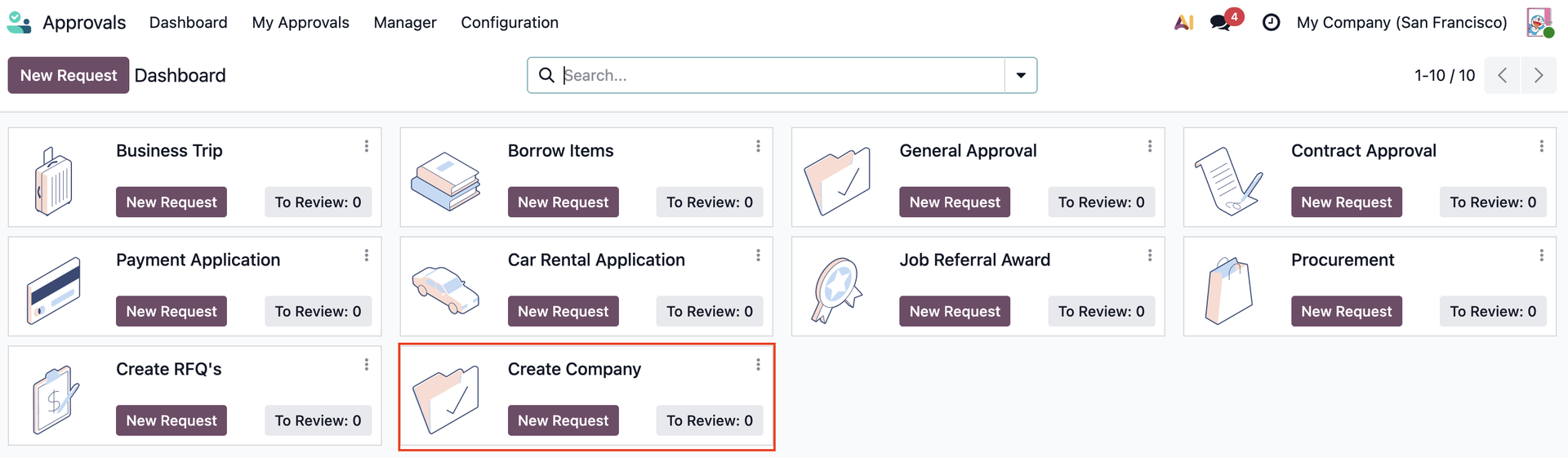 |
Fill in the details then click Submit. Note: Parent Company and Short Code are optional. |
|
2. After the request has been approved > Click on the Create Company button. | 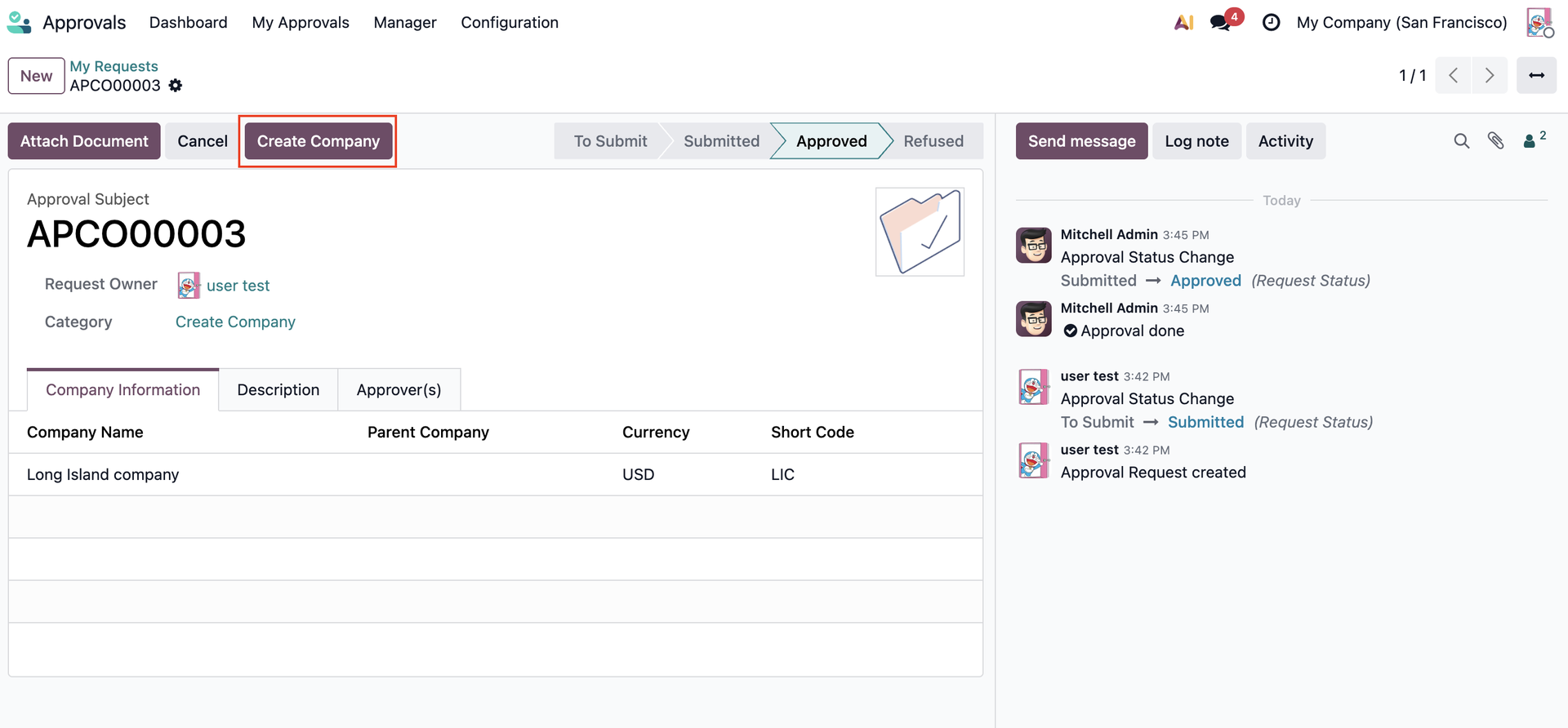 |
The new company will be created. |  |