



ODOO'S FUNCTION
Odoo does not propose a way to group several deliveries together in order to make an all-in-one document. It's possible to merge, yet this implies losing granularity of data in the link between Sales Order lines and Delivery Out, and you do not have a master document to describe what is in a container.
CLUEDOO'S FUNCTION
Cluedoo adds the ability of a delivery batch system with related documents in order to easily manage your exports by container, providing for you the required documents for Customs.
In addition to this engine, Cluedoo proposes a Chinese library to manage exportation and importation lists of documents for China.
1. Create a new product or choose existing product, go to Inventory and check "Is Package Box". | 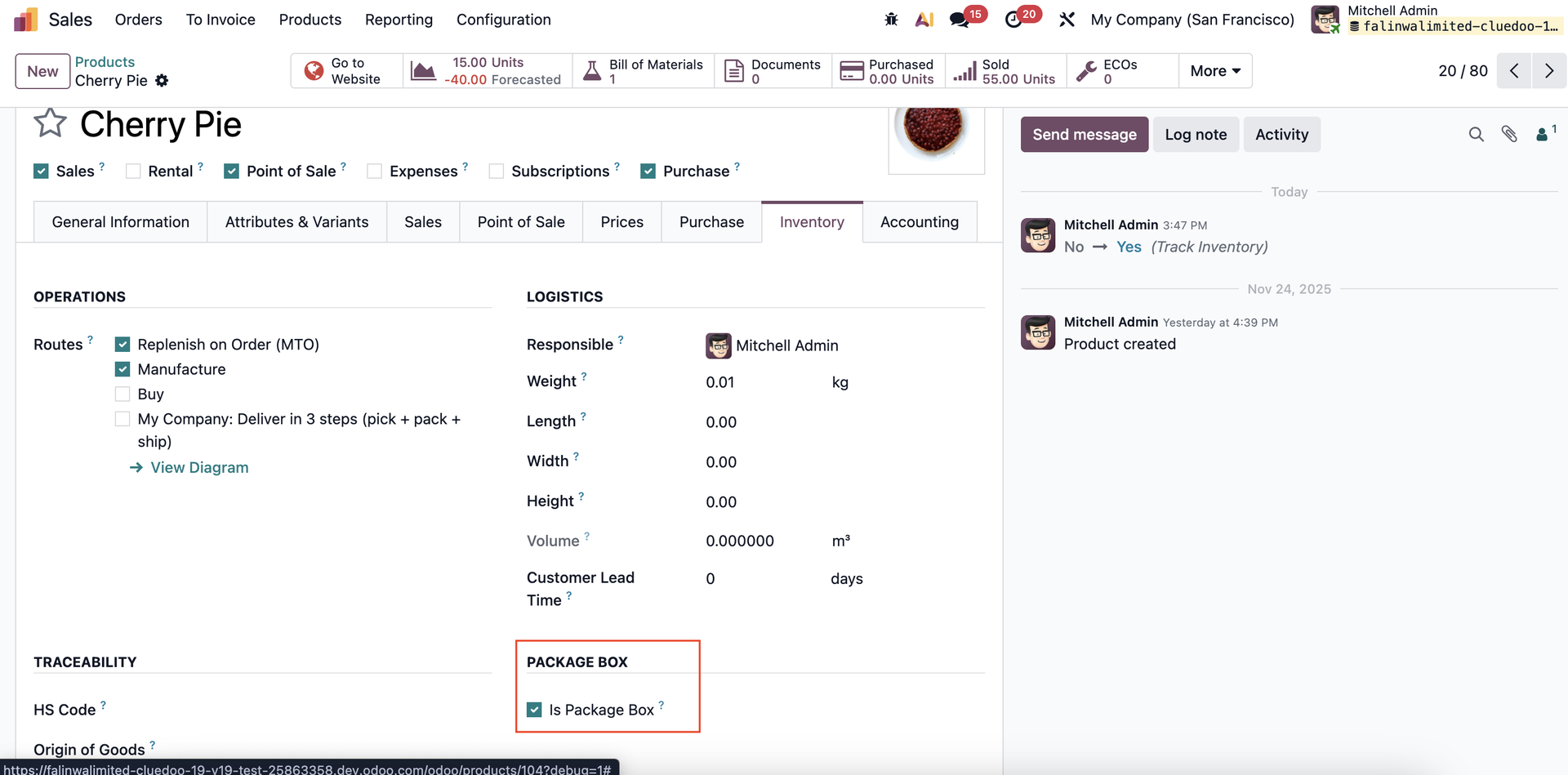 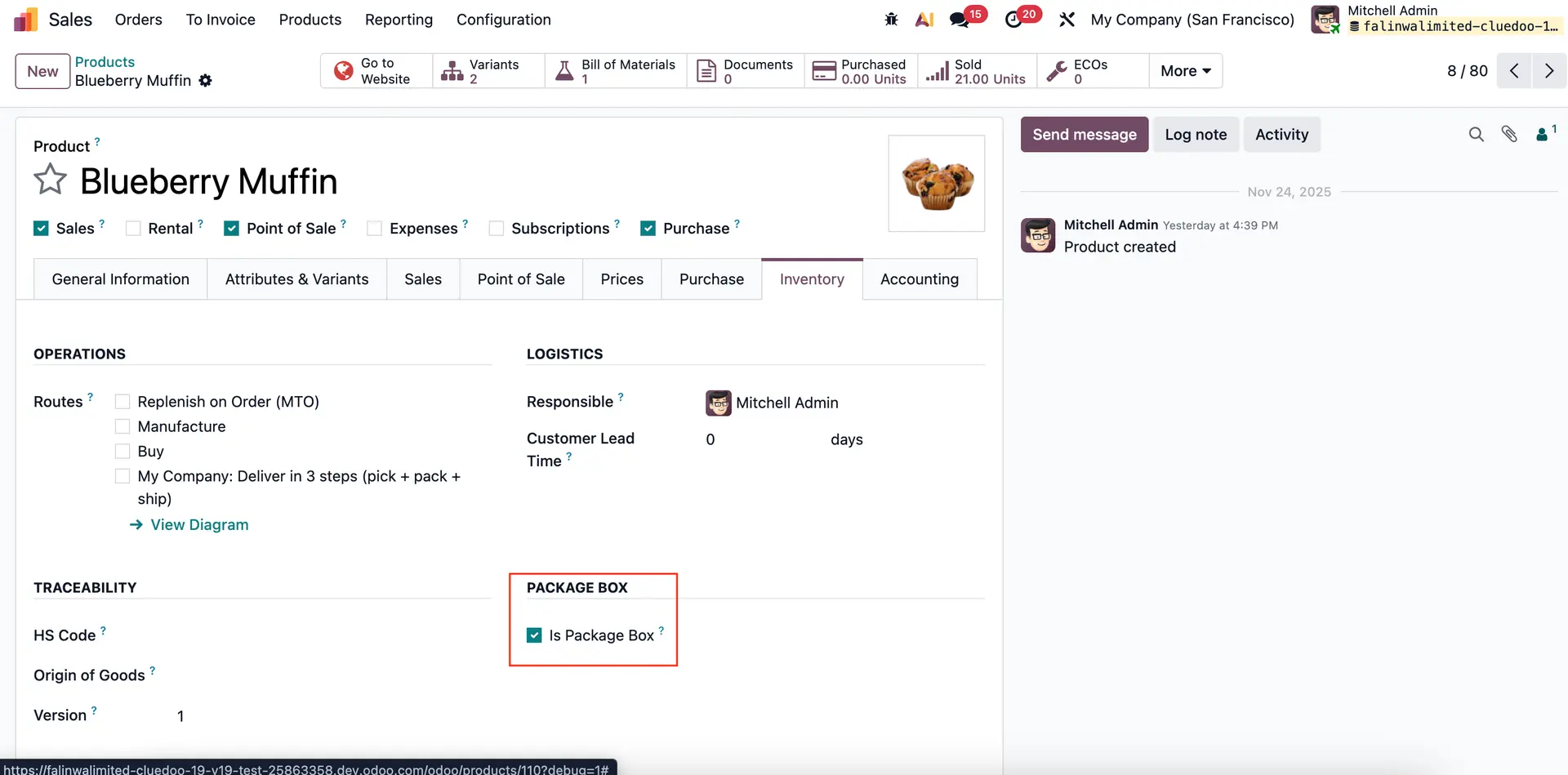 |
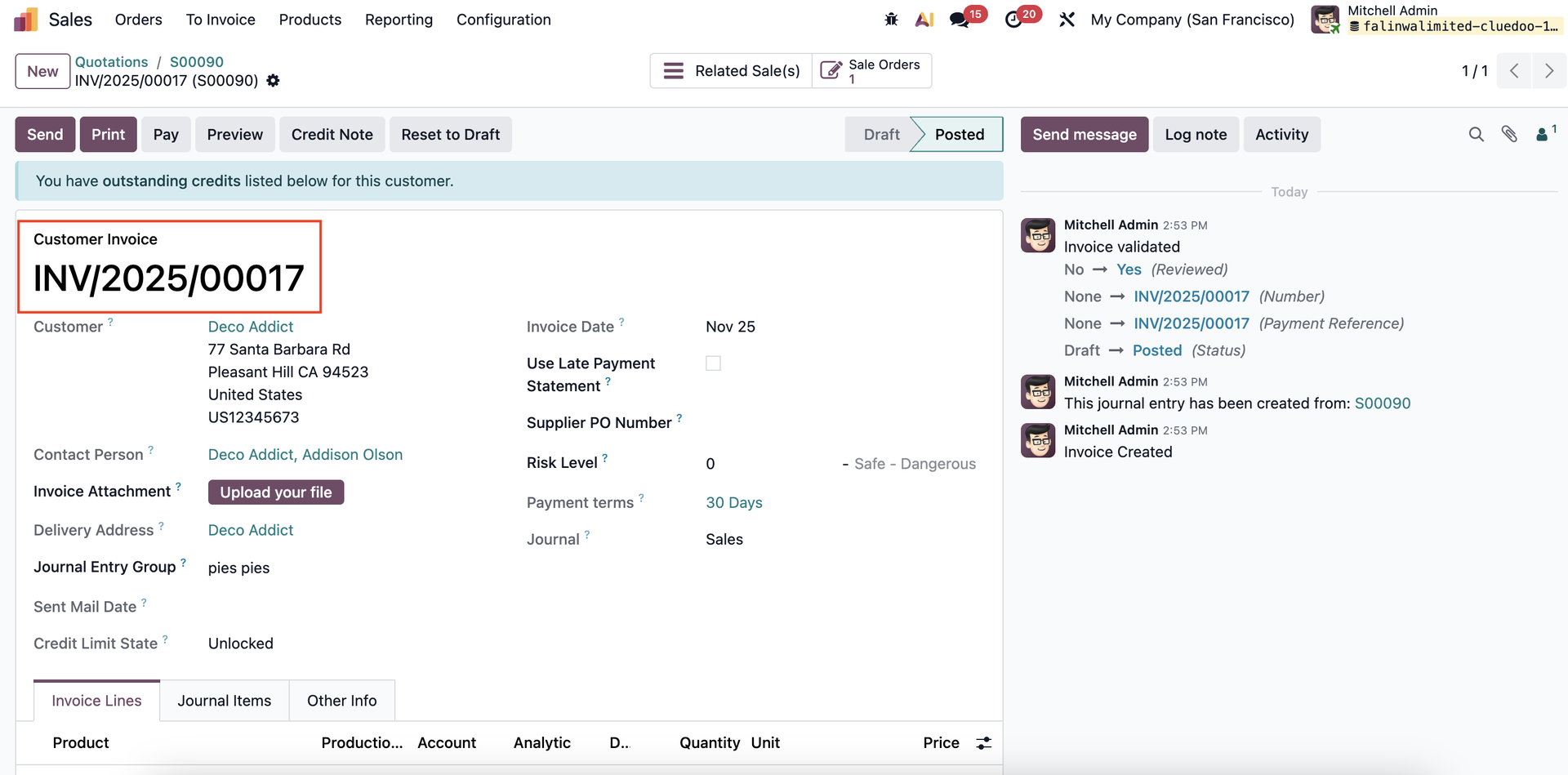
2. Create SO > Validate Delivery > Create Invoice > Confirm Invoice. | 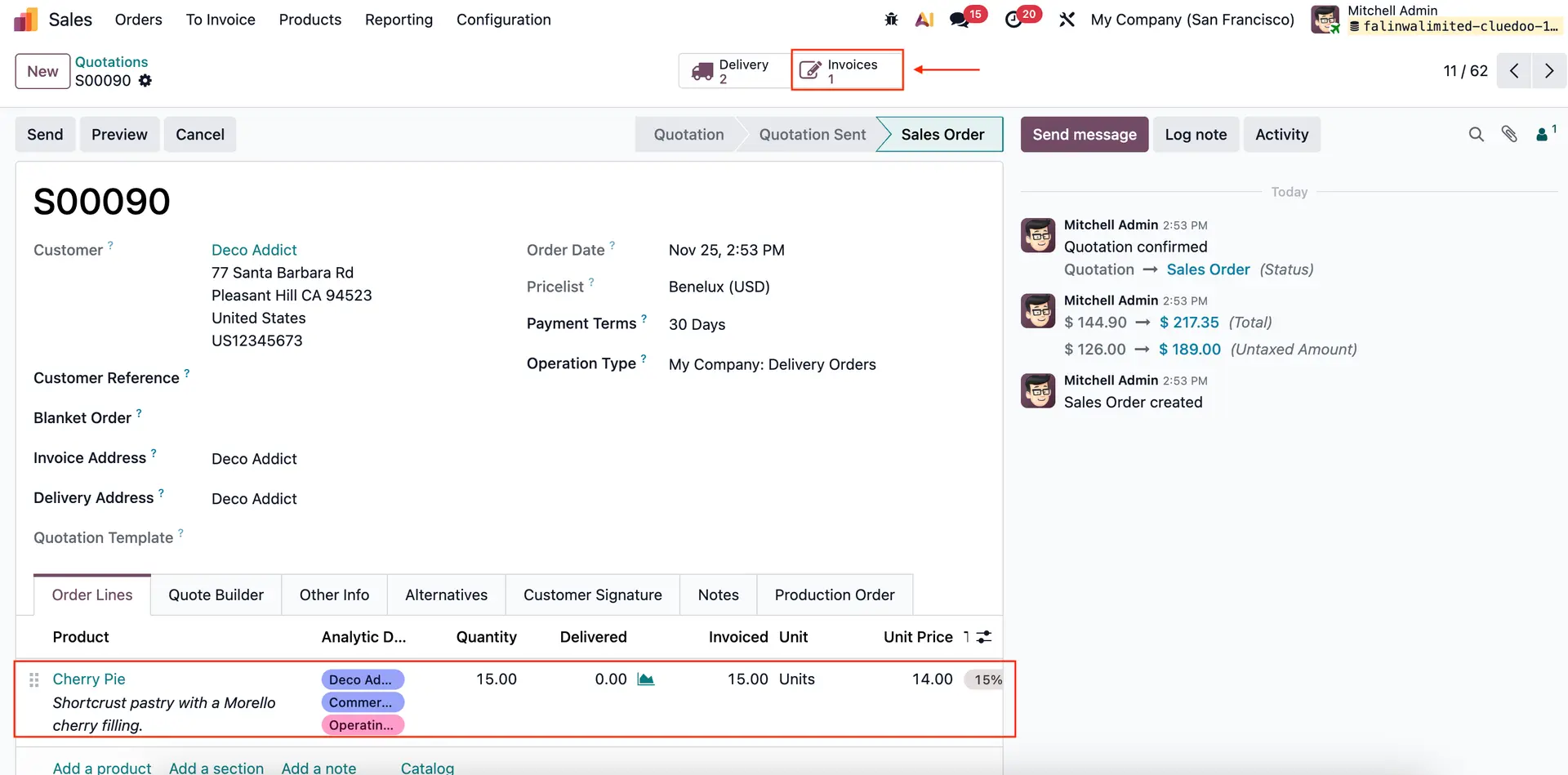 |
 | |
| 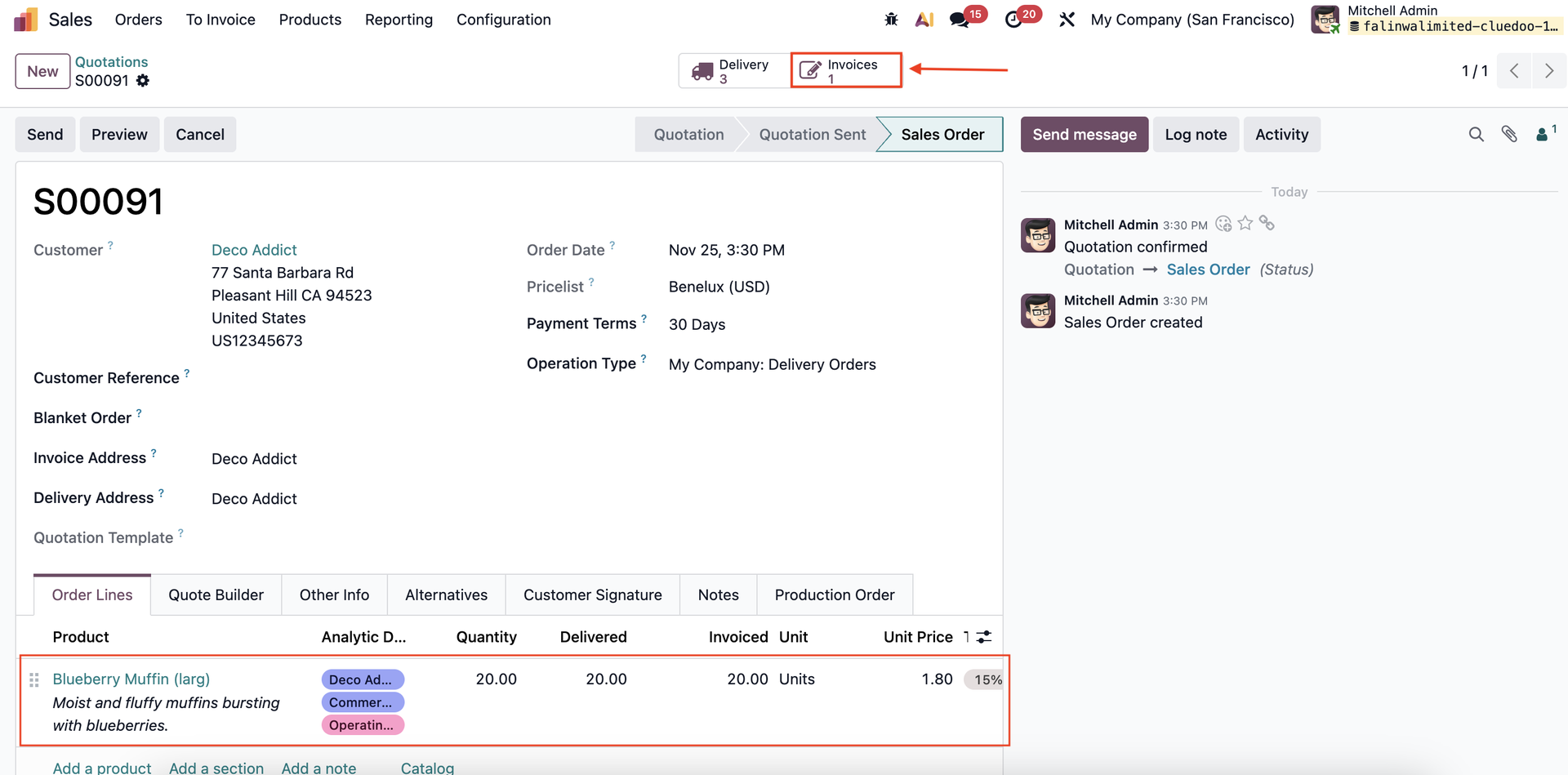 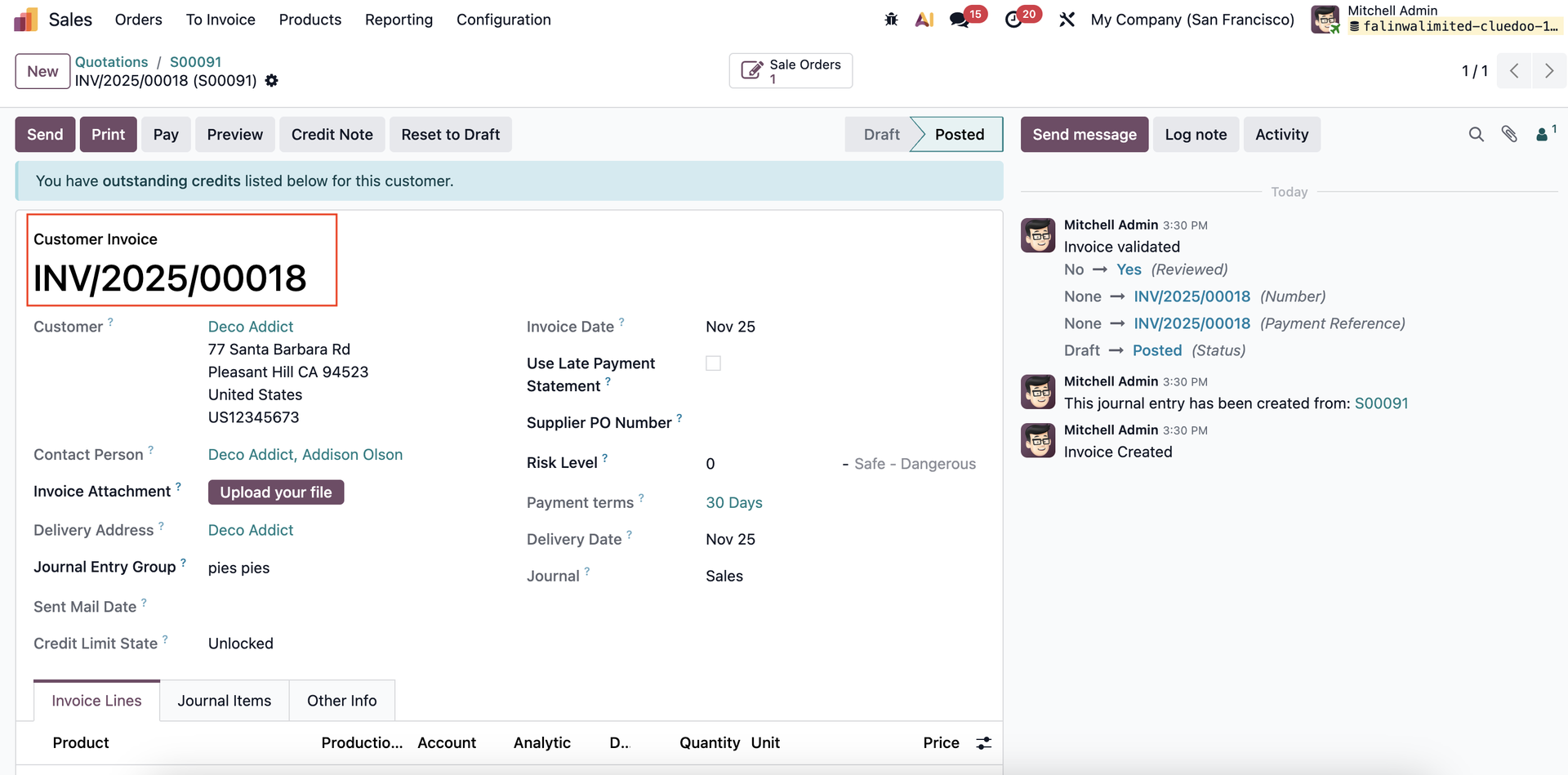 |
Go to Invoicing and select the invoice (Note: it must be same customer). Then, click Register Delivery Batch under the Action tab. | 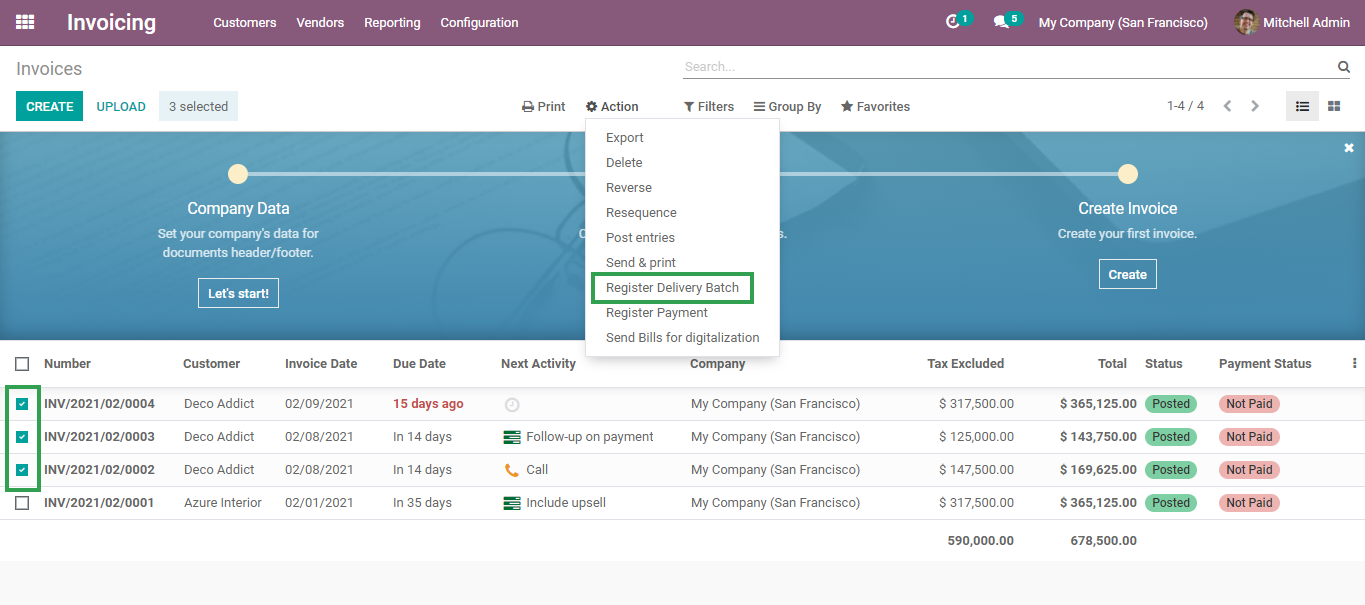 |
Note: From v17, it changes to Batch of Journal Entries | 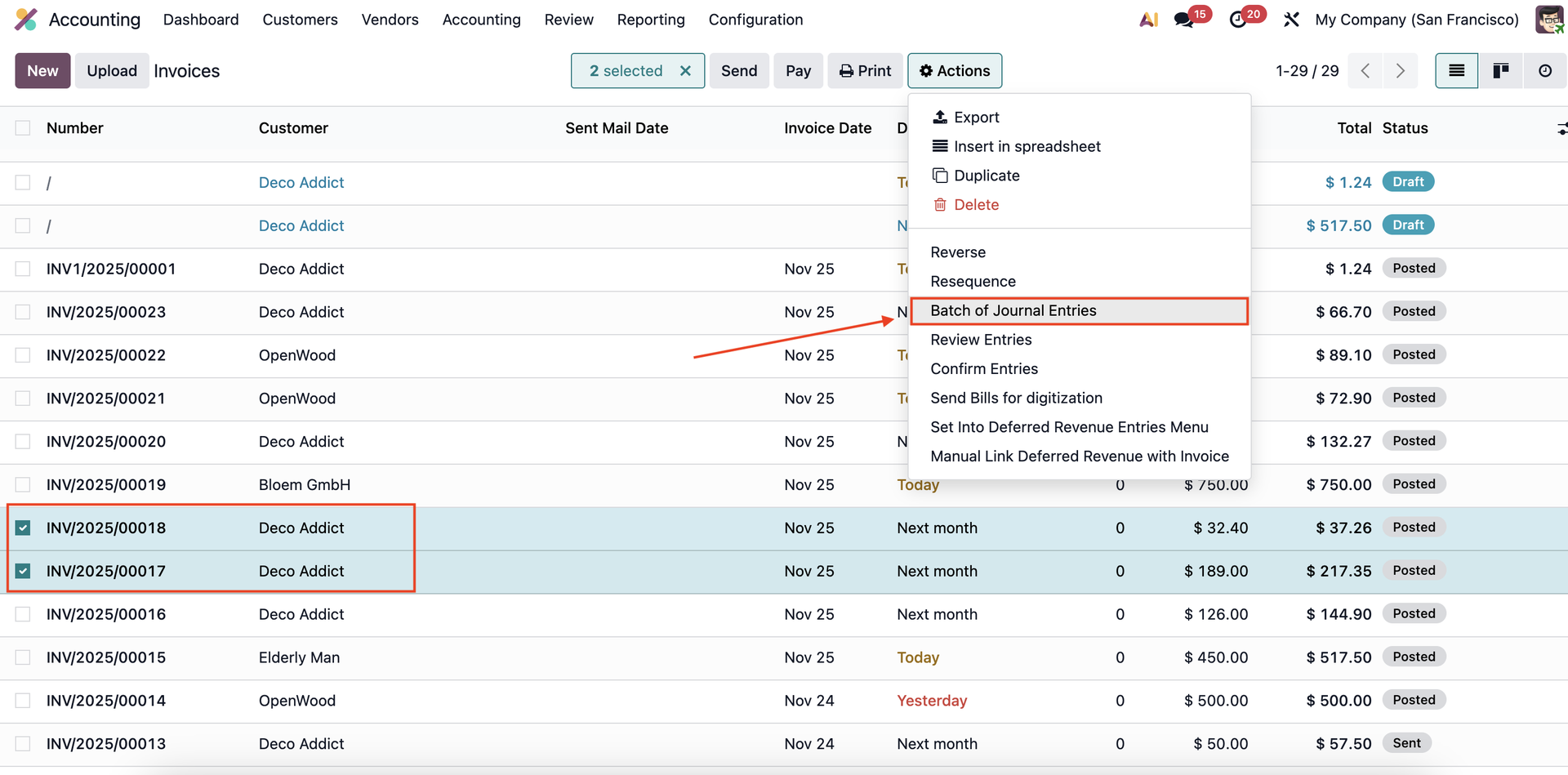 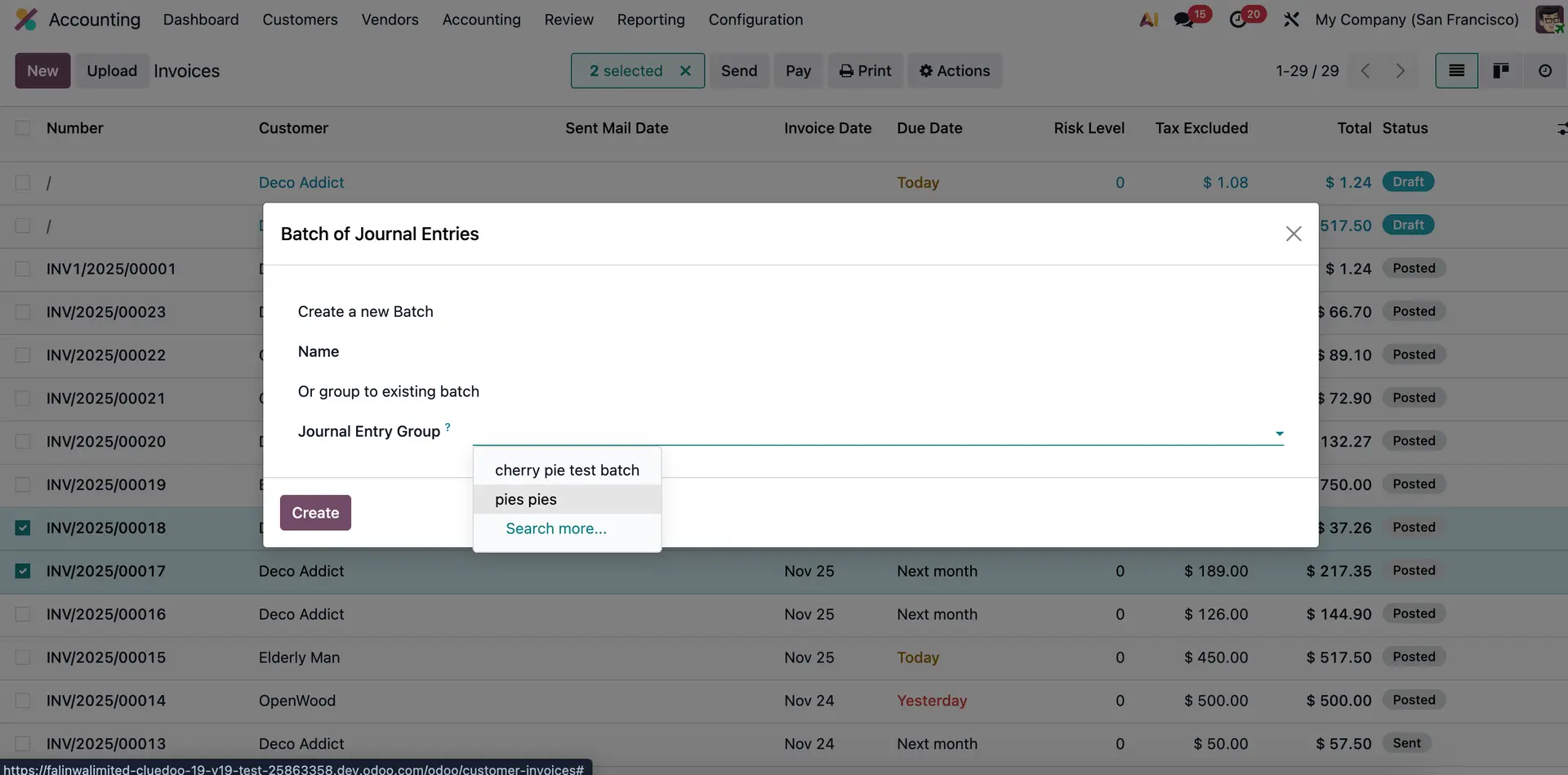 |
3. Click "Put to Box" and fill in the form (Type of Box, Box No. and Net Weight). Then, select the Invoice Line. | 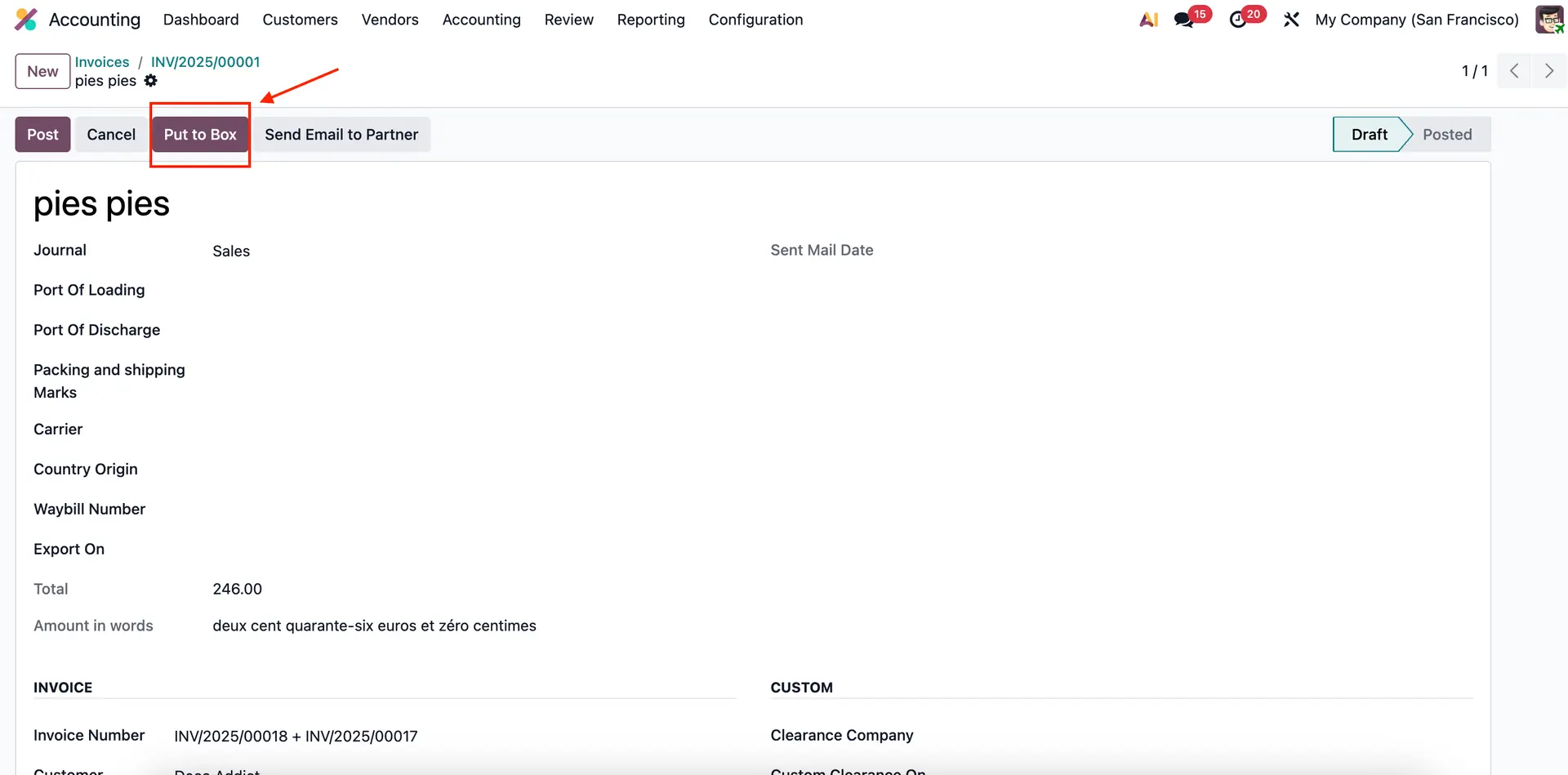 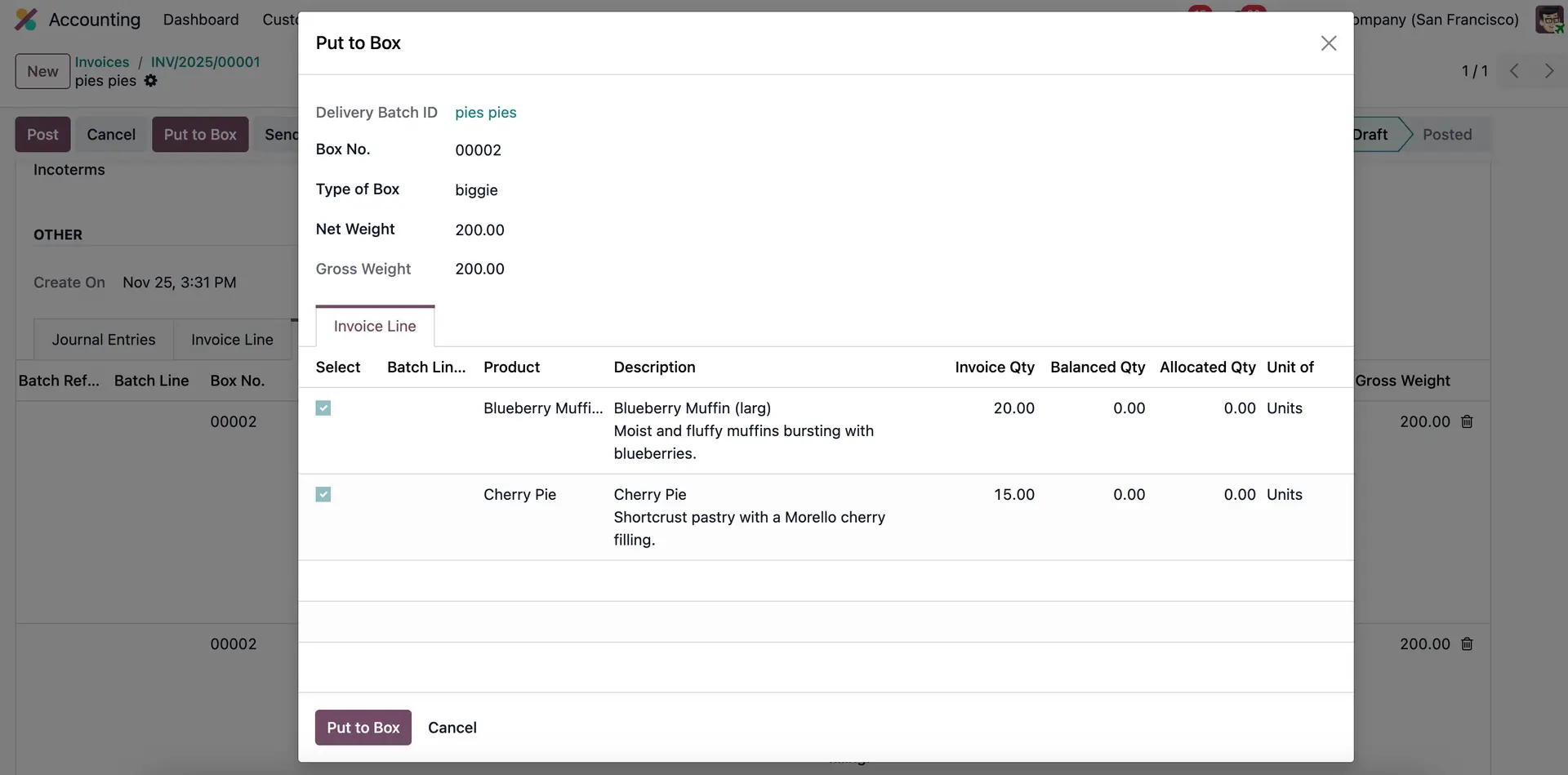 |
4. Click Print. There are 4 reports that are able to be printed. | 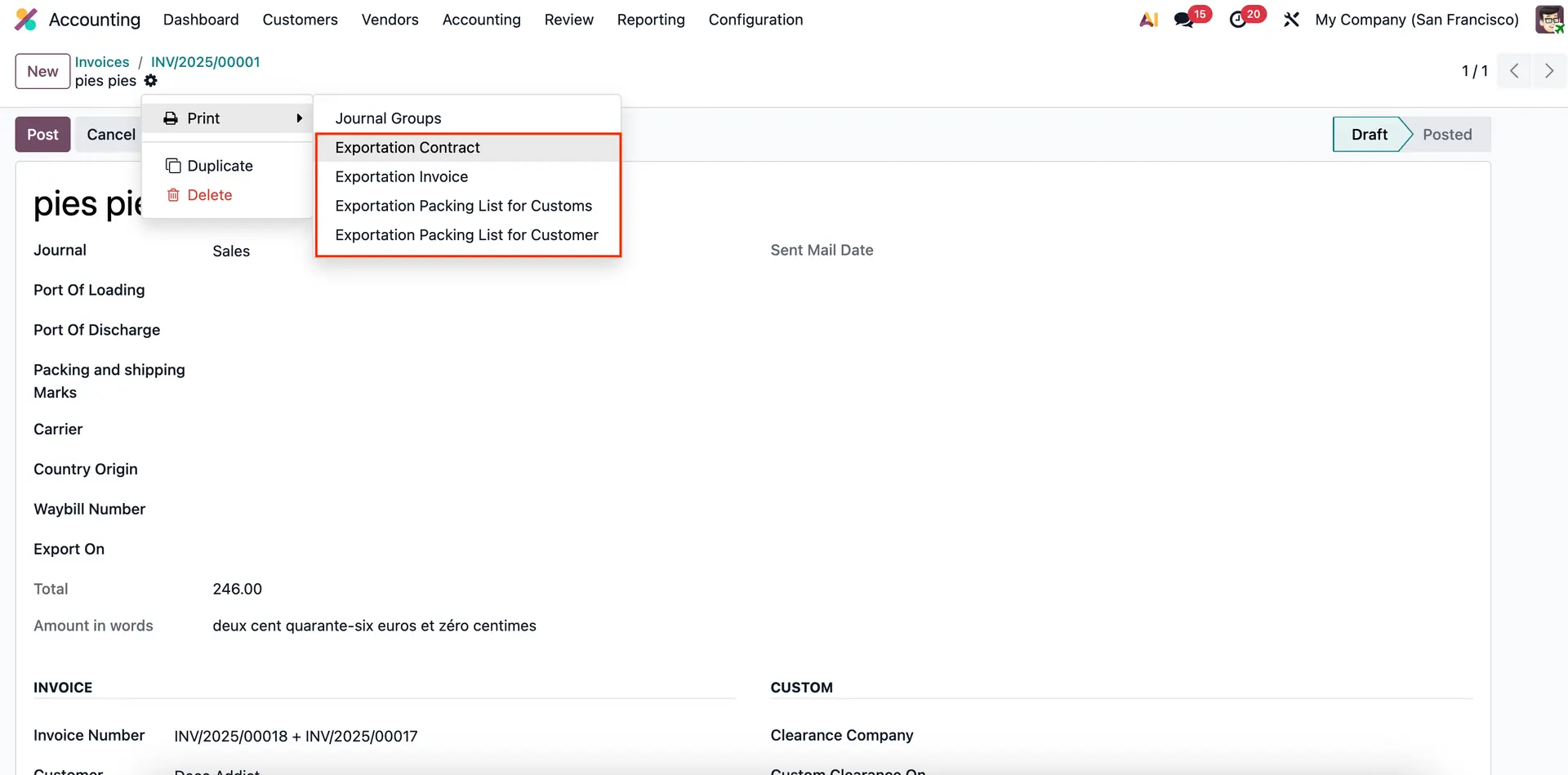 |
| 5. Print the Exportation Contract. | 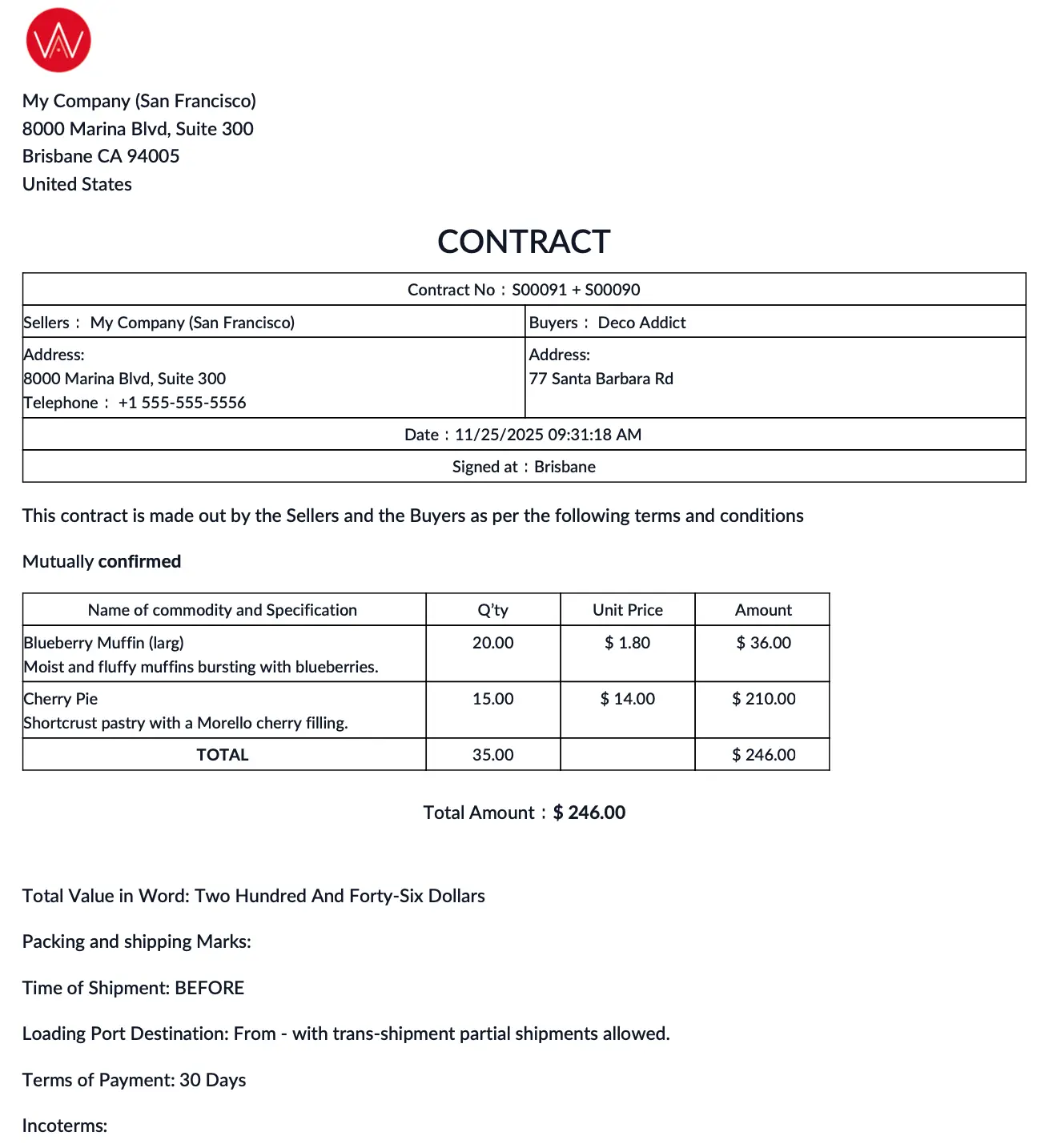 |
6. Print the Exportation Invoice. | 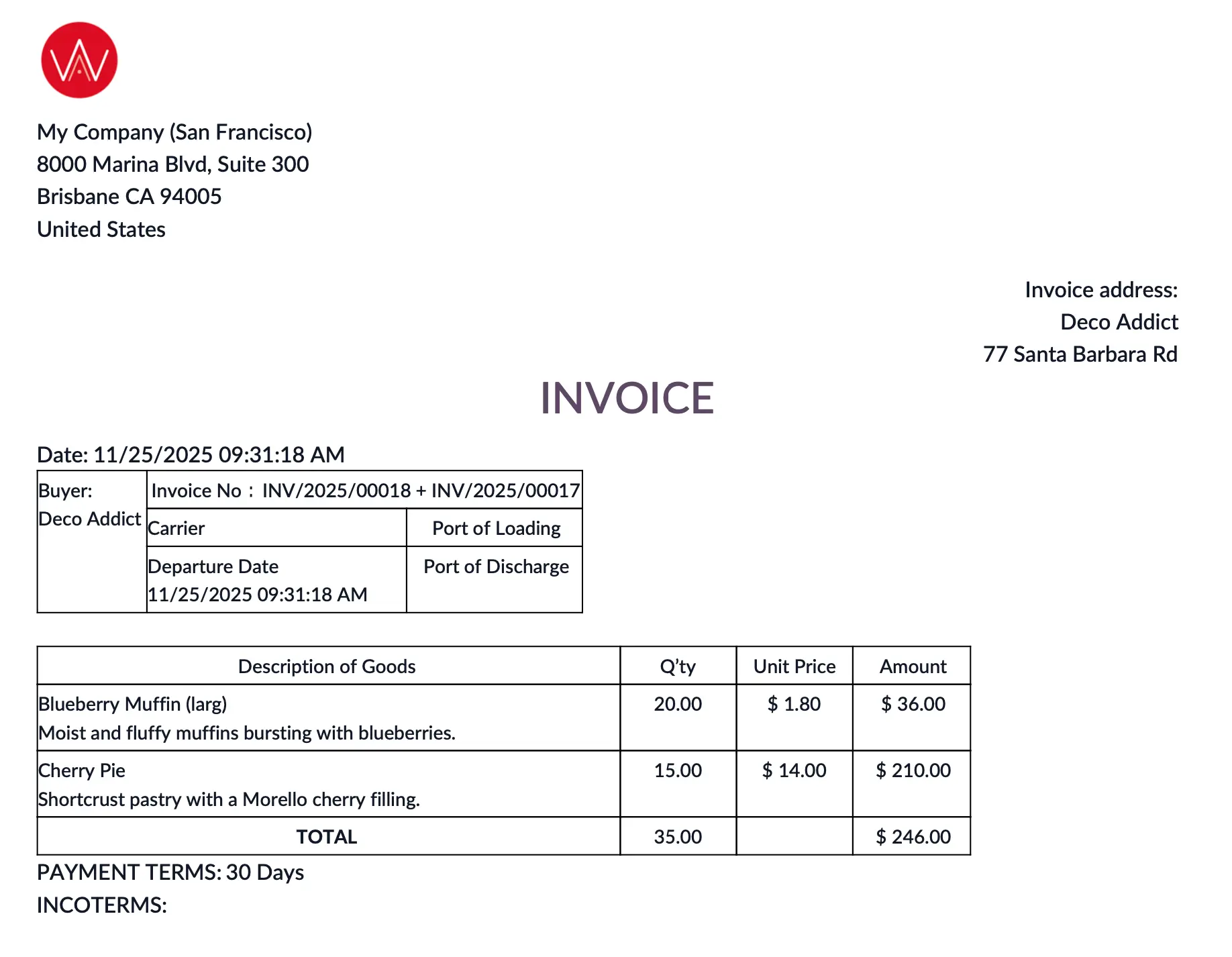 |
7. Print the Exportation Packing List for Customs. | 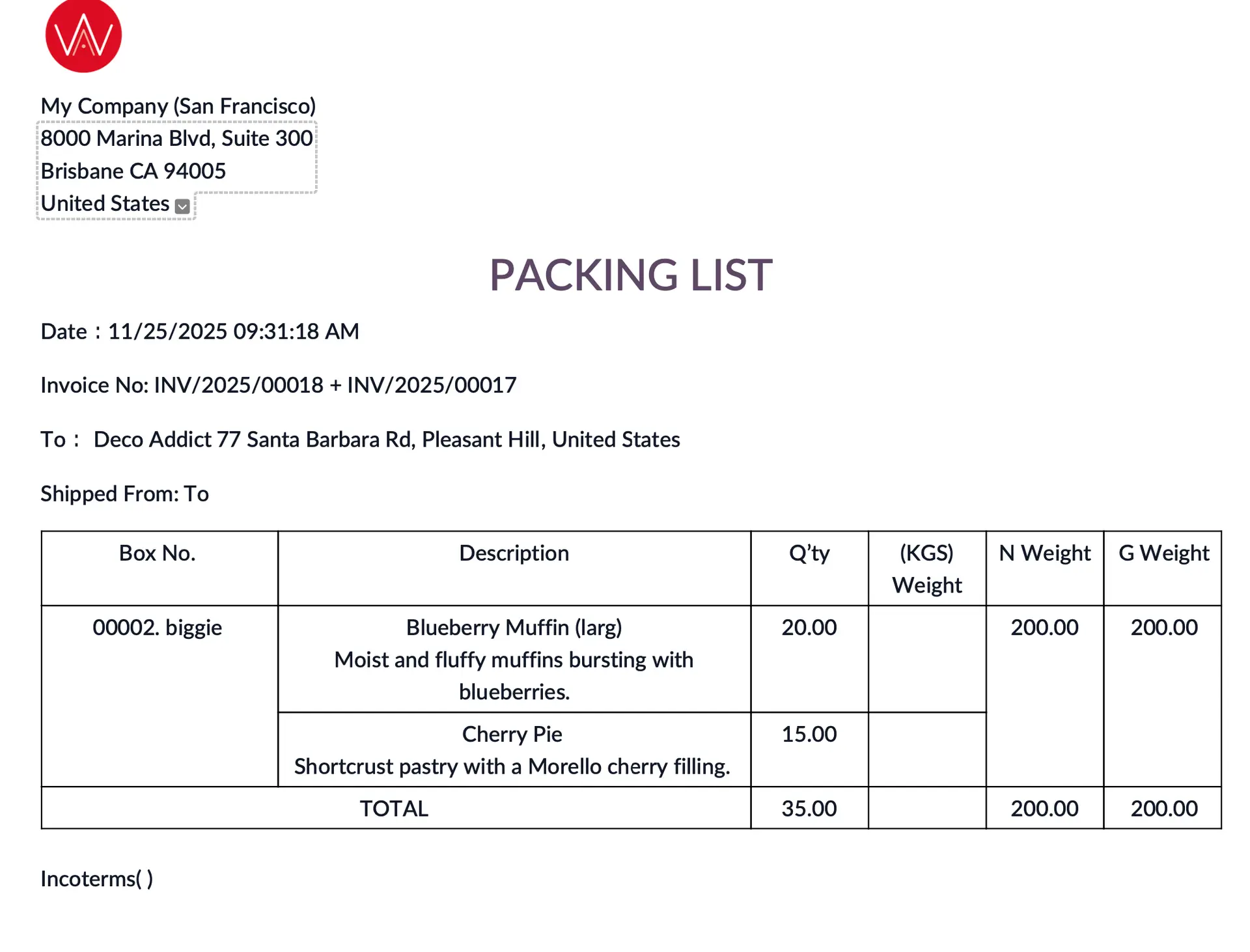 |
7. Print the Exportation Packing List for Customers. | 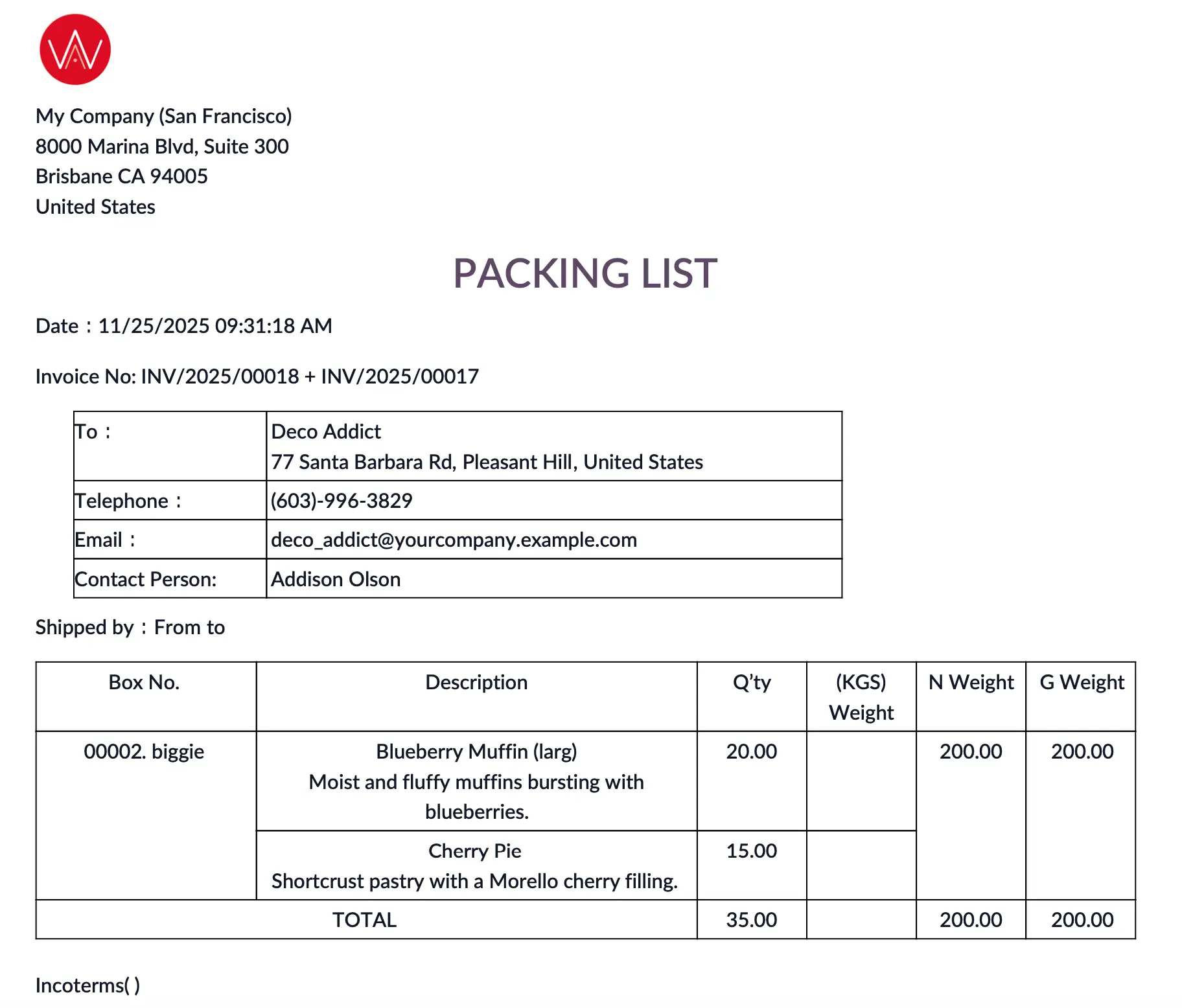 |