



ODOO'S BEHAVIOR
In Odoo, sales orders typically require manual entry or configuration of start and end dates, lacking built-in automation to apply these dates from invoice automation templates. This can lead to increased manual effort for managing time-sensitive or recurring sales activities.
CLUEDOO'S BEHAVIOR
In Cluedoo, the start date and end date are automatically set on a sales order using a predefined automation template. Specifically, it allows users to define these dates in the template, which are then applied to sales orders, streamlining the management of time-bound or recurring sales activities.
1. Access Sales/ Configuration/ Invoice Automation/ Invoice Automation Template. Then create an invoice automation template. |  |
2. Add Start Date and End Date on the automation template. | 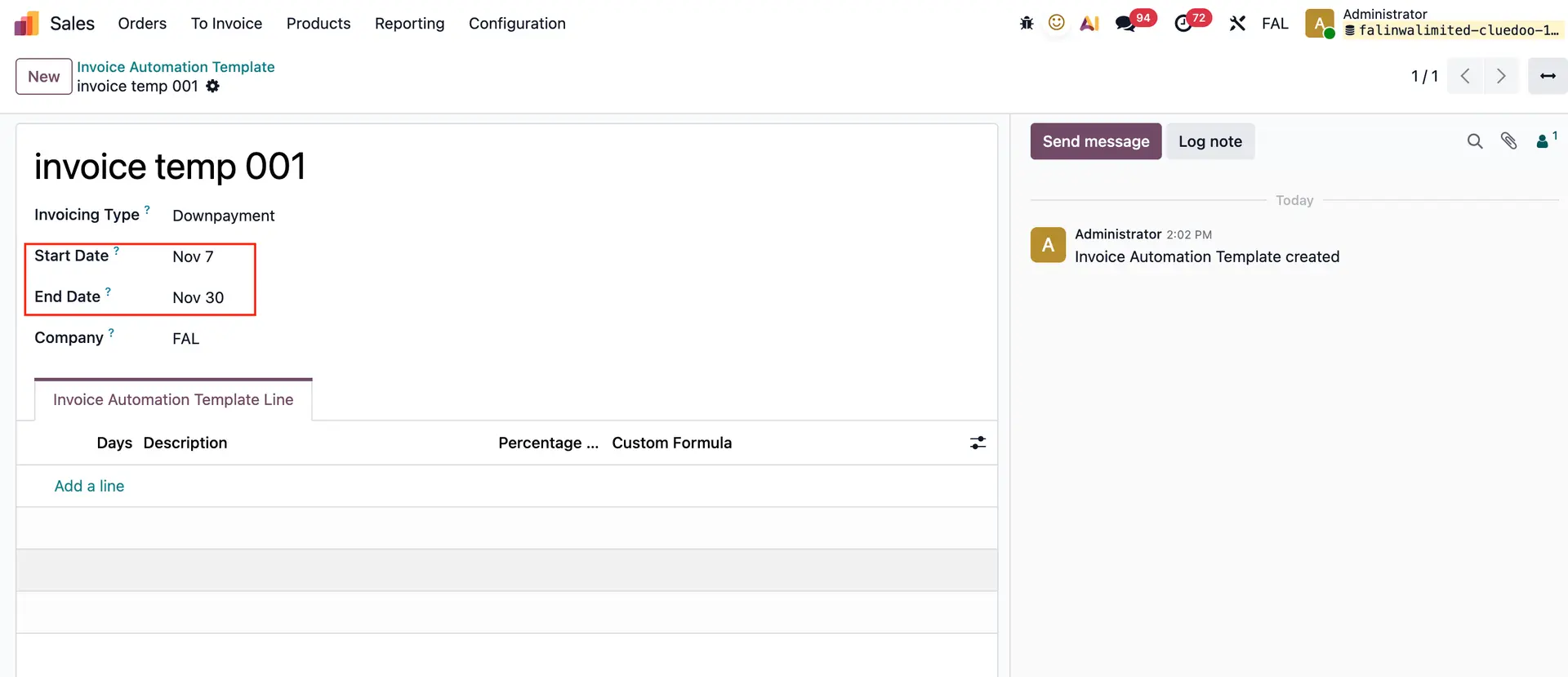 |
3. On Sales Order, after choosing "Invoice Automation Template", the start date and end date will automatically appear in Sale order lines. | 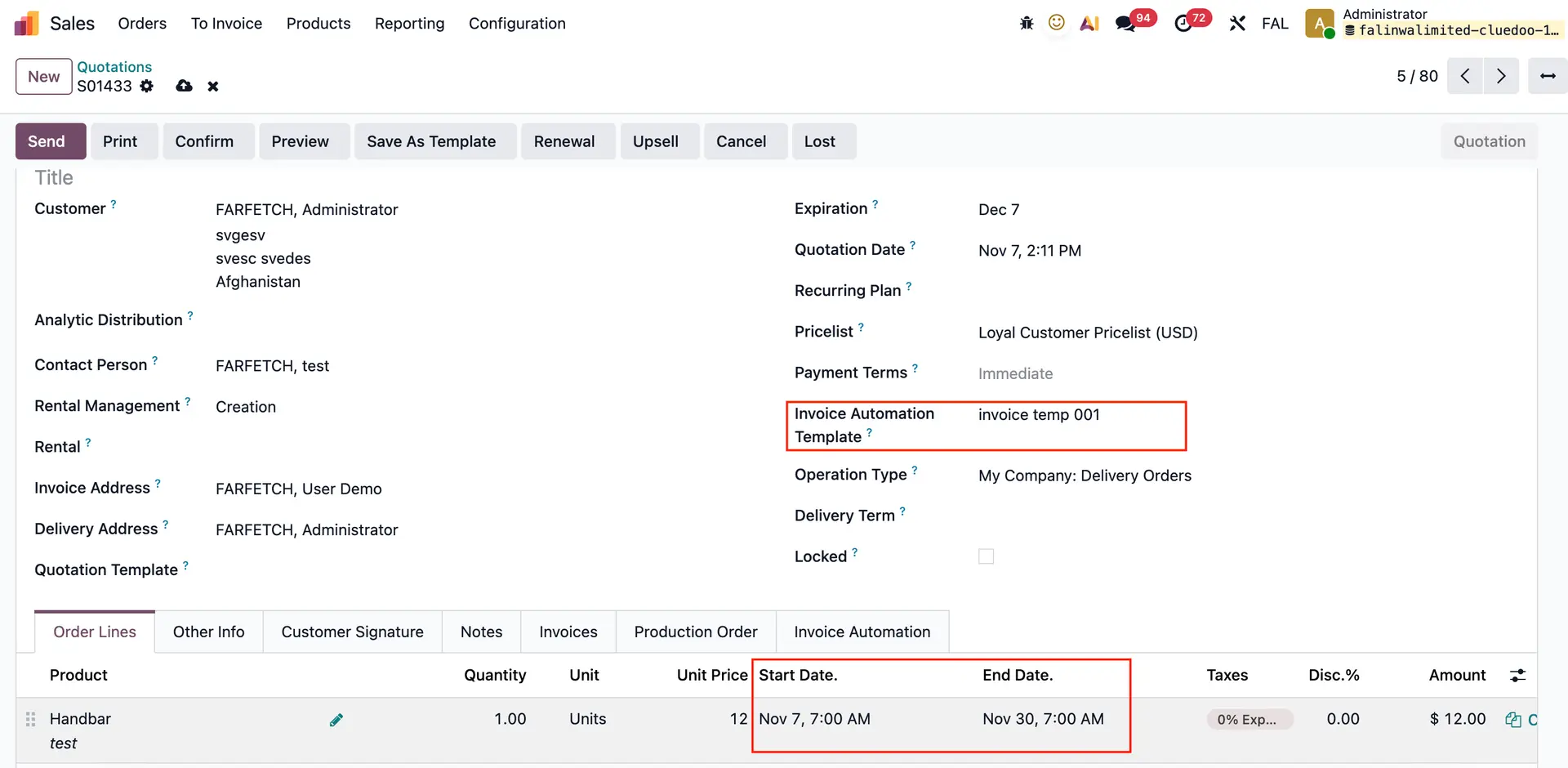 |