



ODOO'S FUNCTION
Odoo provides internal management of repair orders through the Repair module. However, customers cannot access their repair orders via the portal or interact with them directly, such as by confirming or signing.
CLUEDOO'S FUNCTION
Cluedoo adds portal access for repair orders, allowing customers to view, track, and digitally sign their repair orders. This improves communication, speeds up approvals, and enhances customer experience.
1. Create a repair order, select the customer (who has portal access), fill the product to repair | 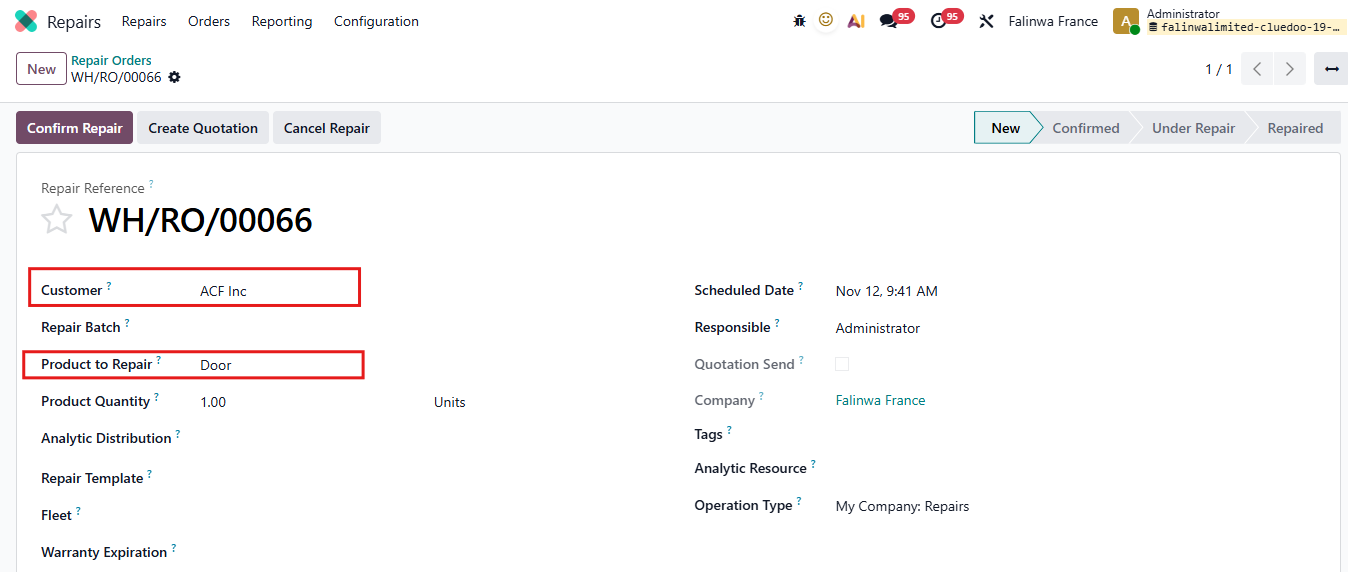 |
2. When the customer logs in to the portal, they can see the Repair Orders Go to Repair Orders > Choose the Order need signing. | 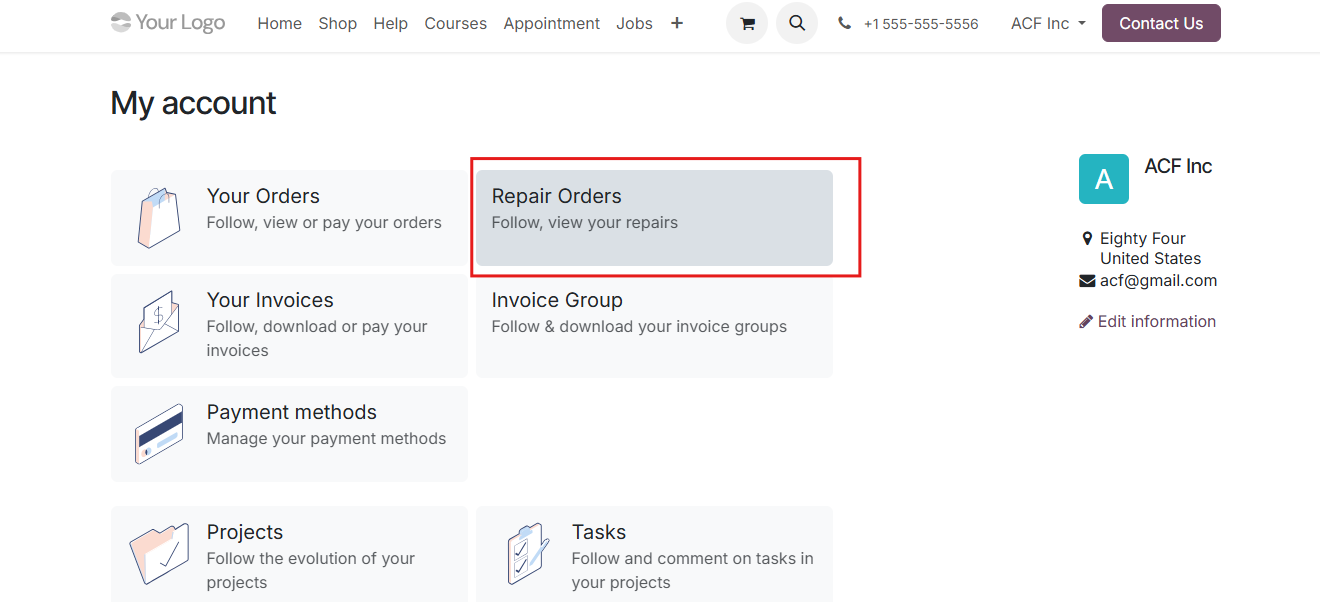 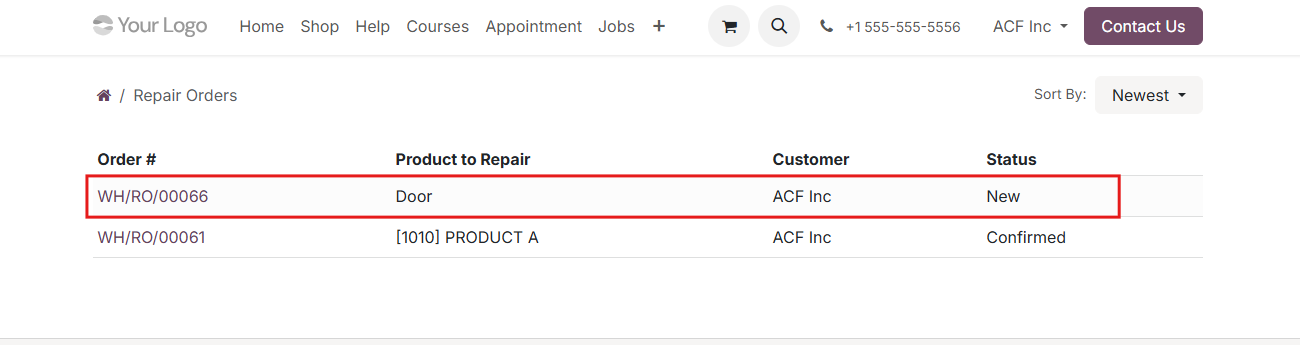 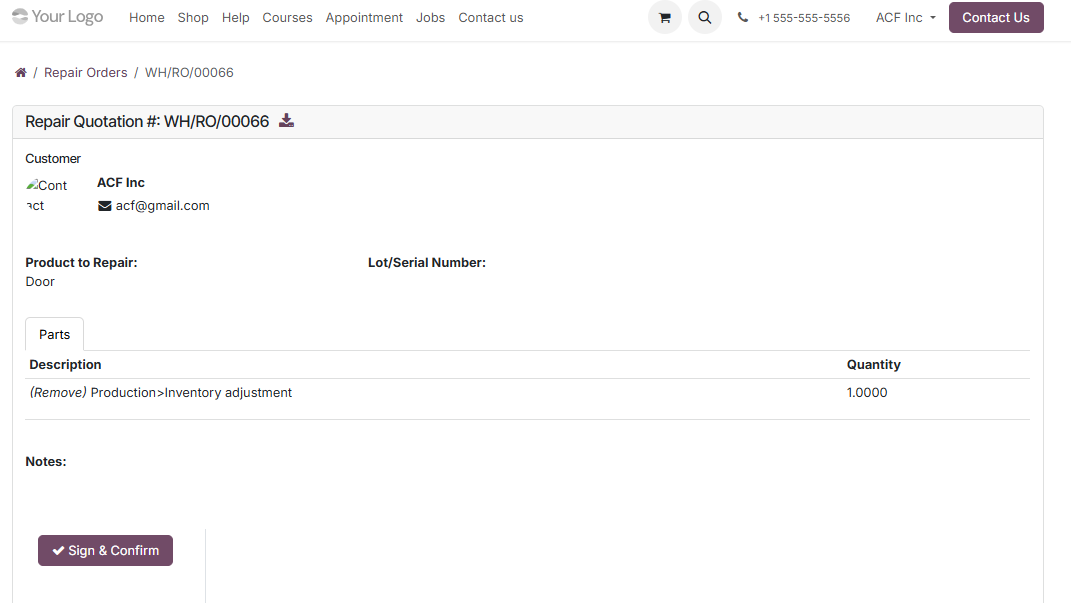 |
3. Customer chooses Sign & Confirm to sign. There are 3 types of signature customer can choose
Then click Accept & Sign Backing to the Repair Orders list, customer can see the status of this order change to Confirmed | 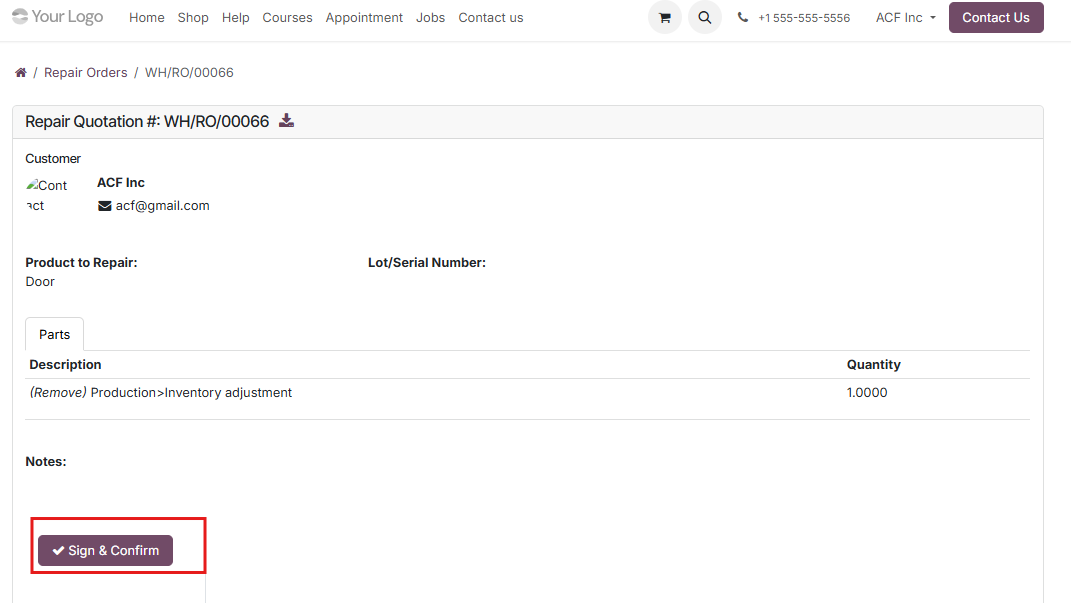 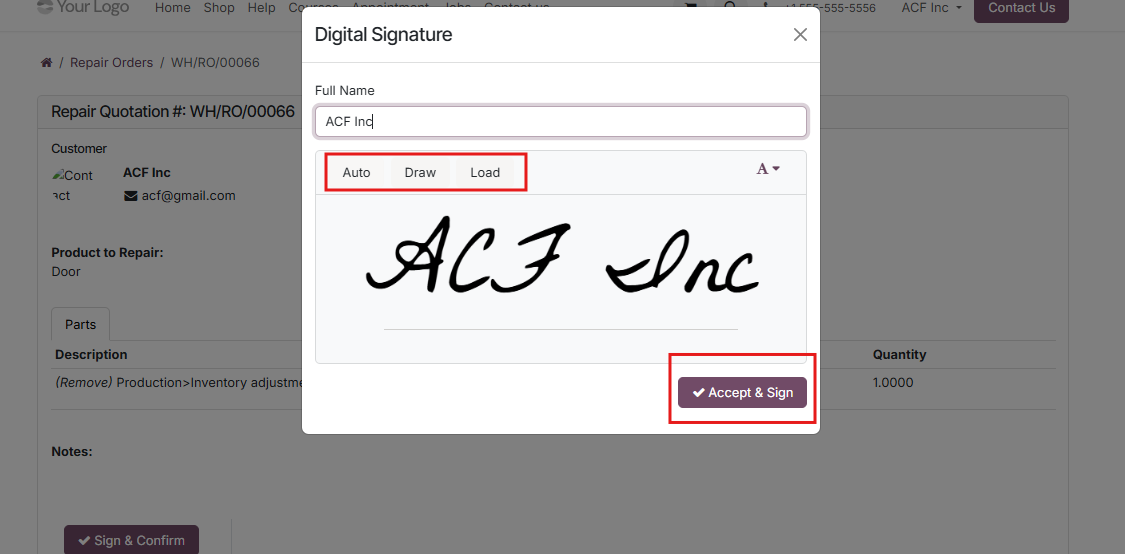 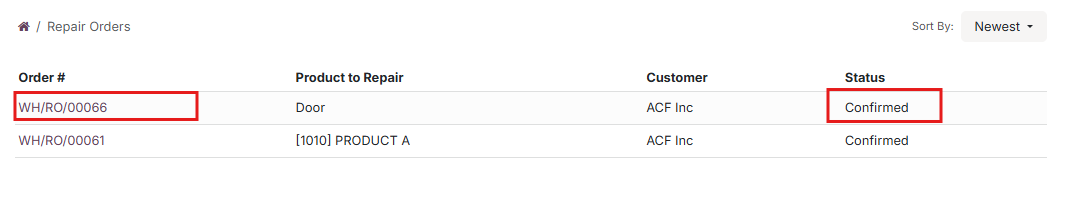 |
4. For internal user, after customer signed, the status is automatically changed to Confirmed and in chatter, a Repair Order with customer signature is created. | 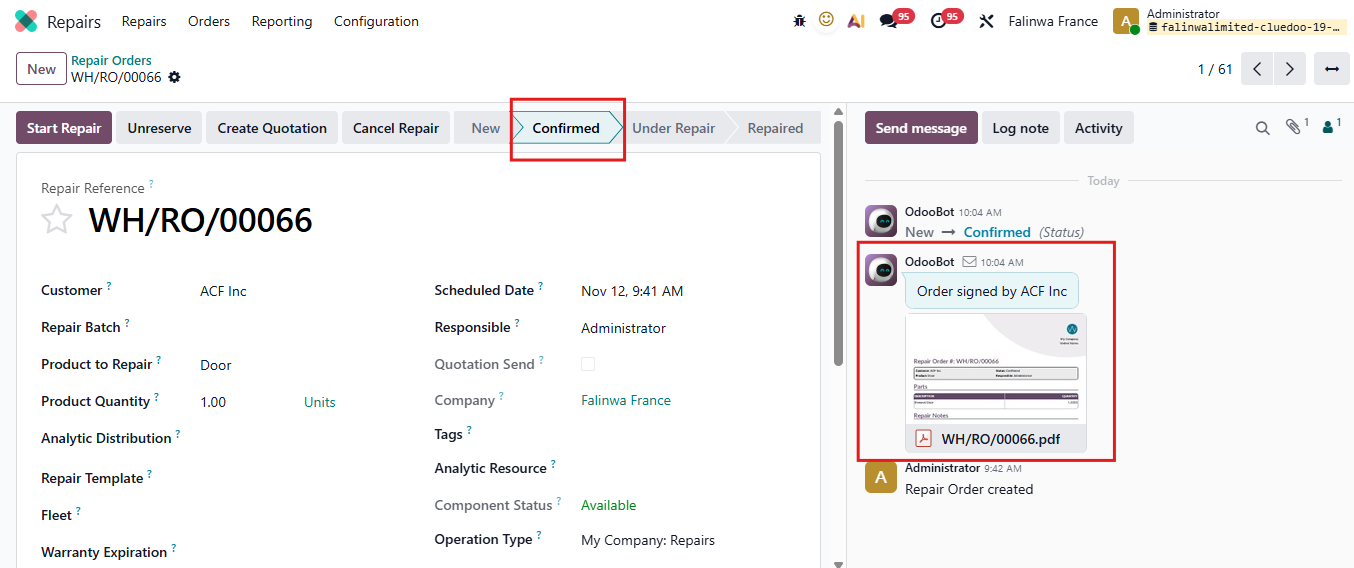 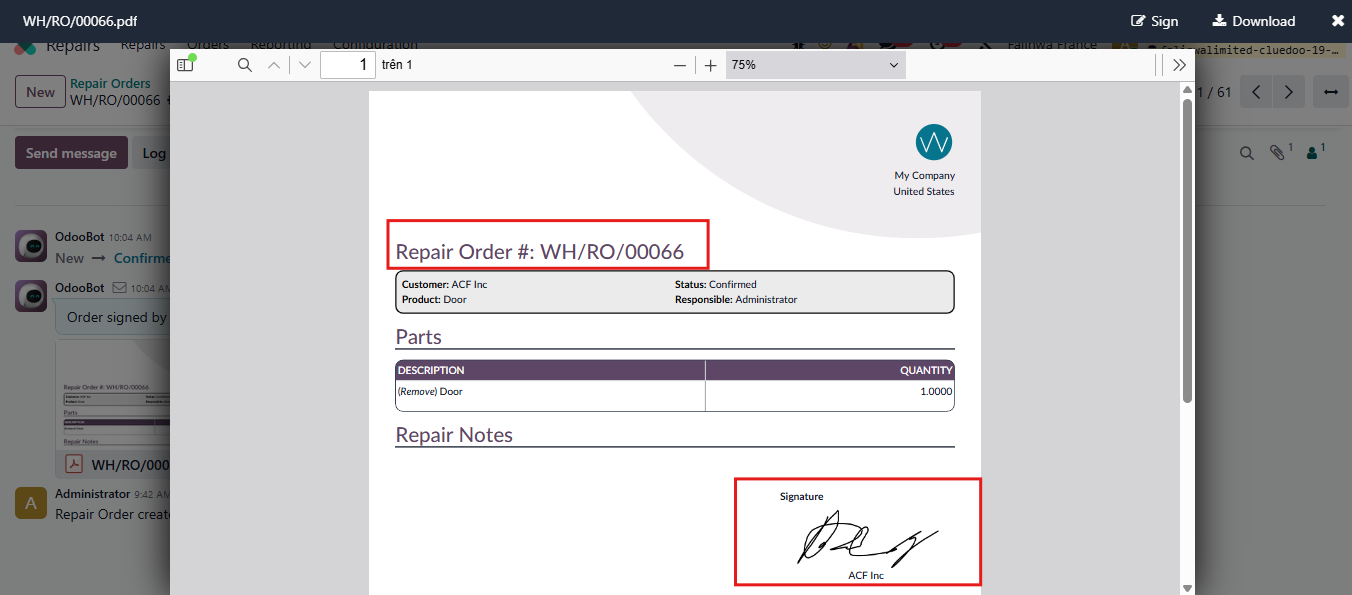 |
5. The internal user can also see the customer's signature on the Repair Order | 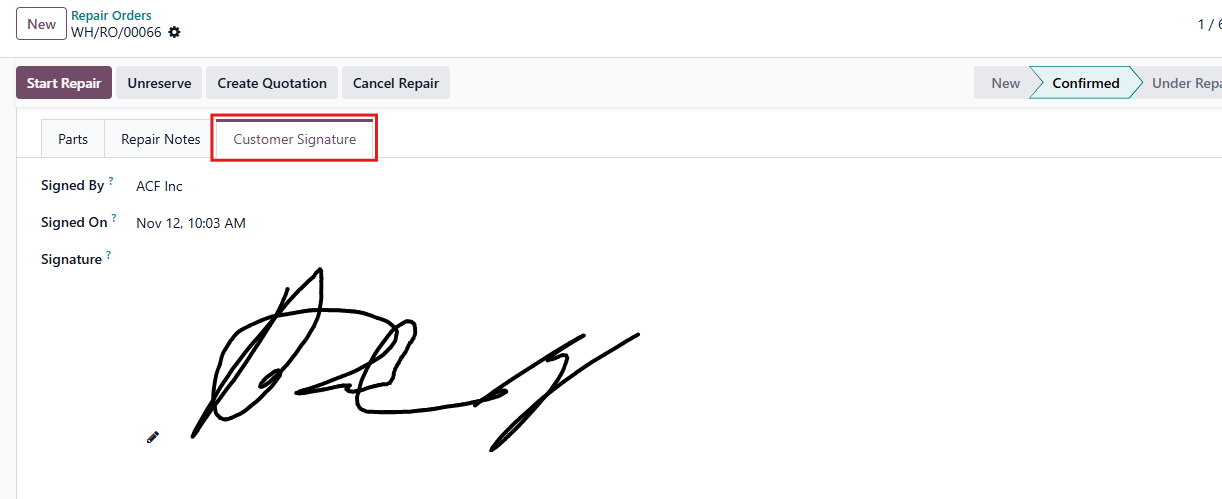 |