



ODOO'S FUNCTION
Odoo does not propose any SRM module.
CLUEDOO'S FUNCTION
CLuedoo’s SRM module works like a “CRM but for suppliers.” Instead of only handling purchase orders. It helps companies manage tenders with planned activities, follow up on certifications and audits, manually or automatically score suppliers, and qualify them based on configurable rules - all within a clear pipeline view.
1. Go to SRM > Configuration > Settings > Check the Proposals checkbox | 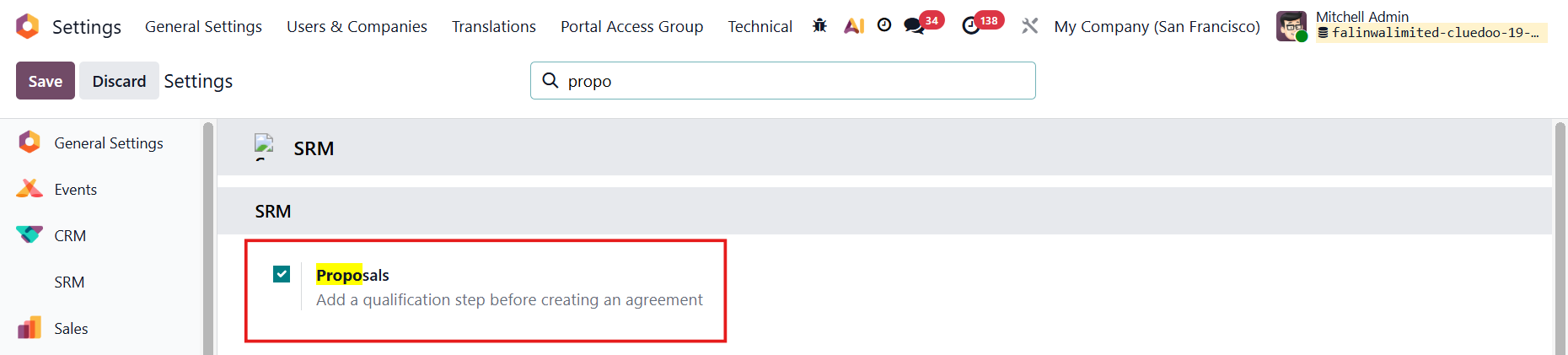 |
2. Go to Configuration > Purchase Teams > Create new Purchase Team > check on Pipeline and Proposals checkbox > Set Team Leader, Team Type, Team Members | 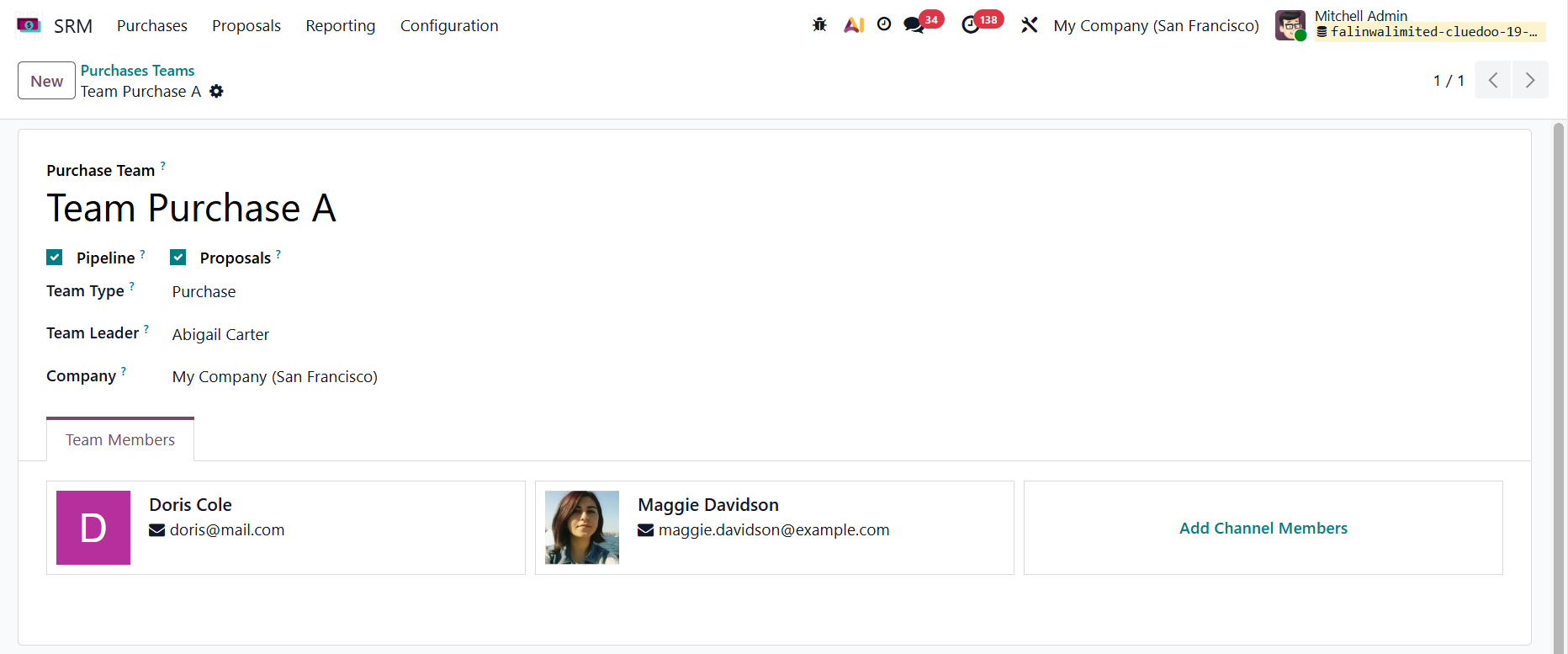 |
3. Go to Proposals > Create a new Proposal > Fill in proposal name, set Purchase Team, and other information | 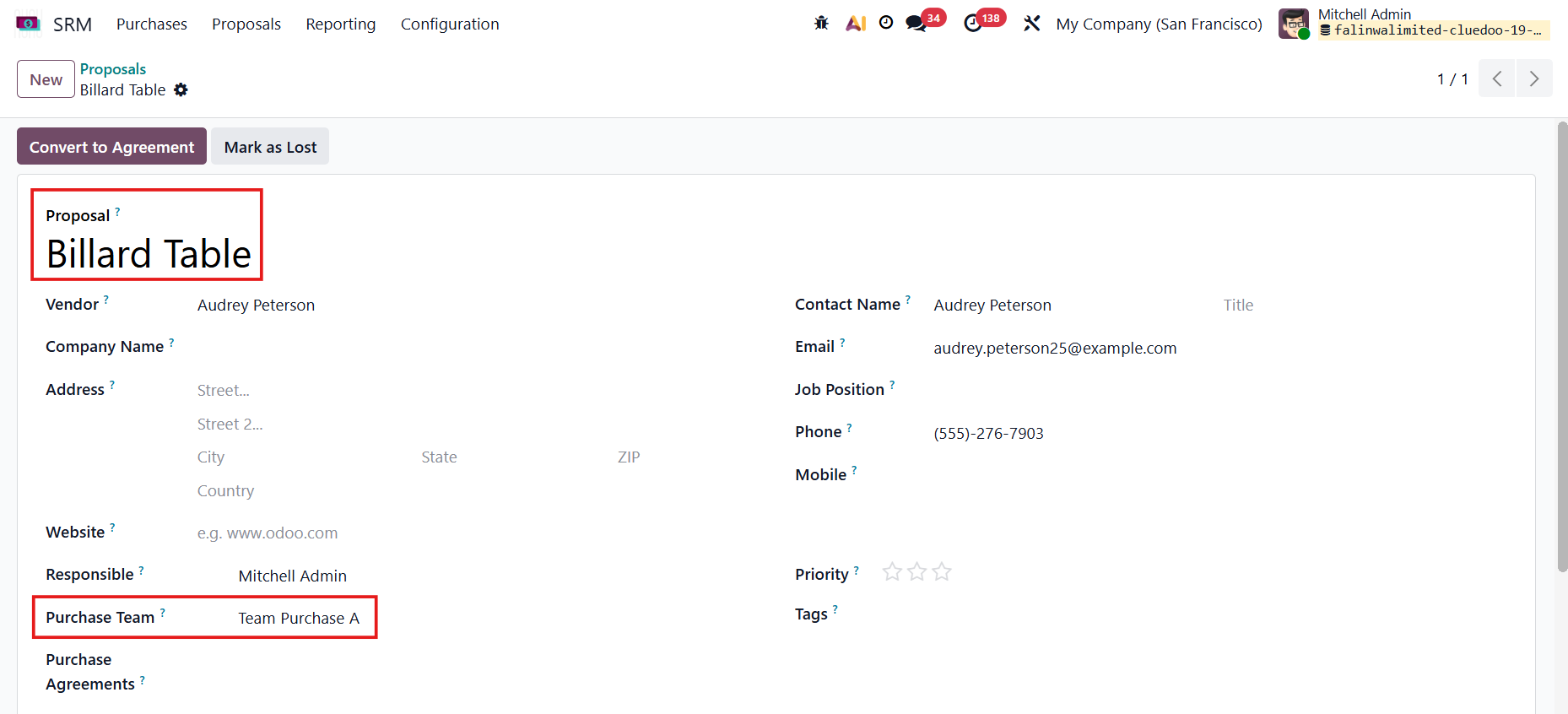 |
4. Click on the Convert to Agreement button. A wizard will pop up, and we can set other information, such as the Responsible person and the Purchase Team > Create Agreement | 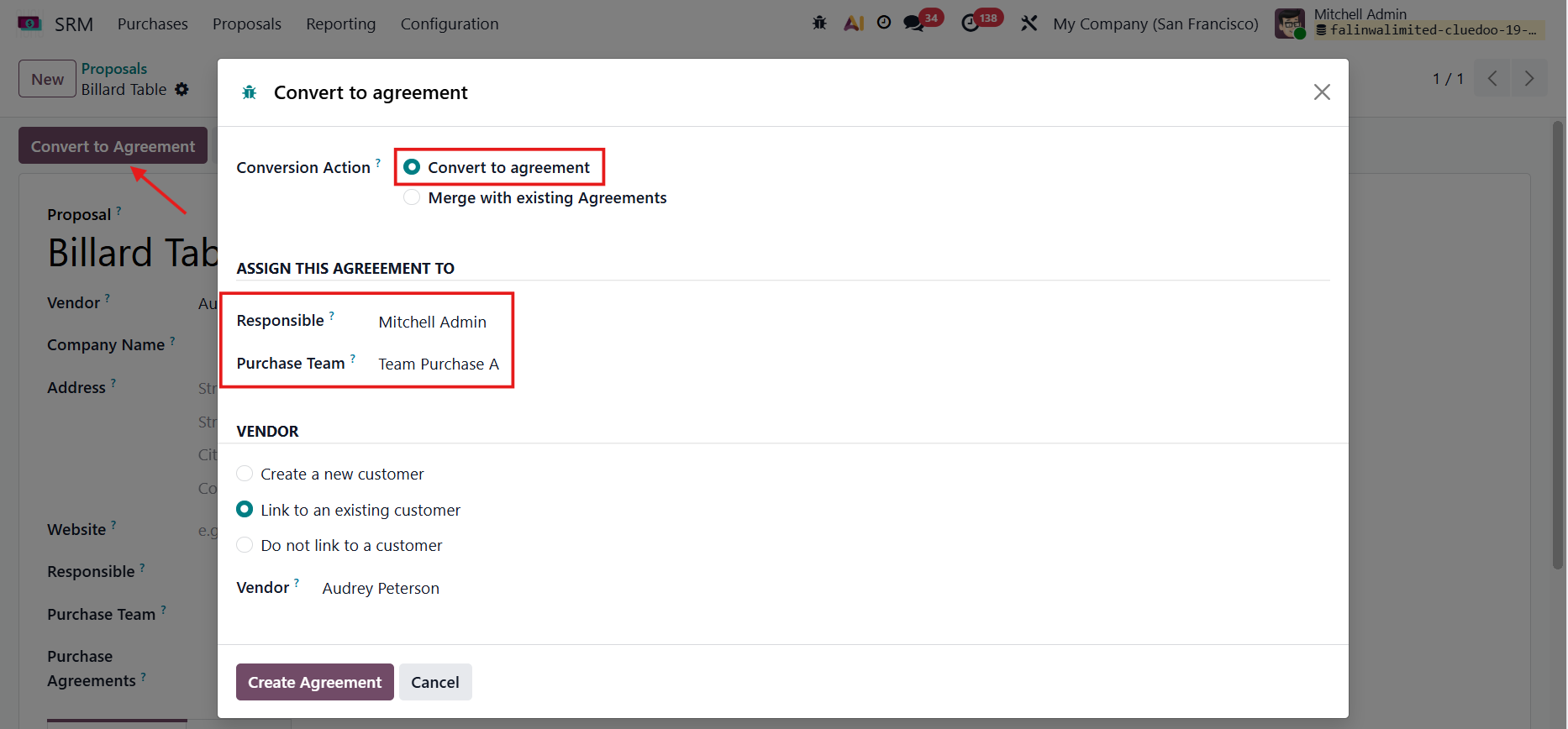 |
5. Go to Pipeline, and you can see the Proposal is there |  |
6. In the pipeline, we can mark it as Won or Lost, and can also add the Purchase Agreements, such as a blanket order | 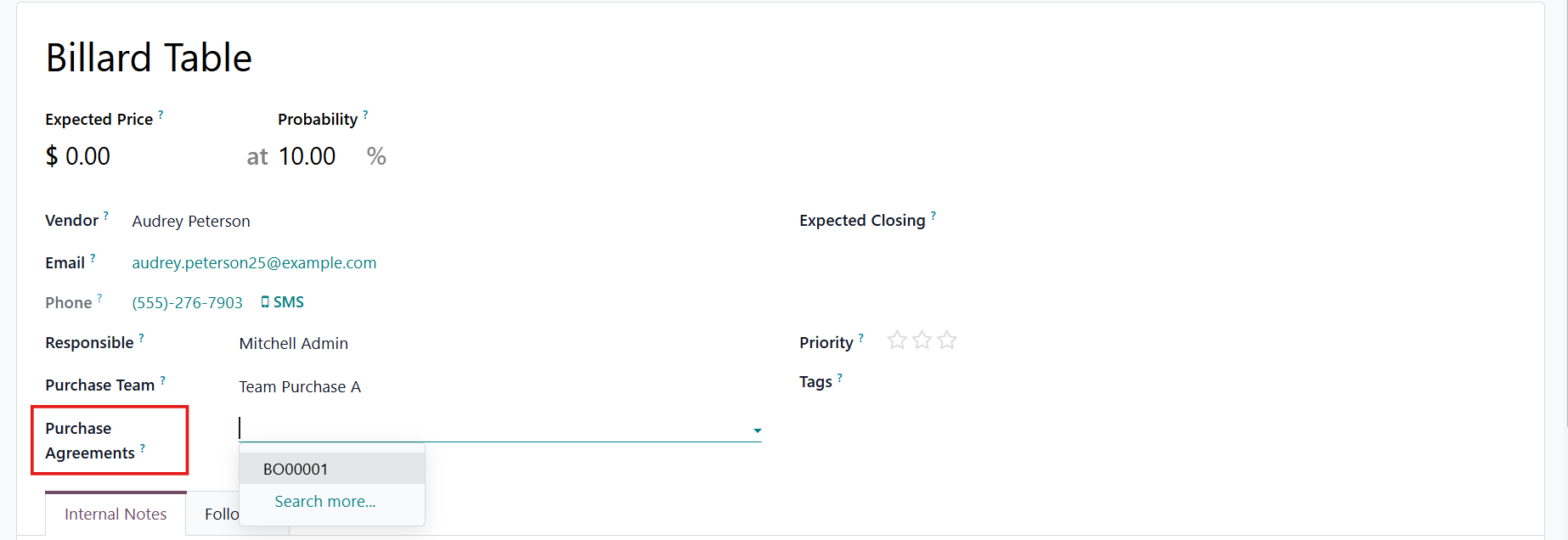 |
7. The proposal can be found in the selected blanket order's Proposal(s) smart button | 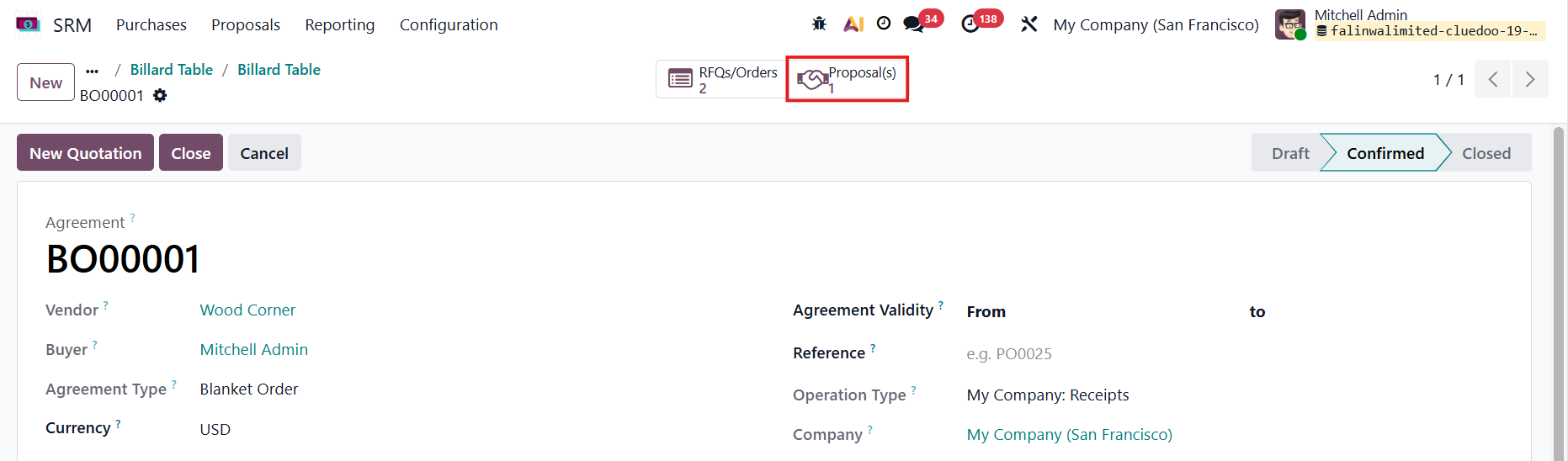 |
8. Go to Contacts > Select the vendor of the agreement, and you can also see the agreement in the smart button Note: If you don't have the purchase access right, you cannot access SRM | 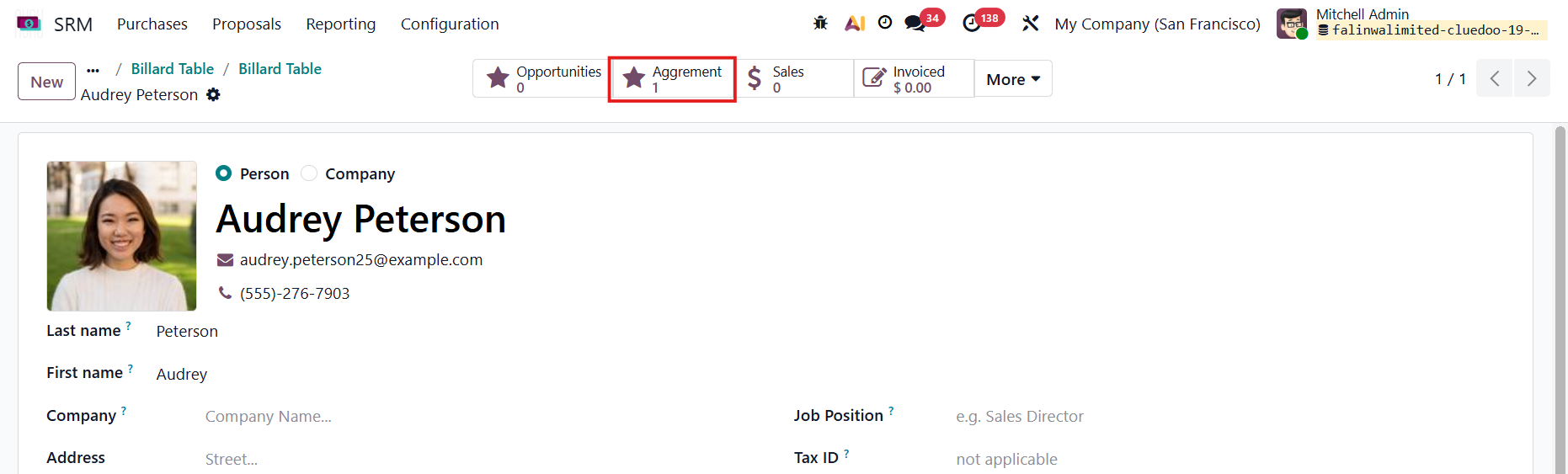 |