



ODOO'S FUNCTION
Odoo standard does not support revaluation of a specific lot or serial number. Instead, it distributes the added value across all units of the product, which may not reflect the true value of each lot/ serial number.
CLUEDOO'S FUNCTION
CLuedoo supports revaluation for a specific lot or serial number of a product, allowing users to accurately adjust the value based on their actual cost or condition. This feature provides greater flexibility and precision in inventory valuation.
CONFIGURATION | |
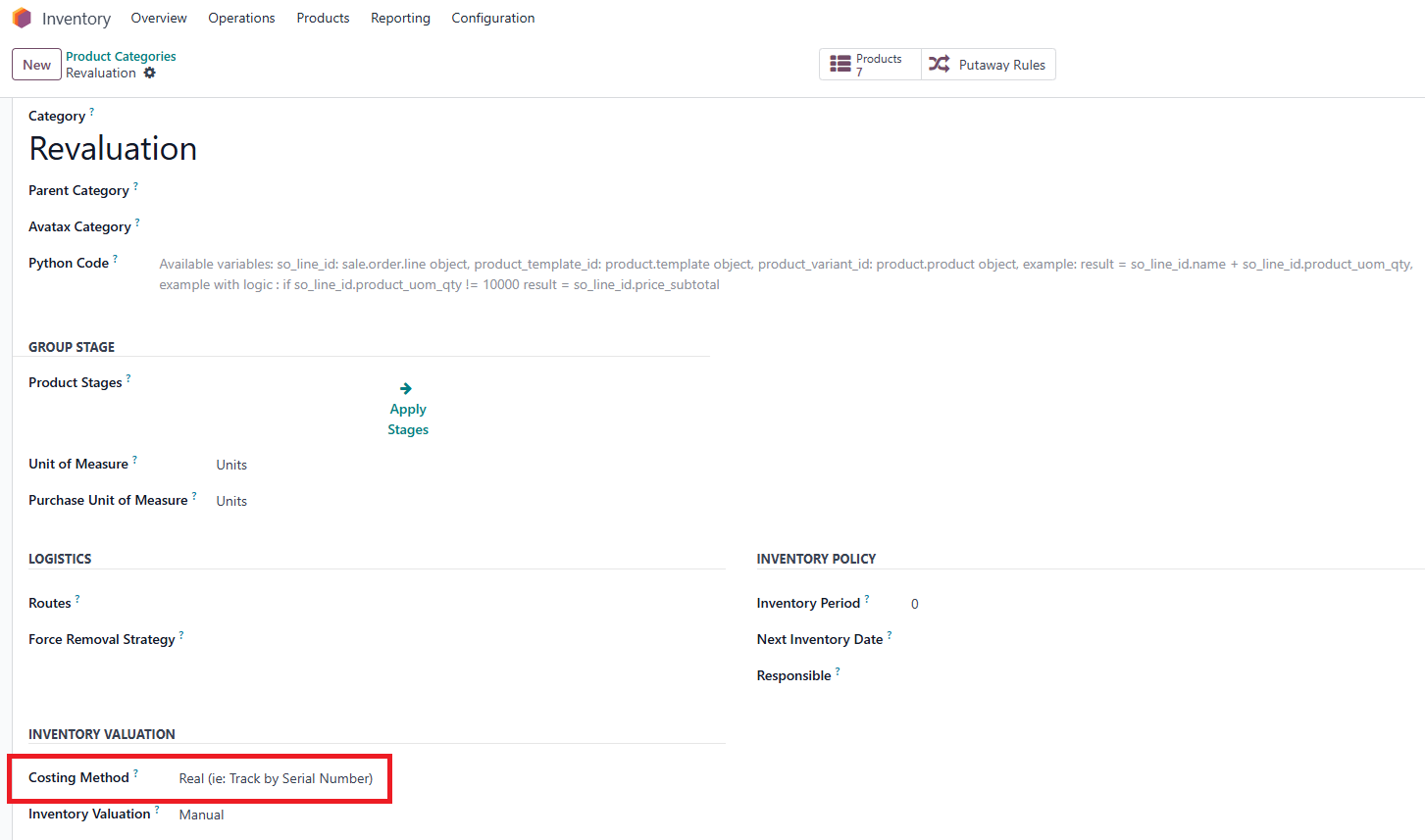
Go to Inventory > Configuration > Product Categories > New to create a category > Costing Method > Choose Real (ie: Track by Serial Number). Note: fal_product_revaluation_sn_lot module depends on: fal_accounting_lot_dimension module. |
|
USAGE | |
1. Go to Products > Create a new product > Product Category, choose the one that you just created. | 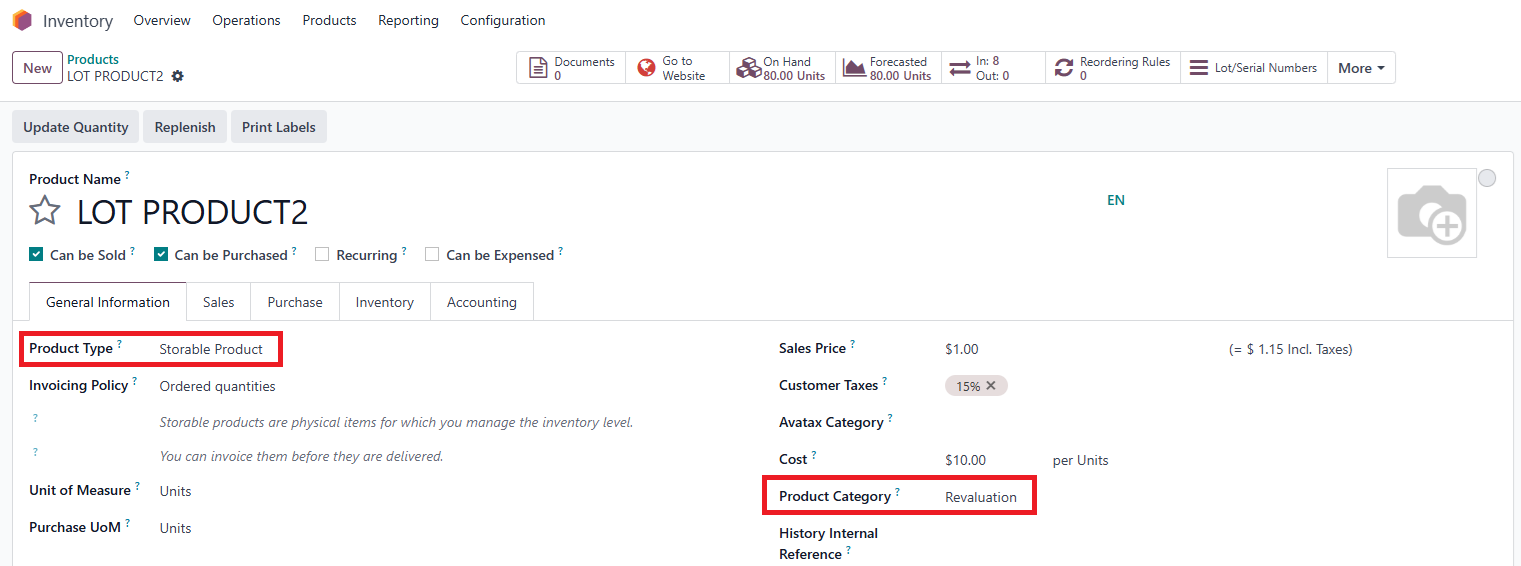 |
2. Go to Inventory field > Choose the Tracking: By Lots/ By Unique Serial Number EX: Select By Lots. | 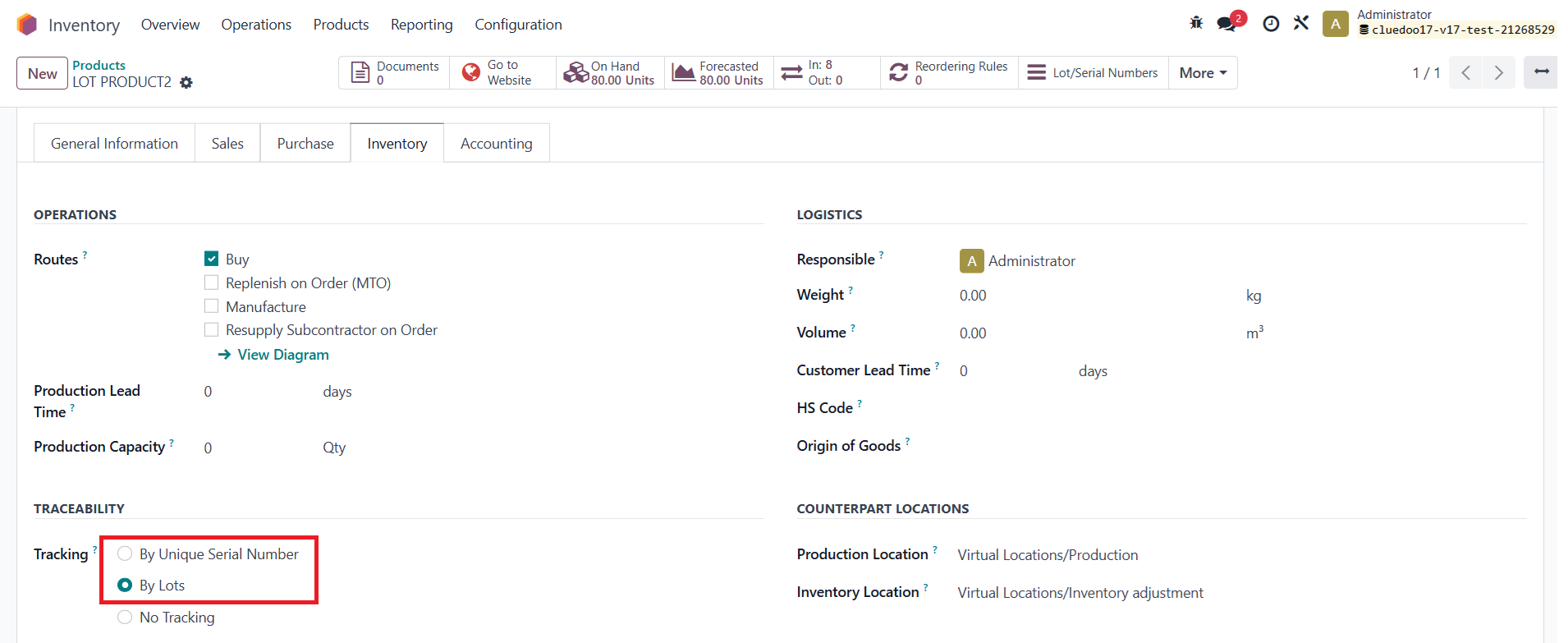 |
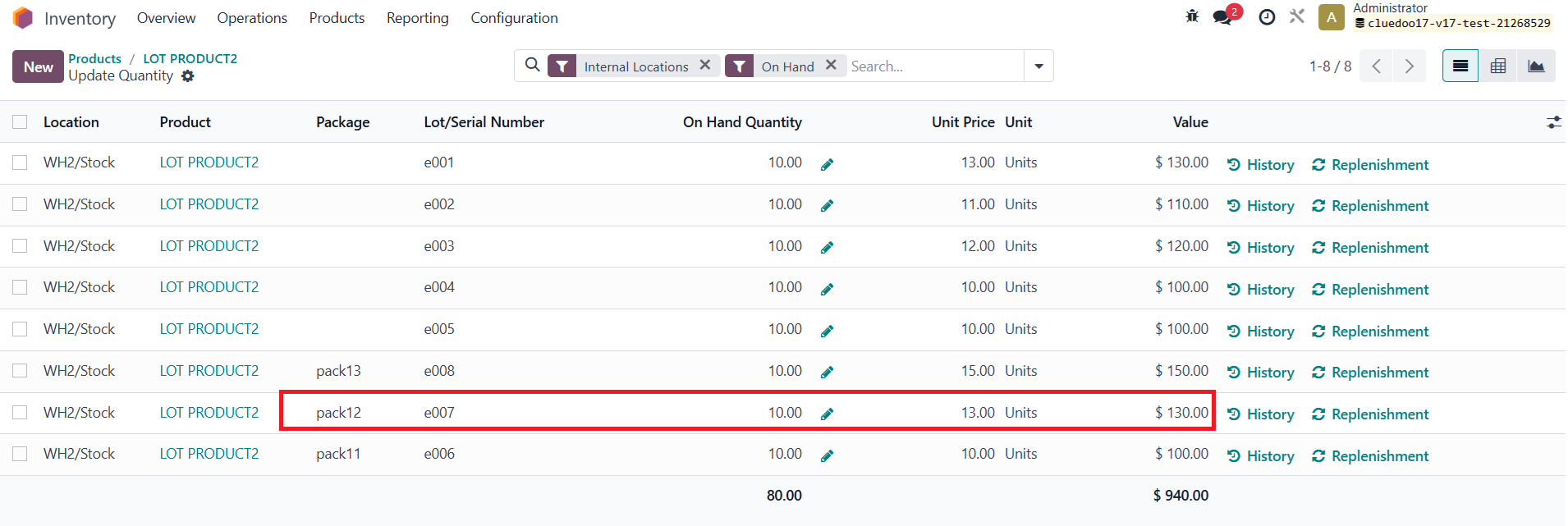
3. Click On Hand button > Update Quantity list view to see all information about packages, lot/serial numbers and values. EX: Look at the current information of the Lot: e007 - Package: pack12 - Value: 120.00 |  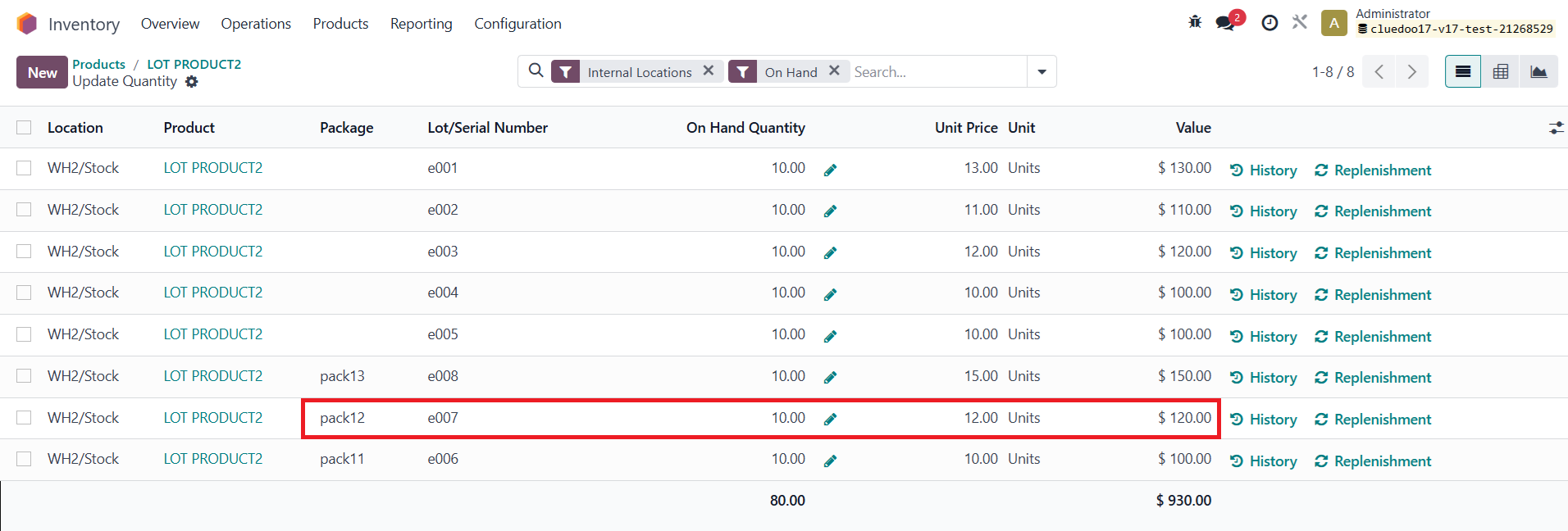 |
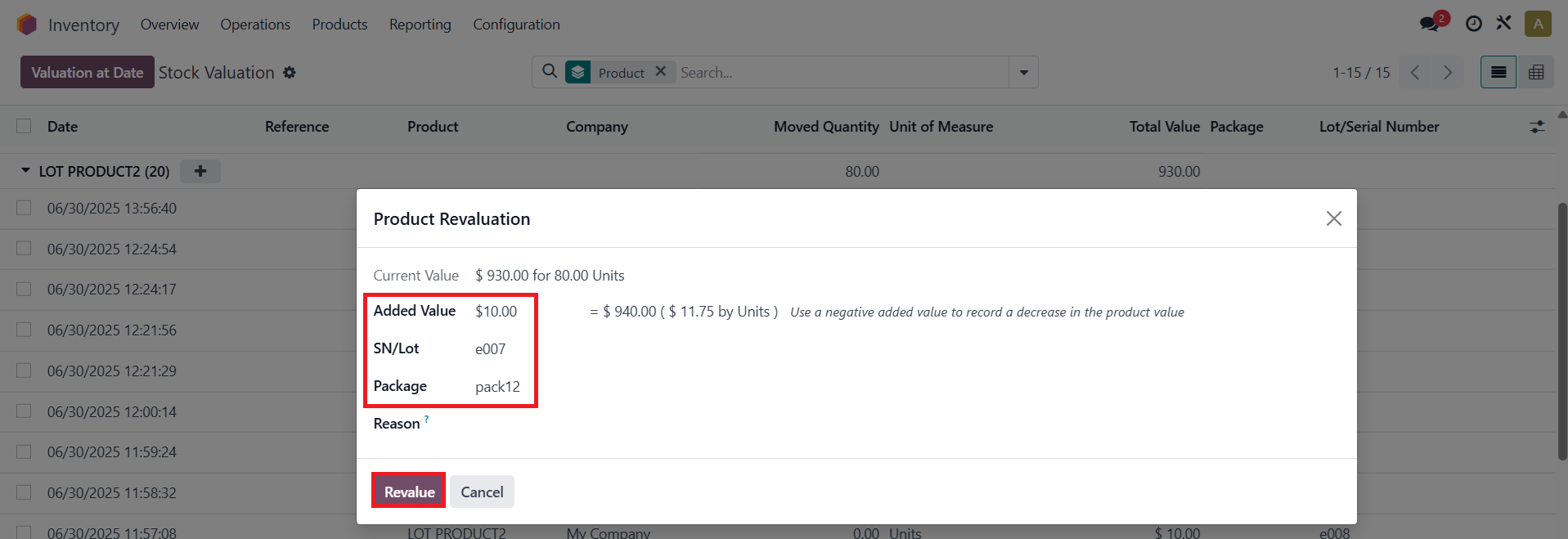
4. Go to Reporting > Valuation > Group by Product > Click the Plus button on the line of the configured product > Product Revaluation pop-up will appear. | 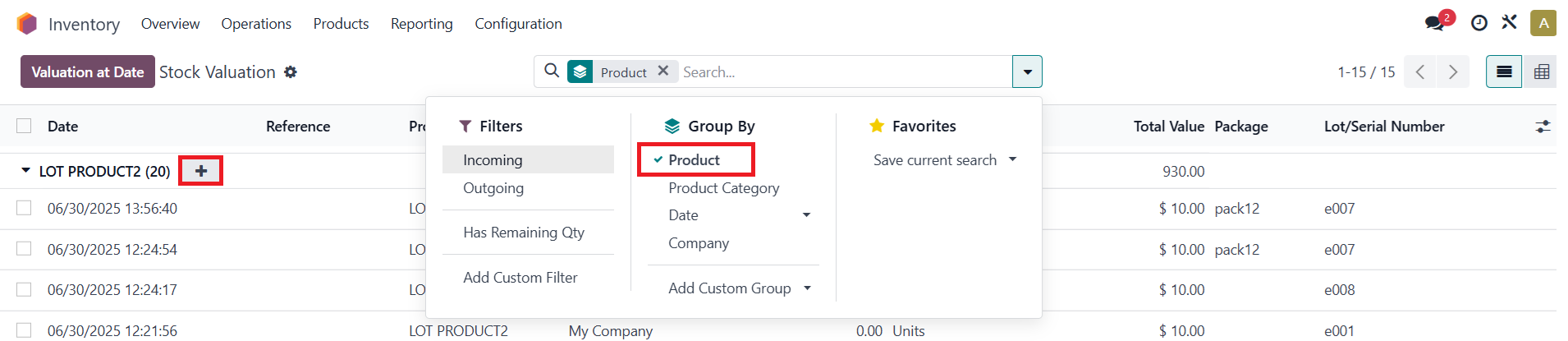 |
5. Fill in Added Value, SN/Lot & Package on the pop-up > Click on Revalue button EX: On the Product Revaluation Pop-up:
Note: To perform a revaluation for a specific lot/ serial number, you need to fill in the Added Value & SN/Lot fields. For the Package field, filling it in is optional. |
|
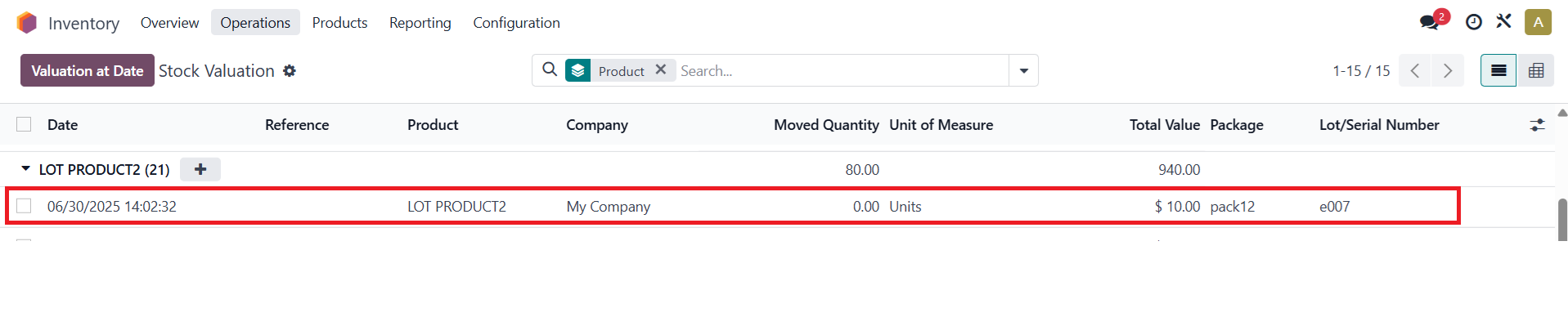
6. After completing the previous step > Revaluation line on the list view |
|
Come back to the Update Quantity list view > Can see that the value of lot: e007 become 130.00. → Instead of being distributed, the inputted value is directly added to the selected Lot/Serial Number. |
|
STORY BEHIND THE FEATURE
ODOO BEHAVIOR
Odoo does not support revaluation of a specific lot or serial number. Instead, it distributes the added value across all units of the product, which may not reflect the true value of each lot/ serial number
CLUEDOO BEHAVIOR
CLuedoo supports revaluation for a specific lot or serial number of a product, allowing users to accurately adjust the value based on their actual cost or condition. This feature provides greater flexibility and precision in inventory valuation
CLUEDOO RECOMMENDATION
Install on 100% of your database.
OUR FEATURES AS SOLUTIONS
revaluation for particular lot/ serial numbers in stock quantity for products with real lot/SN costing method
HOW TO USE THIS MODULE
1Go to Inventory > Configuration > Product Categories > New to create a category > Costing Method > Choose Real (ie: Track by Serial Number) Note: fal_product_revaluation_sn_lot module depends on fal_accounting_lot_dimension module |  |
2Create a new product > Choose the Product Category that you just created > Choose the Tracking: By Lots/ By Unique Serial Number EX: Select By Lots |
|
3Click on On Hand button to move to the Update Quantity list view to see all information about packages, lot/serial numbers and values EX: Look at the current information of the Lot: e007
|   |
4Go to Inventory > Reporting > Valuation > Group by Product > Click the Plus button on the line of the configured product > Fill in Added Value, SN/Lot & Package on the pop-up> Click on Revalue button EX: On the Product Revaluation Pop-up:
Note: To perform a revaluation for a specific lot/ serial number, you need to fill in the Added Value and SN/Lot fields. For the Package field, filling it in is optional |
|
5After completing the previous step, you can see the revaluation line on the list view > Come back to the Update Quantity list view > Can see that the value of lot: e007 become 130.00 => Instead of being distributed, the inputted value is directly added to the selected Lot/Serial Number |
|





