



ODOO'S FUNCTION
Odoo does not allow specifying Lot/Serial Number for product from Quotation/Sales step.
CLUEDOO'S FUNCTION
CLuedoo enhances the sales order process by introducing:
1️⃣ The ability to add a Lot/Serial Number directly on the Sale Order Line.
2️⃣ The automatic inheritance of this specified number into the resulting transfer.
This allows users to specify a product's Lot/Serial Number from the Quotation/Sales step, which is then automatically carried over to the delivery transfer.
1. Go to Sales Create a new sales order with product(s) tracked by unique serial numbers or lots. On the SOL, select a Lot/Serial Number for the product(s). Then Confirm > Click the Delivery smart button | 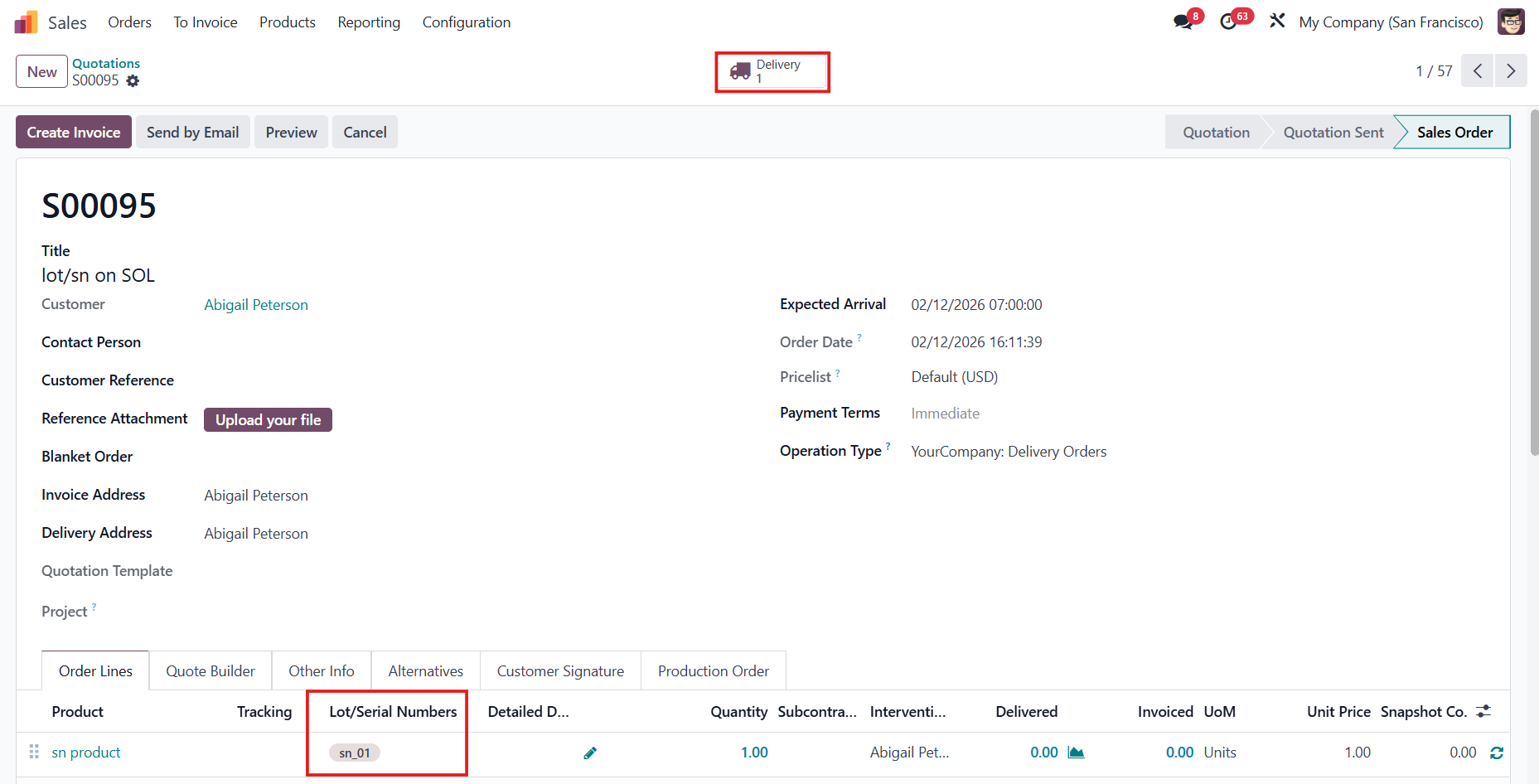 |
2. Validate the transfer > The L/SN will be inherited in Delivery, Traceability, Detailed Operations/Moves, and Stock Valuation. Note: since v19, Stock Valuation is not available anymore. | Delivery 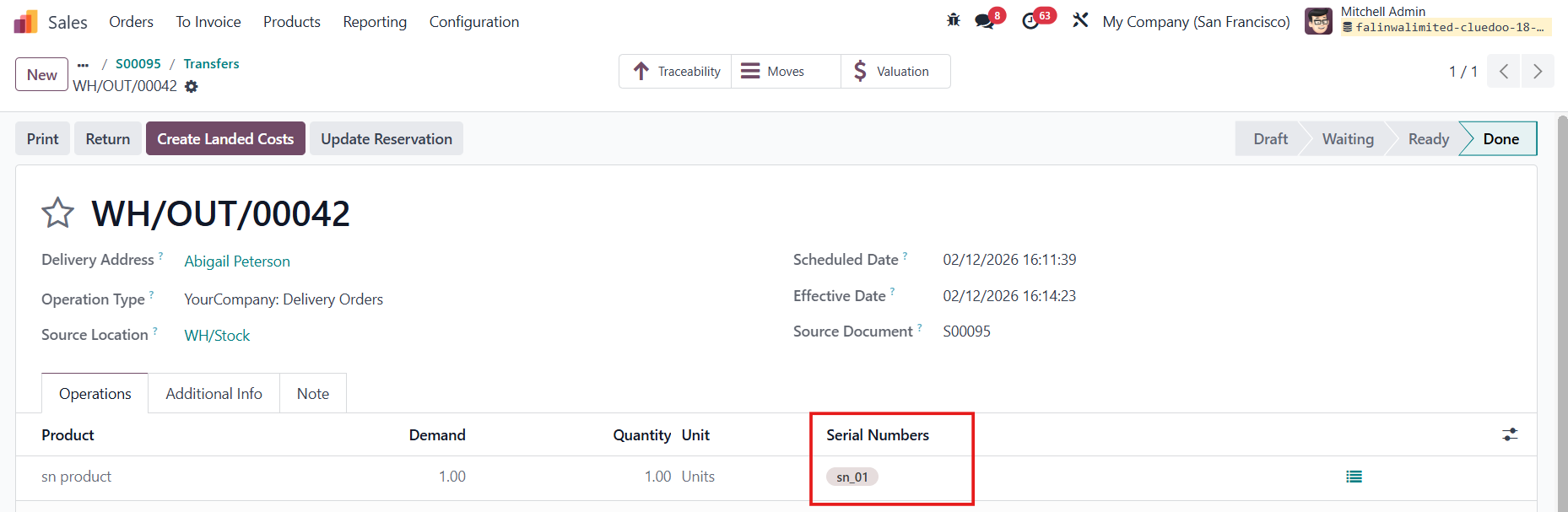 Traceability Report 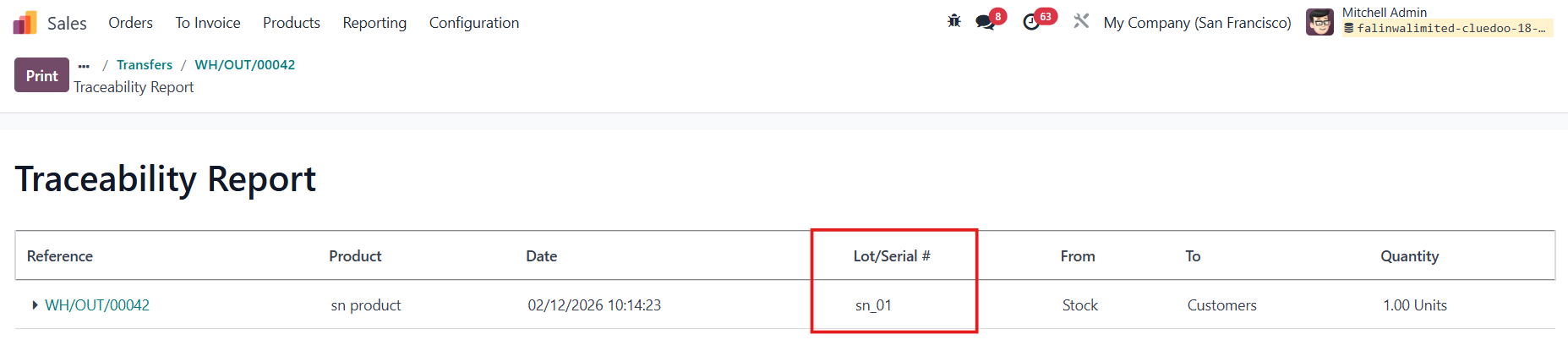 Detailed Operations 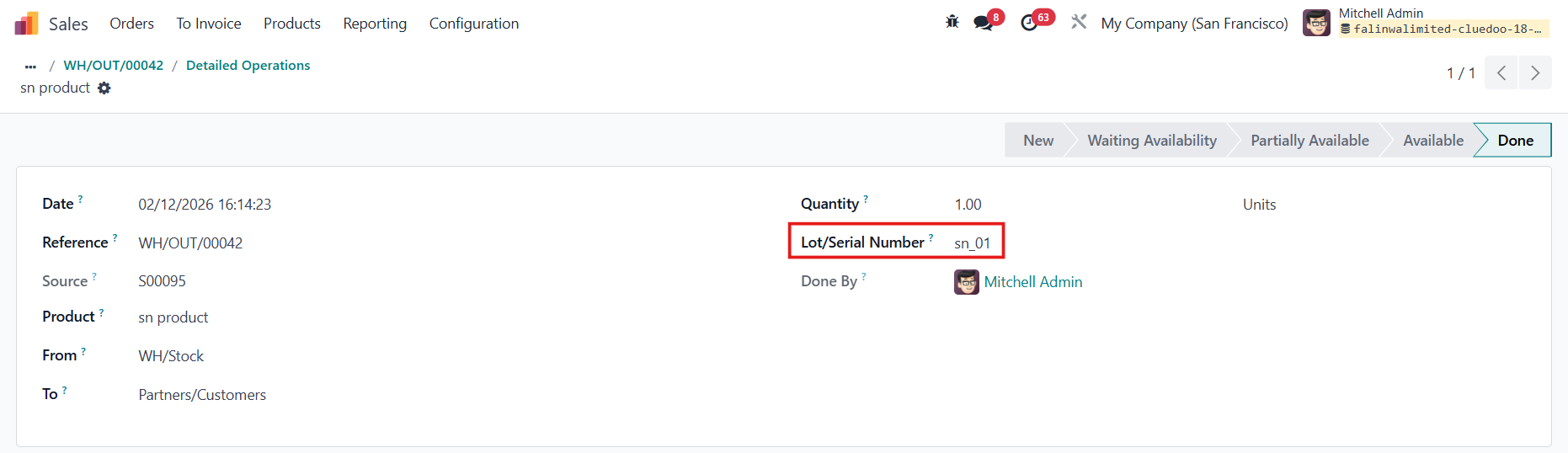 Stock Valuation  |