



ODOO'S FUNCTION
Odoo provides tracking policies for products, allowing for either Lot or unique serial number tracking. While this traceability approach adequately addresses up and down traceability requirements (reporting, tracking, etc.), it may not fully encompass the management of product life aspects such as maintenance and assets.
CLUEDOO'S FUNCTION
CLuedoo broadens the concept of serial numbers, expanding it from a purely inventory concept to a master data concept at a sub-level of the product variant. This enables tracking the entire life cycle of each serial number - from production, through exploitation phases like renting, maintenance, and financial asset management, to the end of the product's life, including scenarios like scrapping and asset disposal.
COSTING METHOD BY LOTS/SERIAL NUMBERSCreate a product that is tracked By Unique Serial Number > Choose its Category | 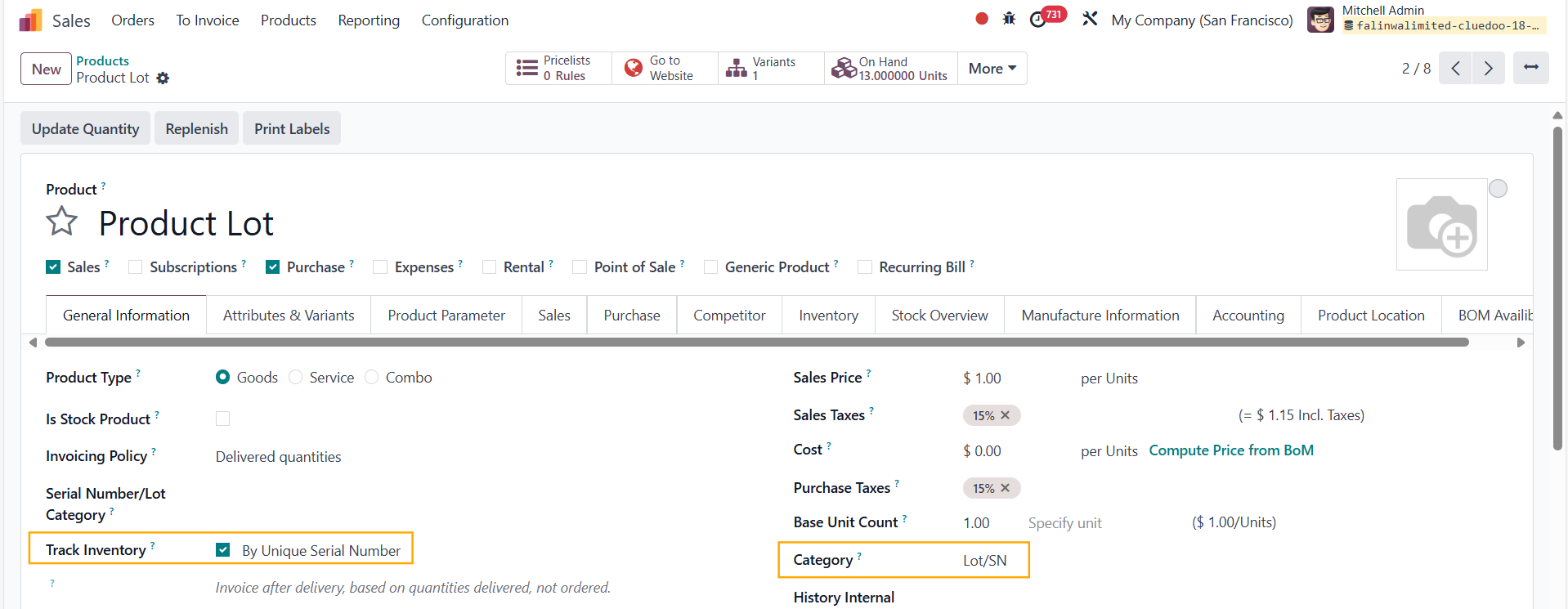 |
On Product Categories, we can set the Costing Method as Real (ie: Track by Serial Number) |
|
LOTS/SERIAL NUMBERS IN MANUFACTURING ORDER1. Create a Manufacturing Order > Choose the product that we created before, and make sure it has a BoM with the components tracked by Unique Serial Number as well > Confirm | 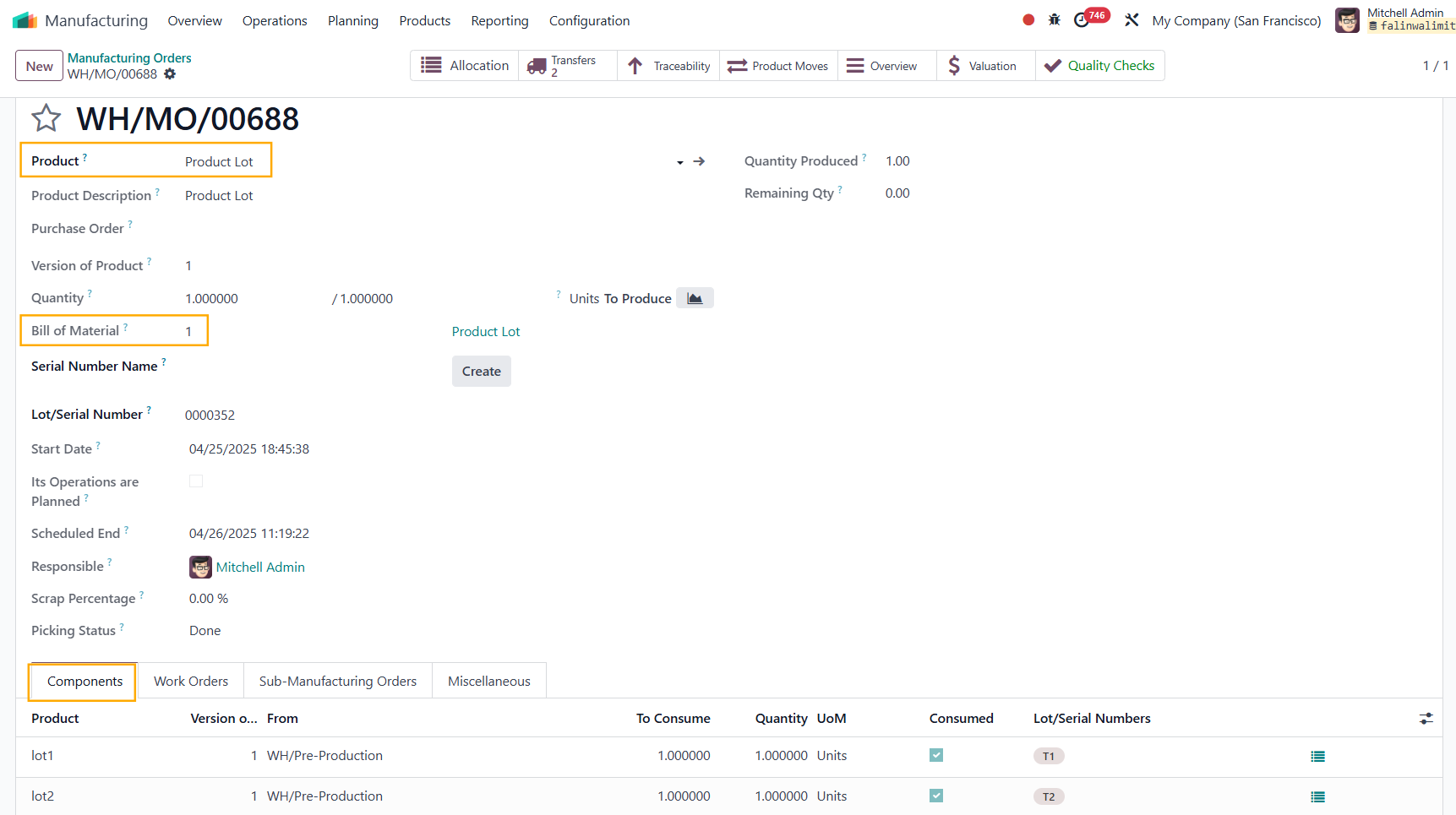 |
2. Go to Transfers > Assign SN for the Components > Validate | 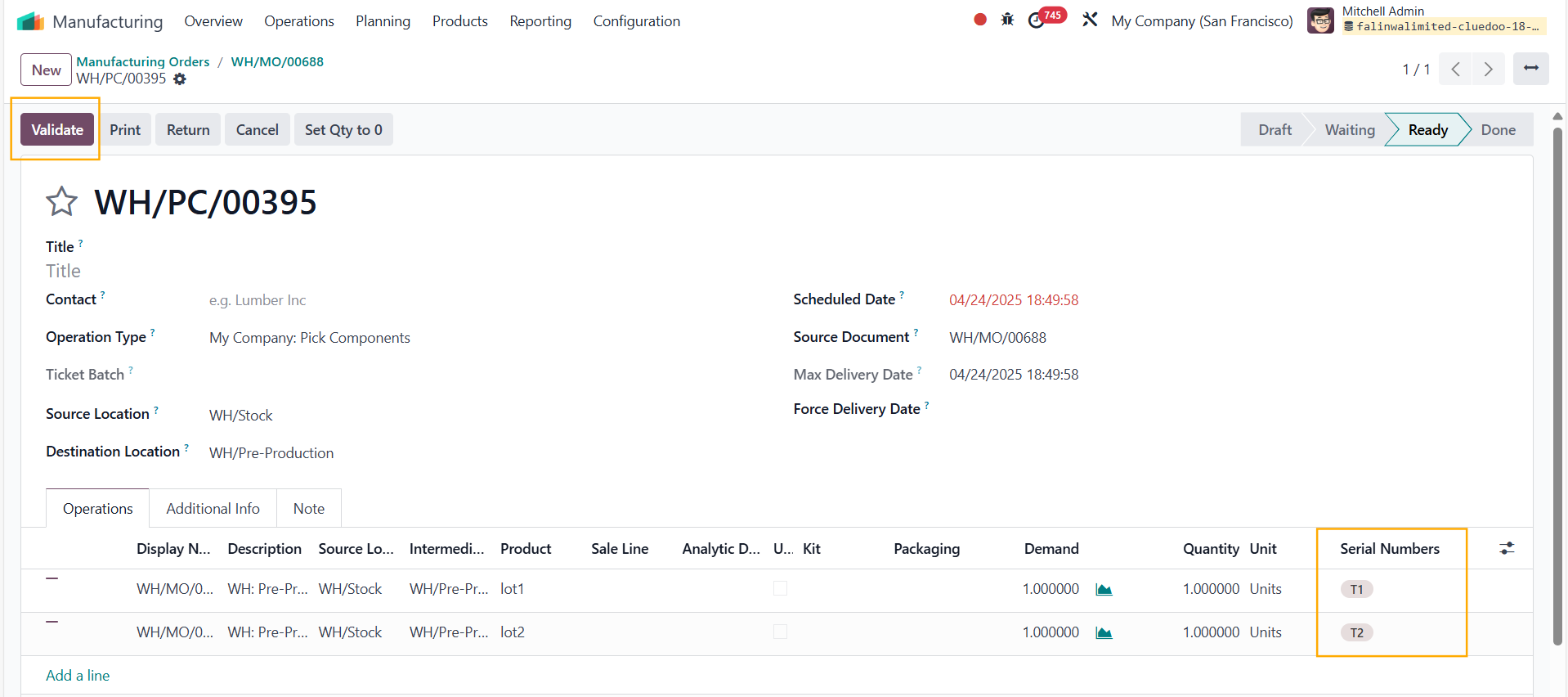 |
3. Head back to the MO > Fill in the assign Lot/Serial Number > Produce All | 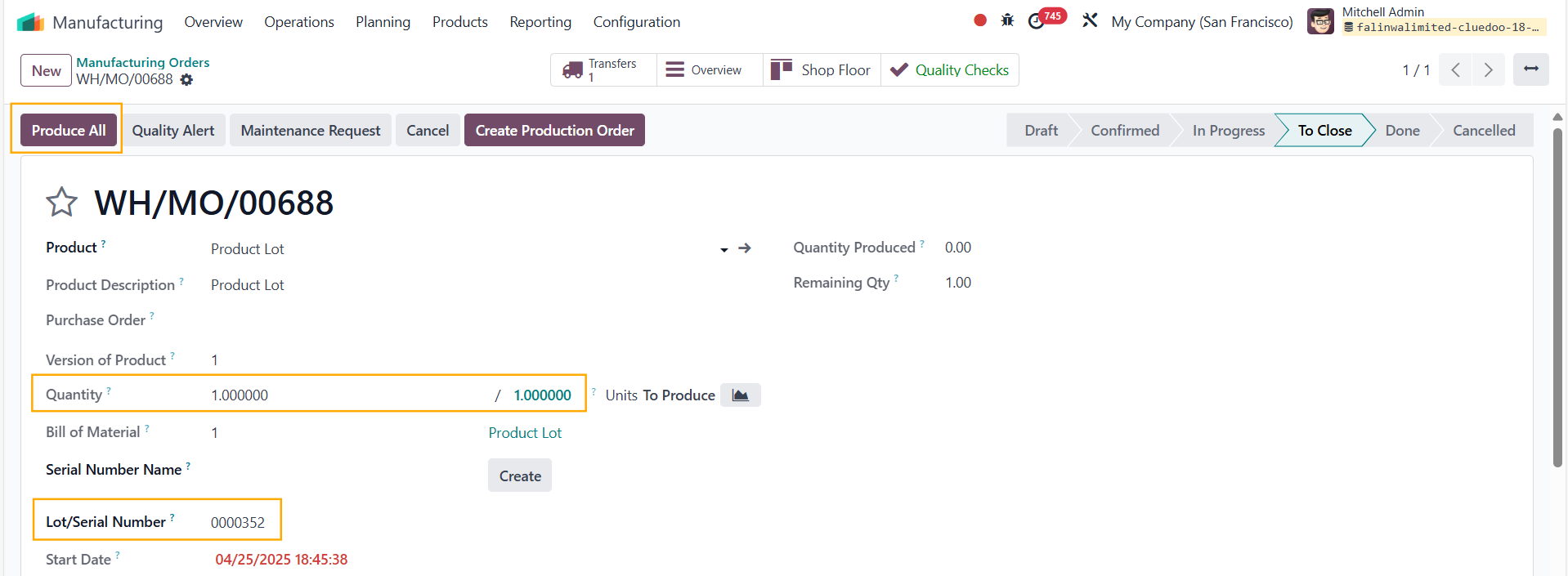 |
After the MO is done, go to Valuation |  |
| 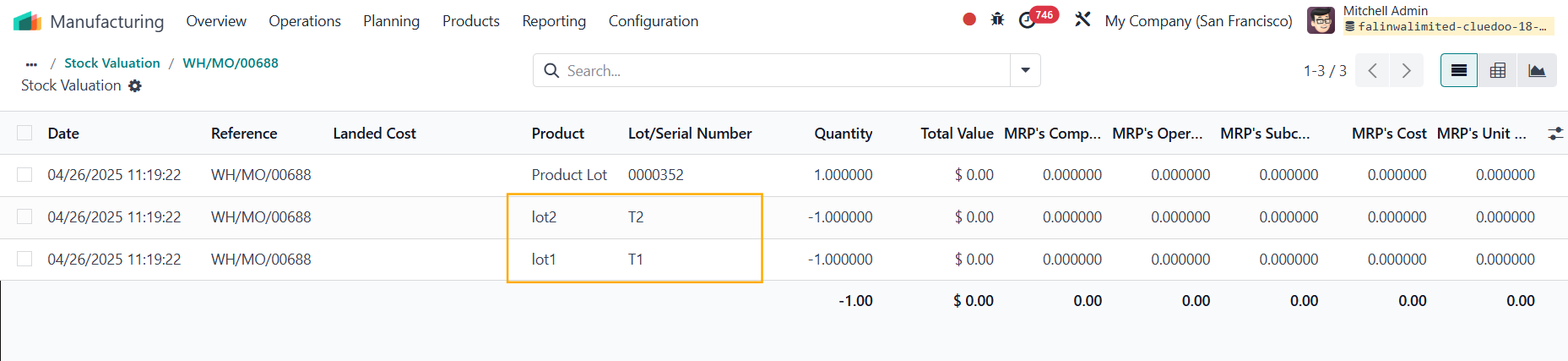 |
We can utilize components with varying lot or serial numbers. This results in the creation of distinct stock moves for each lot, with separate valuations based on the assigned lot. You can also check the Inventory Moves by clicking the Product Moves smart button in MO. |  |
4. Go to Inventory > Reporting > Stock Valuation > The L/SN will be inherited. |
|

