ODOO'S FUNCTION
By default, Odoo supports subscription pricing through pricelists with fixed prices, percentage discounts, or basic formula-based rules. However, it does not support custom pricing logic or automatic price updates based on external data sources.CLUEDOO'S FUNCTION
CLuedoo extends Odoo's subscription pricing by allowing Python formulas to be defined directly in pricelists. This enables automatic price recomputation at the end of each billing period - ensuring subscription prices always reflect the latest formula without any manual intervention.
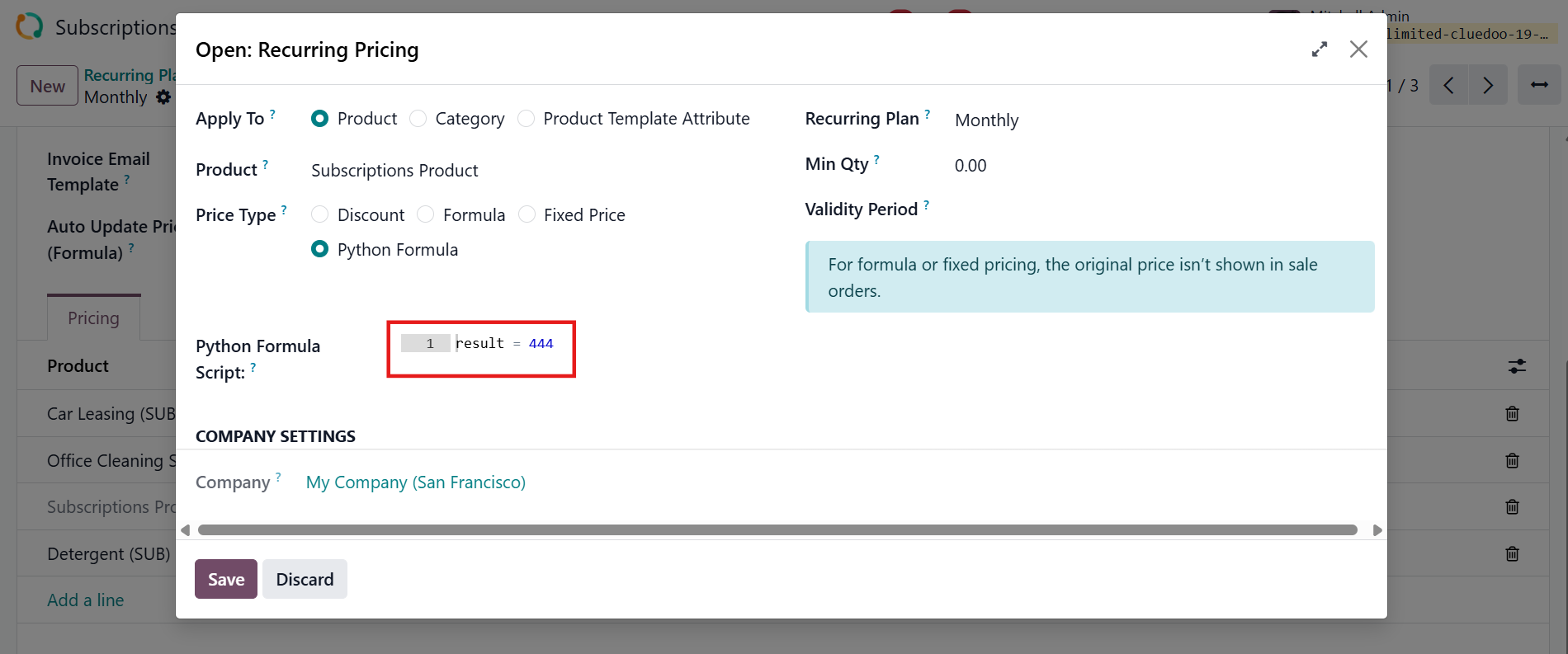
CONFIGURATION1. Go to Subscriptions > Products > Pricelists, open or create a pricelist > Under the Recurring Prices tab, add a line to open Recurring Pricing and select Python Formula as the Price Type, then write your formula in the script box. Example: result = 320 means the unit price will be $320 for every billing period. | 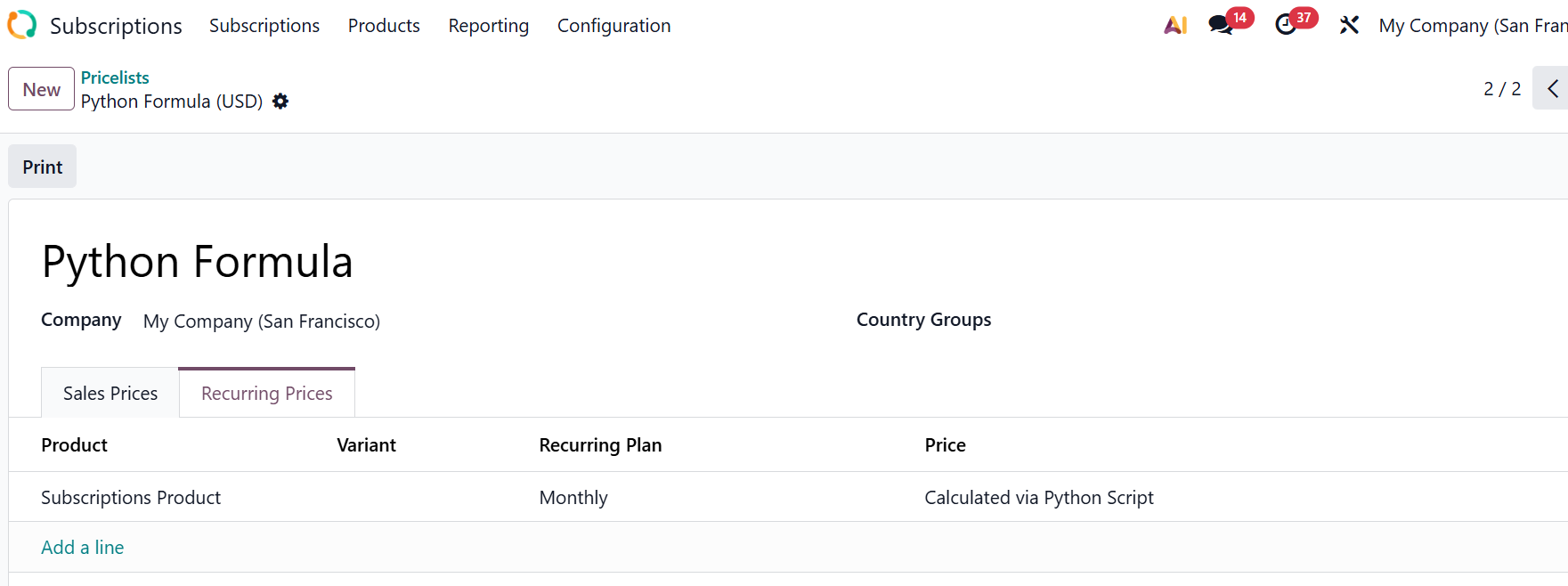 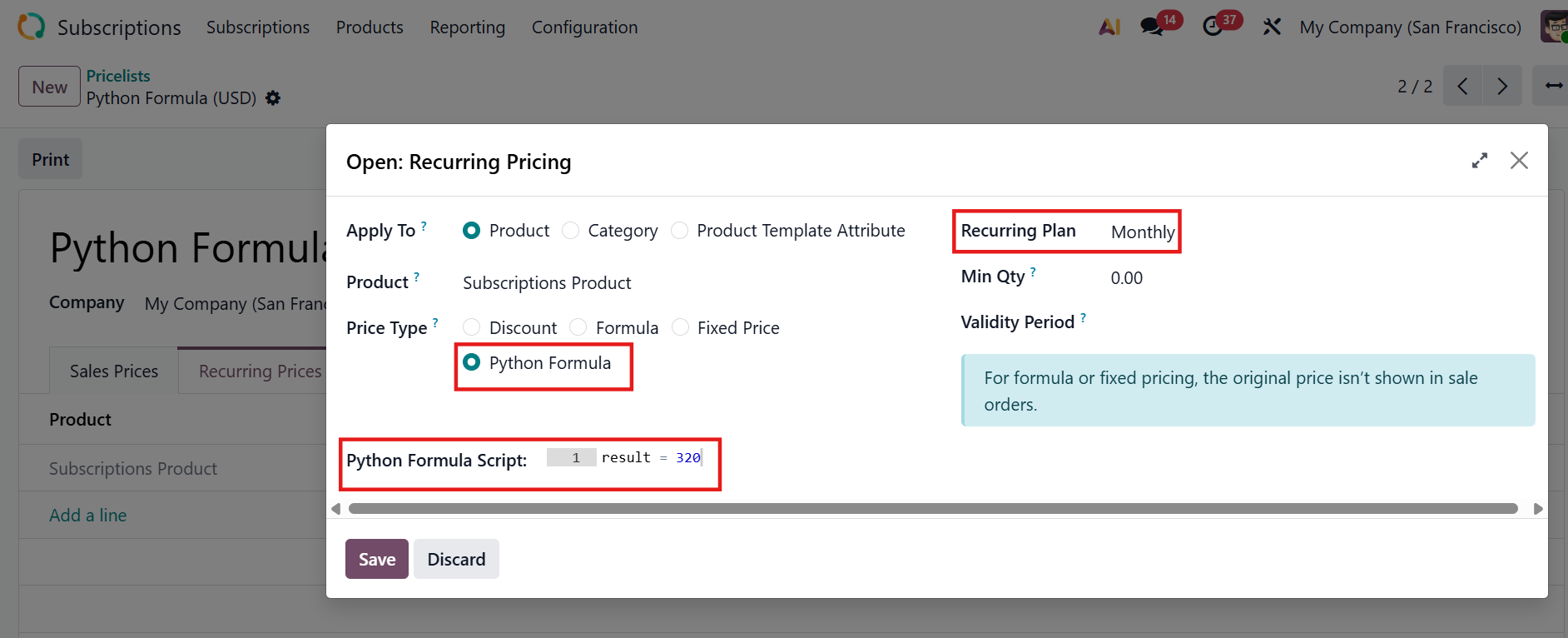 |
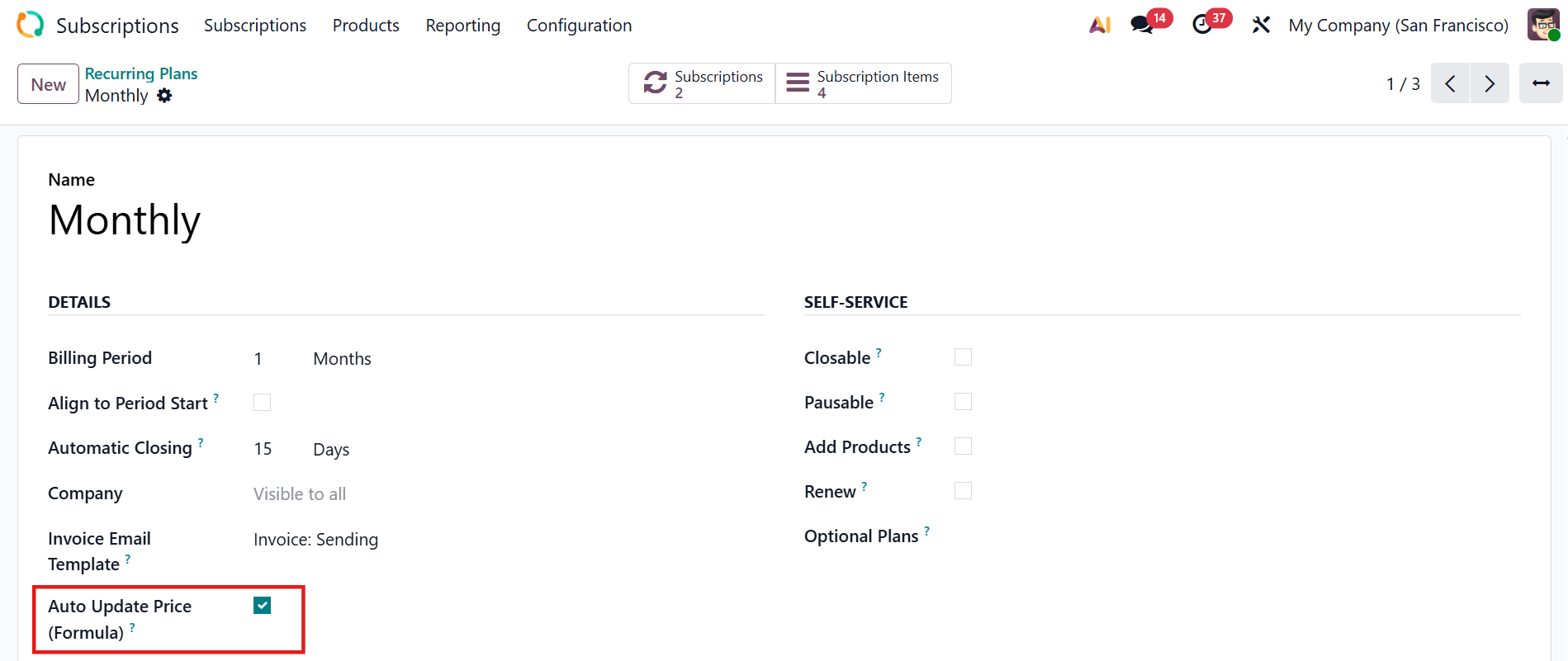
2. Go to Subscriptions > Configuration > Recurring Plan > Open or create a new one > Enable Auto Update Price (Formula) checkbox. If checked, the system will automatically recalculate the price based on the python formula at the end |
|
USAGE1. Create a new Subscriptions Order using the recurring plan and pricelist you just configured > The formula is automatically inherited by each Order Line At this point, the unit price still shows the original value. The formula is ready but not yet applied. | 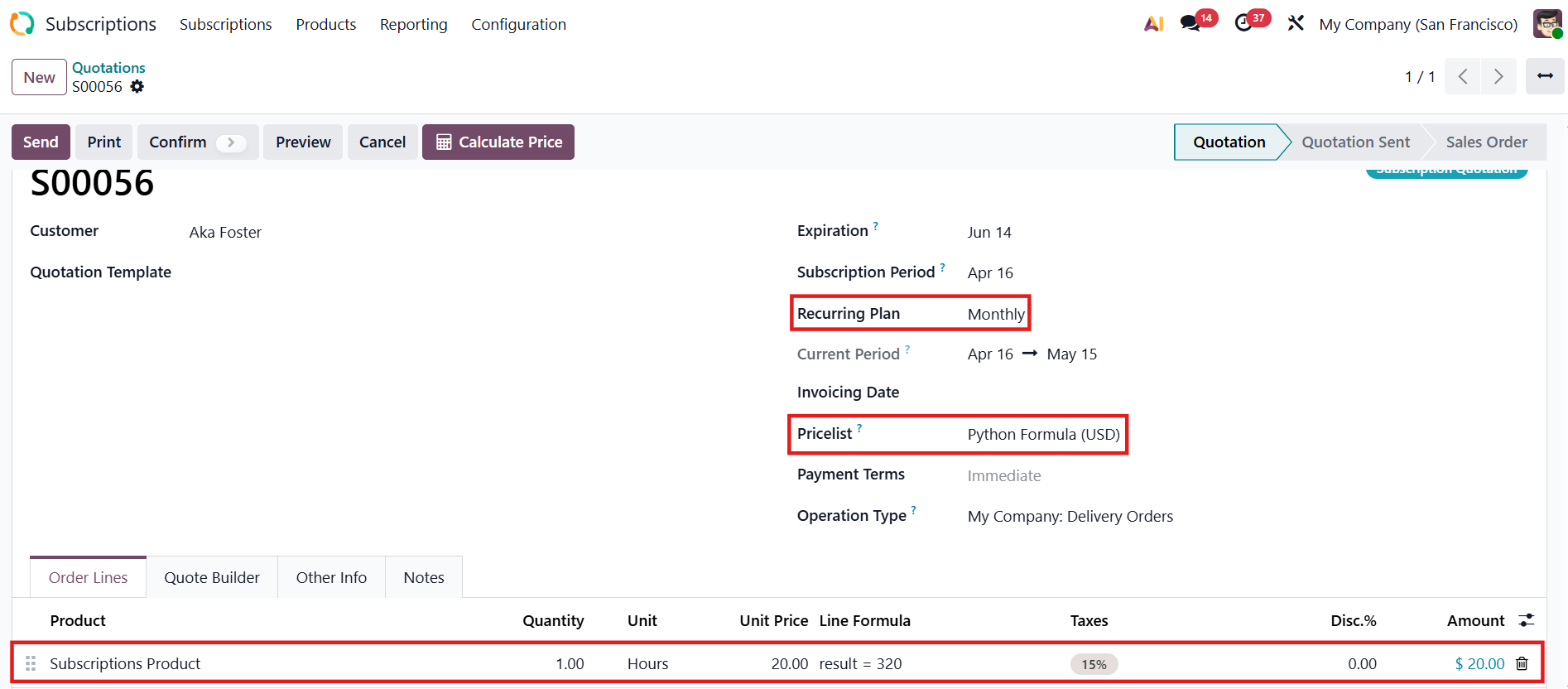 Before using Calculate Price button |
2. Hit the Calculate Price button at the top of the Sales Order > The system instantly recomputes the unit price for all lines based on their formula. | 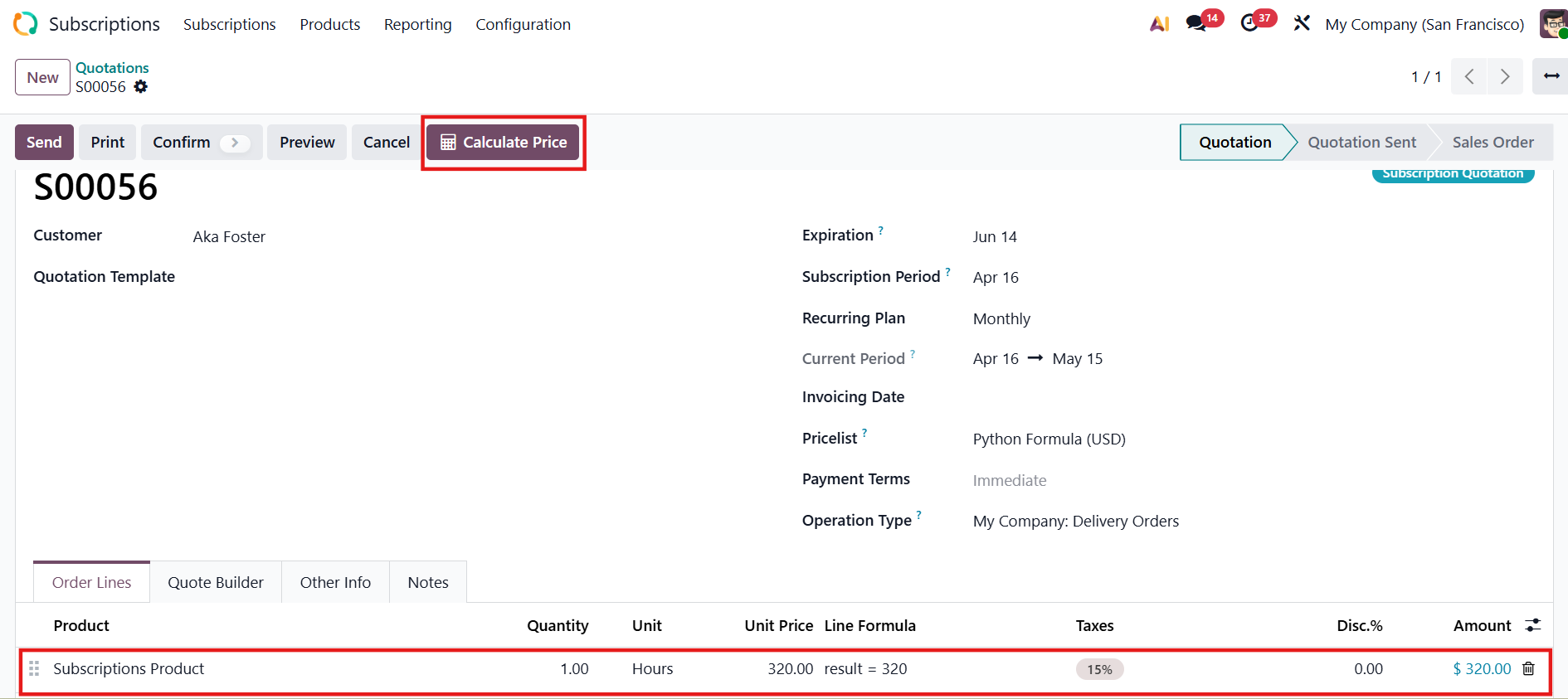 After using Calculate Price button |
3. Change the Python Formula For example, I change the formula from result = 320 to result = 444 |
|
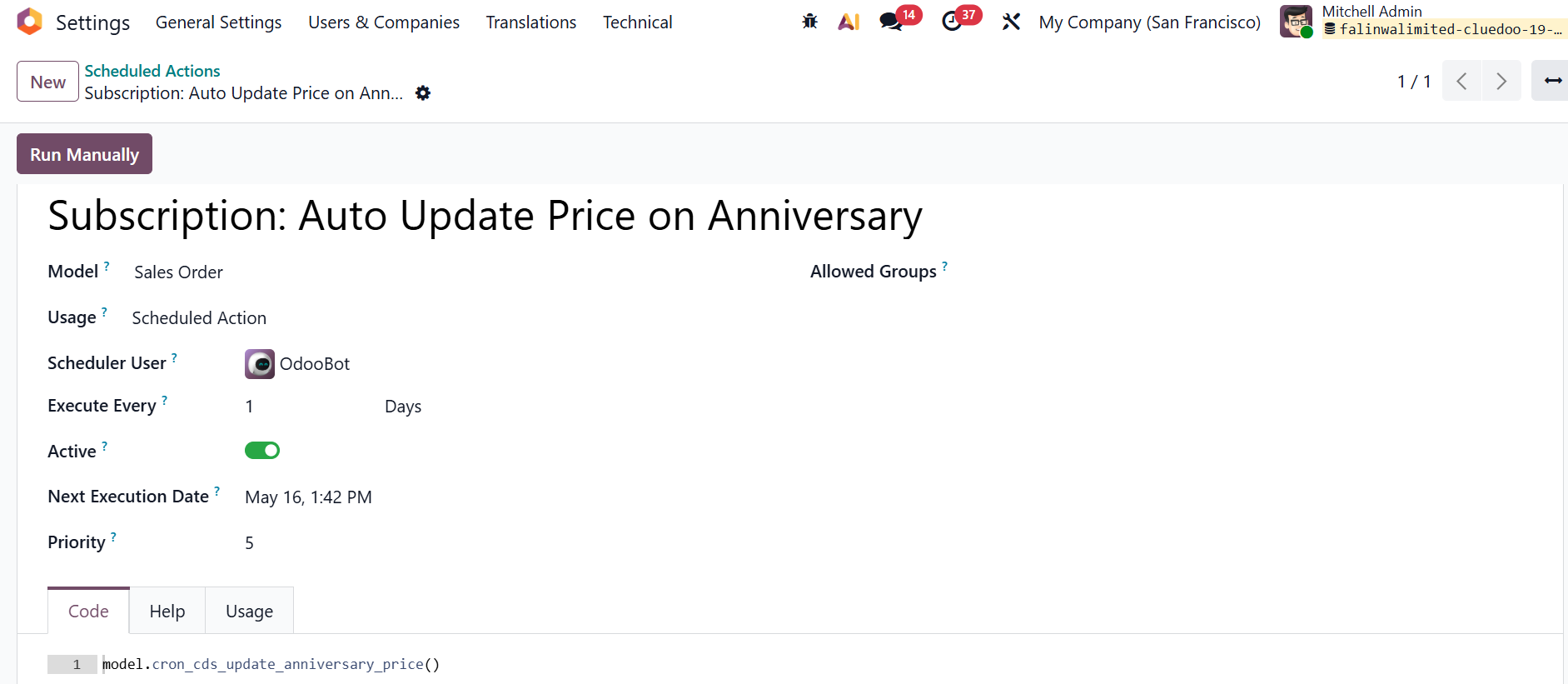
4. The system runs a daily scheduled action - "Subscription: Auto Update Price on Anniversary" - that automatically triggers Calculate Price for all subscriptions whose current billing period ends today. You can also trigger it manually anytime via Run Manually button. |
|
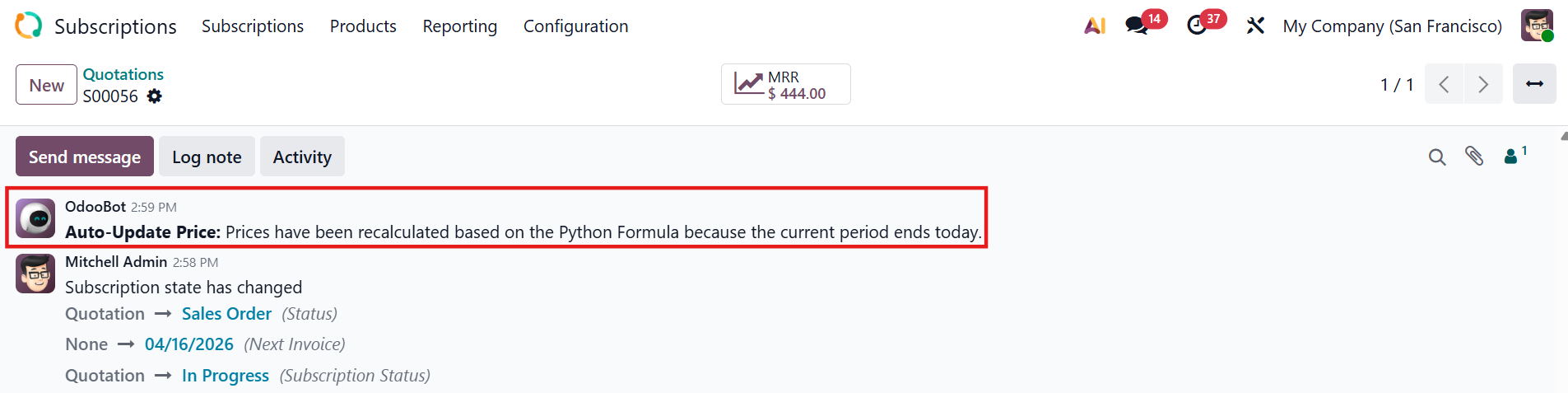
5. Back to the Subscription Order, once the price has been recalculated, a notification appears in the subscription's chatter: |
|
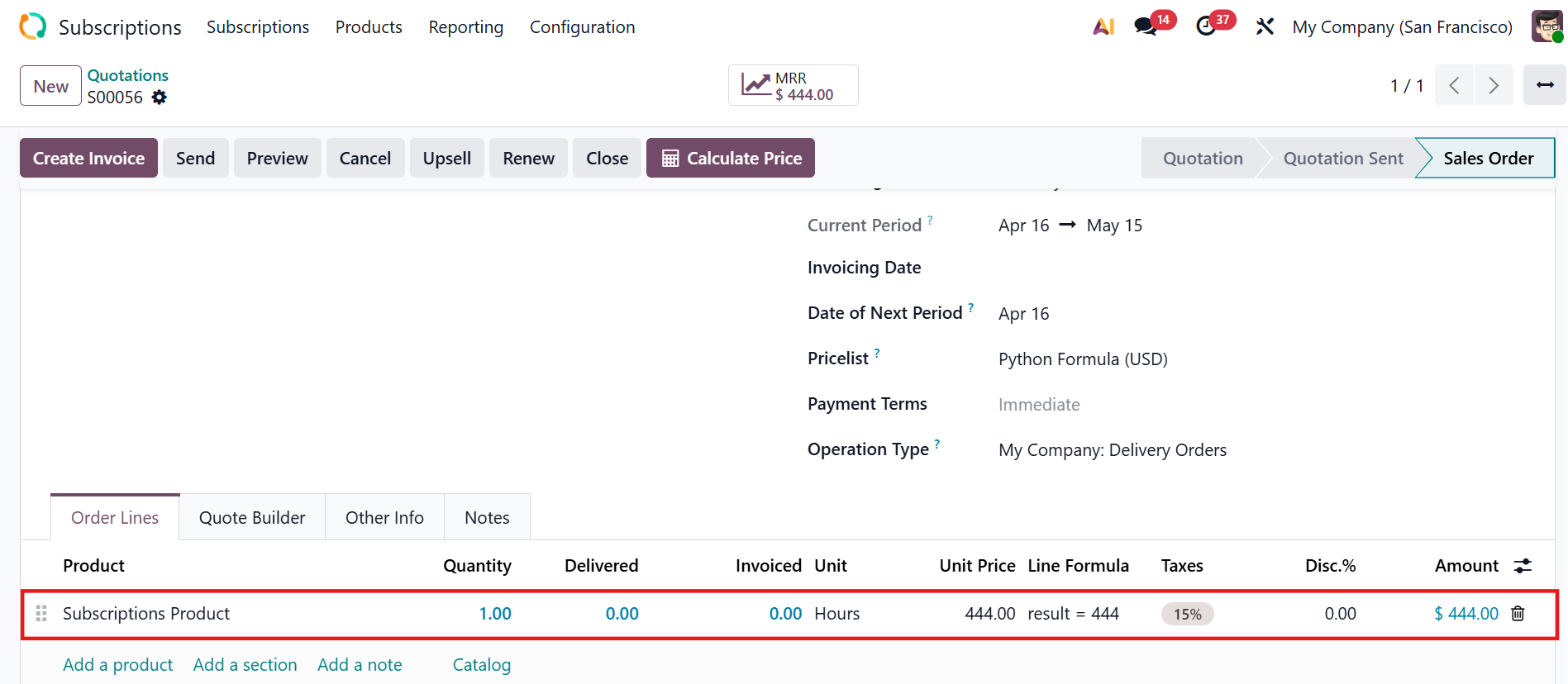
The Order Line is updated accordingly with the new unit price. Note:
|
|