



ODOO'S FUNCTION
In standard Odoo, there is no native integration between task timing or calendar events and the sales process.
CLUEDOO'S FUNCTION
CLuedoo’s solution addresses this gap by enhancing the sales order with a Start Date and End Date module.
I. START DATE - END DATE LINKED TO TASKSCreate a new SO > Add a service product (Create on: Task/Project & Task), and specify the Start Date and End Date > Confirm > After the Quotation is confirmed, Projects and Tasks smart buttons will be visible > Click on the Tasks smart button.Note: From v19, projects and tasks will be added into one smart button | 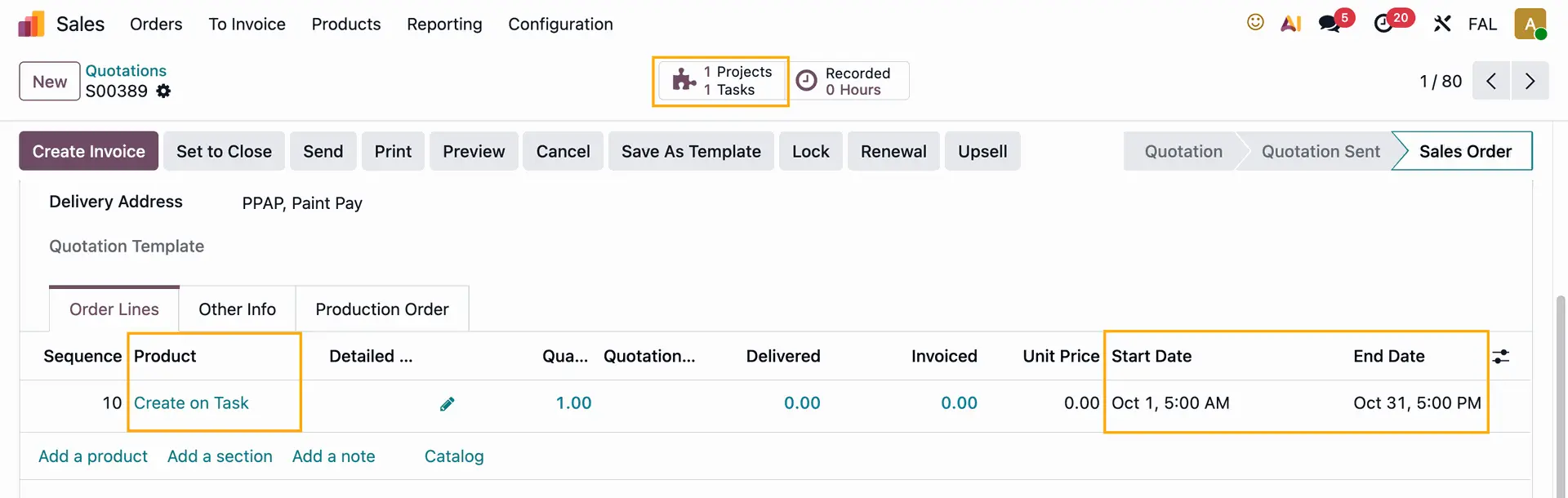 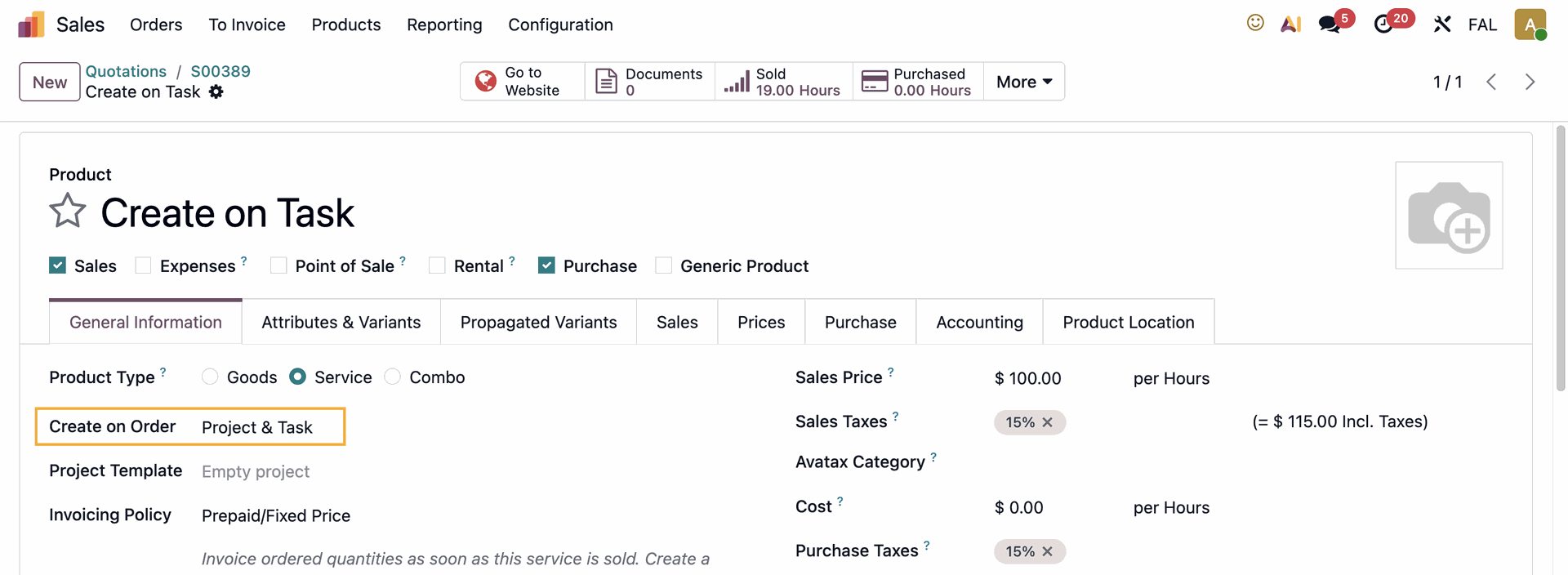 |
The Start and End date will be inherited to the Deadline / Planned Date field. | 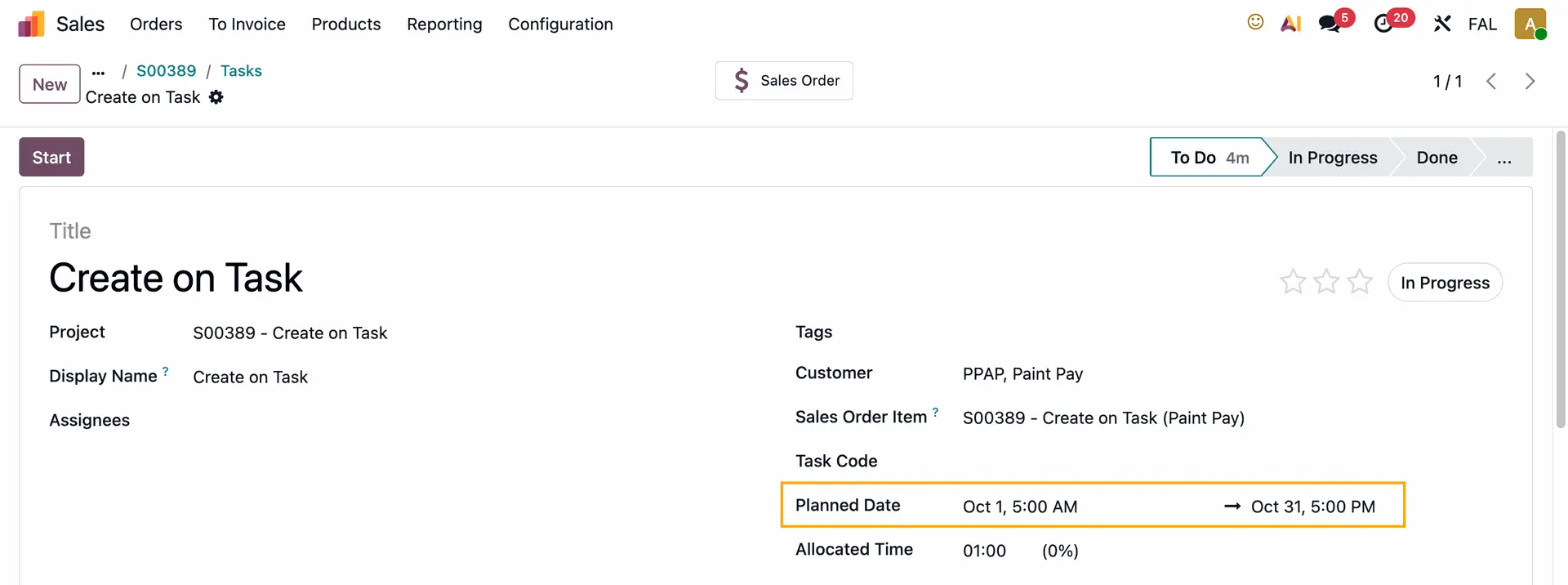 |
II. WEBSITE APPOINTMENTS LINKED TO SALES ORDER LINES1. Go to Appointments > Action > Edit | 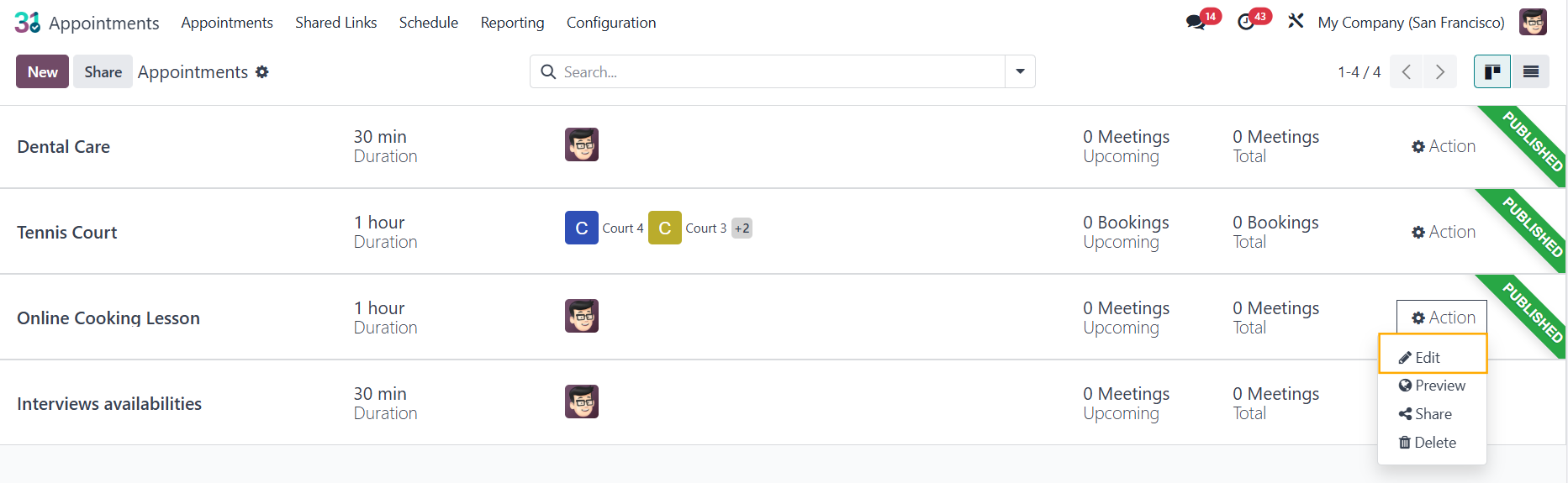 |
On v19, click the Configure button |  |
2. Under the Options tab, tick the Up-front Payment and make sure you choose a service product with Create on Order: Task | 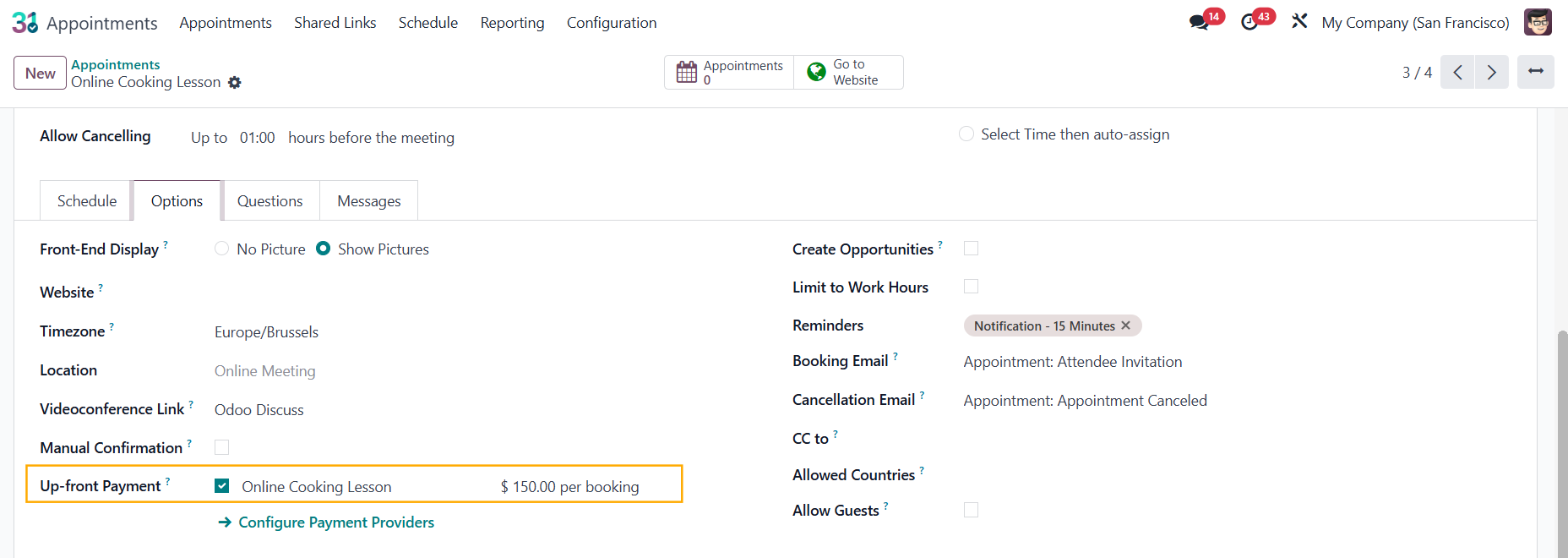 |
3. Click on the Go to Website smart button > Book an appointment > Pay and Confirm e.g., an appointment on October 2, 2025 from 10 AM to 11 AM | 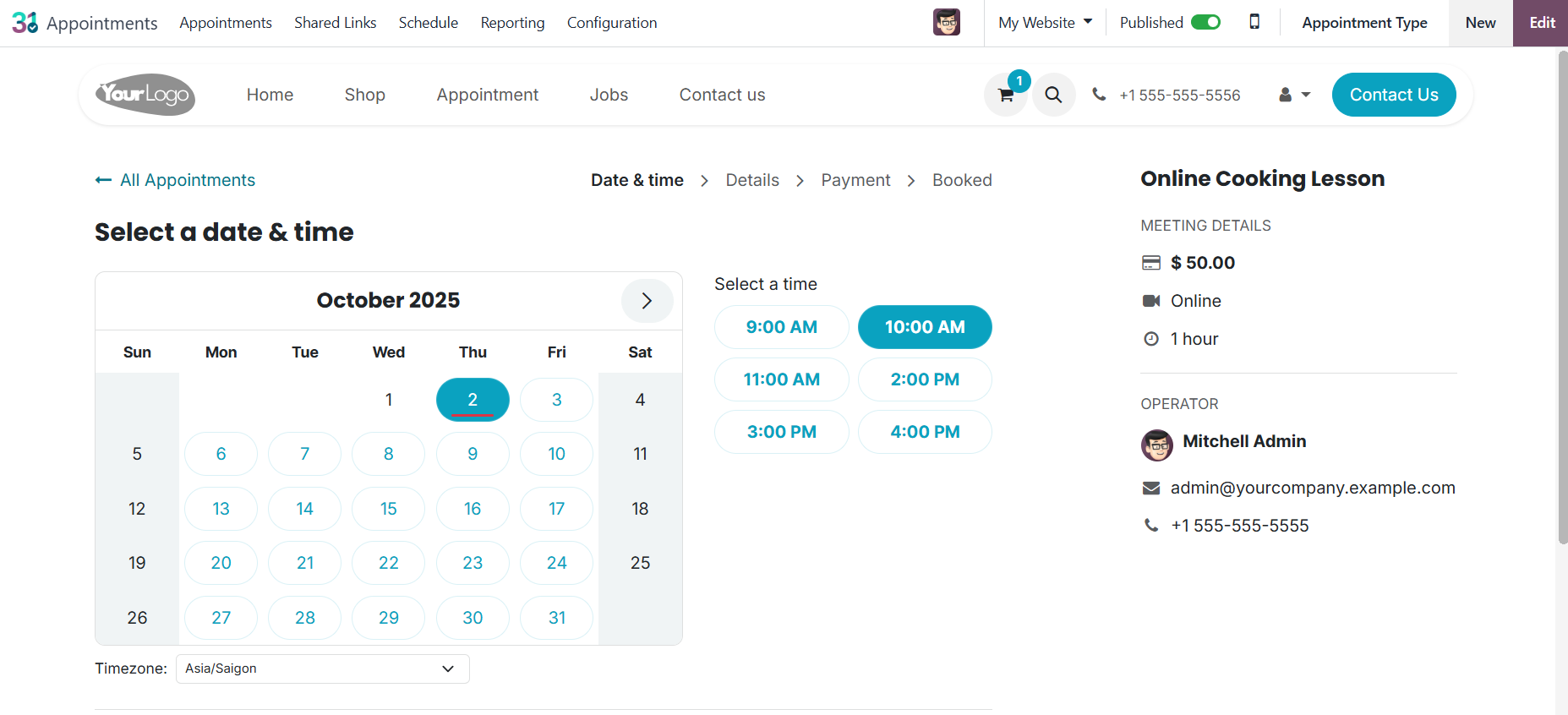 |
A Sales Order will be automatically created | 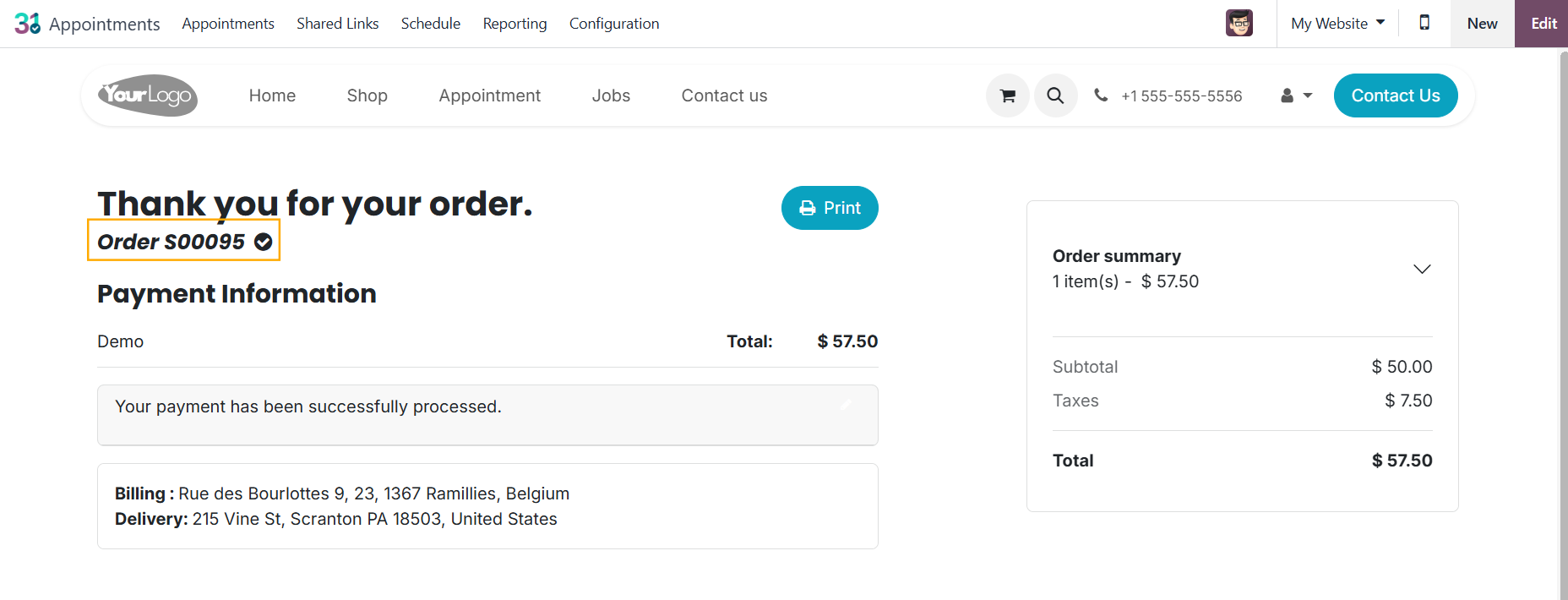 |
The appointment time will be automatically logged in the Sales Order Lines: Start Date and End Date fields. | 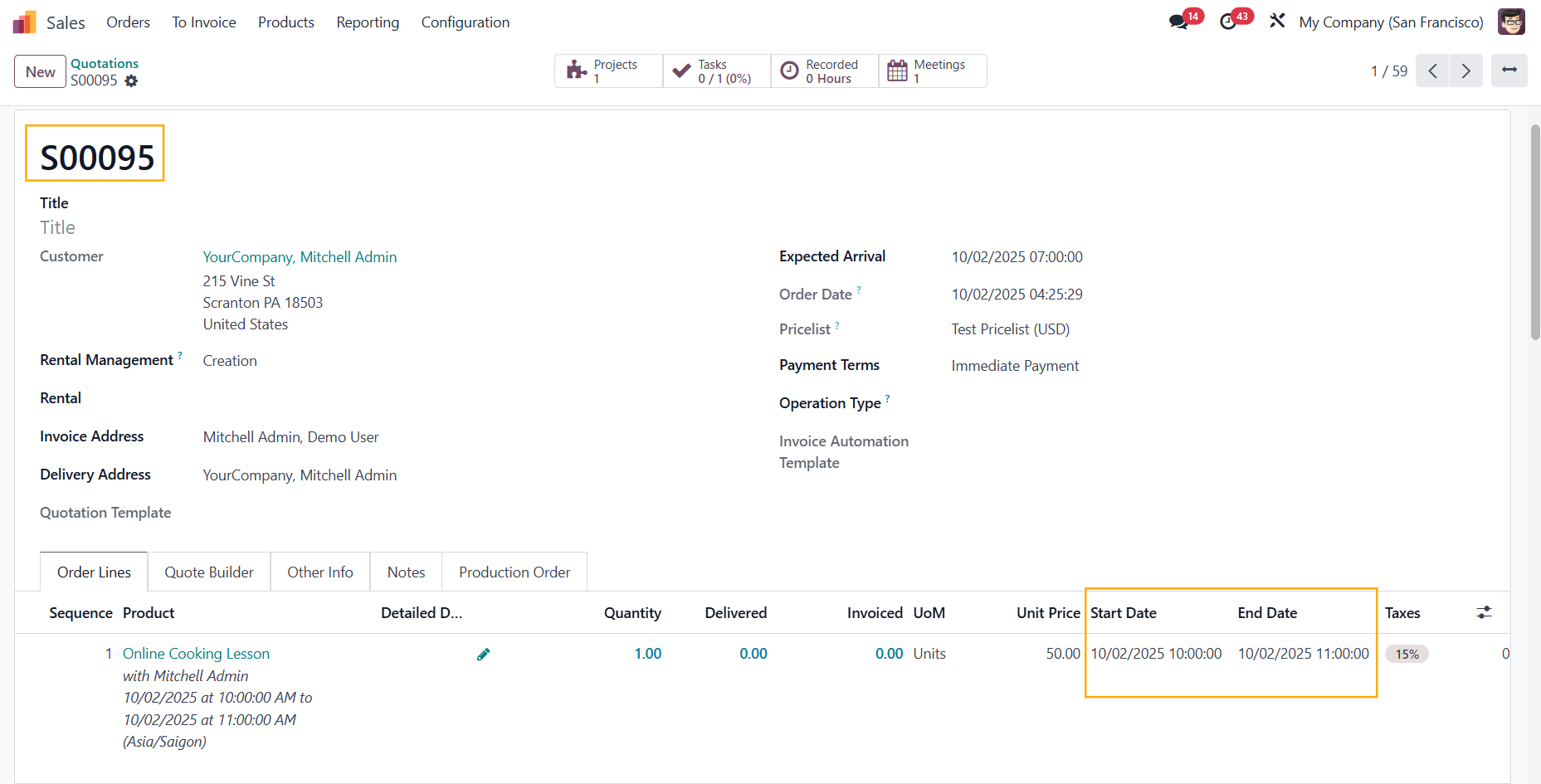 |
The time will be propagated to the Planned Date field in Tasks | 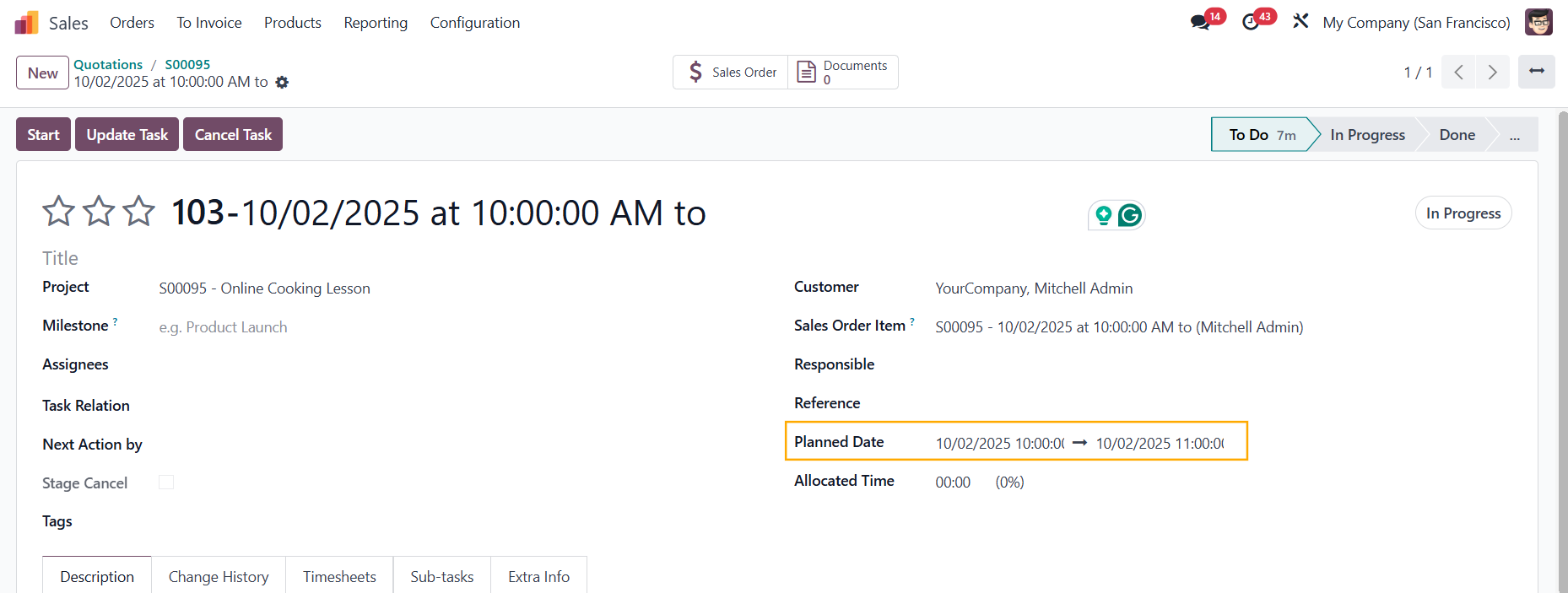 |
And to Meetings as well |  |