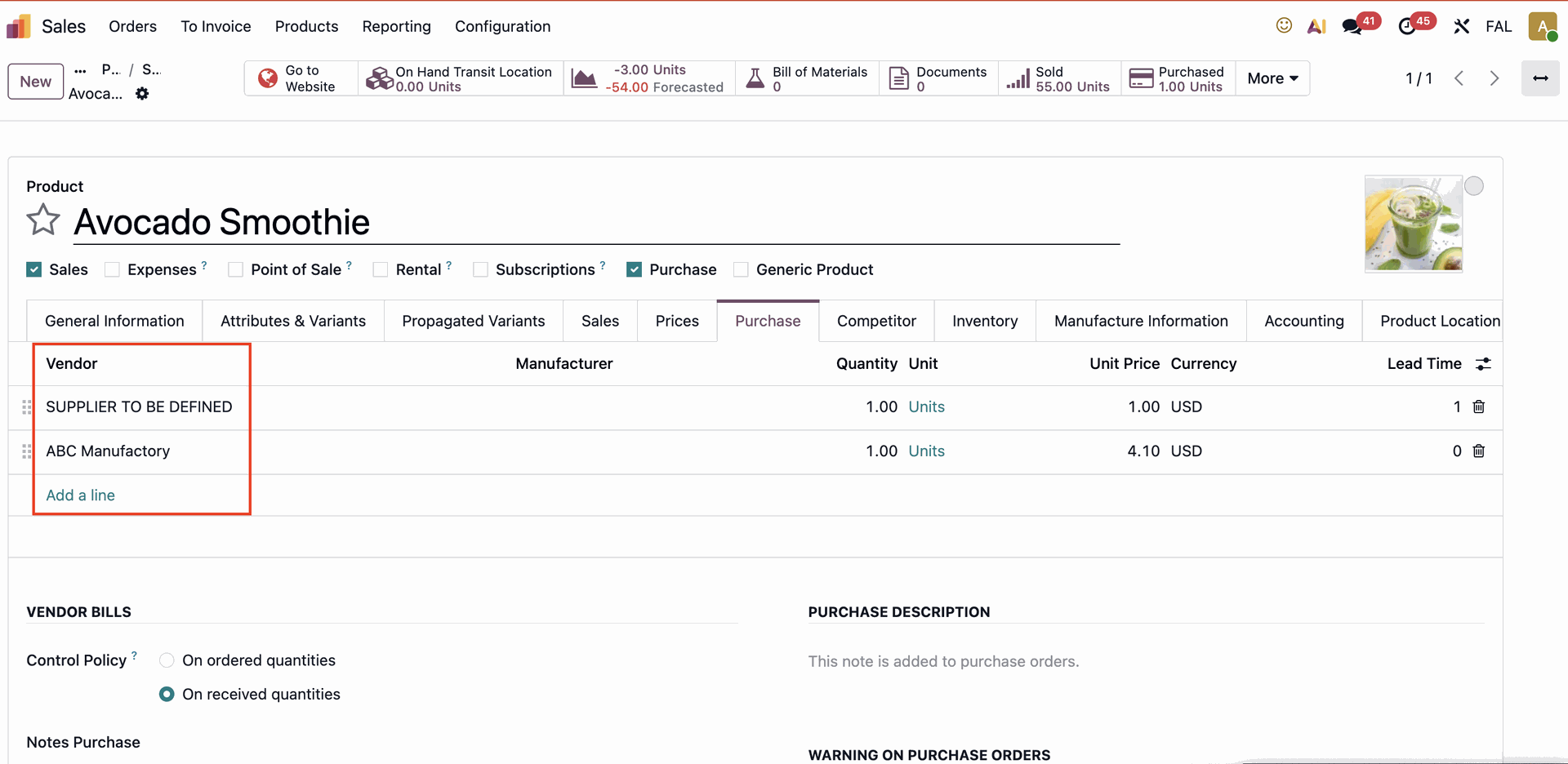



ODOO'S FUNCTION
CLUEDOO'S FUNCTION
Cluedoo introduces enhanced control over purchase order merging by allowing users to:
1️⃣ Choose not to group purchase orders automatically from the same vendor, preventing forced merging.
2️⃣ Select different merging options such as no order grouping, no line grouping, or standard grouping.
3️⃣ Merge or divide purchase orders flexibly, providing better control over procurement processes, helping businesses manage purchase orders according to their unique requirements.
This function gives users greater flexibility and precision in managing purchase orders, avoiding unwanted merges while retaining the option to combine orders when desired.
1. Access Product Categories - Choose one of the options of "the Procured purchase grouping" list: no order grouping, no line grouping, and standard grouping. | 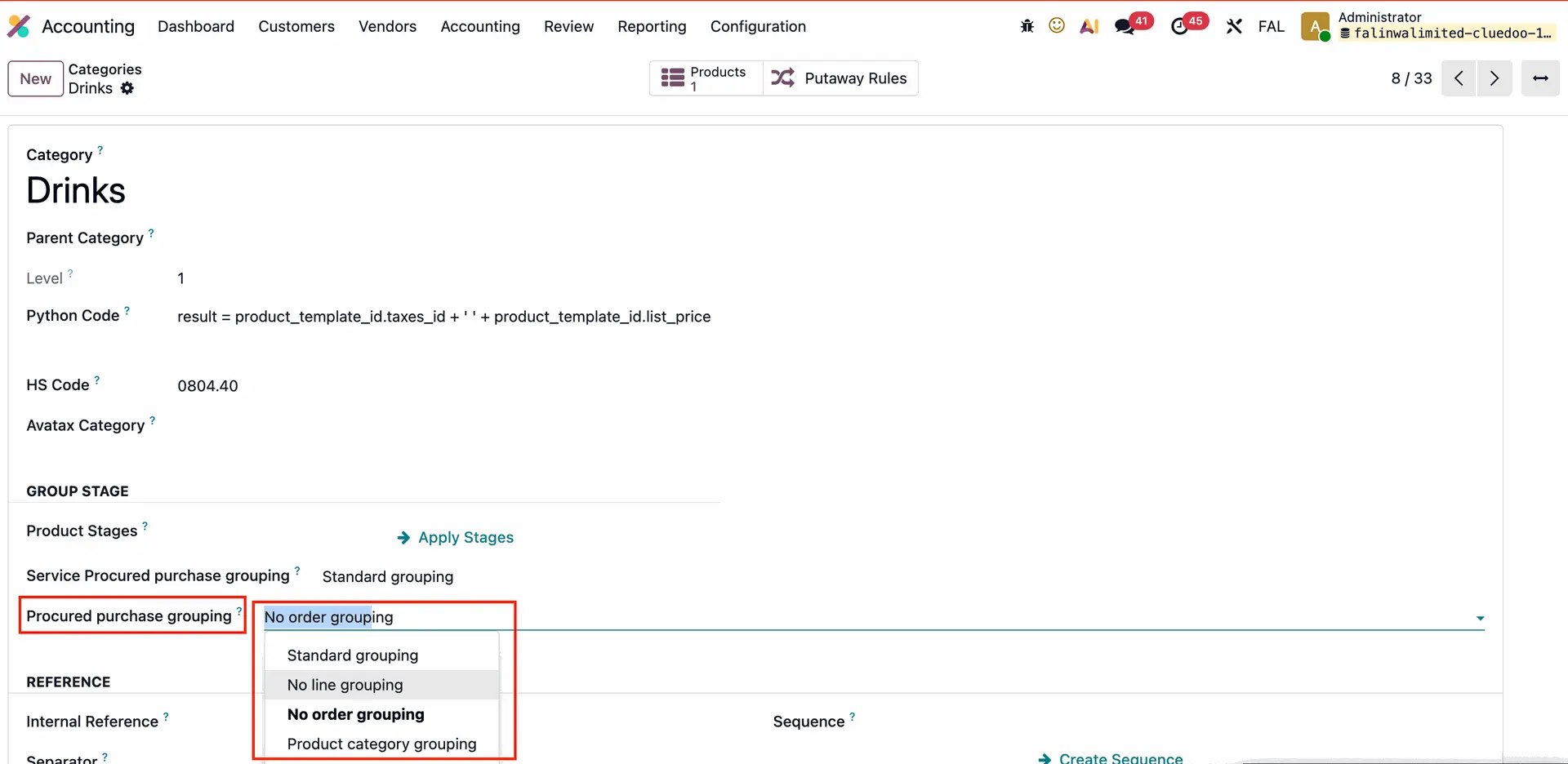 |
I.e: Choose no order grouping for Category "Drinks" which have 1 product: Avocado Smoothie. |
|
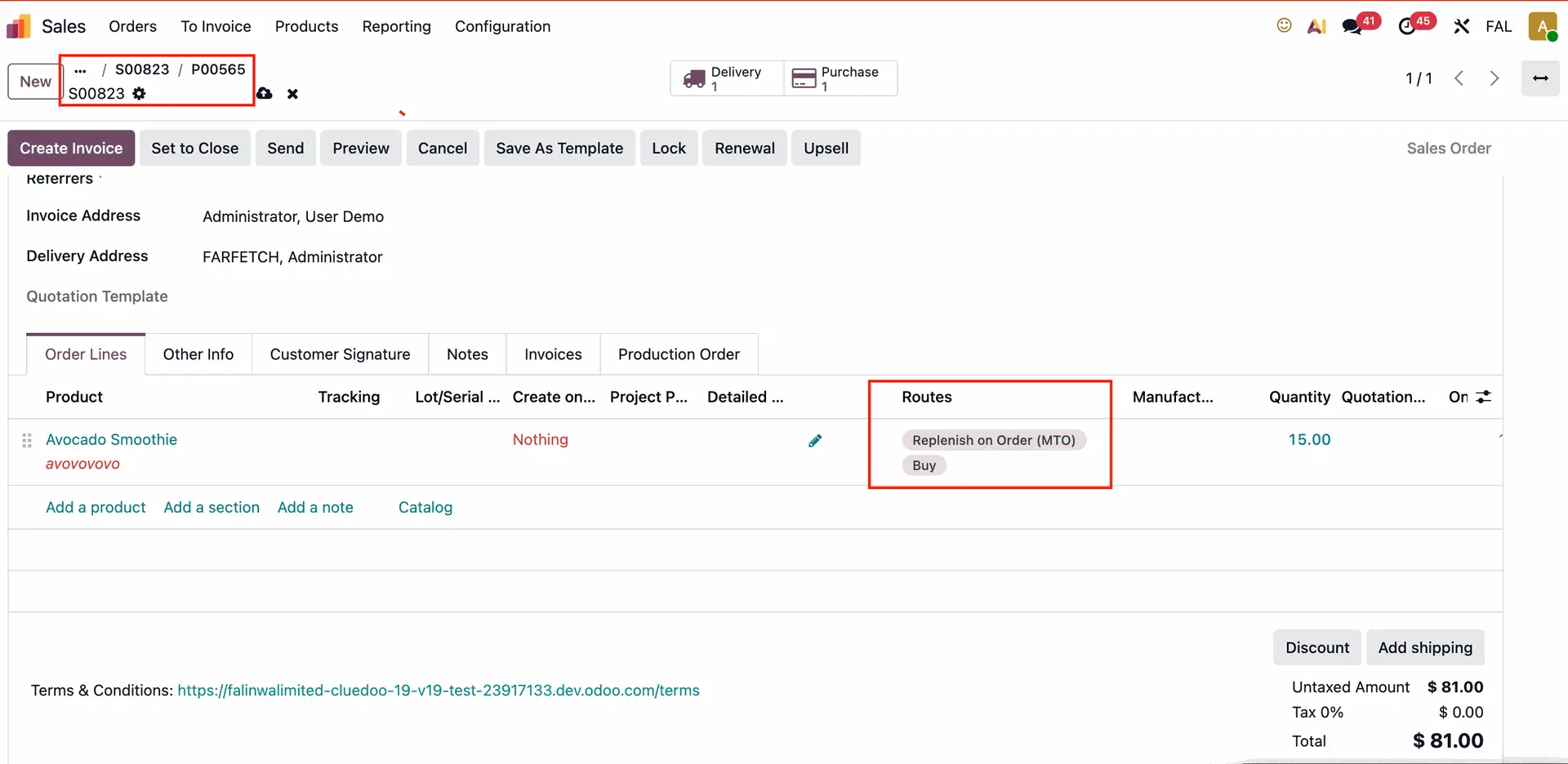
2. Create Sales order with product MTO+BUY route then it will create a different Purchase order even if products are from the same vendor as ones in other Purchase orders. | 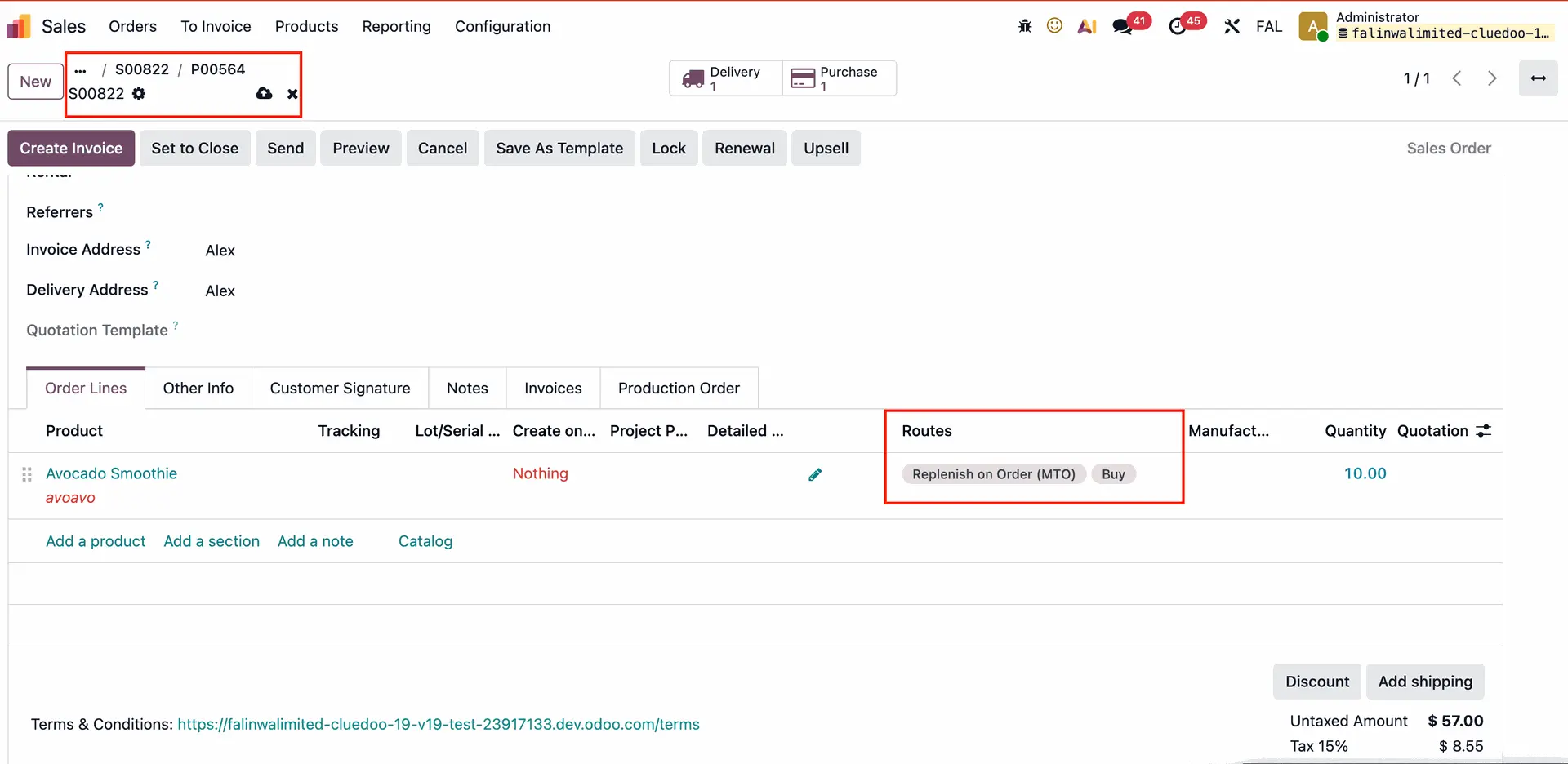 |
 |