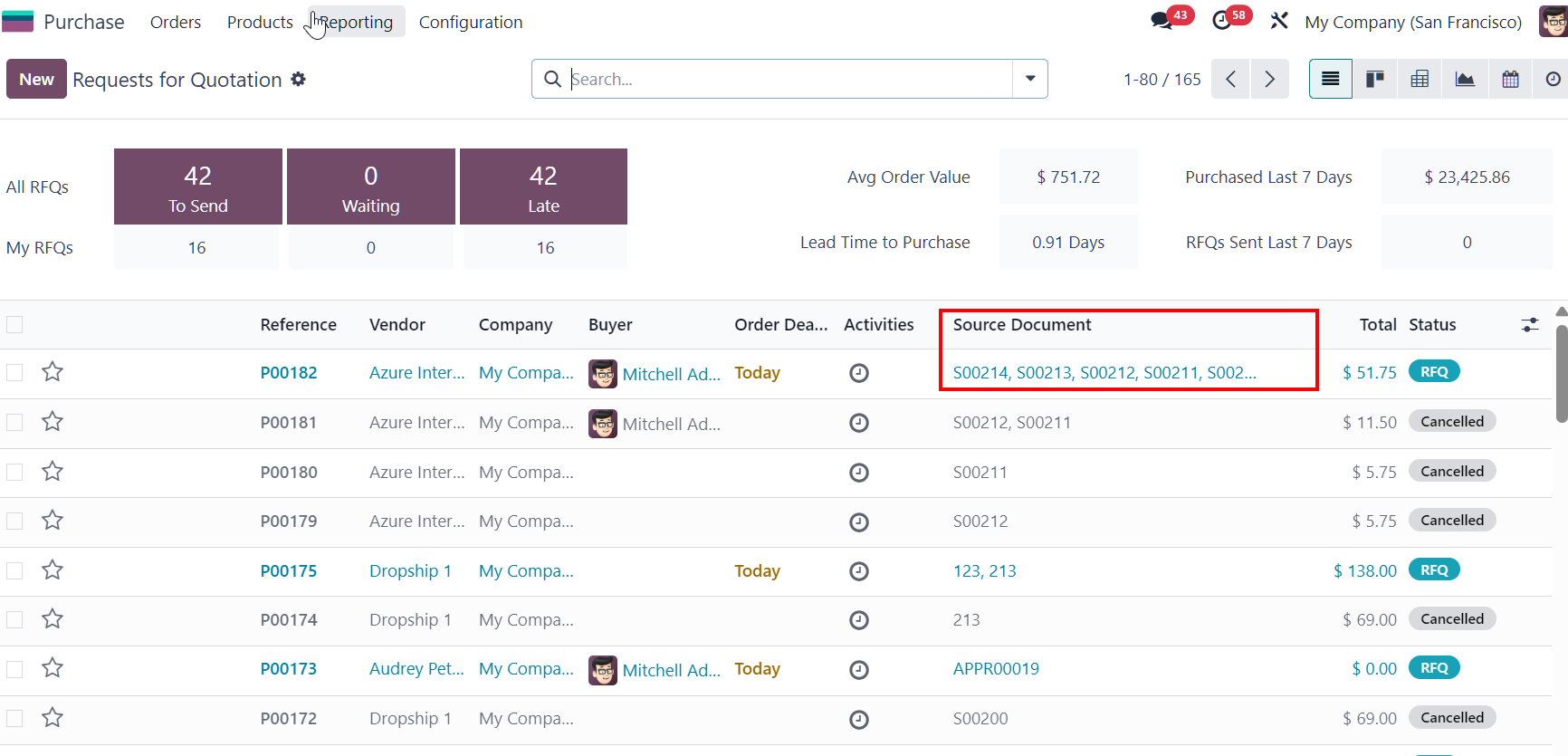



ODOO'S FUNCTION
In standard Odoo, users can merge Request for Quotations (RFQs) from the same vendor into a single document. However, the merge process is quite straightforward and does not provide additional control over how the RFQs are combined.
CLUEDOO'S FUNCTION
This gives users more control over the RFQ merging process and ensures related purchasing documents are handled in a more organized and flexible way.
Go to Purchase > New > Create 2 PO with same vendor. Input product ( products in 2 PO can be different) | 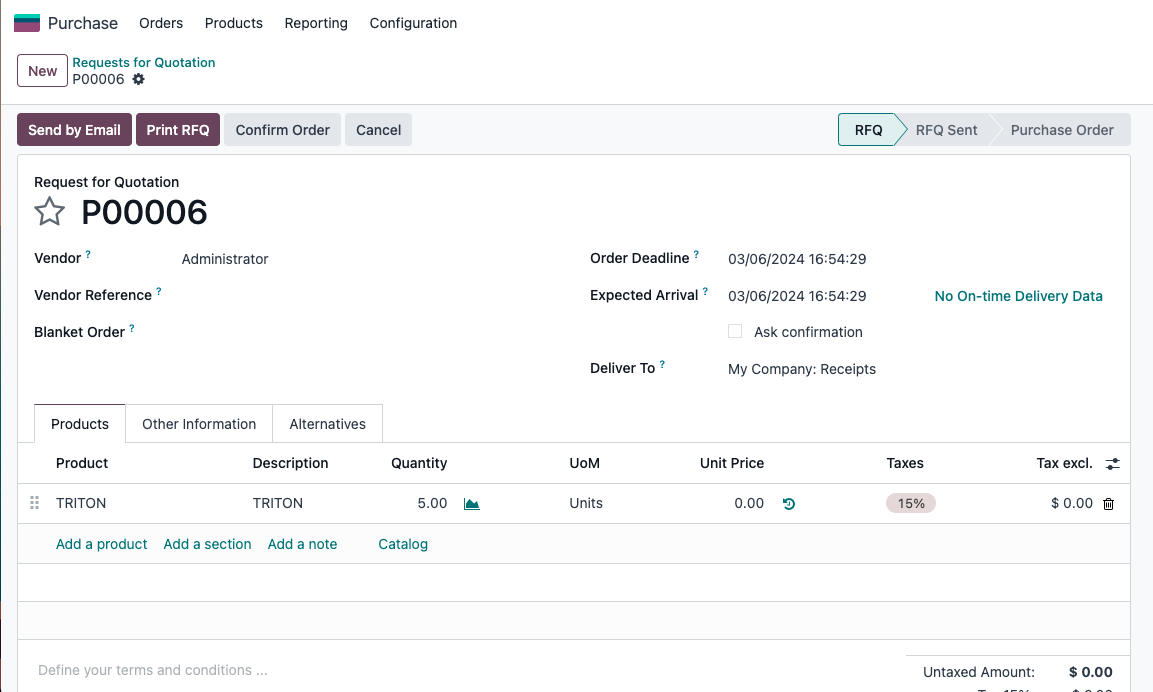 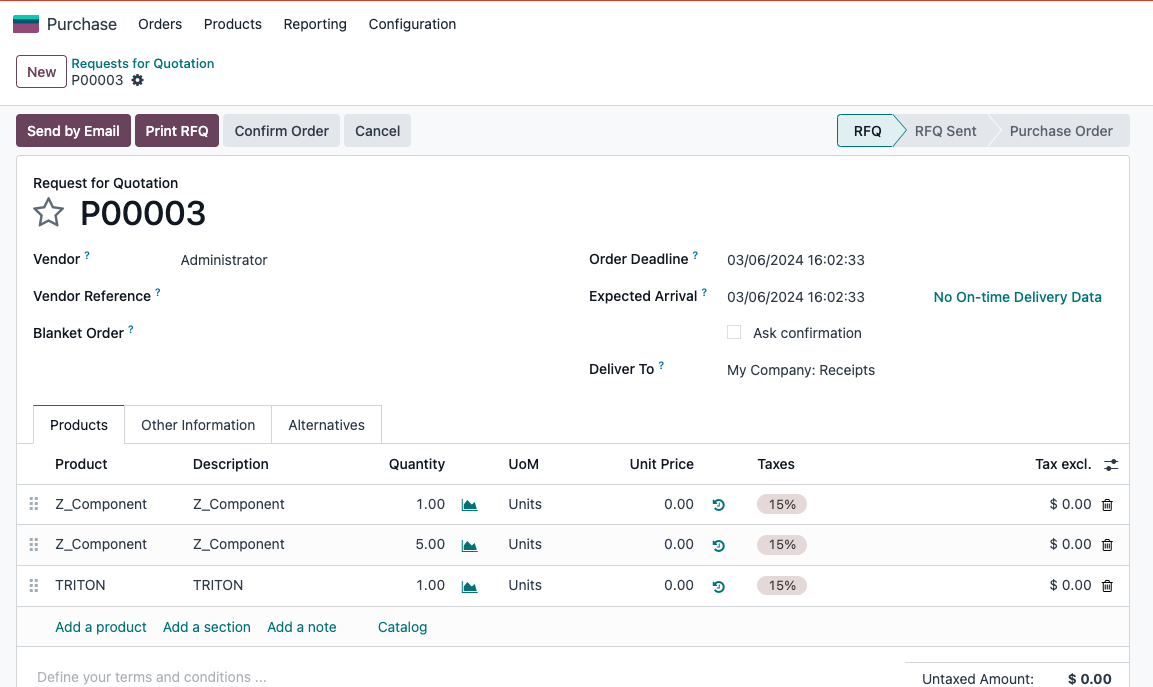 |
2. Merge PO On the Purchase main screen, choose POs that you want to merge, click on Actions button > Merge Orders > Choose Merge Type then choose Purchase Order (this will choose destination PO after merge PO) > Merge Order | 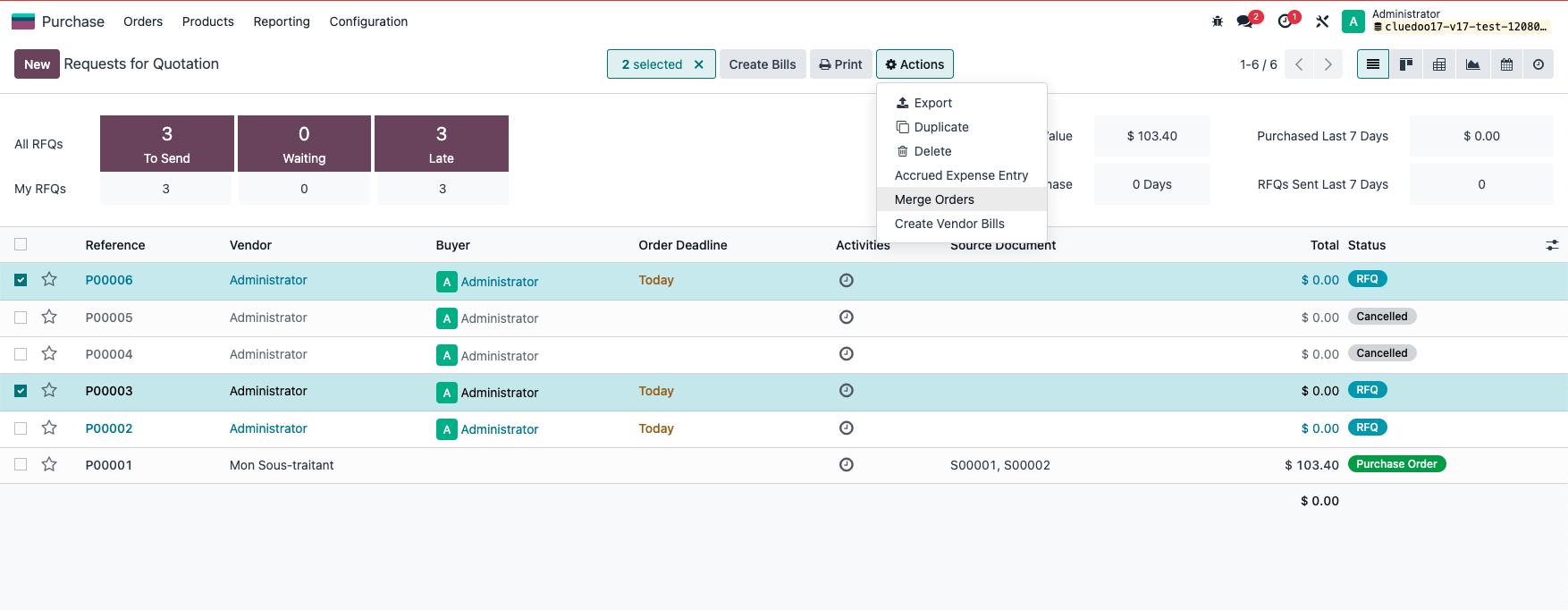 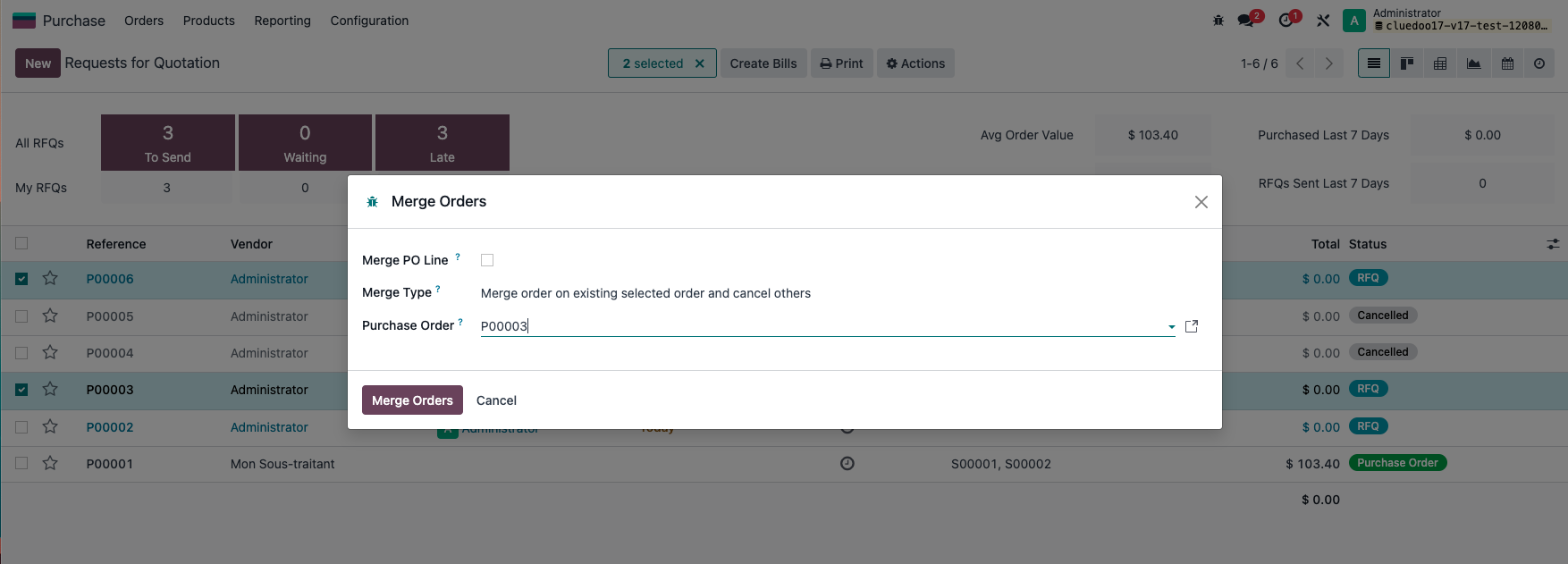 |
RESULT: All the products on POs that have been merged will appear in destination PO and the status of other PO will become Cancel or Deleted depend on your choice when choosing action. | 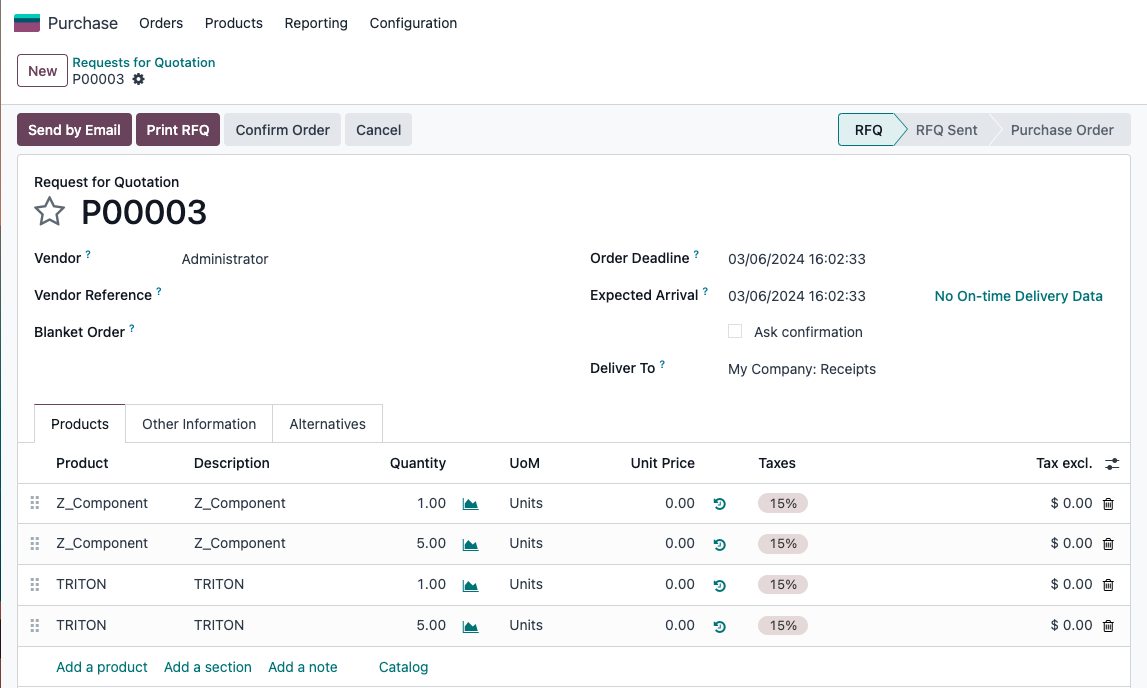 |
Note: If RFQs have source documents, they will be merged as well |
|