
ODOO'S FUNCTION
Standard Odoo displays a vendor pricelist within the BoM overview, but it lacks cost-optimization. The system does not automatically default to the cheapest vendor, and it restricts users from manually changing the selected vendor directly within this view.
CLUEDOO'S FUNCTION
CLuedoo optimizes your costing by automatically selecting the cheapest vendor pricelist for every product directly in the BoM Overview. It also provides complete flexibility, allowing you to easily adjust and manually change the vendor selection at any time.
CONFIGURATION1. Create a finished product and its component(s) > Set up the vendor pricelists and add the Route: Buy for the products. | Finished product 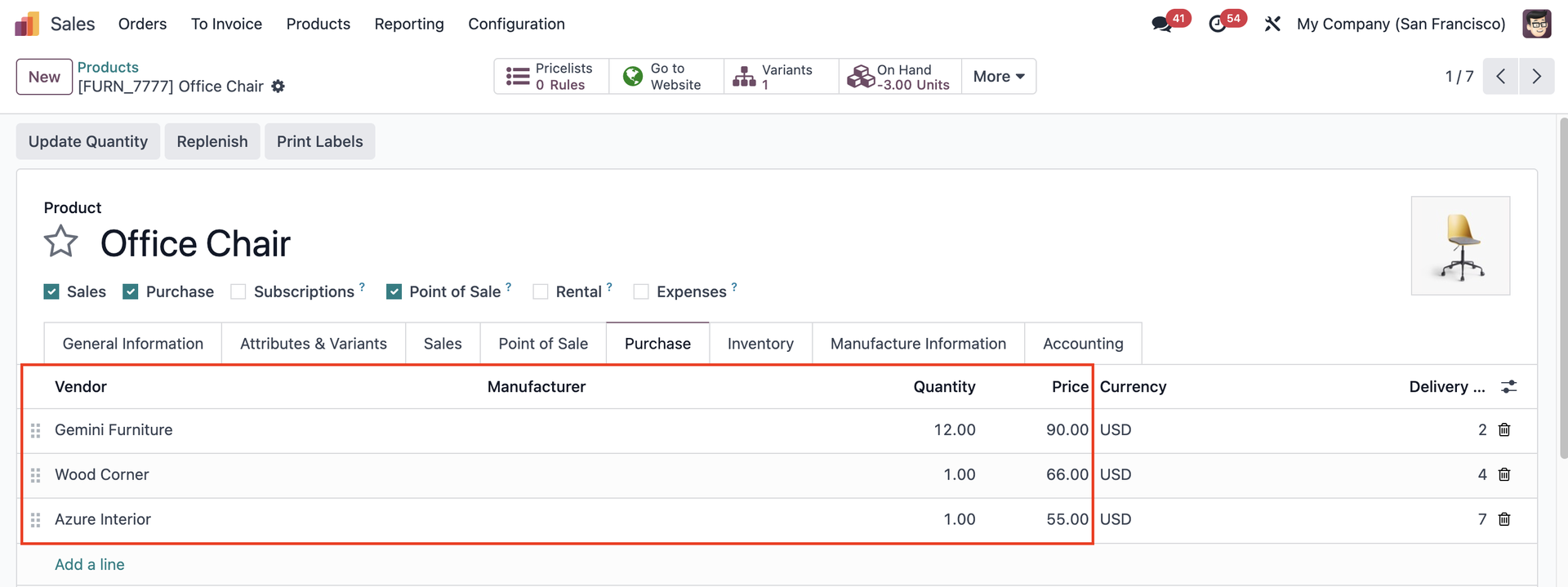 Components 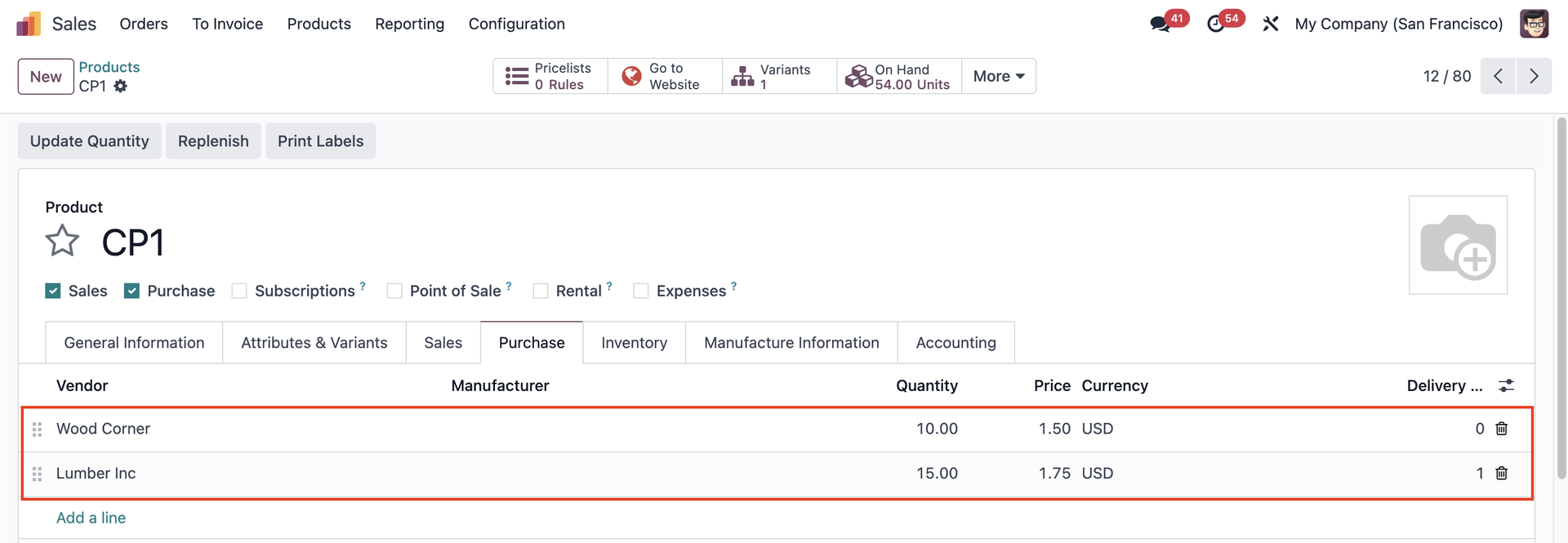 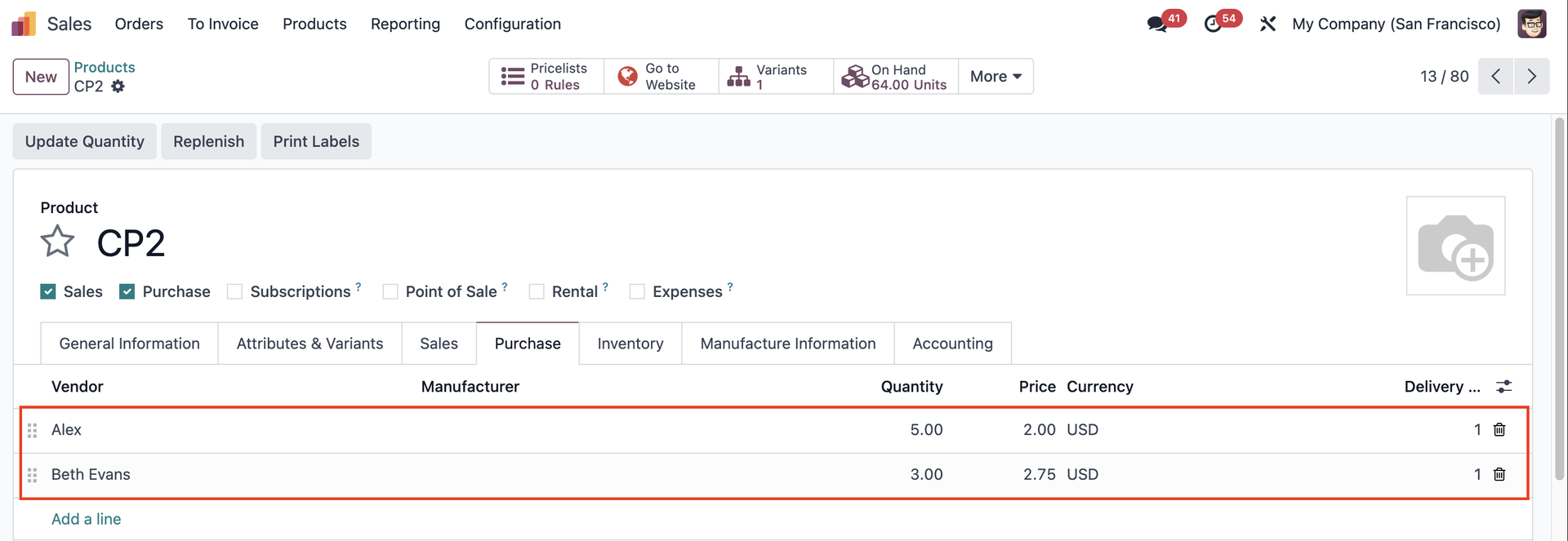 |
2. Create a Bill of Materials for the finished product and add the component(s). | 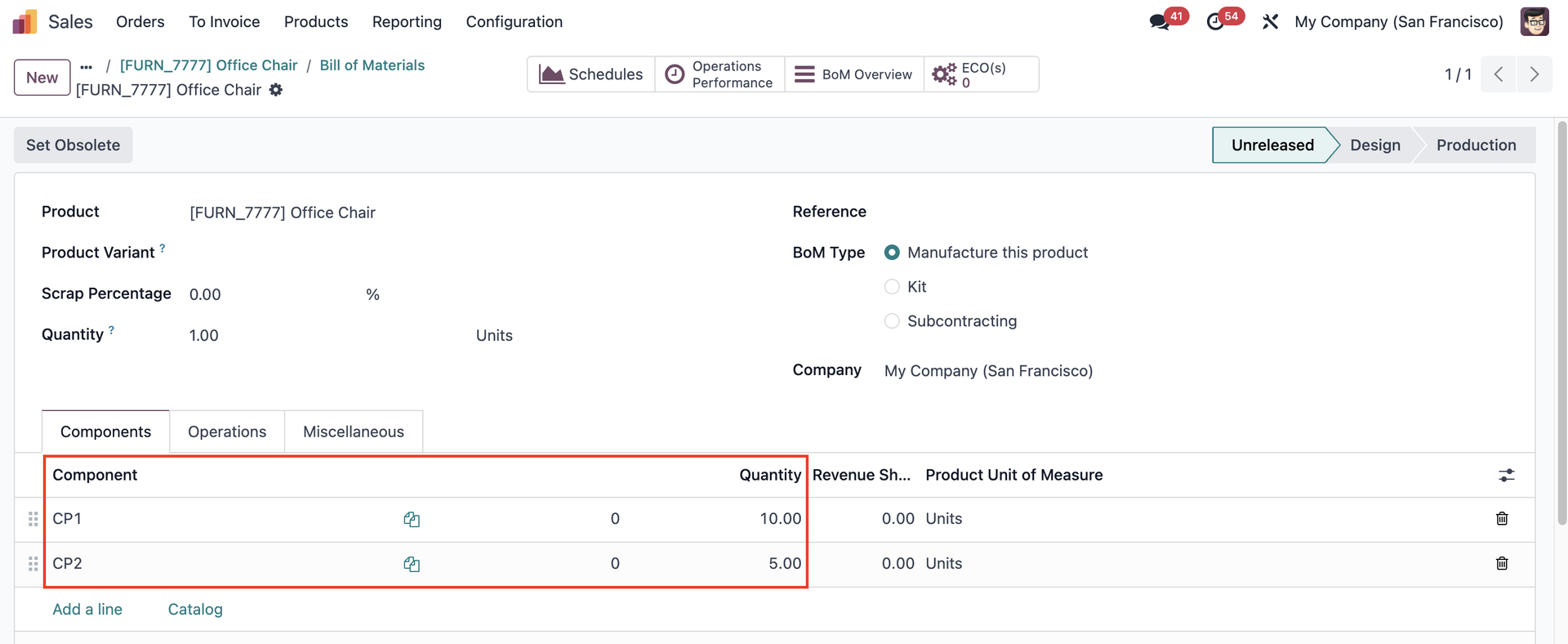 |
USAGEClick on the BoM Overview smart button | 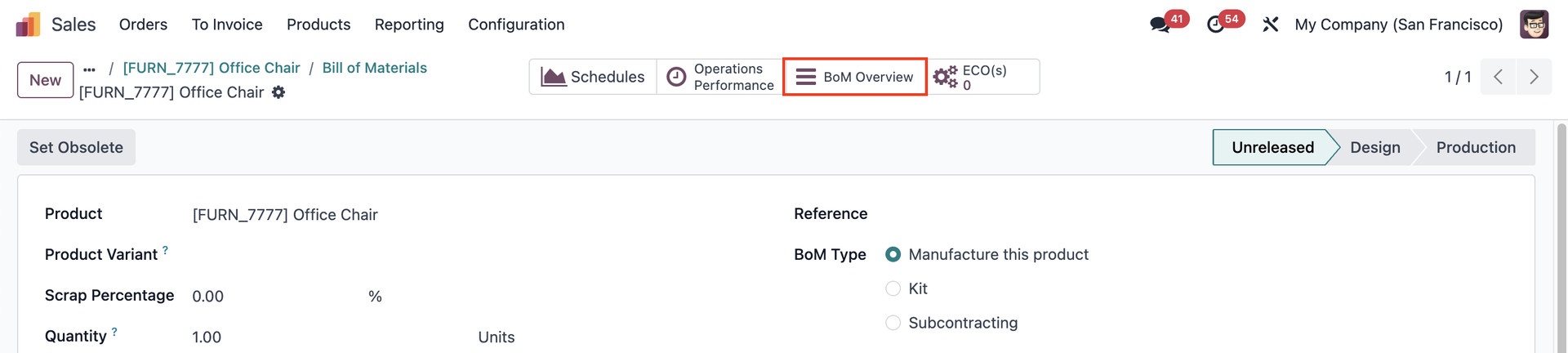 |
The cheapest vendor pricelist for each product will be automatically selected, with the ability to change. | 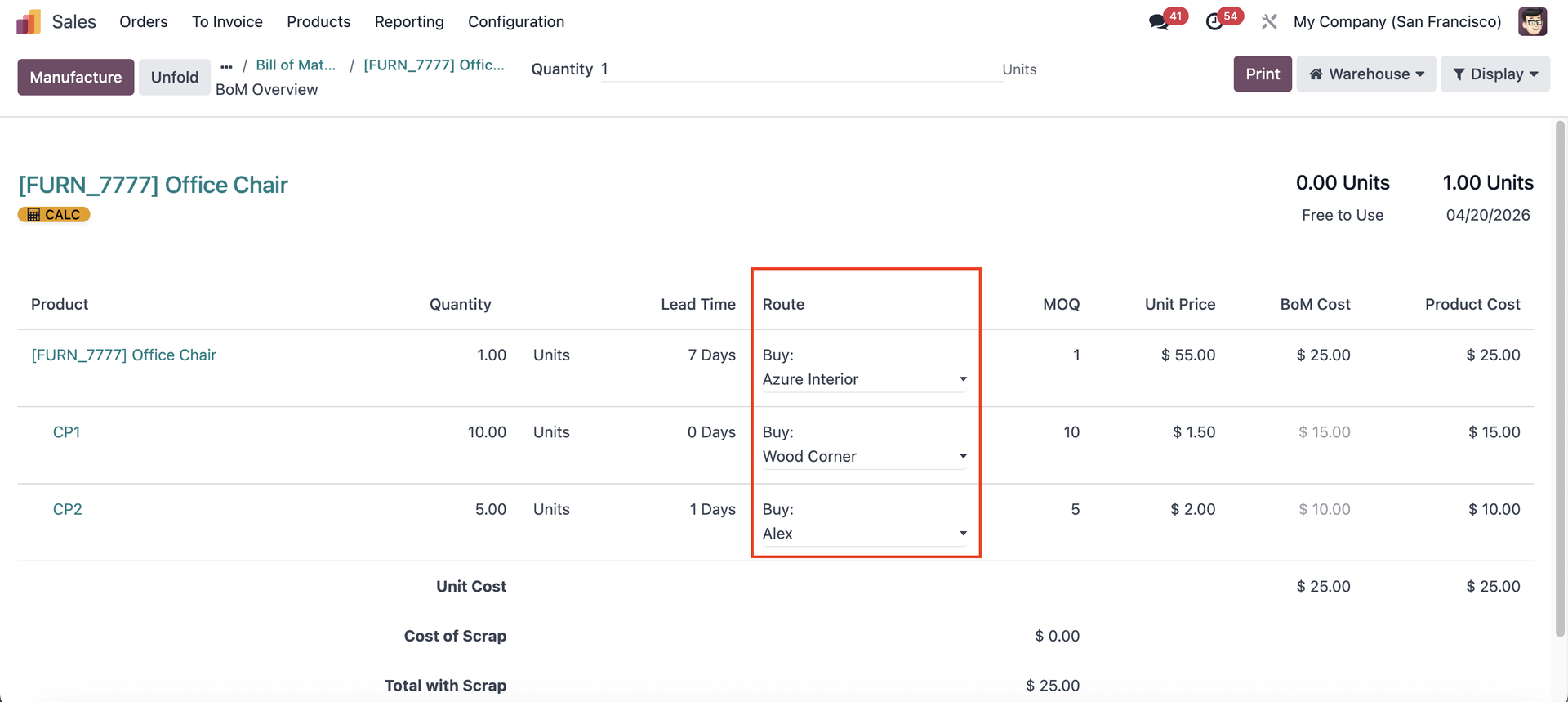 |