


STORY BEHIND THE FEATURES
ODOO BEHAVIOR
Odoo's Reordering Rules help the business to reduce the costs of holding stock while ensuring stock availability to meet customer's demand. However, these minimum and maximum data is static and manual.
CLUEDOO BEHAVIOR
Inventory minimum and maximum quantity depends on average sales, lead time, forecasted demand, etc.
Cluedoo adds an advanced tool automate computing inventory minimum and maximum quantity, allowing user to build their own formula according to business situation.
OUR FEATURES AS SOLUTION
Min max quantity computed based on Python formula
HOW TO USE THIS MODULE ?
SET-UP FORMULA
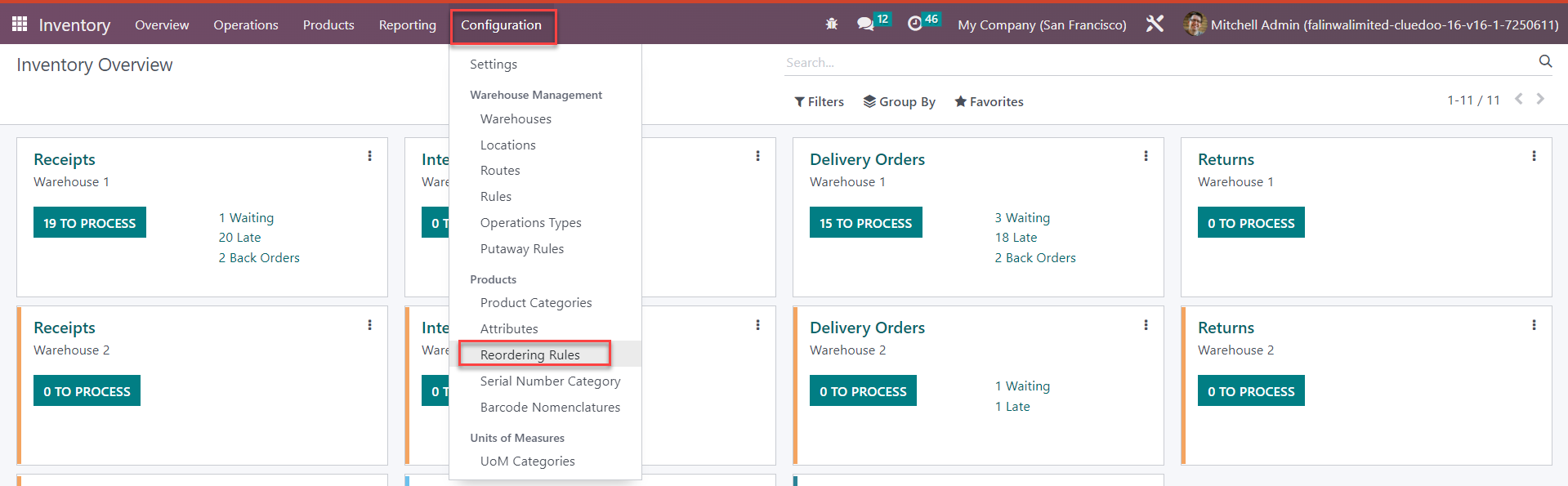
1. On Inventory, go to Configuration, click on Reordering Rules.
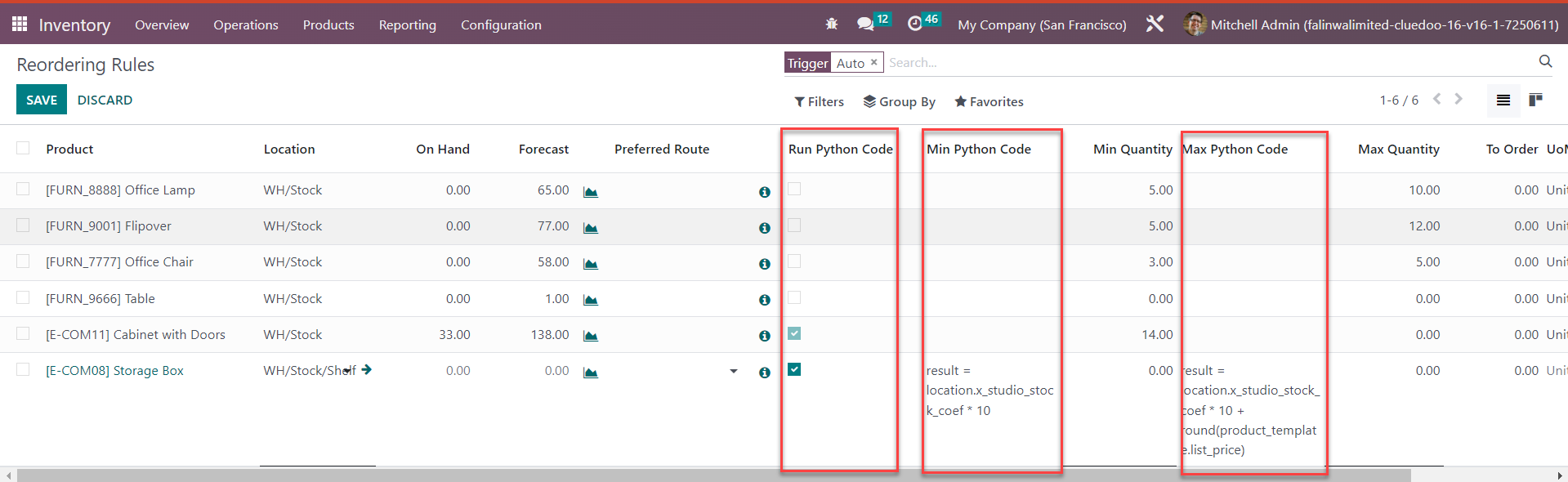
On Reordering Rules data:
\t- Input formula in "Min Python Code" and "Max Python Code" columns to compute minimum and maximum quantity
\t- Tick checkbox in "Run Python Code" column to apply formula to compute min/max quantity. The inputted formula only works when checkbox is ticked.
\t- Save.
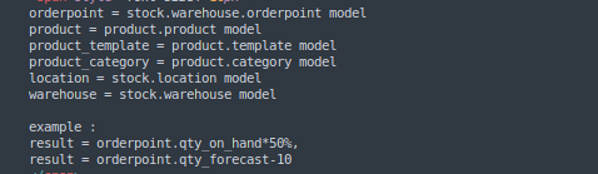
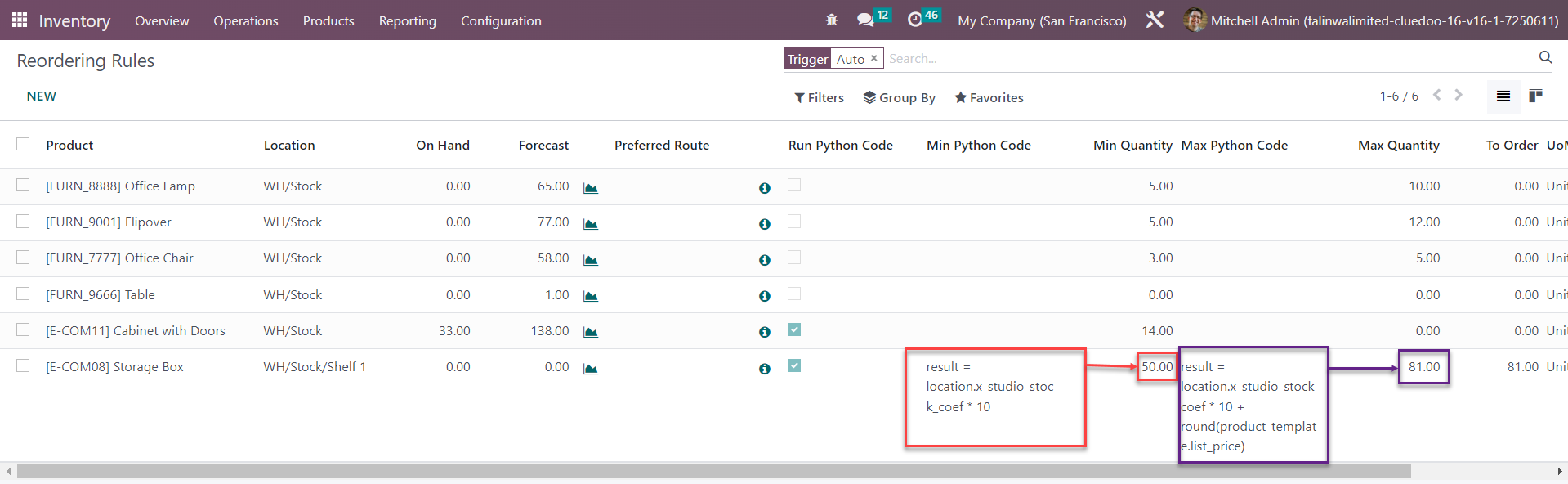
2. Formula example and Variables.
How Stock Min and Max quantity is computed based python code.
3. On Product Template, Min & Max quantity is updated.
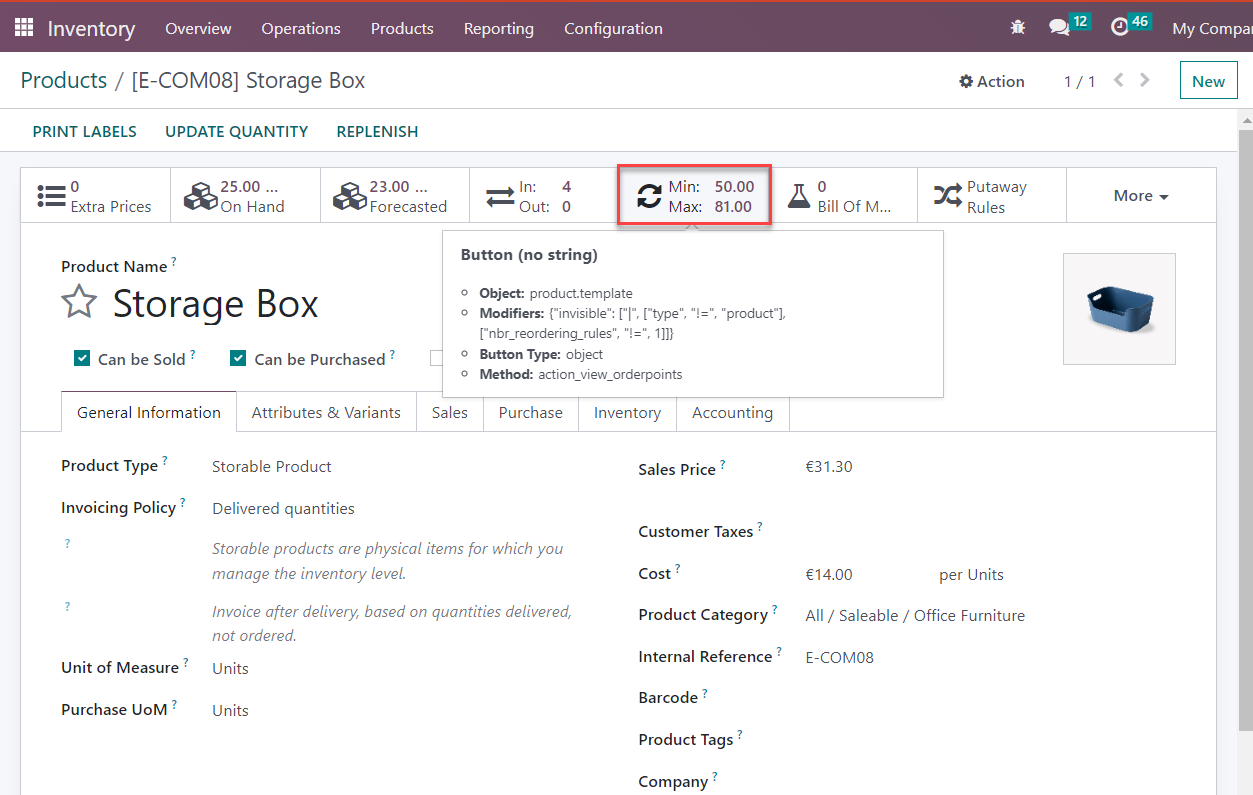
UPDATE
Value of Variables in Min/Max formula changes constantly. How to make Min/Max reordering data update accordingly?
\t- Option 1: Update manually
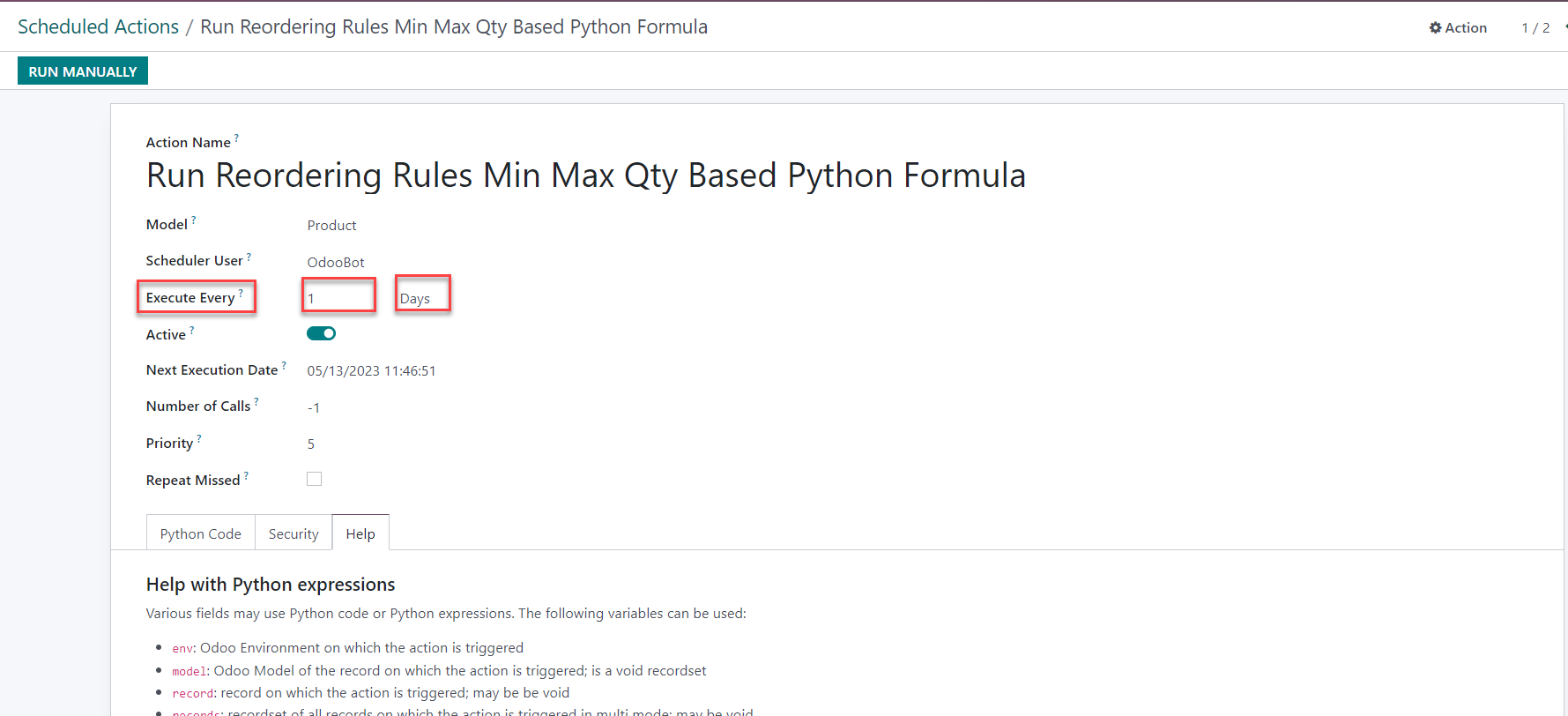
Option 2: Set-up scheduled actions
Note: To check this case, don't open the reordering rule menu

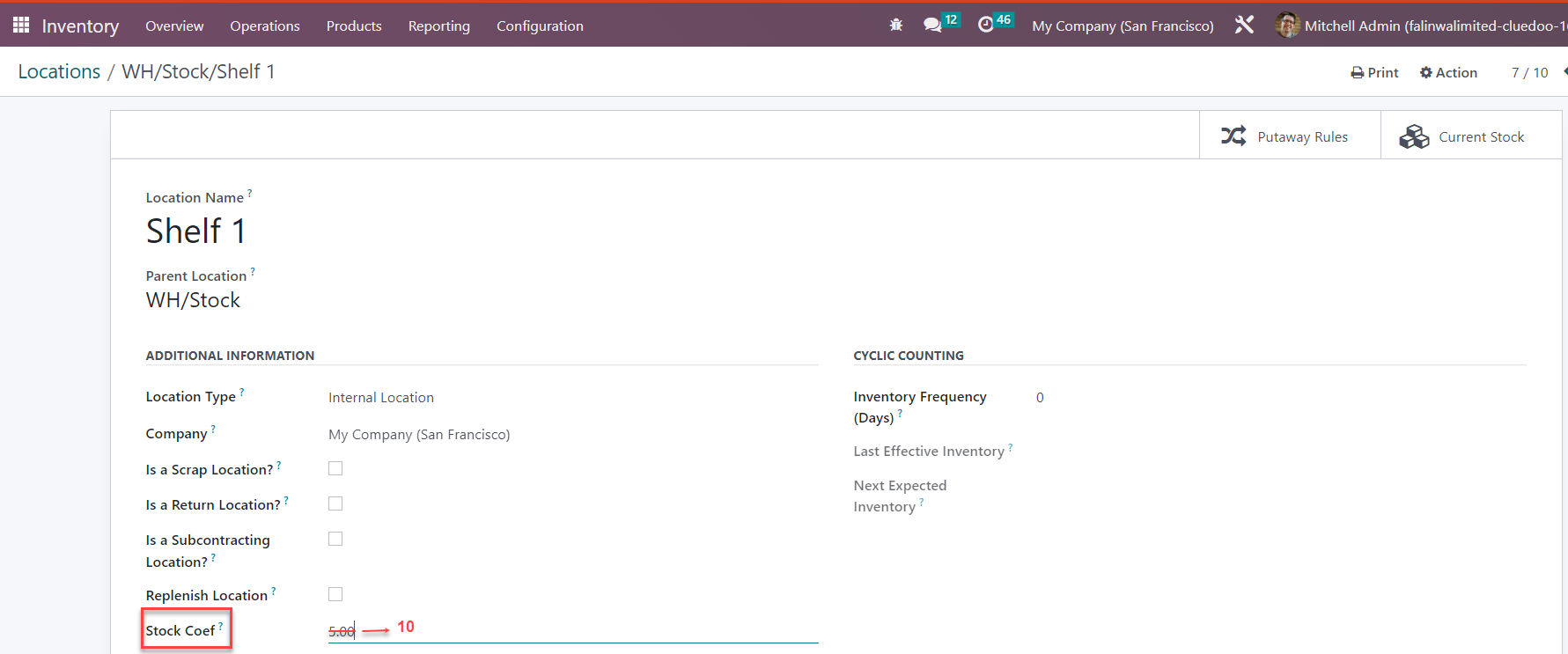
1. Update manually:
On Product Template, go to Action and click "Run Reordering rules Python formula".
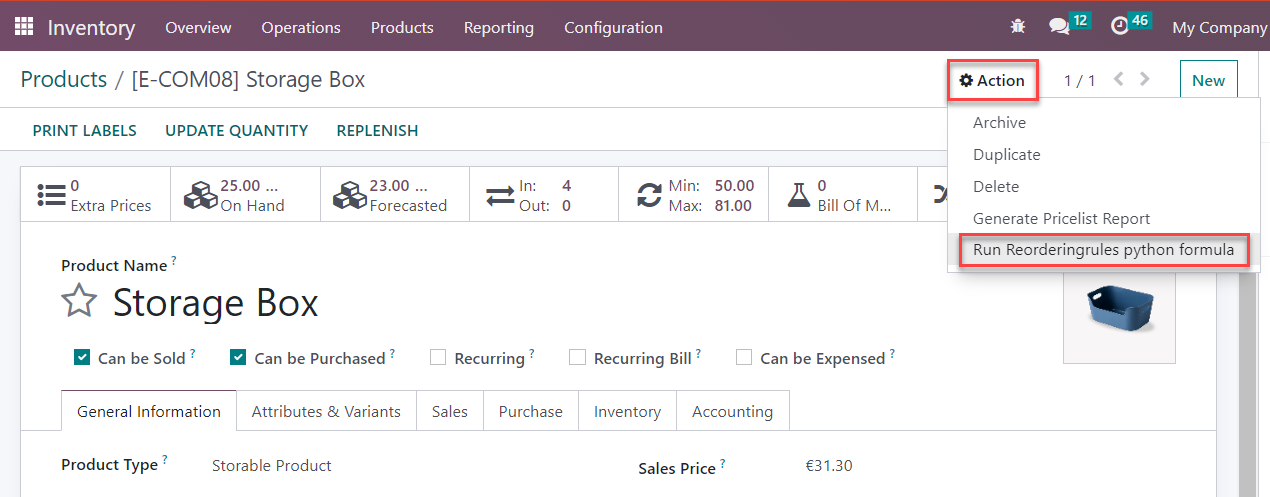
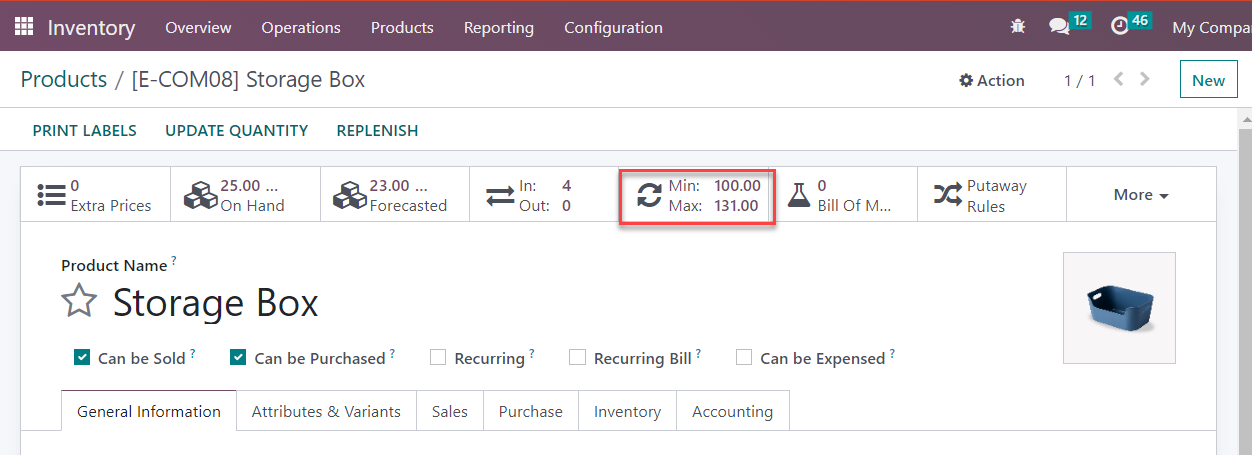
2. Set-up scheduled actions:
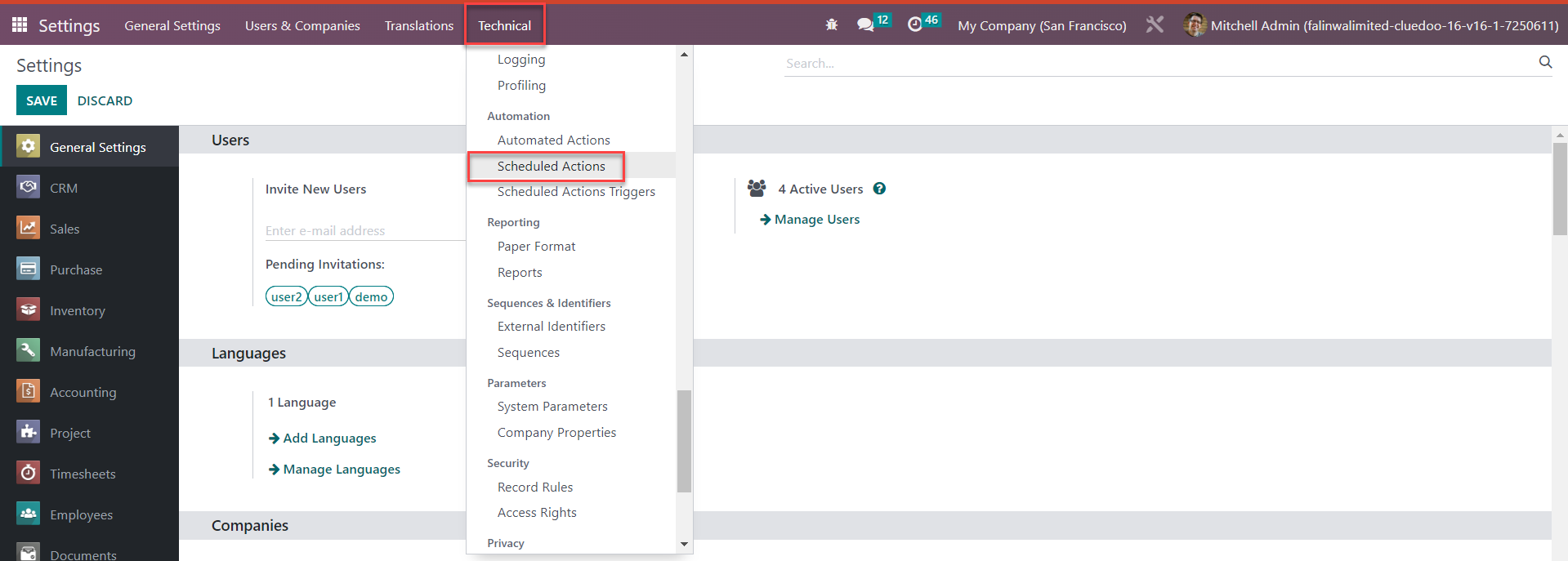
On Setting, go to Technical, scroll down for "Scheduled Actions".
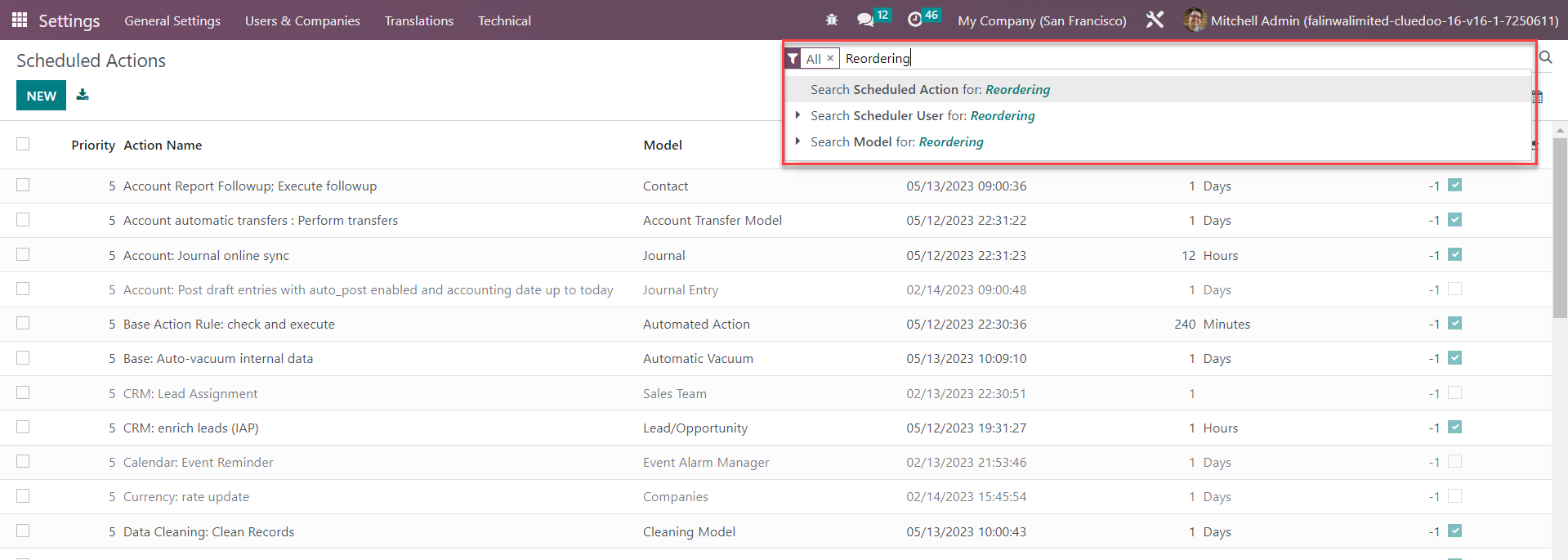
On Scheduled Actions data base, search "reordering" keyword.
There are 2 scheduled actions to update reordering rules quantity for products and product variants.

User can customize frequency of scheduled actions.