


ODOO'S FUNCTION
Odoo does not support managing or processing Engineering Change Orders (ECOs) in batch, requiring users to handle each ECO individually.
CLUEDOO'S FUNCTION
CLuedoo lets users manage ECO(s) through ECO batch.
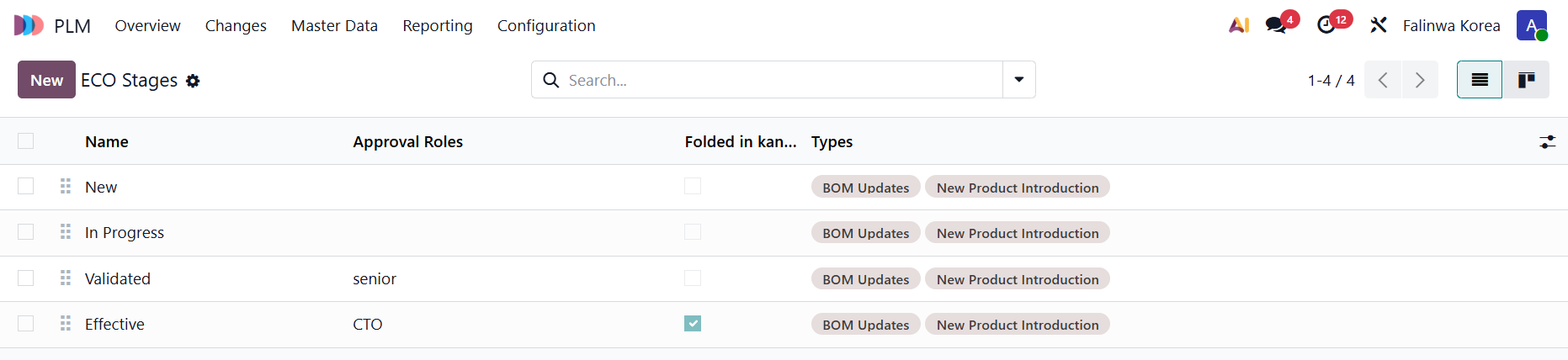
1. Go to PLM > Configuration > ECO Stages and create some new stages |
|
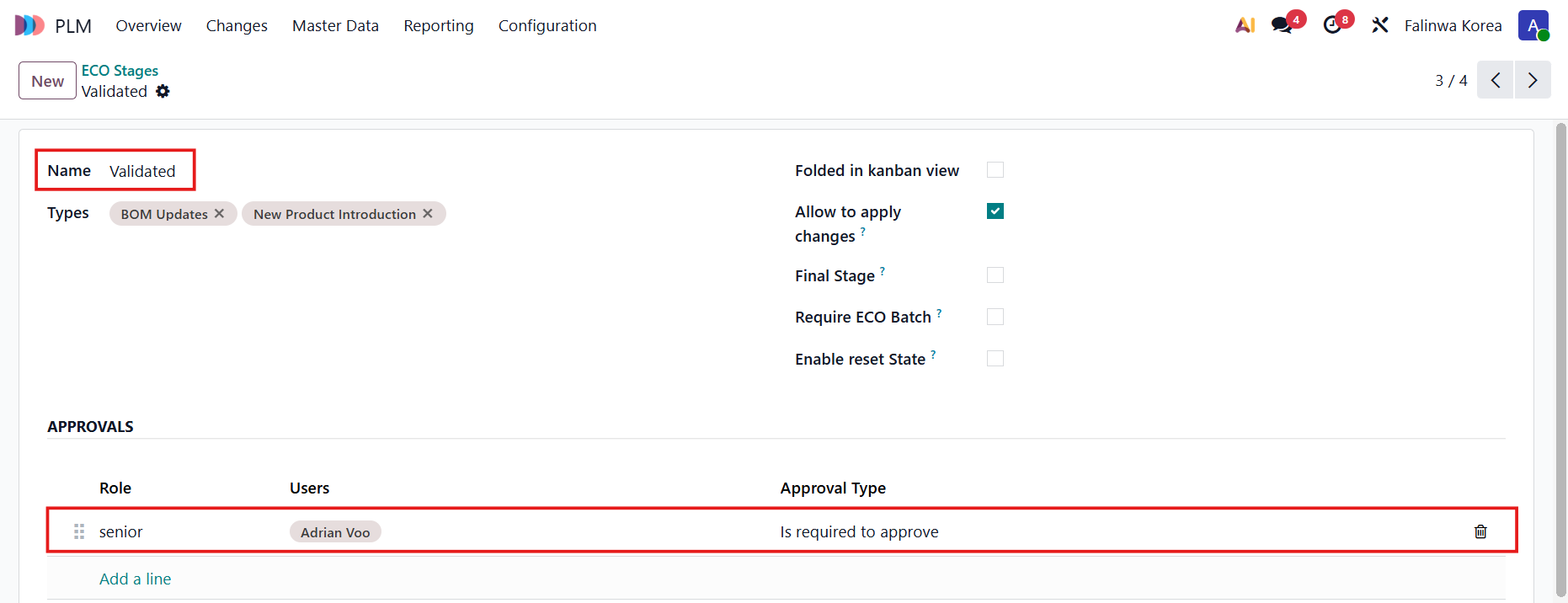
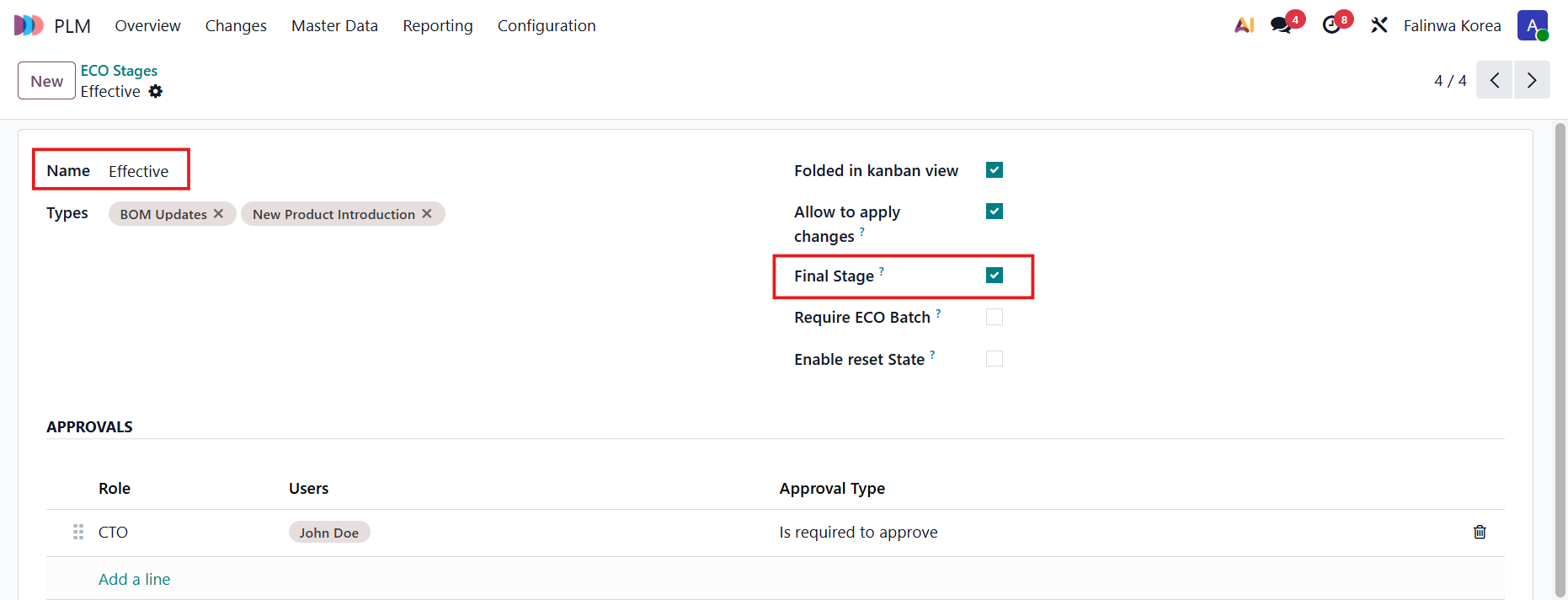
2. Set approval rules for the stages. Note: For the final stage, check Final Stage. |
|
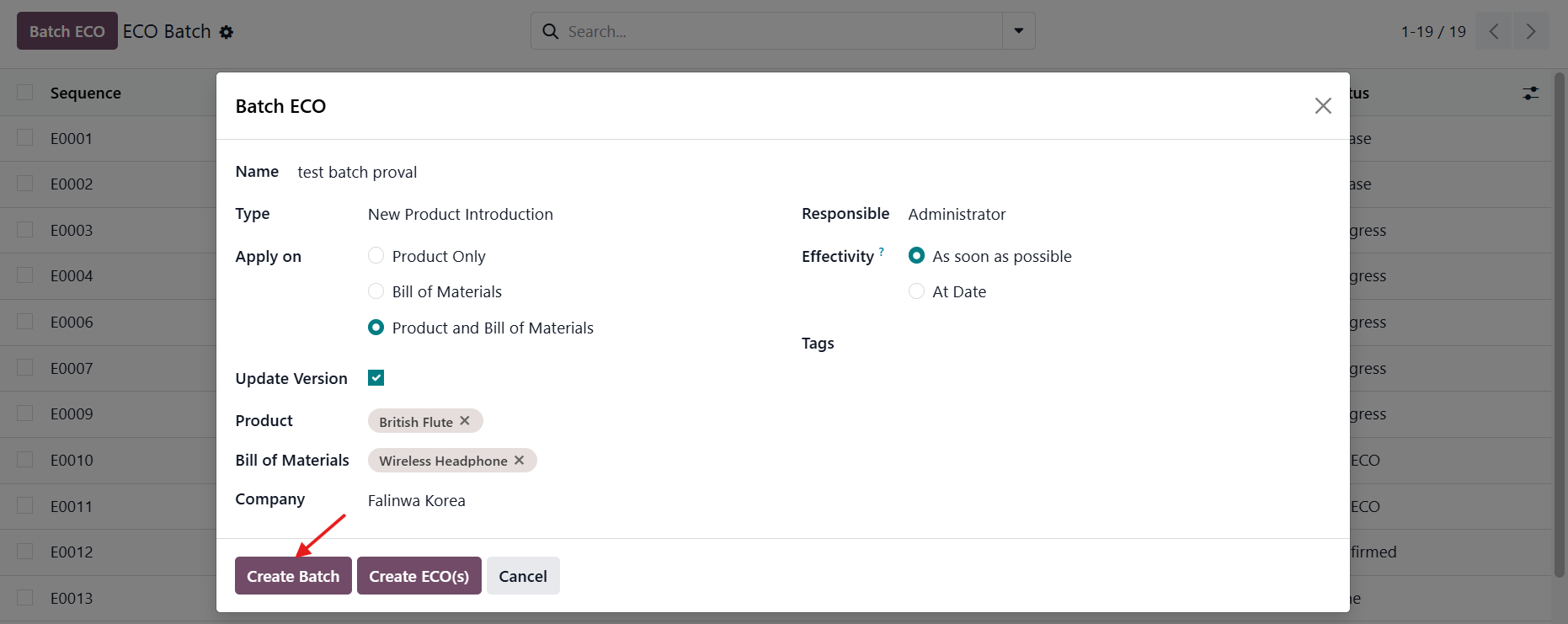
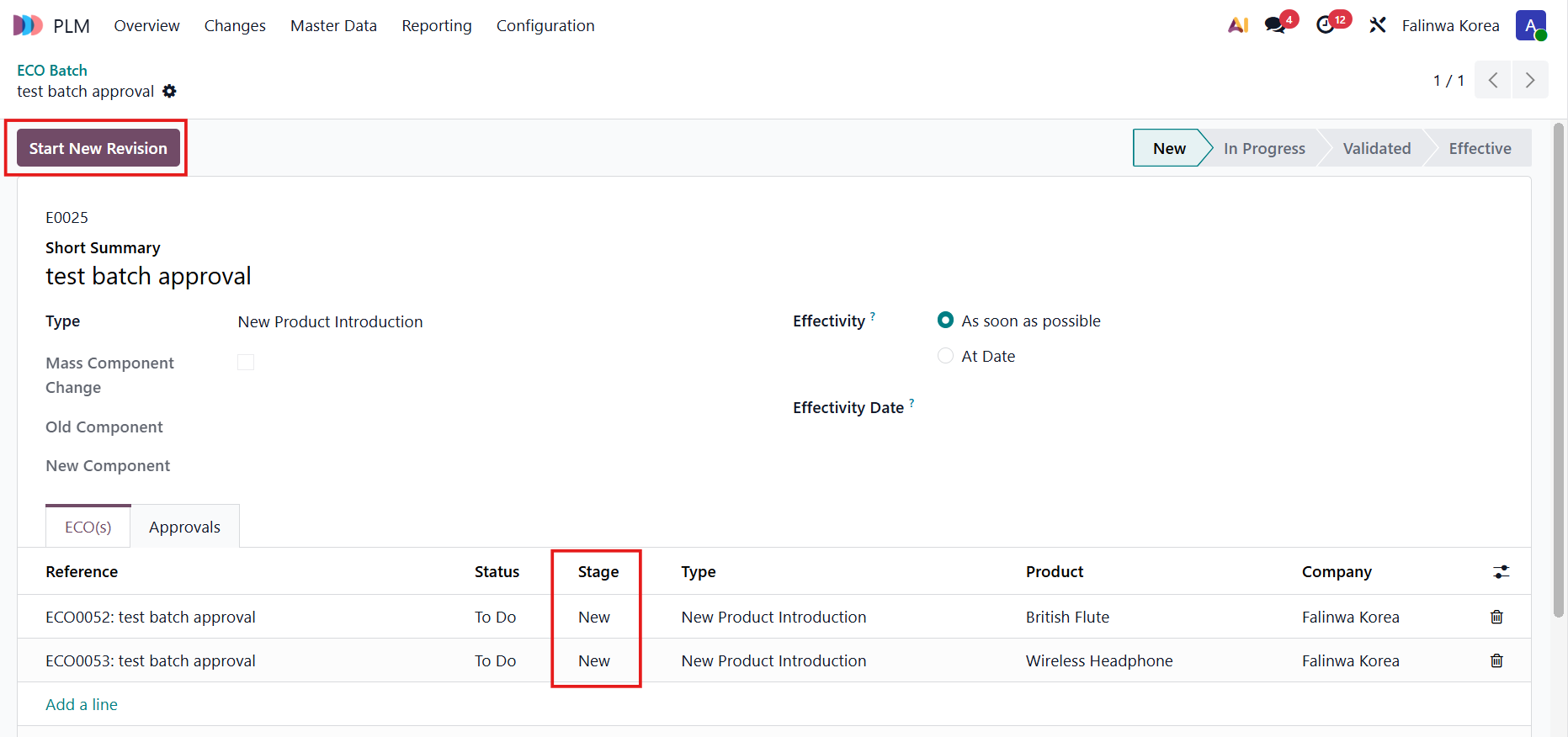
3. Go to Changes > ECO Batch > Create am ECO batch > Fill all the required fields > Create Batch > Start New Revision |
|
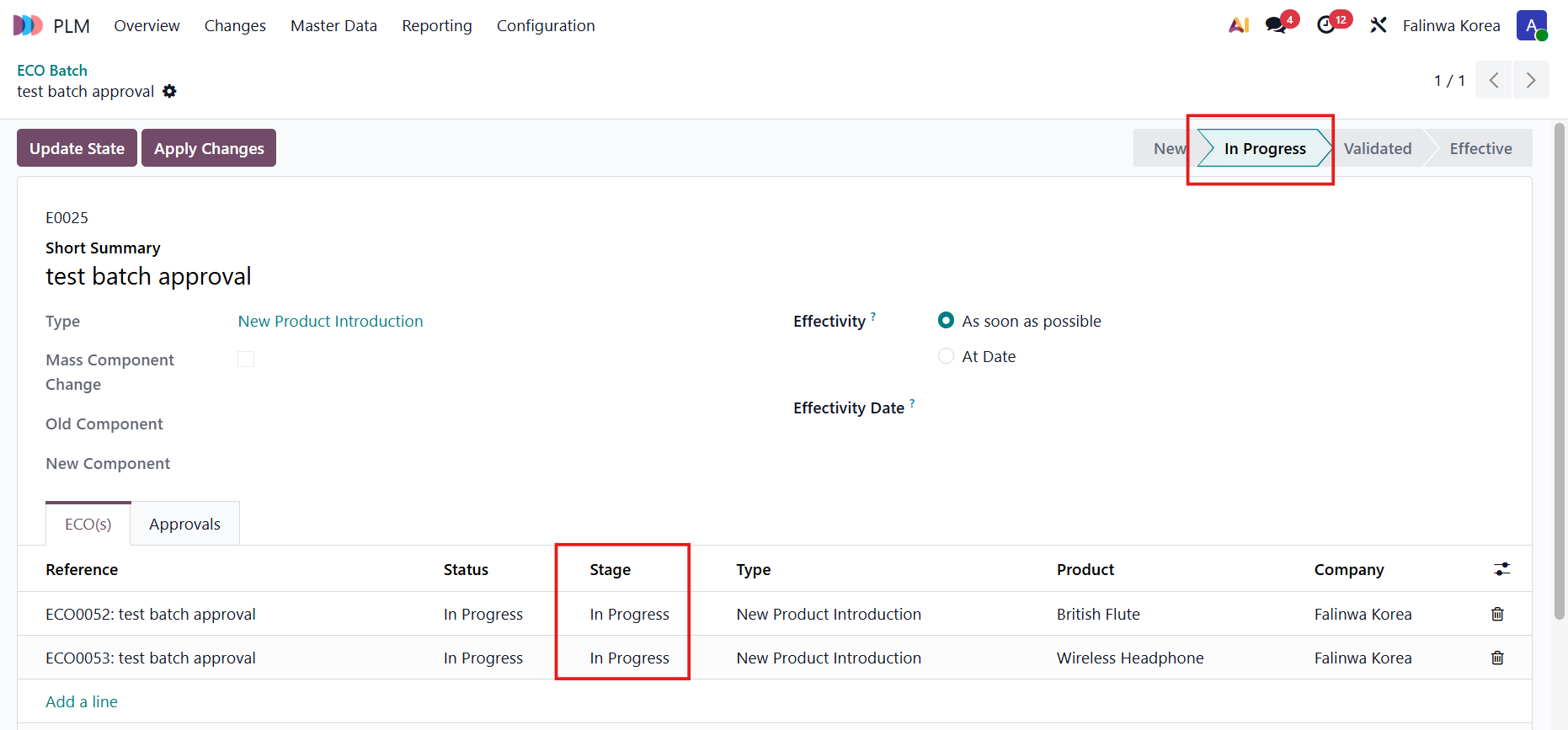
4. When the batch stage changes > All the ECOs stages inside will change as well |
|
5. Adjust the necessary changes in each ECO > Update State to go to the next stage | 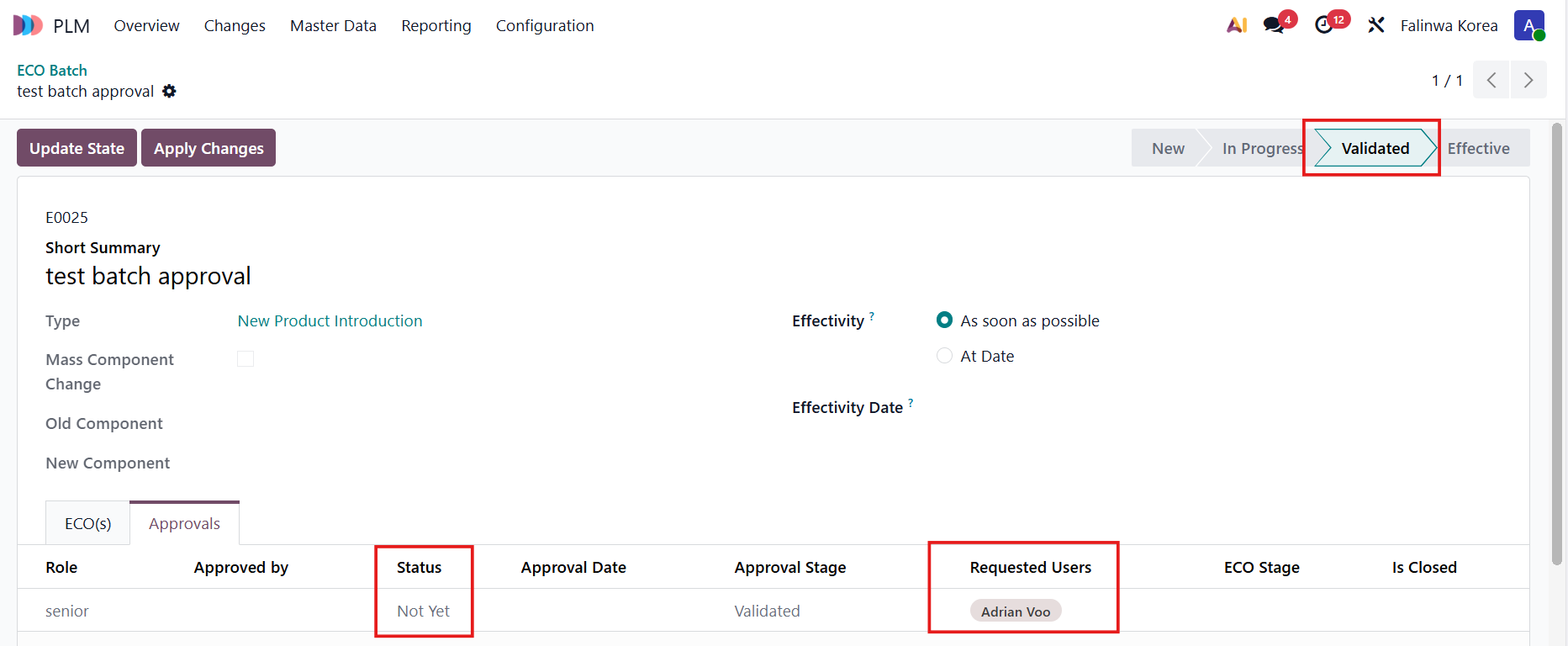 |
If you are not the approver of the current stage, a warning will be raised and you cannot move to the next stage |
|
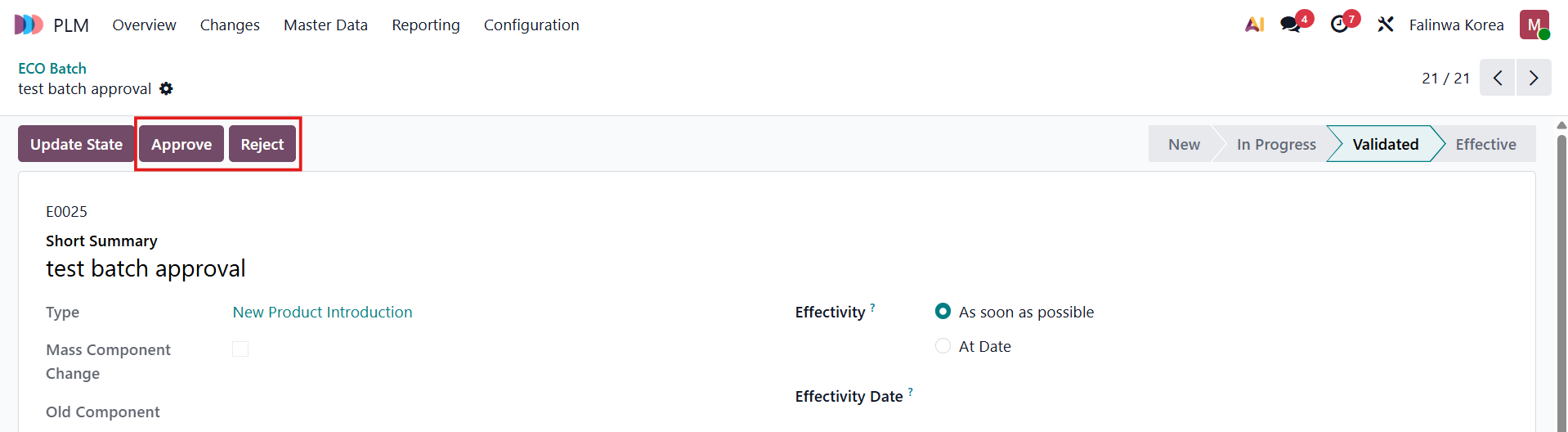
Log in as the approver of the stage and you will see the option to Approve / Reject the batch ECO |
|
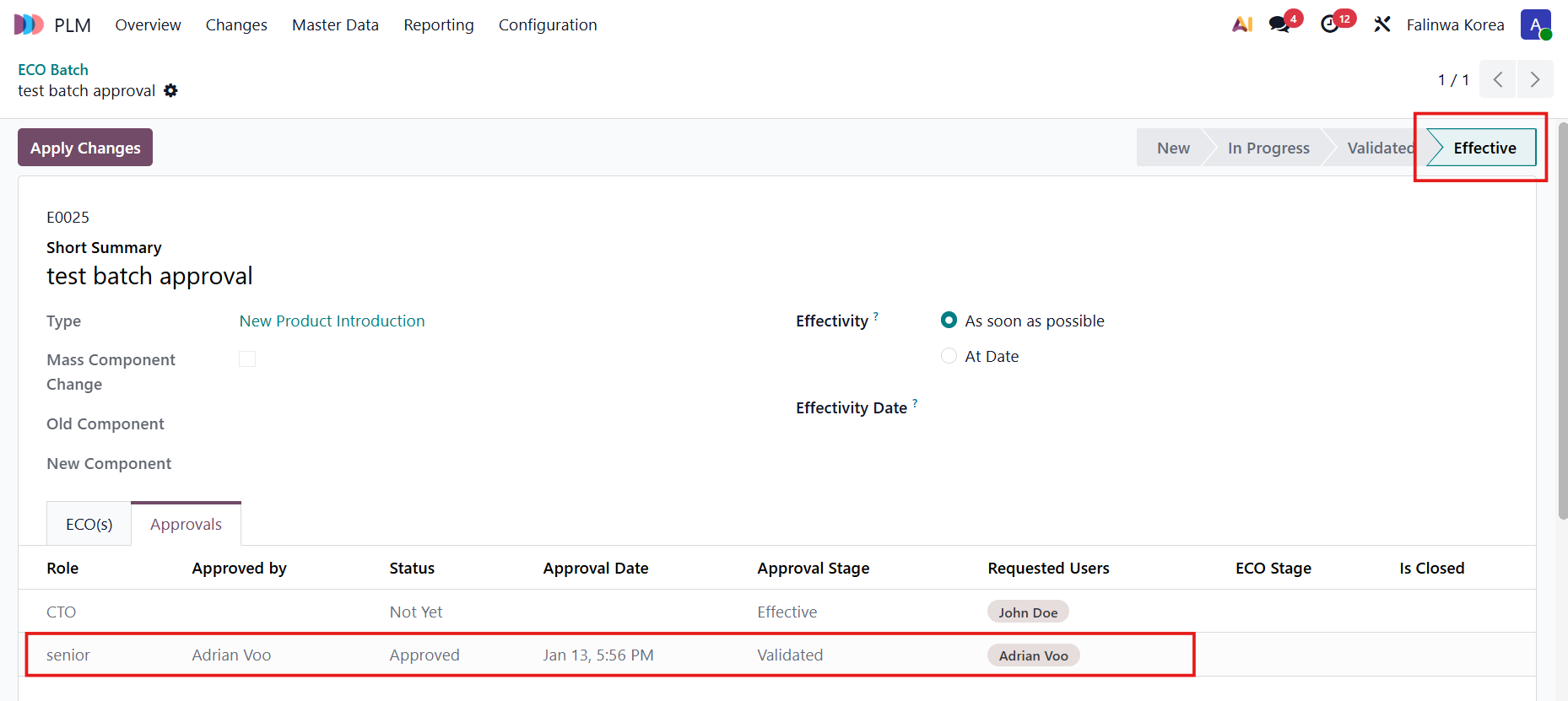
After that, you will then be able to move to the final stage |
|
6. Apply Changes > the changes and the stage will be applied to the whole batch | 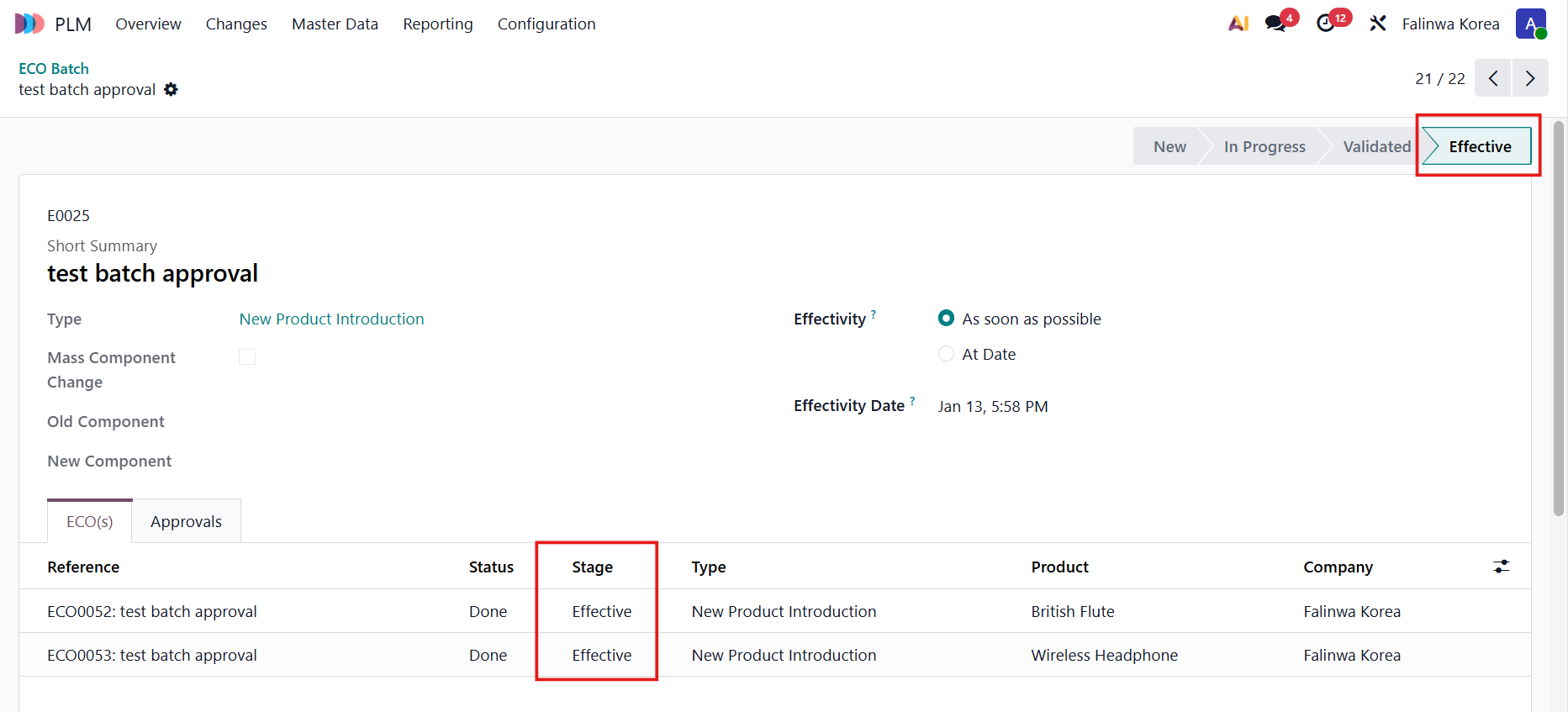 |