



ODOO'S FUNCTION
Odoo allows you the possibility to link an opportunity with quotations, but the expected revenue will not be automatically generated based on those quotations. This makes it quite limited for multi-currency management.
CLUEDOO'S FUNCTION
To deal with this issue, a new feature, which is the automatic calculation of the expected revenue as two separate parts (one-shot and recurrent revenues) based on the quotations, has been developed by Lluedoo. In a multi-company and multi-currency environment, Cluedoo allows you to select a currency for a given opportunity, and the expected revenue will be displayed in various kinds of currency.
| 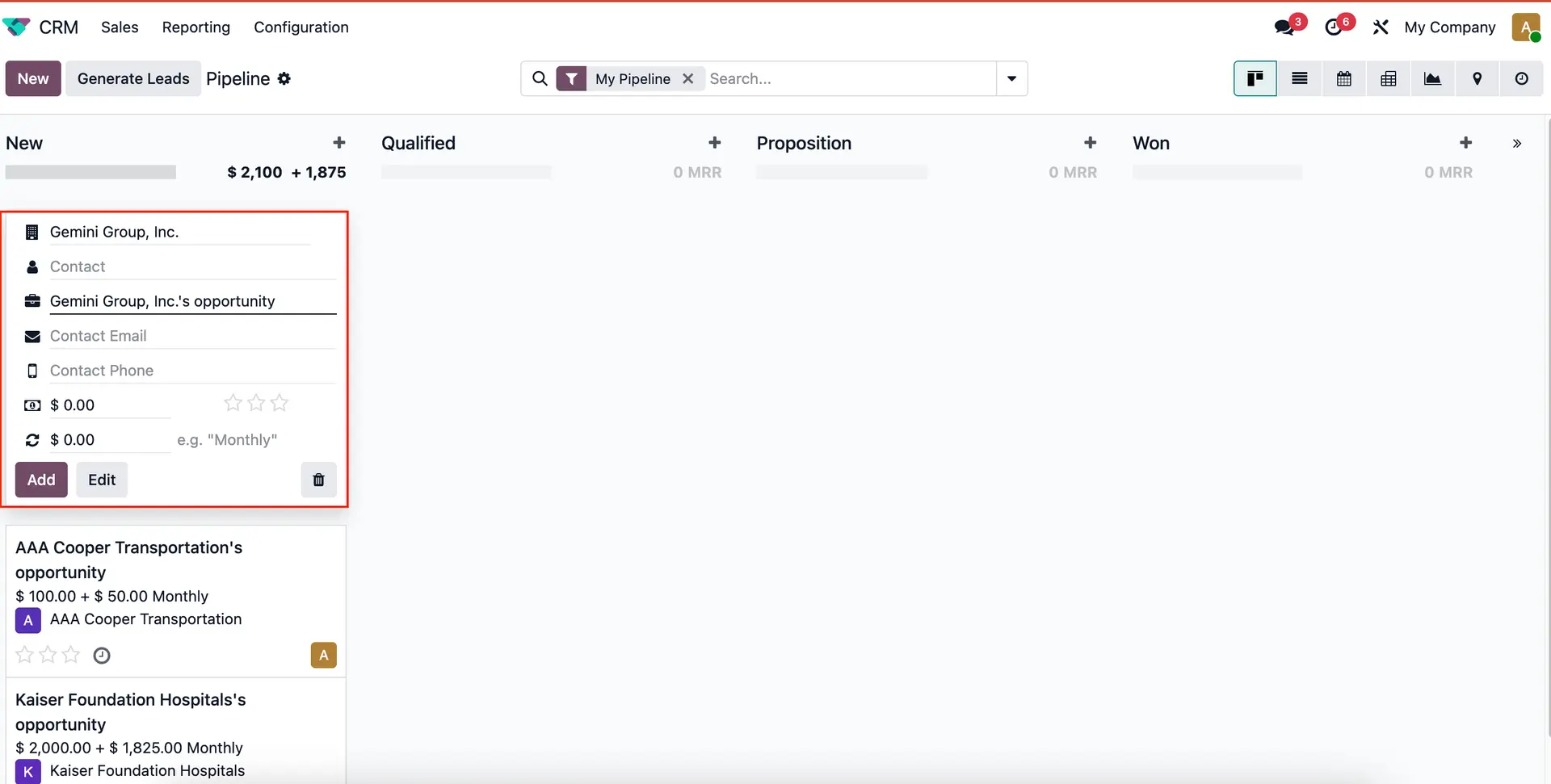 |
2. Click on Quotations or New Quotation to create a Sales Order with recurring products. | 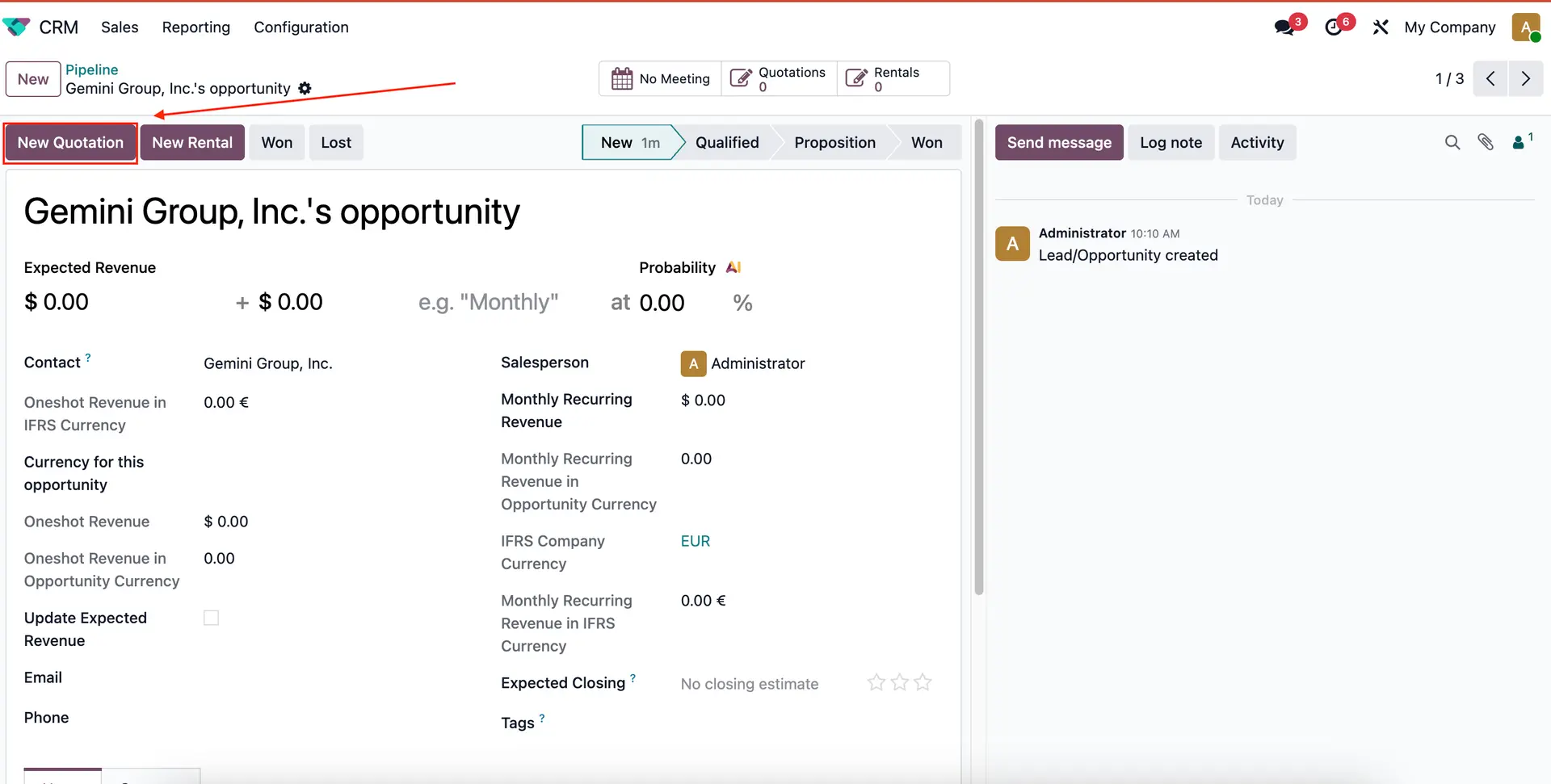 |
3. Check the 'Opportunity Computed' box for the products that you want to calculate the recurring revenue for, set the Recurring Plan and Pricelist. | 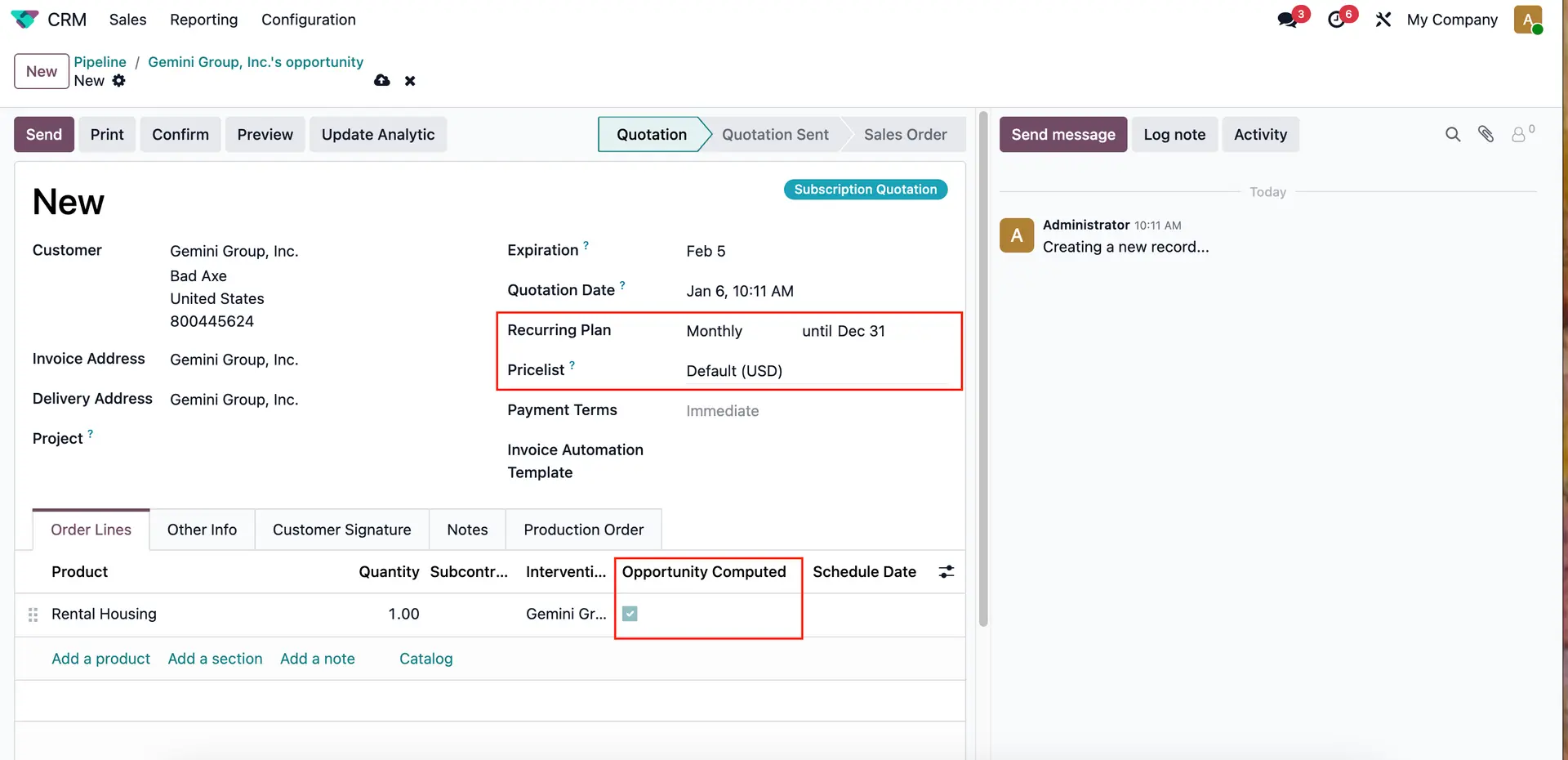 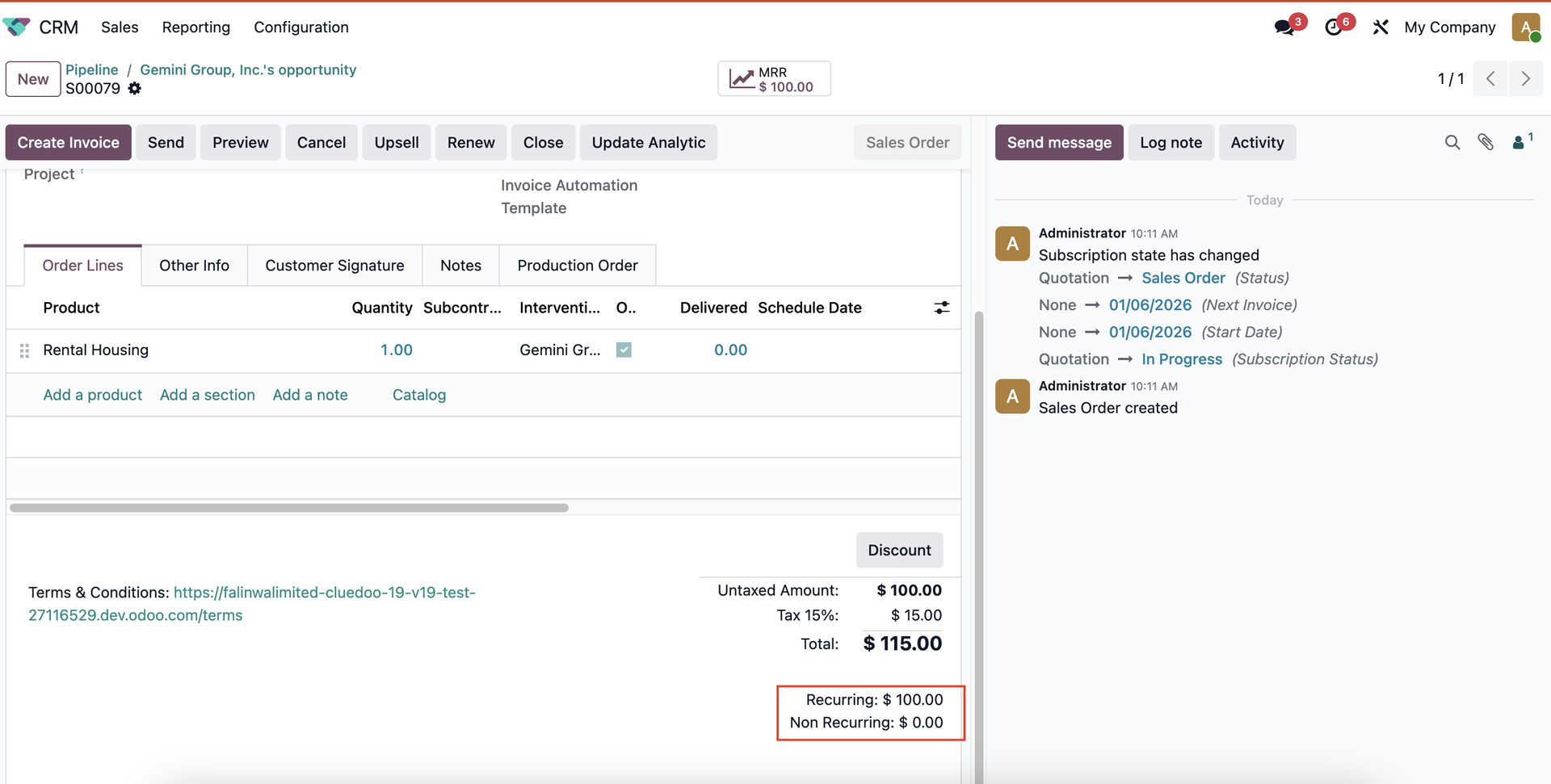 |
4. The recurring revenue will then be automatically calculated and converted to a monthly value. Note: make sure to put in the probability and check the 'Update Expected Revenue' box. Note: Recurring Revenue can be edited manually The edited Recurring Revenue only remains until the next Quotation/ checking/ unchecking the checkbox of some lines The Recurring Revenue is the total value of lines with the checked Opportunity Computed checkbox Recurring Revenue is always recalculated automatically whenever checking/ unchecking the Opportunity Computed checkbox Currency for this opportunity can be selected from the list Monthly Recurring Revenue in Opportunity Currency will be calculated based on the selected currency Monthly Recurring Revenue in Opportunity Currency is the untaxed value calculated based on the currency of the selected pricelist | 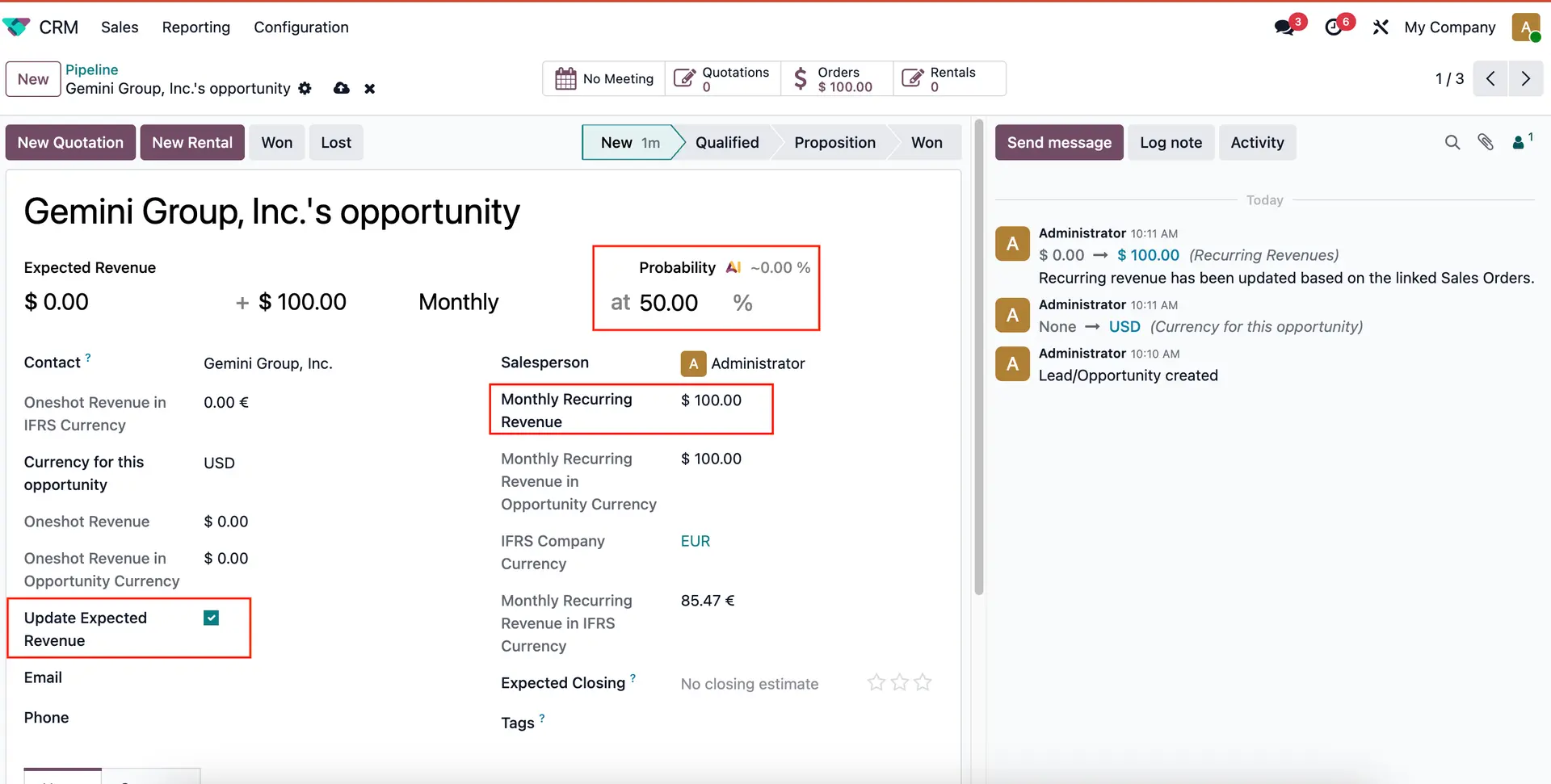 |
The Recurring Revenue can be displayed on CRM Kanban View. | 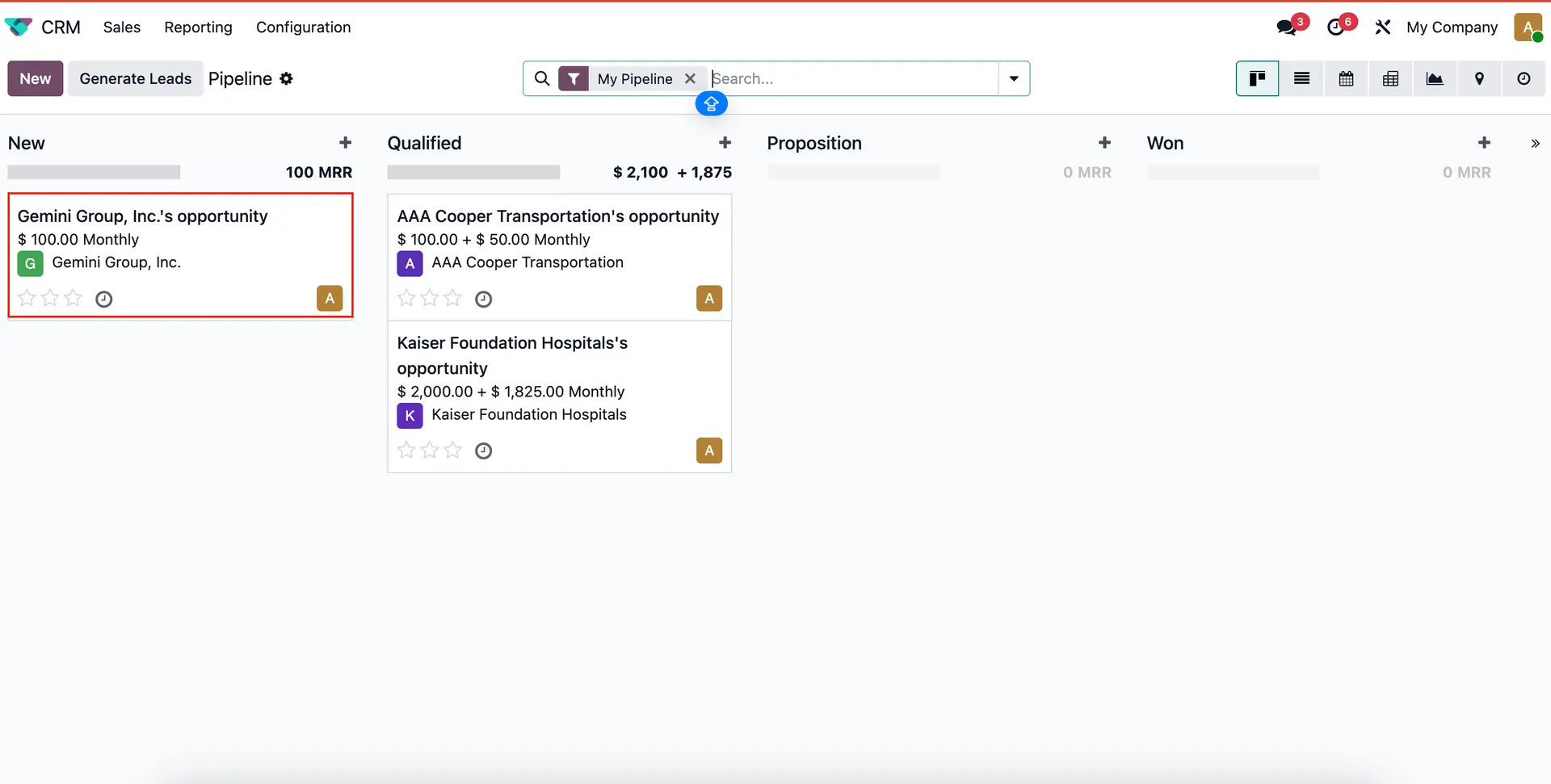 |