


STORY BEHIND THE FEATURE
ODOO'S FUNCTIONS
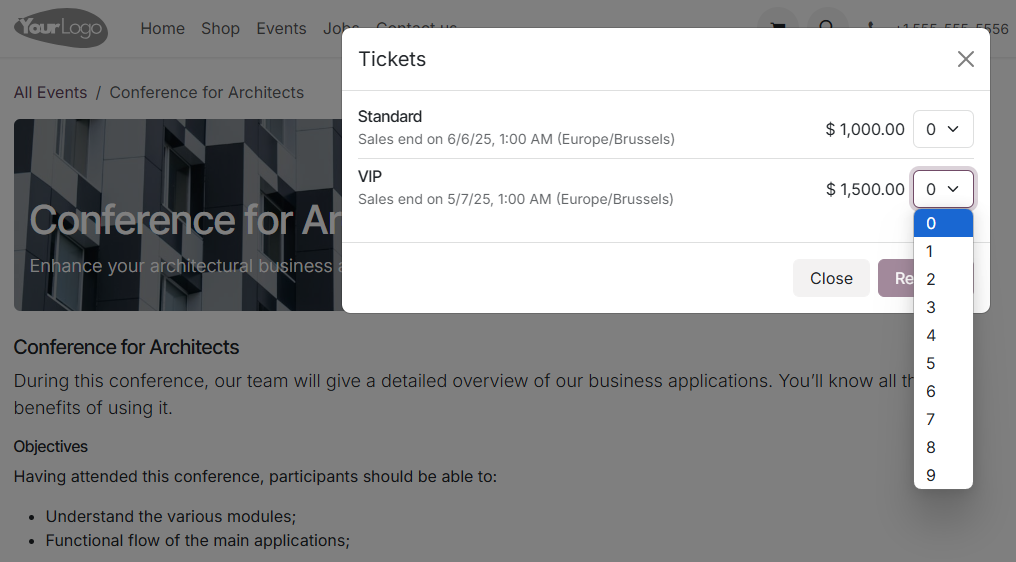
Odoo allows users to purchase event tickets online, but it does not provide an option to set a custom maximum ticket limit. By default, users can buy up to 9 tickets per transaction, with no flexibility to adjust this number.
CLUEDOO'S FUNCTIONS
Cluedoo extends this functionality with the Website Event Ticket Limit module by:
- Allowing you to configure the maximum number of tickets a user can buy at once.
- Providing the flexibility to increase or decrease Odoo’s default limit of 9 tickets.
CLUEDOO RECOMMENDATIONS
Install in 100% of your database as it is a useful tool to manage projects.
HOW TO USE THIS MODULE
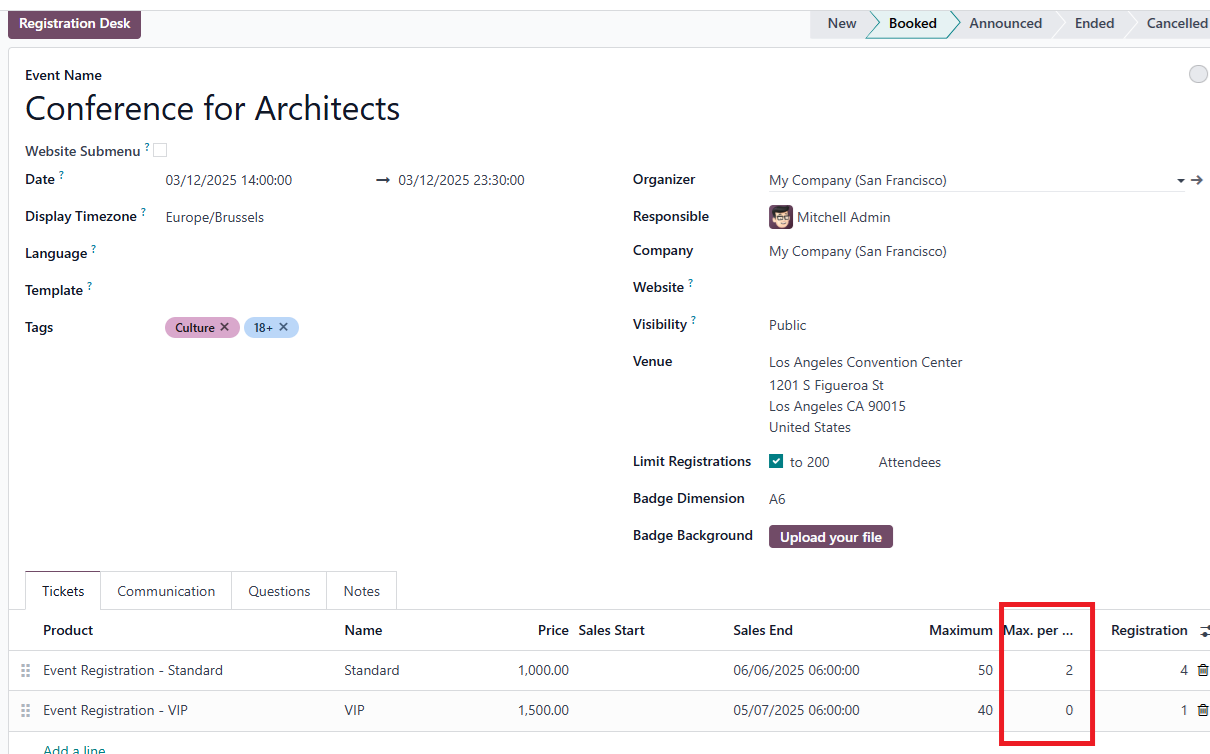
1. Go to Event > Choose your event > Setup Max. per order
- If we set Max per order = 0, the maximum tickets that a user can buy is 9 (same as Odoo Standard)
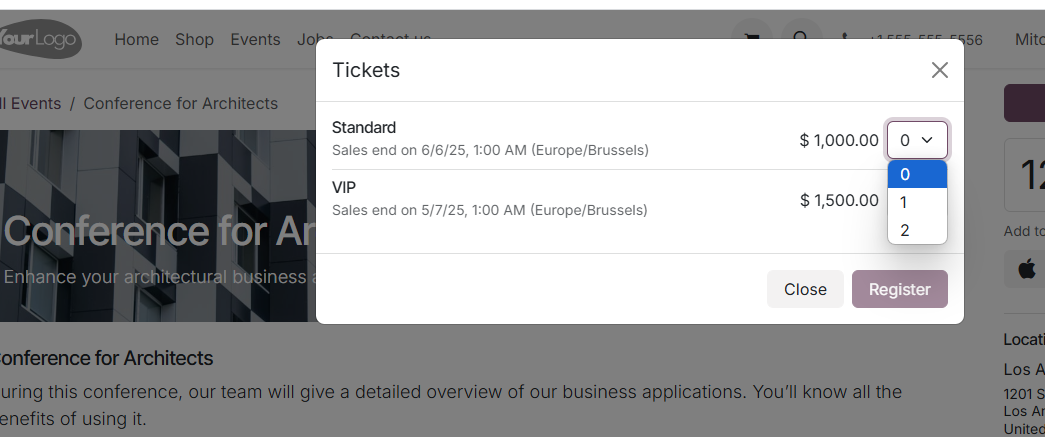
- If we can set Max per order higher or lower than 9, the maximum tickets that user can buy will be equal with the number we set.
Note: The number of selling ticket was limited by seats_limited and seats_max
2. Go to Event page on Website, you can see the ticket purchase limit per user.