
ODOO'S FUNCTION
In Odoo, when accessing Engineering Change Orders (ECOs) from the product form, the system applies a strict filter. Specifically, even when users try to Group By different criteria, Odoo only displays ECOs where 'Apply On' is set to 'Product'.
CLUEDOO'S FUNCTION
CLuedoo enhances the visibility of engineering changes by introducing: Logic to bypass the standard filter and display all related ECOs in the product view.
This ensures that when a user checks ECOs for a product, they see every single change order associated with it—whether it was applied directly to the product variant, its BoM, or a specific serial number—providing a complete and transparent history.
1. Go to Products > Choose a product with ECOs Click on the smart button ECOs | 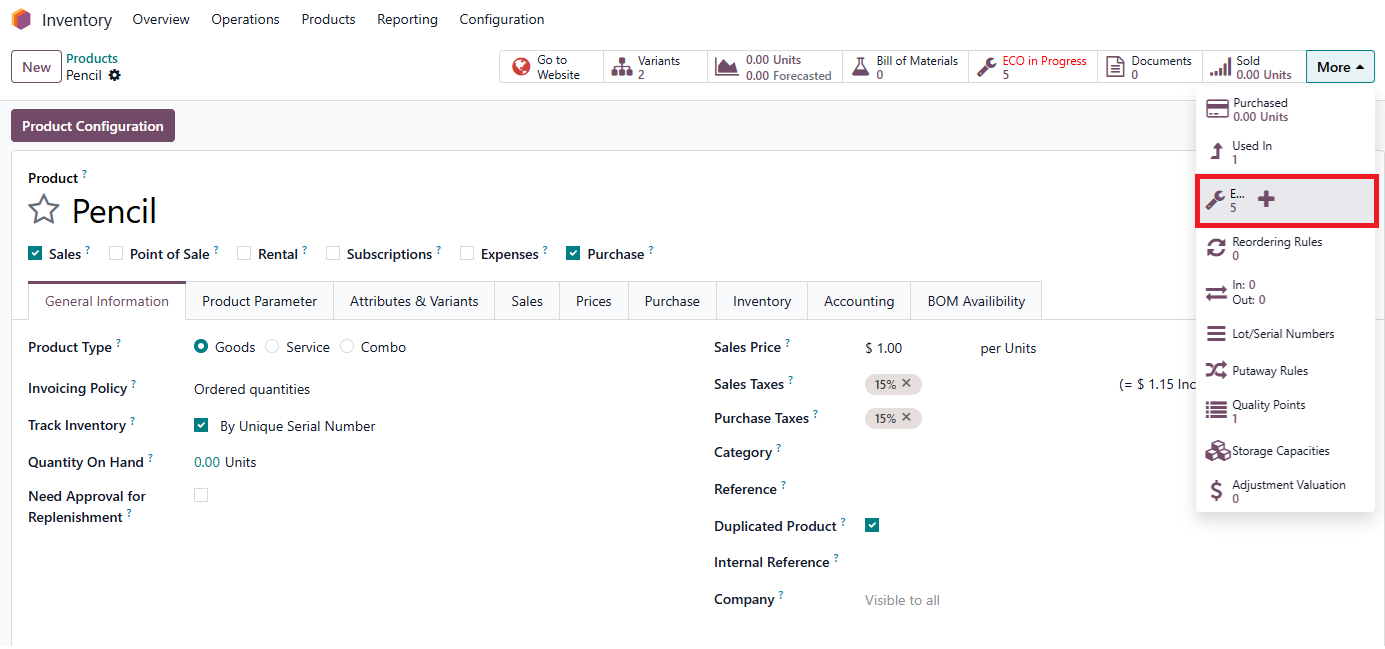 |
2. In ECOs view, it displays all related ECOs, regardless of the “Apply On” type. |  |