



ODOO'S FUNCTION
BOM Operation Changes are not tracked in standard Odoo. Modifications made to operations in a Bill of Materials are not logged, and these changes are not computed or displayed within the PLM (Product Lifecycle Management) module. As a result, users have no visibility on what operational changes have been made over time.
CLUEDOO'S FUNCTION
CLuedoo introduces the notion of BOM Operation Changes, following the same logic as BOM Component Changes. It enables tracking of key operation fields such as Duration Computation, Default Duration, Apply on Variants, Worksheet Type, PDF Name, and Notes. Additionally, the system computes and displays the total number of BOM Operation Changes directly in the ECO List view, providing better visibility and control over product modifications.
1. Create a Bill of Materials | 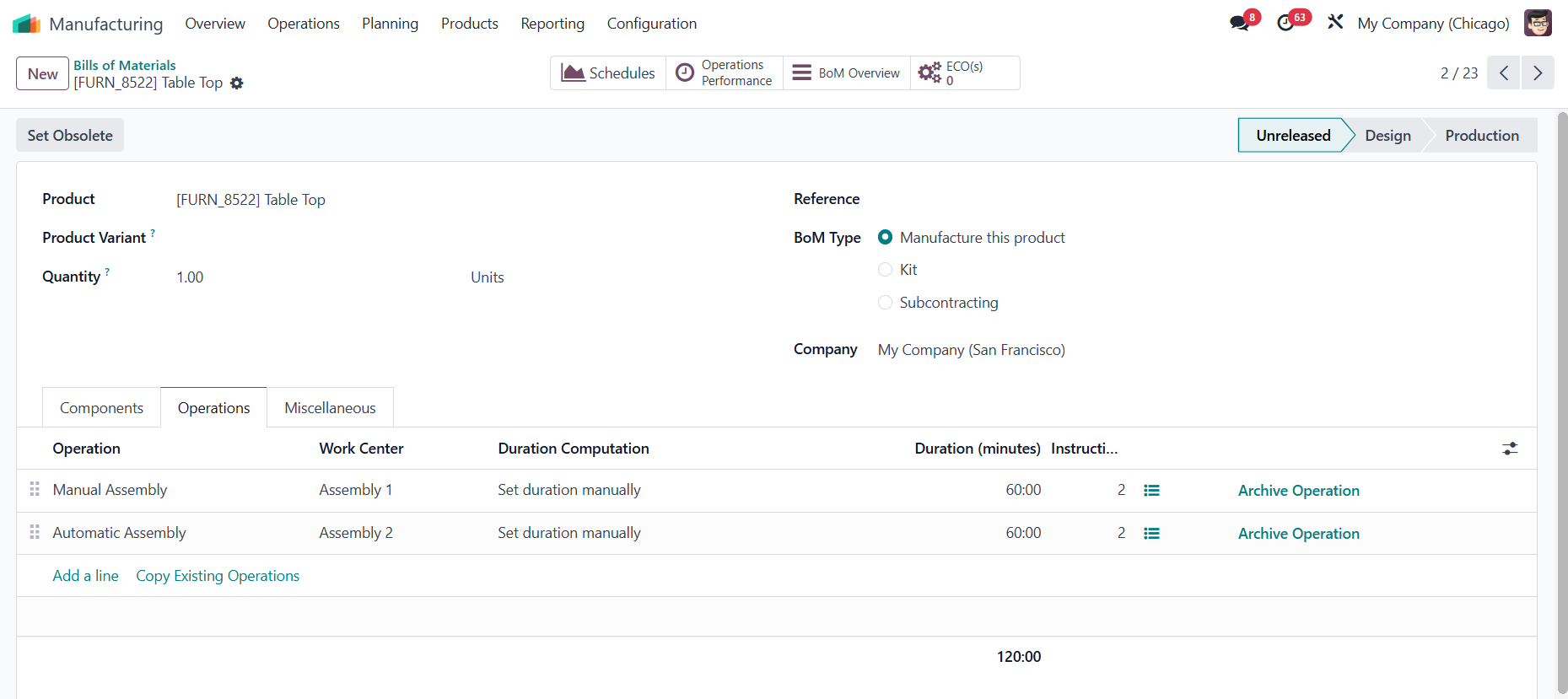 |
2. Go to PLM > Create a new ECO and fill in the necessary information > Start Revision | 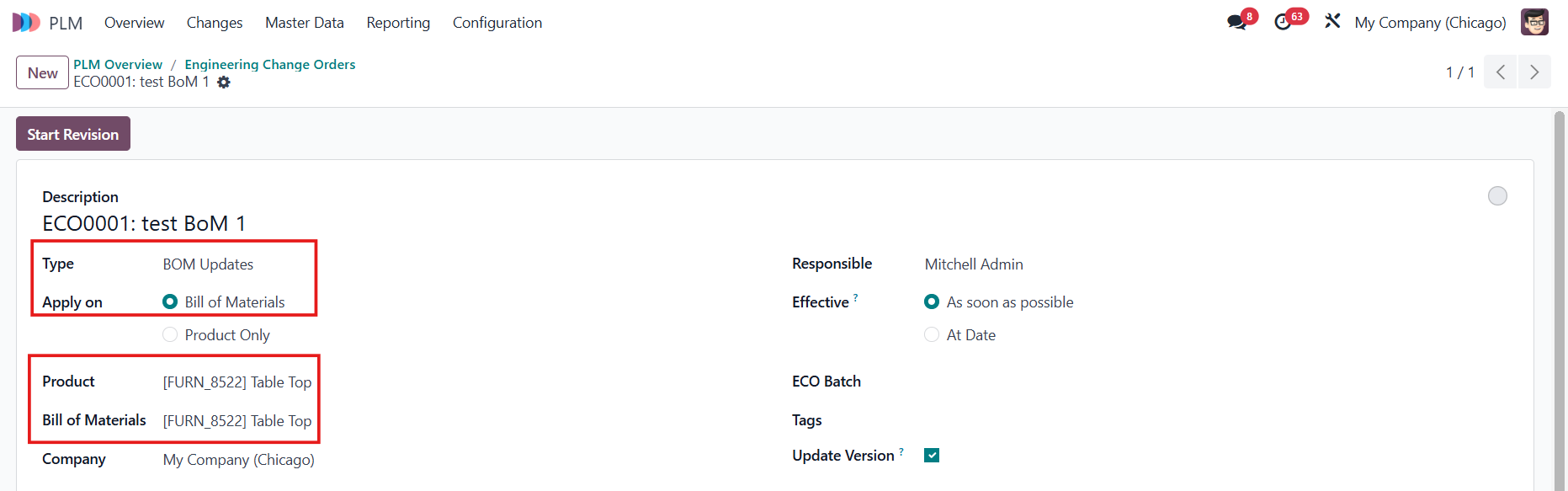 |
Click the smart button Revision to modify the BoM |  |
3. Make all the changes that you need for the operation(s) and component(s). | Operations 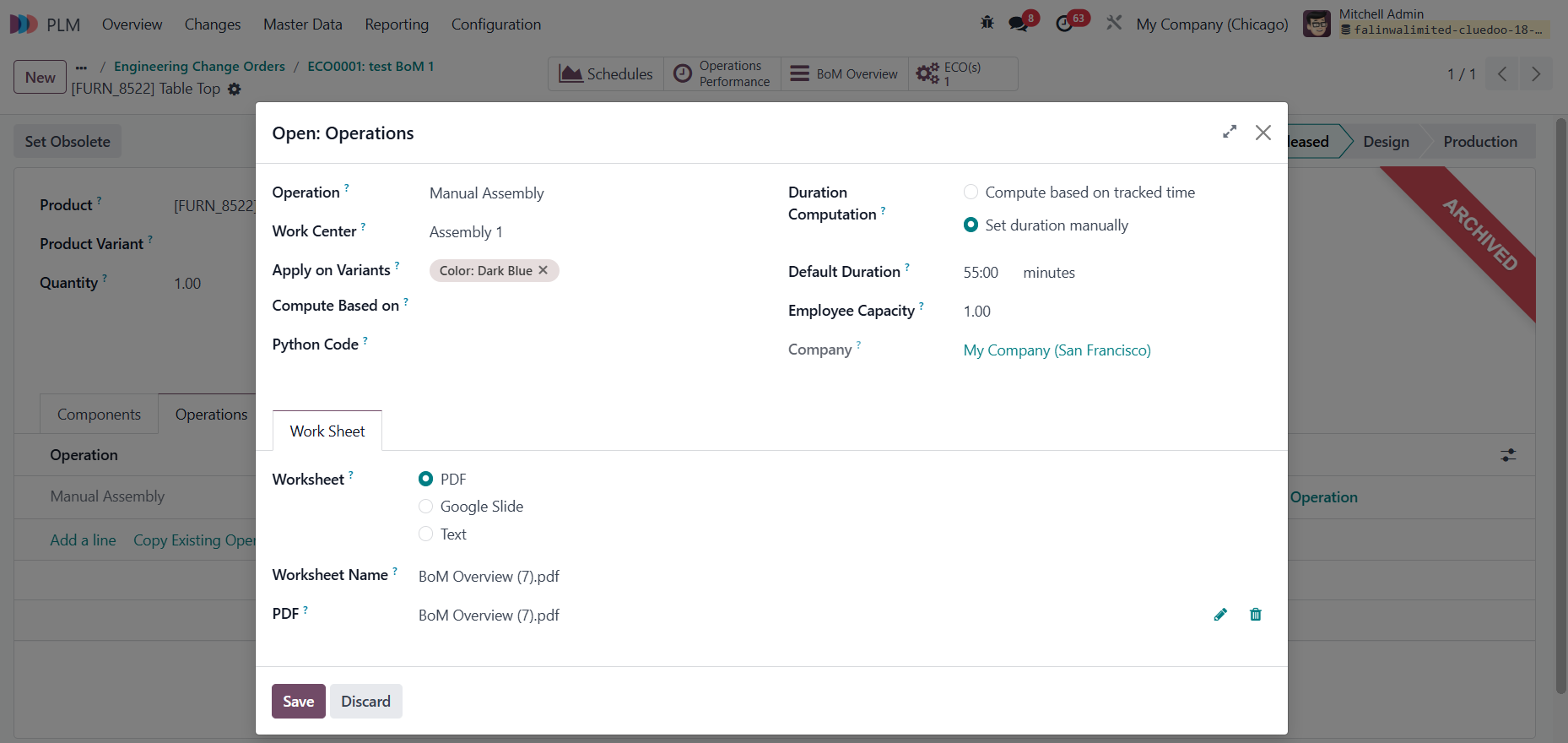  Components  |
4. Go back to the ECO, all the modifications will be tracked with additional fields: Operation Changes:
Note: Since v19, the Worksheet Type, PDF Name, and Worksheet Google Slide have been removed. Component Changes:
| Operation Changes 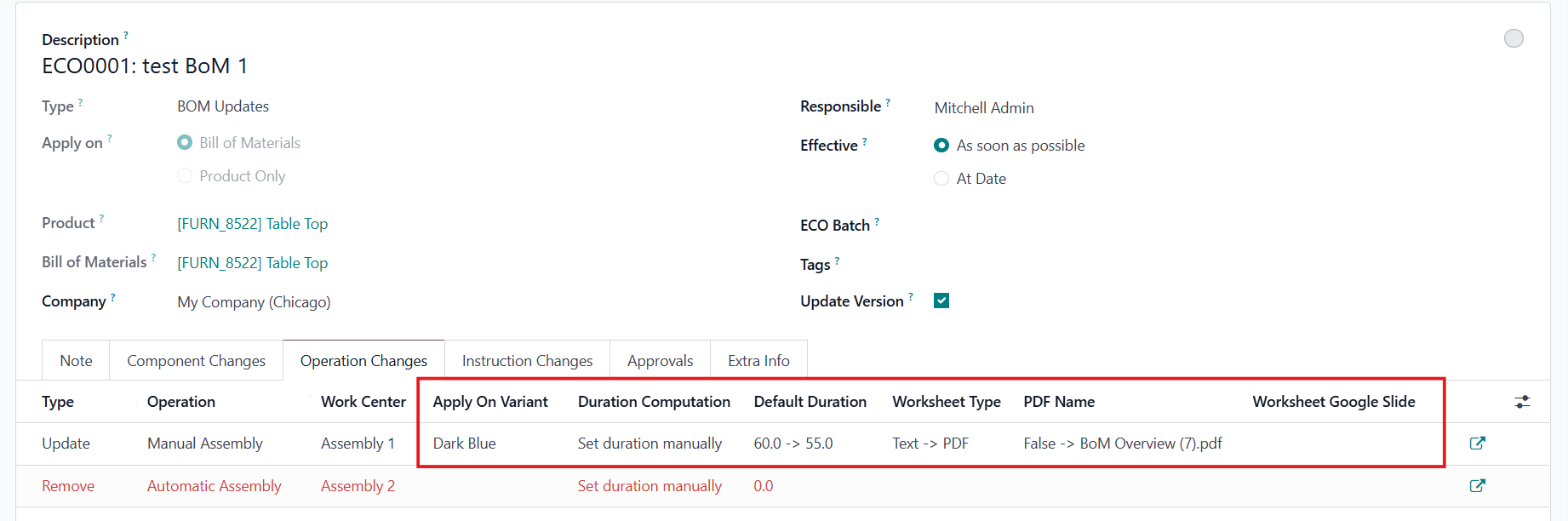 Component Changes  |
5. Update State > Apply Changes to the ECO and make sure the ECO reaches the final stage | 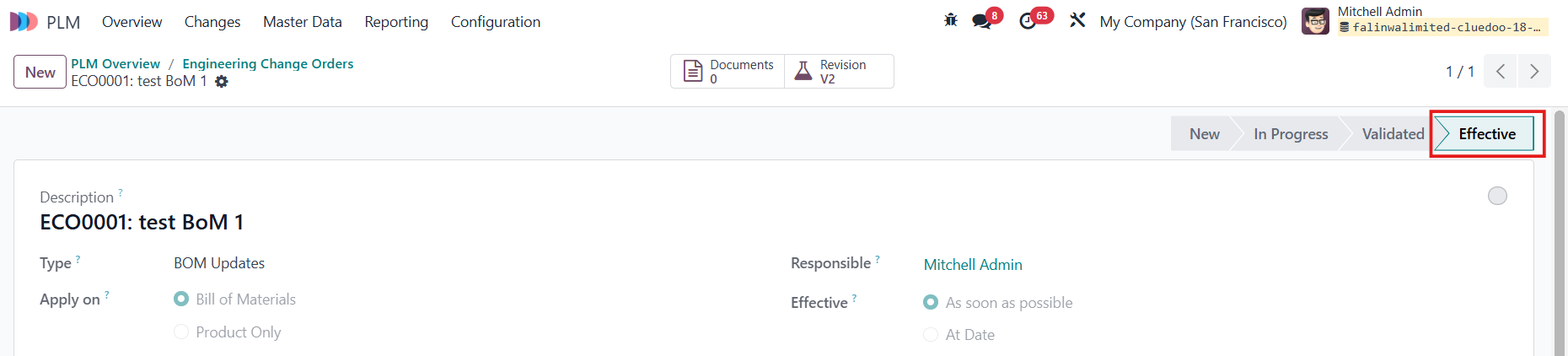 |
6. Go to PLM Overview > ECO > On the list view, the system has computed and displayed the total number of Operation Changes |  |