


ODOO'S FUNCTION
Odoo does not allow hiding any steps after the Manufacturing Order/Work Order has been Marked As Done, which makes the view really long and not easy to navigate.
CLUEDOO'S FUNCTION
CLuedoo allows hiding the type Instruction/Worksheet lines after they are done, even when the MO/Work Order is still in progress.
CONFIGURATION1. Go to Settings > Check Quality Worksheet | 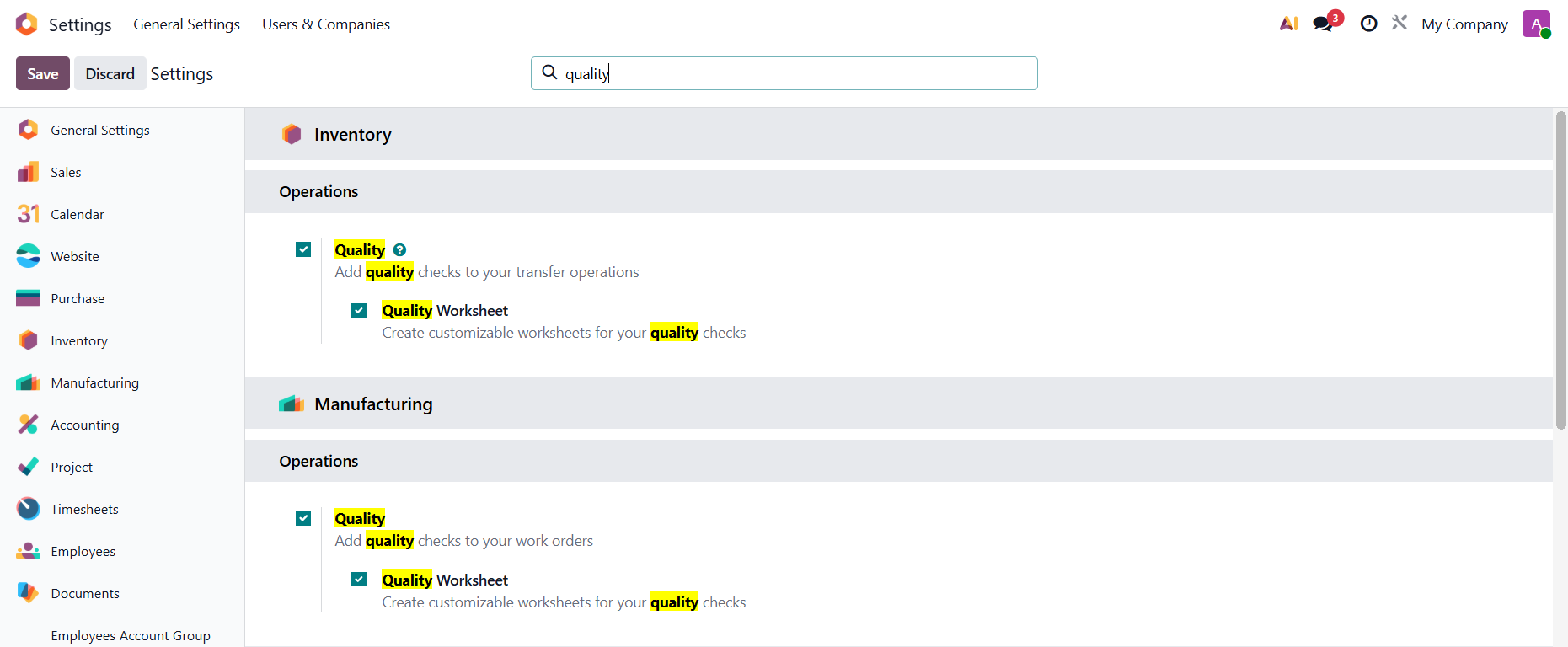 |
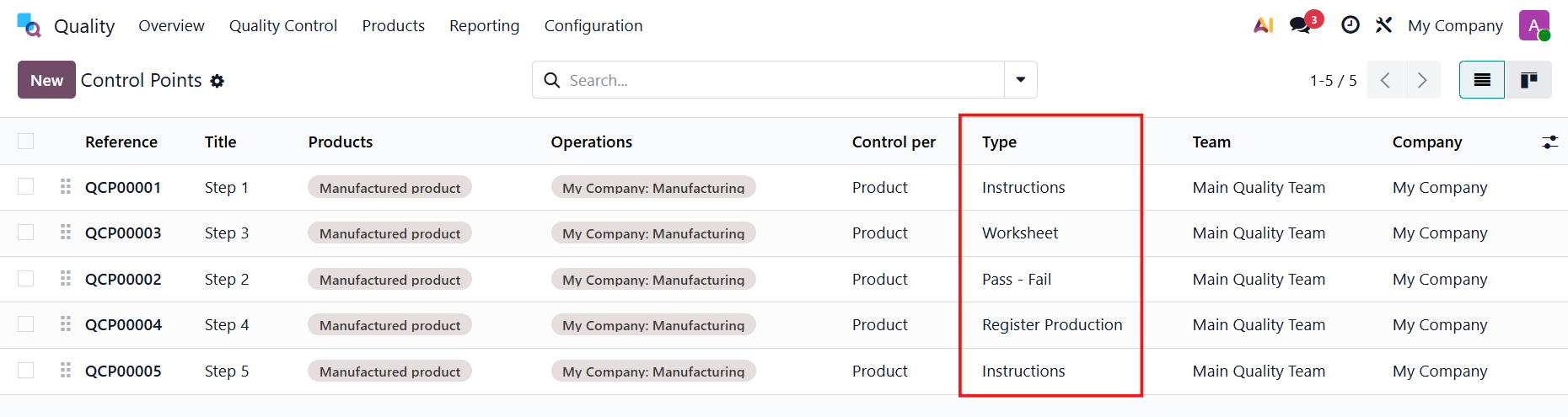
2. Choose a product and create the Bill Of Material > Set up the steps/instructions in the Operations | 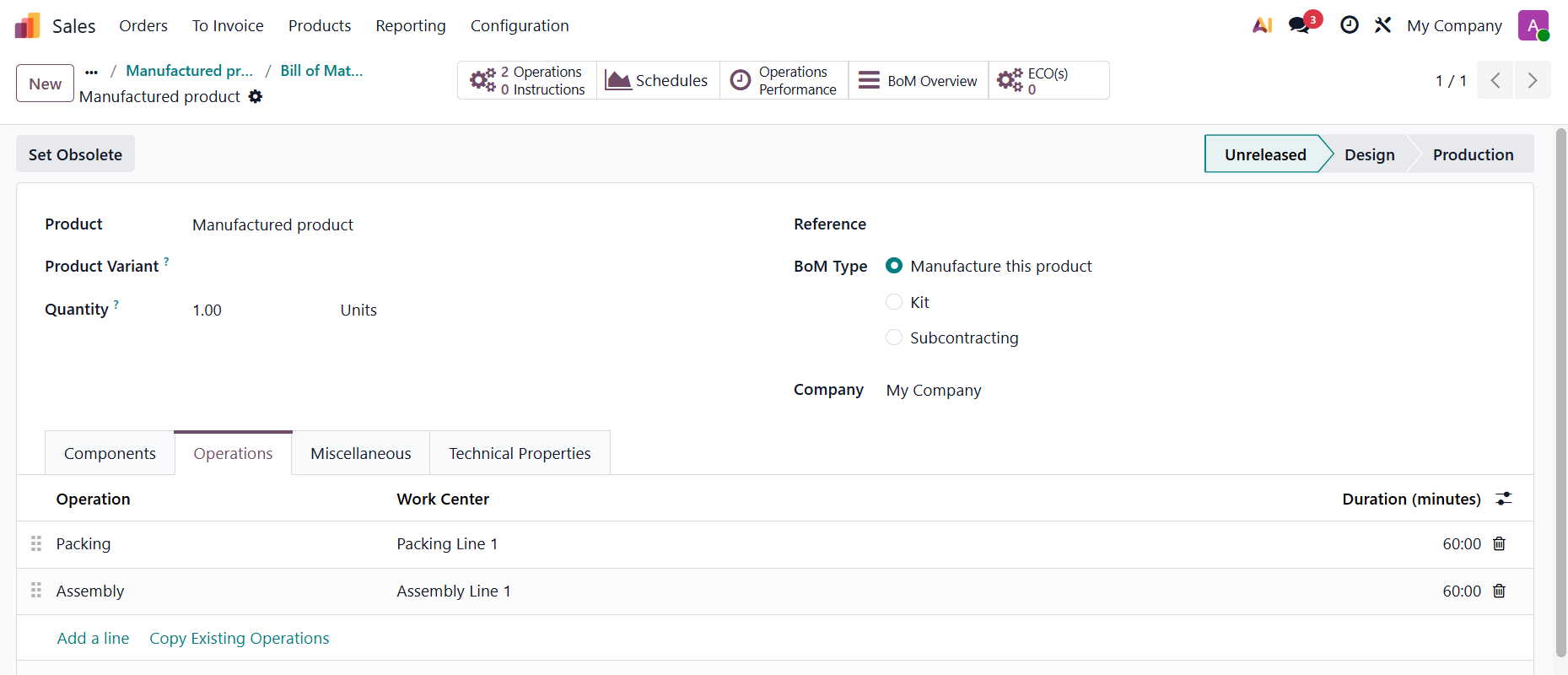 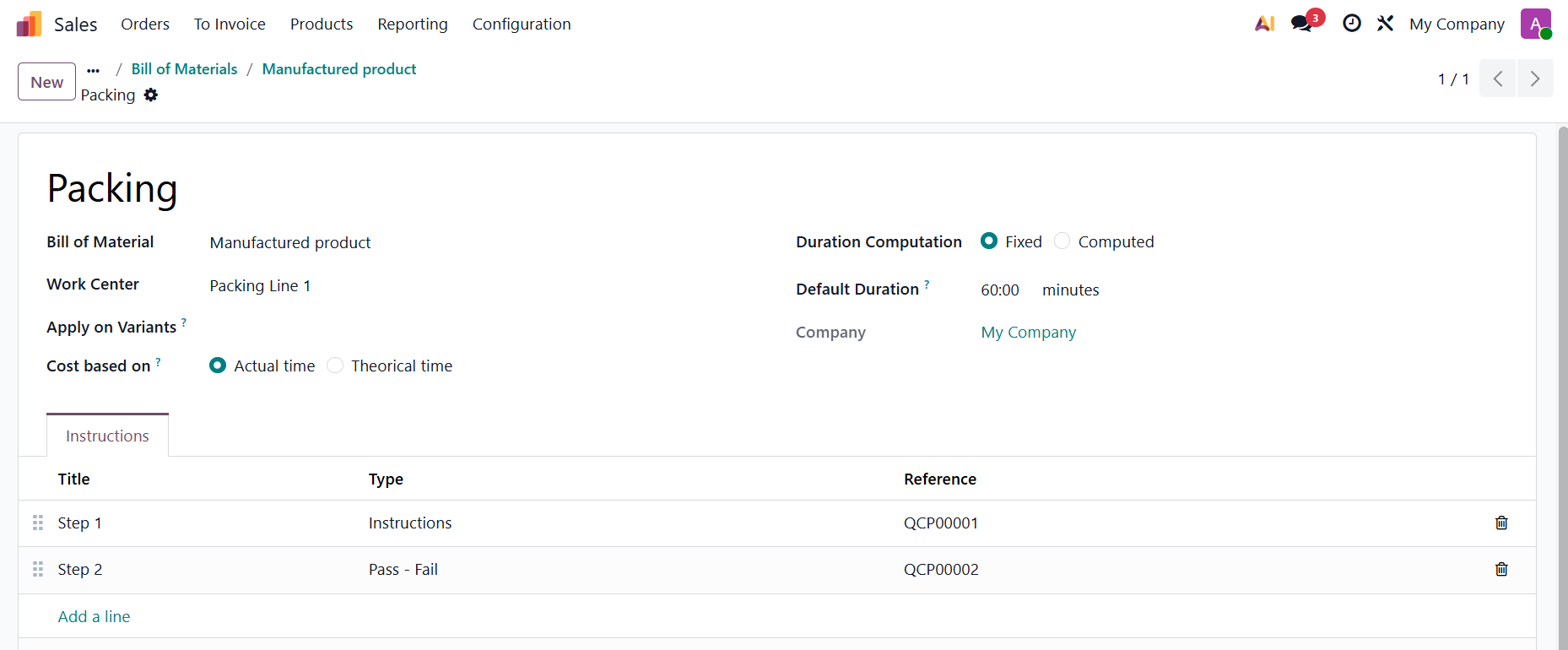 |
| |
3. If the following conditions are met:
→ the step will be hidden when it is done, even when the Work Order/MO is still in progress. | 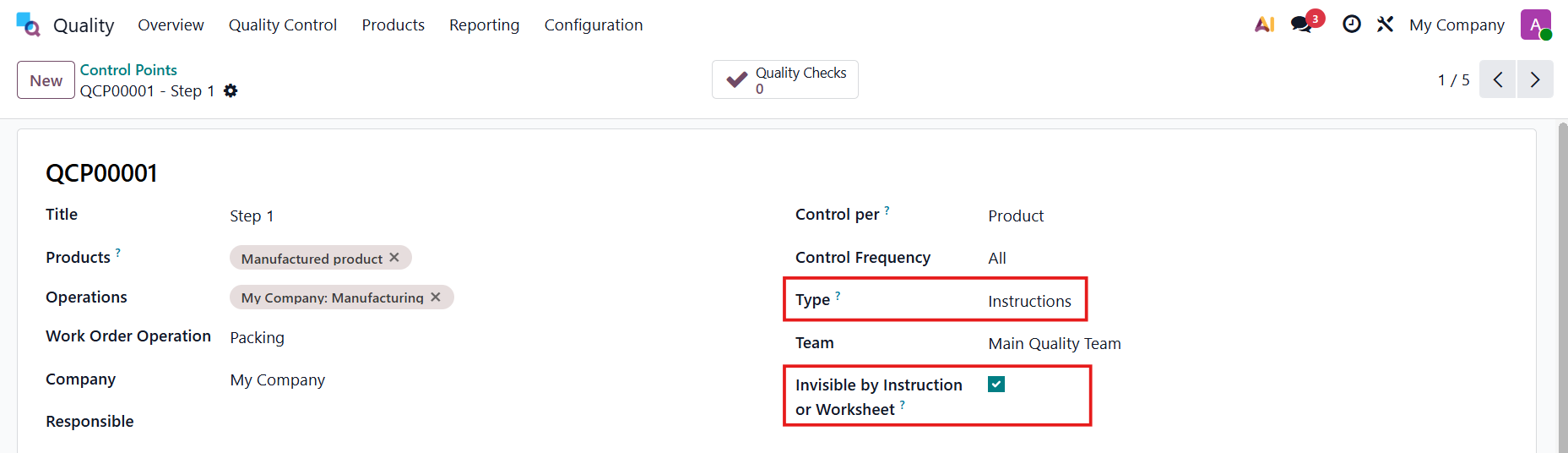 |
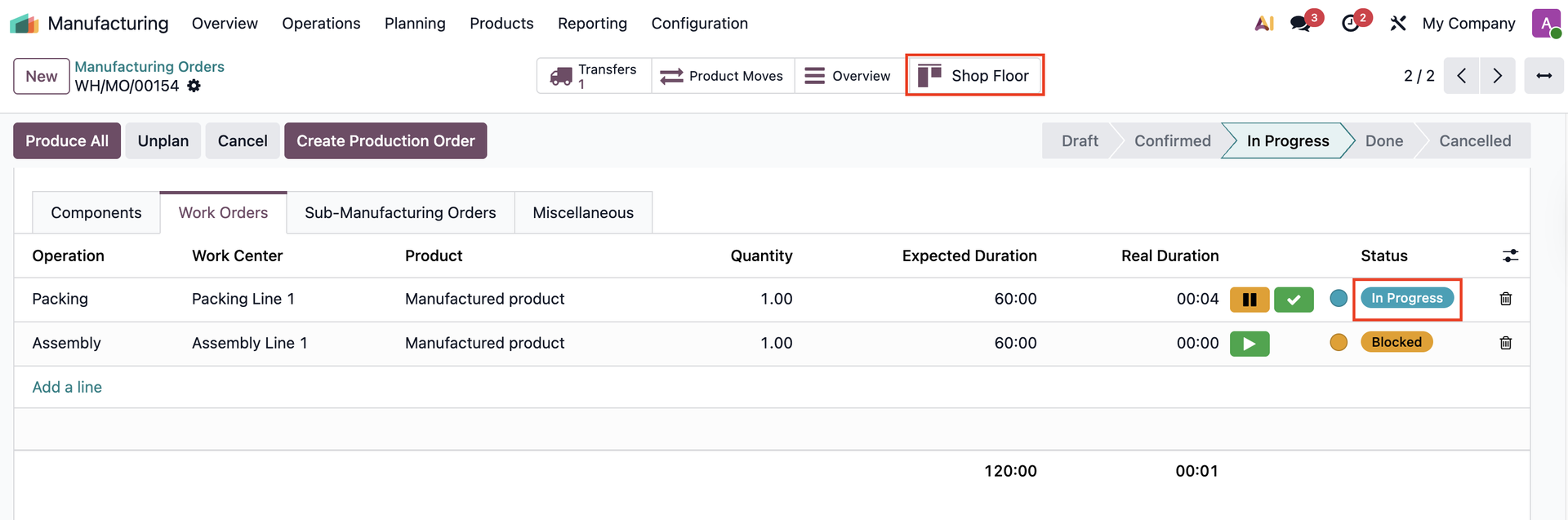
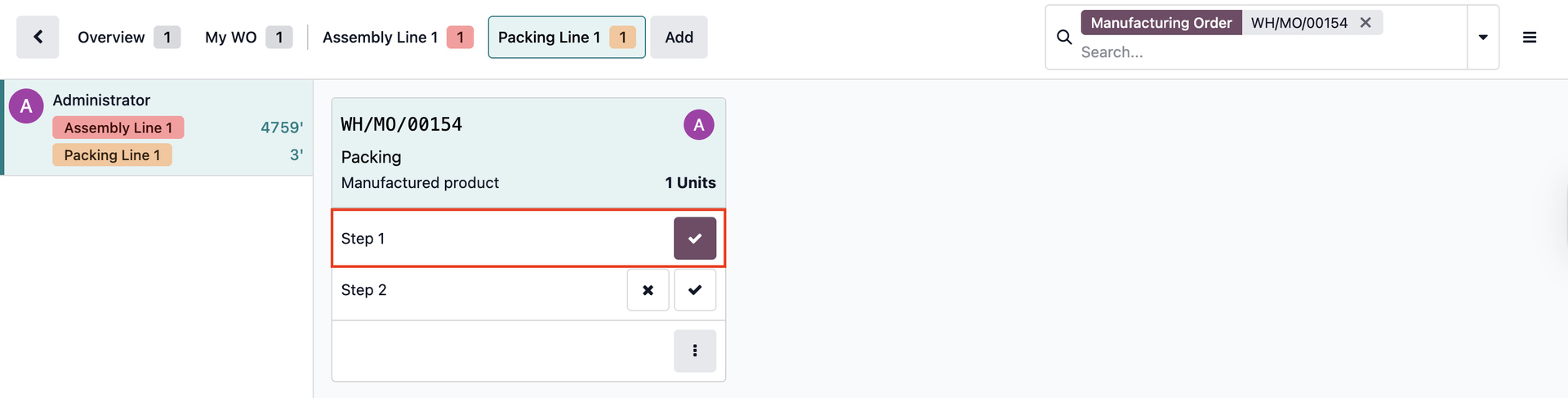
USAGECreate a new Manufacturing Order > Confirm > Start the WO and open the Shop Floor The status of the WO will change to In Progress after starting. |
|
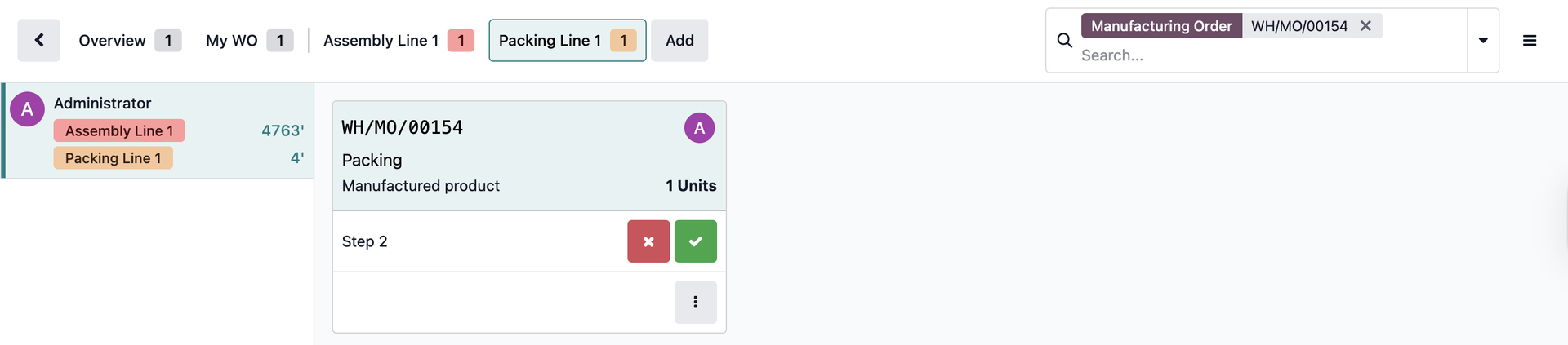
After the step is done |
|
It will be hidden even when the WO/MO is still in progress (not done). |
|