


ODOO'S FUNCTION
Odoo lacks a dedicated Stock Card feature to track detailed stock movements of a specific product within a defined period.
CLUEDOO'S FUNCTION
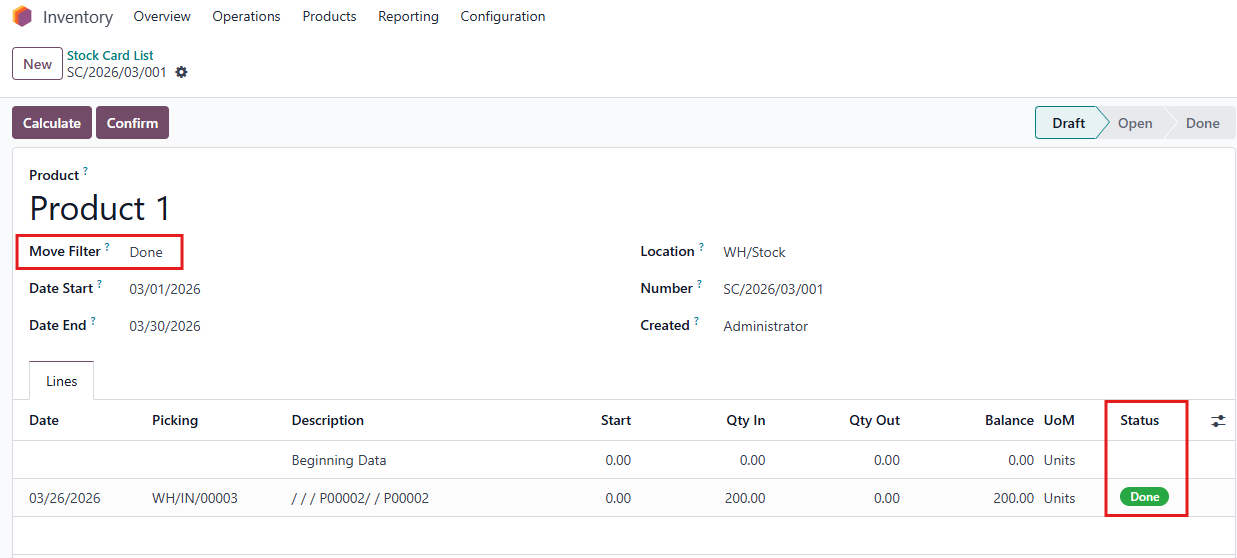
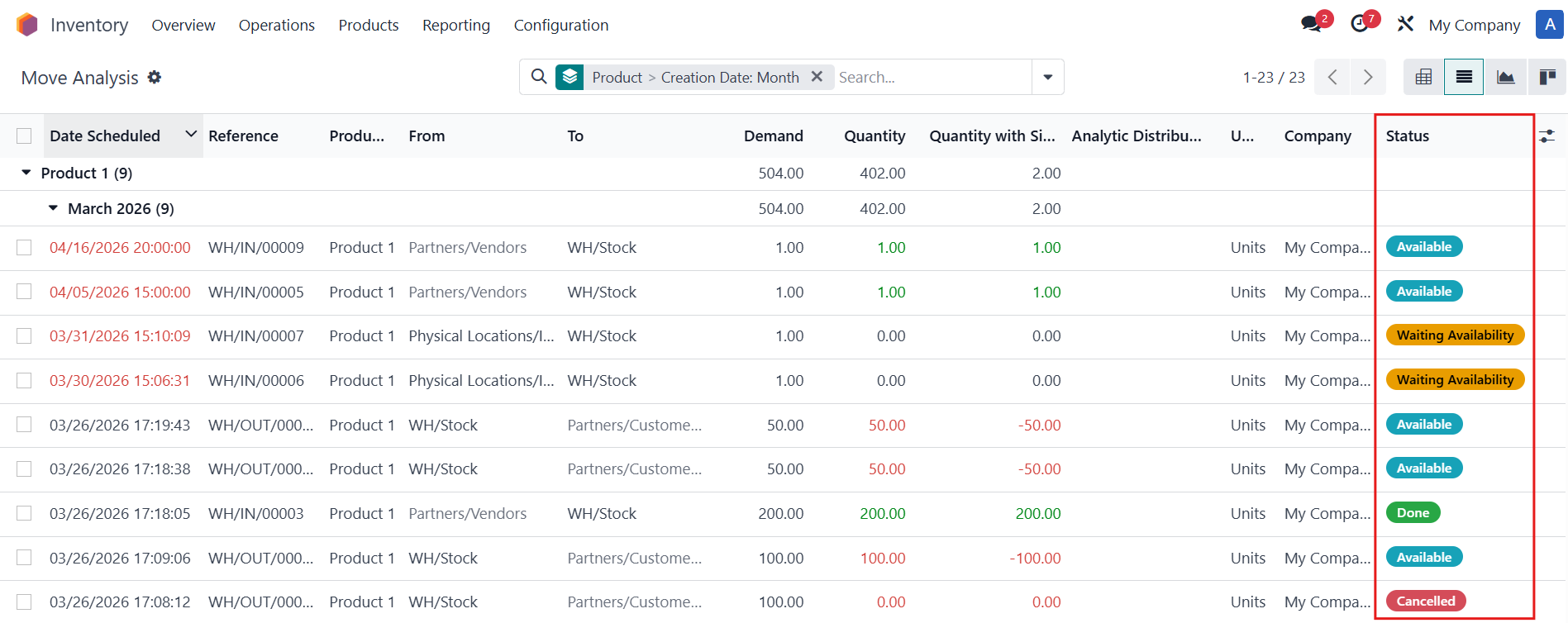
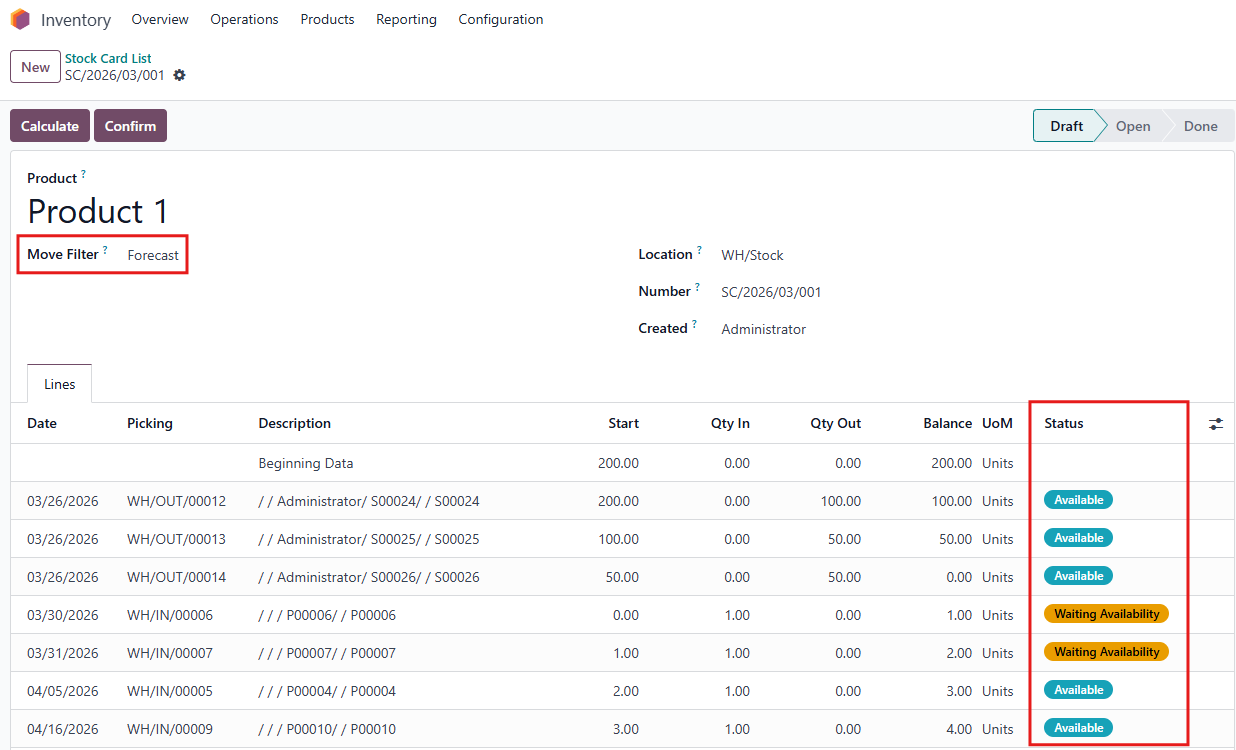
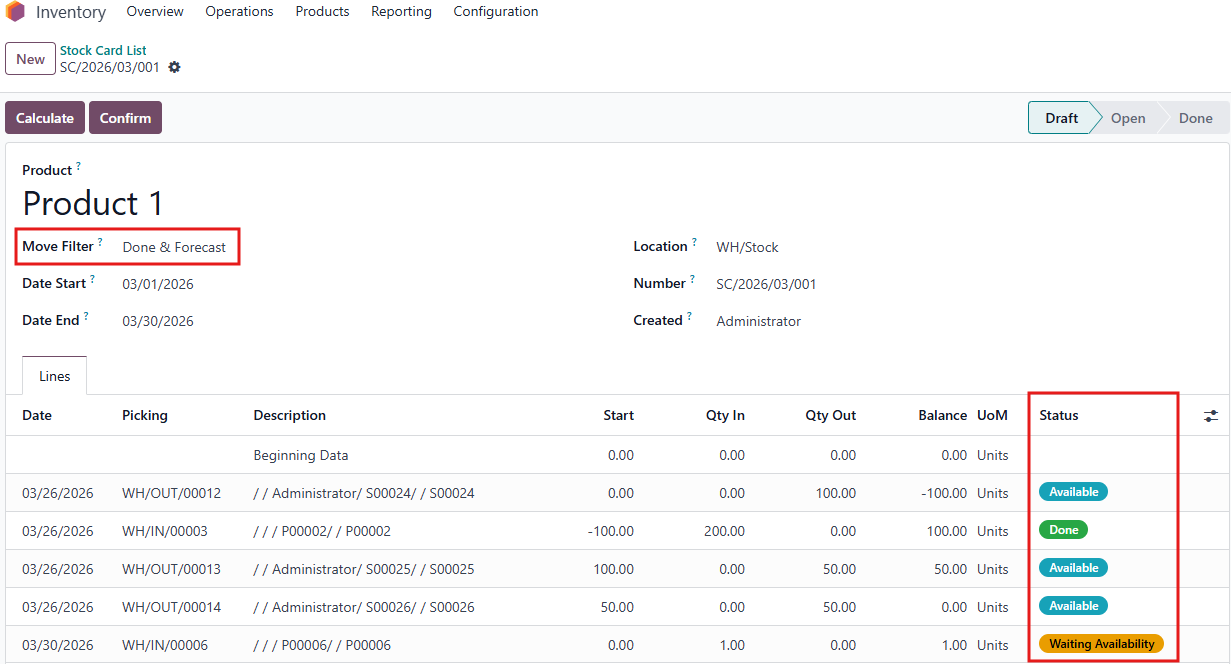
CLuedoo's current Stock Card only shows done stock moves. This enhancement adds a checkbox allowing users to also include draft (not done, not cancelled) moves when selected.
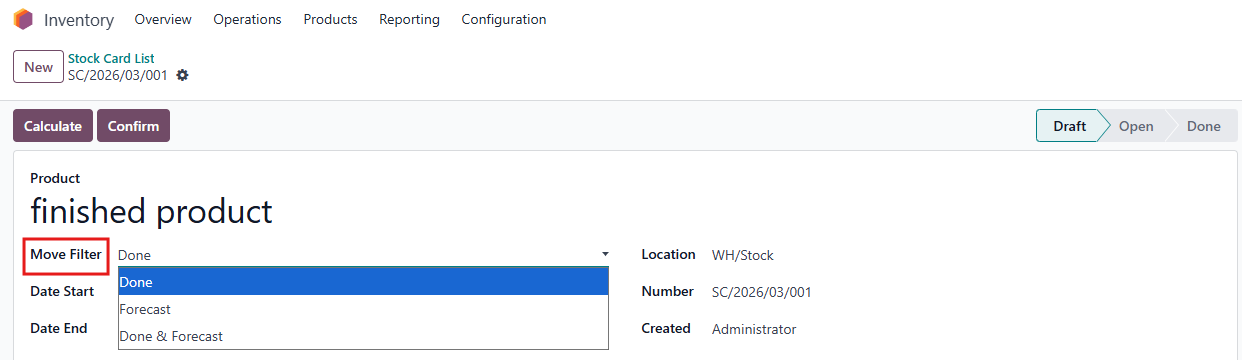
1. Go to Inventory > Reporting > Stock Card > Create a new stock card list or choose an existing one > You have 3 options to Calculate Move:
|
|
If the Done option is chosen, the stock card will include all the done lines during the calculated period |
|
If the Forecast option is chosen, the stock card will include all the draft moves in one location without the period |
|
If the Done & Forecast option is chosen,the stock card will include all the draft and done lines during the calculated period, except the cancelled ones |
|