



ODOO'S FUNCTION
By default, Odoo automatically merges stock moves during pick transfers in two-step outgoing shipments and during pick and pack transfers in three-step outgoing shipments when a Sales Order contains multiple lines with the same product. This behavior can be confusing when tracking individual stock movements.
CLUEDOO'S FUNCTION
CLuedoo's module prevents such issues by disabling the automatic merging of stock moves during pick and pack transfers. Each product line will be treated independently, ensuring a separate stock move is created for each line, even if the products are the same.
1. Go to Inventory > Configuration > Warehouses, and set the warehouse to use the 2-step or 3-step outgoing shipment. Click the "Routes" button | 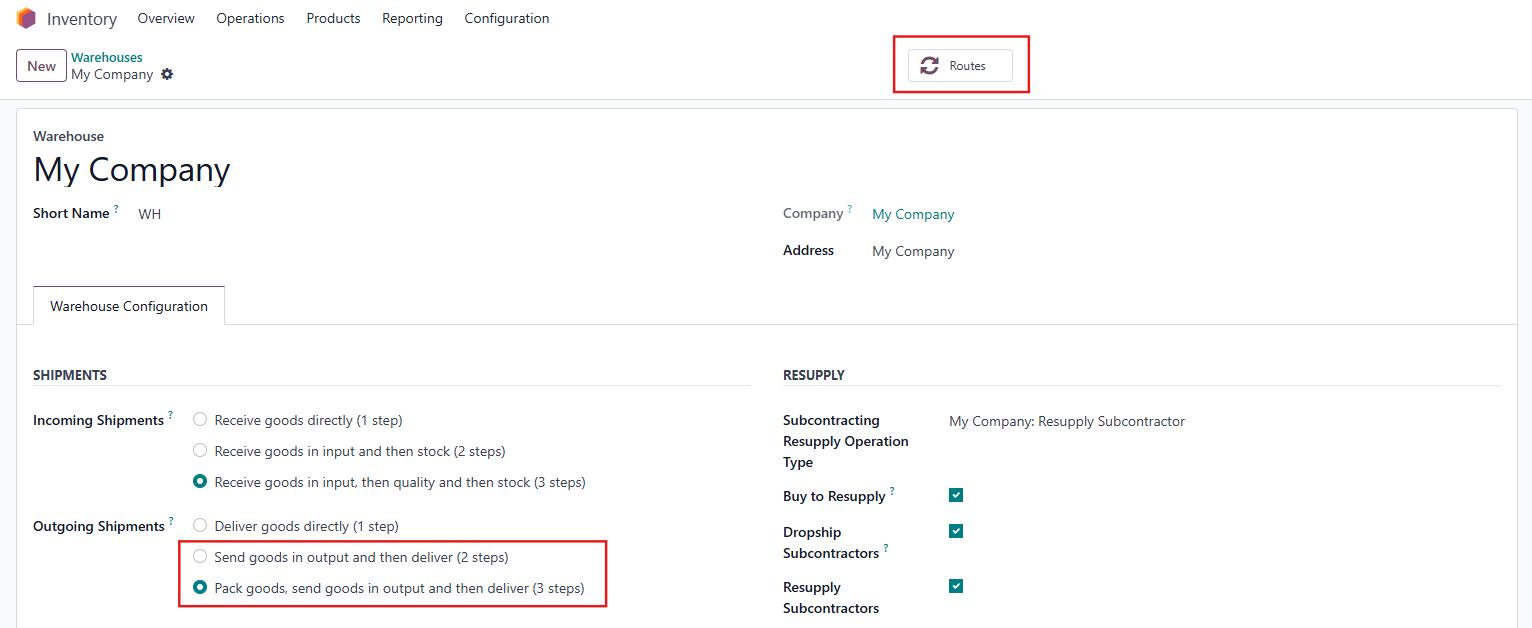 |
Select the relevant Delivery Route > Open the rule where you want to prevent stock move merging and enable the "Lock auto merge in stock move" checkbox. For example, in a 3-step outgoing shipment, if you want to lock the merge stock move of the pick transfer, "Lock auto merge in stock move" needs to be selected in the rule from Stock to Packing zone | 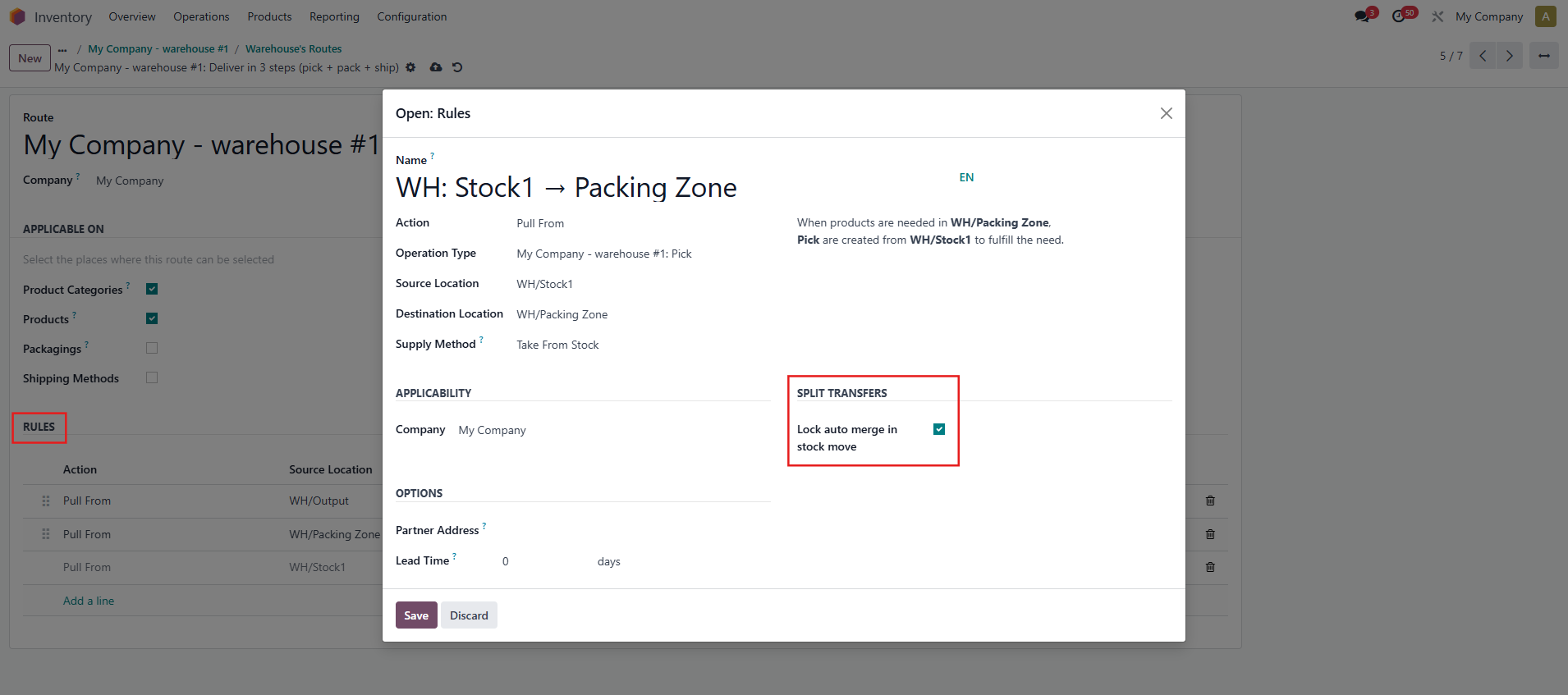 |
2. Go to Sales > Create a new Sales Order, adding multiple lines with the same product and confirm the order > Click the delivery button to view the transfer. If "Lock auto merge in stock move" was enabled, you’ll see that the product lines are separated. | 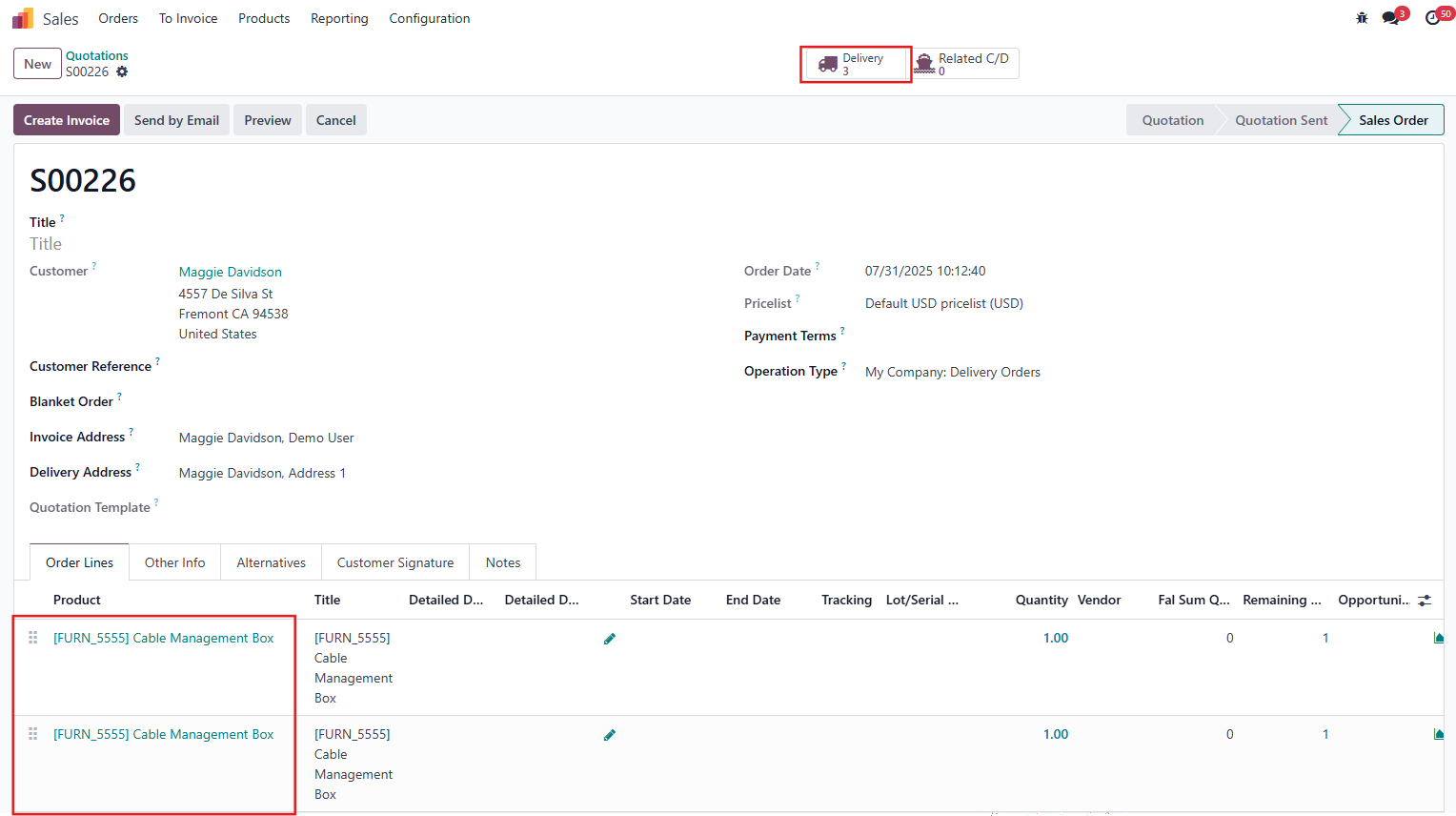 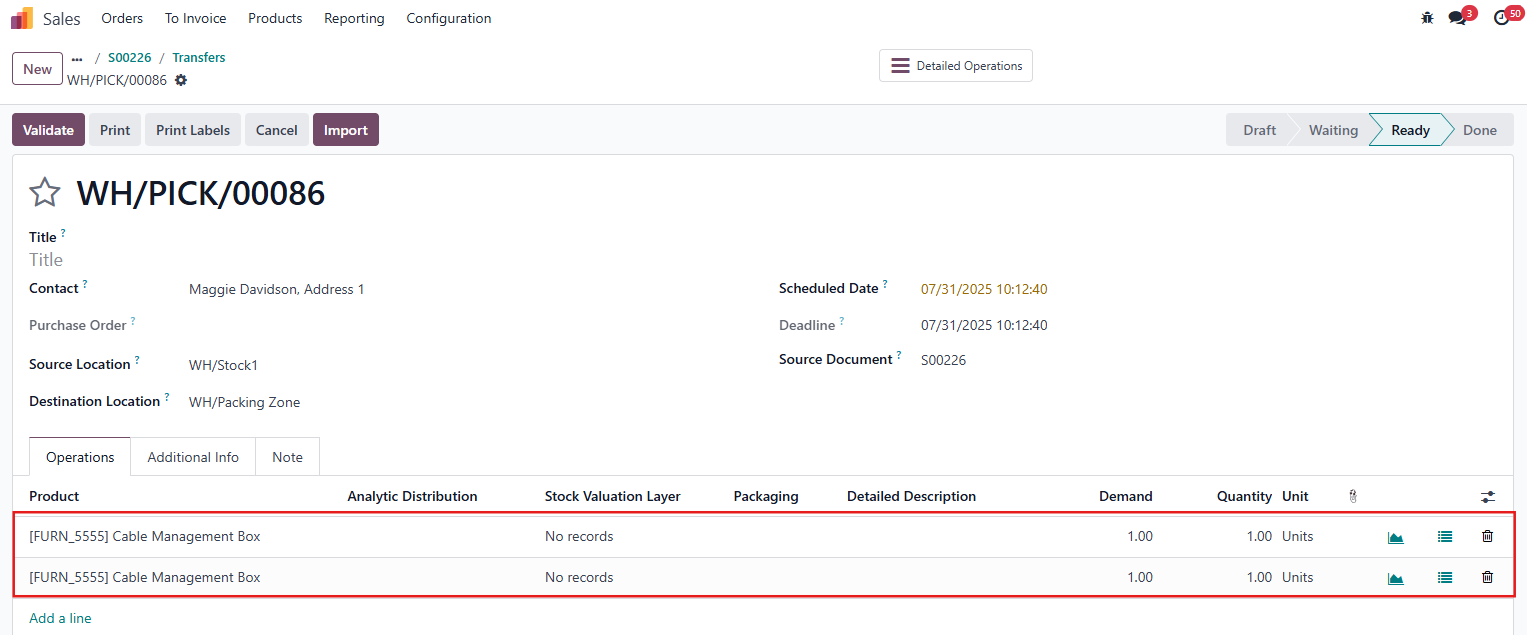 |
If the checkbox is not enabled, Odoo will automatically merge the product lines into one, following its default behavior. | 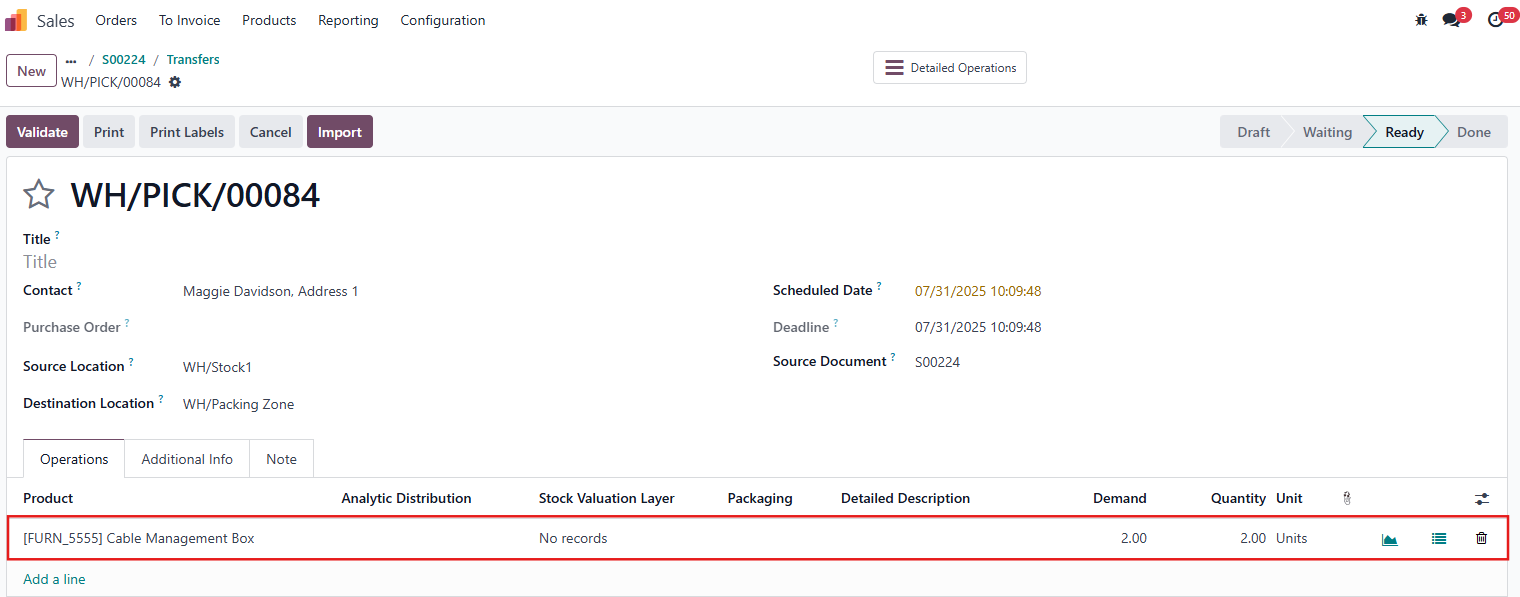 |
Notes: 1. This function only applies to transfers that Odoo merges by default, such as:
2. For transfers that Odoo already processes as separate stock moves, the behavior remains unchanged regardless of the "Lock auto merge in stock move" setting. 3. This module applies to all types of operations, as long as the "Lock auto merge in stock move" checkbox is enabled. 4. For the products that have more than 01 route, every route applied to the product must have the "Lock auto merge in stock move" option checked to ensure the module works properly. |