


STORY BEHIND THE FEATURES
ODOO BEHAVIOUR
Odoo Standard have a safety block so that when you use an existing "Lot / Serial", you will not be able to change its "Expiration Date".
But it doesn't differentiate between existing and newly created Lot / Serial. So if the operation is configured to both "Create" and "Use" existing lot, you will not be able to change its "Expiration date".
CLUEDOO BEHAVIOUR
CLuedoo makes the system "smarter", and now you can change the "Expiration date" as long as the "Lot / Serial" has just been created inline.
CLUEDOO RECOMMENDATION
Install in 100% of your database. This is an essential quality of life module.
OUR FEATURES AS SOLUTIONS
Inventory expiration date
HOW TO USE THIS MODULE
Step 1 :
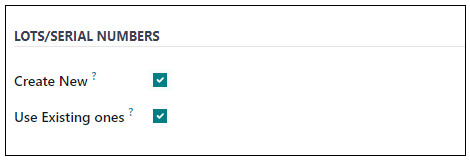
The Operation Type should be able to "Create new Lot" and "Use existing lot".
Step 2 :
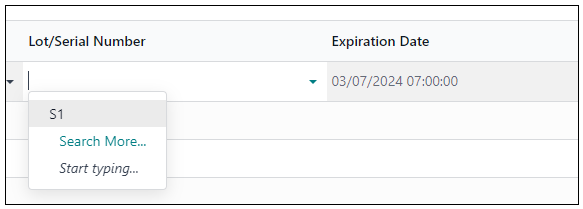
Now, if you choose Existing Lot : S1. The Expiration Date cannot be changed.
Step 3 :
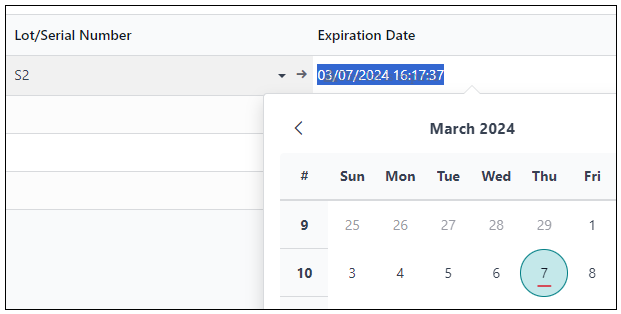
But if you want to create a New Lot : S2, the Expiration Date can be changed.