



ODOO'S FUNCTION
Managing stock movements and deliveries efficiently is crucial for any business. Odoo provides basic functionalities, but it lacks certain features to streamline stock operations, such as move date tracking, bulk cancellation of pickings, and automated max delivery date calculations. Besides, Odoo automatically sets the done qty as the demand qty, which may not reflect true consequence.
CLUEDOO'S FUNCTION
CLuedoo enhances stock management with several key improvements:
1️⃣ Adds a "Move Date" field in Stock Moves, making it easier to filter and group movements
2️⃣ Introduces an "Action → Cancel Picking" button to cancel multiple pickings at once, reducing manual effort
3️⃣ Automatically calculates the Max Delivery Date based on the latest delivery date from products in sales or purchase orders (excluding service-type products), ensuring accurate logistics planning
4️⃣ Provides a "Set Quantity to 0" button for quick and convenient quantity updates
MOVE DATEOn Stock Moves, we have Move Date and we can filter and group by the move date | 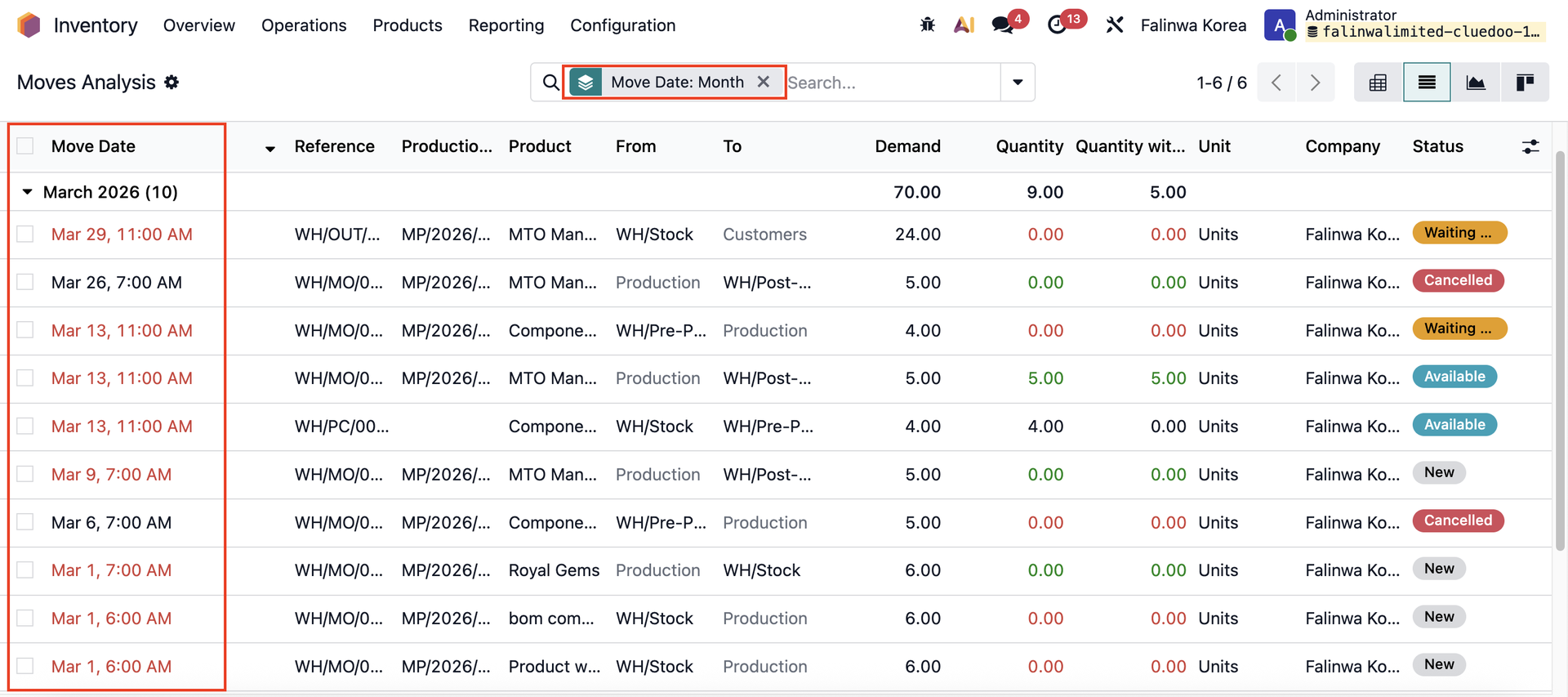 |
CANCEL PICKINGOn Transfers: Select some pickings and click Actions → Cancel Picking to mass cancel | 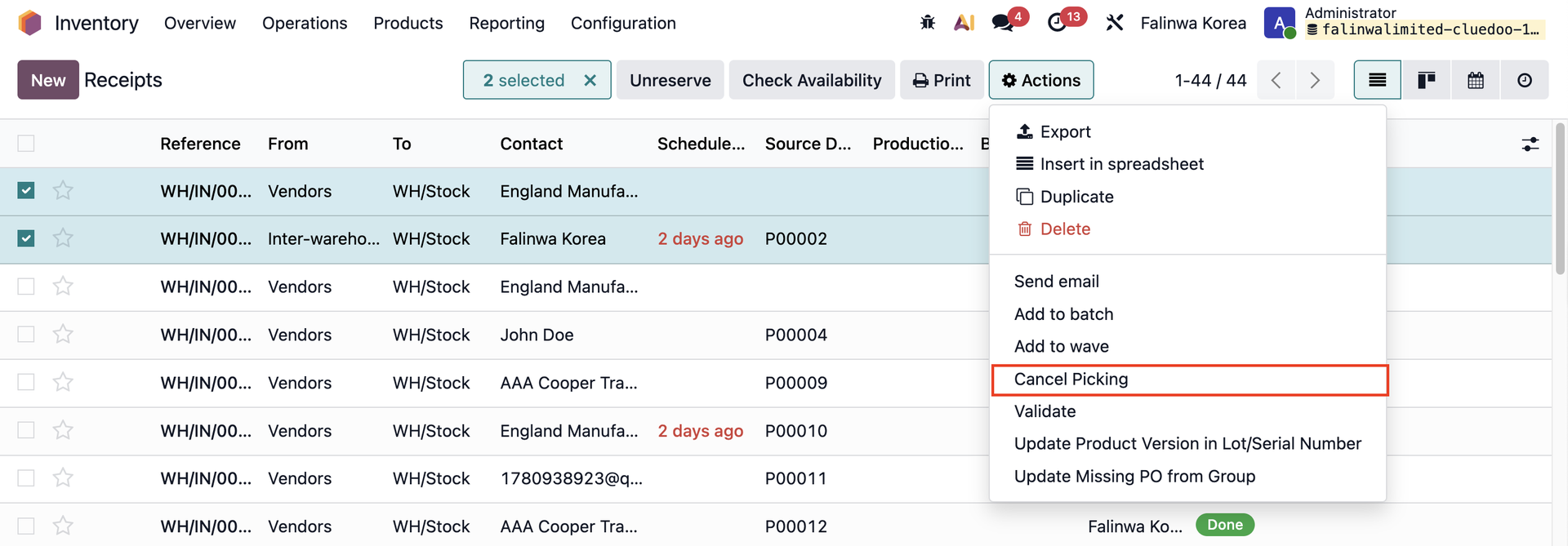 |
MAX DELIVERY DATEMax Delivery Date on transfers is the latest delivery date from the products in the sales/purchase order line, except for service-type products. | 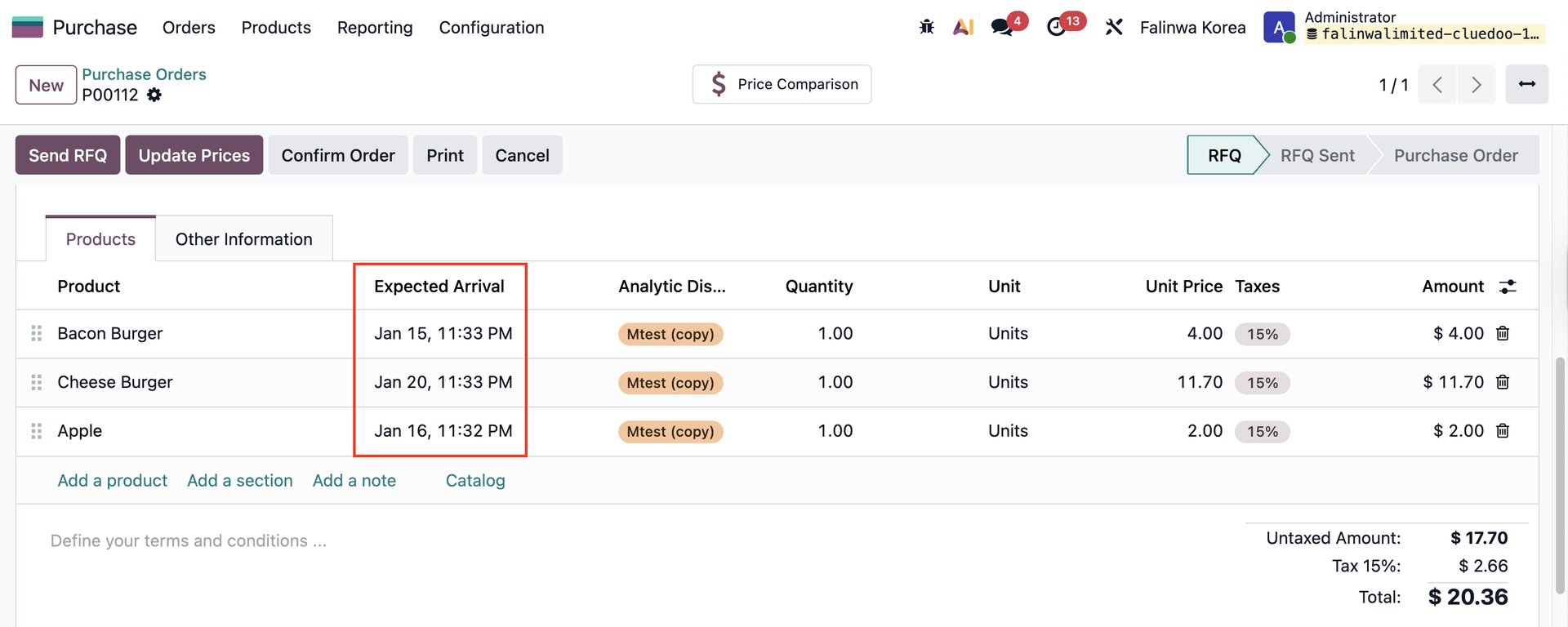 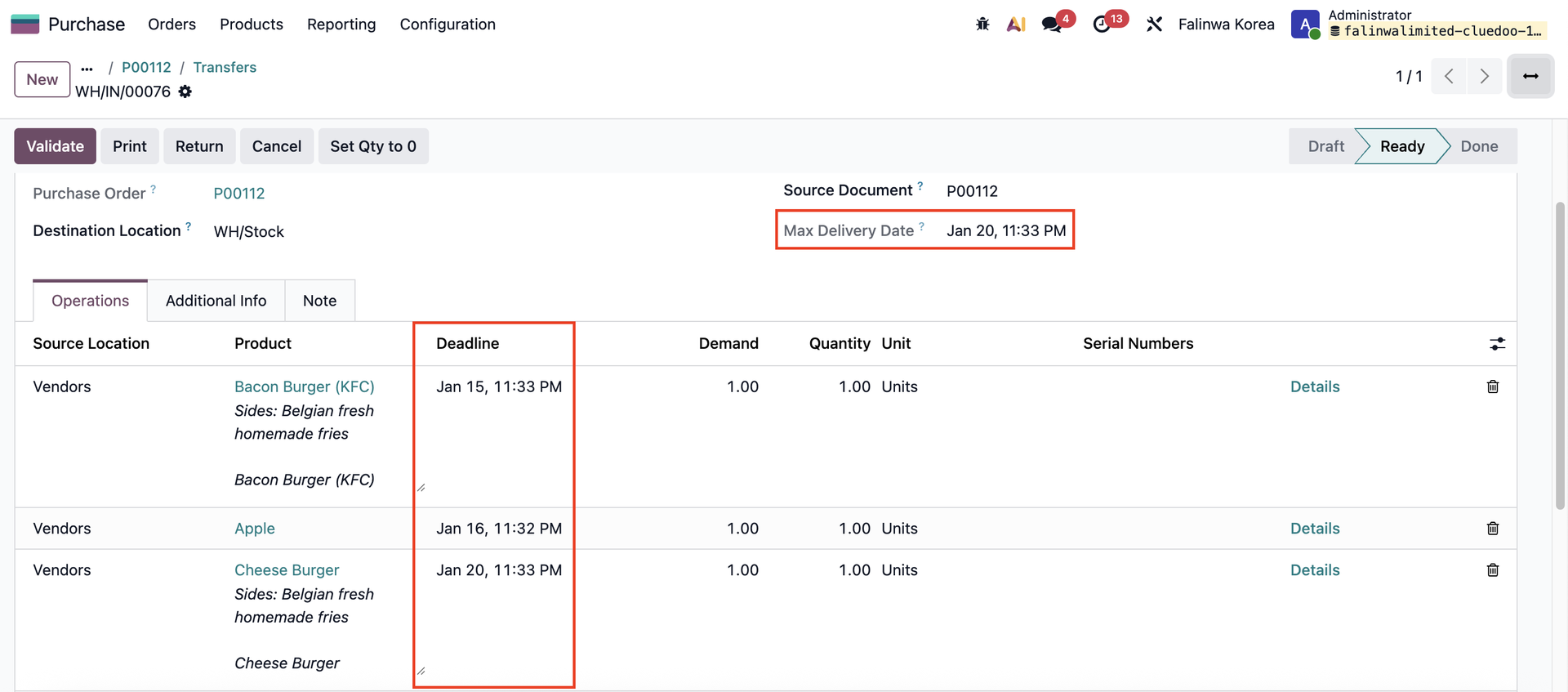 |
SET QUANTITY TO 0A button is added in the transfer to set the Done Quantity to 0 in mass | 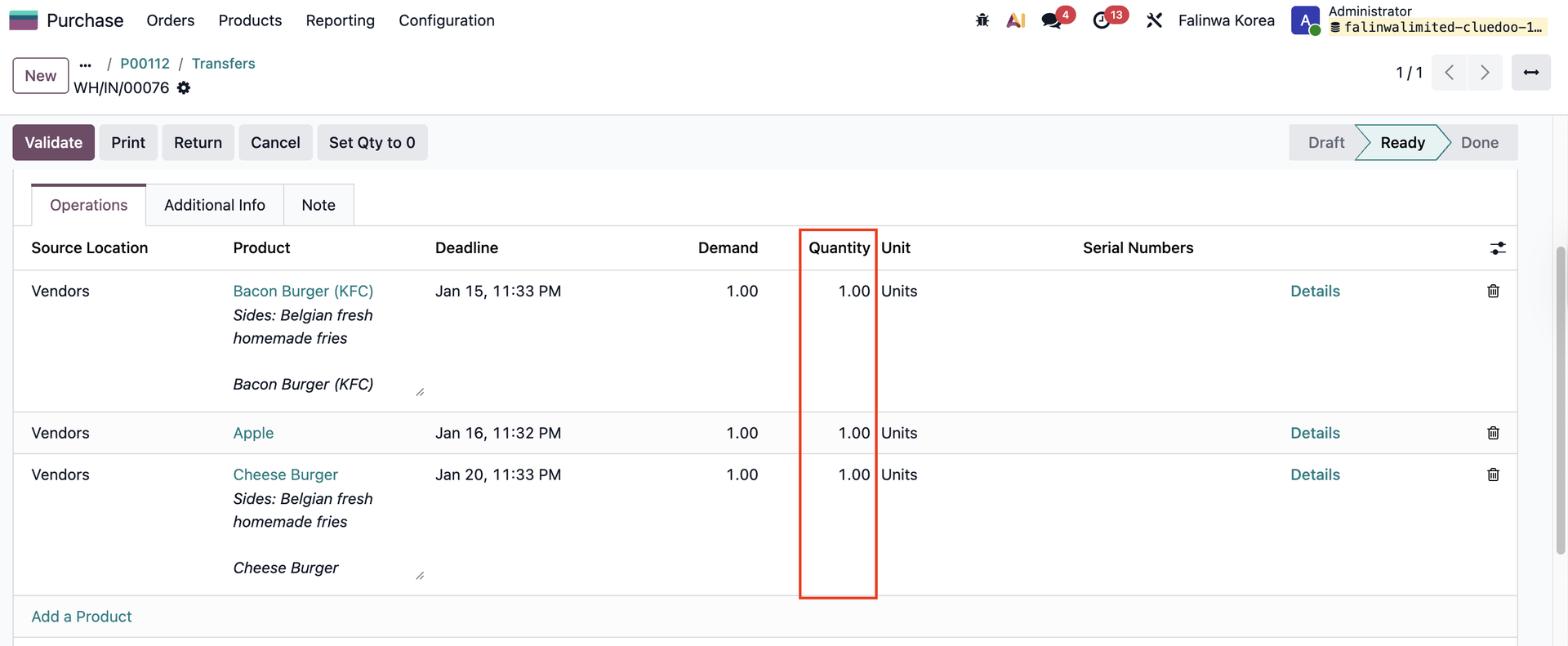 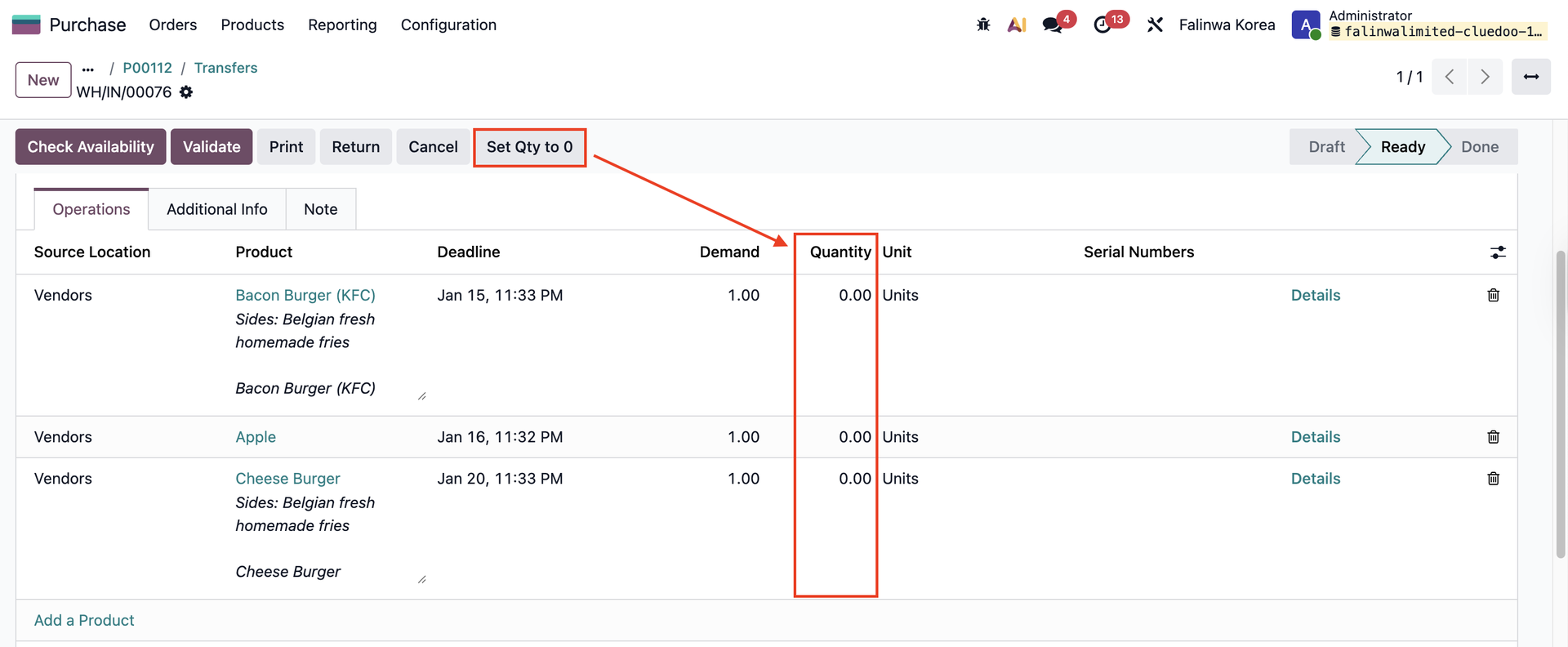 |
Note: The button will be Invisible after the transfer is done | 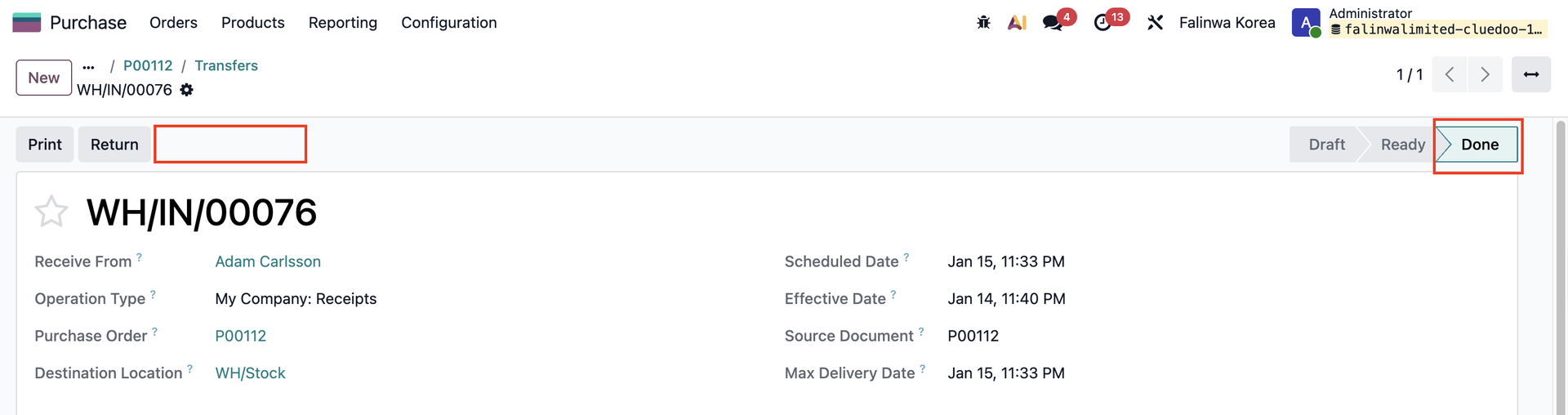 |