



ODOO'S FUNCTION
By default, Odoo’s Inventory module provides reporting tools such as Inventory Valuation to track stock quantities and values, but it does not offer a dedicated Stock Card feature to track detailed stock movements for a specific product over a defined period. Similarly, there is no Stock Summary report to aggregate stock movements.
CLUEDOO'S FUNCTION
This module introduces a Stock Card report, allowing users to track stock movements for a specific product by selecting a start date, end date, product, and location, then clicking Calculate to view quantity changes over the period. Besides, the module provides a Stock Summary report with advanced filtering options.
STOCK CARDGo to Inventory > Reporting > Stock Evaluation > Stock Card > Create new > select the product name > fill the start and end date Choose the product and the location and then click ‘Calculate’. You can see how the quantity of this product changes during that period. | 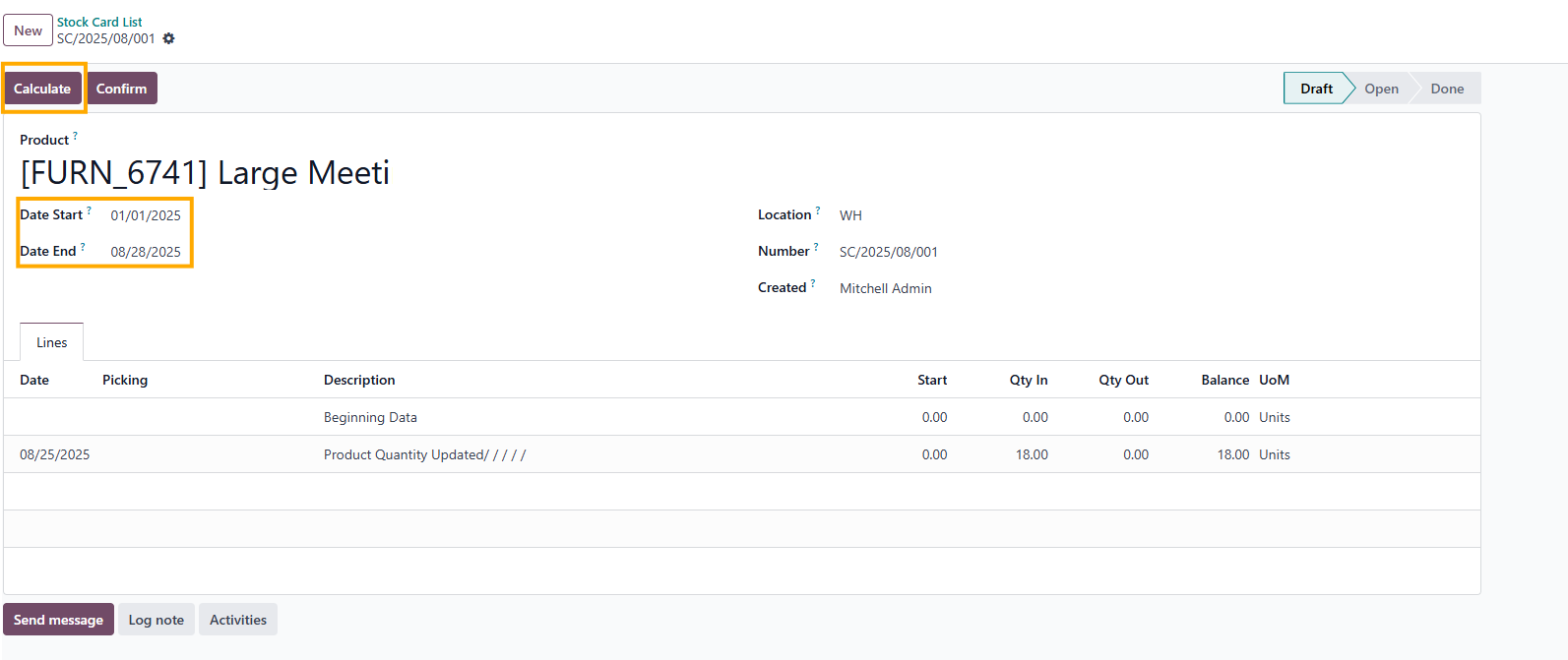 |
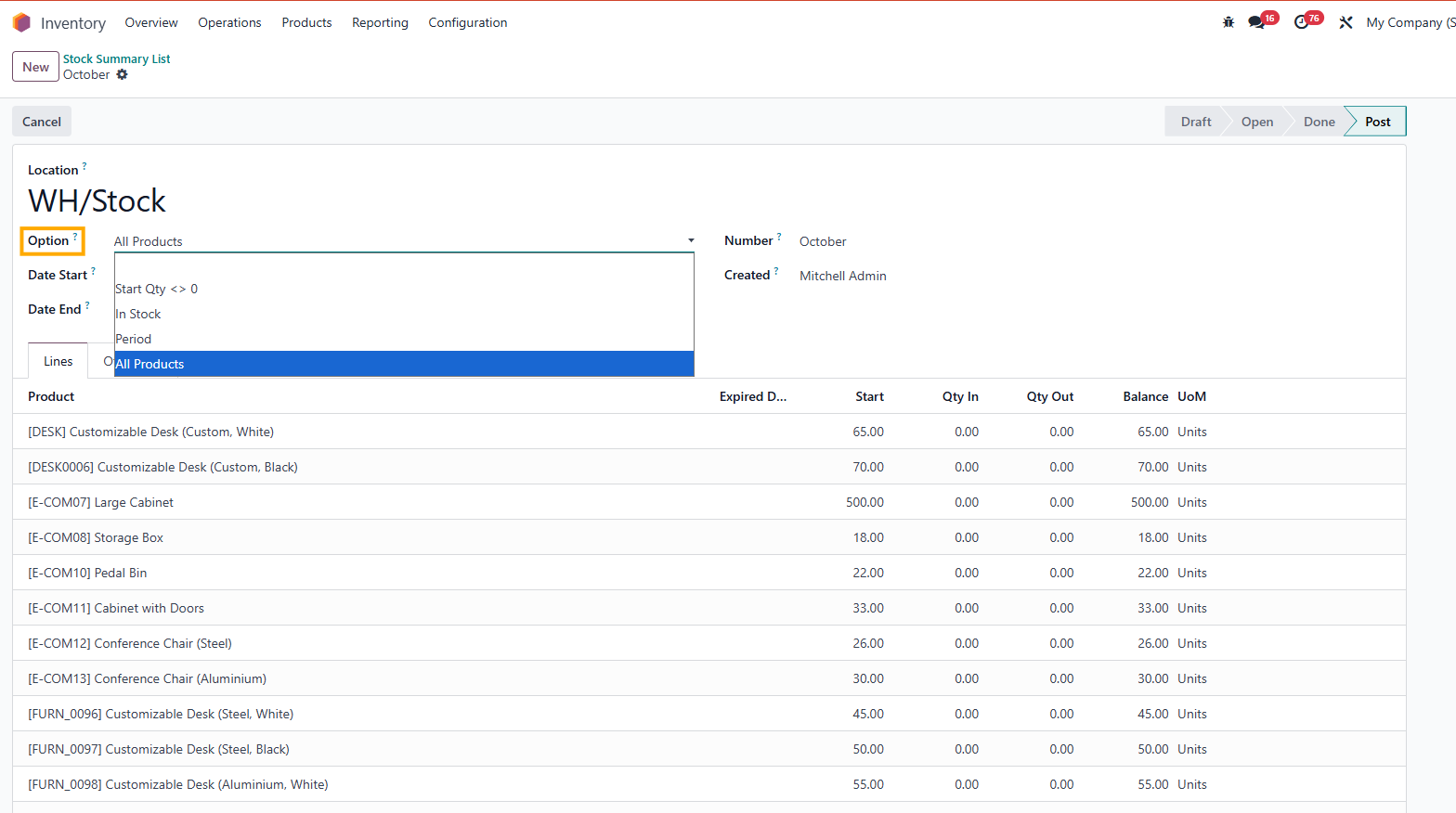
STOCK SUMMARYGo to Inventory > Reporting > Stock Evaluation > Stock Summary > create new > select the option you want to see > fill the start and end date On stock summary, there are several options :
|  |