
ODOO'S FUNCTION
Odoo checks routes (push/pull rules) only when confirming documents such as SO, PO, or MO to create the required stock transfers. If the stock need changes afterward (for example after scrapping components in production), Odoo does not automatically replay the route logic to generate new replenishment moves.
CLUEDOO'S FUNCTION
CLuedoo adds an action to replay the route logic after stock needs change. The system recalculates the required quantities and automatically creates the necessary pickings or replenishment transfers to fulfill the missing stock.
1. Go to Inventory > Warehouses > Choose a warehouse and set the Manufacture route as needed | 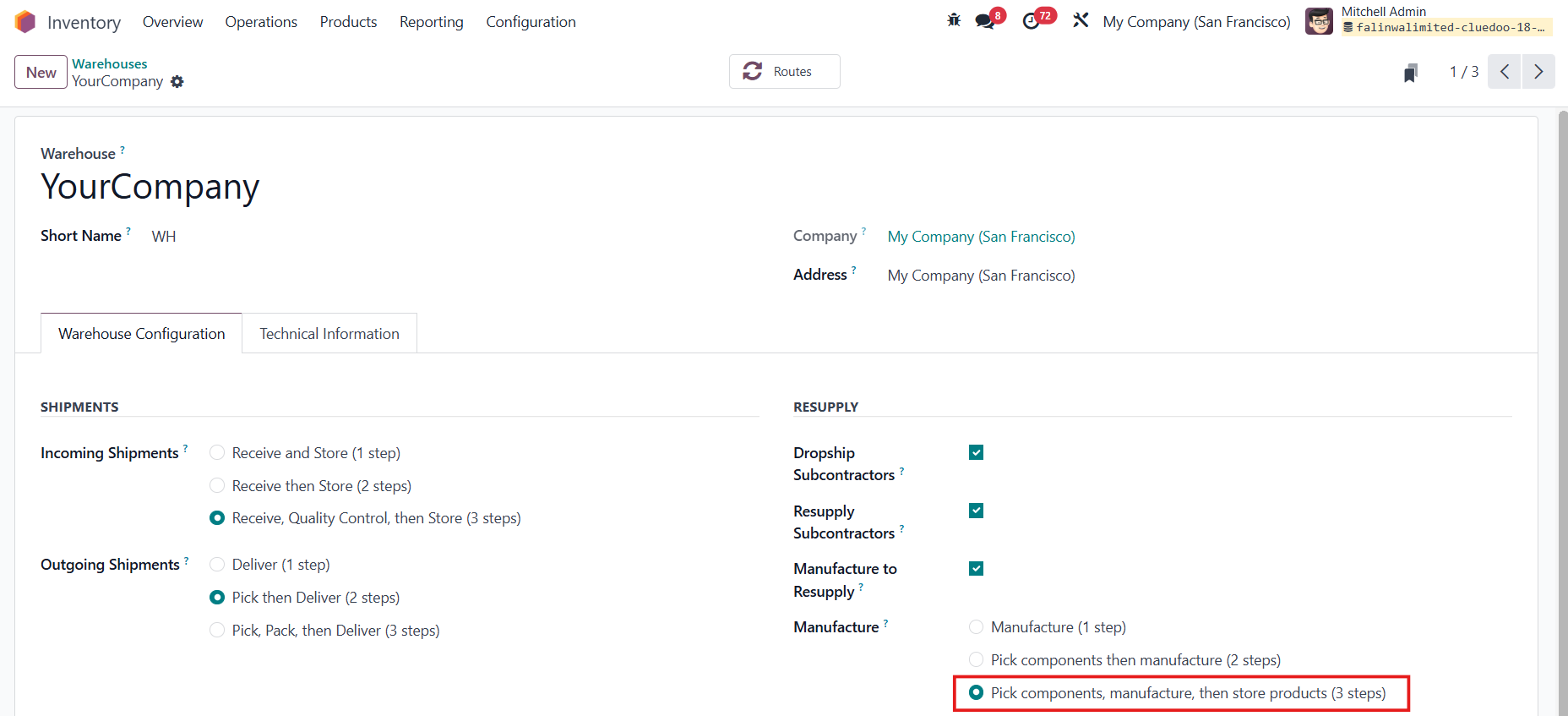 |
2. Create a Manufacturing Order > add the product > Confirm | 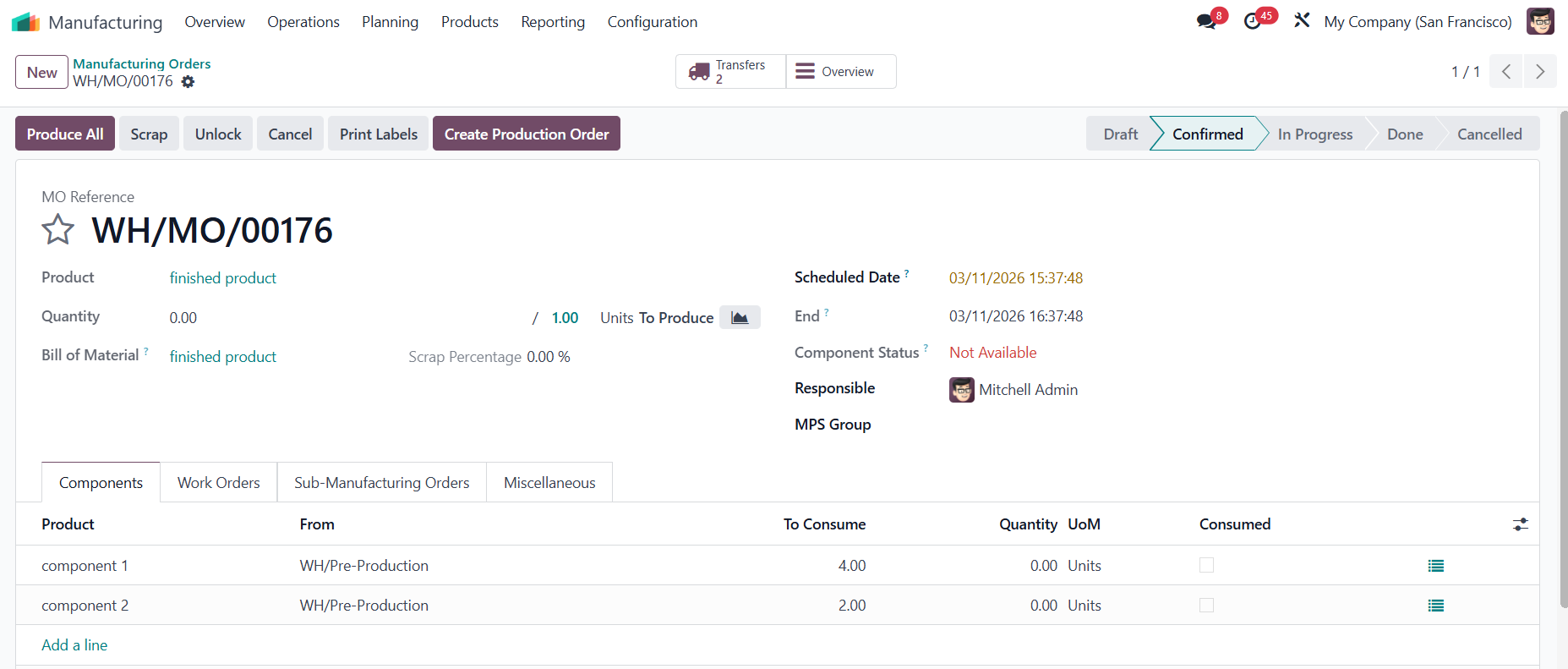 |
3. In case there is a cancelled transfer and you still need to supply a component |   |
On the MO, click Actions > Manual Trigger Replenish | 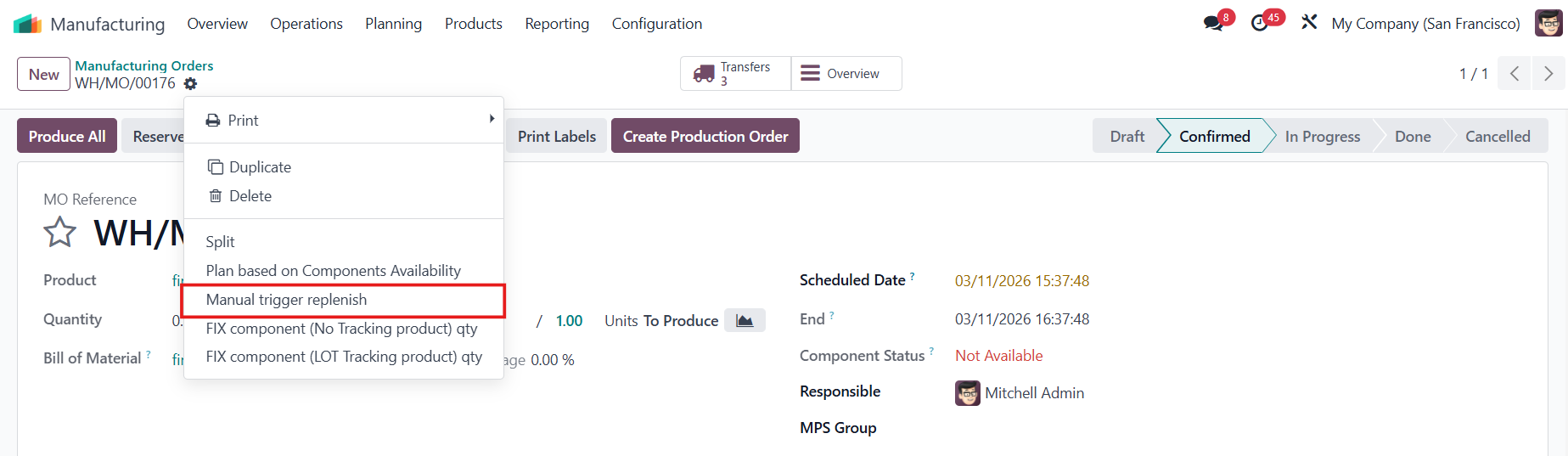 |
An additonal picking will be created to resupply the missing quantity. | 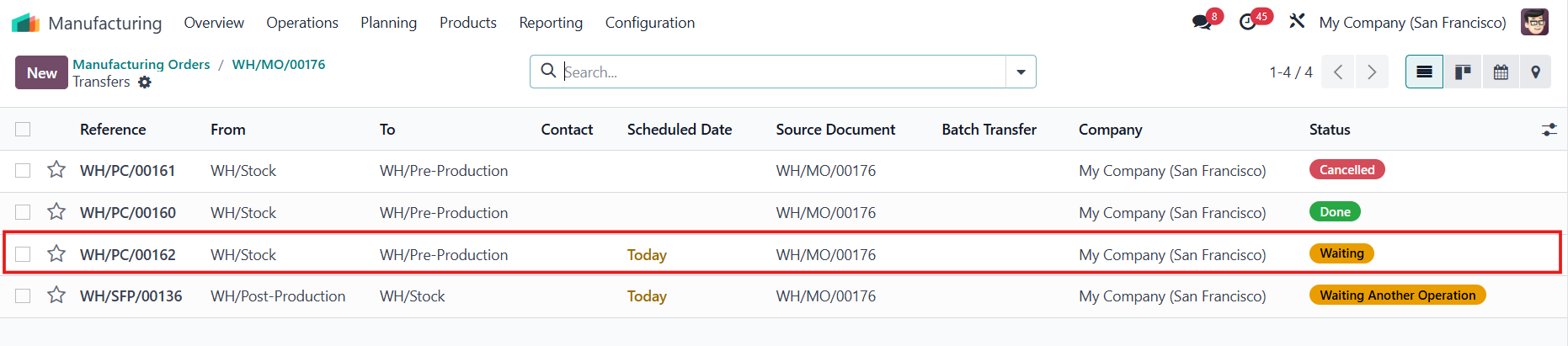 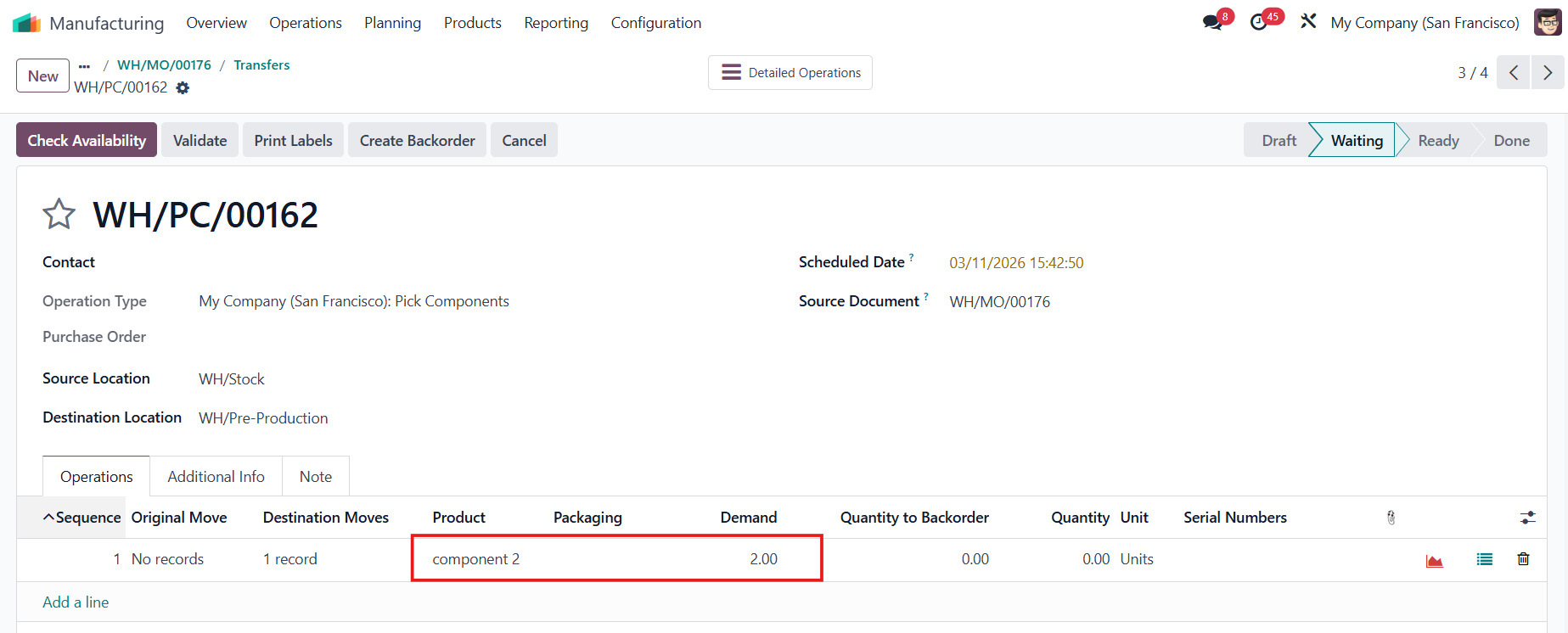 |