


STORY BEHIND THE FEATURE
ODOO BEHAVIOR
In Odoo, the Appraisals module allows companies to manage employee evaluations but lacks Appraisal Types. Users could create appraisals, but all followed the same format without differentiation based on appraisal type. Also, there is no built-in way to easily track the date of the last appraisal per type on the Employee form view.
CLUEDOO BEHAVIOR
CLuedoo introduces the notion of Appraisal Types:
- Add the ability to select which template we use depending on the type of Appraisal
- Get the date of the last appraisal according to the type on the Employee form view
CLUEDOO RECOMMENDATION
Install on 100% of your database.
HOW TO USE THIS MODULE
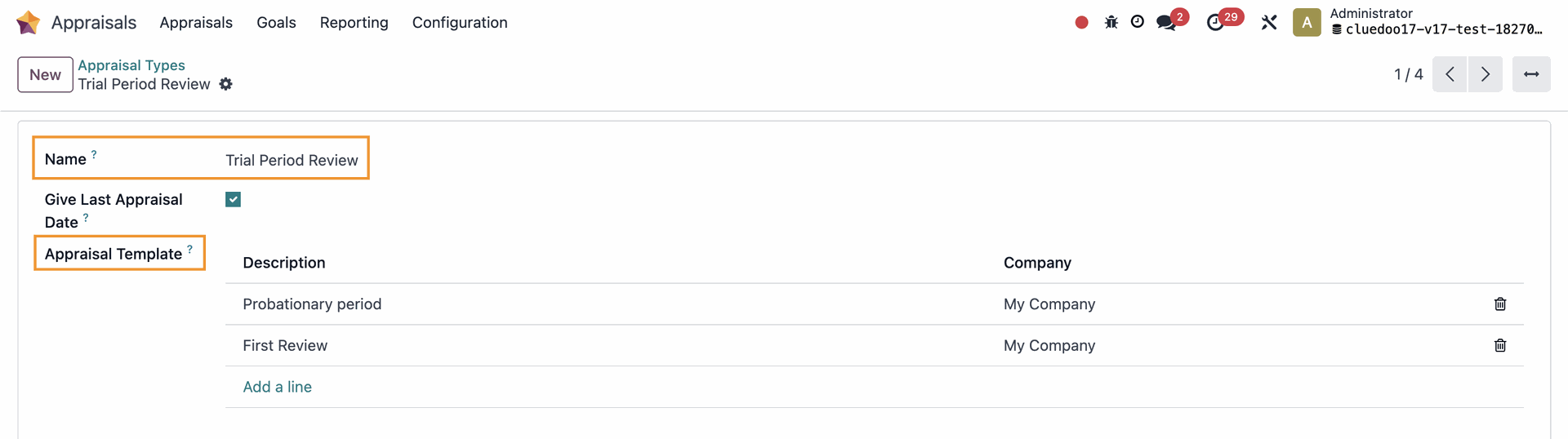
APPRAISAL TYPESGo to Appraisals > Configuration > Appraisal Types > New to create a new type > Fill in the Name > Save If there is any template that belongs to this appraisal type, it will also appear in the Appraisal Template field. |
|
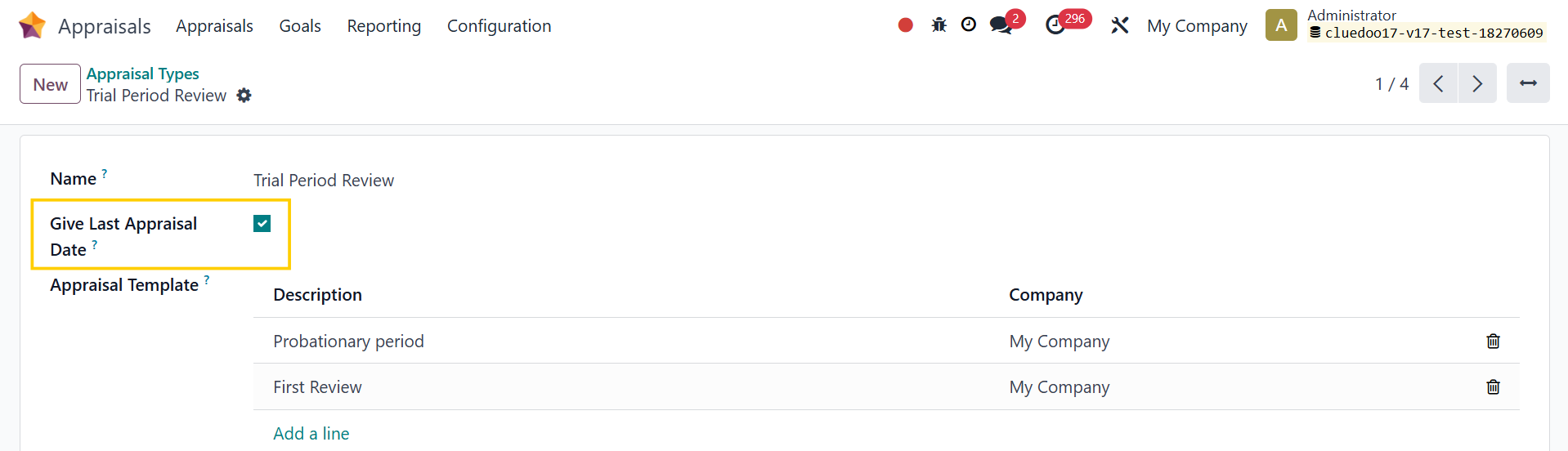
APPRAISAL DATE1. On Appraisal Type, we have a Give Last Appraisal Date checkbox which will give the date of the last appraisal according to the type on the employee form view |
|
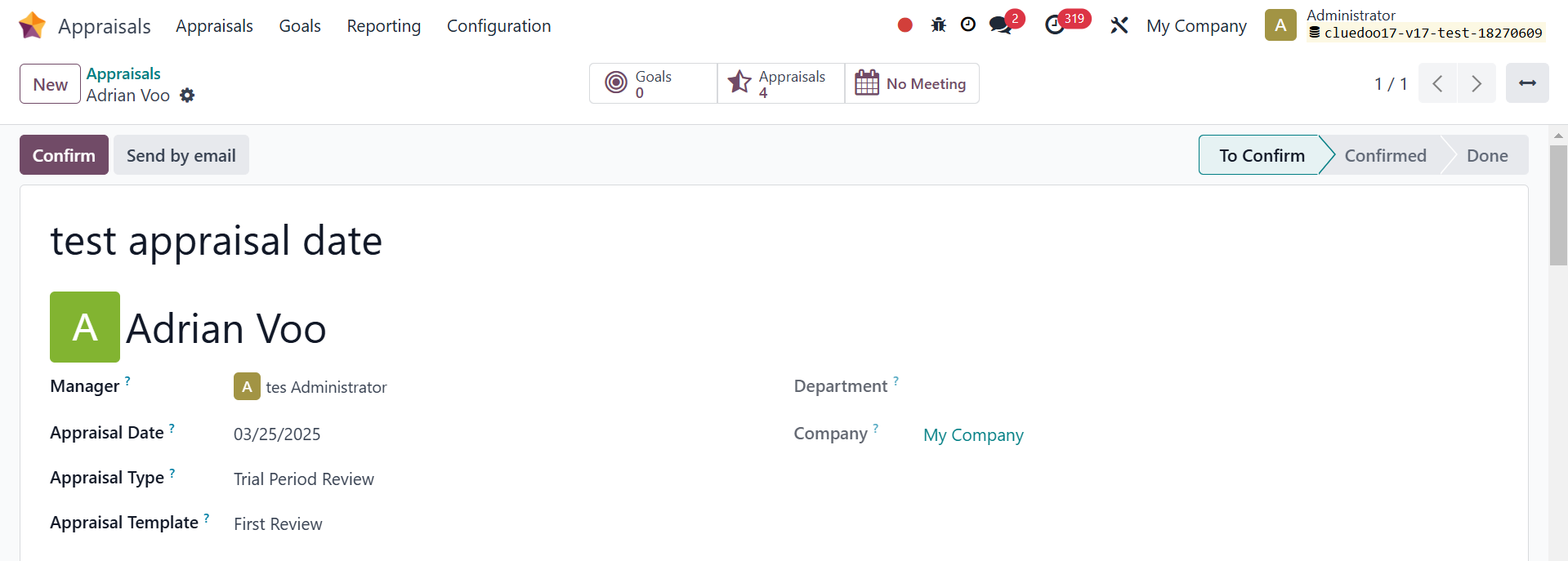
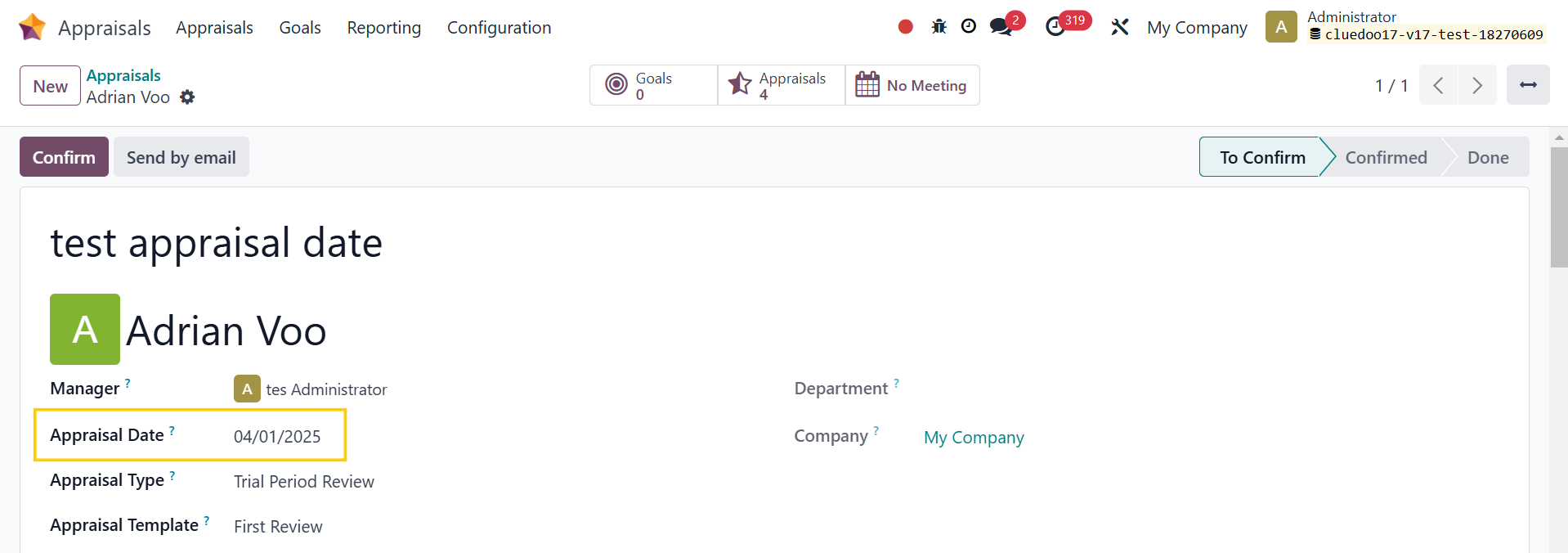
2. Create an appraisal > Fill in the necessary information e.g. Appraisal Type: Trial Period Review (Give Last Appraisal Date is TRUE) |
|
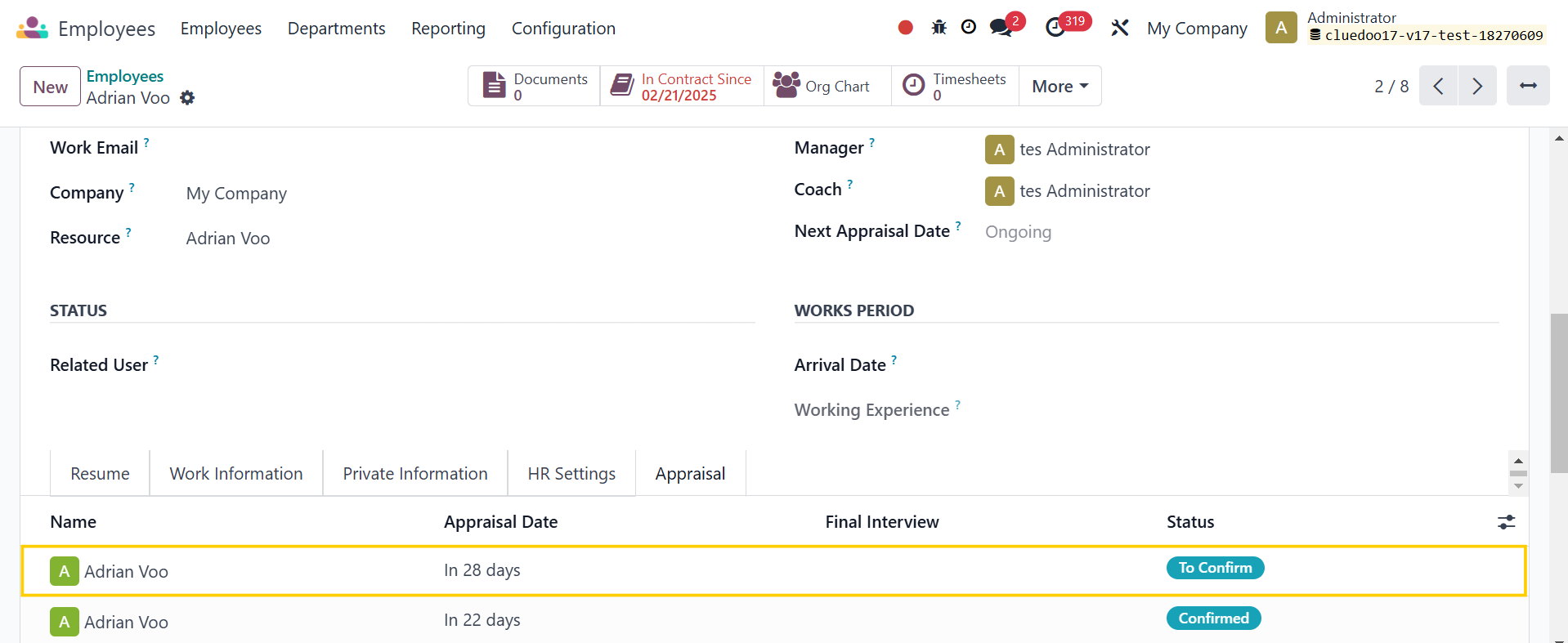
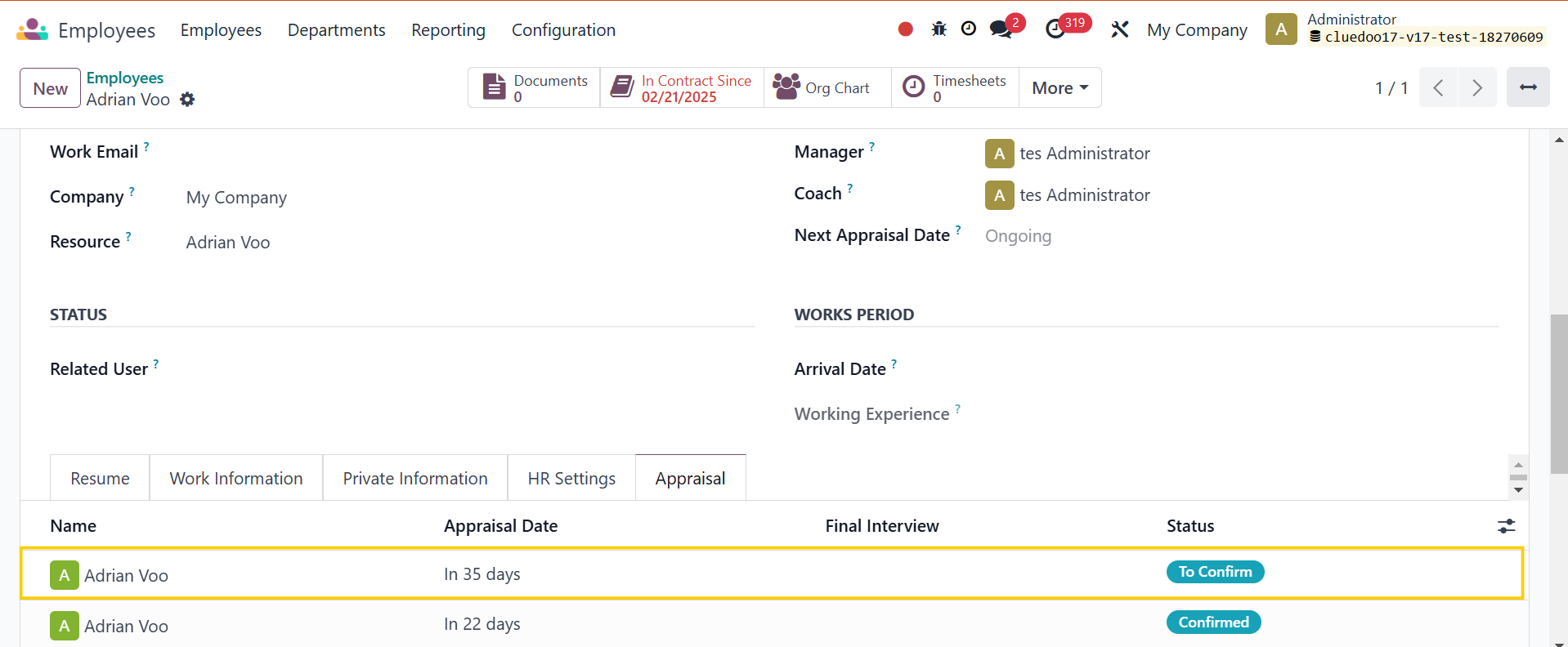
3. Go to Employees > On the employee form view, under the Appraisal tab, you will find the appraisal that you just created |
|
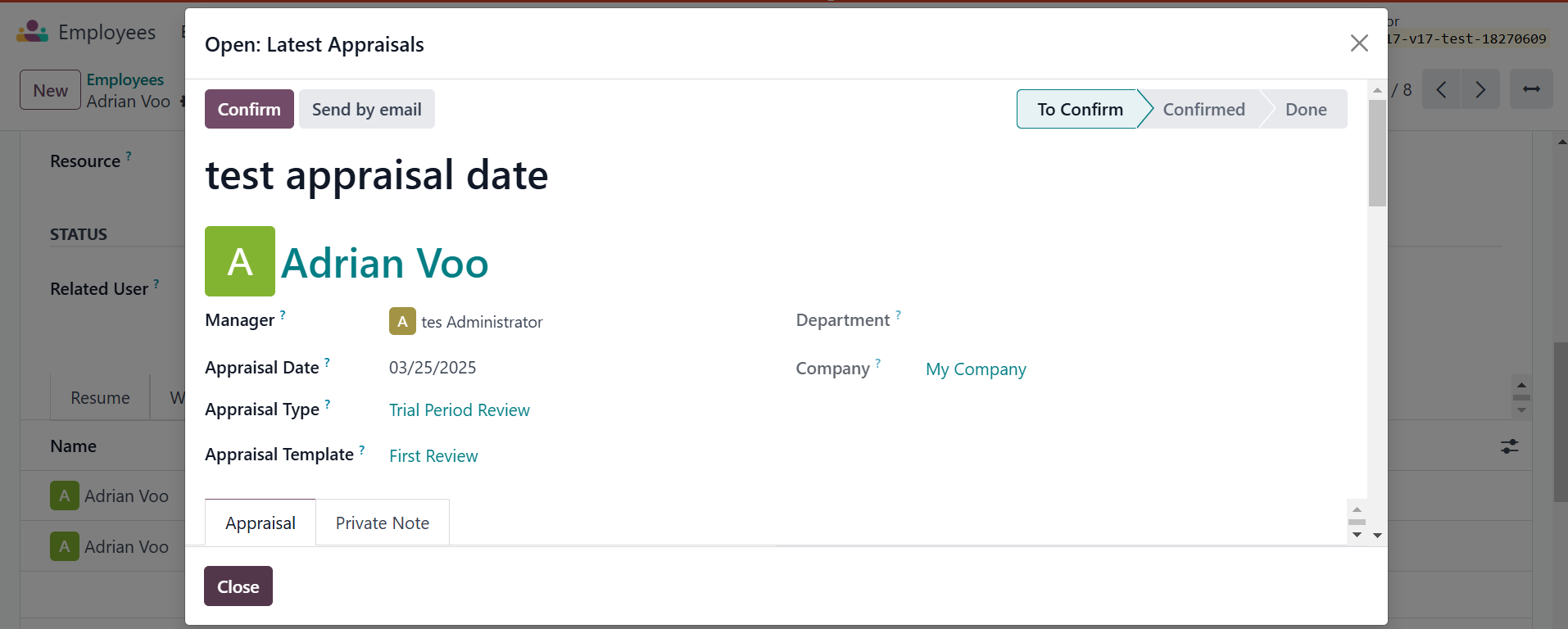
If you click on it, there will be a pop-up wizard showing the appraisal's details |
|
4. If you change the Appraisal Date to a later date, it will be automatically updated in the Appraisal tab on the Employee form view Note that: Even when an Appraisal Type has 2 or more templates, it will only show one appraisal template with the latest date |
|