



ODOO'S FUNCTION
Odoo allows you to view all your financial reports in a cumulated view and proposes a consolidation app to have a general overview about the consolidation.
CLUEDOO'S FUNCTION
Cluedoo enhances Odoo's consolidation feature by adding a set of modules to fully manage your multi-company in order to keep the general Odoo financial reports in a consolidated approach for a micro analysis. It fully complements the Odoo Consolidation apps.
The module Non-Intra Filter adds options in your financial reports to filter on all your intragroup transactions (ie: all the transactions from a company to a partner, which is one of the companies in the database).
Then, in just one click, you can move from the cumulated to the consolidated results with full details by ledger account.
1. Go to Accounting → Reporting. Choose the report (for example, Profit and Loss). | 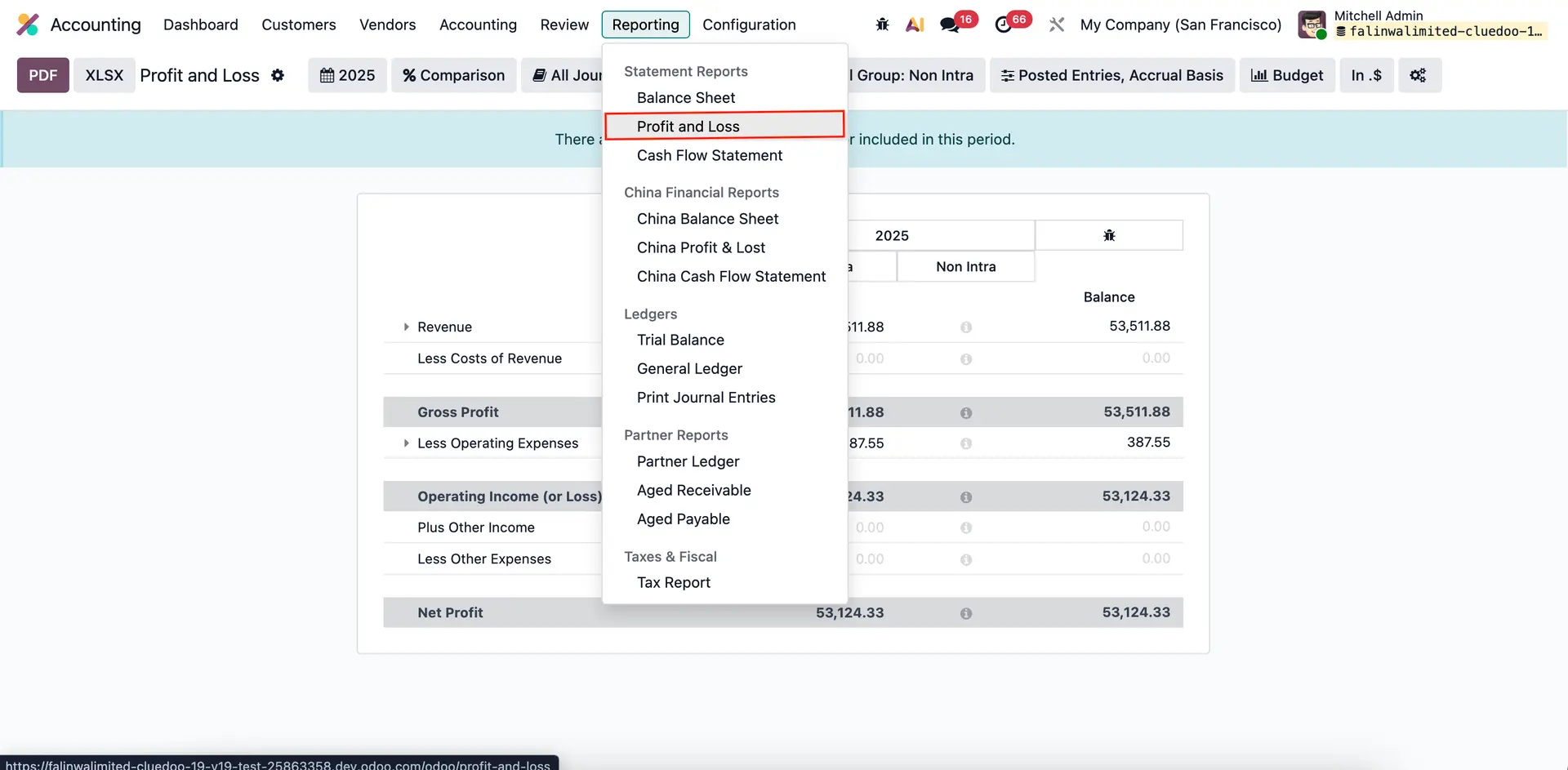 |
Click on the "Settings" button in the top right corner. Inside Profit and Loss, we need to check the "Non Intra Filters" box and click Save. Once you tick the Non Intra Filters box, it will automatically fill the Applicable Filters. | 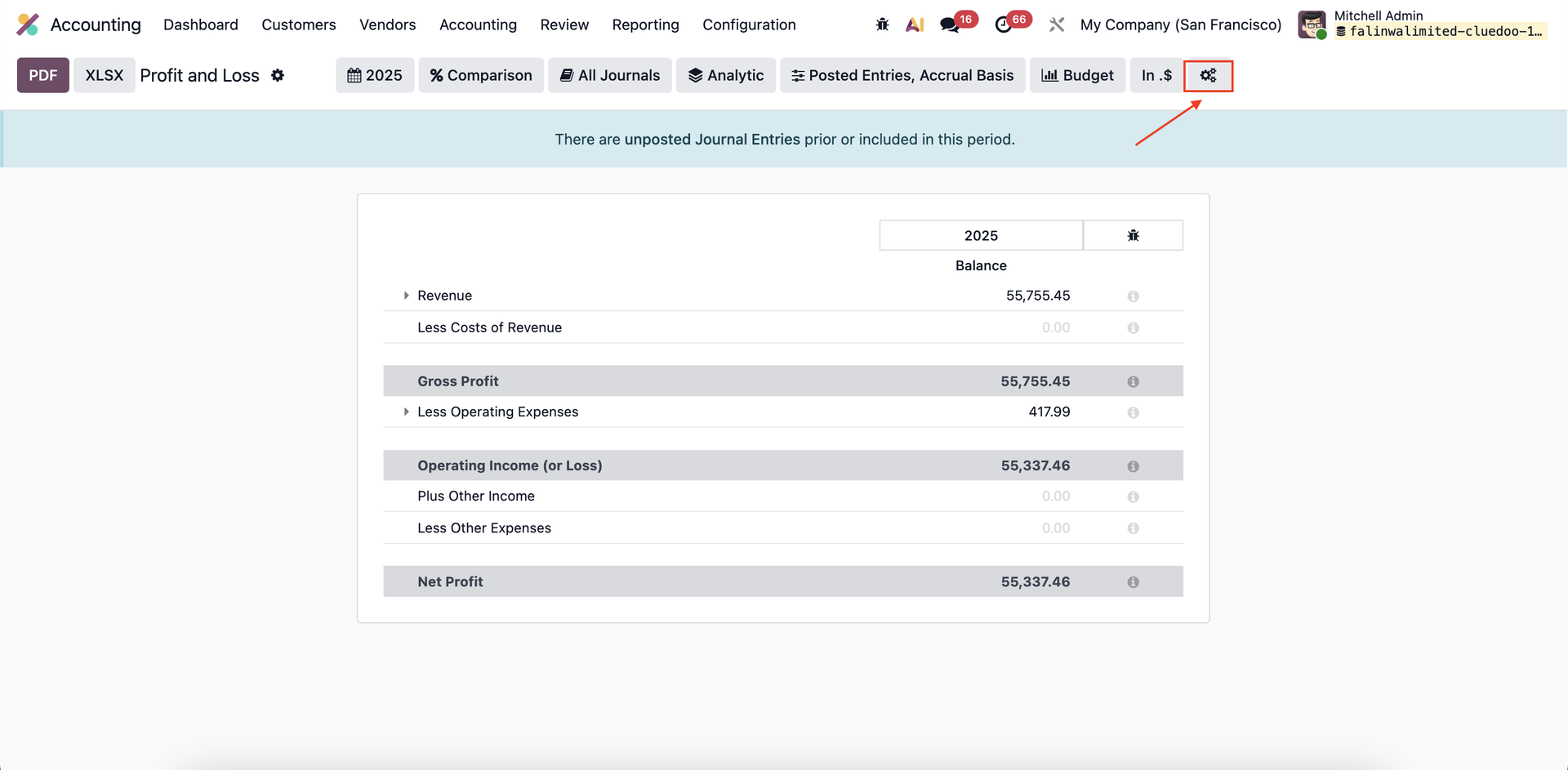 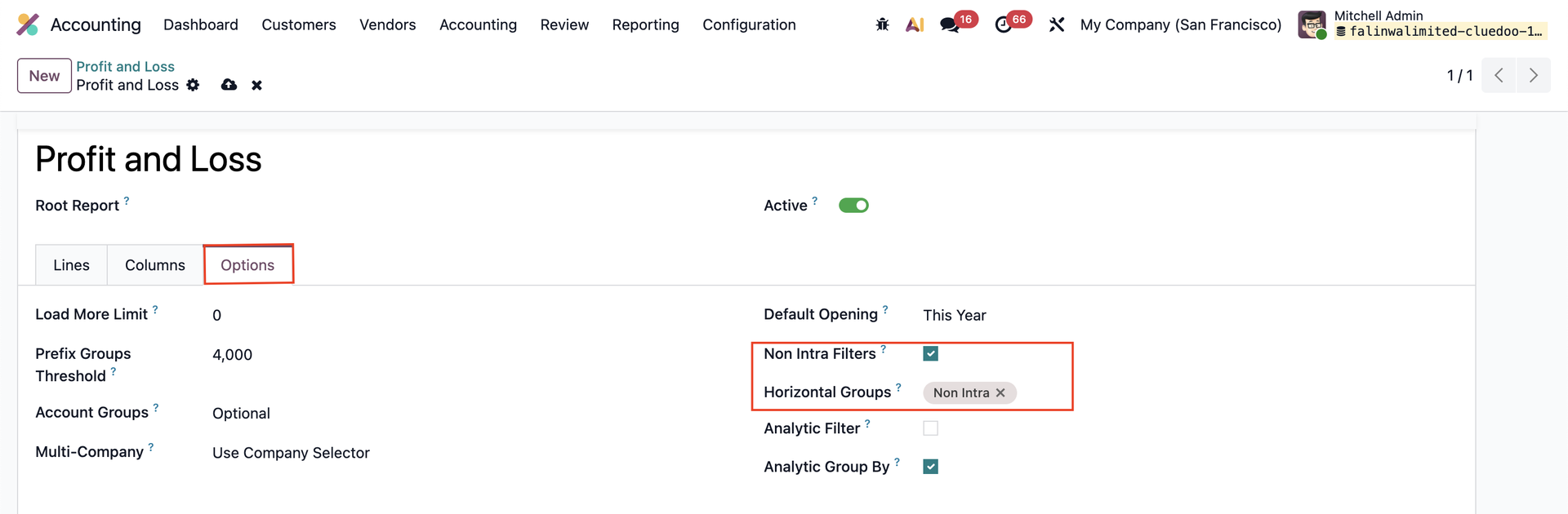 |
2. Open the Profit and Loss report. We can now filter by Non Intra. By filtering Non Intra, the value of the report should be different, as it depends on transactions between the company you designate as a Non Intra company. | 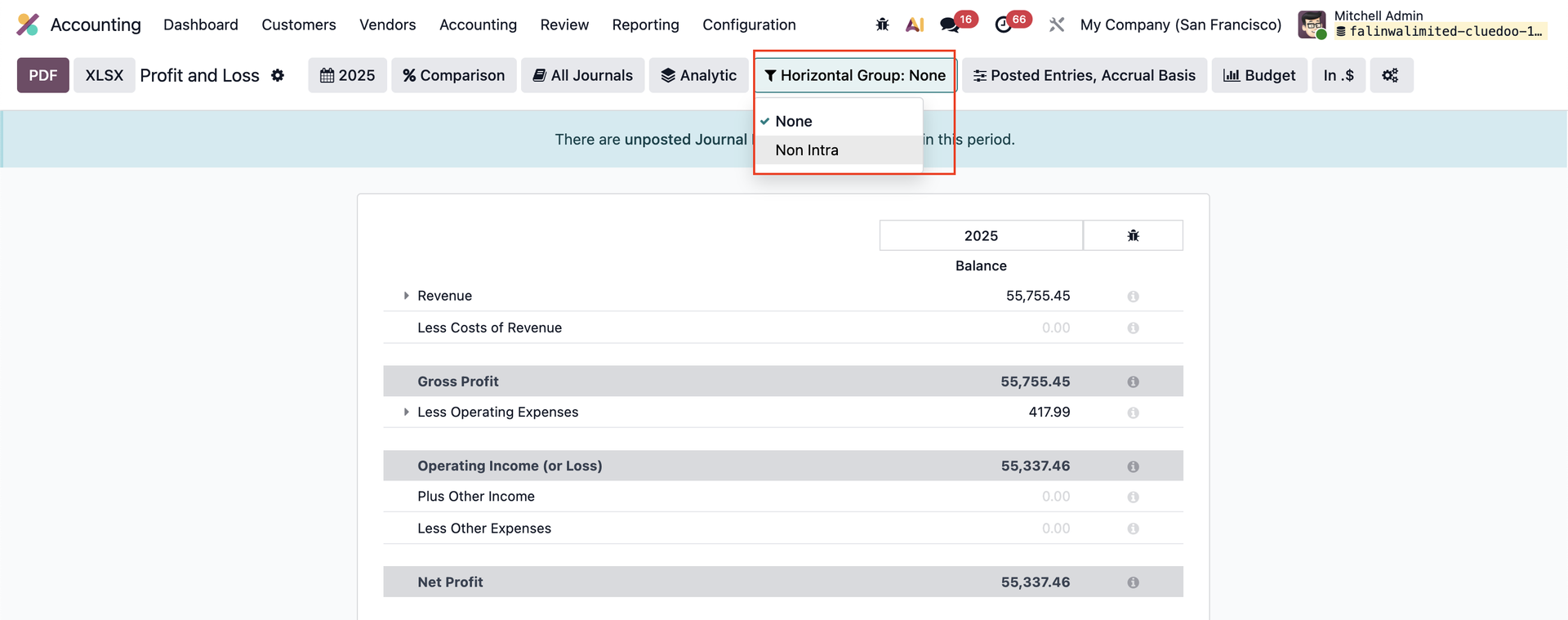 |