



ODOO'S FUNCTION
Odoo allows you to create and send an SMS, but does not offer the possibility to send an SMS automatically when we schedule an activity.
CLUEDOO'S FUNCTION
CLuedoo offers the possibility to send an SMS automatically when we schedule an activity.
1. Create a new Activity Type Set the model to Contact. Then, select the SMS Template and check the box Automated SMS. The SMS template should be applied on the same model as activity type. | 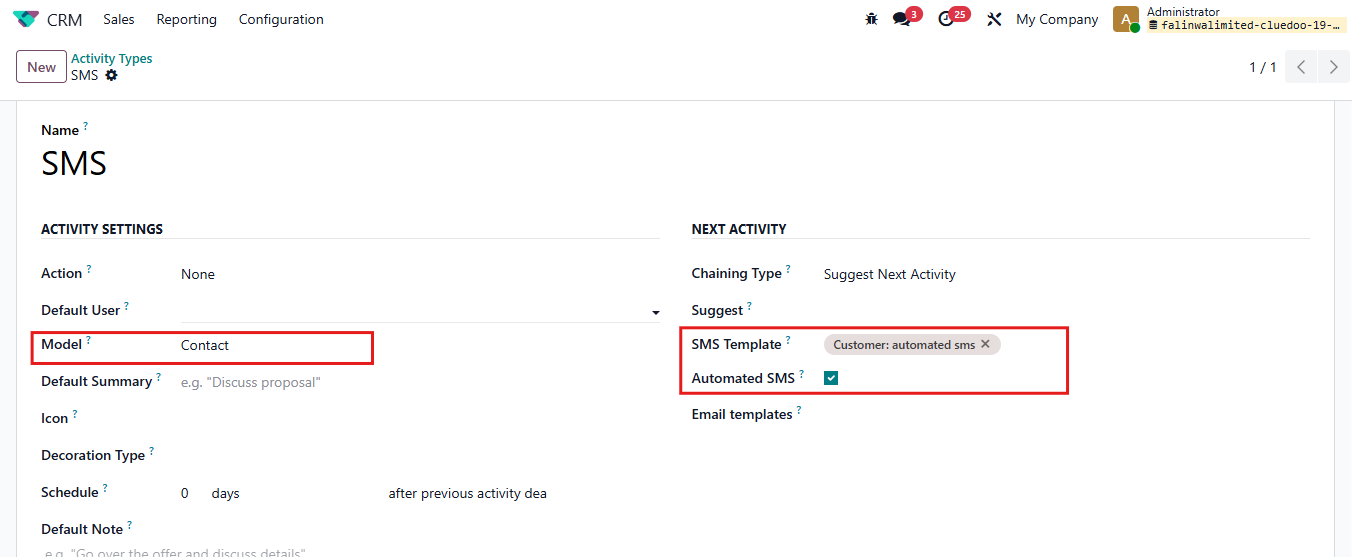 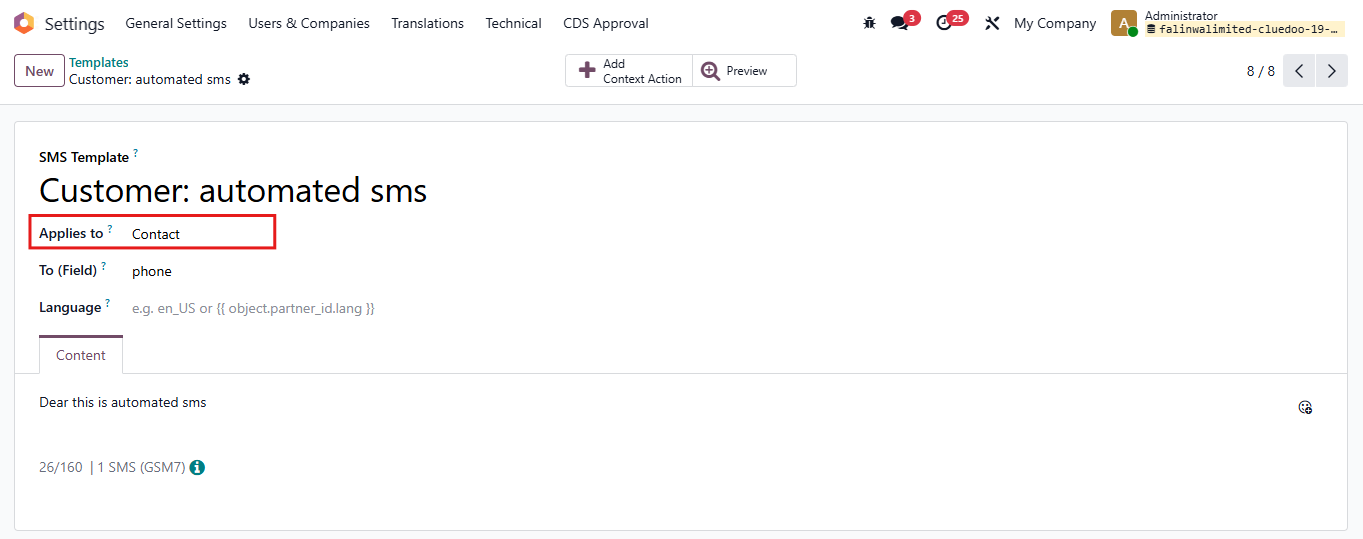 |
2. Create a Scheduled Activity on a Contact. Select SMS as Activity Type, then check the box Automatic Send SMS at Due Date. > Save | 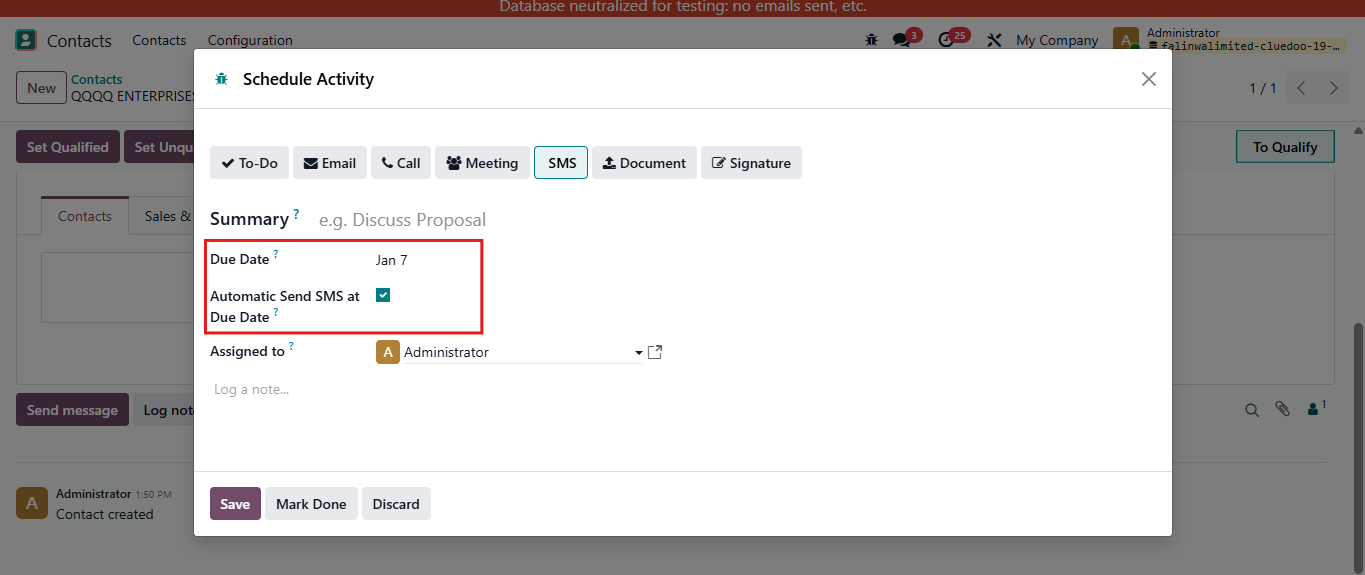 |
3. Turn on Debug mode. Go to Settings > Technical > Scheduled Actions Find Automatic Send SMS On Deadline SMS will be automatically sent in next execution date. If you want this message to be sent immediately, click Run Manually. | 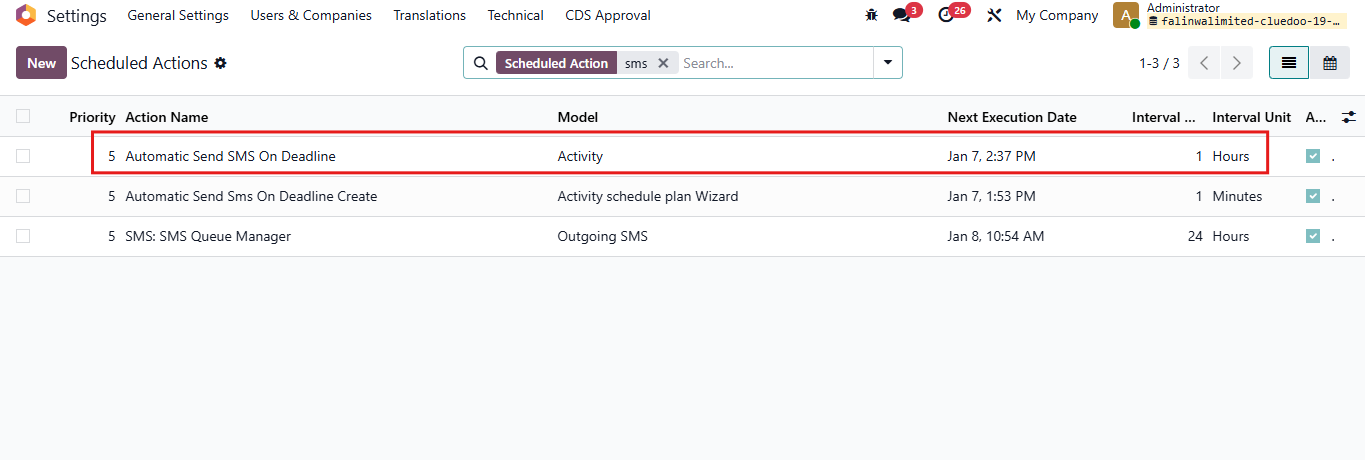 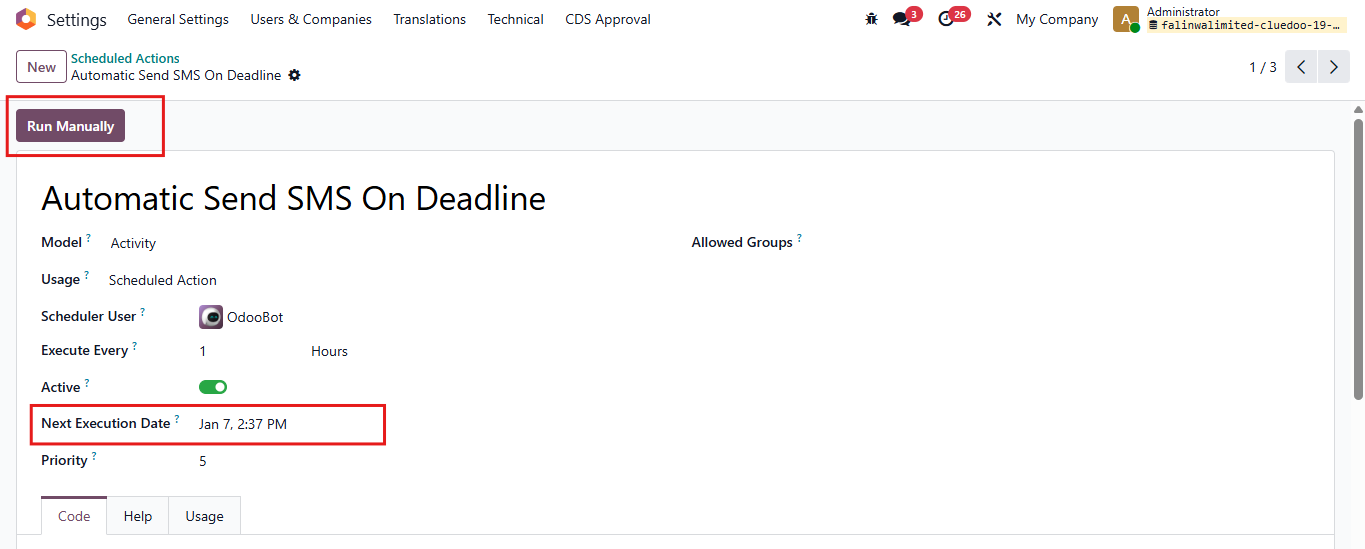 |
4. The SMS will be sent automatically. | 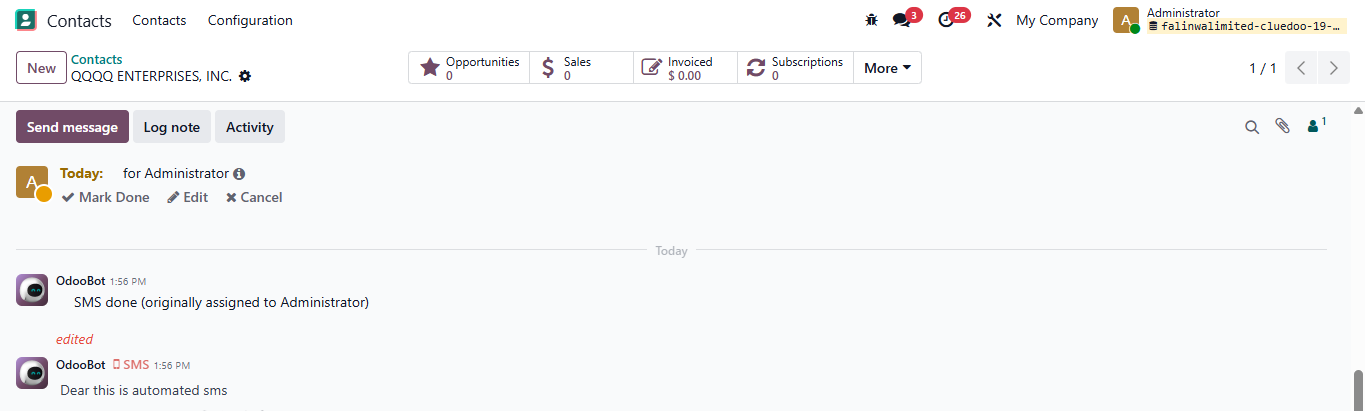 |