



ODOO'S FUNCTION
In Odoo, vendor bills only allow attachments to be added in the chatter section. These attachments are not linked to a dedicated field in the bill form, which makes it difficult to identify the official invoice document.
If a bill is created from the Documents app, the linked file is not automatically stored in the bill form either, requiring users to manage attachments manually.
CLUEDOO'S FUNCTION
Cluedoo improves the vendor bill process by introducing:
1️⃣ A dedicated Invoice Attachment field in the vendor bill form to store the official invoice document.
2️⃣ Automatic synchronization between the Invoice Attachment field and the chatter, ensuring the file is always visible in both places.
3️⃣ Automatic linking: when a bill is created from a Document, the file is automatically stored in the Invoice Attachment field.
This enhancement allows companies to manage invoice documents in a clear, structured way and improving traceability across the accounting process.
1. Go to Accounting > Vendors > Bills and create a new one. You can attach directly in the field "Invoice Attachment" | 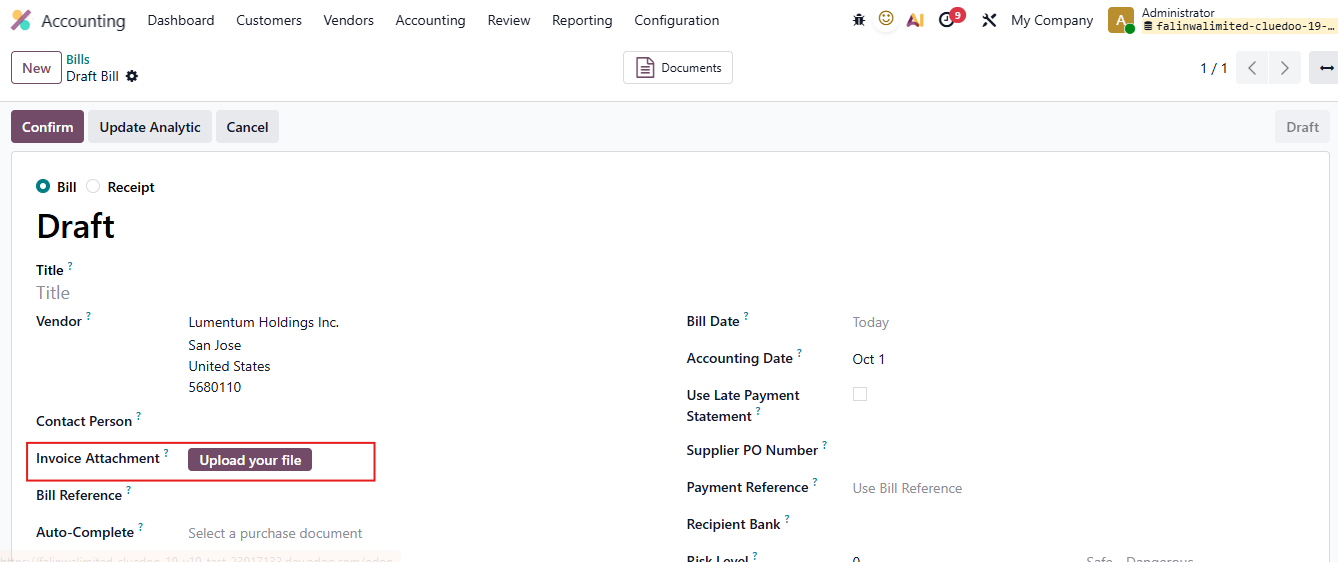 |
2. Choose file and upload | 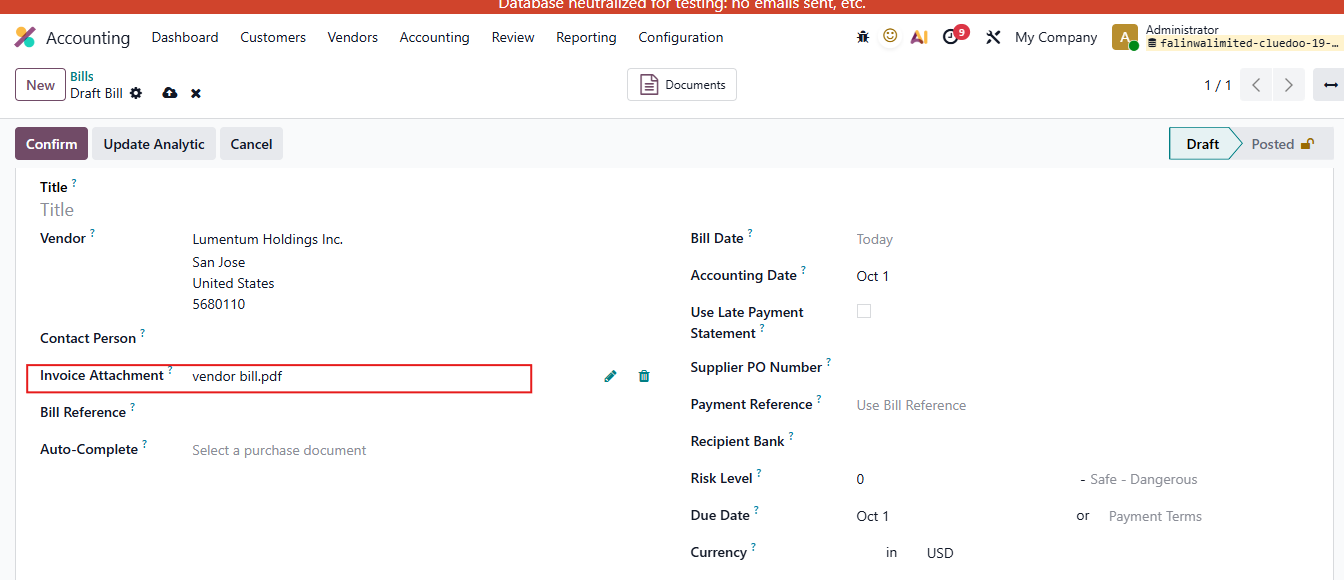 |
In case creating vendor bill from Document Go to Documents > Company > Finance > Upload your files > Choose Create Vendor Bill The attached file will appear in the Invoice Attachment automatically | 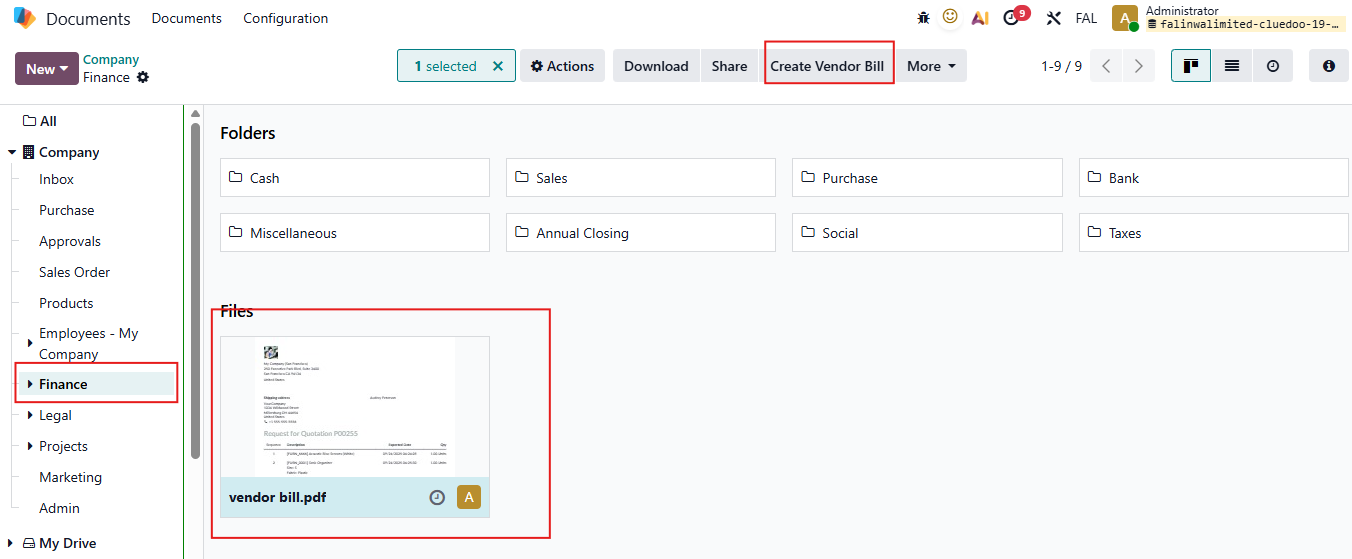 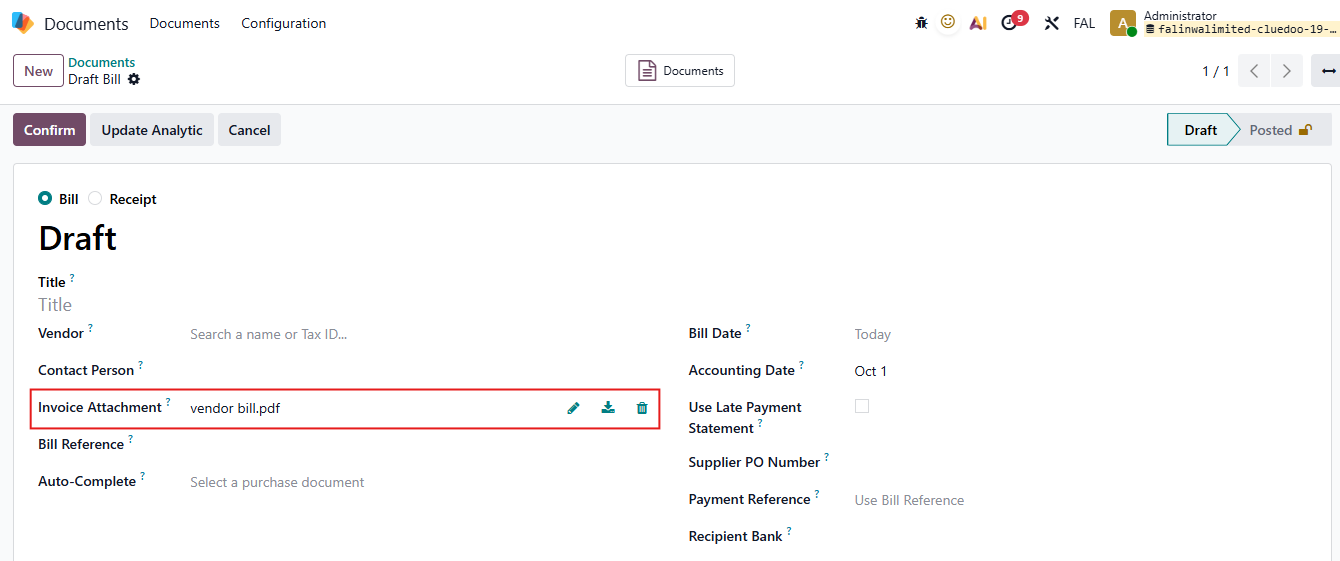 |