



ODOO'S FUNCTION
In Odoo, an invoice/bill contains many fields and details, but it can be difficult to quickly identify essential information such as the purpose of the invoice or its reference to the original signed document. Users often need to search through various fields or attachments to understand the context of the invoice.
CLUEDOO'S FUNCTION
CLuedoo adds a clear title field to customer invoices and vendor bills, along with an HTML description section. This allows users to highlight the key purpose of the document and provide additional formatted details or references (such as the original signed document), making invoices more understandable at a glance.
1. Go to Invoices/Bills > New > You will see an additional Title field | 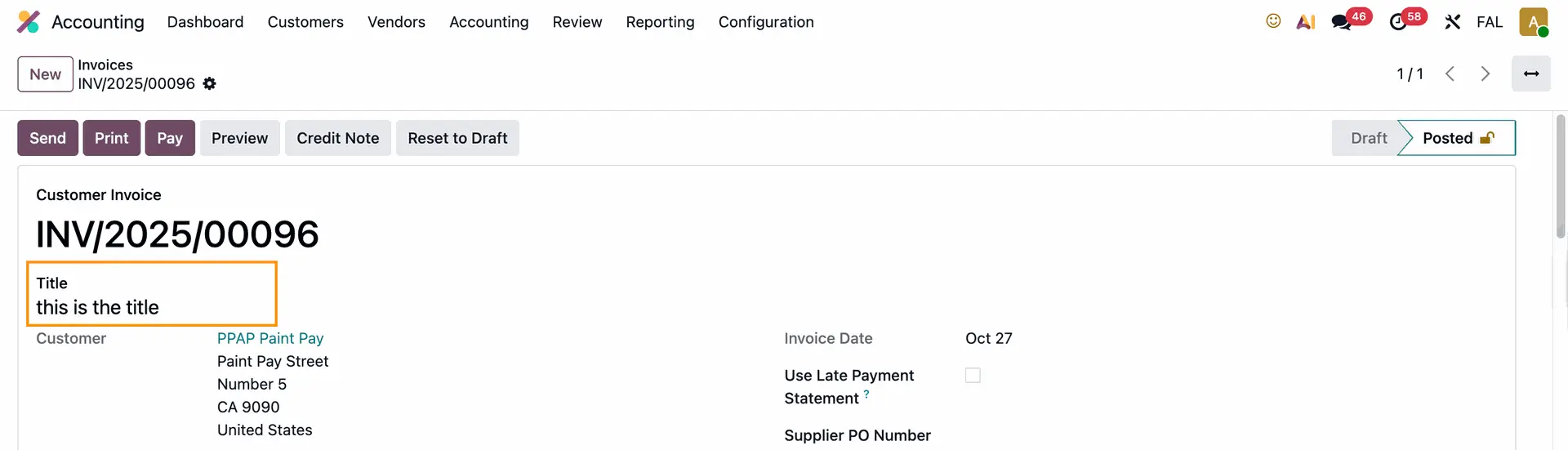 |
The title is shown in the list view of the invoice/bill |  |
2. You have options to add a Multiline Text Detailed Description and an HTML Detailed Description to the invoice/bill by going to Settings Note: from v18, we removed Multiline Text Detailed Description because it is available in ODS | 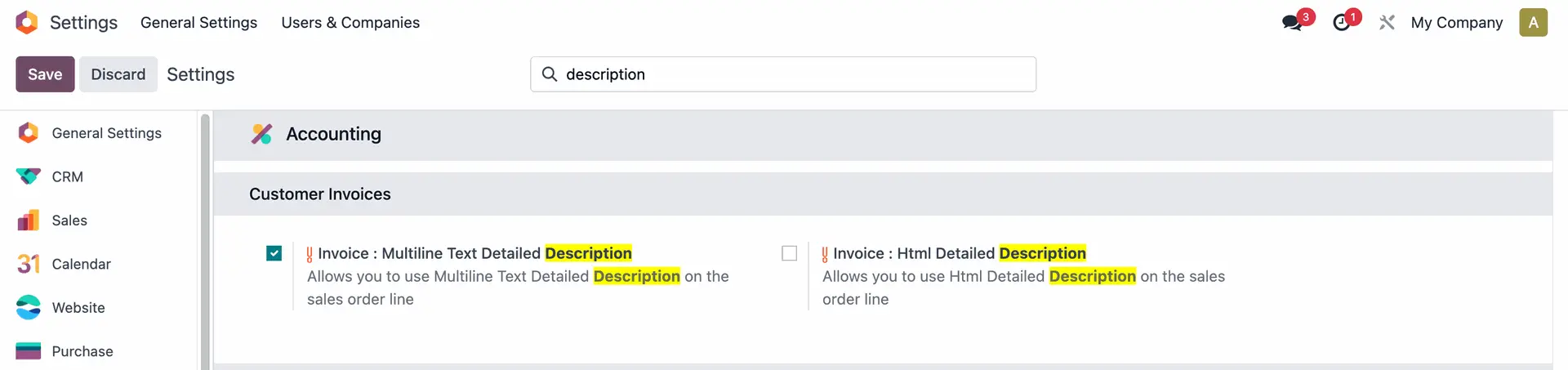 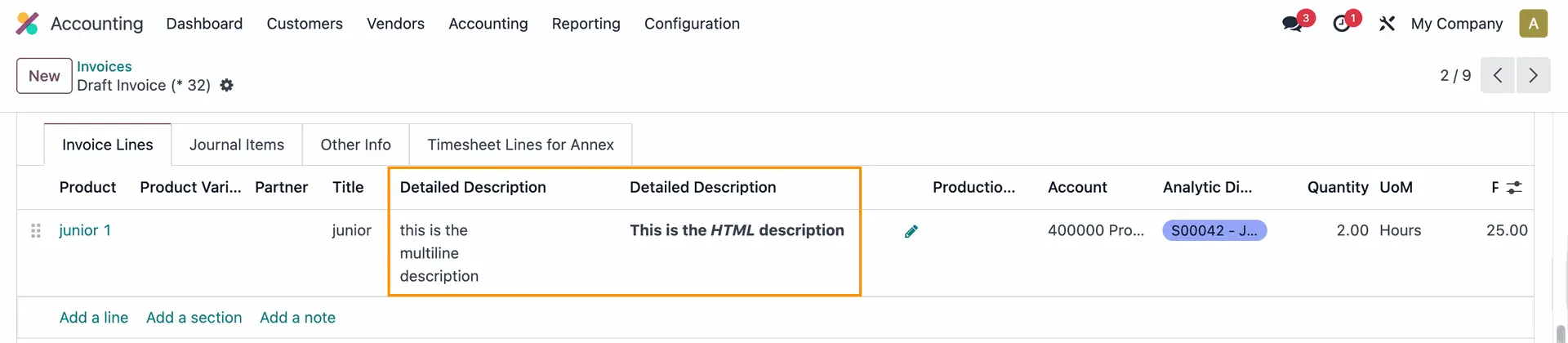 |
3. The title is also displayed when you send the invoice, in the subject line | 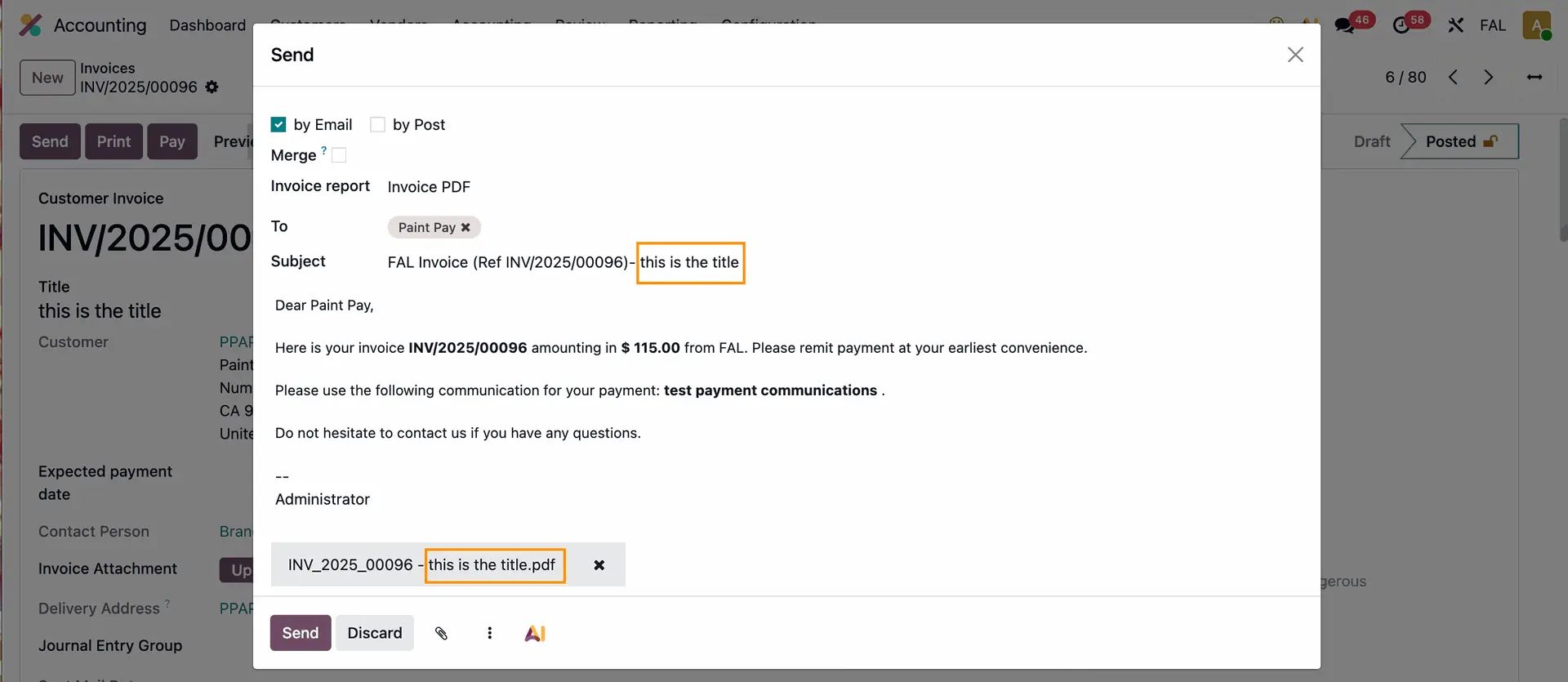 |
And on the PDF file. | 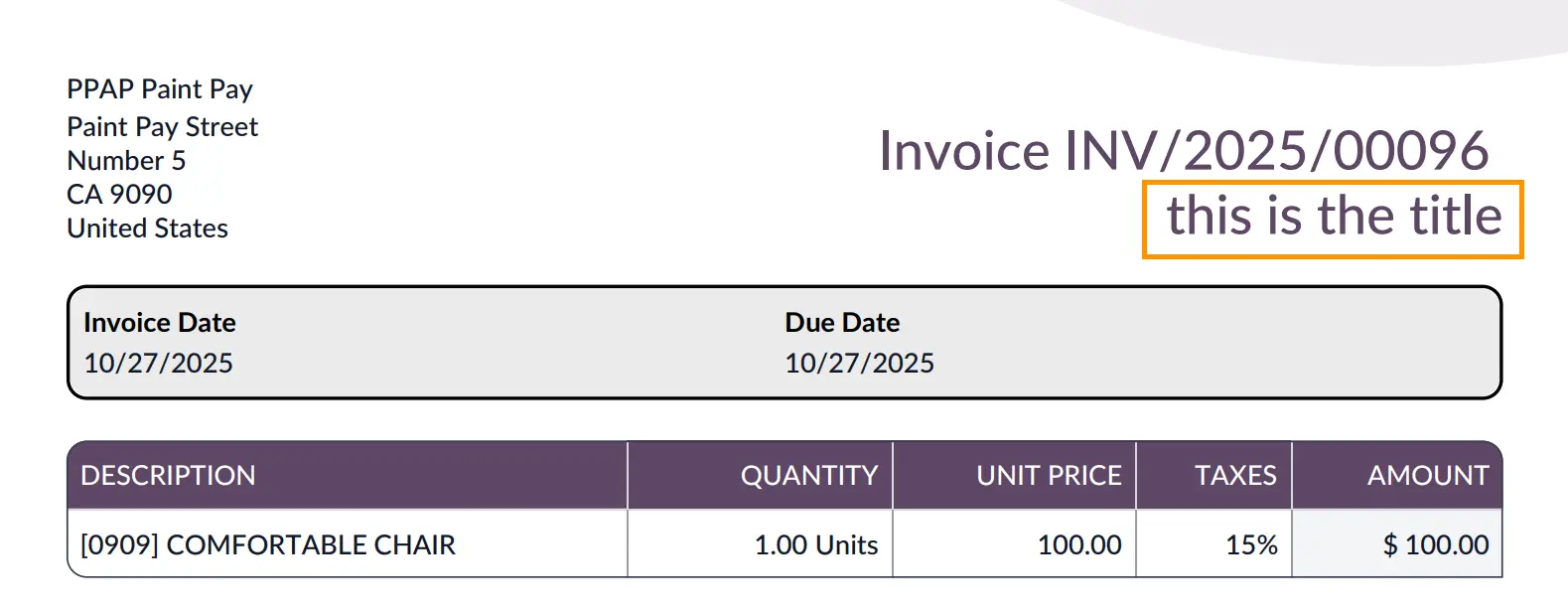 |