



ODOO'S FUNCTION
Odoo does not have a Process Testing Scenario function, which can limit the ability to efficiently manage and track testing tasks
CLUEDOO'S FUNCTION
CLuedoo has designed and developed the Customer Process Test Scenario function, enabling better management of testing tasks. This functionality helps streamline test case tracking and ensure consistency across different scenarios
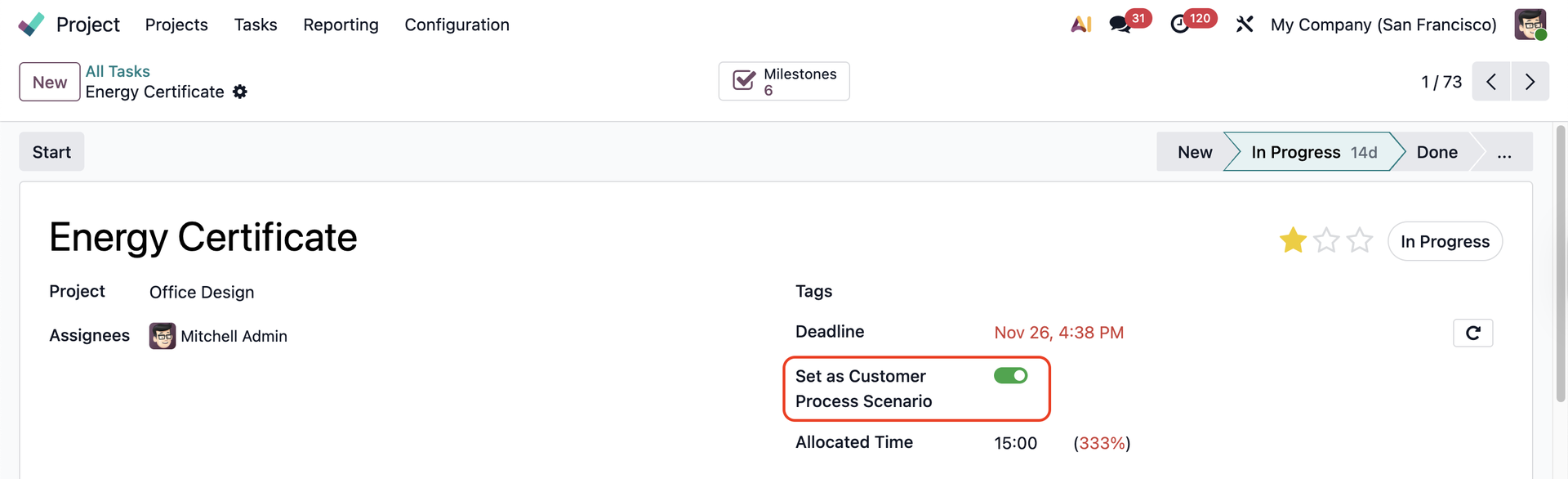
SET UP IN TASK FORMGo to Project > Tasks > All Tasks > Access a task or create a new one > There are two ways to make the task appear/ disappear in the Process Testing Scenario - Method 1:
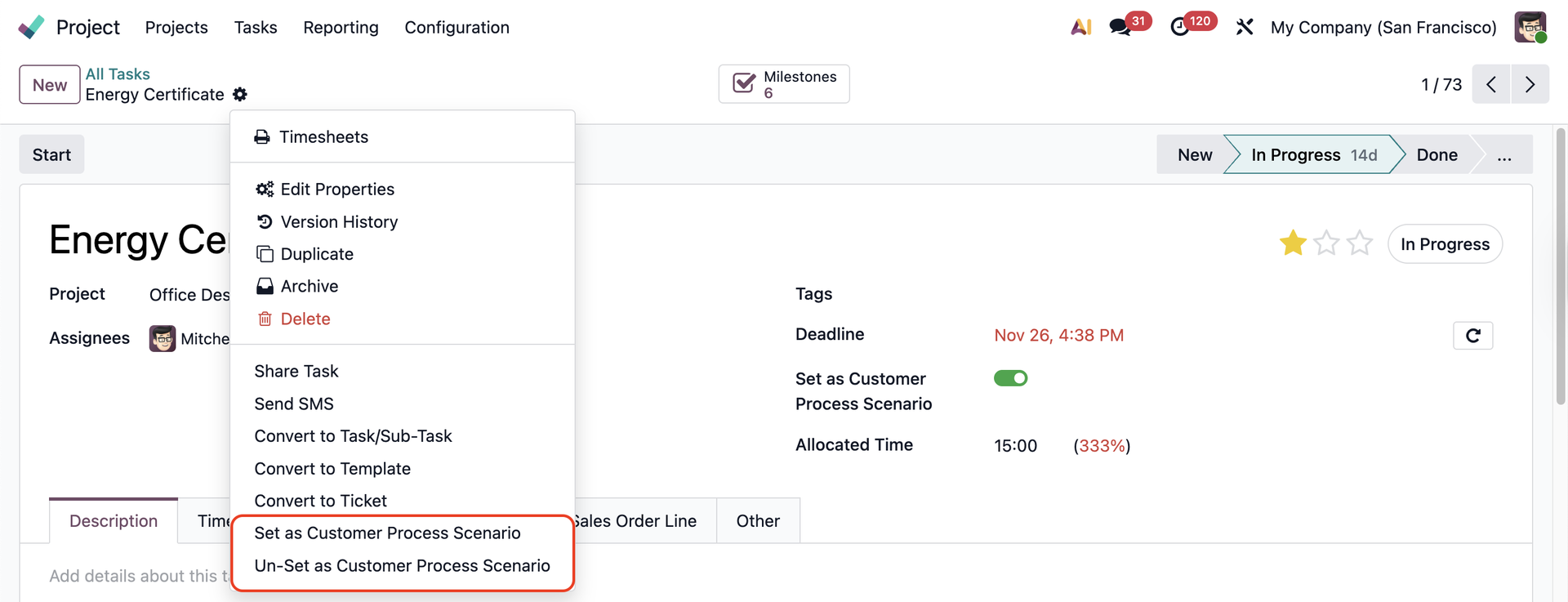
- Method 2: Click on Actions > Can see 2 choices
|   |
SET UP IN TASK LIST VIEWGo to Project > Tasks > All Tasks > Select tasks on the Task List View > Click on Actions > Choose one of two actions that you want to configure for selected tasks | 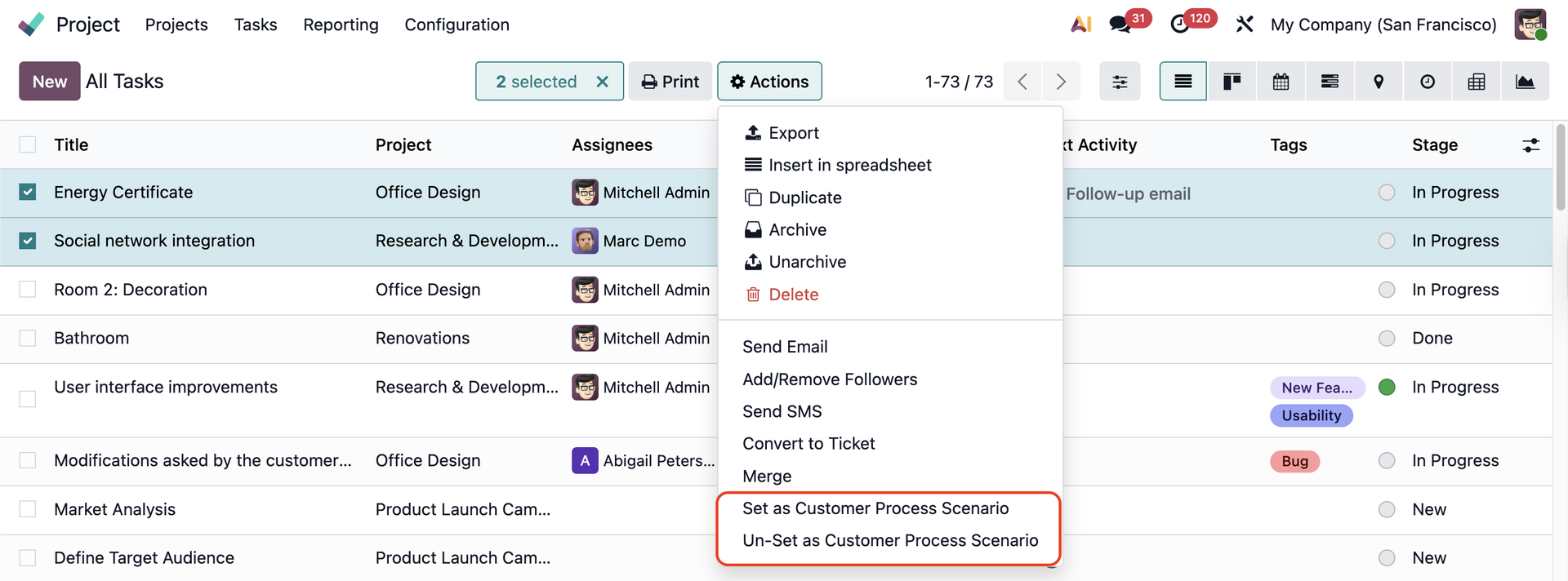 |
Go to Process Testing Scenario > You can see that all the tasks that we set as Customer Process Scenario appear here | 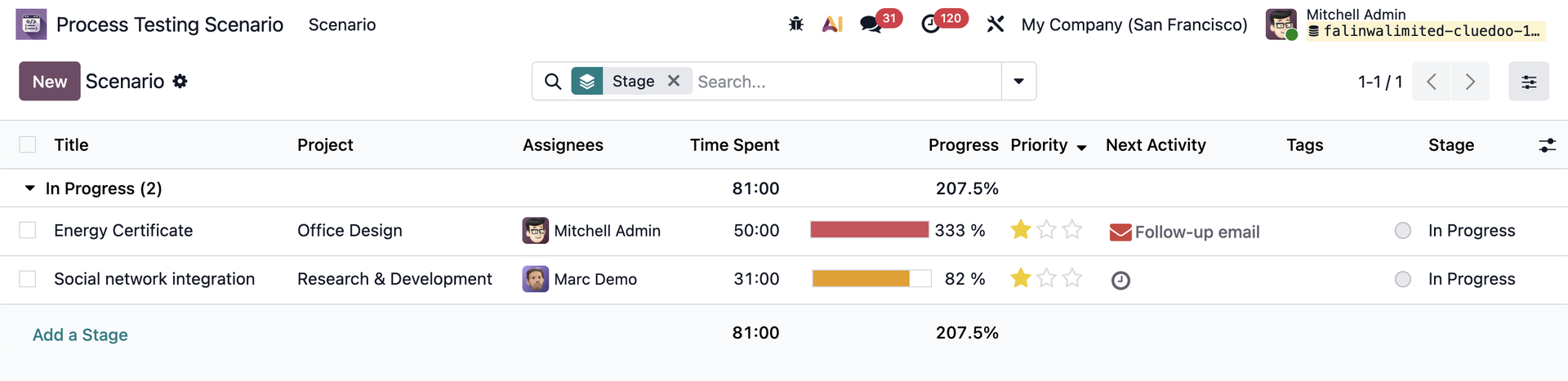 |
You can also Un-set as Customer Process Screnario the tasks directly from this app, and they will disappear from the list. | 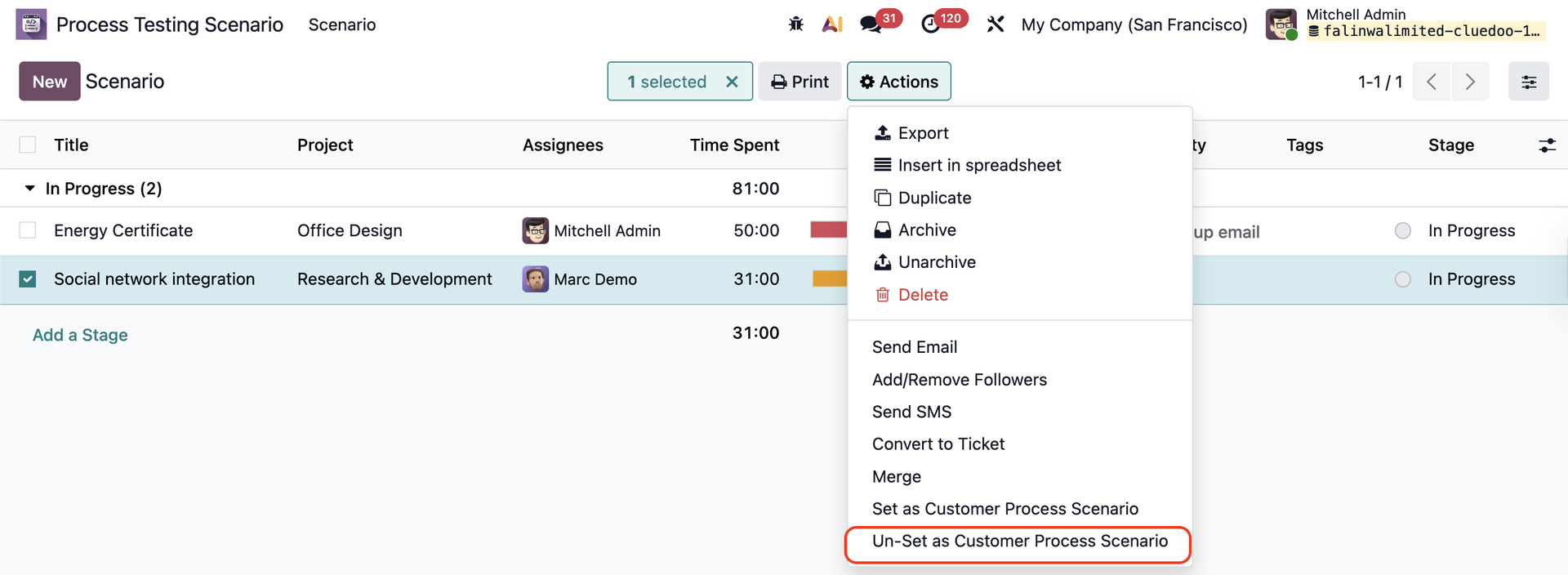 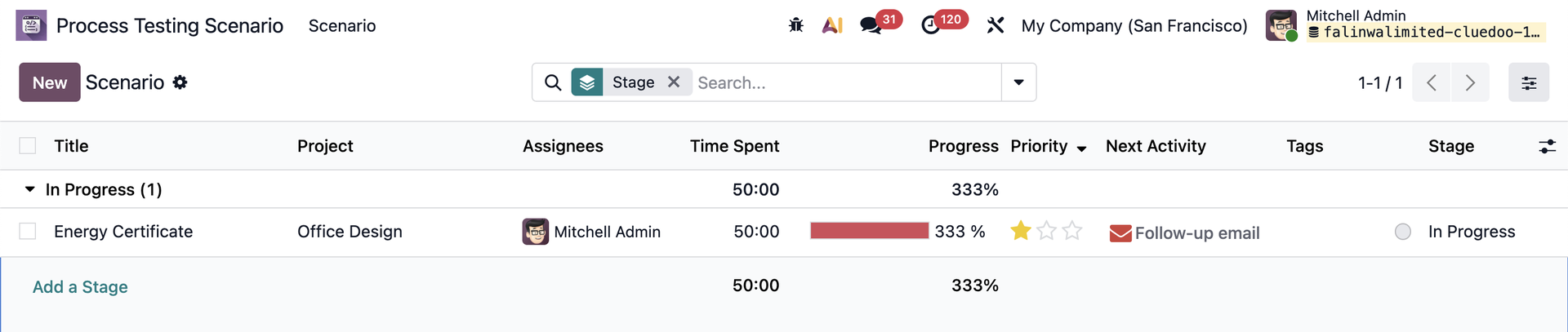 |