

ODOO'S FUNCTION
In Odoo, linking vendor bill costs to sales orders typically requires manual configuration or additional workflows, and there’s no built-in feature to automatically add costs to a sales order or markup prices based on analytic accounts.
CLUEDOO'S FUNCTION
CLuedoo integrates vendor bills with sales orders through analytic accounting, automatically adding vendor bill costs to the sales order and applying a price markup based on the analytic account.
CONFIGURATION | |
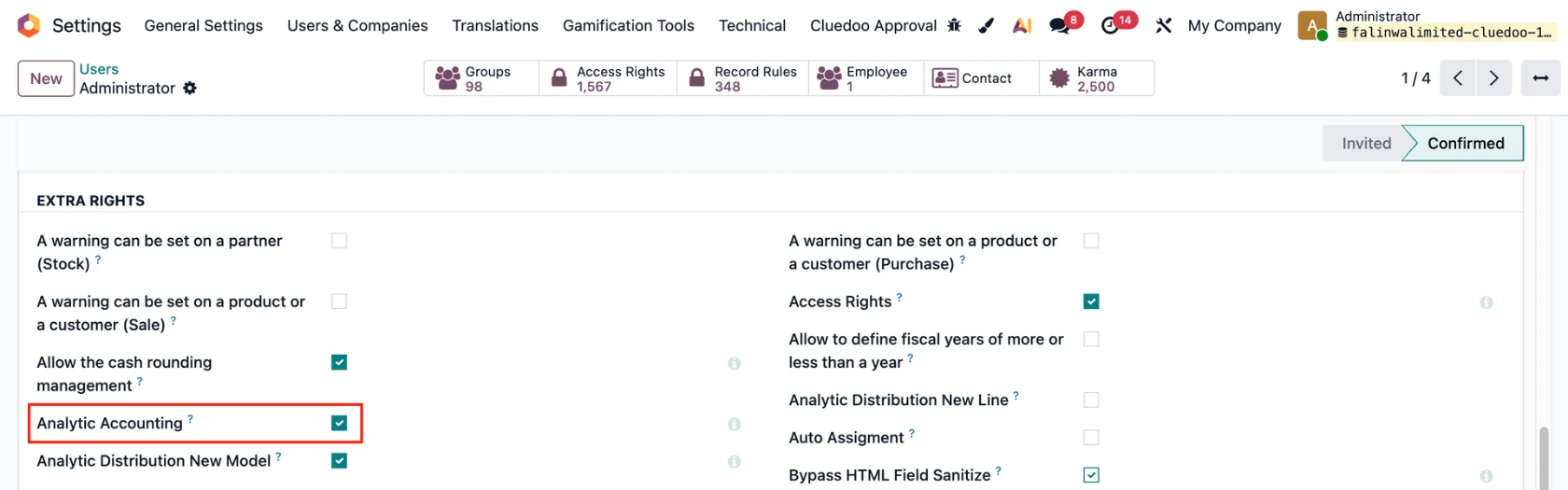
1. Go to Settings > In the user settings, activate Analytic Accounting. |
|
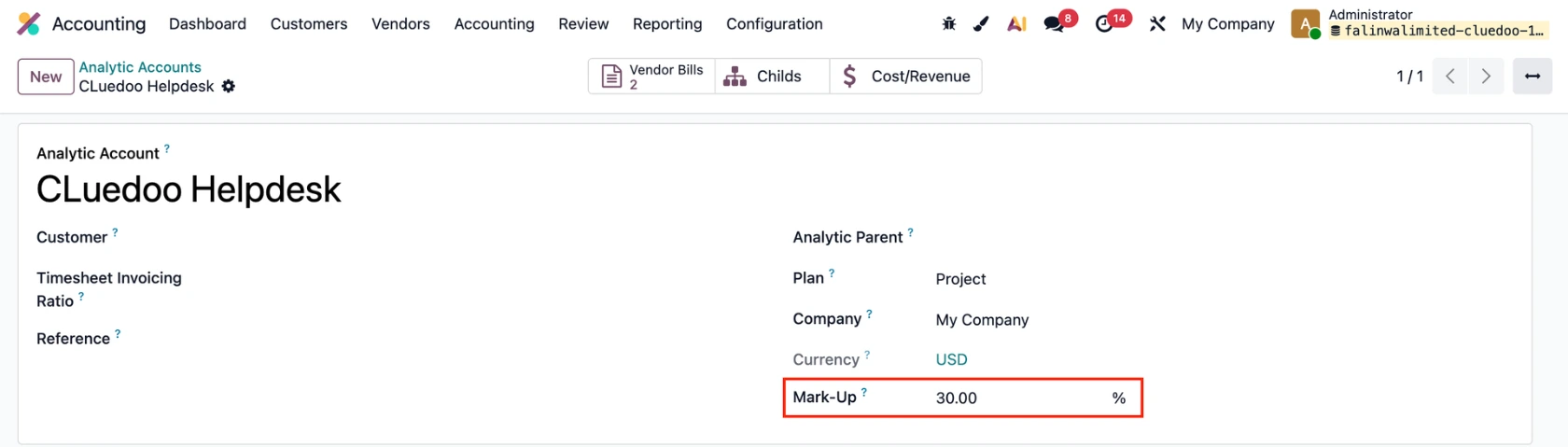
2. Create an Analytic Account with Mark-up (e.g., 30%) |
|
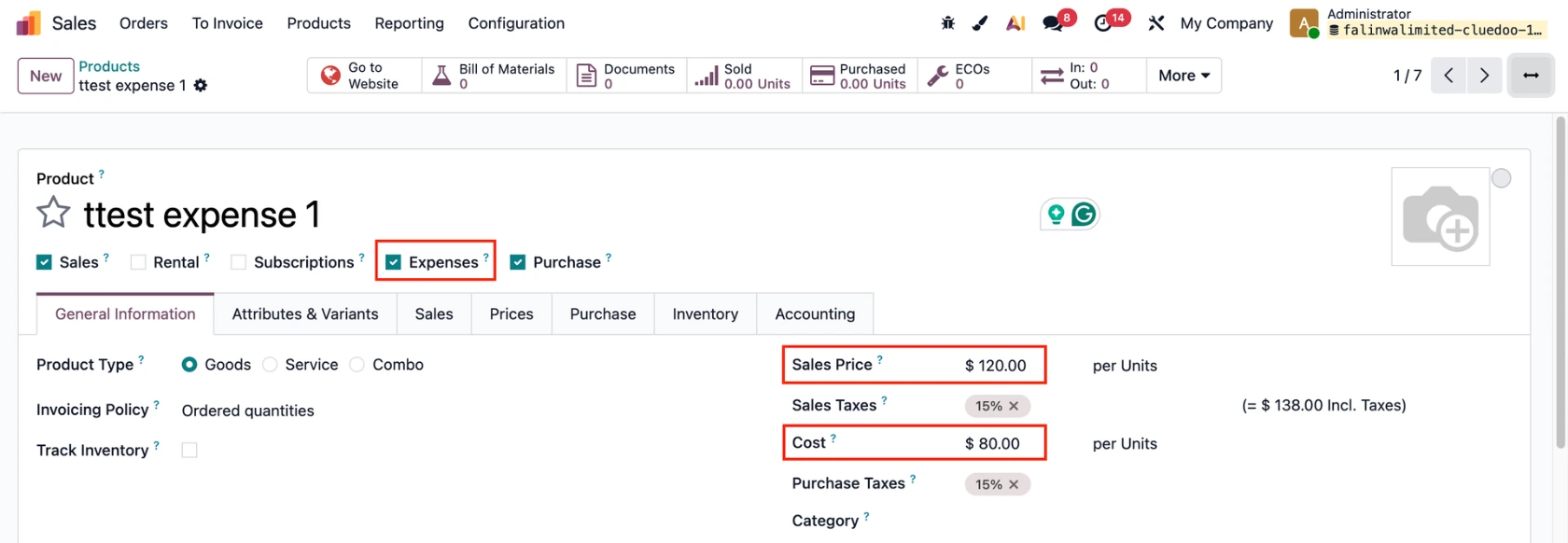
3. Create a product and set it as Can be Expensed > Add the Sales Price and the Cost e.g., Sales Price = 120, Cost = 80 |
|
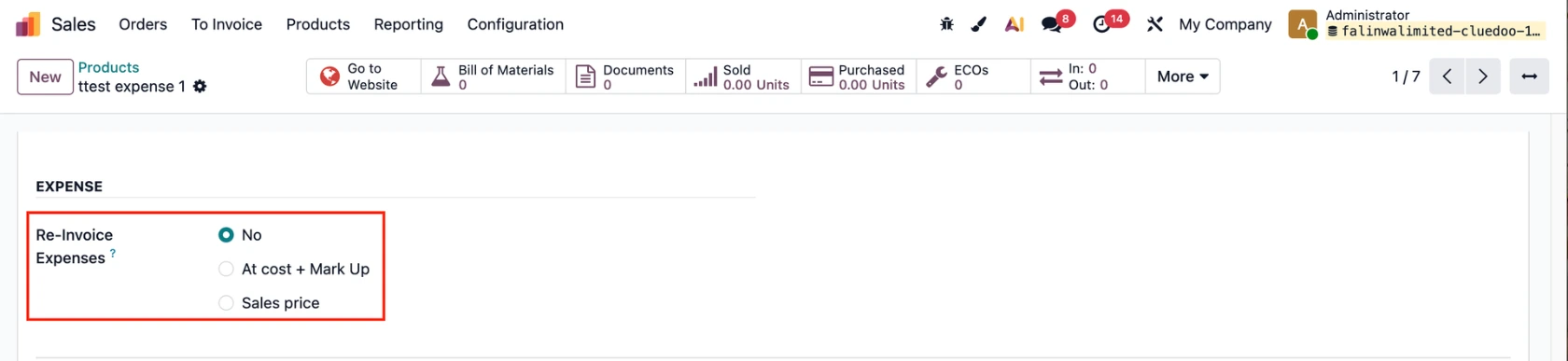
Under the Sales tab: Check Re-invoice Expense:
|
|
USAGE | |
Head to Sales > Create a Sales Order > Add a product and the configured Analytic Distribution. | 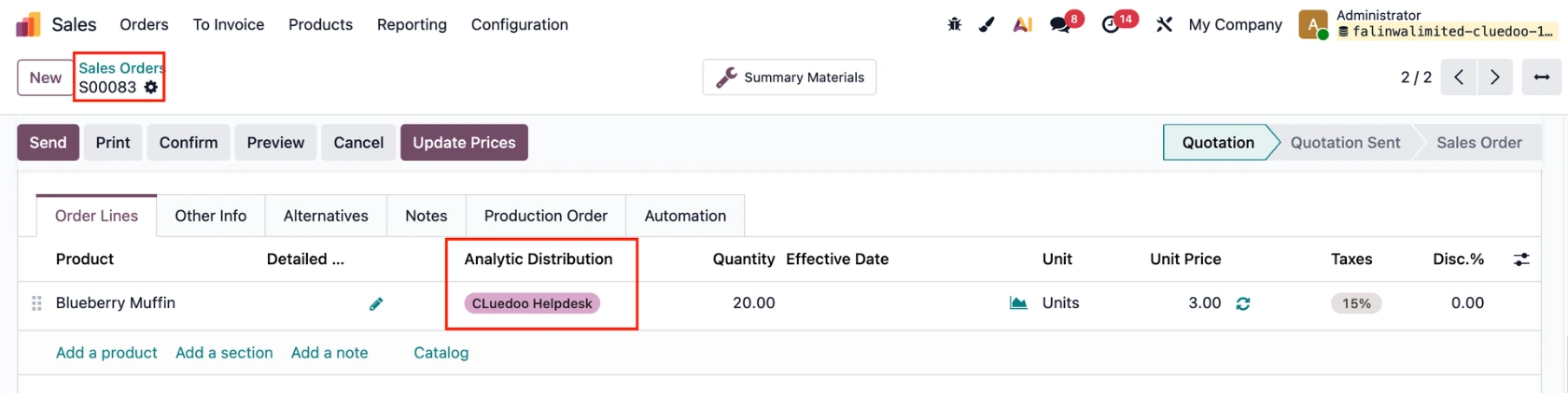 |
AT SALES PRICE 1. Create a Vendor Bill > Add the configured product and AD as the SO > Choose the Sales Order based on the AD > Confirm to post the bill. Note: only SOs with the same AD can be selected. | 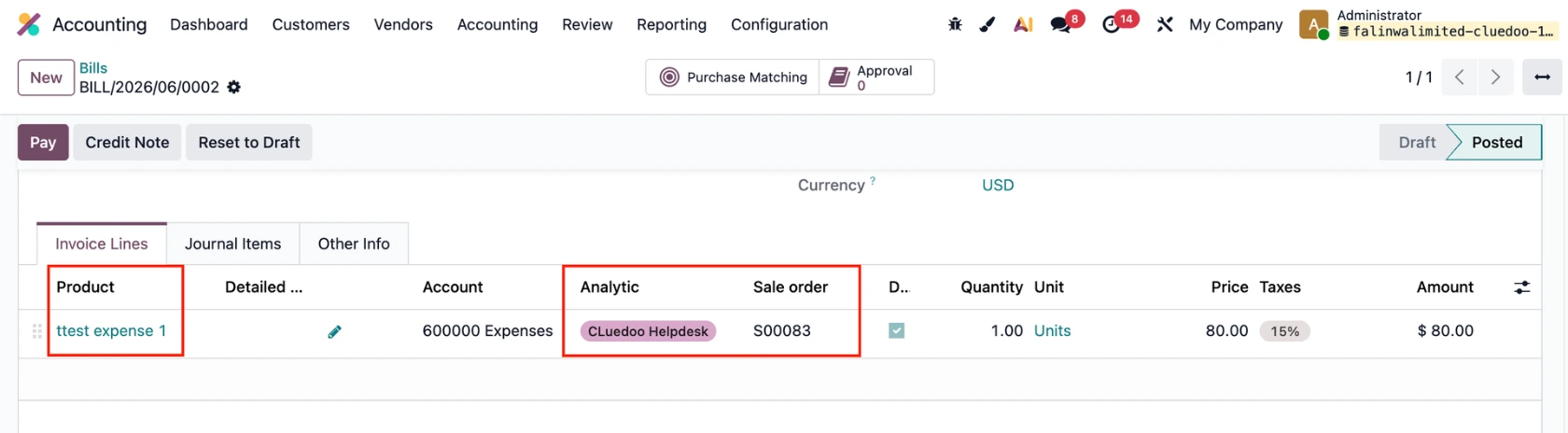 |
2. Go back to the SO, a product line is automatically added based on the vendor bill costs. The Unit Price = the product's Sales Price. | 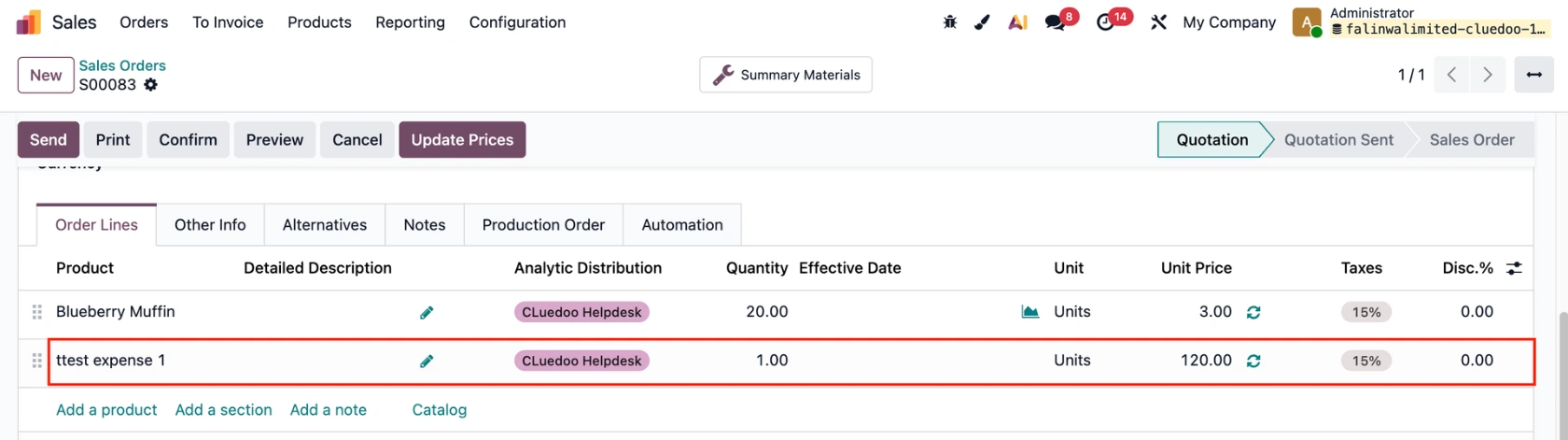 |
AT COST + MARK UP Cost = 80, Mark Up = 30 % → SO price = Cost * (1 + mark-up %) = 80 * (1 + 30%) = 104 | 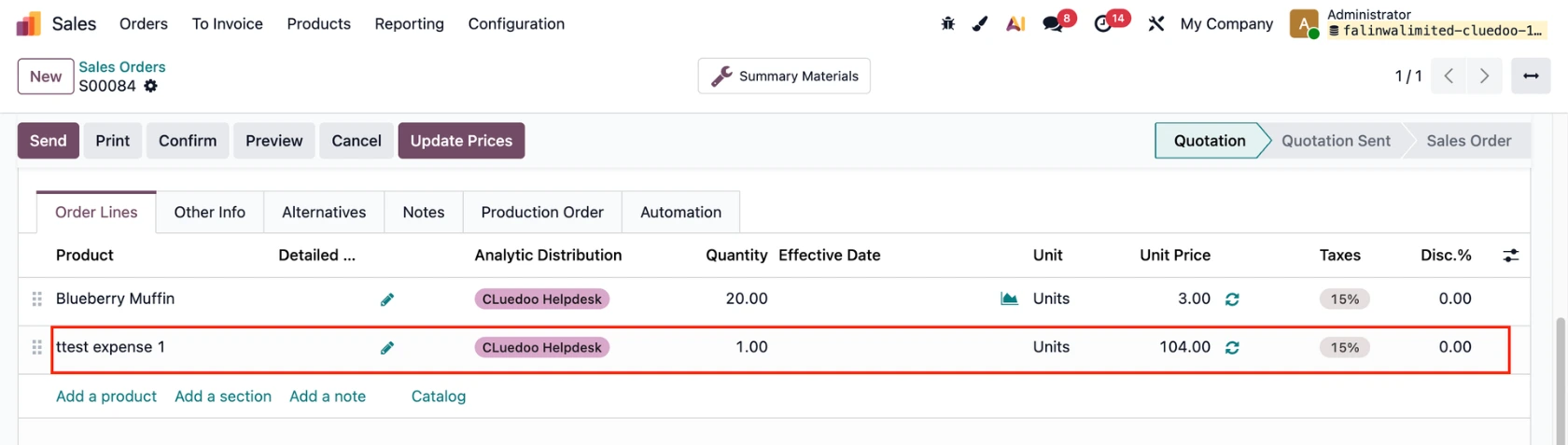 |