



ODOO'S FUNCTION
Odoo does not automatically add expense products to sales orders and the markup application based on analytic accounts.
CLUEDOO'S FUNCTION
CLuedoo automates the reinvoicing of expenses by integrating expense reports with sales orders, automatically adding approved expense products to the sales order line with a predefined markup percentage set in the analytic account.
1. Go to Accounting > Configuration > Analytic Accounting > Analytic Accounts Create an Analytic Account and add Mark-up percentage | 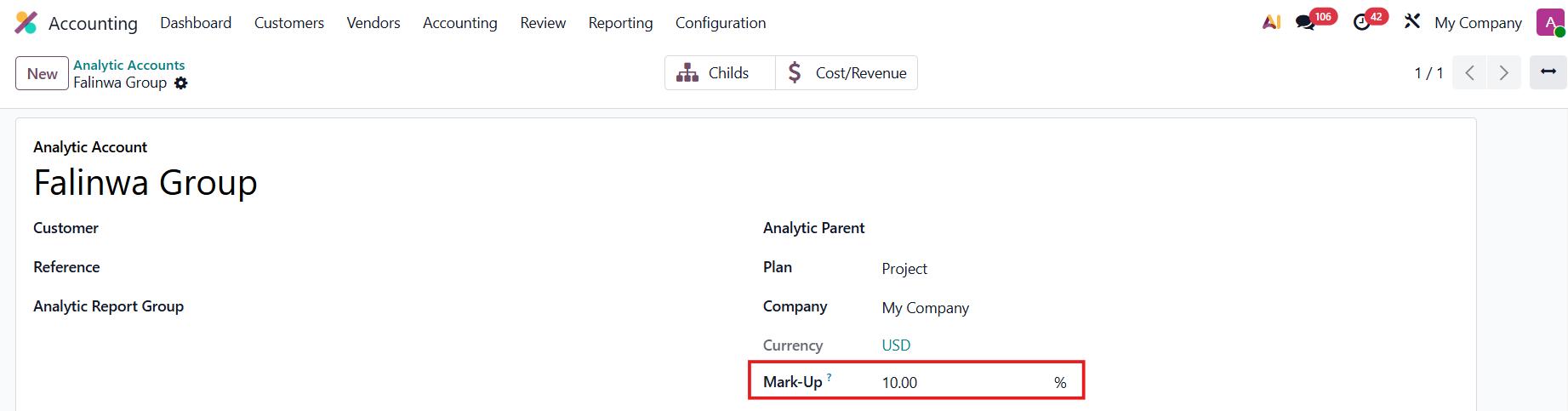 |
2. Go to Expenses and create an expense Fill in the Category, Total (Cost), Customer to Reinvoice, and the Analytic Distribution that you just created | 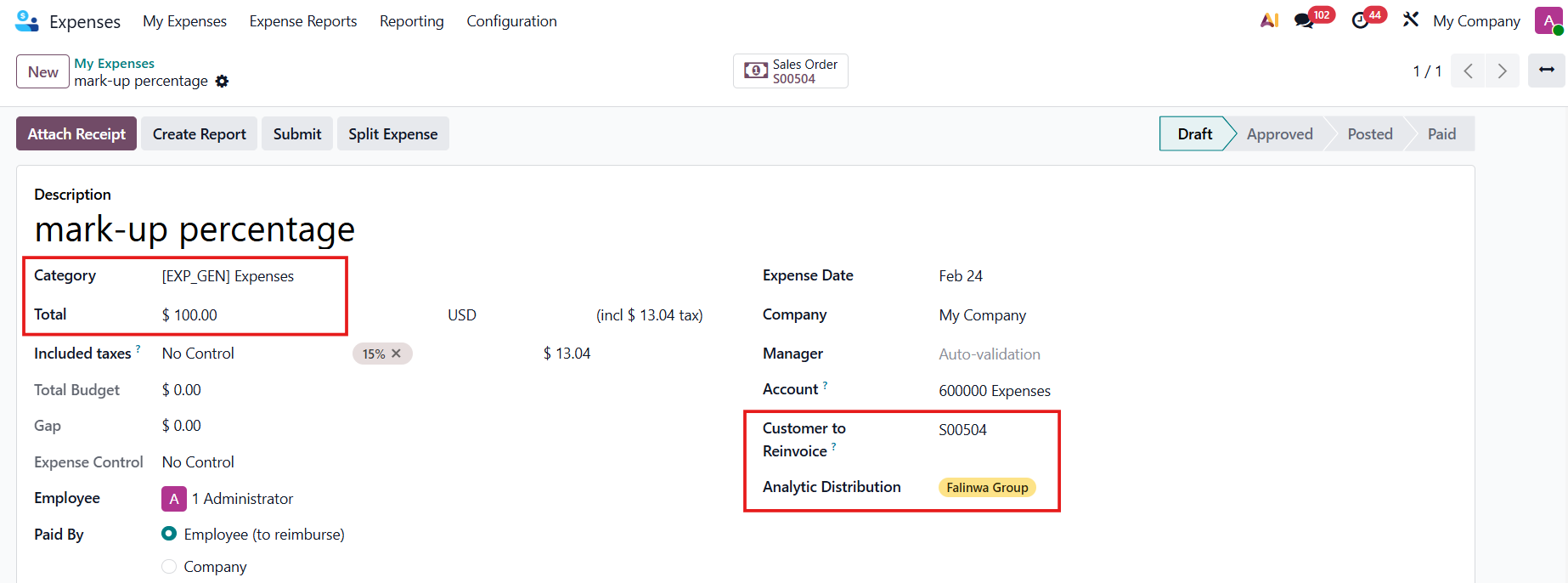 |
In the category, set the Re-Invoicing Policy to At Cost + Mark Up → SO Unit Price = Cost * (1 + mark-up %) |  |
3. Create Report > Submit to Manager > After the expense report has been approved, the Journal Entry will be automatically created > Post Journal Entries Note: since v19, Expense Report is removed. | 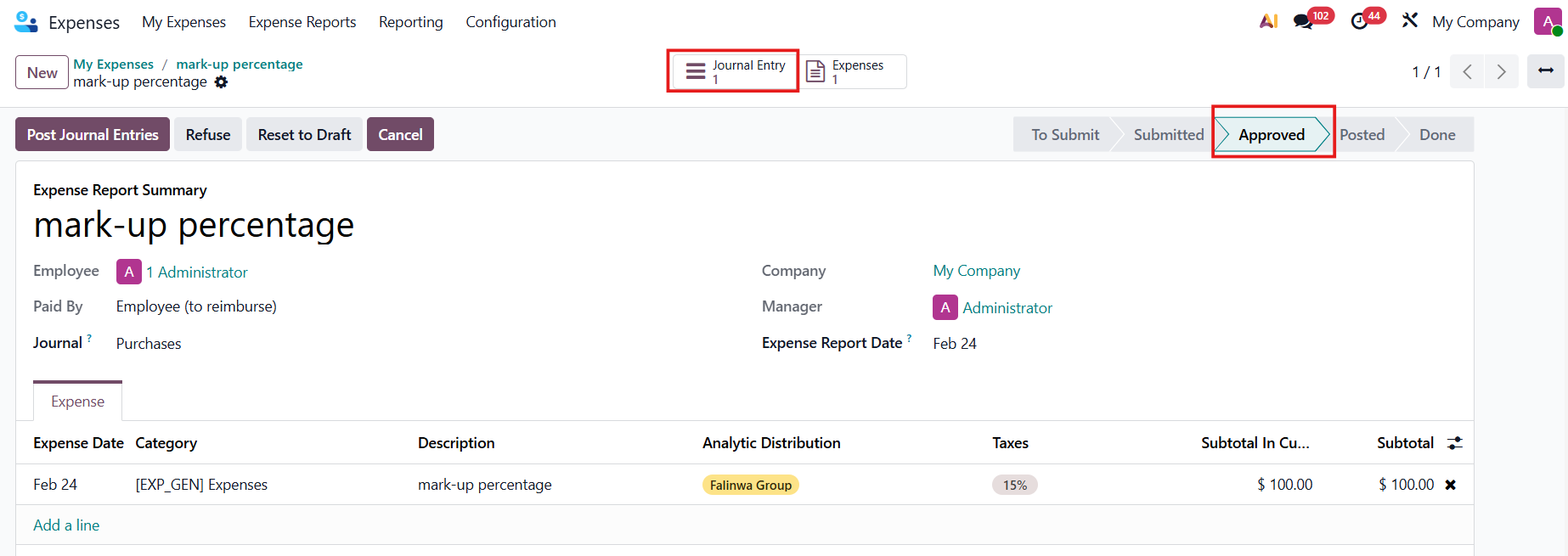 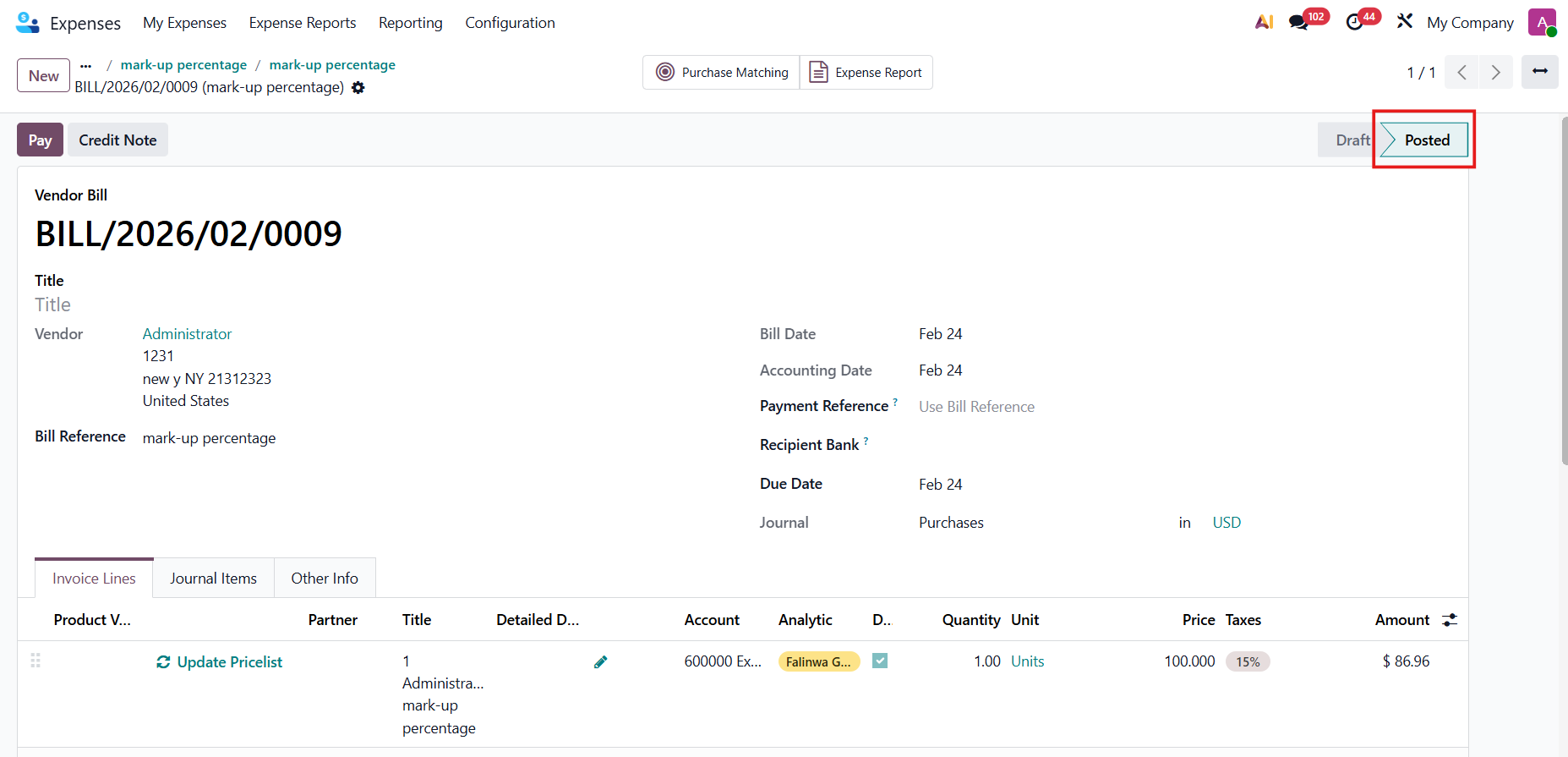 |
4. Go to the SO,
the expense will be added to the SOL with the markup price. | 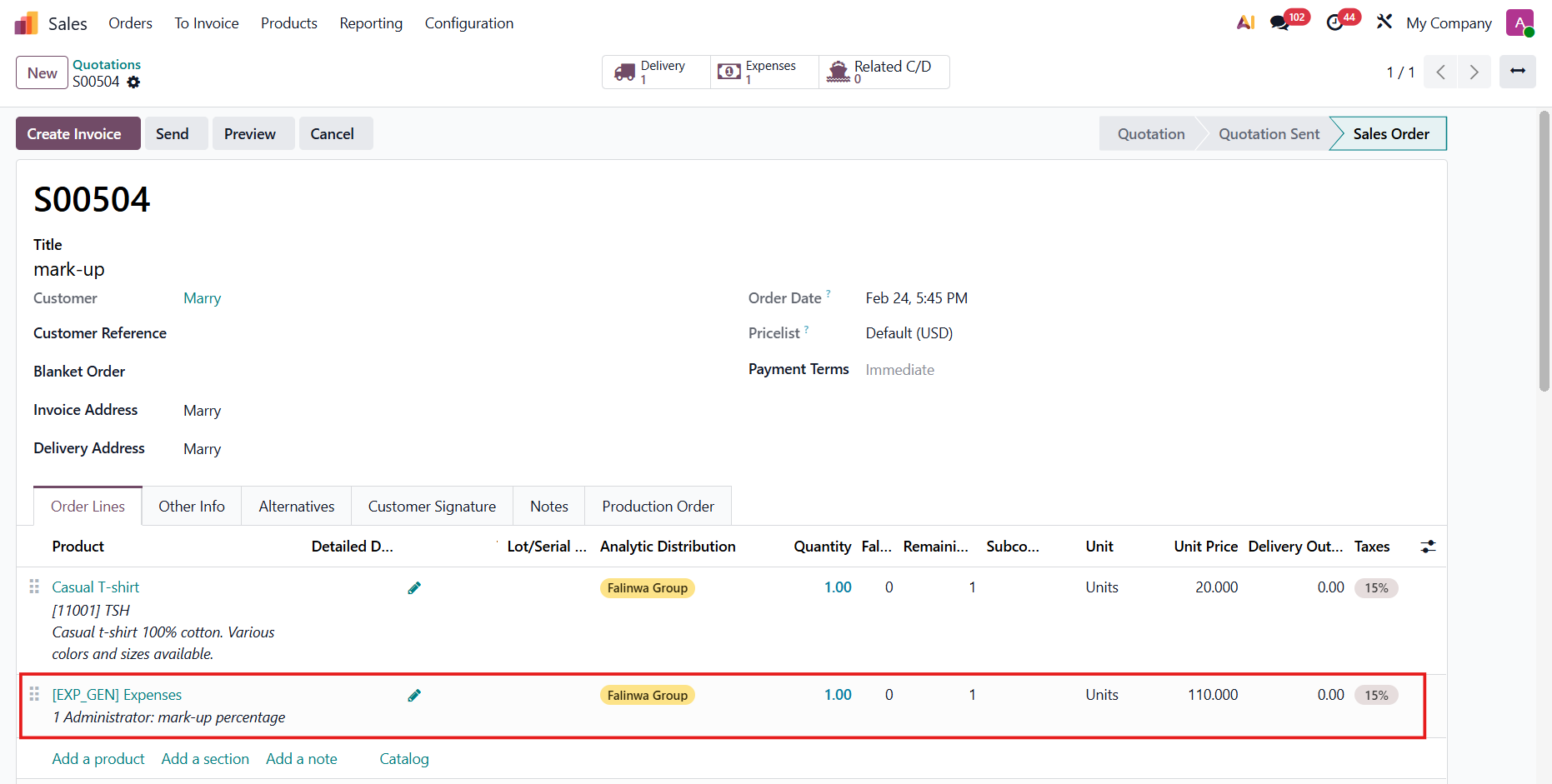 |