

ODOO'S FUNCTION
In Odoo, linking vendor bill costs to sales orders typically requires manual configuration or additional workflows, and there’s no built-in feature to automatically add costs to a sales order or markup prices based on analytic accounts. Additionally, Odoo will not automatically add expense products to sale orders and markup application based on analytic accounts.
CLUEDOO'S FUNCTION
CLuedoo integrates vendor bills with sales orders through analytic accounting, automatically adding vendor bill costs to the sales order and applying a price markup based on the analytic account. Additionally, it will automate the reinvoicing of expenses by integrating expense reports with sales orders, automatically adding approved expense products to the sales order line with a predefined markup percentage set in the analytic account.
CONFIGURATION | |
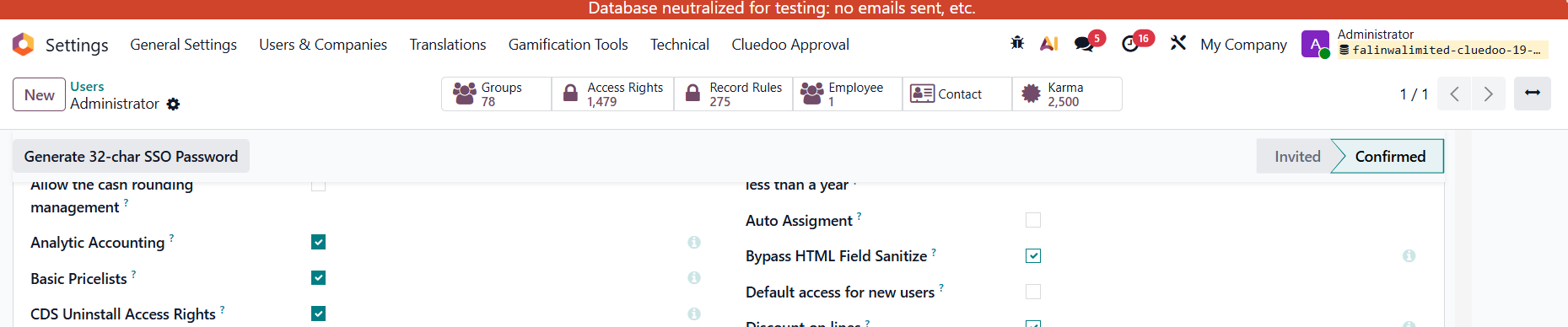
1. In the user settings, activate Analytic Accounting. |
|
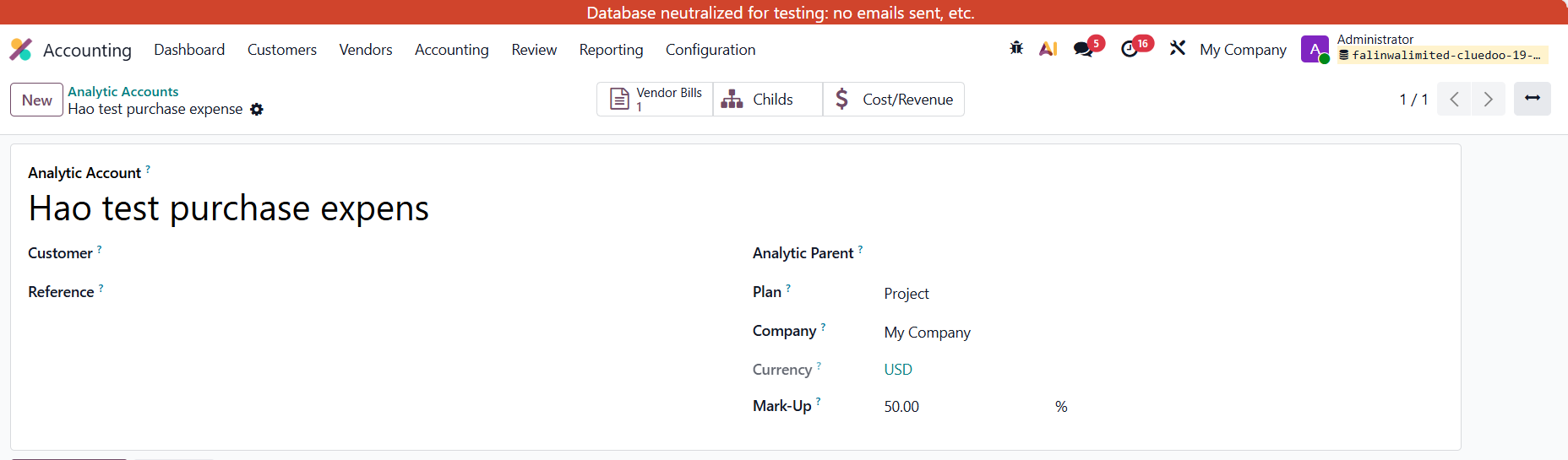
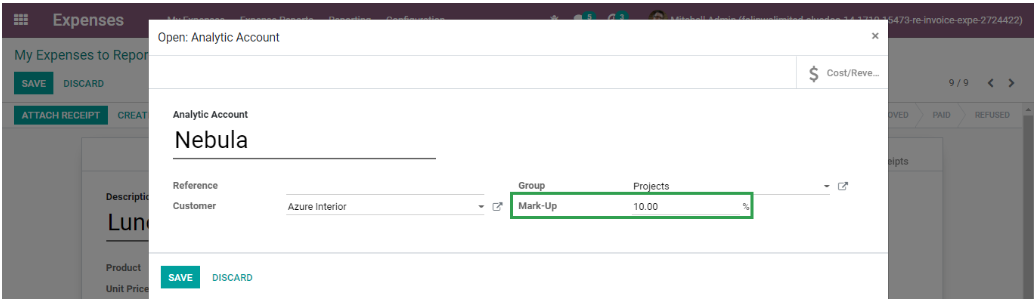
2. Create an Analytic Account with Mark-up (e.g., 50%) | |
USAGE | |
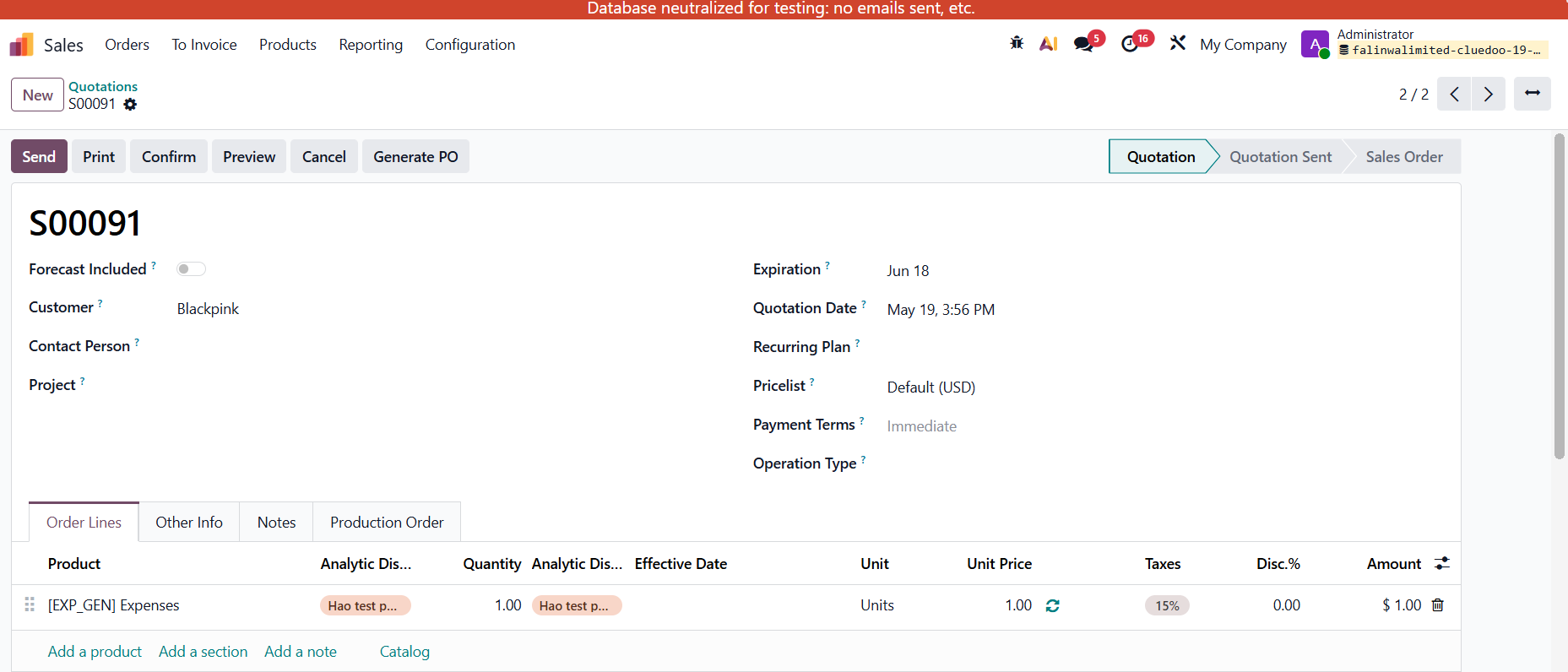
VENDOR BILL COSTS 1. Create a Sales Order > Add the product and Analytic Distribution. |  |
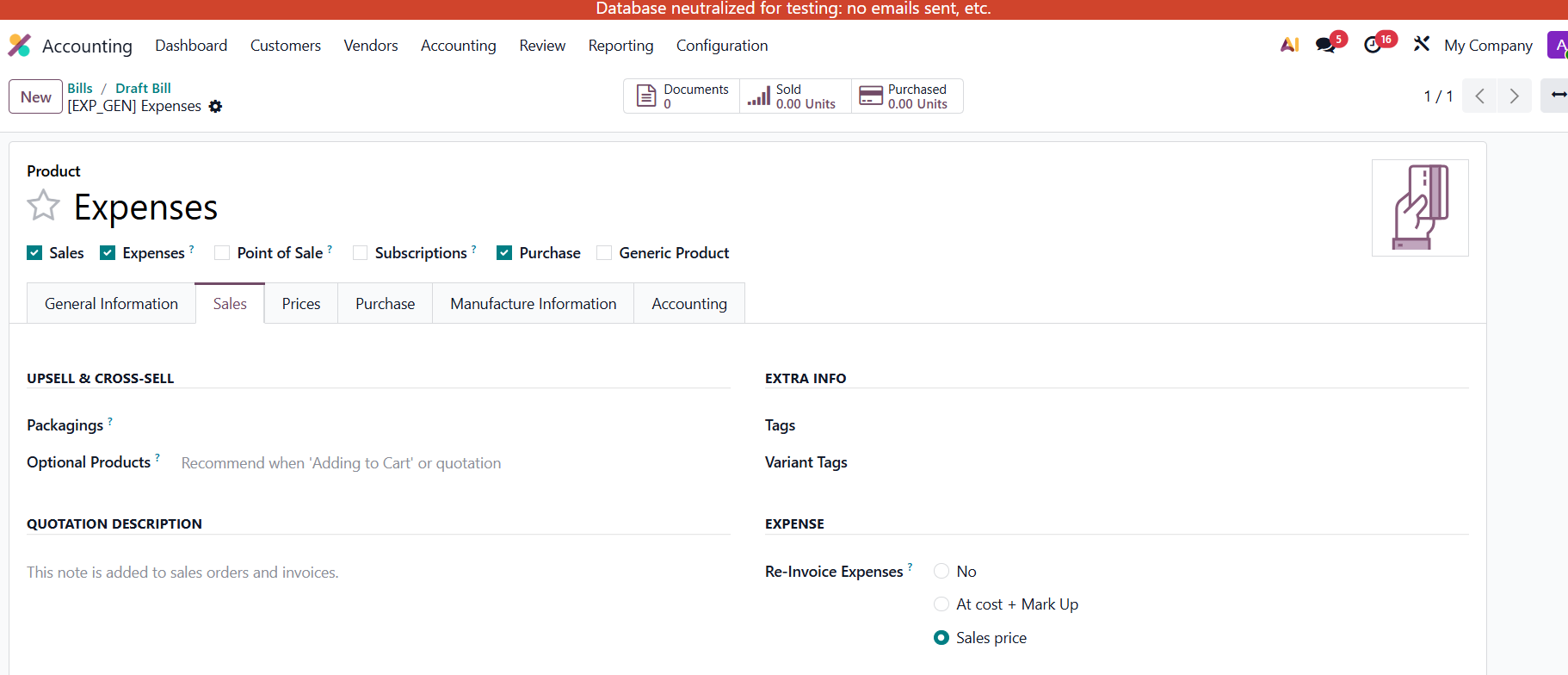
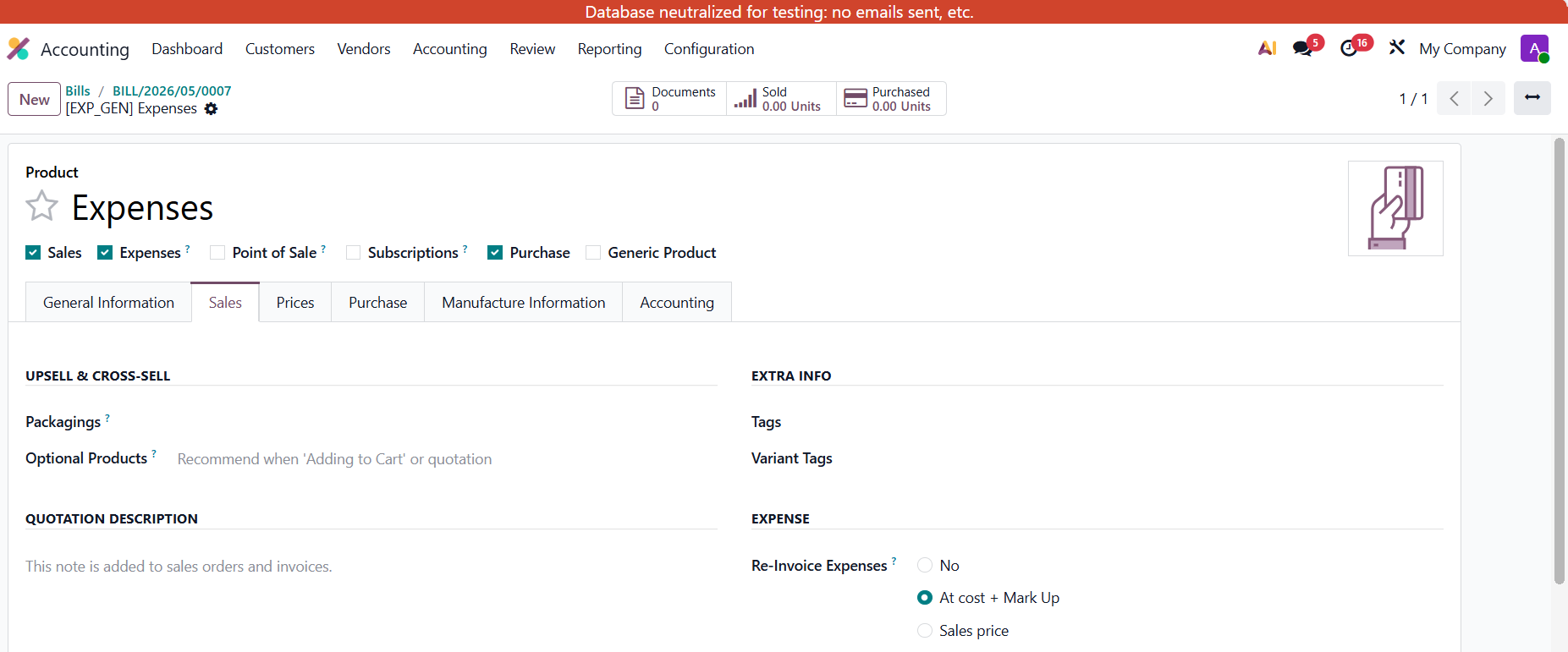
Note: The product has to be "Can be Expensed" in order to be able to choose the Sale Order in invoice lines. Under the Sales tab: Check Re-invoice Expense:
| |
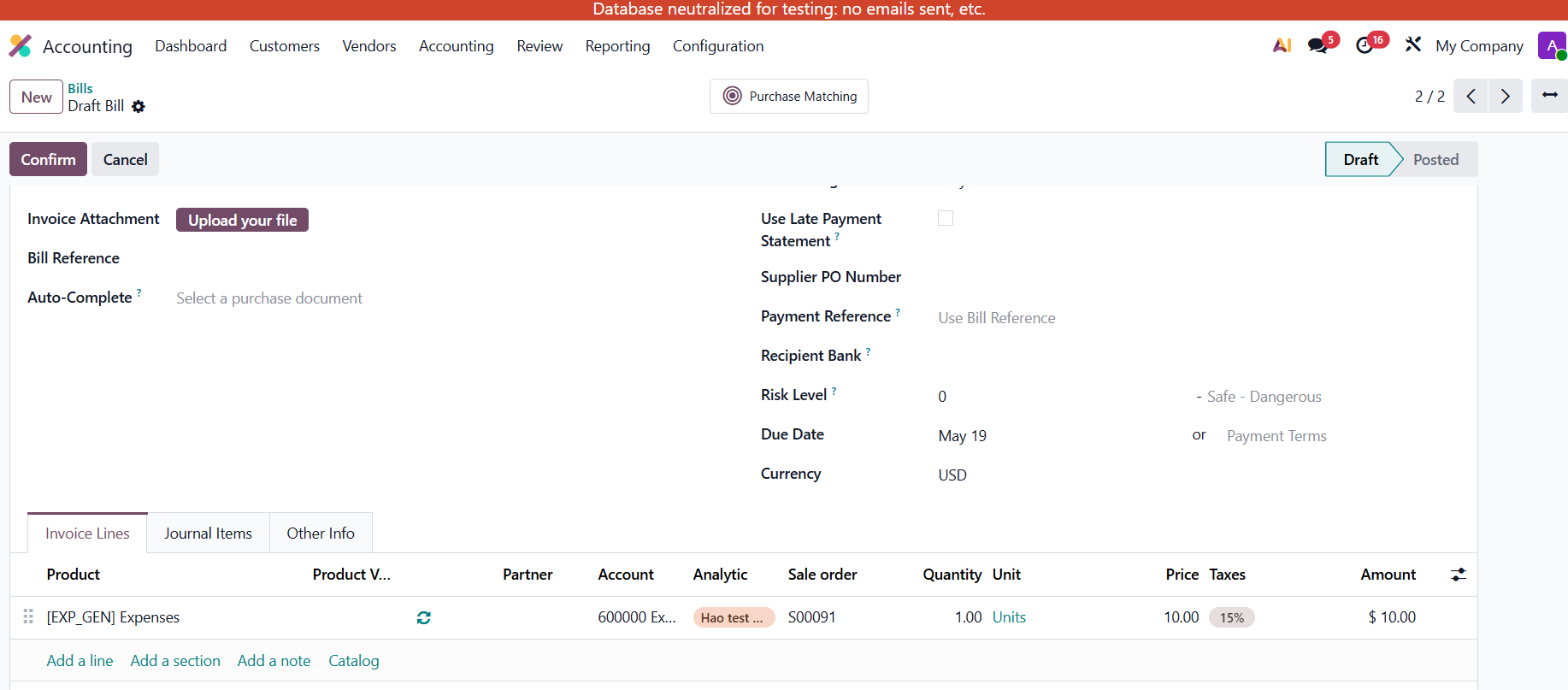
AT SALES PRICE 1. Create a Vendor Bill and choose the AD and then we can choose the Sales Order based on the AD > Confirm By default, the Price of the bill will be inherited from the cost price of the product template > users can change this price. e.g., change 5 to 10 |  |
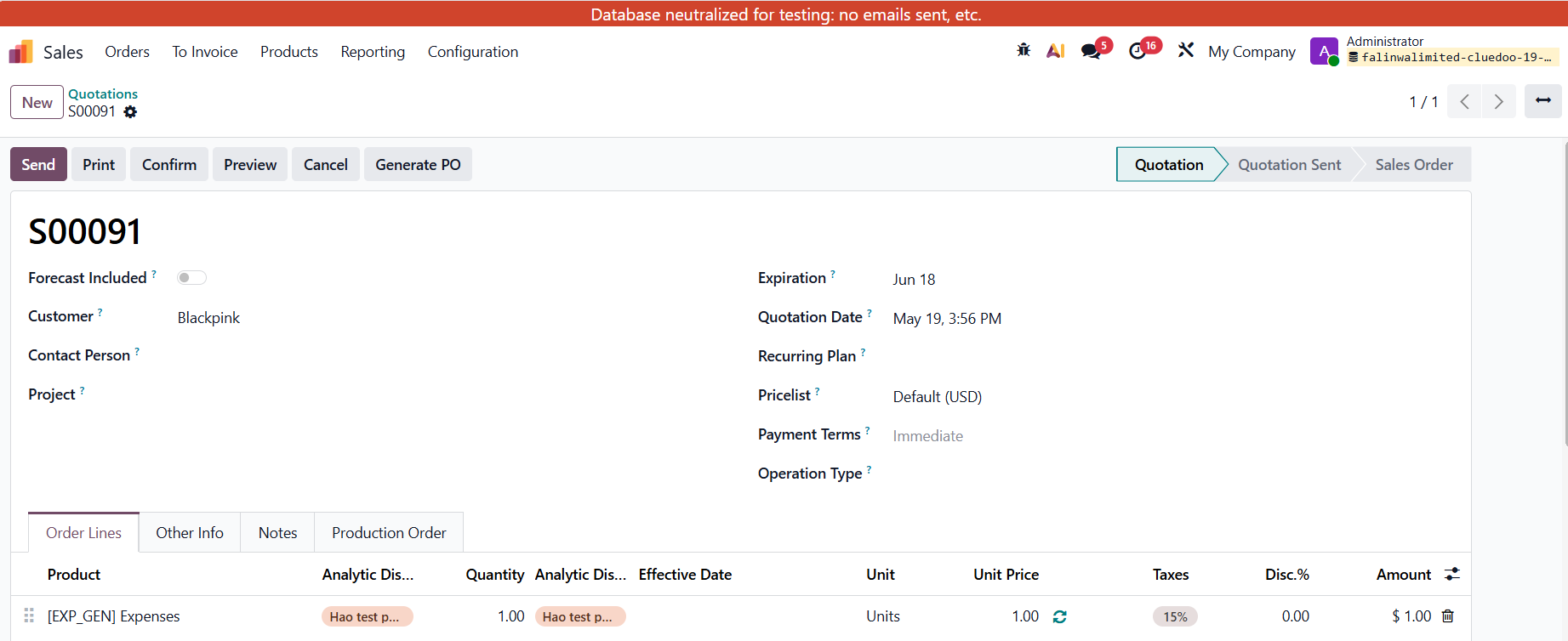
2. In the Sales Order, the price is based on the sales price of the product template, not the price of the vendor bill (that we set up above). → SO price = 1 now. |  |
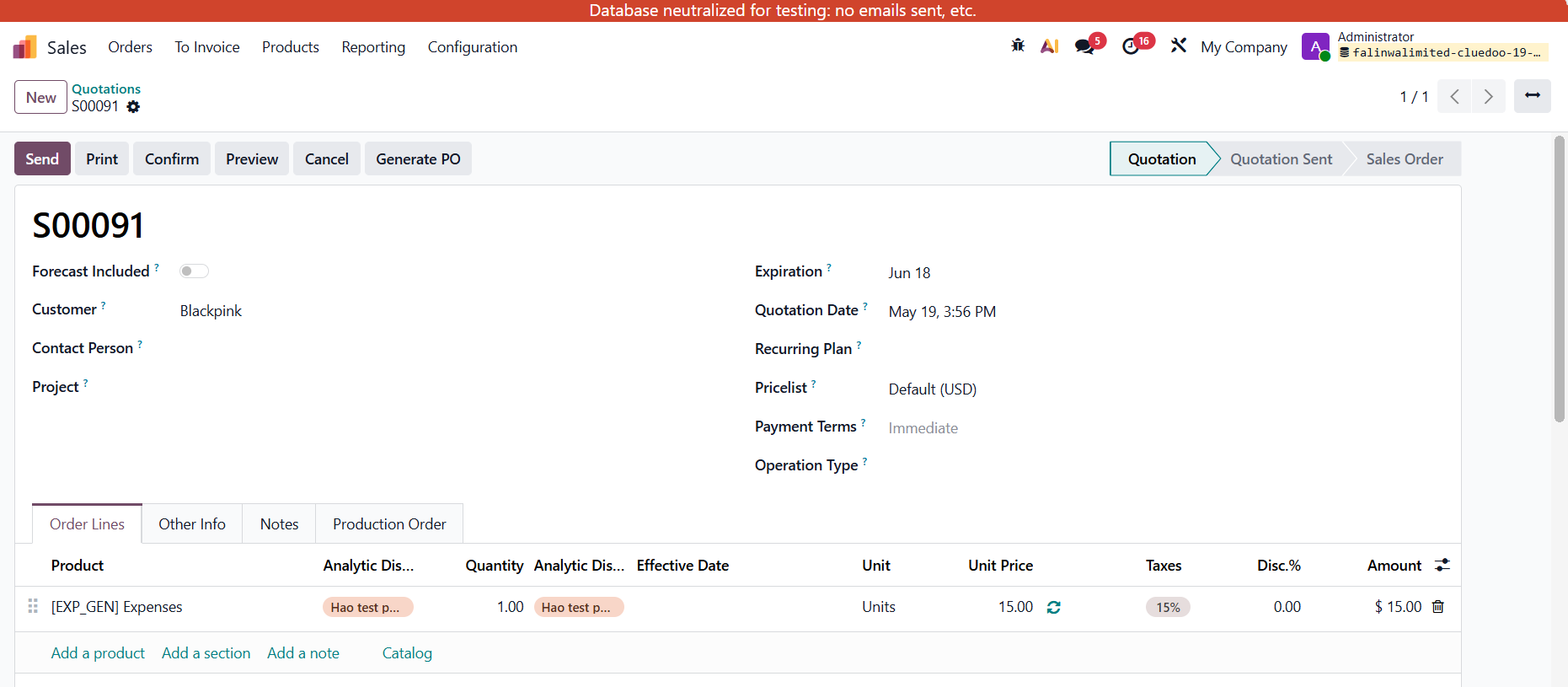
AT COST + MARK UP Vendor Bills Cost = 10 |  |
EXPENSES REINVOICING 1. |
|
2. |
|
The transfer will be automatically done, and the lots will be added. |
|
3. |
|


ODOO'S FUNCTION
In Odoo, linking vendor bill costs to sales orders typically requires manual configuration or additional workflows, and there’s no built-in feature to automatically add costs to a sales order or markup prices based on analytic accounts. Additionally, Odoo will not automatically add expense products to sale orders and markup application based on analytic accounts.
CLUEDOO'S FUNCTION
Cluedoo integrates vendor bills with sales orders through analytic accounting, automatically adding vendor bill costs to the sales order and applying a price markup based on the analytic account. Additionally, it will automate the reinvoicing of expenses by integrating expense reports with sales orders, automatically adding approved expense products to the sales order line with a predefined markup percentage set in the analytic account.
FROM V19
|  |
2. Create an Analytic Account with Mark-up (e.g., 50%) | 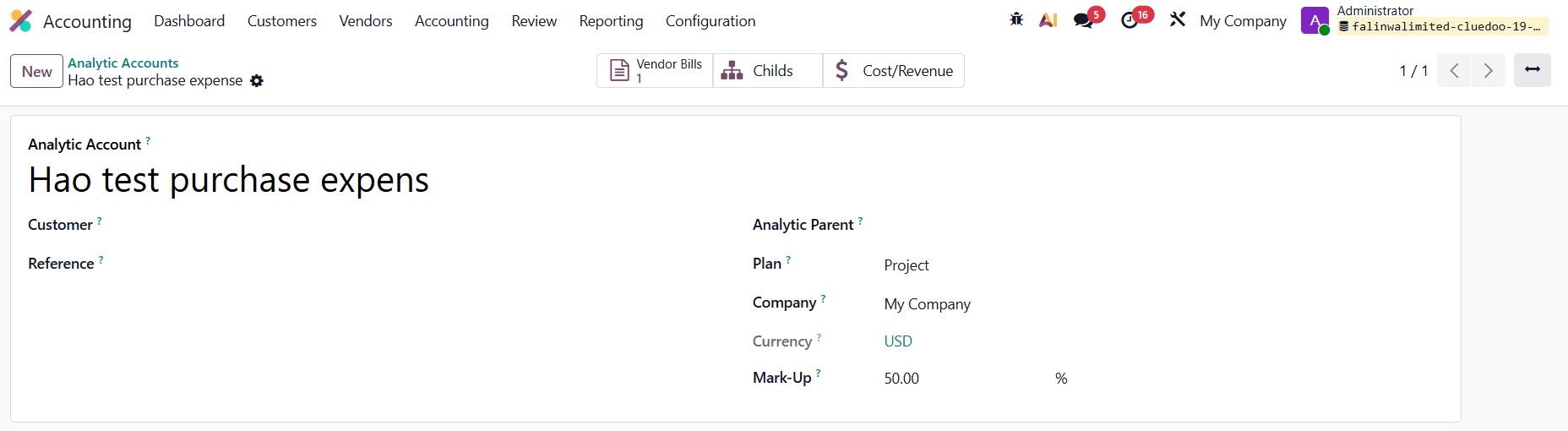 |
3. Create a Sales Order > Add the product and Analytic Distribution. | 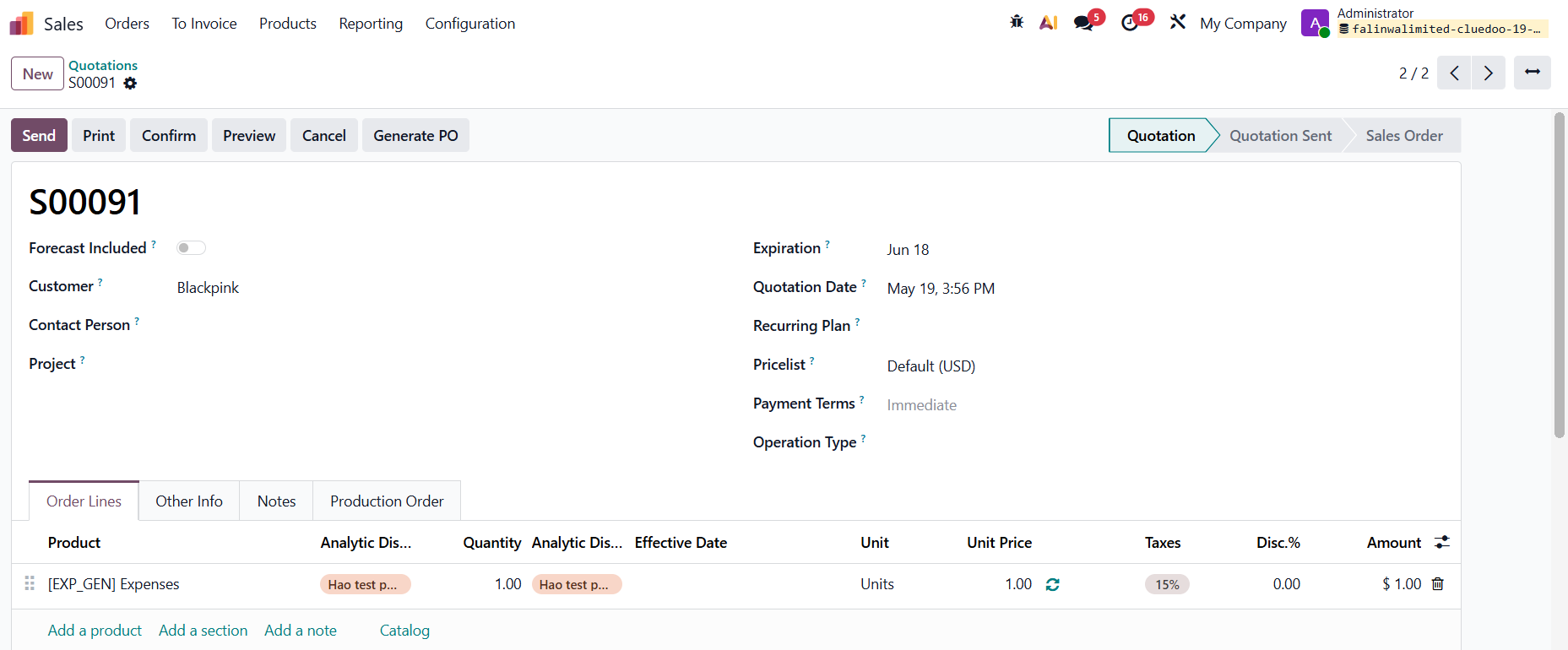 |
Note: the product has to be "Can be Expensed" in order to be able to choose the Sale Order in invoice lines. At the Sale tab: Check Re-invoice Expense: - No: Vendor Bill has not affected the SO - At cost + markup: SO price = Cost (unit price on VB) *(1 + MARKUP %). - At sales price: at the sales price of the product on SO.For instance: At Sales price =1 | 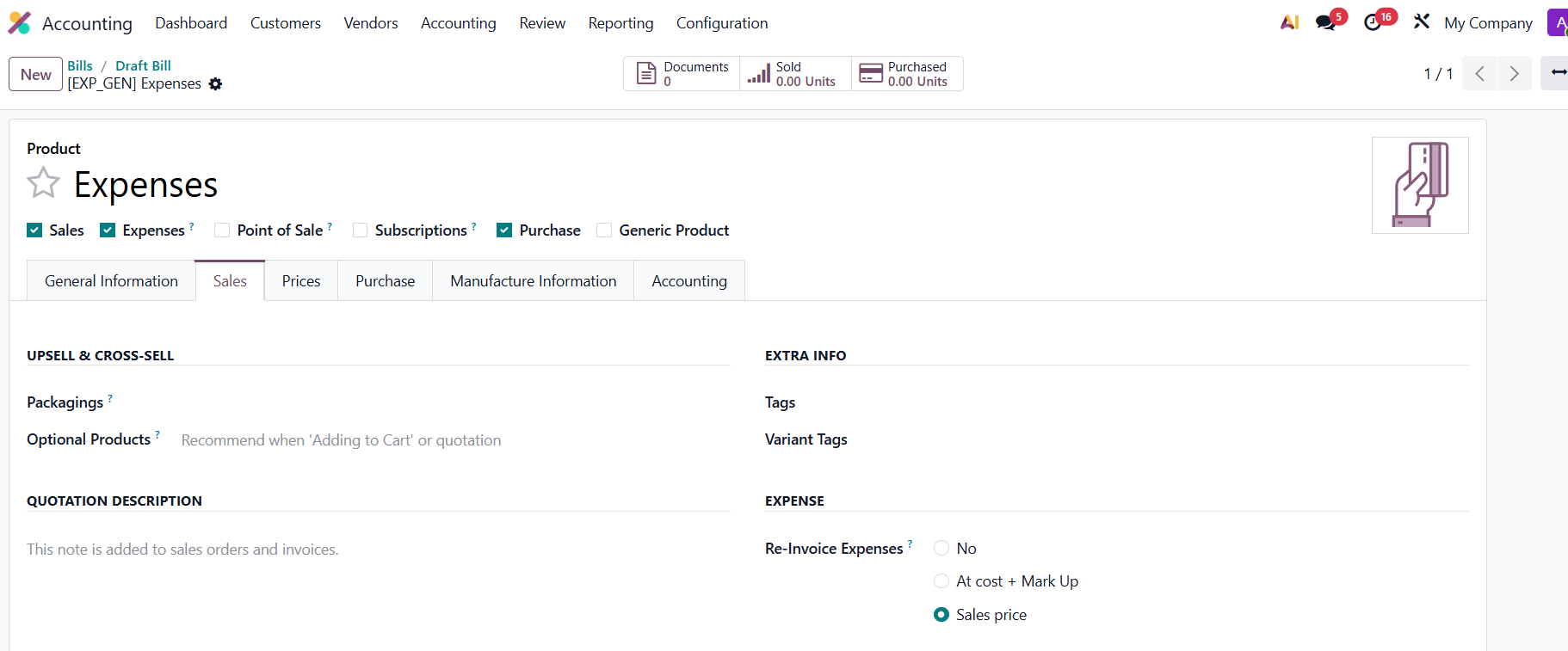 |
4. Create a Vendor Bill and choose the analytic distribution and then we can choose the sales order based on the analytic distribution. => confirm | 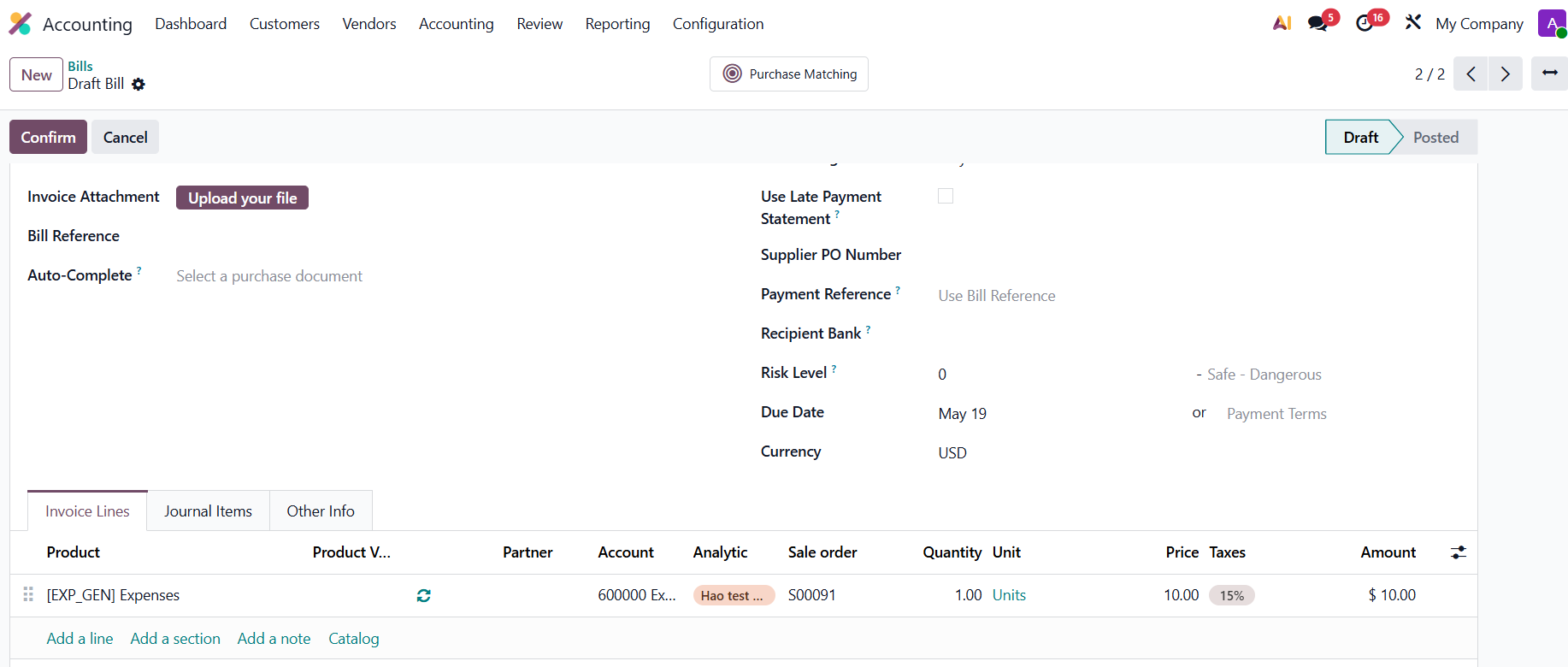 |
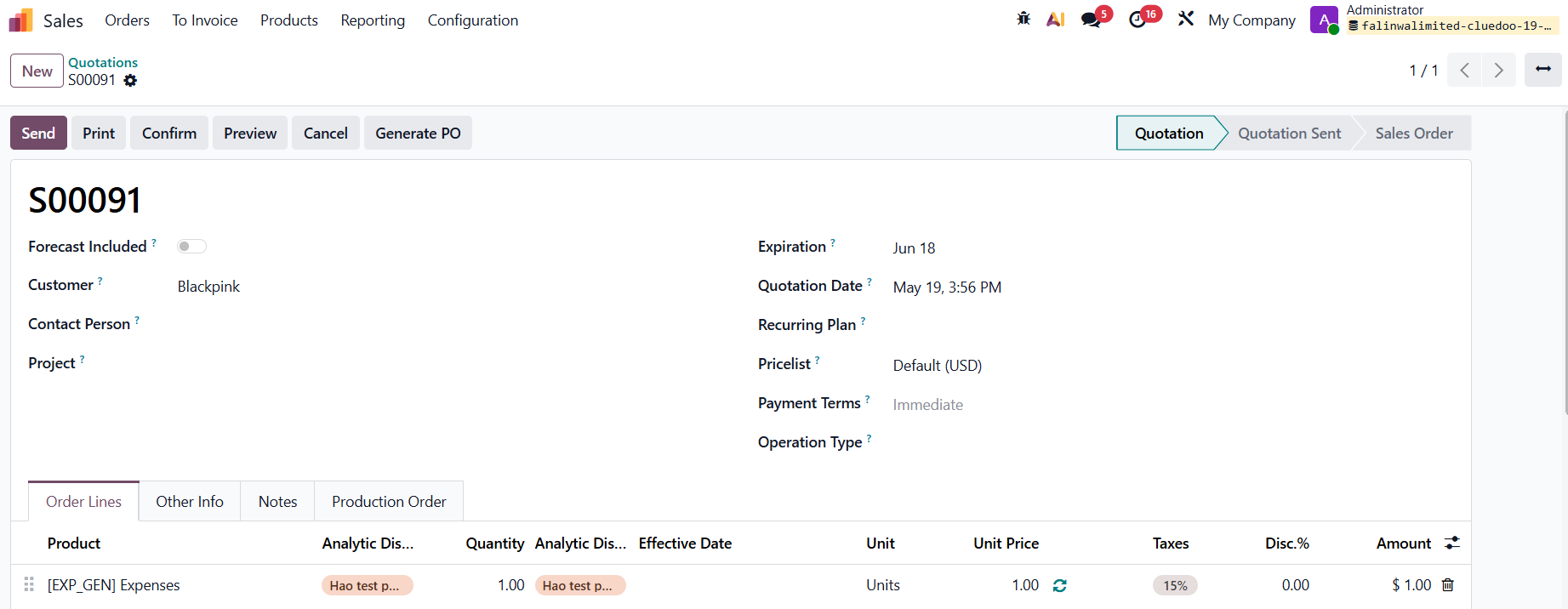
5. In Sales Order, the price is based on the sales price of the product template, not the price of the vendor bill (that we set up above). |
|
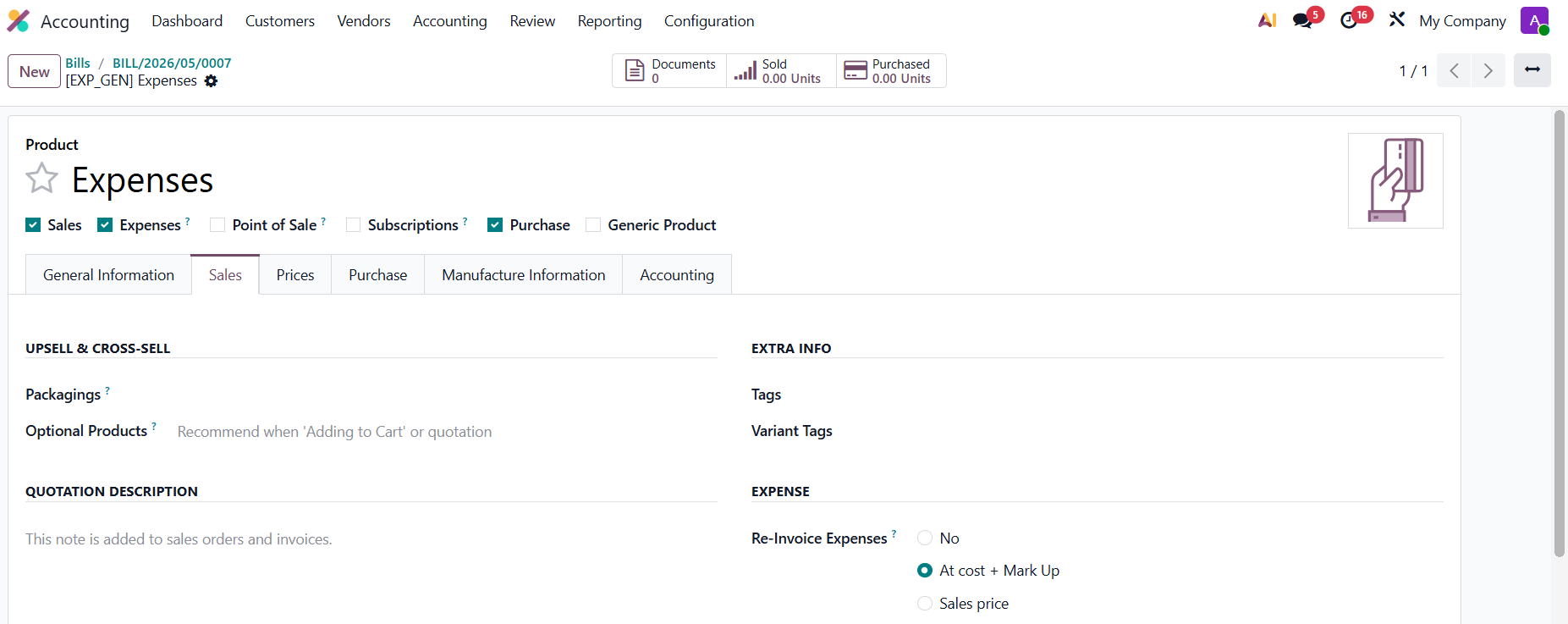
If user change Re-invoice expense method to: At cost + Markup |
|
| |
B. RE - INVOICE PURCHASED COST v17: | |
|
|
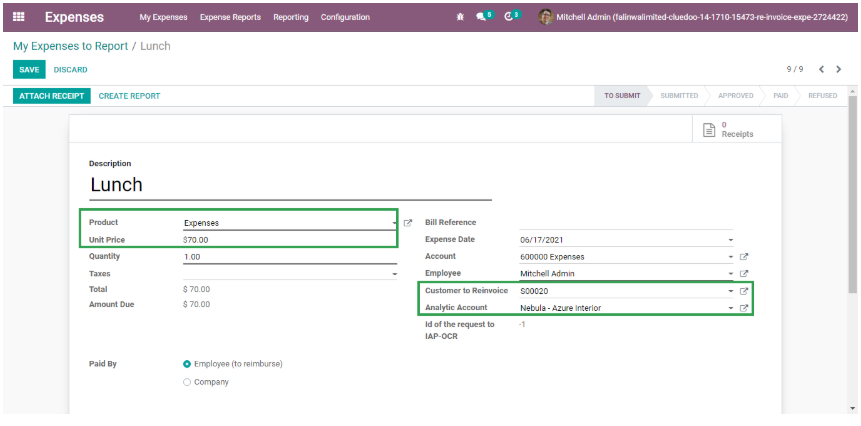
2. Create a new expense report. Select the product, add unit price, customer to reinvoice, and analytic account. |
|
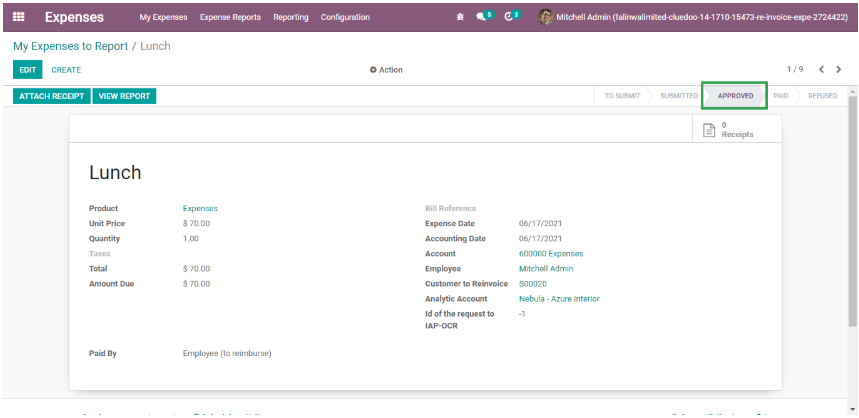
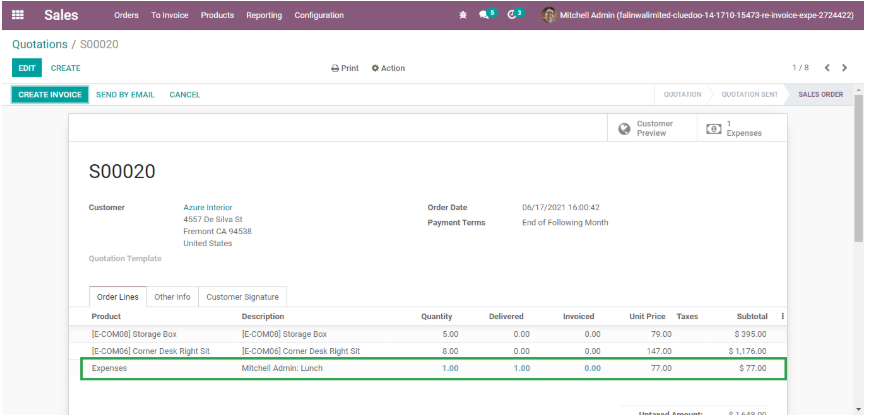
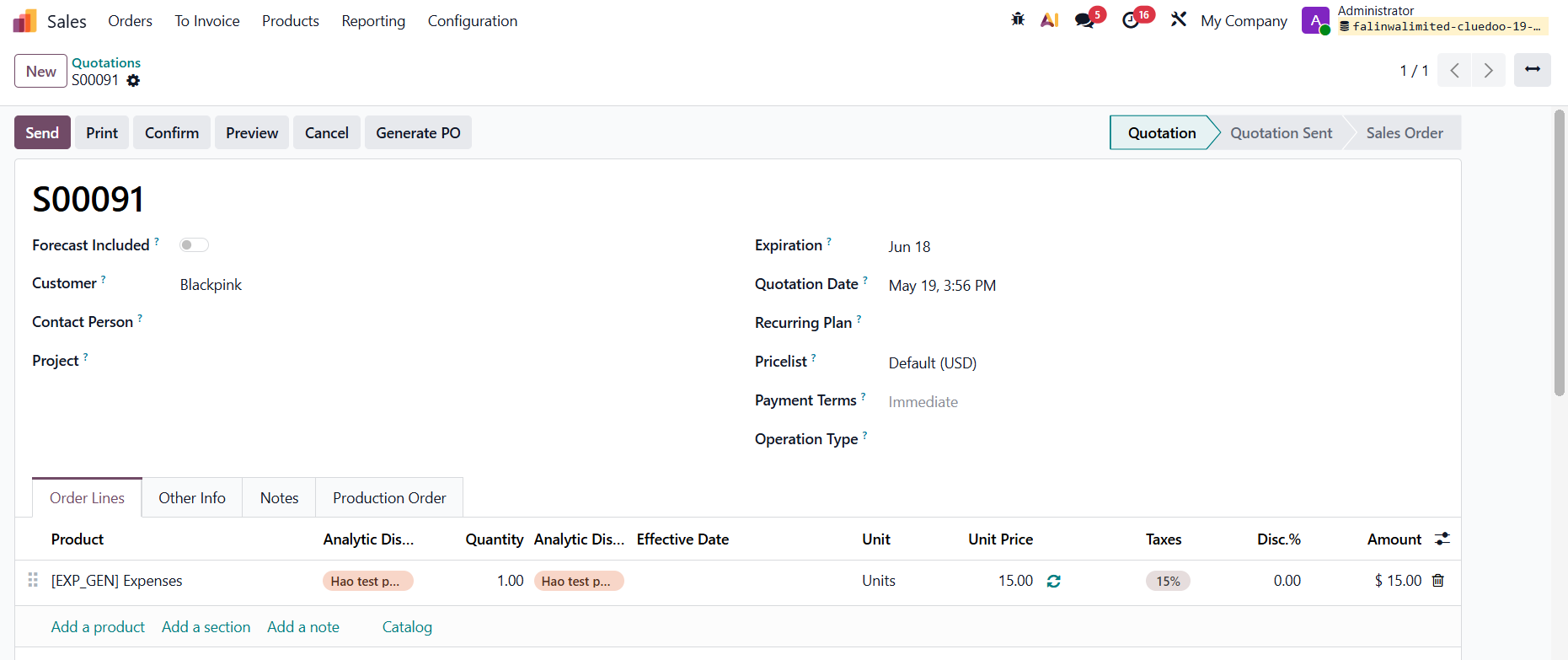
3. Click on Post journal entries button on the Expense report, it will automatically add expense product on sale order line |
|
|


STORY BEHIND THE FEATURES
ODOO BEHAVIOR
In Odoo, linking vendor bill costs to sales orders typically requires manual configuration or additional workflows, and there’s no built-in feature to automatically add costs to a sales order or markup prices based on analytic accounts. Additionally, Odoo will not automatically add expense products to sale orders and markup application based on analytic accounts.
CLUEDOO BEHAVIOR
Cluedoo integrates vendor bills with sales orders through analytic accounting, automatically adding vendor bill costs to the sales order and applying a price markup based on the analytic account. Additionally, it will automate the reinvoicing of expenses by integrating expense reports with sales orders, automatically adding approved expense products to the sales order line with a predefined markup percentage set in the analytic account.
CLUEDOO RECOMMENDATIONS
Install on 100% of your database.
HOW TO USE THIS MODULE?
From v19:
1.
2.
Create a Analytic Accounts
Markup: 50% (For instance)
3.
Create a SO -> Add product and Analytic Distribution.
Note: the product has to be "Can be Expensed" in order to be able to choose the Sale Order in invoice lines.
At the Sale tab: Check Re-invoice Expense:
- No: Vendor Bill has not affected the SO
For instance: At Sales price =1
4. Create a Vendor Bill and choose the analytic distribution and then we can choose the sales order based on the analytic distribution. => confirm
By default, the Price of VB will be inherited from Cost price of Product template => user can change this price.
For instance here, we change 5 -> 10.
5.
In Sales Order, the price is based on the sales price of the product template, not the price of the vendor bill (that we set up above).
=> SO price = 1 now.
If user change Re-invoice expense method to: At cost + Markup
For example: Vendor Bills Cost = 10
=> SO price = 10*(1+markup %) = 15
Markup = 50%
B. RE - INVOICE PURCHASED COST
v17:
1
Set mark-up percentage on the analytic account
2
Create a new expense report. Select the product, add unit price, customer to reinvoice, and analytic account.
3
Click on Post journal entries button on the Expense report, it will automatically add expense product on sale order line