



ODOO'S FUNCTION
In Odoo, a Purchase Order is automatically generated for MTO + Buy / Dropship products by selecting the first vendor defined in the product’s vendor pricelist.
CLUEDOO'S FUNCTION
CLuedoo allows users to select the vendor directly on the Sales Order line.
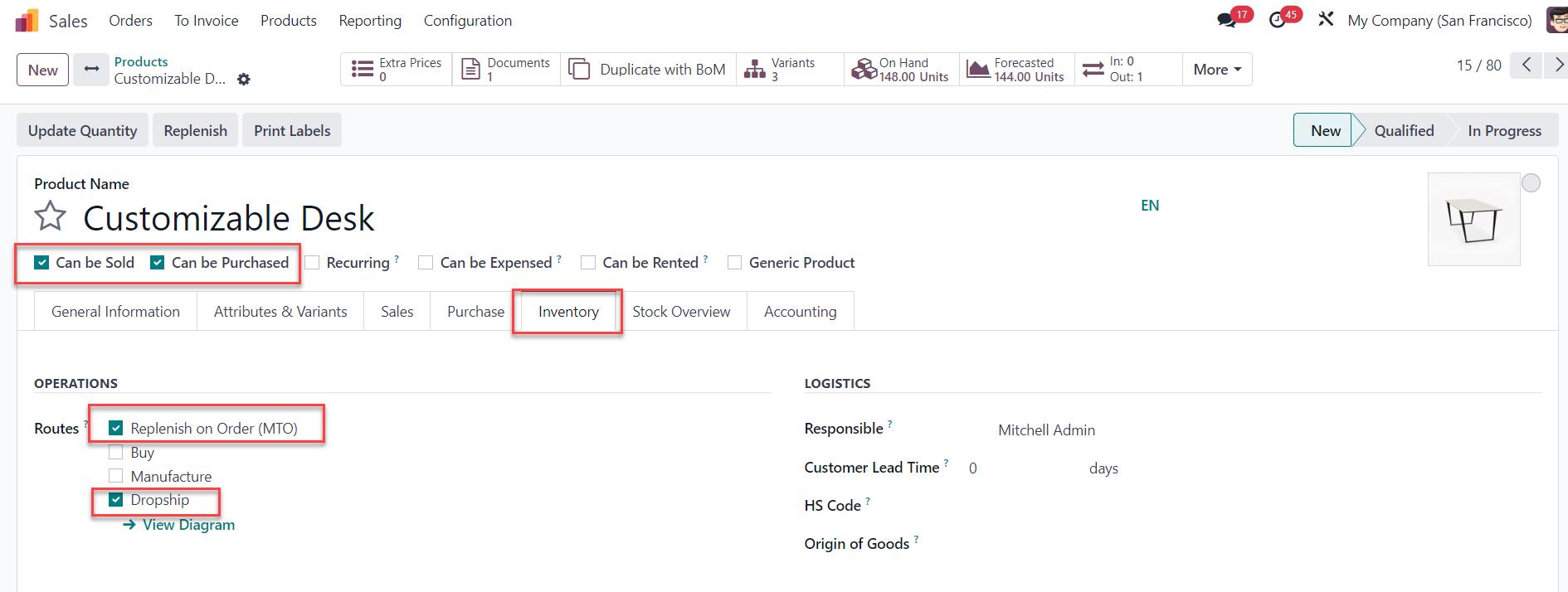
Step 1:Product configuration:
|   |
Step 2:Create a Sales Order > Add the product > Choose the Route and the Vendor on the SOL > Confirm Note that in v17, the Vendor field in the Sales Order Line is automatically prefilled based on Odoo’s logic (the first vendor in the purchase price list), eliminating the need to manually select a vendor for each line. However, users still have the flexibility to choose or change the vendor if needed. | 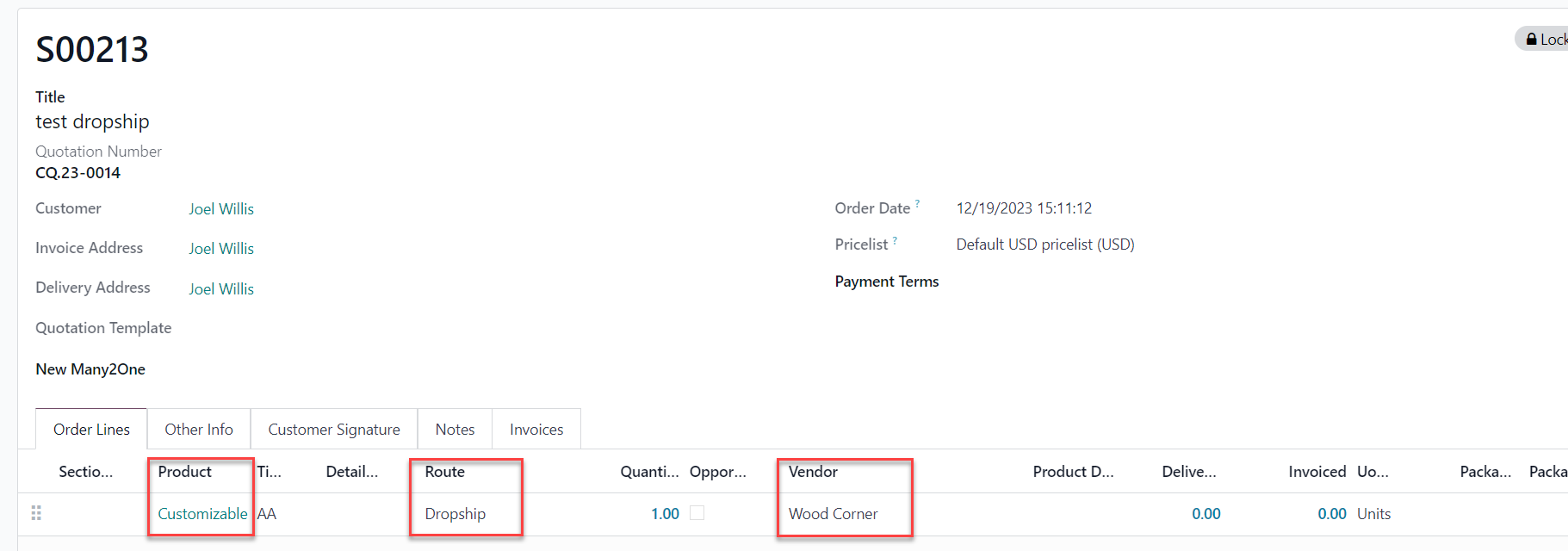 |
Result:A corresponding Purchase Order will be generated upon SO confirmation with the correct Vendor. | 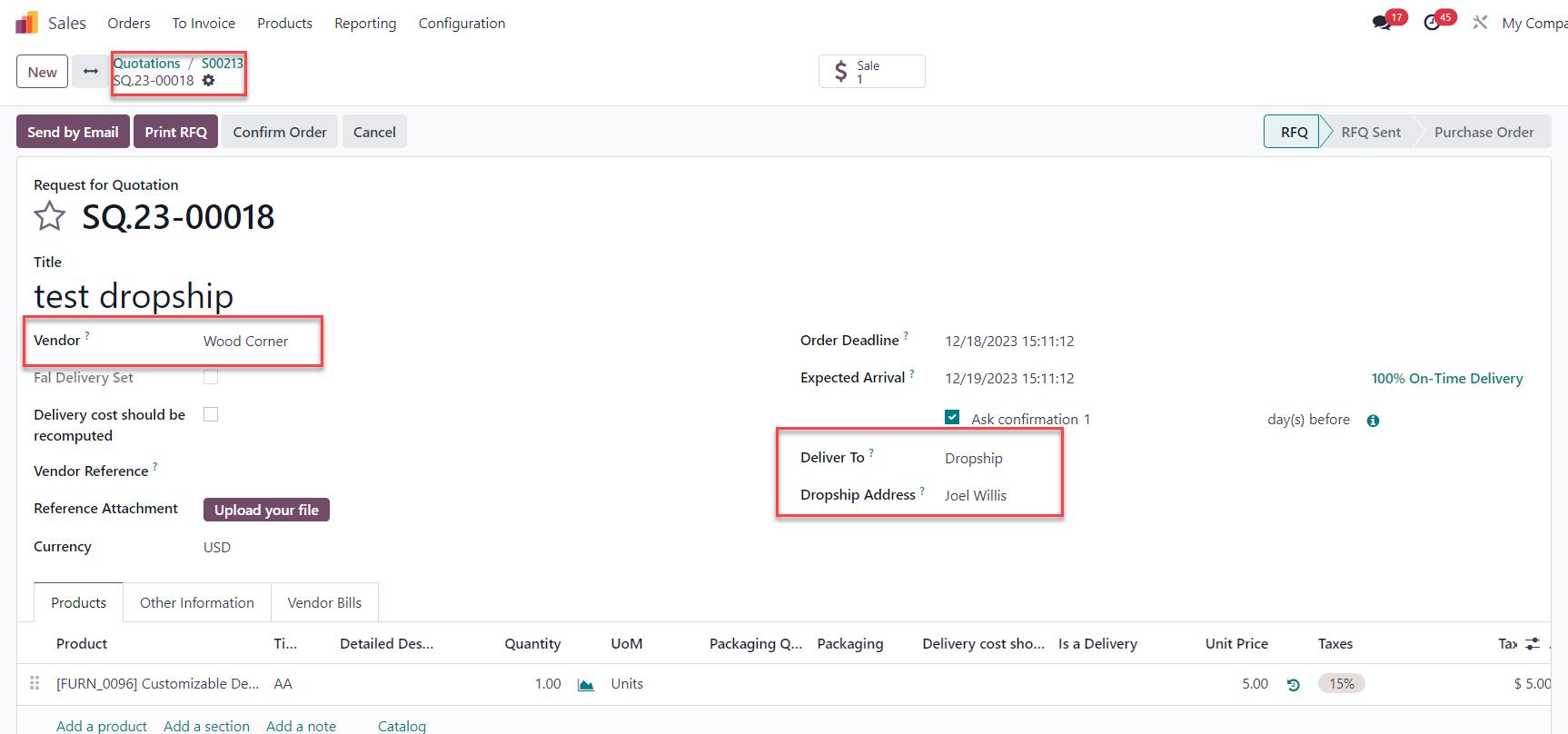 |