



ODOO'S FUNCTION
In Odoo, a Purchase Order is automatically generated for MTO + Buy / Dropship products by selecting the first vendor defined in the product’s vendor pricelist.
CLUEDOO'S FUNCTION
CLuedoo allows users to select the vendor directly on the Sales Order Lines.
Step 1:Product configuration:
| 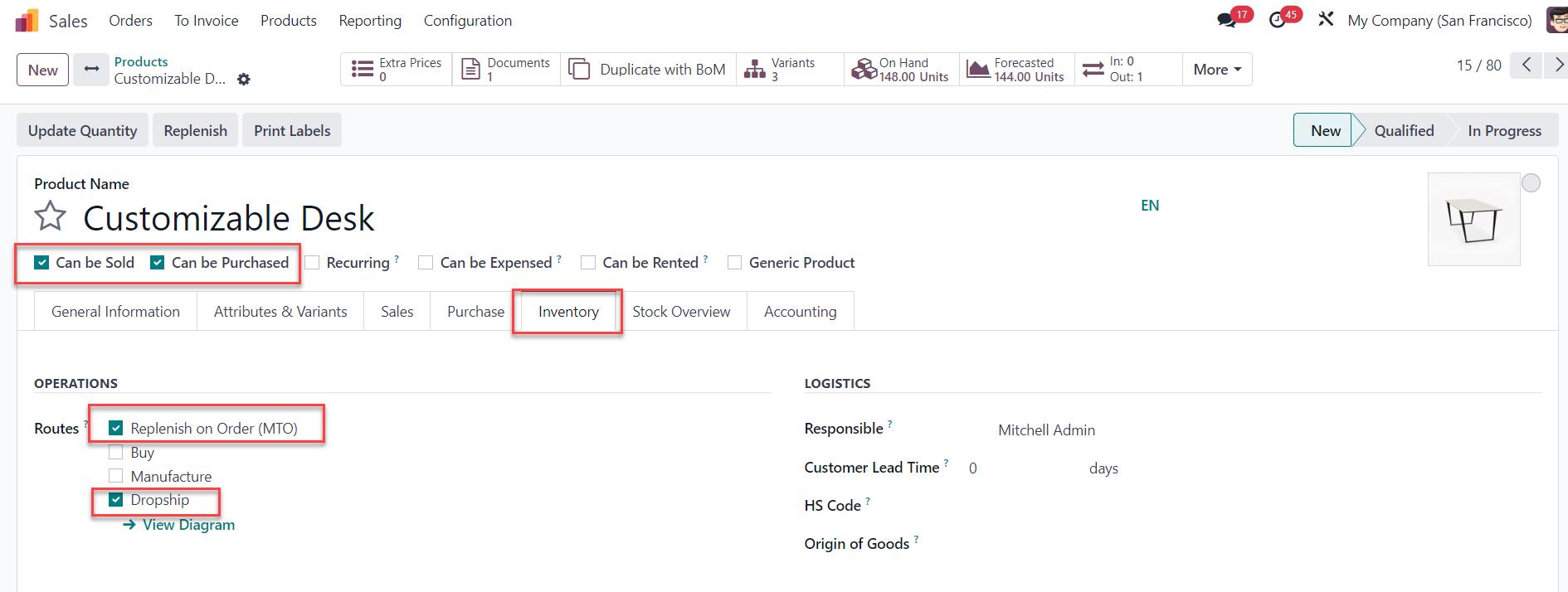  |
Step 2:Create a Sales Order > Add the product > Choose the Route and the Vendor on the SOL > Confirm Note: the Vendor field in the Sales Order Line is automatically prefilled based on Odoo’s logic (the first vendor in the price list), eliminating the need to manually select a vendor for each line. However, users still have the flexibility to choose or change the vendor if needed. | 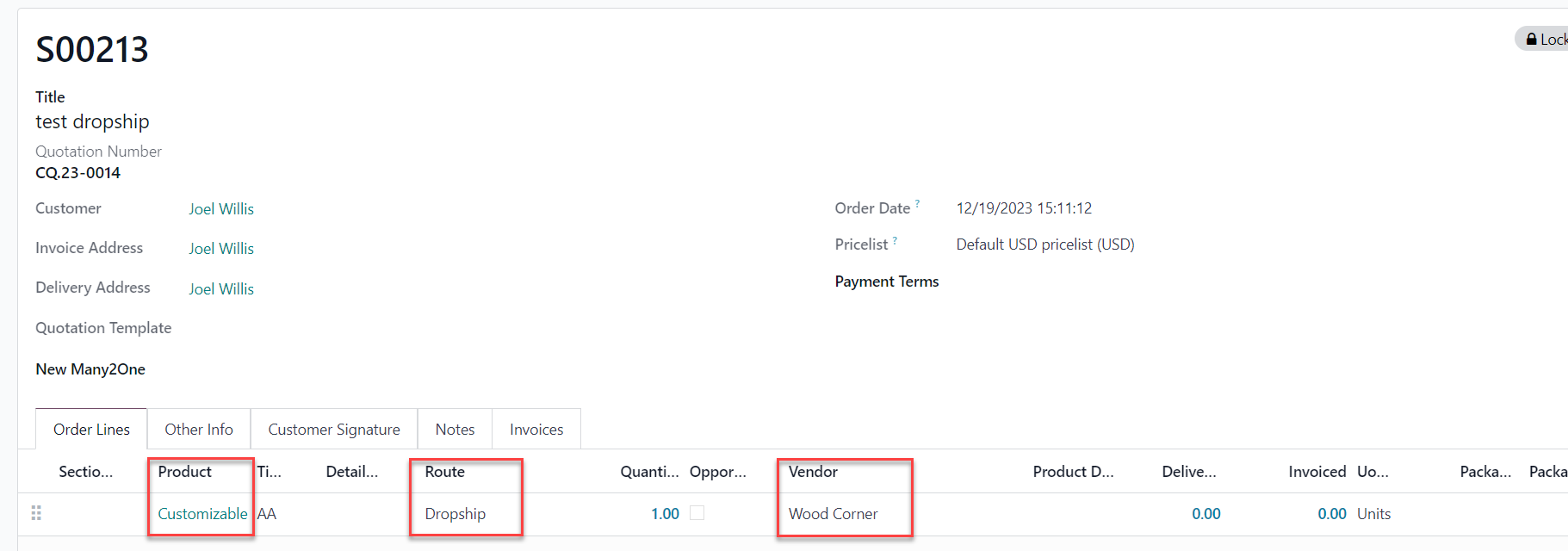 |
Result:A corresponding Purchase Order will be generated upon SO confirmation with the correct Vendor. | 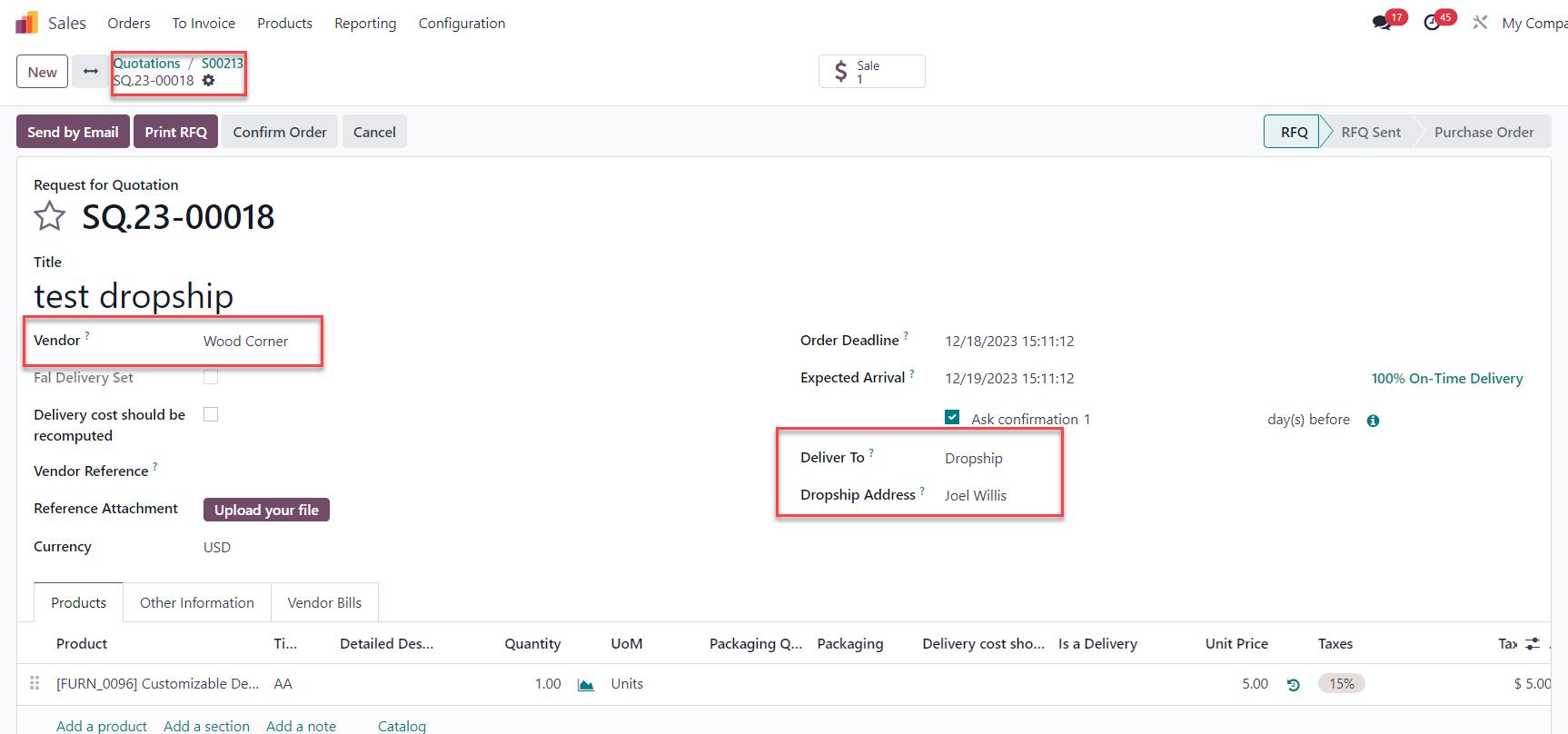 |