



ODOO'S FUNCTION
Odoo includes Control Points to define quality inspection rules and Quality Checks to record the results of those inspections at key steps in production, delivery, or receipt.
CLUEDOO'S FUNCTION
CLuedoo introduces Quality Point Groups/Quality Control Groups and Quality Check Groups to manage inspections in batches for greater efficiency:
1️⃣ Control Points can be grouped into a Quality Point Group, letting you handle multiple related points as a single set
2️⃣ Quality Checks can be grouped into a Quality Check Group, enabling batch management and tracking
3️⃣ Option to include or exclude an entire Quality Check Group when running inspections
4️⃣ Ability to archive or restore quality check groups, individual checks, or linked quality alerts
QUALITY POINT GROUPS 1. Go to Quality → Quality Control → Quality Point Groups. Create a Quality Control Group. You have to fill the field Operation Types Note: we have a checkbox Generate Check Group to decide whether to include /exclude the Quality Check Group when using Quality Check | 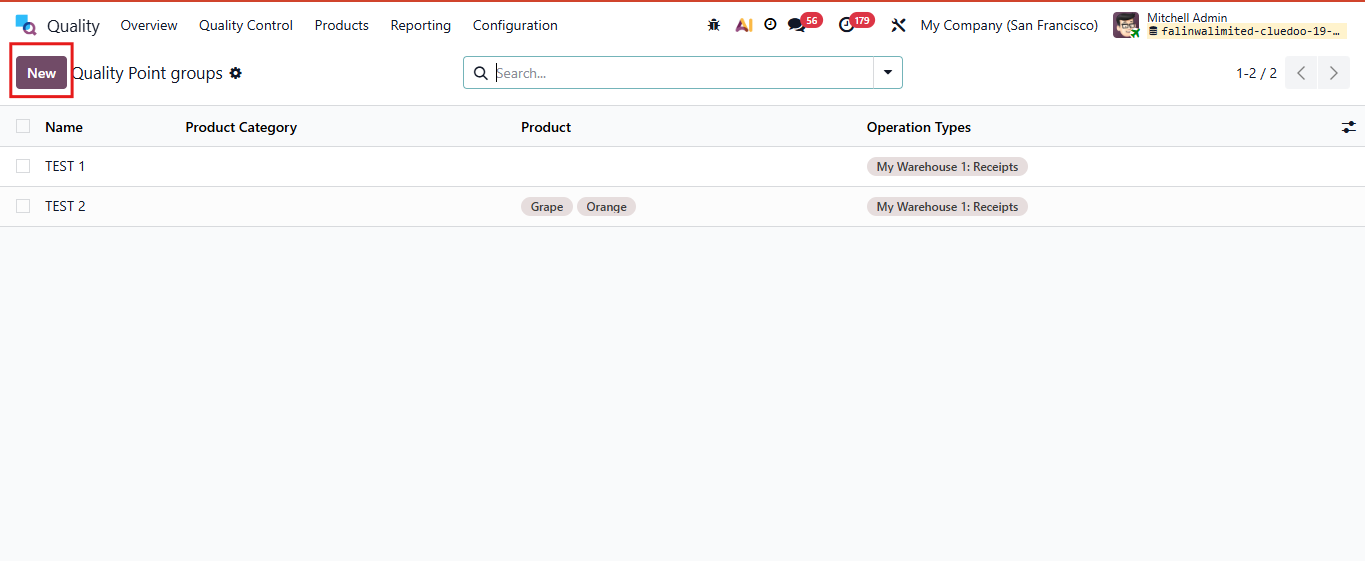 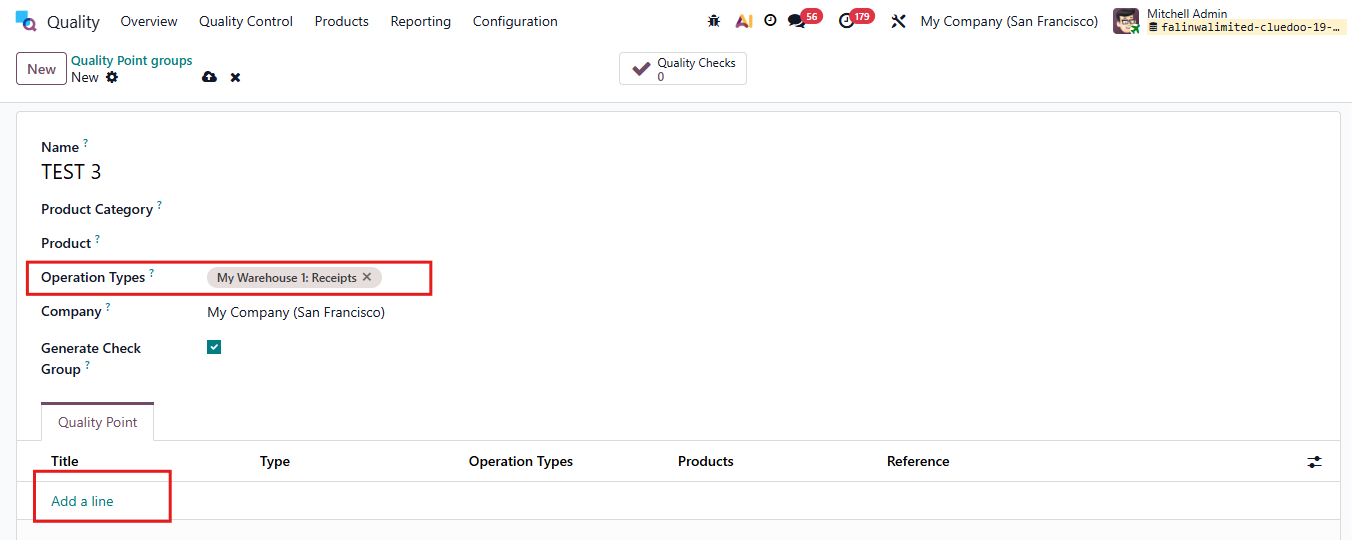 |
2. We can also create Quality Control Points from here, under the Quality Point tab |  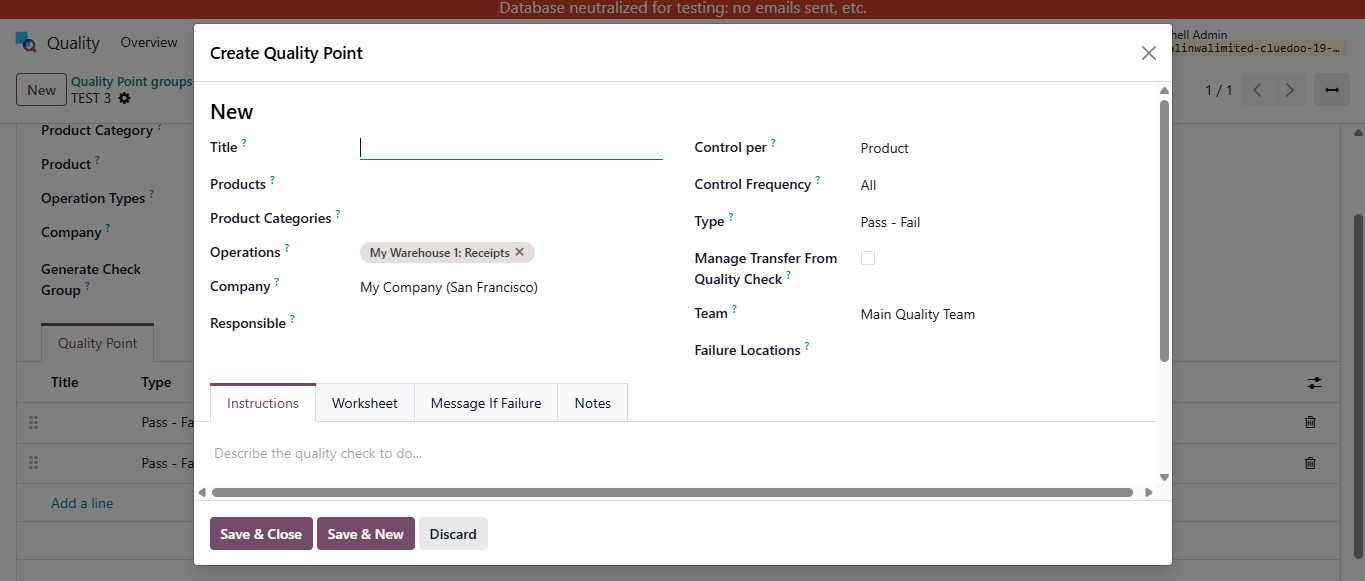 |
QUALITY CONTROL POINTS (ODS) | 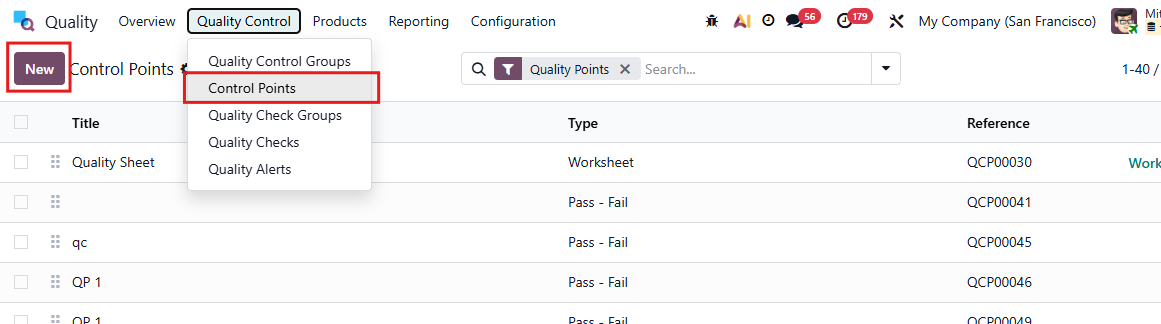 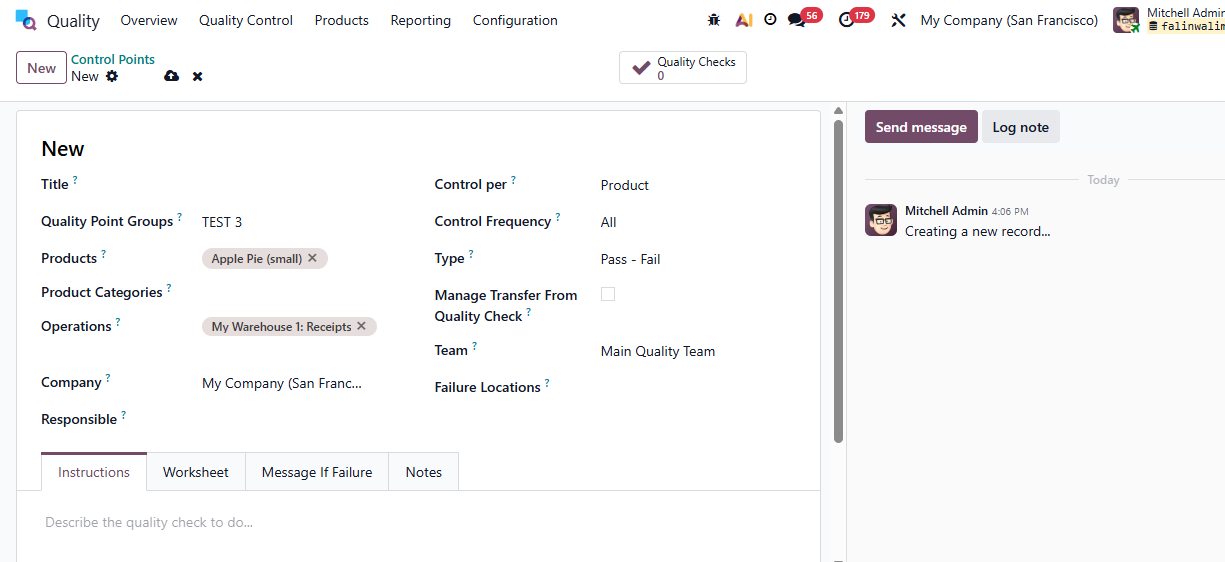 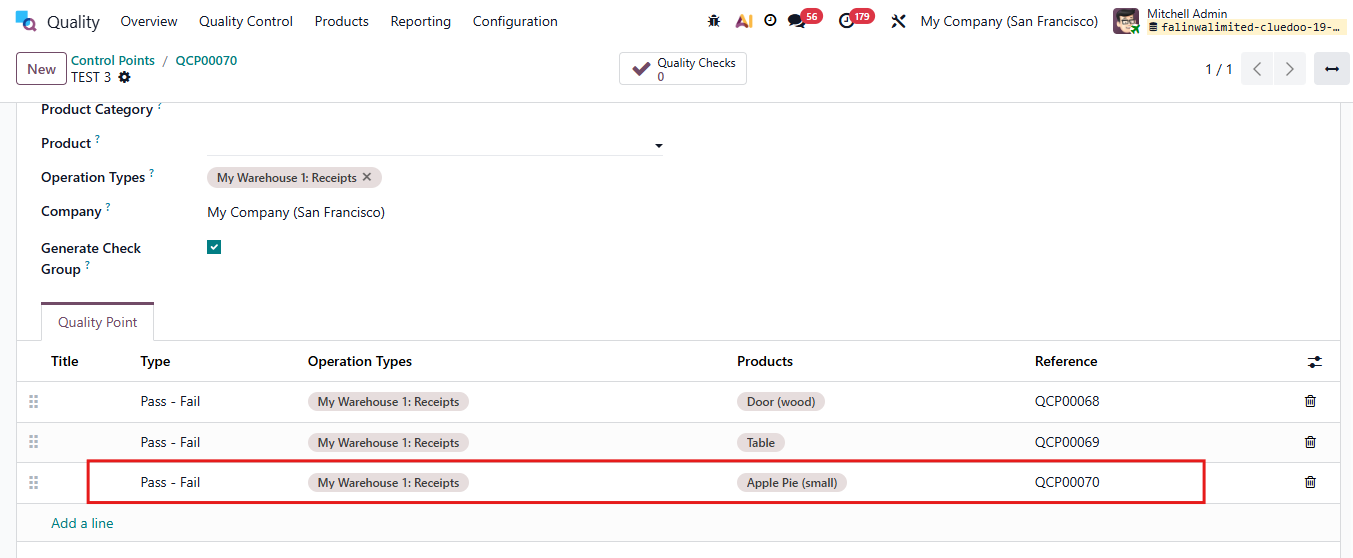 |
QUALITY CHECK GROUPS 1. Go to Purchase > Purchase Order Create a Purchase Order with product have quality control point. Quality Checks are automatically created after Confirm Order | 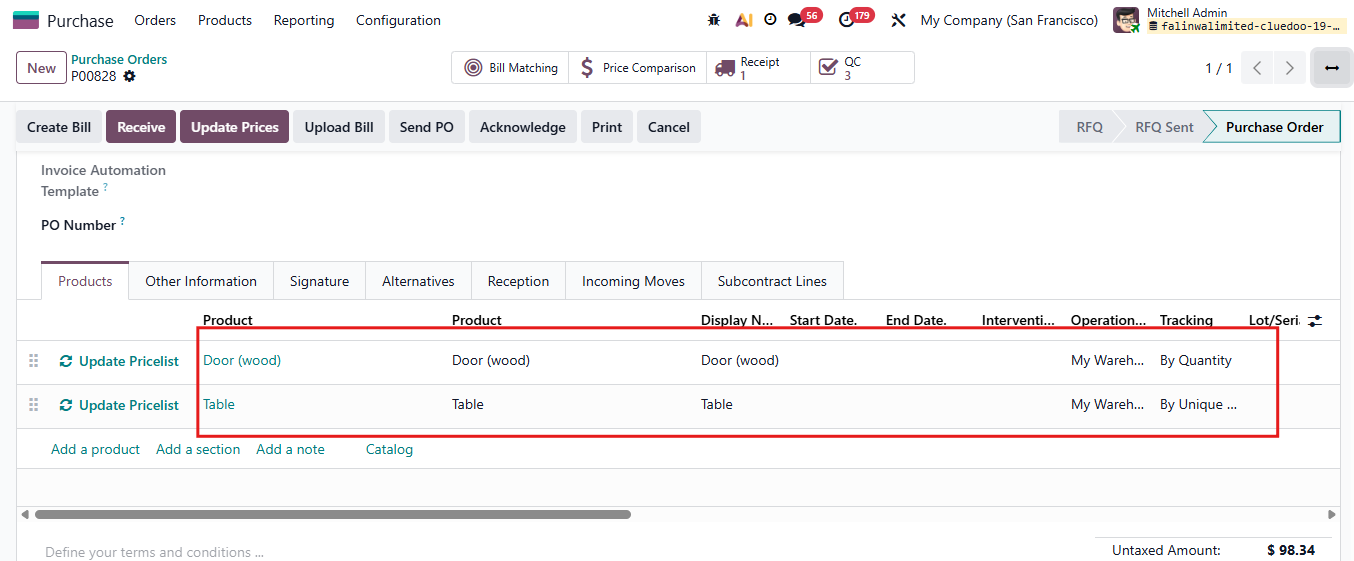 |
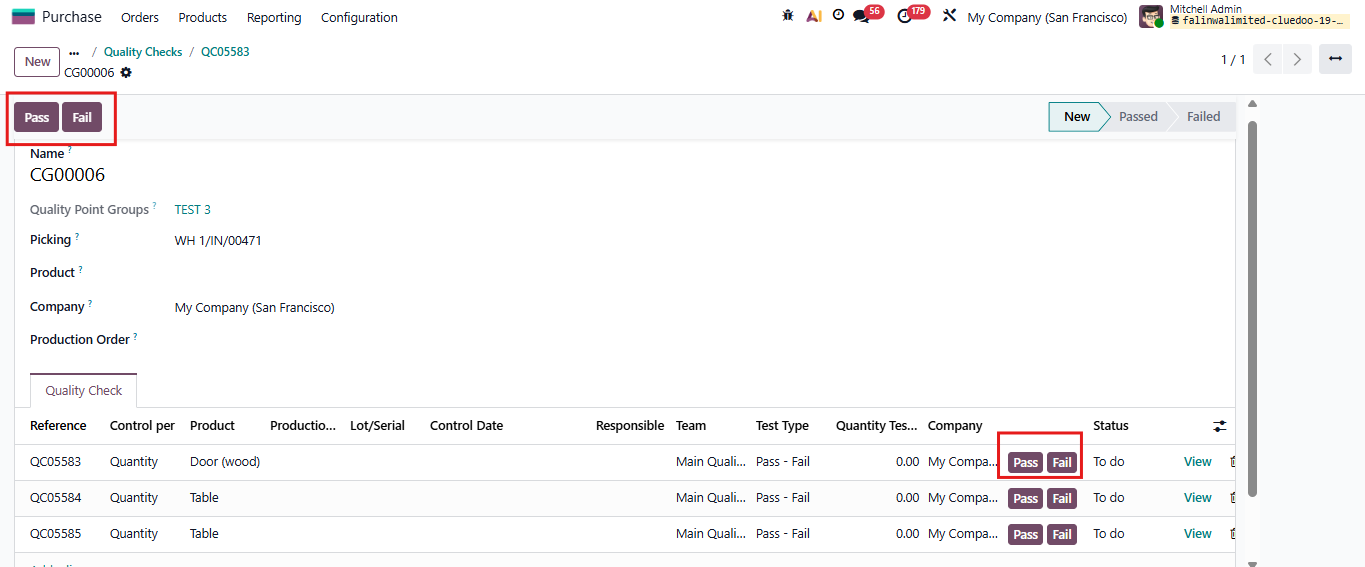
2. Quality Check Group is also automatically created due to the Quality Check Point you set In the Quality Checks, you can check all the details about the Quality Check Group, Picking, and the Quality Control Point Note: Quality Checks with the same Quality Point Group will be added to the same Quality Check Group e.g., 2 products in 2 different Control Points but with the same Quality Point Group > QCs for those 2 products in the same transfer will be added to the same Quality Check Group |  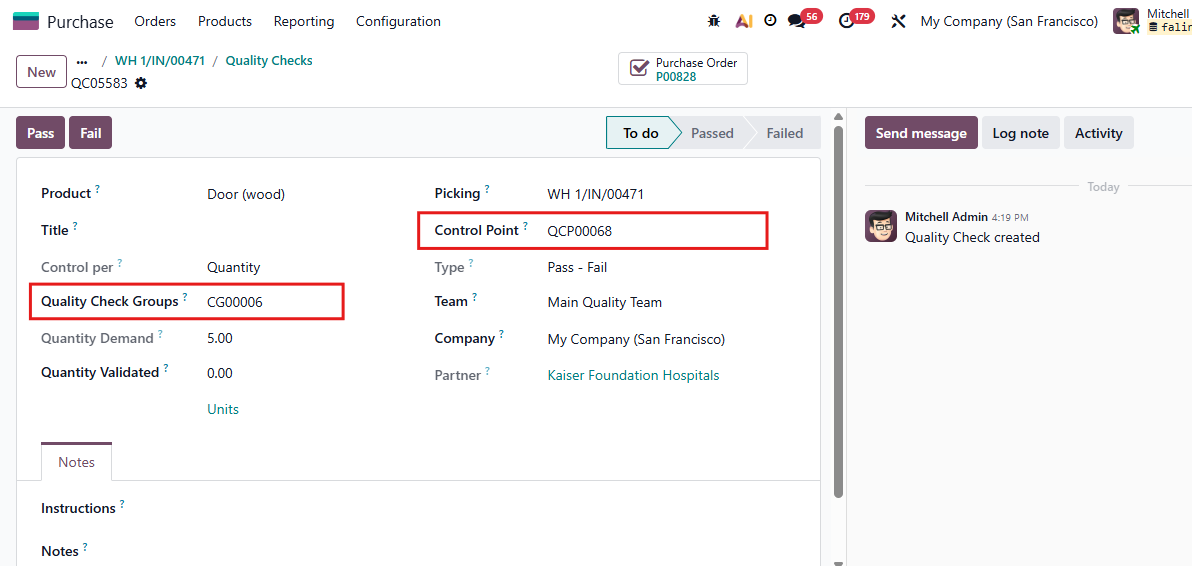 |
In Quality Check Group,
|  |
If the transfer is canceled > Quality Checks will be deleted > Quality Check Group will be deleted as well | 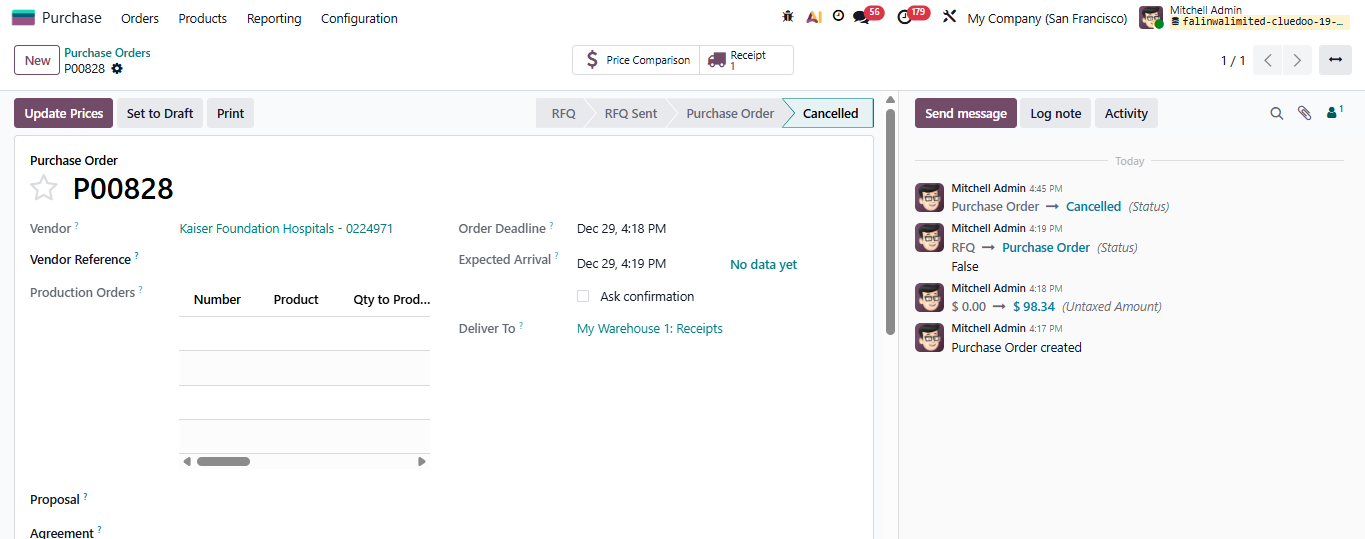 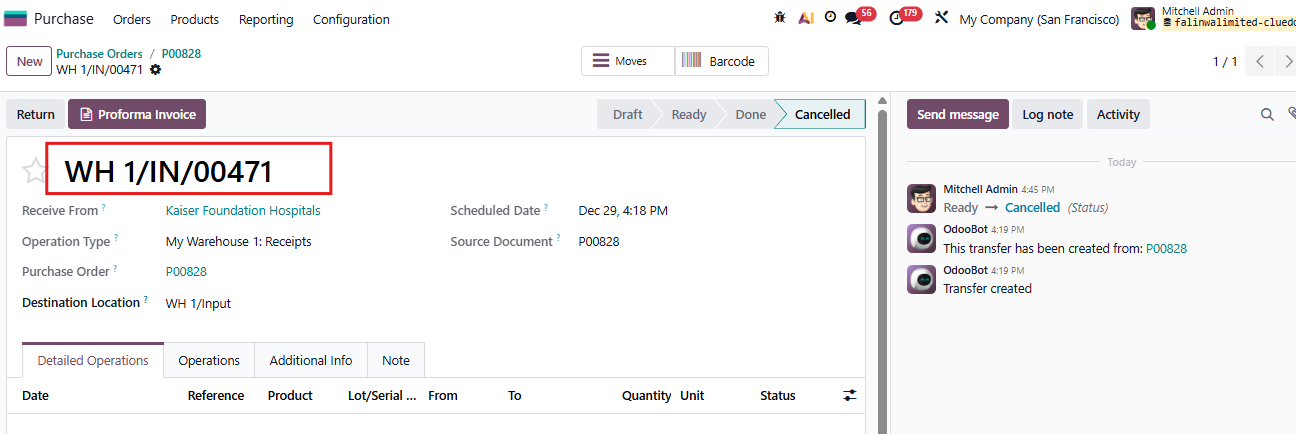 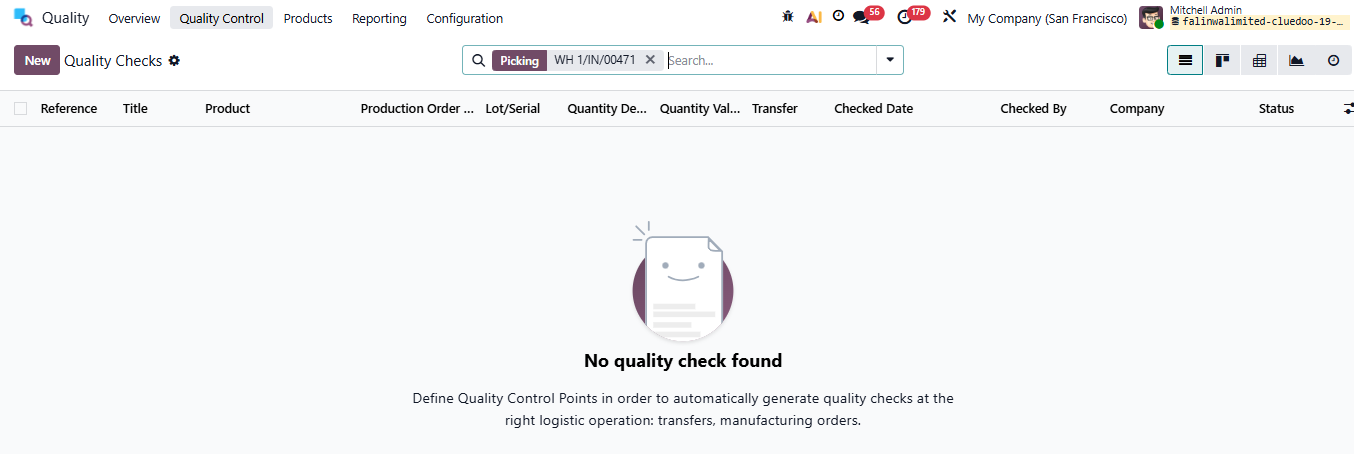 |
ARCHIVE QUALITY CHECK GROUPS/QUALITY CHECKS/QUALITY ALERTSGo to Quality > Quality Check Groups/Quality Checks/Quality Alerts > New or choose the one(s) that you want to archive > Actions > Archive You have the option to Unarchive as well. | 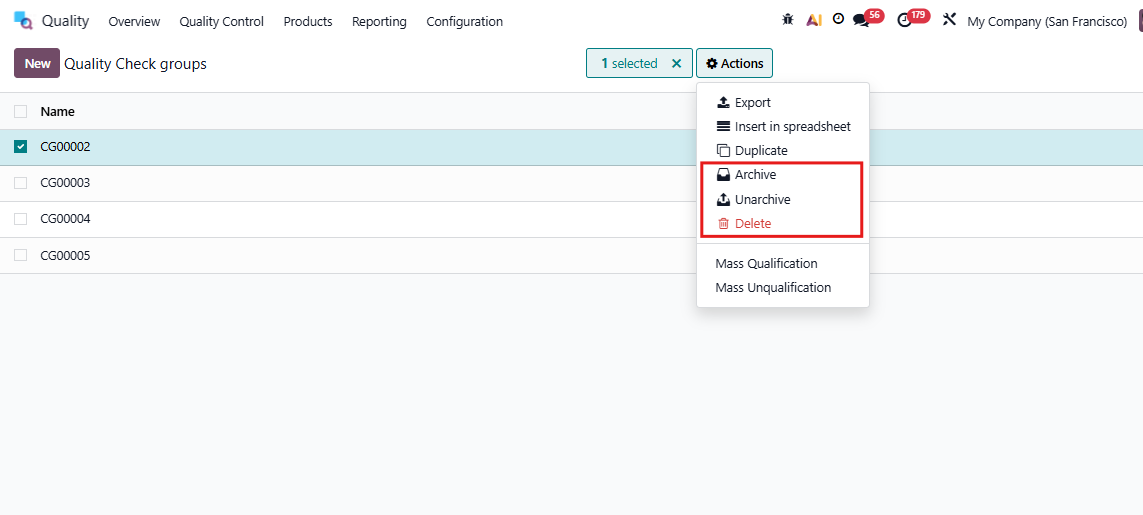 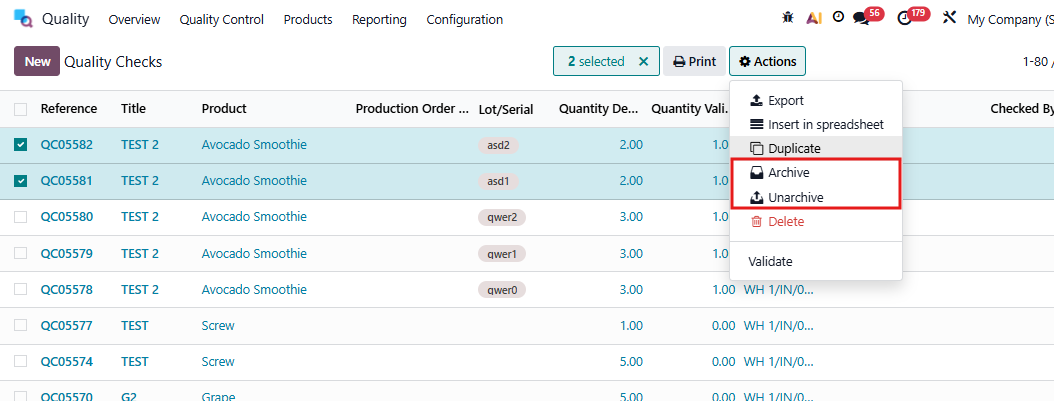 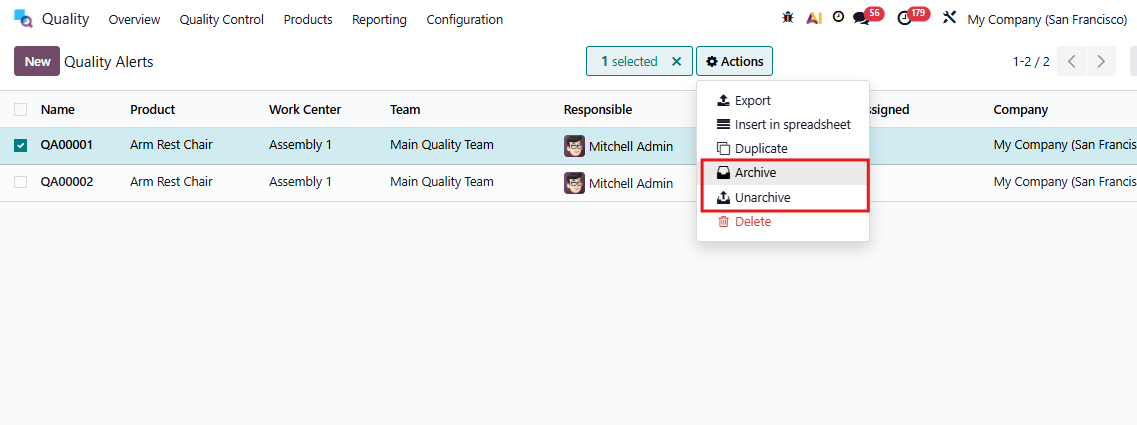 |