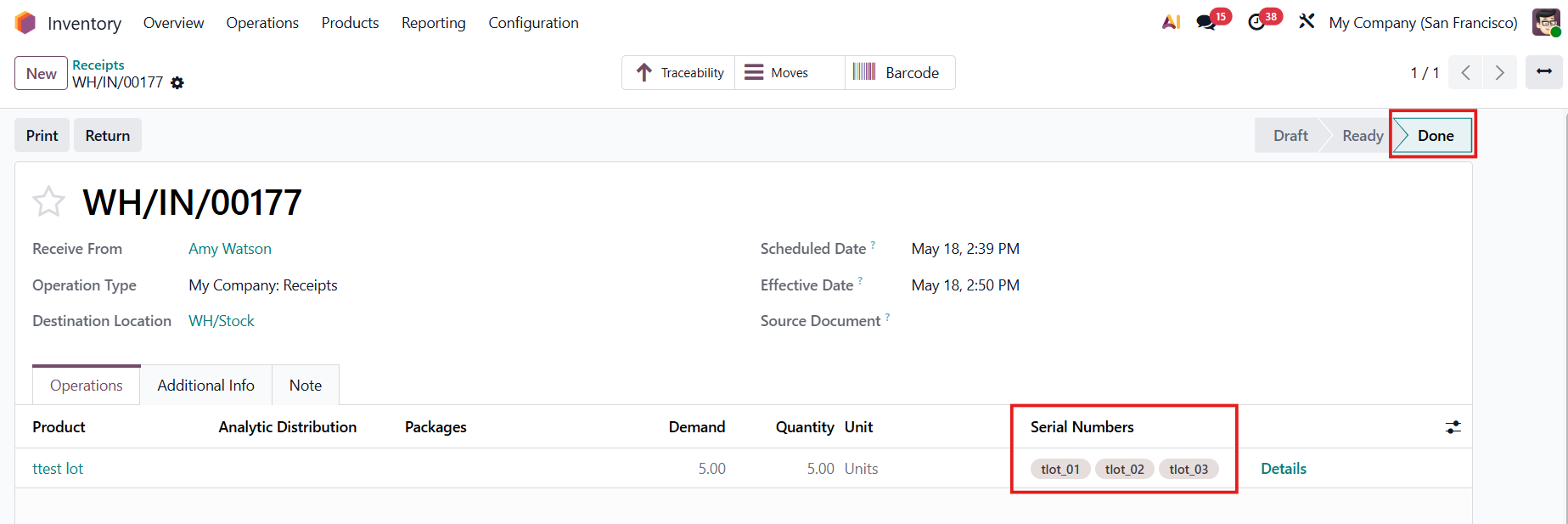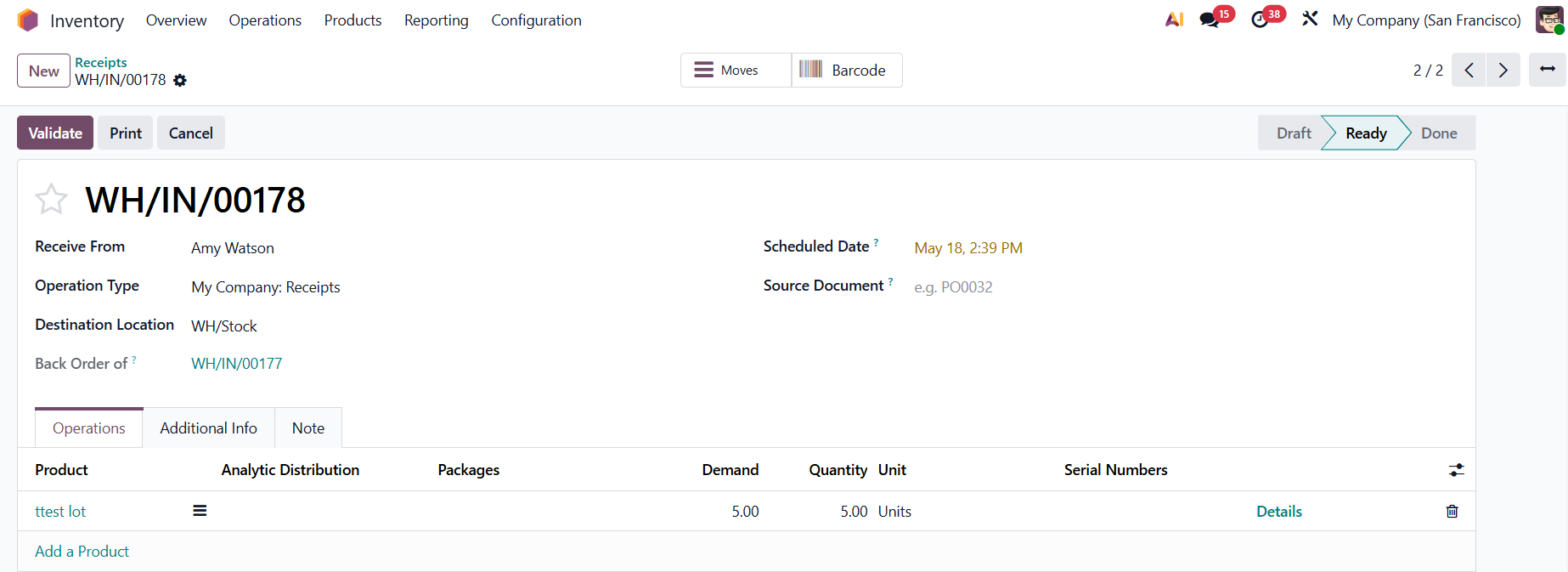
ODOO'S FUNCTION
In the Odoo Barcode app, generating multiple lots for a single product can feel like a marathon. If you receive 10 units of a product and need 10 unique lots, you have to manually scan or enter them one by one. There is no quick way to bulk-generate lots directly from the barcode screen, turning a simple receiving task into a tedious, manual process.
CLUEDOO'S FUNCTION
CLuedoo brings the power of bulk generation directly to your Barcode app! Instead of scanning items one by one, you get a convenient Generate Serials/Lots button right on your screen. Need 10 unique lots for 10 products? Just click the button, and the system automatically generates and assigns them all instantly - exactly like it does in the standard transfer view. Say goodbye to manual scanning and hello to instant, automated lot creation!
CONFIGURATION | |
1. Create a product that is tracked by Lots/Unique Serial Number. |
|
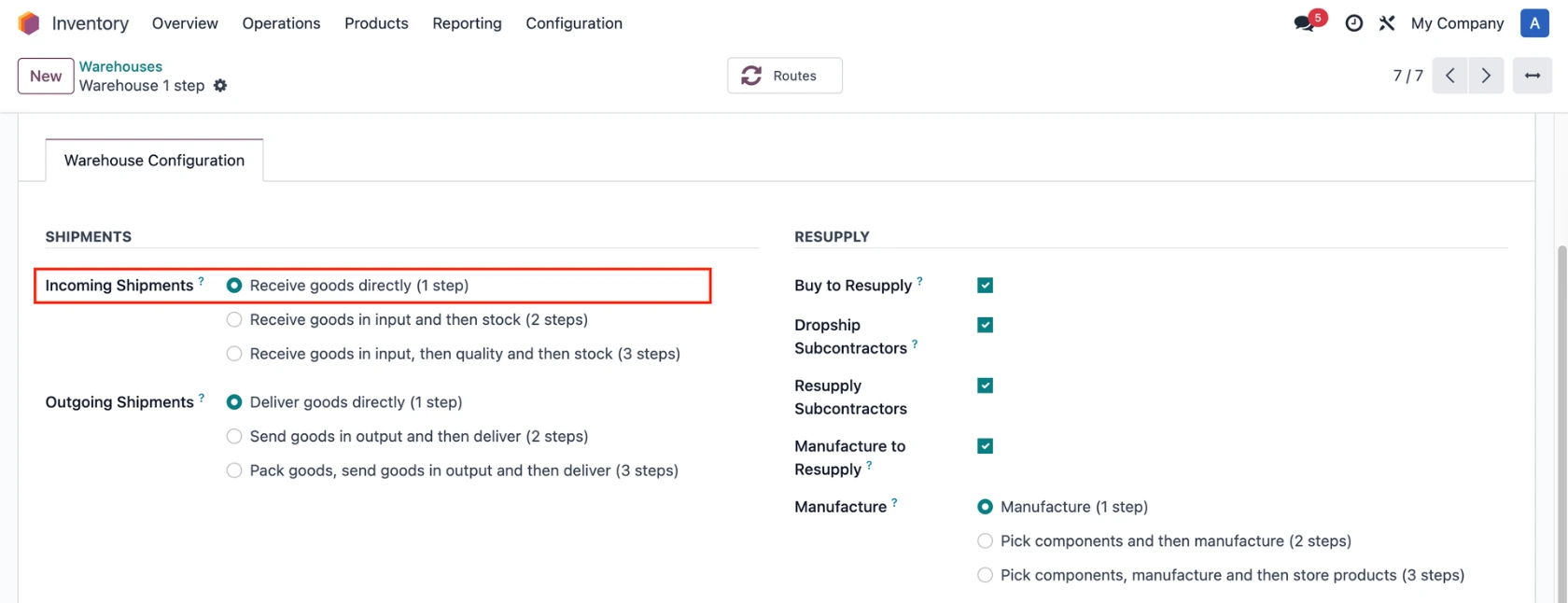
2. Go to Inventory > Configuration > Warehouse Management > Warehouses Choose a warehouse and configure the default Incoming Shipments / Outgoing Shipments / Manufacture. e.g., Receive goods directly (1 step) |
|
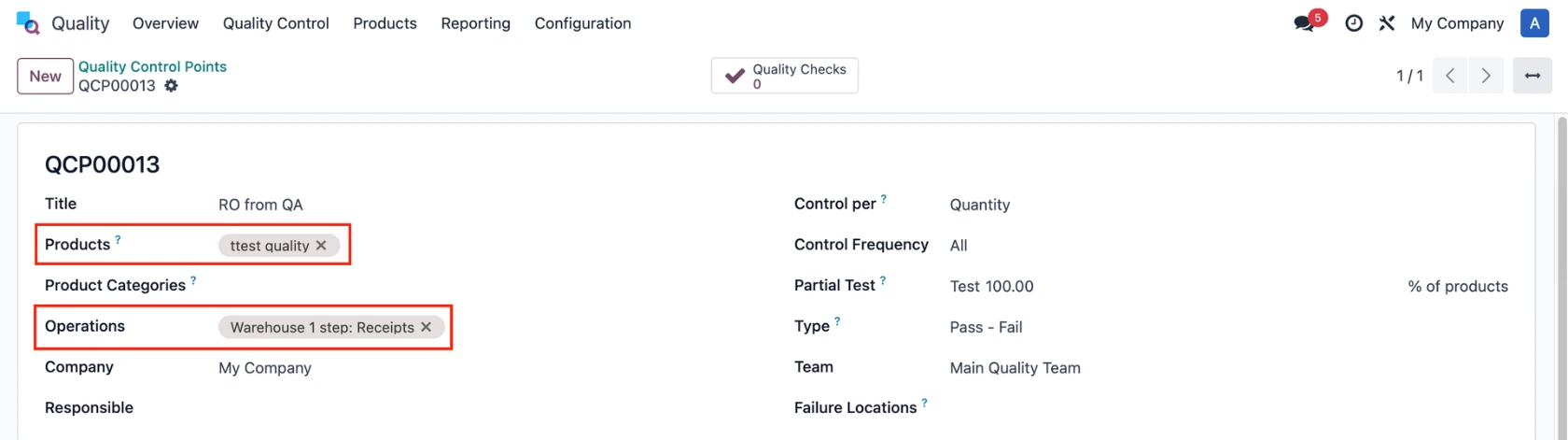
3. Navigate to Quality > Quality Control Points Set up the QCP, add the product in Step 1, and select the appropriate Operations based on the configured routes. |
|
USAGE | |
1. Go to Purchase > Requests for Quotation > Create a new Purchase Order. Add the product > Confirm Order > Click on the Receipt smart button. | 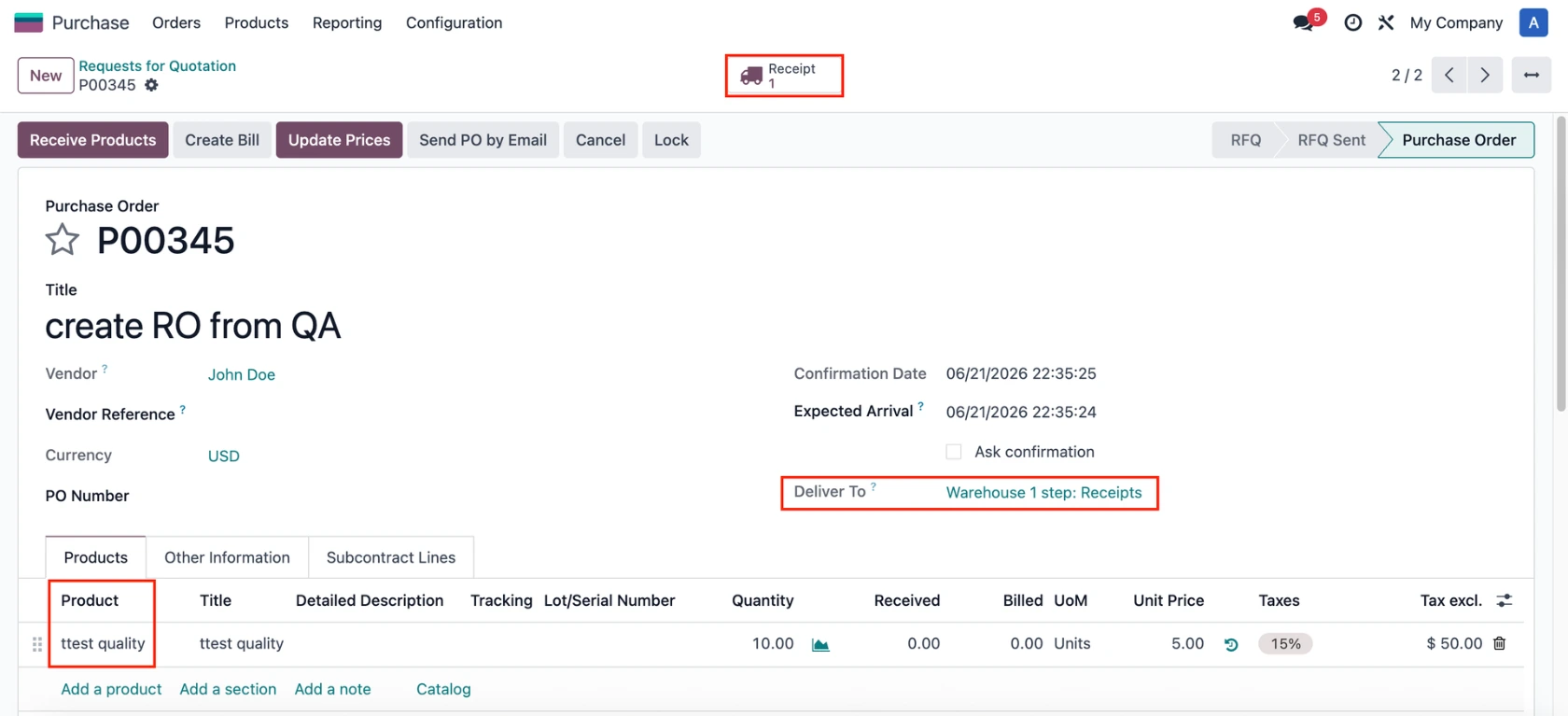 |
2. Assign the L/SN to the product > Do the Quality Checks and create a Quality Alert. | 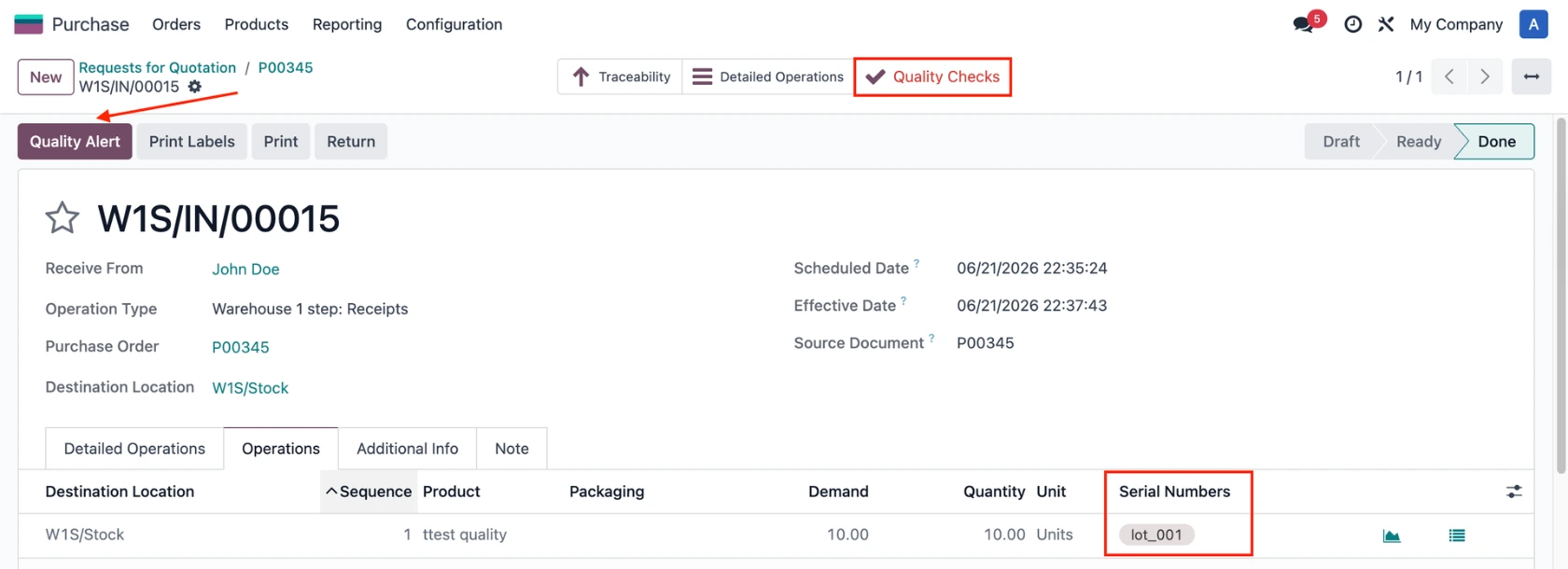 |
3. Click the Generate Serials/Lot button. | 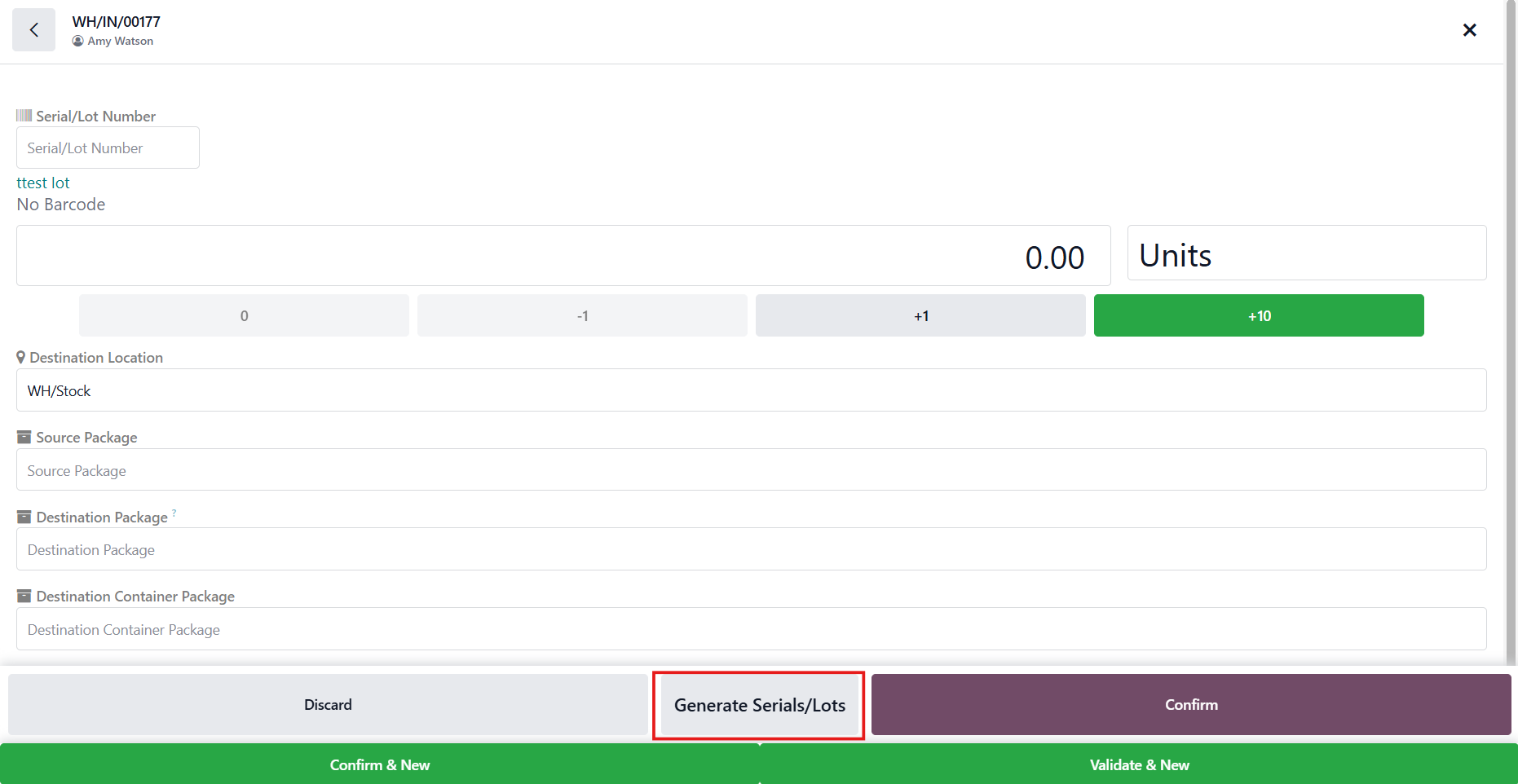 |
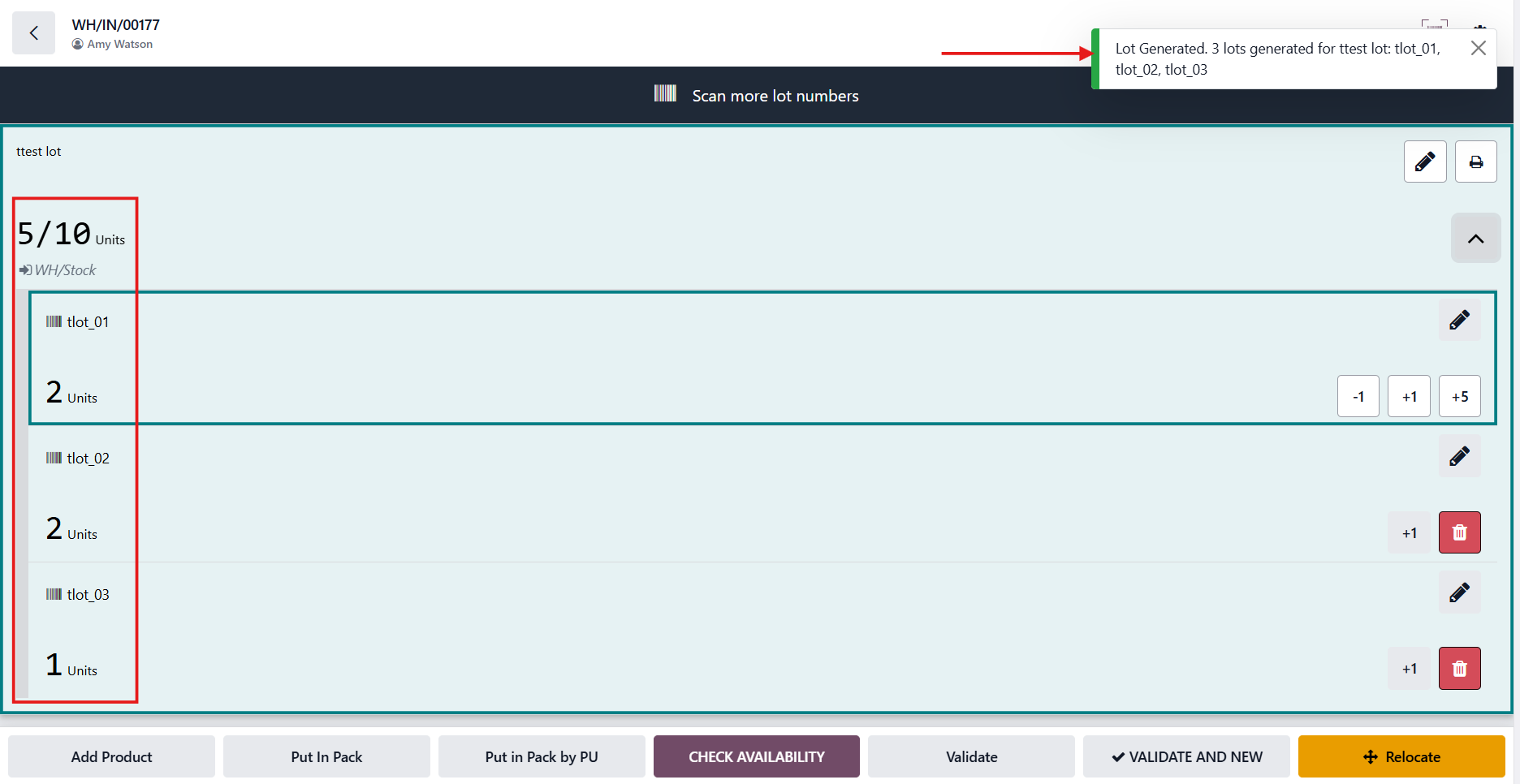
Fill in the information > Generate. | 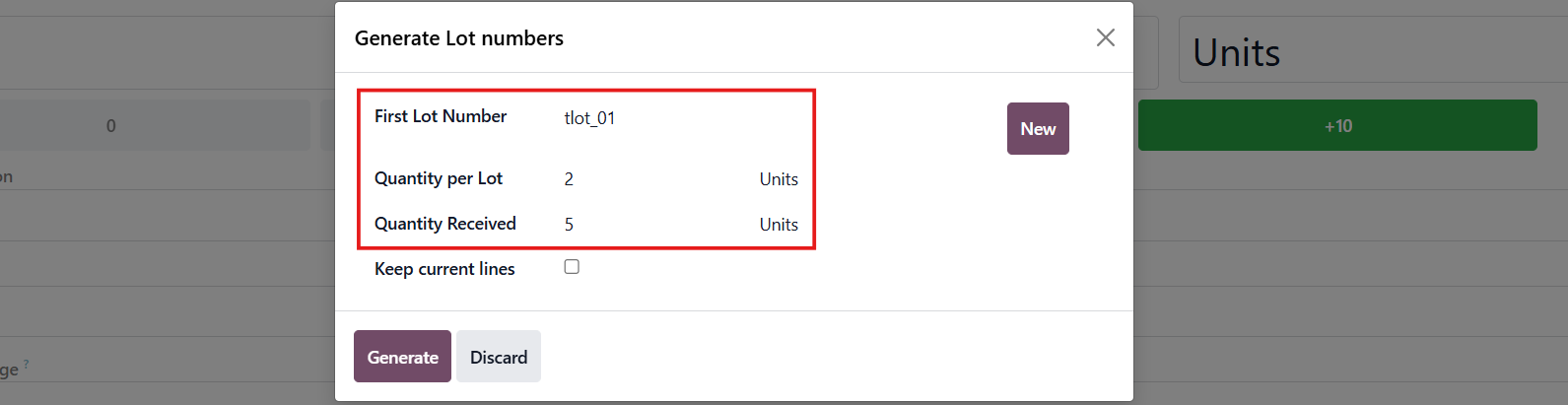 |
The lots will be automatically generated with the correct quantity. |
|
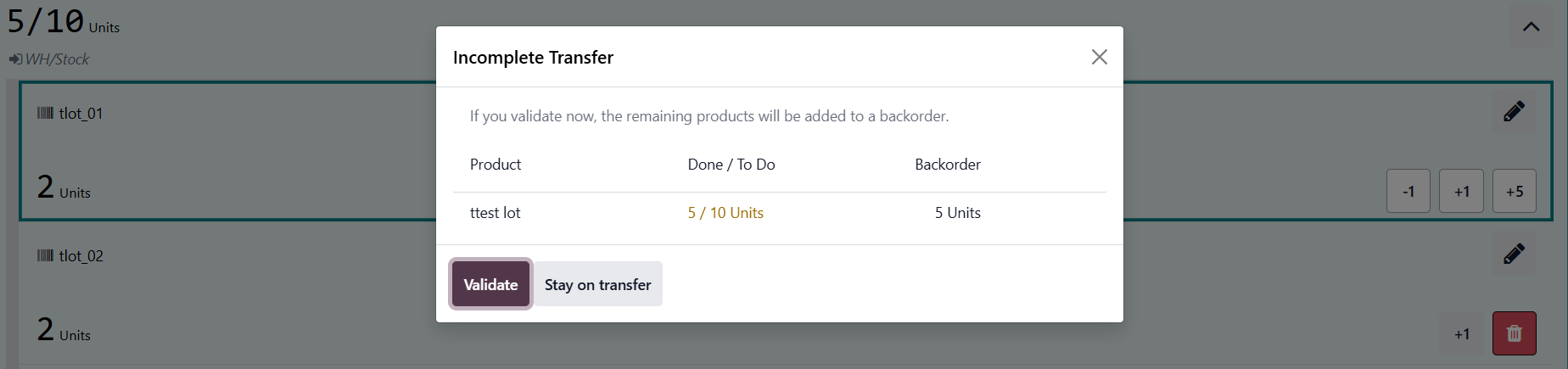
4. Click Validate |
|
The transfer will be automatically done, and the lots will be added. |
|
The backorder is created as well. |
|