


ODOO'S FUNCTION
Odoo doesn’t provide built-in tools for debtor risk management, and setting up credit limits isn’t straightforward.
CLUEDOO'S FUNCTION
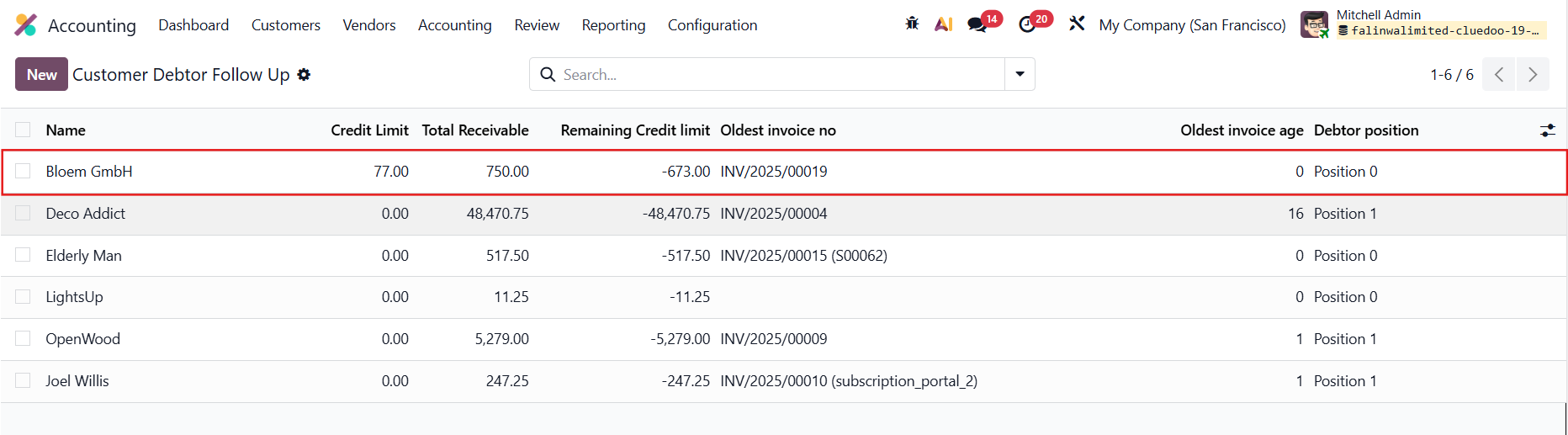
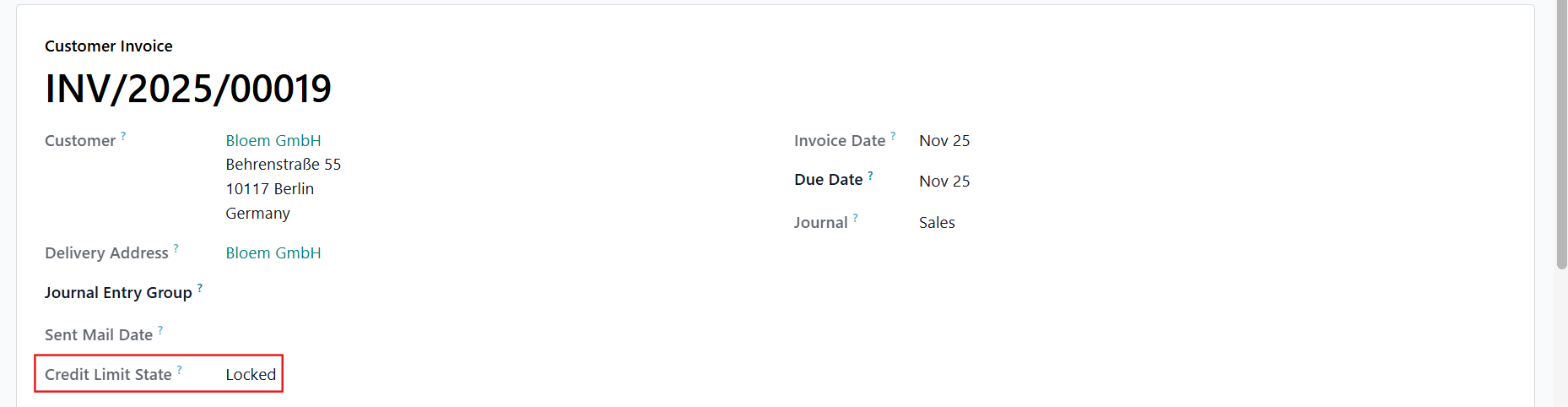
CLuedoo gives you a clear, instant indicator showing whether your customer has exceeded their credit limit. This module also displays the credit position directly in the debtor follow-up in order to focus on the at-risk debtors.
In the Sales module, navigate to the 'Orders' menu → 'Customers'. | 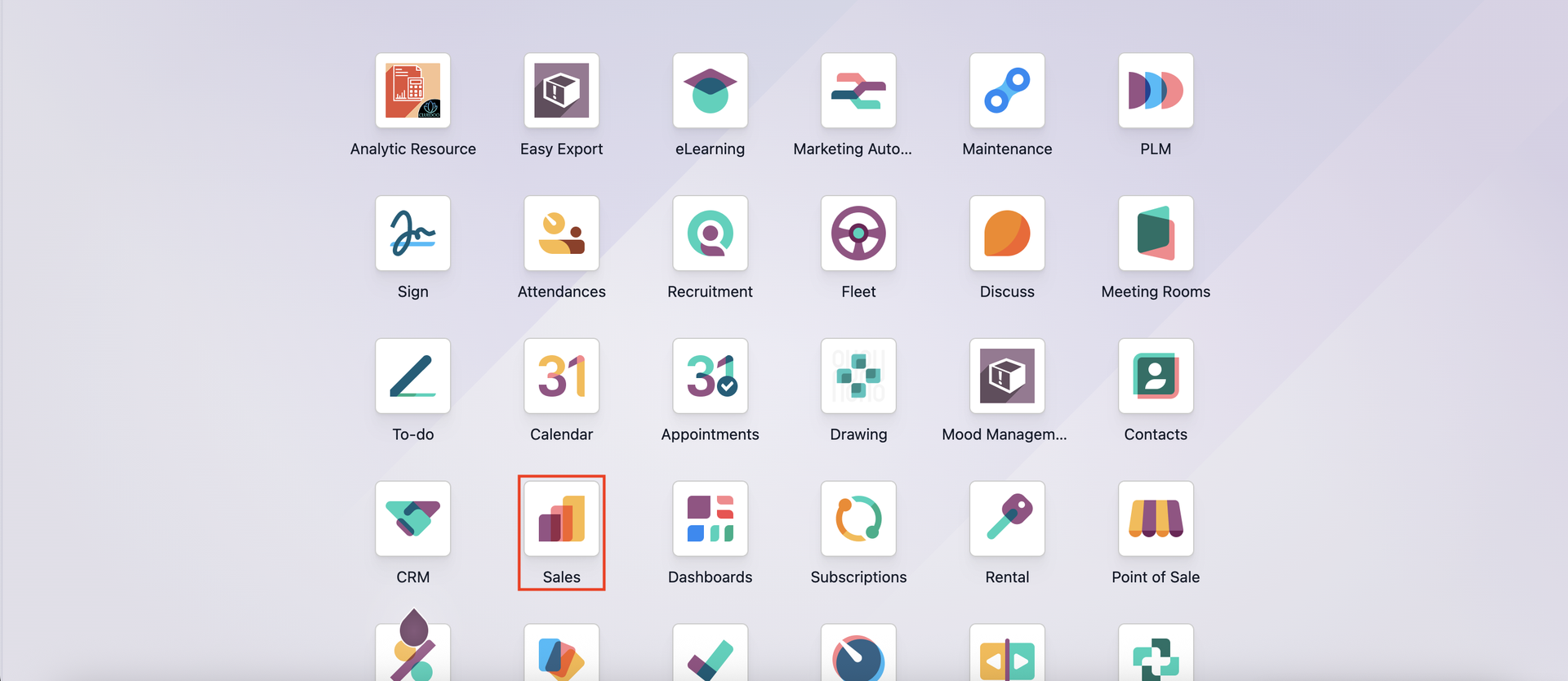 |
Choose a customer record, click on the 'Sales & Purchases' tab, and scroll down to locate the Credit Limit section. You can set the restriction using either 'Value' or 'Python Code'. | 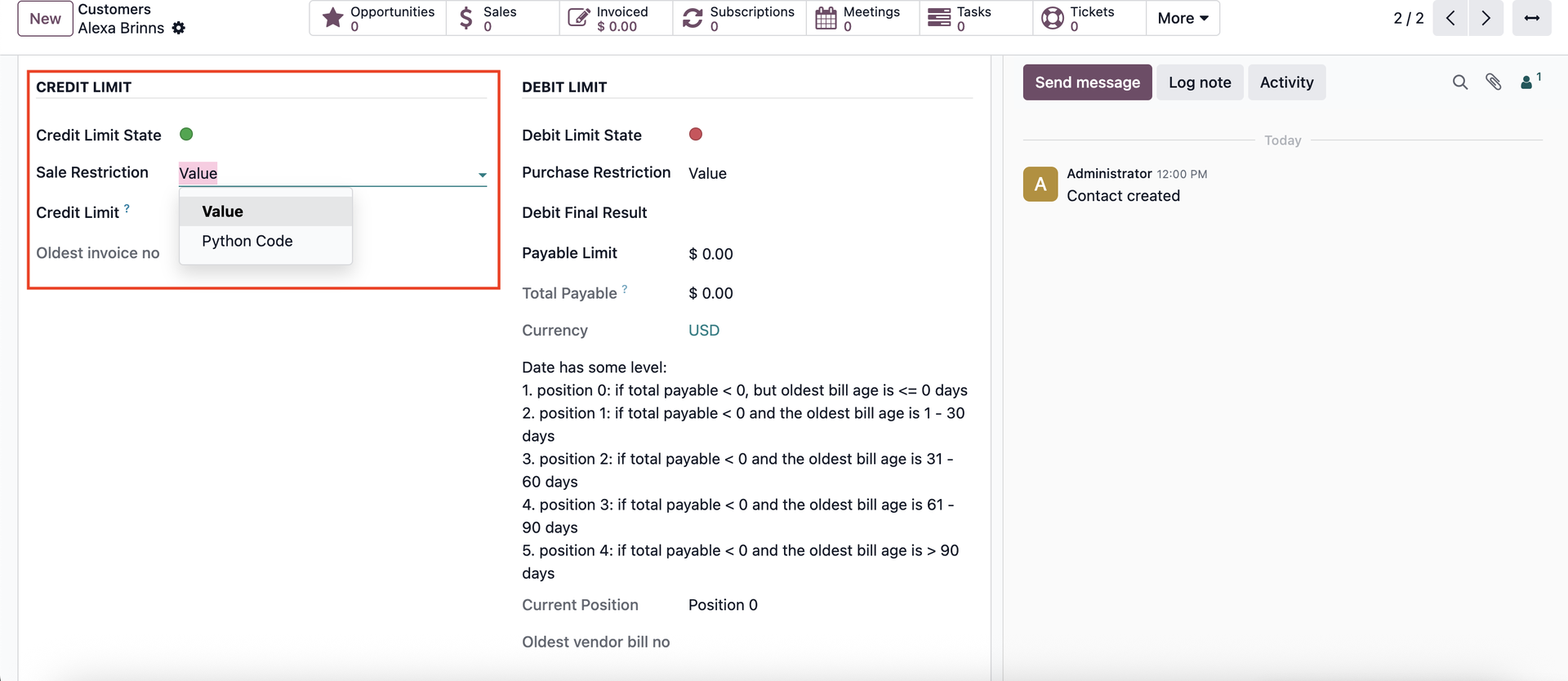 |
SALE RESTRICTION = VALUEWhen using the Value option, enter the credit limit amount. After an invoice is confirmed, if the customer’s balance exceeds this limit, the 'Credit Limit State' changes to red. | 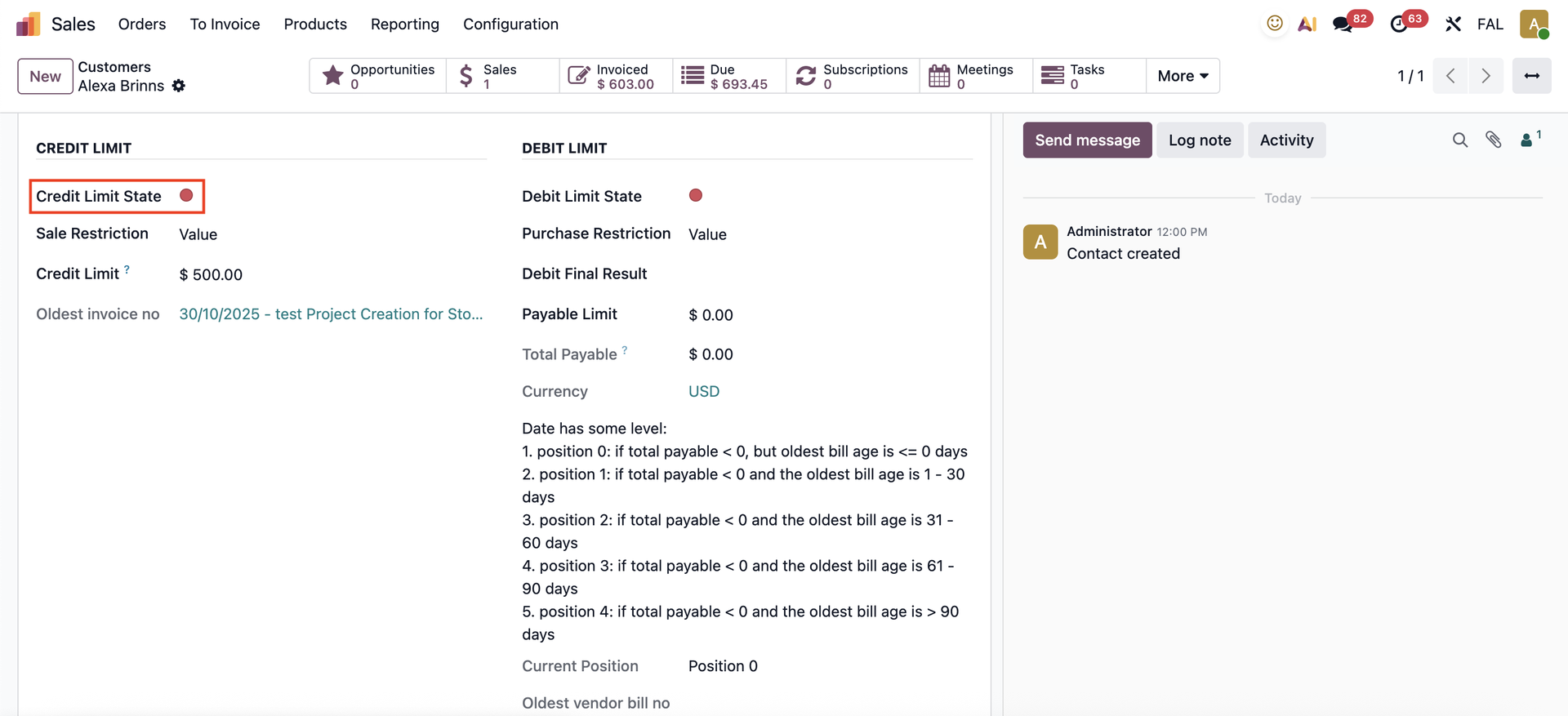 |
SALE RESTRICTION = PYTHON CODEWith the 'Python Code' option, you can define your own conditions. For example: # Available variables: #---------------------- # contact_id: contact # total_due: total amount due # total_uninvoiced_sales: total uninvoiced sales # result = # logic = this variable set up formula true or false result = total_due Here, the state changes to green only when both conditions ( the credit limit is greater than 1000 and the Final Result is greater than 100) are met. | 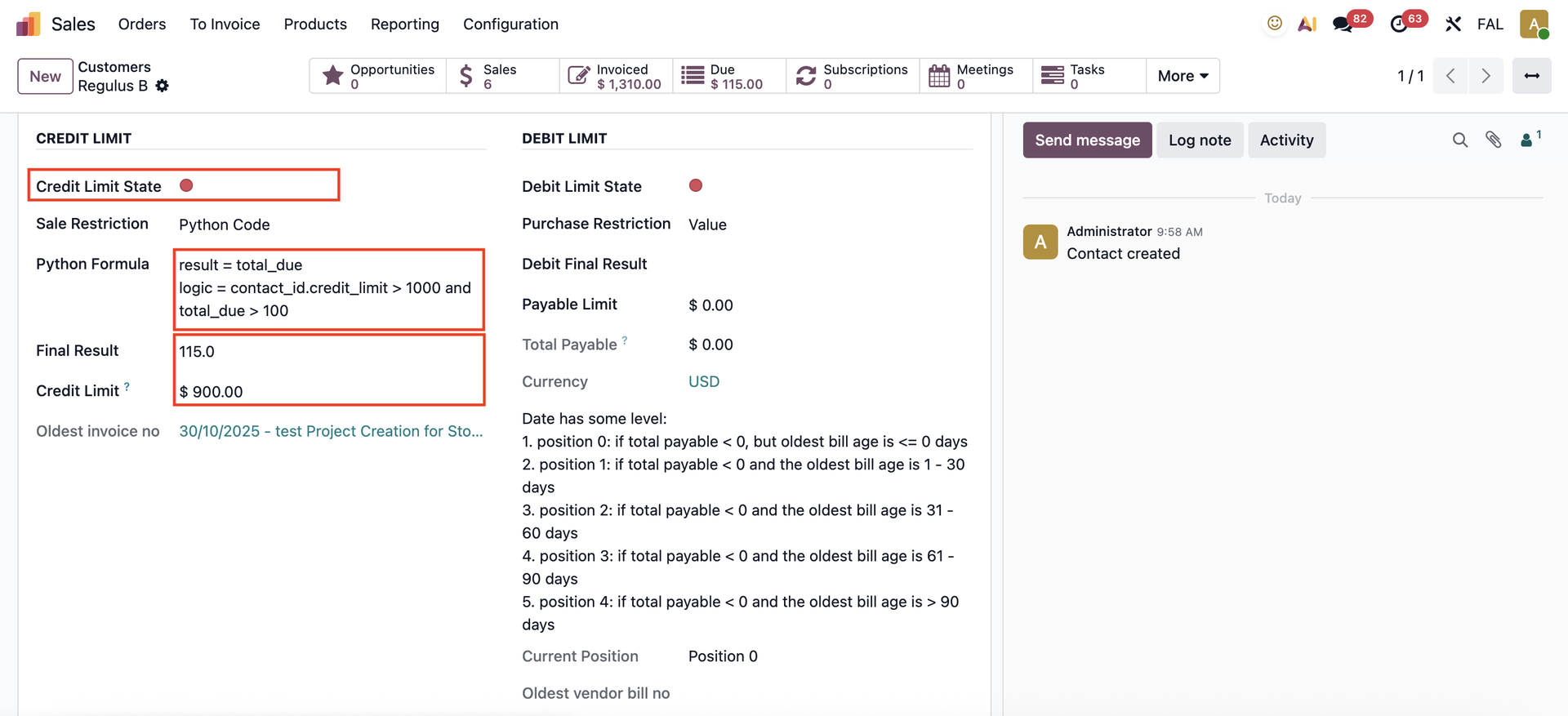 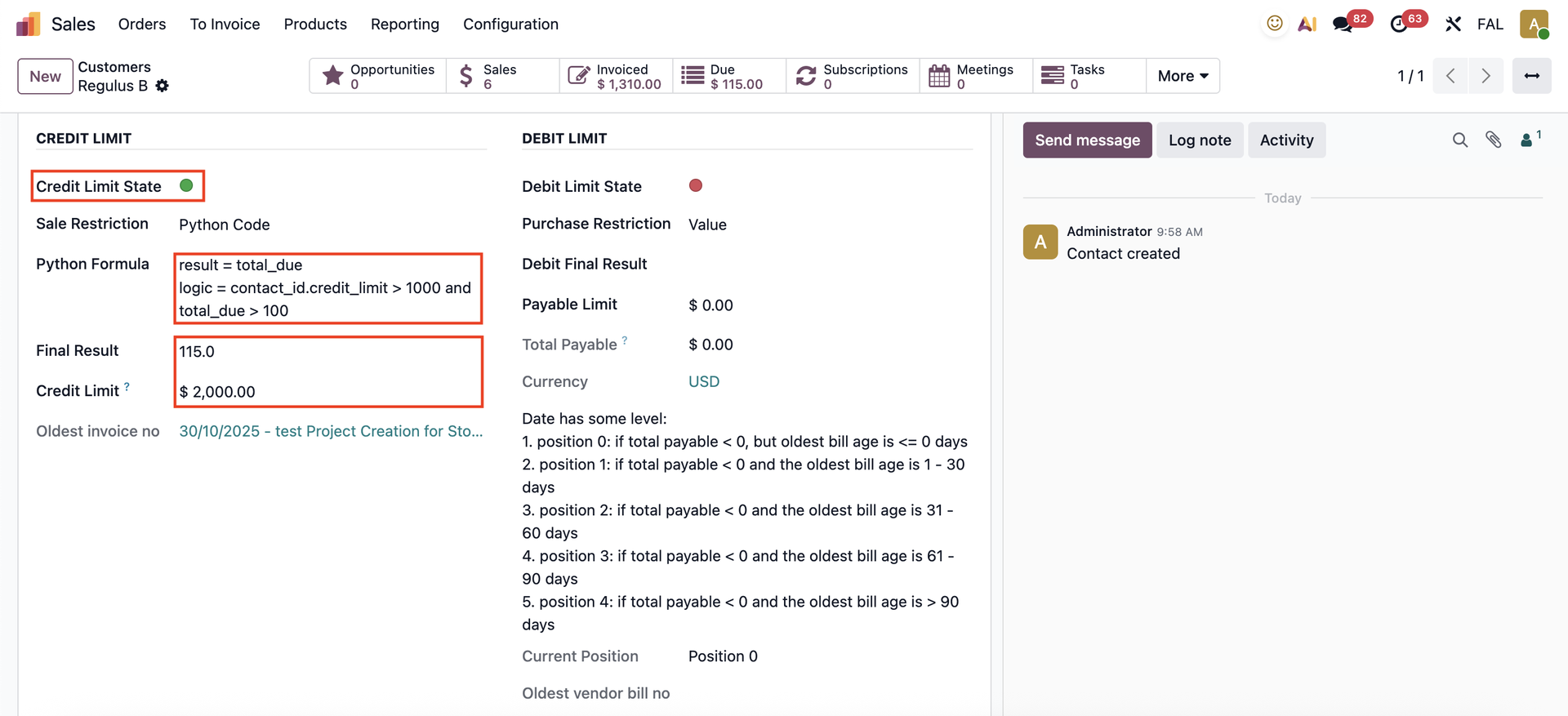 |
Using or means that only one condition needs to be satisfied. For example: # Available variables: #---------------------- # contact_id: contact # total_due: total amount due # total_uninvoiced_sales: total uninvoiced sales # result = # logic = this variable set up formula true or false result = total_due In this case, the state turns green when either the credit limit is greater than 1000 or the Final Result is less than 100. | 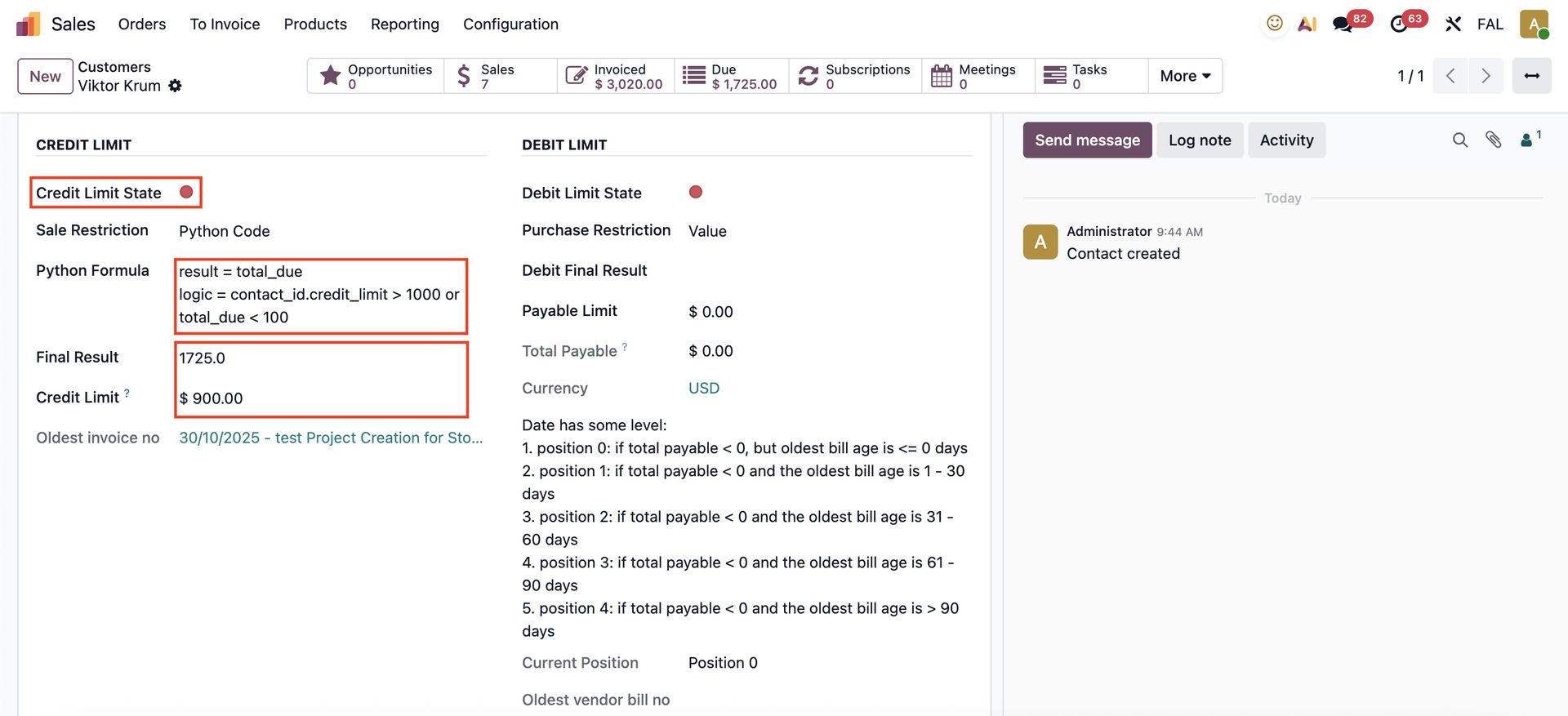 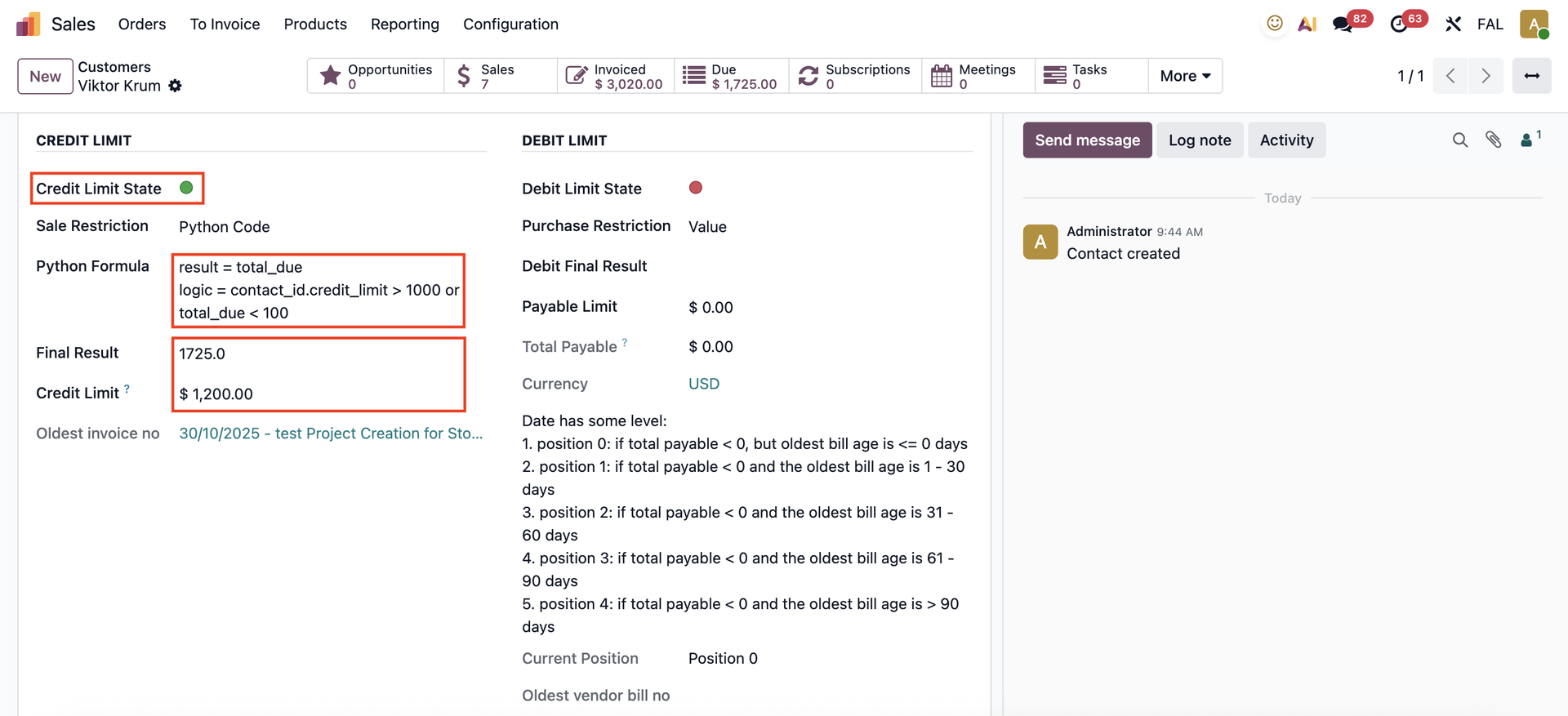 |
CUSTOMER DEBTOR FOLLOW UPIn Accounting → Customers, we have the Customer Debtor Follow Up, which allows us to see all the information related to a contact's credit limit. |
|
APPROVAL RULEIf you want the sales order to be blocked or require approval when it exceeds the credit limit, configure an approval rule in Studio. Add a condition so that approval is required when the total amount exceeds the specified limit. For example, Total > 1000 |  |
After setting it up, when you try to confirm the Sales Order, the system will ask for approval from the designated user before proceeding. |  |
SCHEDULED ACTIONWe have a scheduled action that runs daily to update the credit limit state | 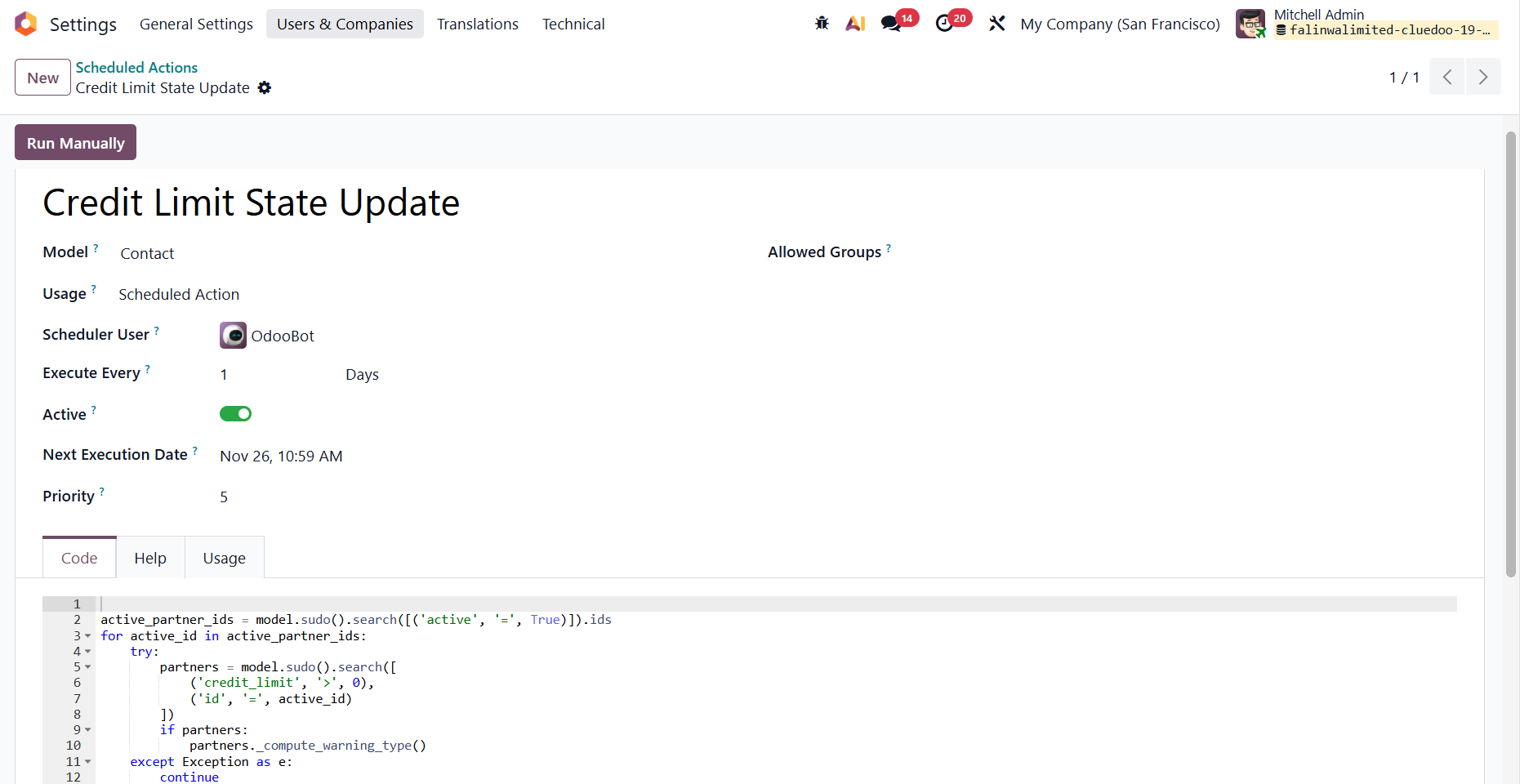 |
You can add a related field to track the credit limit state without going to the contact. |
|
Note:If a contact has a child contact, the Credit Limit of the parent contact will propagate to the child contact. |