



ODOO'S FUNCTION
In production planning using Master Production Schedule (MPS), not all components in a Bill of Materials (BoM) are relevant at the MPS level. Some components (e.g., small accessories or non-critical parts) may be unnecessary to forecast individually, and including them clutters the view, making planning inefficient.
CLUEDOO'S FUNCTION
1️⃣ Introduces a new checkbox "Add in MPS" in the Component Category form.
2️⃣ Controls visibility of components in the MPS:
- If the checkbox is checked, components under that category will appear in MPS.
- If unchecked, those components will be excluded from MPS, even if included in BoM.
1. Create or choose a product > Bill of Materials > Add components and choose the Component Category Note: both the product and the component(s) must be storable products | 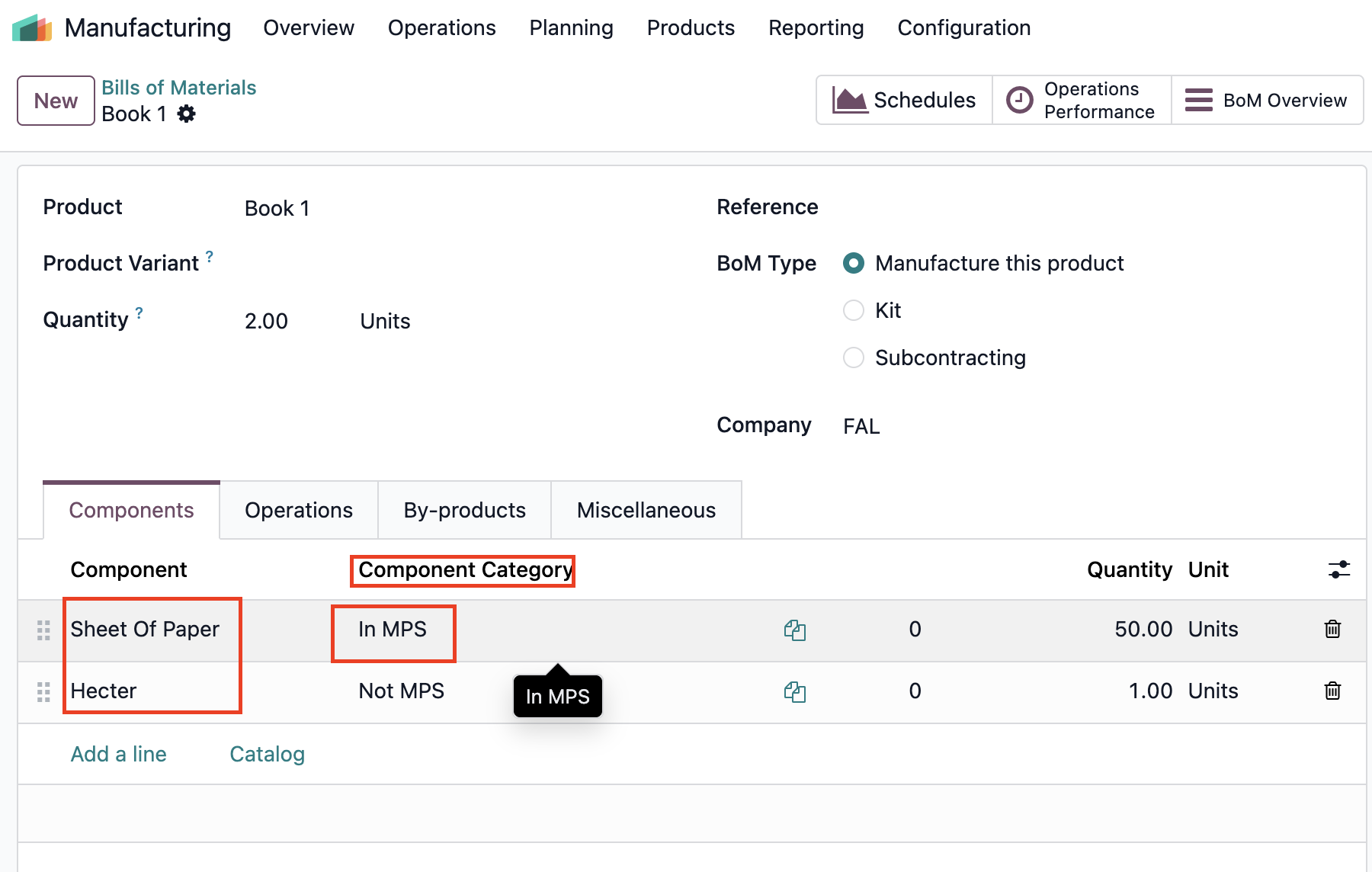 |
2. In the Component Category, you can choose whether this component appears in the MPS or not by checking/unchecking Add Component in MPS | 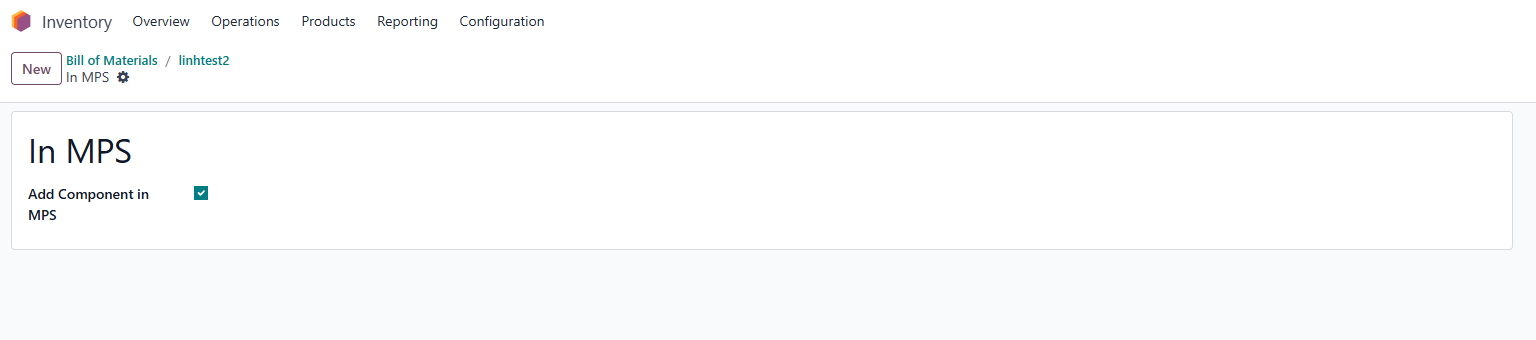 |
3. Add your product and its BoM to the Master Production Schedule > You will see the finished product and only the component lines with Add Component in MPS checked | 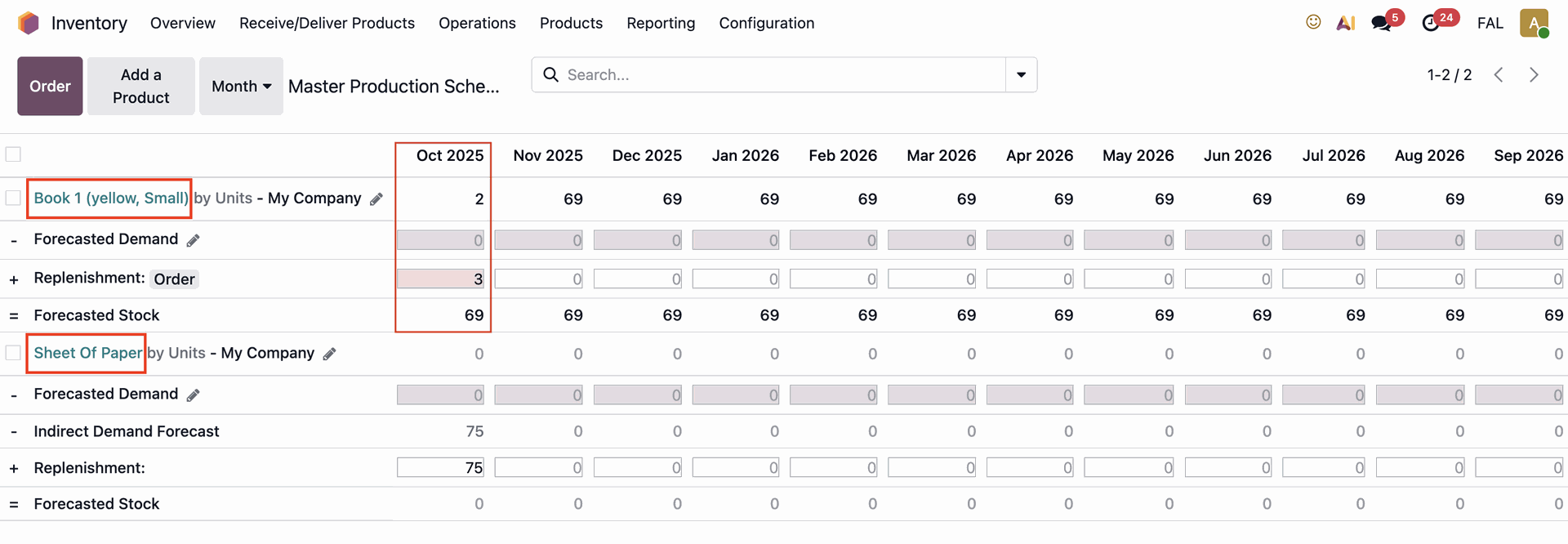 |