



ODOO'S FUNCTION
- No Archive/Unarchive option
- Move to Trash replaces archiving, but documents in Trash are automatically deleted after 30 days
- No option to retain hidden documents indefinitely
- Limited control over document lifecycle and visibility
CLUEDOO'S FUNCTION
✅ Brings back Archive/Unarchive in the Documents app
✅ Allows users to archive documents for long-term storage without deletion
✅ Archived documents are hidden but preserved indefinitely
✅ Unarchive to restore and make documents active again
✅ Provides better document visibility and retention control
1. Go to Documents > Choose list view and select the document(s) that you want to archive > Action > Archive | 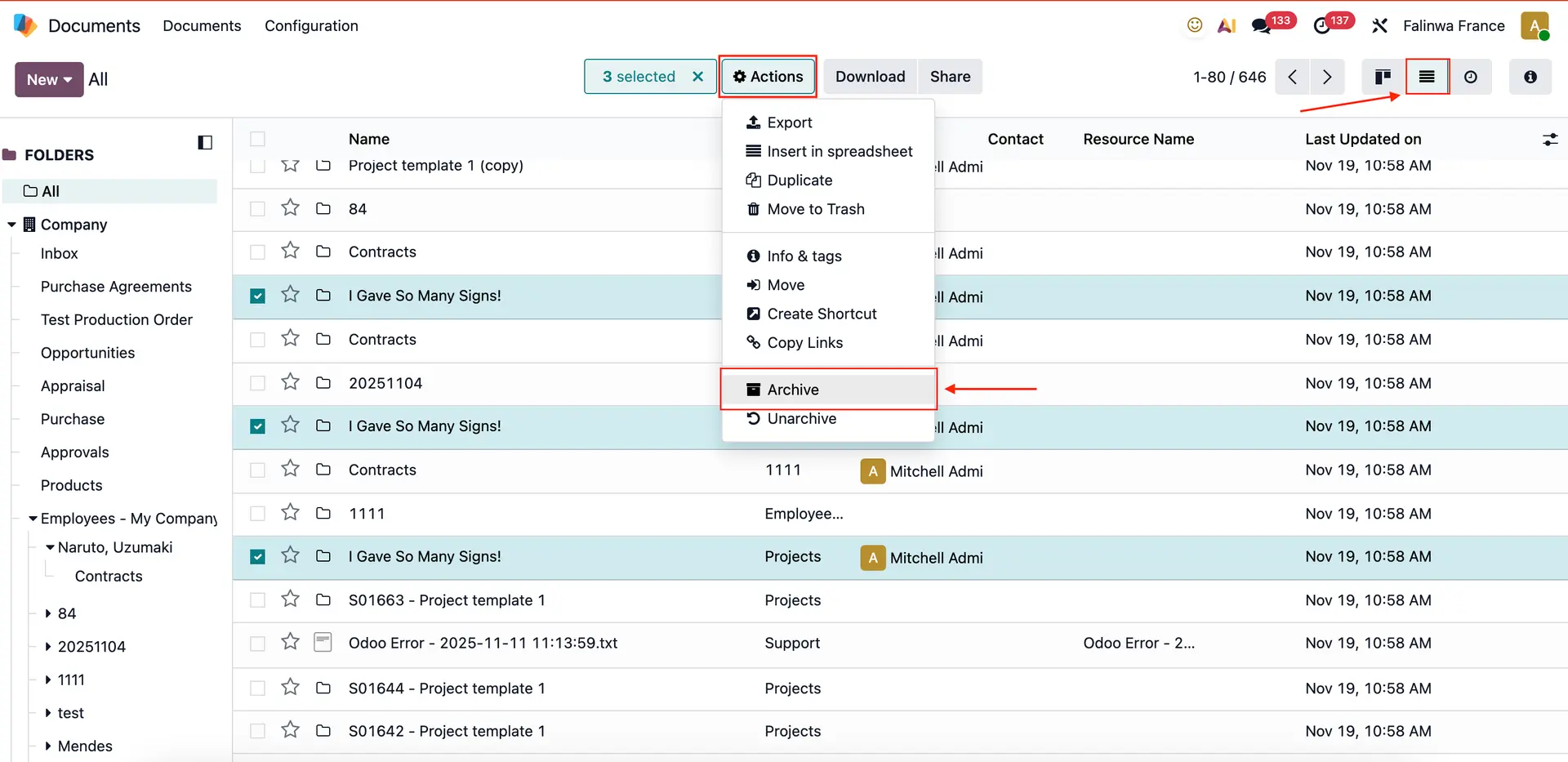 |
2. Filter with the Archived option will show you the archived document(s) | 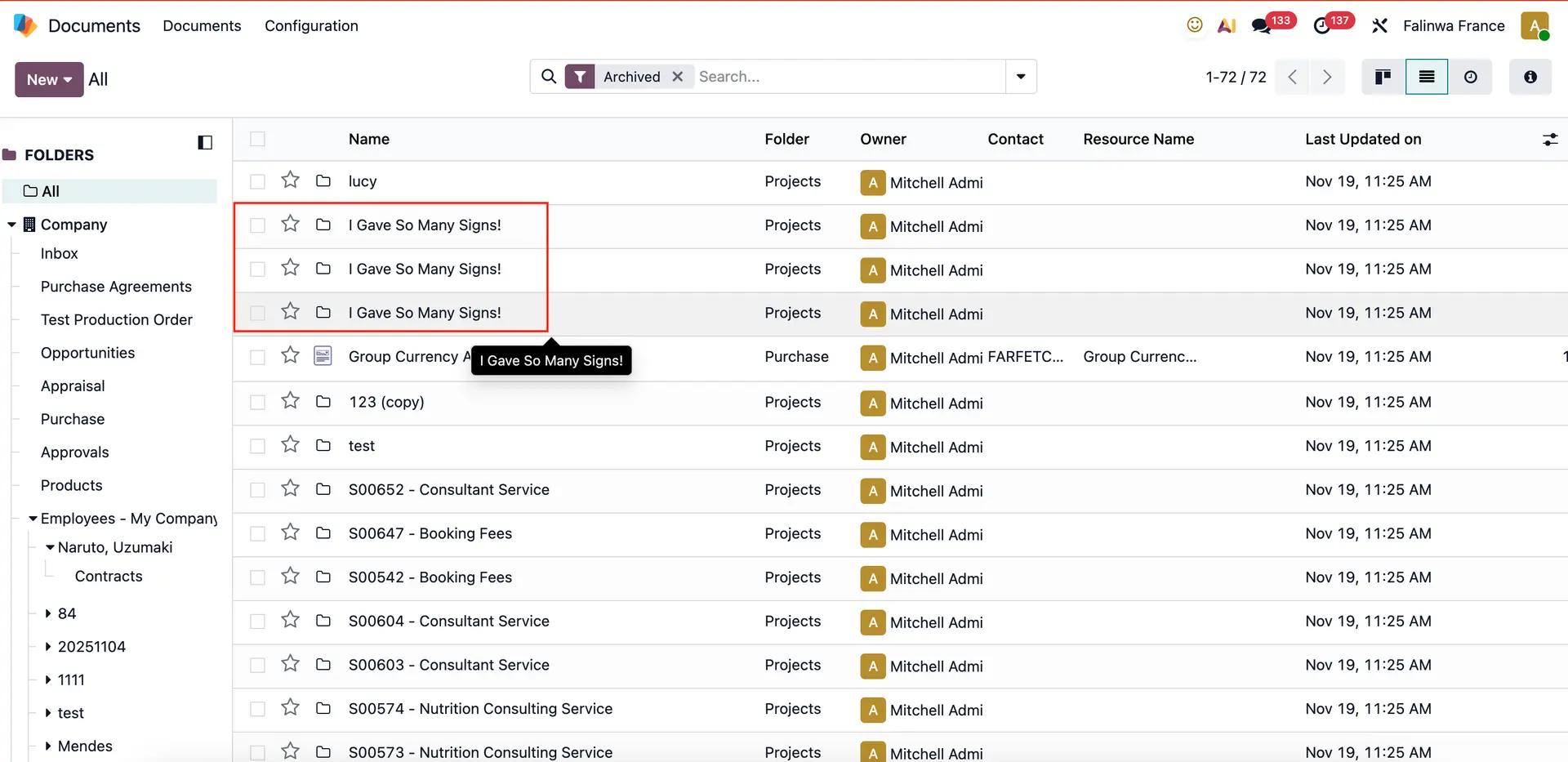 |
3. If you want to unarchive, choose the document(s) > Action > Unarchive | 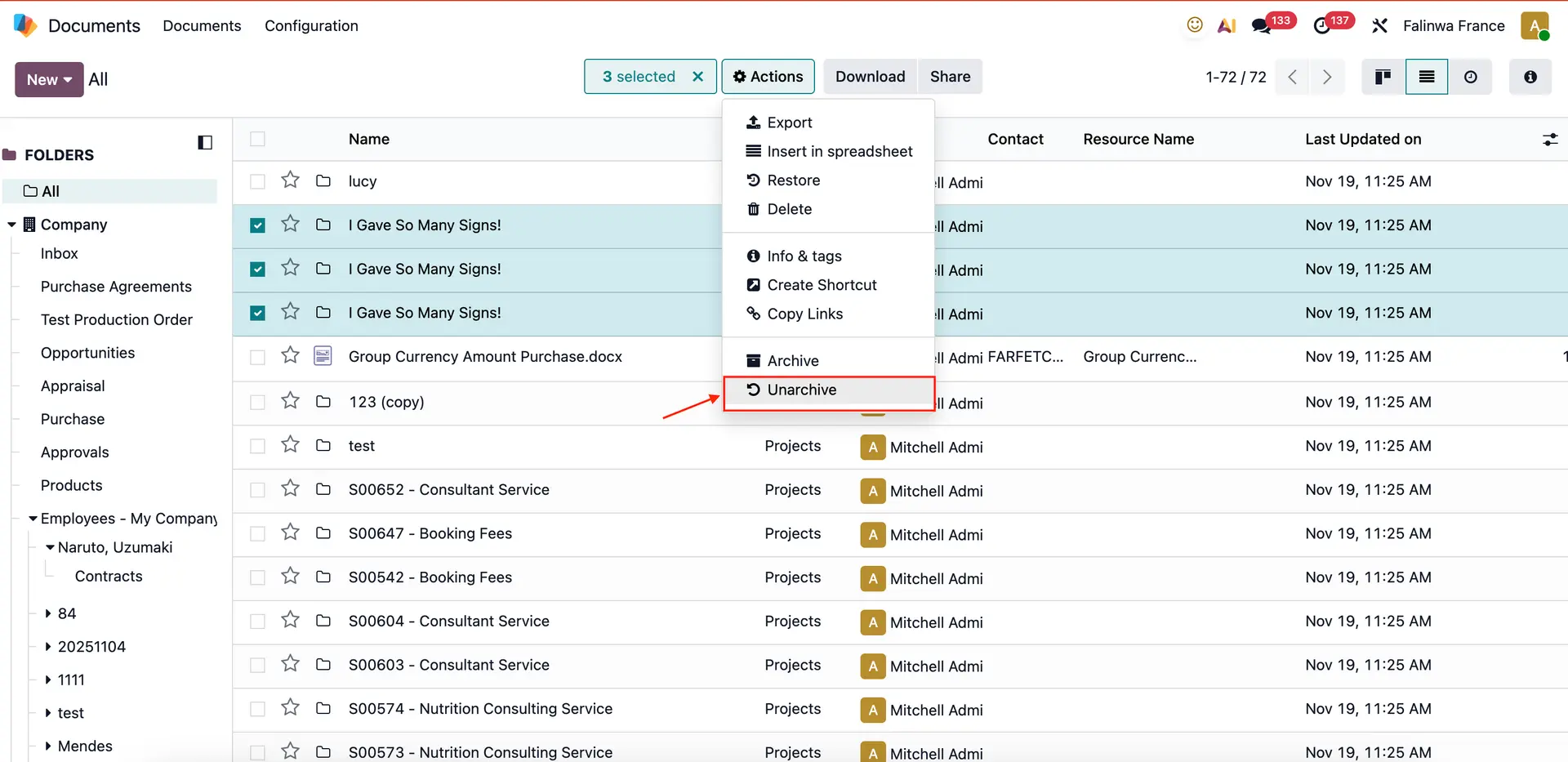 |