



ODOO'S FUNCTION
In Odoo, users can view timesheets by day, week, or year, but there is no built-in timesheet report to analyze or summarize the data.
CLUEDOO'S FUNCTION
CLuedoo enhances timesheet reporting (from cds_timesheet_report) by providing a Grid View that allows users to easily view and analyze timesheet data, with the ability to filter and check reports by day, week, month, or year.
1. Go to Timesheets → My Timesheet Reports.
| 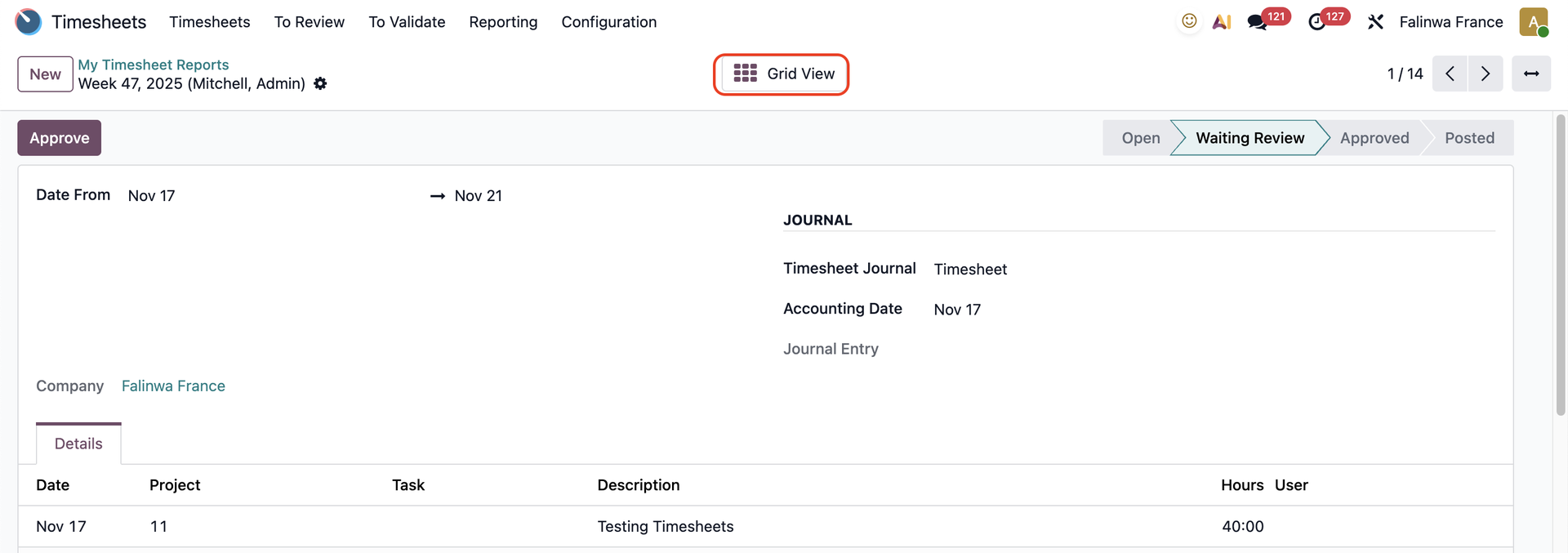 |
You can see the timesheet report in grid view | 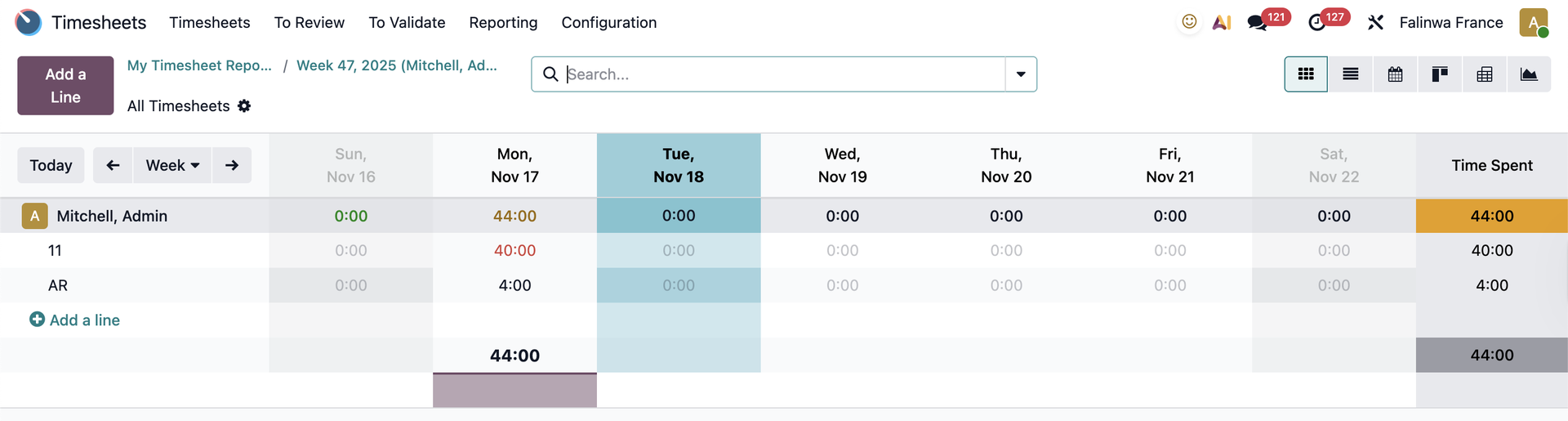 |
2. In the day button, you will see the report for the current day.
| 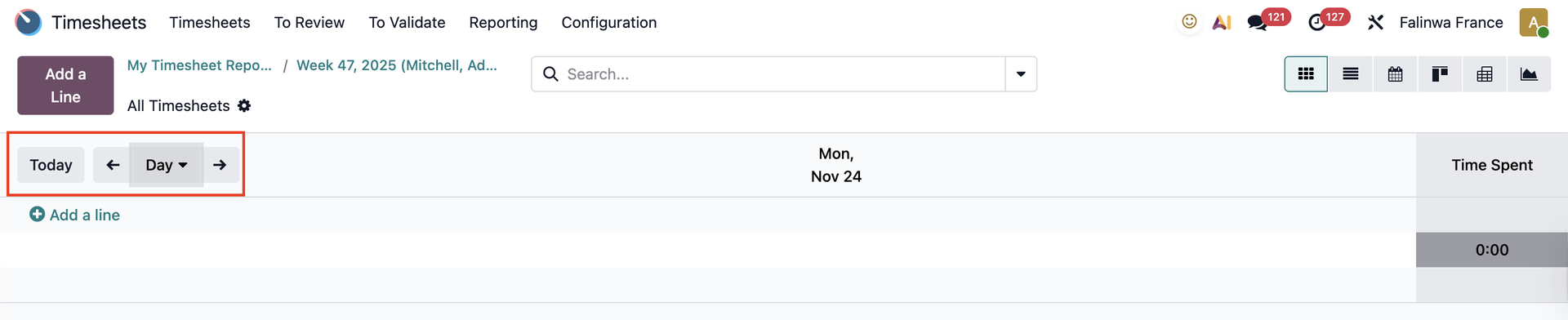 |
3. In the week button, you will see the report for the current week.
| 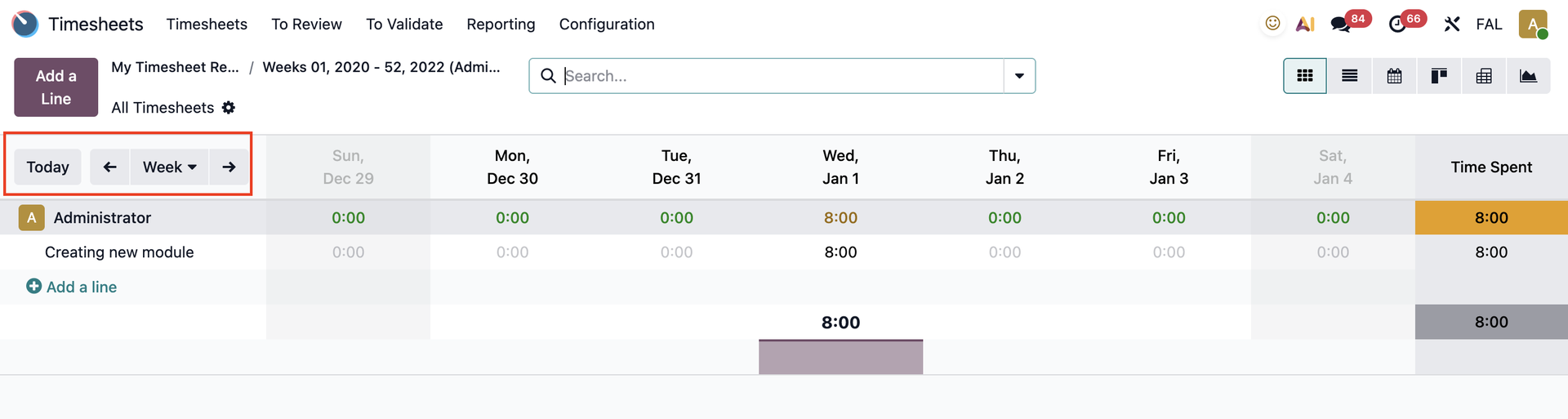 |
4. In the month button, you will see the report for the current month.
| 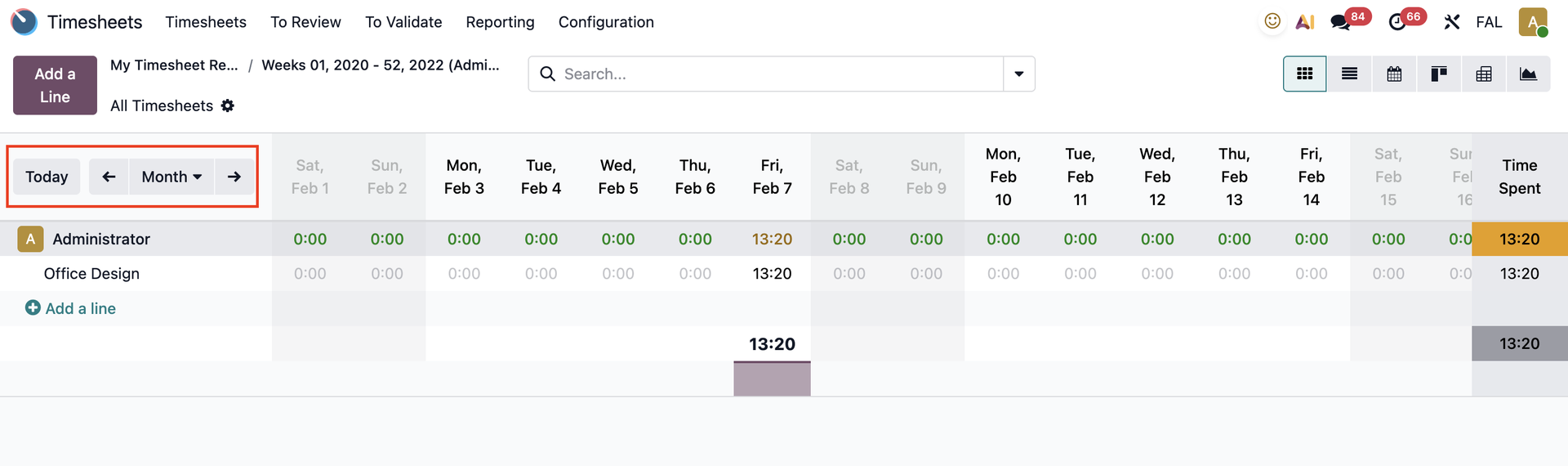 |
5. In the year button, you will see the report for the current year.
| 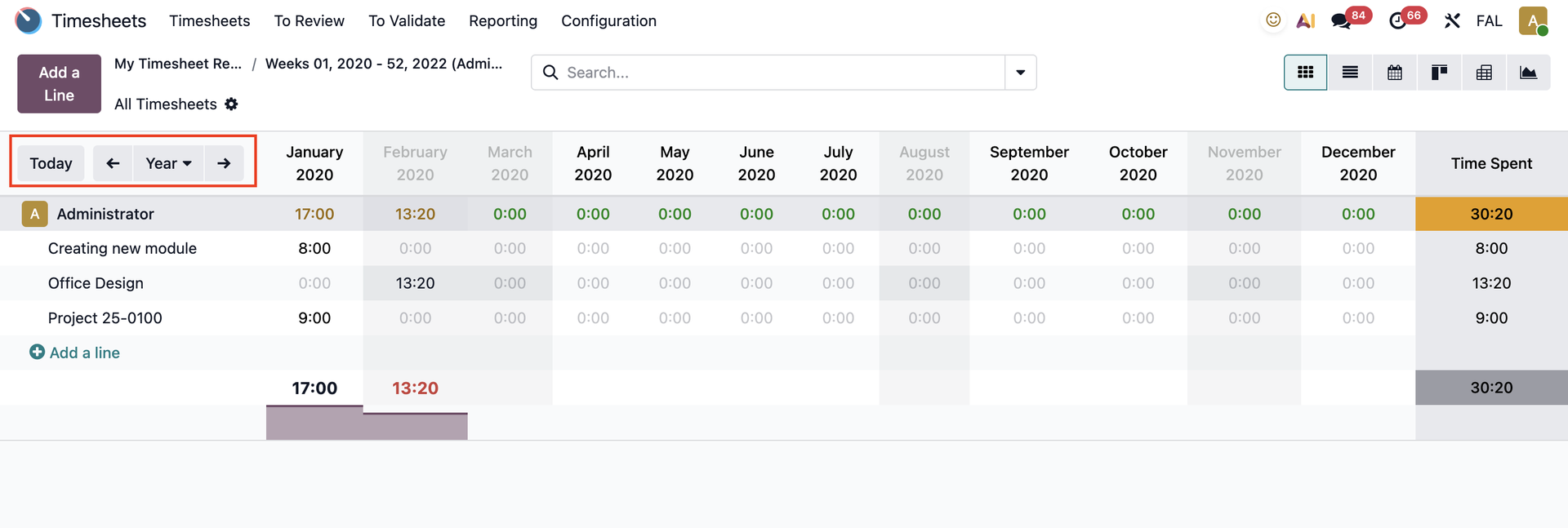 |