


Skip ke Konten

Grid view on my Timesheet Reports

Add Grid view on my Timesheet Sheets
85,91 € 85,91 € (Sebelum pajak)
US$ 100,00 (Sebelum pajak)

  • Versions
Terms and Conditions
30-day money-back guarantee
Shipping: 2-3 Business Days


ODOO'S FUNCTION

In Odoo, users can view timesheets by day, week, or year, but there is no built-in timesheet report to analyze or summarize the data.

CLUEDOO'S FUNCTION

CLuedoo enhances timesheet reporting (from cds_timesheet_report) by providing a Grid View that allows users to easily view and analyze timesheet data, with the ability to filter and check reports by dayweek, month, or year.

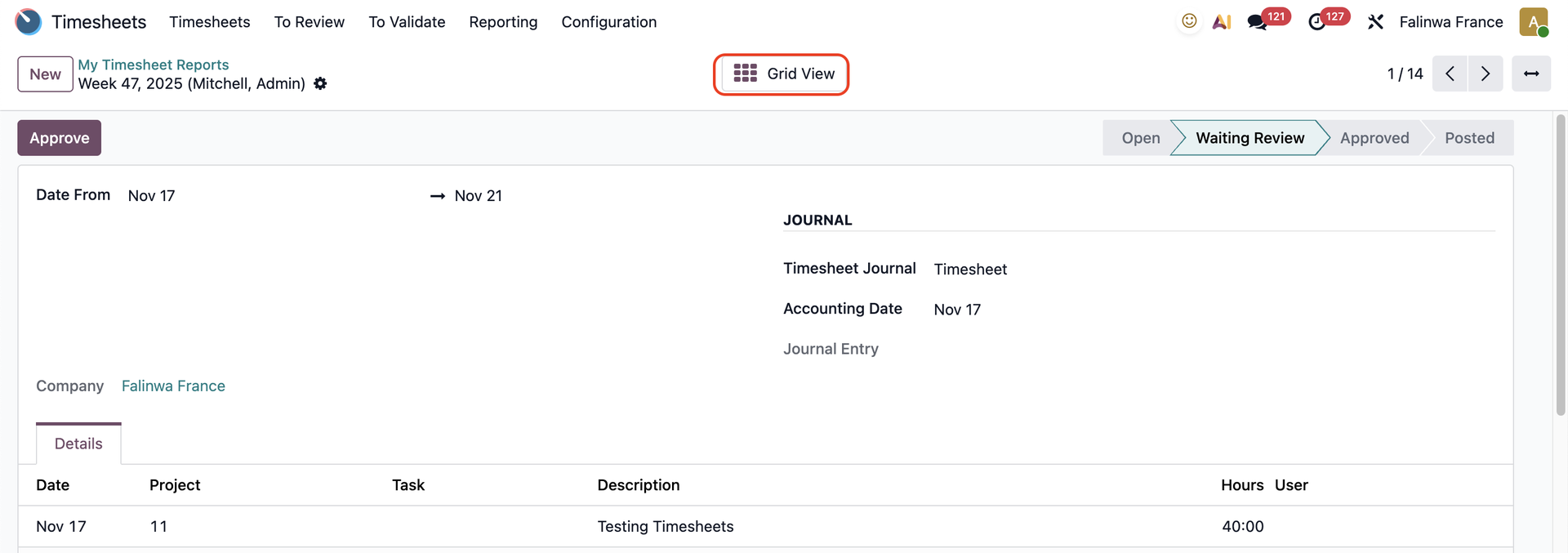
1. Go to TimesheetsMy Timesheet Reports


  • Create a new timesheet report. 

  • Click Grid View.
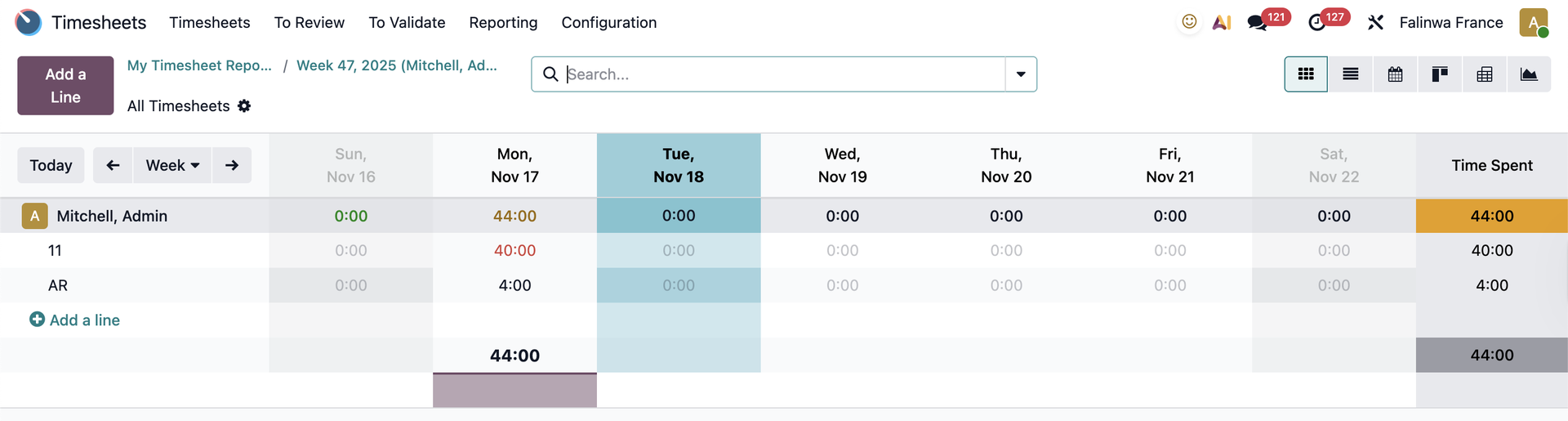
You can see the timesheet report in grid view
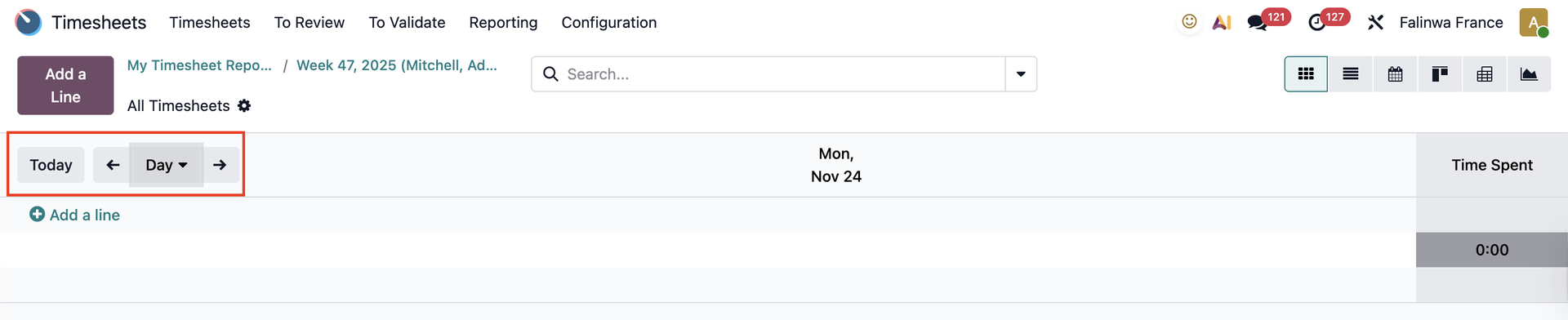
2. In the day button, you will see the report for the current day. 
  • To see the report for previous days, click on the arrow pointing to the left. 
  • To see the report for the following days, click on the arrow pointing to the right. 
  • To return to the current day, click Today.

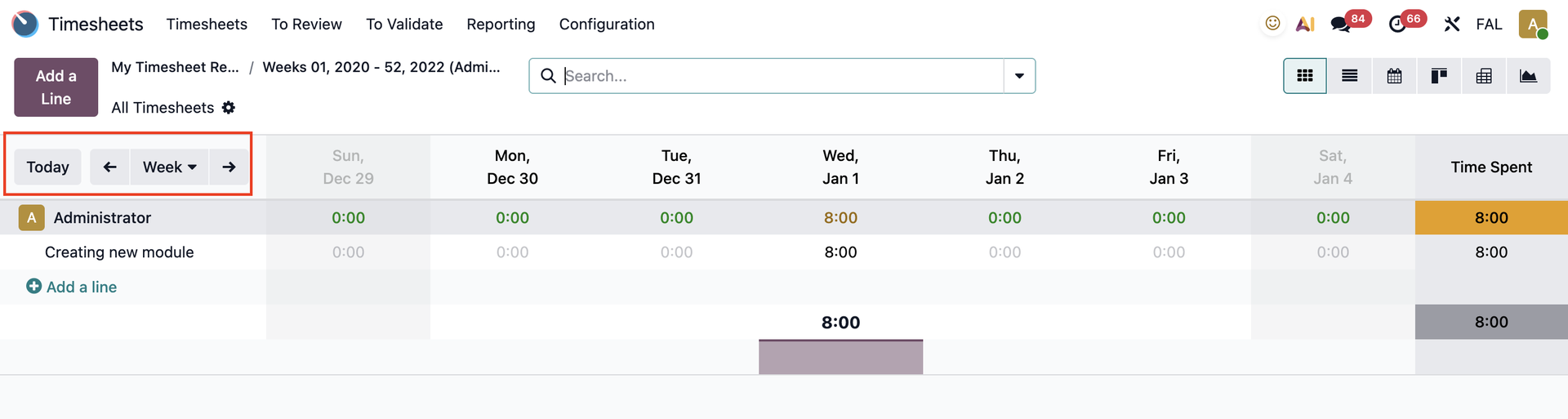
3. In the week button, you will see the report for the current week. 

  • To see the report for previous weeks, click on the arrow pointing to the left. 
  • To see the report for the following weeks, click on the arrow pointing to the right. 
  • To return to the current week, click Today.

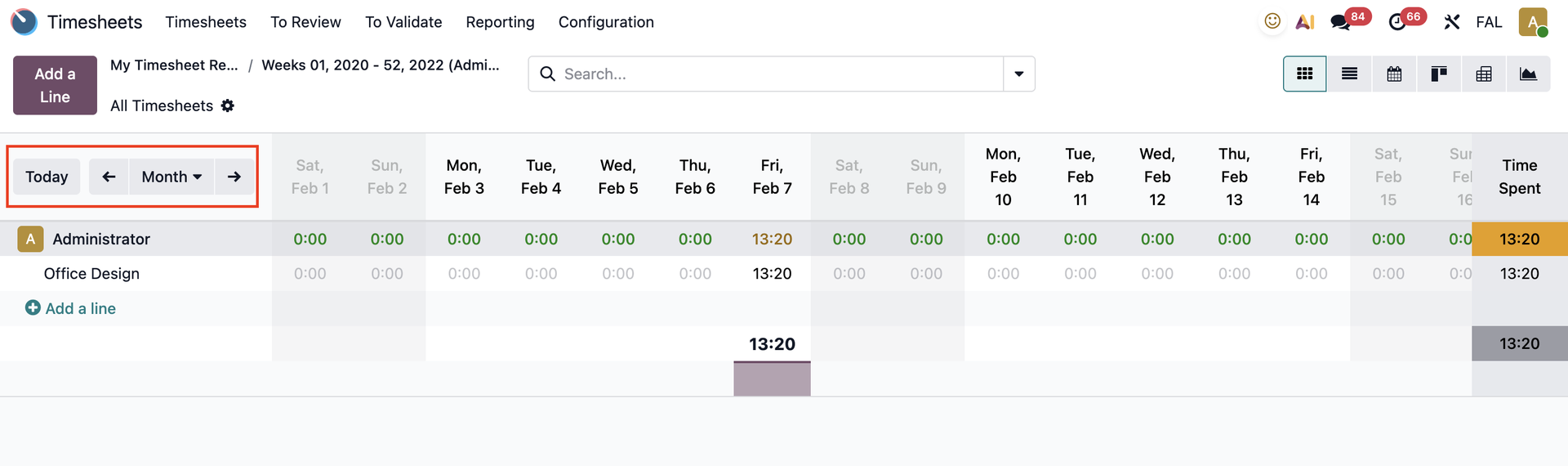
4. In the month button, you will see the report for the current month.

  • To see the report for previous months, click on the arrow pointing to the left.
  • To see the report for the following months, click on the arrow pointing to the right.
  • To return to the current month, click Today.
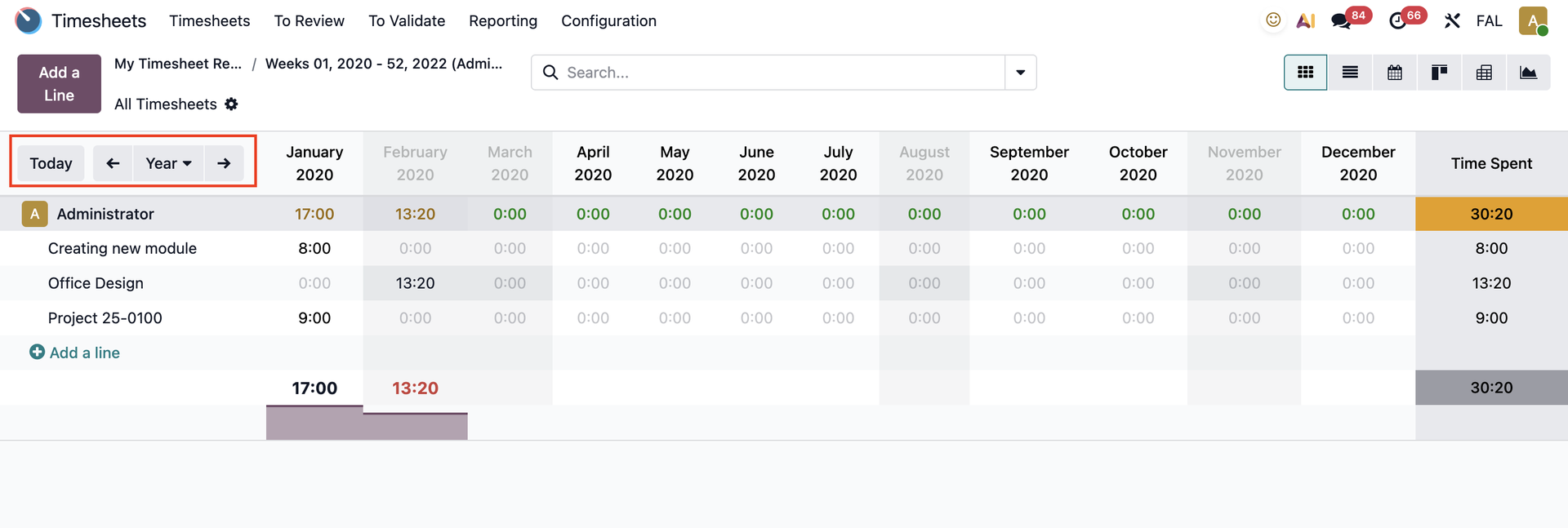
5. In the year button, you will see the report for the current year.

  • To see the report for previous years, click on the arrow pointing to the left.
  • To see the report for the following years, click on the arrow pointing to the right.
  • To return to the current year, click Today.